What Is Structured Vs Unstructured Data A 2026 Comparison
Let’s break down the difference between structured and unstructured data in simple terms. Structured data is the clean, organized information you’d find in a spreadsheet. Think of a database with neat columns like 'Invoice Number,' 'Date,' and 'Amount'—it’s predictable and easy to search.
On the other hand, unstructured data is everything else. It’s the free-flowing text in an email, the paragraphs in a PDF contract, or a scanned image of a bank statement. It has no predefined format, which is where the real business challenge begins.
The Data Dilemma: Structured And Unstructured Data Explained
While structured data is straightforward to manage, it's only a tiny piece of the puzzle. The vast majority of information that powers a business—the messy, complicated, and incredibly valuable stuff—is unstructured.
In fact, an estimated 80-90% of all enterprise data is unstructured, and that number is only growing. This isn't just a statistic; it’s a fundamental shift in how businesses need to think about information. You can read more about this trend in these Databricks insights.
What This Means for Business Teams
If you work in a document-heavy department like finance, insurance, or procurement, you live this reality every day. You're swimming in a sea of invoices, policy documents, and vendor agreements that hold critical information but are a nightmare to process manually.
The core problem is that your standard software and analytics tools are built for the neat world of structured data. Unstructured content just doesn't fit, leaving its potential locked away.
The real opportunity for modern teams isn't just managing data better; it's about learning how to finally make sense of the chaotic, unstructured information that drives the business forward.
This table highlights the key differences at a glance:
| Aspect | Structured Data | Unstructured Data |
|---|---|---|
| Organization | Highly organized with a predefined schema (rows & columns). | No predefined model; data exists in its native format. |
| Common Formats | SQL databases, spreadsheets, CRM data. | PDFs, emails, images, Word docs, videos. |
| Ease of Analysis | Simple to search, filter, and analyze with standard tools. | Complex to analyze; requires advanced tools to extract insights. |
| Business Example | A sales report in a spreadsheet with defined columns. | A collection of vendor contracts saved as PDF files. |
Understanding this distinction is the first step toward fixing the bottlenecks in your workflow. To learn more about the tools and techniques that can help, see our guide on how to begin structuring unstructured data.
A Detailed Comparison of Structured vs. Unstructured Data
To really understand the difference between structured and unstructured data, you have to look past the textbook definitions. The real distinction lies in how they behave in the wild and what that means for your business operations—from how you store information to how easily you can analyze it.
Think about it this way: a finance analyst can use a simple query to pull a list of all invoices over $10,000 from a clean, structured database. They'll have an answer in seconds. But what if that same information is buried inside 500 different vendor contracts saved as PDFs? Suddenly, that simple question requires hours of manual work or expensive, specialized software.
This image gives you a quick visual rundown of their core differences.
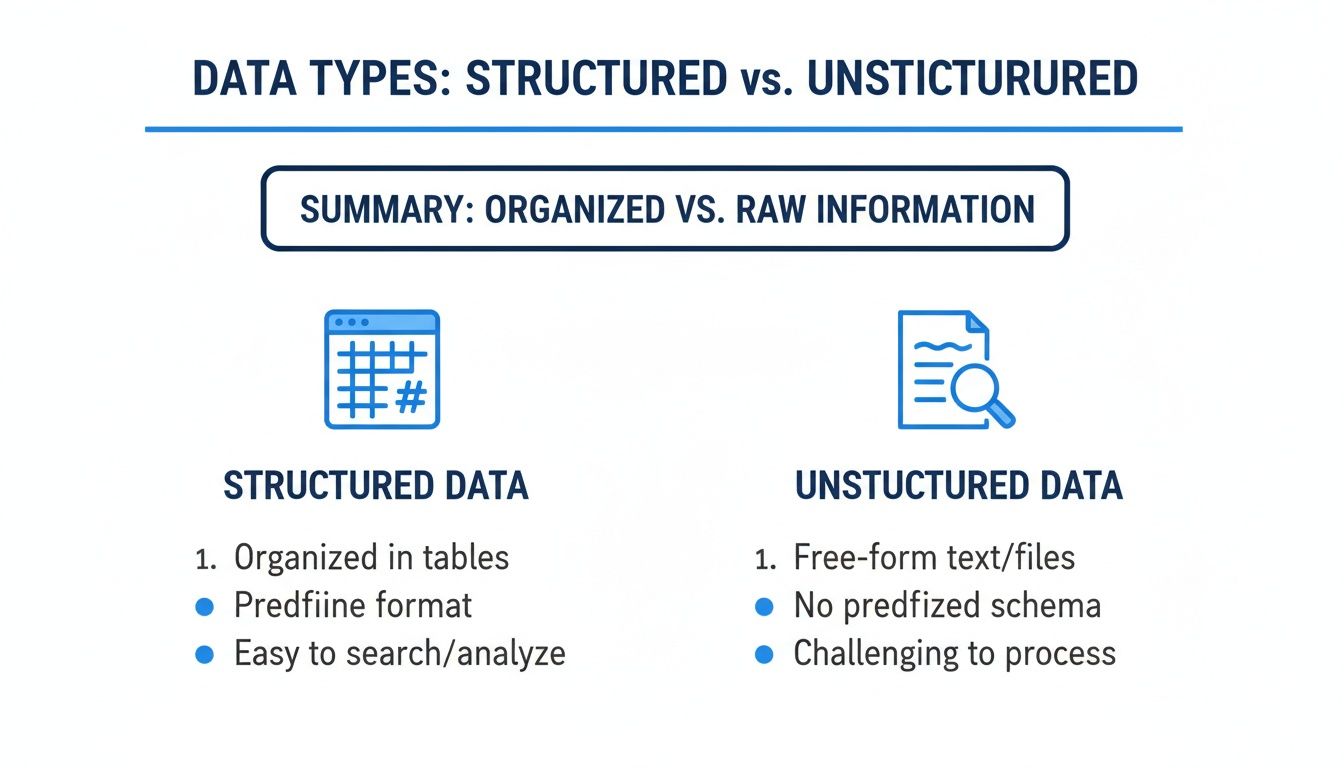
As you can see, structured data is like a neatly organized filing cabinet, ready for analysis. Unstructured data is more like a pile of assorted documents—full of rich context, but you have to do the work to make sense of it.
Format and Schema
The most important difference comes down to the schema—the blueprint that defines how information is organized.
- Structured Data is built on a rigid schema. Everything has a designated spot. In a database, this means data must fit neatly into predefined columns like
customer_name,order_date, oramount. This strictness ensures consistency, but it also means the system is inflexible. - Unstructured Data, on the other hand, has no predefined schema. An email, a PDF contract, a customer support chat log, or a product photo exists in its native format. This flexibility is great for capturing all kinds of information, but it makes automated processing a much bigger challenge.
Storage and Accessibility
The way you store data is a direct consequence of its format. Structured data, with its predictable rows and columns, fits perfectly into relational databases that are optimized for fast and efficient querying.
Unstructured data makes up an estimated 80% of all enterprise information, and it just won’t fit into those neat boxes. It needs a different kind of home—systems that can handle massive volume and variety without demanding a rigid structure upfront.
This is why you see different architectural choices for handling each type. To get a better feel for how these decisions play out, exploring the differences between a data warehouse vs data lake is a great next step. Getting your storage strategy right is crucial because it determines how easily your teams can access and use the information later on.
Querying and Analysis
For most business teams, this is where the rubber meets the road. The ability to ask questions and get timely answers is where the practical differences truly become clear.
This table breaks down the fundamental differences between structured and unstructured data across key business and technical attributes.
Structured vs. Unstructured Data: A Practical Comparison
| Attribute | Structured Data | Unstructured Data |
|---|---|---|
| Query Method | Uses Structured Query Language (SQL) for precise filtering and aggregation. It’s like asking a very specific, direct question. | Relies on keyword searches, or more often, advanced AI tools to find information based on context and patterns. It’s more like asking an open-ended question. |
| Type of Analysis | Perfect for quantitative analysis—generating financial reports, tracking sales KPIs, and building predictive models. | Best suited for qualitative analysis—understanding customer sentiment, finding recurring themes in feedback, or reviewing legal clauses in contracts. |
| Required Tools | Standard Business Intelligence (BI) tools (think Tableau or Power BI) and spreadsheets work beautifully. | Requires specialized tools for Natural Language Processing (NLP), computer vision, or other forms of AI to interpret the content. |
Ultimately, it comes down to the questions you're trying to answer. Structured data gives you the hard numbers—the "what" and "how many." But unstructured data provides the "why" behind those numbers, offering the critical context that figures alone can't provide. To get the full picture, you really need to master both.
The Business Impact on Finance, Procurement, and Insurance
The difference between structured and unstructured data isn't just a technical footnote—it's a source of daily friction for teams on the ground. For anyone in finance, procurement, or insurance, the constant flow of documents makes one thing clear: unstructured information is a massive operational headache, and figuring out how to tame it is a huge opportunity.
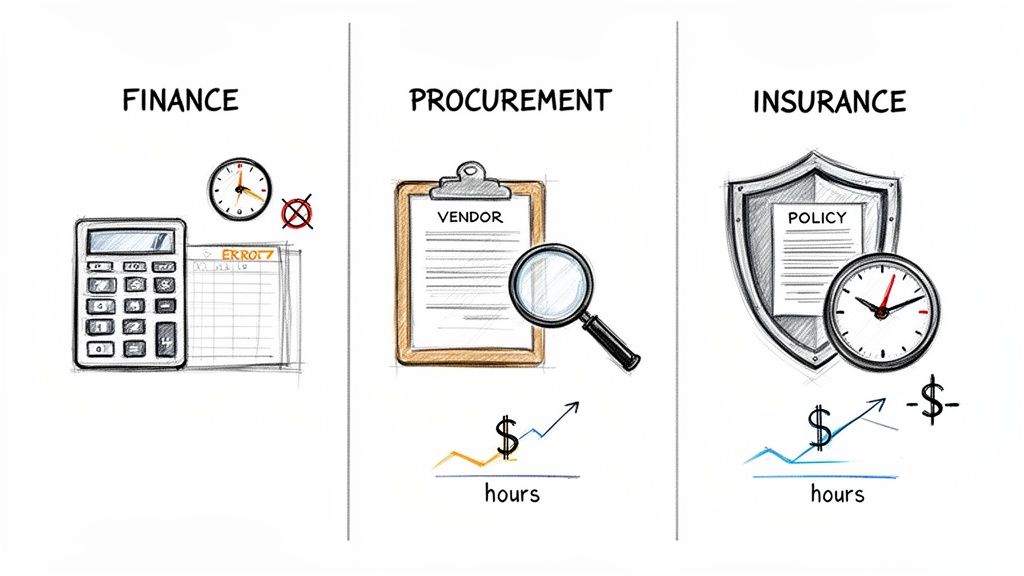
And this problem is only getting bigger. By 2026, a staggering 74% of enterprises expect to be storing over 5 petabytes of unstructured data. This data explosion—driven by everything from vendor invoices and contracts to AI-generated reports—is creating a serious challenge for operations managers. As one industry report notes, AI success will be decided by unstructured data management, which puts a lot of pressure on project teams to get it right.
Finance and Accounting Bottlenecks
If you work in finance, you know the pain of unstructured data all too well. It usually arrives in the form of an invoice. Every month, accounts payable teams are buried under hundreds, if not thousands, of invoices sent as PDFs, scanned images, or email attachments.
These documents hold perfectly good structured data—invoice numbers, due dates, line items, totals—but it's all locked inside a format that your accounting software can’t understand on its own.
This leads to a workflow that’s stuck in the past. An AP clerk has to manually open each file, hunt for the key details, and then painstakingly type them into the ERP or accounting system. It’s slow, mind-numbing work that’s practically begging for errors. A single typo can cause an overpayment, forfeit an early payment discount, or create a reconciliation nightmare at the end of the month. You can learn more about how to fix this with automated invoice processing.
The real cost of unstructured invoices isn't just the time spent on data entry; it's the ripple effect of errors, missed financial opportunities, and the inability to get a real-time view of cash flow.
Procurement and Sourcing Challenges
Procurement teams run into the same wall when they try to compare vendor proposals. Imagine a sourcing manager who has received a dozen quotes for a critical project. Each one arrives in a different layout, uses different terminology, and presents pricing in its own unique way.
Trying to compare these documents is a manual, frustrating process.
- Finding Key Terms: One vendor might put payment terms on the second page, while another hides them in the fine print at the end of the document.
- Comparing Apples to Oranges: Pricing is rarely straightforward. You’ll see a mix of per-unit costs, tiered discounts, and extra service fees that make a direct comparison almost impossible without a spreadsheet and a lot of patience.
- Verifying Compliance: Checking each proposal against internal compliance rules means someone has to read through pages of unstructured text, line by line.
All this manual work slows down decisions, raises the risk of choosing the wrong vendor, and weakens your team's negotiating position because they never have all the information cleanly laid out.
Inefficiencies in the Insurance Sector
The insurance world is literally built on documents. Policies, claims forms, and appraisal reports are the gears that make the industry turn. But extracting crucial details like policy numbers, coverage limits, premium amounts, or effective dates from these files is a constant battle.
Underwriters and claims processors spend a huge chunk of their day simply locating and confirming information trapped inside scanned PDFs and dense policy booklets. This administrative overhead creates a bottleneck across the entire insurance lifecycle, from quoting and binding a new policy to settling a claim.
Worse yet, it keeps valuable information locked away. When data sits in static documents instead of a database, it's impossible to use it for broader risk analysis or to develop new, more competitive products.
From Messy Documents to Clean Data With Intelligent Parsing
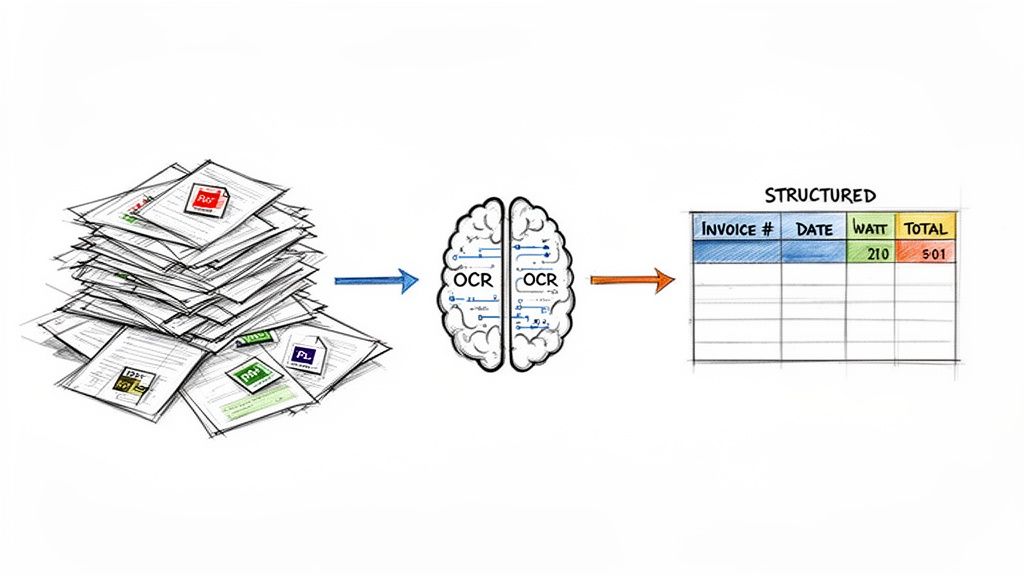
So, how do you get from a stack of messy, unstructured documents to the clean, structured data your business systems actually need? The first step for many is a technology you've probably heard of: Optical Character Recognition (OCR).
At its most basic, OCR is like a digital eye. It scans a document image, like a PDF invoice, and simply converts the characters it sees into raw, machine-readable text. It's a crucial first step, but it's also where many people's understanding of document automation stops.
The problem? OCR alone is a blunt instrument. It might read the words "Invoice Number" and "12345," but it has no idea that one is a label and the other is the value it describes. You're left with a digital wall of text, and your team still has to manually find and organize the important bits.
Beyond OCR With Intelligent Parsing
This is where the real magic happens. To truly automate the process, modern tools use intelligent document parsing. This technology goes way beyond simple text recognition by using artificial intelligence to understand the context and layout of a document.
Instead of just spitting out words, it identifies specific data fields like 'Invoice Number,' 'Total Due,' or 'Policy Effective Date'—no matter where they are on the page. Think of it as teaching a computer to read a document the same way a person would, by recognizing patterns and relationships. It’s what turns a chaotic file into an organized, analysis-ready asset. For a closer look, you can dive into our guide on what intelligent document processing is.
The key advantage of intelligent parsing is its ability to handle variation. Whether an invoice is one page or ten, or if the "Total Amount" is at the top or bottom, the AI can find and extract it without needing pre-built manual templates for every vendor.
This adaptability is a game-changer for teams drowning in paperwork. It's no surprise that 97.2% of organizations are investing in big data projects to unlock the value trapped in their unstructured information. This push to convert messy files into clean data is fundamentally changing how businesses operate.
To learn more about turning unstructured information into a usable format, check out how Intelligent Document Processing (IDP) works. This is the technology closing the gap between raw documents and actionable intelligence, offering a clear path forward for any organization struggling with data overload.
How To Unlock Both Data Types
It’s one thing to know the difference between structured and unstructured data, but it’s another thing entirely to actually put both to work for your business. So, how does a busy accounting or operations team turn a messy folder of mixed documents into clean, usable data without needing a team of developers?
This is where modern platforms like DocParseMagic come into their own. They were built to bridge this gap, automating the heavy lifting so that non-technical users can get the information they need and get back to their day.
The whole process is surprisingly straightforward. You don't have to deal with a complicated setup—you just upload your documents. It can be a real mix of files: native PDFs, scanned pages, Word docs, or even photos of paperwork snapped on a phone. There are no templates to build and no code to write.
A Practical Use Case For Accounting Teams
Let's look at a real-world scenario: an accounting team staring down a month-end close. They're sitting on thousands of invoices from different vendors, and every single one has a unique layout. In the past, this meant hours upon hours of manual data entry.
With a no-code parsing tool, the workflow is completely different:
- Upload Everything: The AP clerk simply drags and drops the entire folder of invoices into the platform.
- Automatic Extraction: The AI gets to work, automatically finding and pulling out key fields from every document. It identifies the
Invoice Number,Due Date,Vendor Name,Line Items, andTotal Amount, no matter where they are on the page. - Clean Data Output: In just a few minutes, the tool generates a single, clean spreadsheet. All that once-chaotic information is now organized into perfect columns, ready for reconciliation or to be uploaded directly into the accounting system.
This isn't just a time-saver. It's about achieving 99%+ accuracy and giving the finance team a real-time view of liabilities, instead of having to wait days for someone to key it all in manually.
The software should adapt to your documents, not the other way around. That flexibility is what separates modern AI tools from the older, rigid systems that just couldn’t handle the variety we see in real-world business documents.
Unlocking Commission Data For Sales Reps
Here’s another great example from the world of manufacturers' representatives. These reps often get commission statements from dozens of different manufacturers, each with its own bizarre, proprietary format. Trying to reconcile all that data to make sure they've been paid correctly is a massive headache.
A sales operations manager can use an intelligent parsing platform to pull all this information together with almost no effort. By uploading all the different statements, the tool can automatically extract data points like Manufacturer Name, Customer, Invoice Number, Commission Rate, and Payment Amount into a single master spreadsheet.
This unified view lets them quickly spot payment discrepancies, track performance by manufacturer, and build reliable revenue forecasts. A task that once took days of painstaking spreadsheet work can now be done in under an hour. Moving from manual data wrangling to strategic analysis—that's the real payoff when you master both structured and unstructured data.
Frequently Asked Questions
Let's dig into some of the questions we hear all the time from business teams trying to get a handle on their data. Here are a few straightforward answers to help you figure out your next steps.
What Are The Best Tools For Handling Unstructured Data?
That really comes down to what you're trying to do with it. If your main goal is just to store a huge amount of raw, mixed files for data scientists to analyze later, a data lake is a great solution. Think of it as a massive digital repository that holds everything as-is, giving you total flexibility down the road.
But if you need to pull specific, usable information out of documents—like extracting invoice numbers from PDFs or renewal dates from insurance policies—then an AI-powered document parsing platform is what you’re looking for. These no-code tools are built for business users, not programmers, and can turn a mountain of messy documents into a clean spreadsheet automatically.
How Does AI Help Convert Unstructured Data?
It's all about context. Older OCR technology was great at just reading the text on a page, but it had no idea what any of it meant. Modern AI, on the other hand, is trained to understand the relationships between words and where they appear in a document.
For example, an AI model learns that the number appearing next to the words "Invoice Total" is the figure you actually need to capture. It gets this smart by analyzing thousands of different documents, which allows it to find and pull out key information from contracts, invoices, and statements, even if the layout is completely different each time.
AI doesn't just read documents; it understands them. This contextual awareness is what enables true automation, converting free-form text into a perfectly organized table without manual intervention.
Can Small Businesses Benefit From Managing Unstructured Data?
Of course. In fact, small businesses often feel the sting of manual data entry the most because they don't have a large team to throw at the problem. The great thing is, you no longer need a huge budget or a dedicated IT department to fix it.
Modern, no-code platforms make this kind of automation accessible to everyone. By setting up a simple workflow to pull data from just a few hundred invoices or sales orders a month, a small business can save hundreds of administrative hours per year. This not only cuts down on costly mistakes but also frees up your team to focus on work that actually grows the business.
What Is Semi-Structured Data And How Does It Compare?
Semi-structured data is the halfway point between a perfectly organized database and a completely free-form document. It doesn't fit into the neat rows and columns of a spreadsheet, but it does have internal tags or markers that give it a predictable hierarchy.
The most common examples you'll see are JSON and XML files. Imagine a JSON file used by a web app—it organizes data with "key-value" pairs (like "name": "John Doe"). This structure makes it far easier to process than a plain text document but much more flexible than a rigid database table.
Ready to stop wasting time on manual data entry? DocParseMagic turns your messy documents into clean, analysis-ready spreadsheets in minutes. Sign up for free and start automating your workflow today.