What Is Parsing Data? How It Automates Your Work - what is parsing data
At its heart, data parsing is simply the act of taking information from a format that’s easy for humans to read and converting it into a structured format that computers can understand and work with.
Think of it like a translator. You might hand a stack of PDF invoices to an accountant, who has to manually read each one, find the vendor name, locate the total amount, and then type those details into a spreadsheet. A data parser does that exact same job, but instantly and automatically. It takes that messy, human-friendly document and neatly organizes all the important bits into a clean, usable format.
This makes the information immediately ready for analysis, automation, or whatever else you need to do with it.
Decoding the Language of Your Documents
Parsing is so much more than just a fancy copy-and-paste. A good parser is smart enough to understand the context of the information it’s looking at.
It doesn’t just see a string of numbers like "05/25/2026"; it correctly identifies that as a "Due Date." It recognizes "$1,572.50" not as random text, but as the "Total Amount." It's this ability to understand the relationships within a document that truly separates parsing from simple text extraction.
To show this transformation in action, let's compare the raw, jumbled information you might find in a document with the neat, structured output a parser creates.
Raw Data Vs Parsed Data At a Glance
| Characteristic | Raw Data (e.g., PDF Invoice) | Parsed Data (e.g., Spreadsheet) |
|---|---|---|
| Format | Unstructured, free-form text and images. | Structured rows and columns. |
| Usability | Requires manual reading and interpretation. | Machine-readable and ready for import. |
| Consistency | Varies wildly from one document to another. | Standardized fields (e.g., "Date," "Total"). |
| Accessibility | Information is locked inside the file. | Easily searchable, sortable, and analyzable. |
| Example | A block of text: "Due on May 25, 2026 for $1,572.50" | due_date: 2026-05-25, total_amount: 1572.50 |
As you can see, the parsed data is clean, consistent, and immediately useful for any software system.
From Symbols to Strategy
The fundamental idea isn't new. The concept of parsing text according to a set of rules actually dates back to the 1950s with the first programming languages. Back then, it was crucial for turning code written by a person into instructions a machine could execute. If you're interested in the history, you can explore more about the evolution of intelligent document processing and its impact.
Today, we apply that same principle to business documents. The goal is to turn them from static files sitting in a folder into dynamic assets that can actively work for you.
Key Takeaway: Data parsing isn’t just about pulling out text; it’s about giving that text structure and meaning. It turns a document a person can read into data a system can process, analyze, and act on.
The Immediate Business Value
So, why should you care? Because a staggering 80% of enterprise data is trapped in unstructured formats like PDFs, emails, and scanned reports. Without parsing, that information is a huge, untapped resource that's nearly impossible to use at scale.
Effective data parsing unlocks the value hidden in these documents, helping businesses to:
- Automate mind-numbing workflows like accounts payable or insurance claims processing.
- Slash the costly human errors that always come with manual data entry.
- Speed up decision-making by getting accurate information into the right hands, right away.
Ultimately, getting a grip on what data parsing is is the first real step toward getting rid of those clunky, inefficient manual processes. It’s the engine that powers modern workplace automation.
How Data Parsing Works Step By Step
To really get a feel for data parsing, it helps to see the process in action. Think of it like a high-tech assembly line for your documents. A cluttered PDF invoice goes in one end, and out the other comes clean, organized data that you can actually use.
Let's walk through what happens to a typical vendor invoice as it makes its way through this workflow. We'll break down the technical magic into a simple, step-by-step journey.
This diagram gives you a bird's-eye view of how a parser turns a messy document into structured data ready for your business systems.
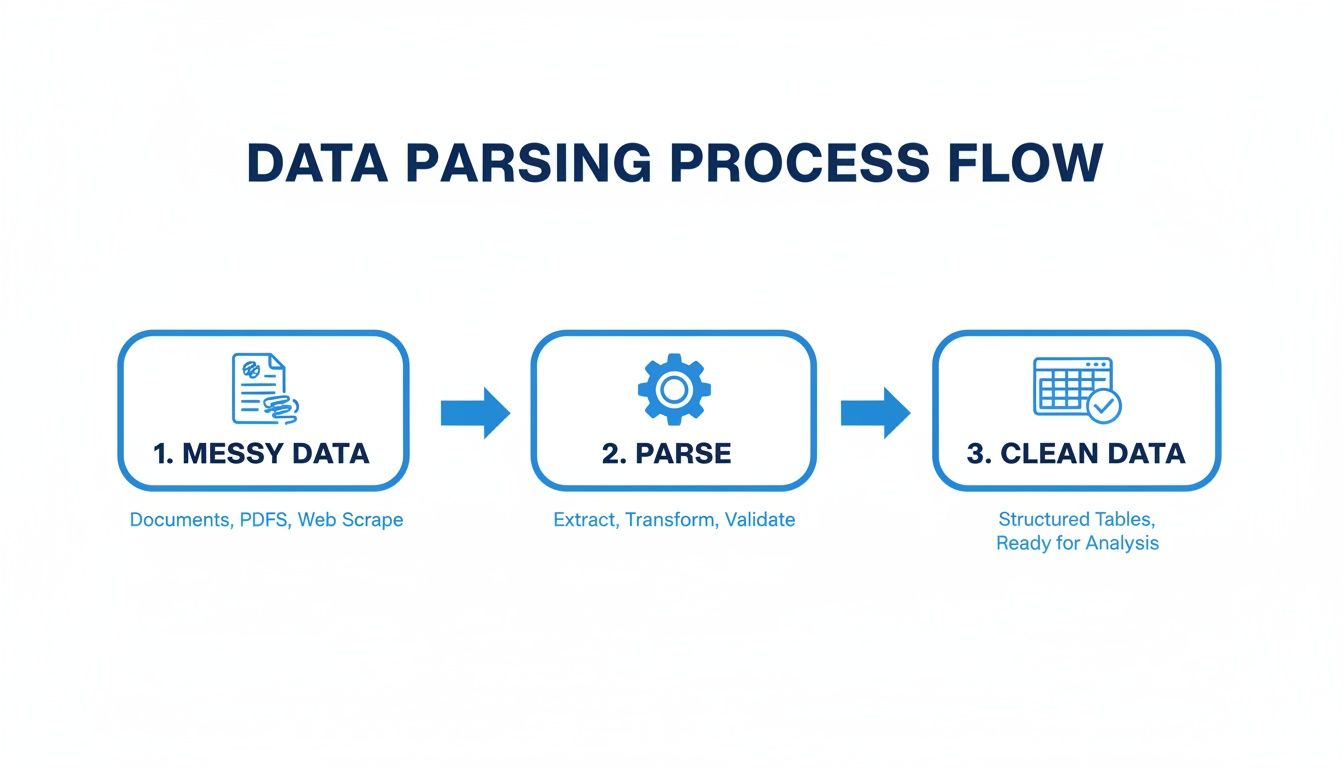
As you can see, the main job is to bring order to chaos. This journey from messy input to clean output happens in a few key stages.
Step 1: Document Ingestion and Pre-Processing
It all starts the moment a document arrives. It could be a PDF emailed from a supplier, a scanned receipt, or even a photo of a contract snapped on a phone. The parser first needs to "ingest" this file, regardless of its original format.
Right after ingestion, the document hits a crucial clean-up phase called pre-processing. This isn't just a quick tidy-up; it's a vital set of automated tasks that prepare the document for accurate analysis. This usually involves:
- Deskewing: If a page was scanned crooked, this straightens it out.
- Noise Reduction: Getting rid of random specks, shadows, or other visual junk.
- Binarization: Converting the image to a crisp black and white, which helps the text stand out.
This initial prep work is all about giving the next stages the cleanest possible version of the document to work with.
Step 2: Text Recognition and Core Parsing
With a clean image in hand, the next job is to turn any pictures of text into actual, machine-readable text. This is where Optical Character Recognition (OCR) technology comes in. The system scans the document, identifies every letter, number, and symbol, and essentially transforms a static image into editable text.
Once the text is digitized, the real parsing can begin. This is where the system’s intelligence really comes into play. It reads through the document, using technologies like Natural Language Processing (NLP) to find and pull out the important bits of information.
For our invoice example, it would zero in on key details like the vendor's name ('Vendor: ABC Corp'), the due date ('Due: 02/15/2026'), and the total amount ('$5,432.67'). If you're curious about the technologies that power this, you can dig deeper into our guide on the best data extraction tools.
Step 3: Structuring and Validation
Just pulling out the data isn't enough. The final—and arguably most important—step is to give it structure and make sure it’s correct. The parser takes all those extracted values and organizes them into predefined fields.
The vendor's name gets slotted into the "Vendor" column, the total amount goes into the "Total" column, and so on. This turns a jumble of information into a clean, spreadsheet-like format.
Finally, a validation layer runs a quick sanity check. Is the due date missing? Is the total a logical number? If something seems off, it can flag the document for a human to review. This methodical process turns a simple document into a reliable source of data. In fact, teams using modern platforms can slash manual error rates from as high as 10% down to under 1%, which saves a massive amount of time and money.
A Look at Different Data Parsing Methods
So, which data parsing method is right for you? It really comes down to your specific situation. The best choice depends on what kind of documents you’re dealing with, your team's technical skills, and, of course, your budget.
Think of it this way: you wouldn't use a sledgehammer to hang a picture frame. The same logic applies here. Let's walk through the three main approaches businesses use to get data out of their documents, so you can see which one makes the most sense for your workflow.
1. Rule-Based Parsers
The old-school, tried-and-true method is rule-based parsing. It’s exactly what it sounds like: a person sets up specific instructions, or "rules," that tell the software precisely where to find the data on a page. You might program a rule like, "The invoice number is always two inches from the top and one inch from the left."
This approach is a workhorse for documents that never, ever change. If you're only processing forms from a single internal system where the layout is set in stone, a rule-based parser can be lightning-fast and dead-on accurate.
But here’s the catch: its rigidity is also its fatal flaw. The second a vendor tweaks their invoice template, your rules shatter. Your whole process grinds to a halt until a developer steps in to write a new set of rules. It’s a brittle system that just can’t keep up if you’re getting documents from a bunch of different places.
2. Statistical and Machine Learning Parsers
Next up is a more sophisticated approach using statistical models and machine learning (ML). Instead of being told exactly where to look, these systems are trained on thousands of sample documents. The model learns to spot patterns and make educated guesses about where information should be. It learns, for example, that a number following the word "Total" is almost certainly the total amount.
This makes it way more flexible than a rule-based parser and much better at handling documents with slight variations. The major hurdle? The upfront cost and effort are huge. You need a massive amount of data to train the model, serious computing power, and a team of data scientists to build and maintain it. For most small or medium-sized businesses, this is like trying to build your own power plant just to turn on the lights—it's simply not practical.
3. Modern AI-Powered Platforms
This brings us to the latest evolution in parsing: modern AI platforms. Tools like DocParseMagic blend the best of both worlds. They come loaded with powerful AI models that have already been trained on millions of real-world business documents, from invoices to contracts. This means they're ready to go right out of the box, no rule-writing or massive training datasets required on your end.
These platforms are built for the people who actually do the work. They are "no-code," meaning someone in accounting or sales can set up their own automation without needing to write a single line of code. The AI is smart enough to find the "Due Date" or "Policy Number" no matter where it appears on the page.
This approach gives you the flexibility to handle all sorts of document formats without the brittleness of rules or the heavy technical burden of building your own ML models. For most businesses today, it’s the most practical and scalable path forward.
Choosing Your Data Parsing Method
With these three distinct options, it's crucial to match the method to your business reality. A startup handling a few dozen standardized invoices has very different needs than a large enterprise processing thousands of varied documents daily.
The table below breaks down the core differences to help you see where your needs fit.
| Parsing Method | Best For | Key Limitation | Example Use Case |
|---|---|---|---|
| Rule-Based | Highly standardized, fixed-format documents from a single source. | Extremely brittle; any layout change breaks the rules, requiring manual updates. | Processing internal expense reports that always use the same company template. |
| Statistical/ML | Businesses with massive datasets and in-house data science teams. | Requires significant upfront investment in data, talent, and computing power. | A large bank training a model to analyze millions of unique loan applications. |
| Modern AI Platform | Most businesses needing to handle varied documents without a dedicated tech team. | Relies on the quality of the platform's pre-trained models. | An accounting team automating invoice processing from hundreds of different vendors. |
Ultimately, the goal is to find a solution that not only works today but can also grow with you as your document volume and variety increase.
Data Parsing Examples in the Real World
Theory is one thing, but seeing data parsing in action is where it really clicks. You start to see how this technology solves real-world headaches for teams just like yours, turning slow, mistake-ridden tasks into quick and accurate processes. These aren't just small tweaks; they're genuine improvements that save a ton of time, cut costs, and help people make better decisions.
Let's look at a few stories that show the clear "before and after" of putting a data parser to work.
Accelerating Accounts Payable
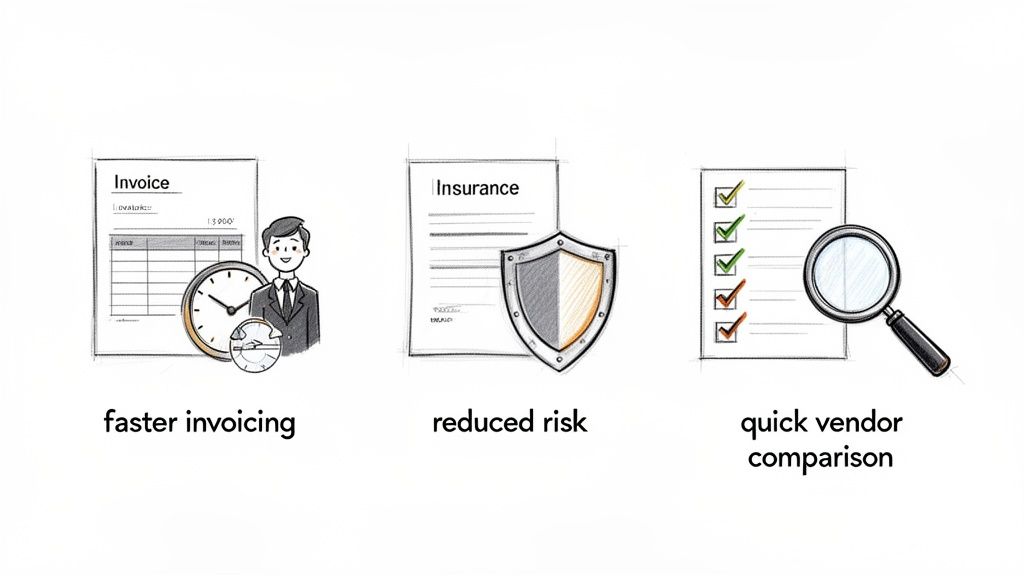
Picture an accounting team buried under a mountain of invoices. For them, month-end close was a nightmare. It took three people several days to manually type information from hundreds of vendor PDFs into their accounting software. Every typo was a potential overpayment, and chasing down approvals felt like a full-time job.
Once they brought in an AI-powered parser, everything changed. Invoices arriving in their inbox were automatically read and processed. The system instantly pulled out key details like invoice numbers, line items, and totals, validating them on the spot.
The Result: The team slashed their month-end close time by 50%. They nearly eliminated costly payment errors, and their skilled accountants could finally focus on strategic financial analysis instead of mind-numbing data entry.
Reducing Risk in Insurance
For an insurance brokerage, accuracy isn't just important—it's everything. Their staff used to spend huge chunks of their day manually copying policy details from carrier documents into their internal system. A single misplaced decimal point on a premium or a wrong effective date could snowball into a huge compliance problem or a very unhappy client. It was slow and incredibly risky.
By implementing a data parser, they automated the whole process. Policy numbers, coverage limits, and premium amounts were extracted automatically. Better yet, the system now flags any inconsistencies for a human to review, which keeps their data clean. This shift is part of a bigger trend, with the intelligent document processing market projected to jump from USD 5.03 billion in 2025 to USD 7.55 billion in 2026. Why? Because it helps slash manual error rates from as high as 15% down to just 2% in some cases.
Streamlining Vendor Comparisons
A procurement manager was tasked with comparing proposals for a major equipment purchase. This meant she had to slog through three dense, 50-page PDFs from different vendors. Her goal was to pull out all the key terms, pricing tables, and delivery timelines to create a comparison spreadsheet. The whole ordeal took nearly a full week.
With a data parser, she simply uploaded all three proposals. The tool got to work, pulling out all the relevant information and organizing it into a single, clean table in less than five minutes. She could instantly see a side-by-side comparison of pricing, warranties, and service terms, allowing her to make a confident, data-backed decision in a fraction of the time.
The True Cost of Manual Data Entry
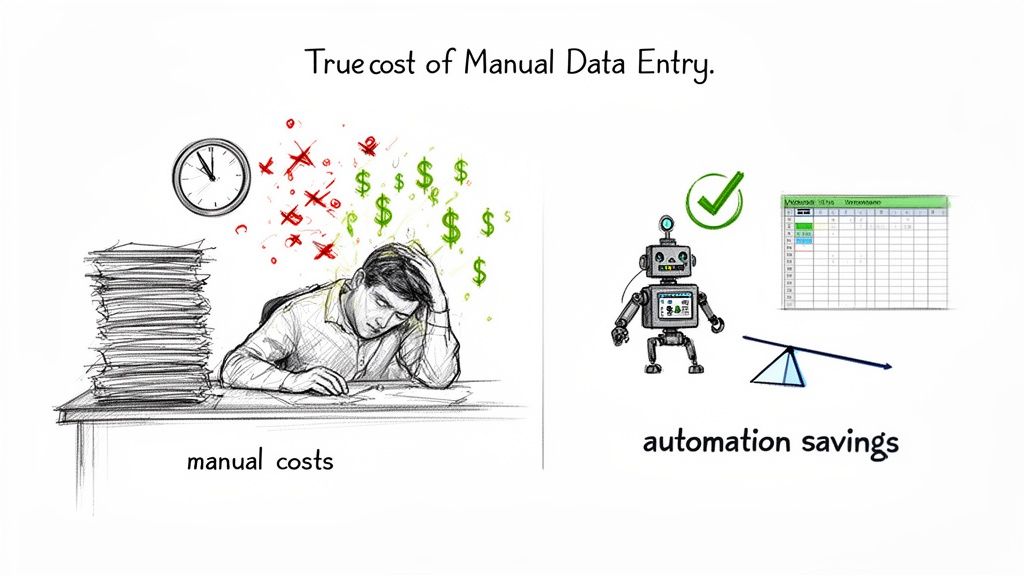
Sticking with manual data entry is more than just slow—it's an expensive habit that quietly chips away at your company's bottom line. The most obvious hit is the labor cost. Imagine an employee earning $25 per hour who spends just four hours a week copying information from documents. That one task costs your business $5,200 a year. Now, think about how many people on your team are stuck doing the same thing.
Those salary costs are just the tip of the iceberg. Once you grasp what is parsing data and how automation can change the game, you start to see all the other hidden expenses piling up. It makes a pretty strong case for finding a better way.
The High Price of Human Error
Beyond the payroll drain, manual entry opens the door to human error. It's inevitable. Studies show that even the most careful data entry pros have an error rate of about 1%. That might not sound like much, but it means that for every 100 invoices you process, at least one is probably wrong.
And these aren't harmless little typos. A single mistake can snowball into a real mess.
- Costly Overpayments: A misplaced decimal point could have you paying a vendor $10,000 instead of $1,000. Ouch.
- Compliance Fines: Filing incorrect data can put you on the wrong side of industry regulations, leading to steep penalties.
- Damaged Relationships: Sending a client an invoice with a glaring error is a quick way to damage trust and your professional reputation.
In manual workflows, your business is always just one typo away from a significant financial or reputational setback. This persistent risk is a heavy, often uncounted, operational burden.
The Opportunity Cost of Busywork
Maybe the biggest cost of all is the one you can't see on a spreadsheet: missed opportunities. When your talented people are bogged down with administrative drudgery, they can't focus on the work that actually grows the business. We dive deeper into this in our complete guide on the impacts of manual data entry.
Think about it. An accountant spending hours typing in invoice details isn't analyzing financial trends. A procurement manager copying vendor terms into a spreadsheet isn't negotiating better contracts. This is the real hidden cost—the strategic work that never happens because your best people are stuck acting like data clerks. Automation frees them up to do the high-value work you hired them for.
How Modern Tools Are Solving Old Parsing Problems
Manual data entry is slow, expensive, and a magnet for errors. That much is clear. But for years, the "solutions" weren't much better. Old-school parsing tools were often a source of their own unique headaches. Rule-based systems were so brittle that a tiny change in a document's layout could break your entire workflow, while building a custom machine learning model from scratch was just too complicated and costly for most companies.
This is where today's AI-powered platforms are completely changing the game. Tools like DocParseMagic were built specifically to sidestep these old frustrations. They offer a powerful, yet surprisingly simple, way to automate how you handle documents. Think of them less as a technical gimmick and more as a genuine business solution that finally closes the gap between messy, real-world documents and the clean, structured data you need.
Automation Is No Longer Just for Developers
The biggest leap forward with modern parsers is the move to a no-code interface. It used to be that if you wanted to automate data extraction, you needed a developer to write code or a data scientist to build models. This created a huge bottleneck. Business teams were stuck waiting for technical help just to make a small tweak to their process.
Now, the power is in the hands of the people who actually work with the data every day—the accounting team, the logistics coordinators, the insurance agents. With a simple, visual interface, anyone can build their own automations without writing a single line of code. It’s a shift that puts problem-solving power right where it belongs, freeing teams from the endless IT request queue.
This approach completely changes how a business can think about its information. Instead of treating data extraction like a big, complex IT project, it becomes a simple operational task that anyone on the team can own and manage.
By getting rid of the coding requirement, modern tools hand the keys to automation directly to the teams on the front lines. This doesn't just get things done faster; it encourages people to constantly find better ways of working, since they can easily adjust their workflows on the fly.
Intelligence That Just Gets Your Documents
The real magic behind these new tools is how they can understand all sorts of document layouts right out of the box. Unlike those rigid, template-based systems of the past, an AI-powered platform doesn't need you to tell it where to find the invoice number or the policy ID. It has already been trained on millions of documents, so it understands the context behind the information.
That means it can find a "Total Amount" or "Policy Start Date" no matter where it’s located on the page. This kind of flexibility is a lifesaver for any business that gets documents from lots of different vendors or clients, because you know those layouts are never going to be the same. You can get a deeper look at the technology in our guide to what is intelligent document processing.
- No More Broken Templates: The system handles variations in vendor invoices or insurance forms automatically.
- Instant Onboarding: You can start processing documents from a new supplier immediately, with zero setup time.
- Reliable Accuracy: The AI delivers clean, structured data time after time, which means far less manual double-checking.
By tapping into this built-in intelligence, companies can finally break free from the soul-crushing cycle of manual work and let their teams focus on what really matters.
Got Questions About Data Parsing? We’ve Got Answers.
Even after getting the hang of data parsing, a few questions tend to pop up. Let’s tackle some of the most common ones to clear things up and make sure you've got the full picture.
What’s the Difference Between Data Parsing and OCR?
Think of it like reading a book. OCR (Optical Character Recognition) is the part where your eyes see the letters on the page and recognize them as words. It’s a vital first step, turning a picture of a document into raw digital text.
Data parsing is what your brain does next. It doesn't just see the words; it understands them. For instance, OCR might read the characters "Total: $500," but the parser is what knows that "$500" is the specific value for the "Total Amount" field. One simply digitizes text, the other finds the meaning behind it.
Do I Need to Be a Developer to Use a Data Parser?
Not these days. While parsing used to be a job for coders who had to write complex scripts, modern tools have completely changed the game. Today, there are no-code platforms designed for regular business users.
If you can drag and drop a file on a website, you have all the tech skills you need to start parsing documents. This is a huge shift, putting the power directly into the hands of the people who actually understand the data, like accountants or operations managers, without them having to wait on IT.
Can Data Parsers Handle All Kinds of Document Layouts?
This is where the new AI-powered parsers really flex their muscles. Older systems were rigid and template-based, meaning if a field moved an inch on a document, the whole process would break.
Modern tools, on the other hand, are much smarter. They read a document the way a person would, looking for context clues to find what they need. That means they can find the "invoice number" or "policy start date" no matter where it's located on the page. This flexibility is a must-have for any business dealing with documents from lots of different suppliers or clients.
Ready to stop wasting hours on manual data entry? With DocParseMagic, you can turn your piles of messy documents into clean, structured data in minutes. Sign up for free and see how it works.