A Guide to Data Extraction Tools for Business Automation
At its core, a data extraction tool is a piece of software designed to automatically grab specific information from documents—think PDFs, scanned papers, and emails—and turn it into organized, ready-to-use data. It’s like having a smart assistant that can read, understand, and neatly file information for you, so you never have to manually copy and paste again.
Escape the Drudgery of Manual Data Entry
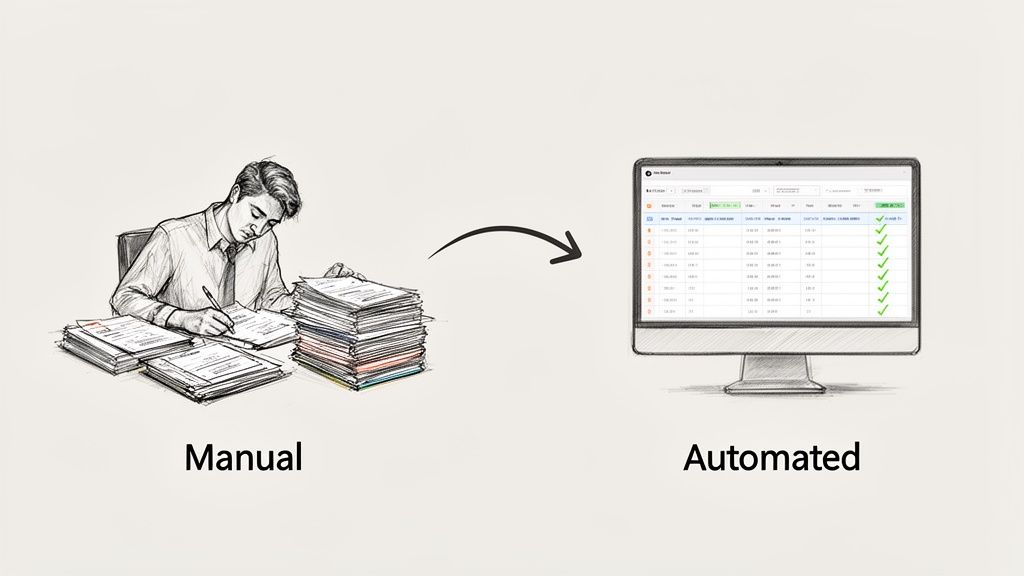
If you've ever felt like a "human copy machine," drowning in a sea of invoices, reports, or policy documents, you're in good company. That endless cycle of manual data entry is a problem for just about every business, sucking up countless hours and opening the door to expensive mistakes. It's the kind of repetitive work that slows everything down and keeps your best people stuck doing low-impact tasks.
This guide is about finding the solution to that problem. Don't think of data extraction tools as simple text grabbers. They are smart systems that actually read, comprehend, and organize information from almost any document you throw at them. They’re the crucial link between messy, unstructured files—like a scanned receipt or a multi-page vendor contract—and the clean, structured data your other business systems need to run.
Reclaiming Time and Boosting Accuracy
The most immediate win is getting valuable time back for your team. Instead of spending hours typing line items from purchase orders or pulling policy numbers from insurance forms, your people can focus on analysis, strategy, and talking to customers. That shift is a game-changer for growing a business and keeping your employees engaged. More and more, businesses are exploring solutions like accounting process automation to get their financial workflows in order.
Automation also brings a whole new level of precision. We all know how easy it is to make mistakes with manual entry; one misplaced decimal can create a real financial headache. Data extraction tools slash those risks by capturing information with incredible accuracy, so you can trust the data flowing into your ERP, CRM, or accounting software from the get-go. We dive deeper into this issue in our article on the high price of manual data entry.
The core promise of data extraction is simple: Turn your document chaos into structured clarity. It’s about making the information you already have accessible, searchable, and valuable, without the manual effort.
What You Will Learn in This Guide
Throughout this guide, we'll walk through how this technology works, starting with the basics and moving up to the more advanced AI-powered methods.
We will also cover:
- Key Features That Matter: We'll pinpoint the essential features you should look for in a modern data extraction platform.
- Industry-Specific Applications: You'll see how these tools are being used right now in accounting, insurance, and procurement.
- Implementation and ROI: We'll give you a roadmap for getting a tool up and running and measuring its financial impact.
Our goal is to give you a clear path to choosing the right tool, so you can free up your team’s time and make your entire workflow smarter and faster.
How Data Extraction Tools Work
At a glance, it might seem like these tools just magically pull information out of documents. But what’s really happening is a logical, step-by-step process that has gotten incredibly sophisticated over the years. It's the difference between a computer just seeing text and actually understanding what it means.
The whole process starts with a technology called Optical Character Recognition (OCR). Think of OCR as giving a computer the ability to see. It scans an image of a document—like a PDF or a photo of a receipt—and converts the shapes it sees into digital letters and numbers. This is the crucial first step that turns a picture into text a machine can actually work with.
But just having the text isn't enough. The real challenge is making sense of it. The first generation of tools took a very rigid approach to this problem.
The Old Way: Template-Based Extraction
Imagine you have a stack of forms to fill out, and you use a plastic stencil to find the right boxes. That's essentially how template-based extraction worked. You had to create a fixed "template" for every single document layout you expected to see.
This worked okay if all your invoices from a specific vendor always looked exactly the same. The tool knew to look for the "Total Amount" at a precise coordinate on the page.
The problem? The moment a vendor changed their invoice design, even slightly, the template would break. You'd have to go back and build a whole new one. It was a brittle and time-consuming system that just couldn't keep up with the real world. To dig deeper into the basics, check out our guide on what is Optical Character Recognition.
The New Way: Intelligent, AI-Powered Extraction
Thankfully, modern data extraction tools have evolved. They’ve moved beyond rigid templates and now use Artificial Intelligence (AI) and Machine Learning (ML) to think more like a human. Instead of relying on a fixed map, they understand the landscape.
An AI-powered tool doesn't need to be told where the invoice number is. It has been trained on thousands of documents to understand what an "invoice number" is, conceptually.
Here’s how it works differently:
- It understands context: The AI knows that the number next to the words "Invoice #" or "Inv. No." is probably the invoice number, no matter where it appears on the page.
- It sees relationships: It can intelligently link a line item on an invoice to its quantity and price, even if they aren't in perfectly aligned columns.
- It learns from experience: Every document it processes makes the model a little bit smarter. This continuous learning allows it to handle new formats it has never seen before with surprising accuracy.
This intelligence is what makes modern data extraction so powerful. It's flexible, scalable, and frees you from the endless cycle of creating and fixing templates.
By shifting from rigid rules to contextual understanding, AI-powered data extraction turns a fragile, high-maintenance process into a resilient and adaptive automation engine.
Bringing It All Together
This leap in technology is why the data extraction market exploded to $4.8 billion in 2024 and is on track to reach $12.3 billion by 2033. Businesses are jumping on board because the results are real. Modern AI tools can slash the time spent on manual review and corrections by up to 80%. For a loan officer verifying pay stubs or a procurement team trying to get data from a 50-page contract, that's a game-changer. You can find more details about these data extraction market trends on markettrendsanalysis.com.
It’s this built-in intelligence that lets a tool process a blurry photo of a receipt with the same confidence as a clean PDF. It can read messy handwriting, decipher complex tables, and pull data from multi-page reports without you having to configure anything first. It simply reads, understands, and extracts, turning a pile of unstructured documents into organized data your business can actually use.
Features That Actually Make a Difference
When you start digging into data extraction tools, the marketing jargon can be overwhelming. But here’s the secret: you can ignore most of it. The best tools aren't built for developers; they're designed for the people on the front lines—the folks in accounting, operations, and procurement who have to deal with this stuff every day.
A truly great tool does more than just scan and copy text. It acts as a smart translator, turning your messy pile of documents into the clean, organized data that fuels your business. Every feature should have a clear purpose: to cut down on manual work, eliminate errors, and give your team back their time.
The way these tools have evolved tells the whole story, moving from rigid, rule-based systems to the flexible AI we have today.
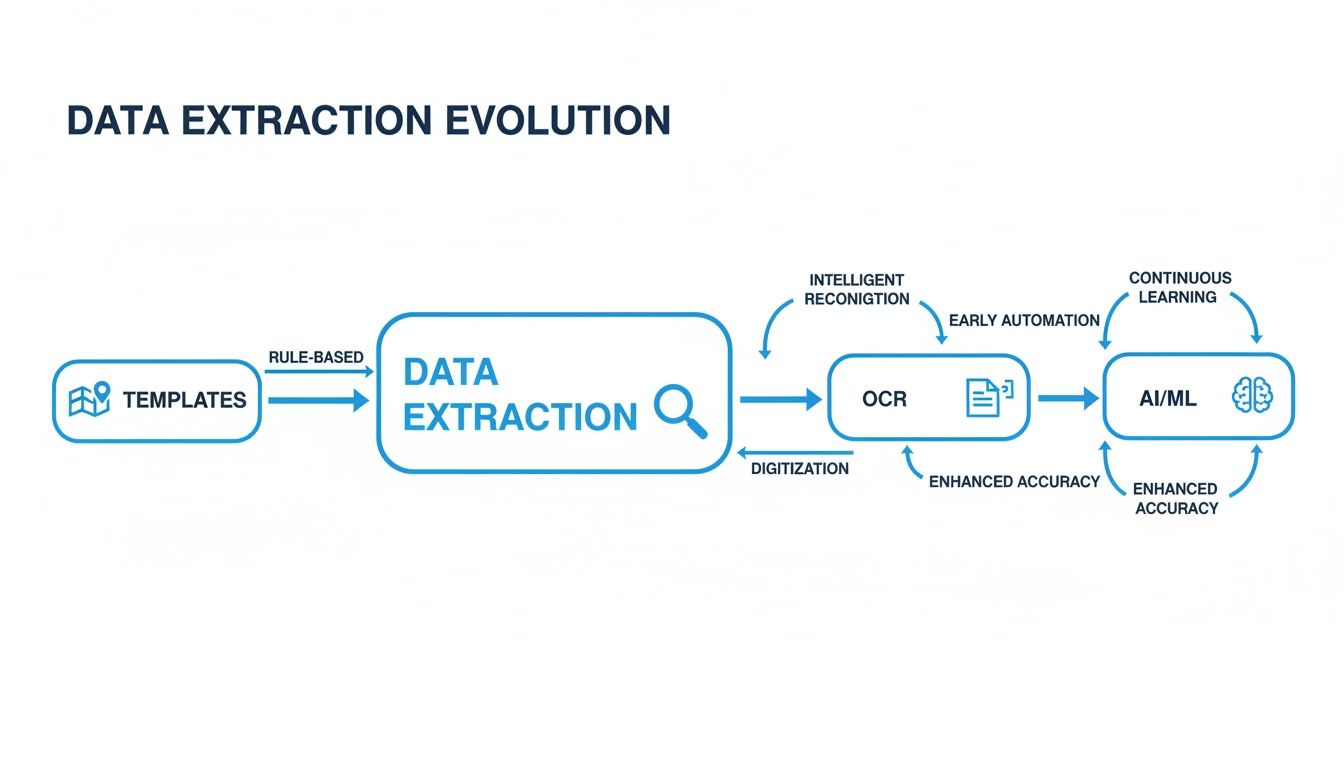
This shift is all about moving from tedious manual setup to intelligent automation that understands context.
An Intuitive No-Code Interface
If there’s one feature that matters more than any other for getting your team on board, it’s a no-code or low-code interface. This simply means your team can set up and manage their own automation without writing a single line of code. Think drag-and-drop fields and simple, visual menus.
This is a game-changer. It puts the power directly into the hands of the people who know the documents best, like an accounts payable specialist or an insurance claims processor. They can apply their expertise directly, which means faster setup, better accuracy, and no more waiting on the IT department to make a simple change.
Versatile Document and File Support
Your business deals with all kinds of documents, so your extraction tool should too. A top-tier solution needs to be a jack-of-all-trades, handling a wide variety of formats without breaking a sweat.
Make sure the platform can easily process:
- PDFs: Both text-based files and scanned images.
- Images: JPEGs and PNGs from photos of receipts or shipping labels.
- Spreadsheets: Excel and CSV files that often contain complex tables.
- Word Documents: Contracts, proposals, and reports.
This flexibility is what allows you to build one, unified workflow for all incoming information. No more juggling different processes for different file types.
The goal isn't just to extract data, but to create a single source of truth from multiple document formats. A tool that can handle anything you throw at it is fundamental to achieving this.
Structured Data Output
Pulling text from a document is only the first step. The real magic—and the biggest time-saver—is getting that information as structured data. This means the tool doesn't just spit out a random block of text. It intelligently identifies, labels, and organizes the information into a clean format like a spreadsheet or a JSON file.
So instead of getting "123 Main St," "Invoice #456," and "$500.00" as disconnected text, the tool delivers it neatly organized:
- Address: 123 Main St
- Invoice Number: 456
- Total Amount: 500.00
This clean data is ready to be instantly fed into your other business systems, no manual cleanup required. You can see more about how this works by checking out modern document data extraction software.
To really understand what to look for, here’s a breakdown of the features that deliver tangible results for teams like yours.
Essential Features of Modern Data Extraction Tools
| Feature | Why It Matters | Real-World Example |
|---|---|---|
| No-Code Interface | Empowers non-technical users to build and manage their own workflows, removing IT bottlenecks. | An accountant sets up a new invoice template in minutes by simply clicking and labeling the fields they need. |
| Broad File Support | Creates a single, unified process for all incoming documents, regardless of format (PDF, JPG, XLSX). | An insurance company processes a claim that includes a PDF report, a photo of the damage, and an Excel cost sheet—all in one go. |
| Structured Data Output | Delivers clean, labeled data that's ready for immediate use in other systems, eliminating manual data entry. | A procurement team extracts line items from a PO and sends them directly to their inventory management system, perfectly formatted. |
| Data Validation | Automatically flags potential errors (e.g., incorrect dates, mismatched totals) before they cause problems downstream. | The tool flags an invoice where the line items don't add up to the total amount, preventing an overpayment. |
| Seamless Integrations | Connects directly to your existing software (ERP, CRM, accounting) for a true, end-to-end automated workflow. | Extracted invoice data is automatically pushed into QuickBooks, creating a bill and scheduling a payment without any human touch. |
These core features are what separate a simple OCR tool from a genuine automation platform that can fundamentally change how your team operates.
Built-In Data Validation and Enrichment
Let's be honest, even the smartest AI can get tripped up by a blurry scan or a weird document layout. That’s why data validation is a non-negotiable feature. It acts as an automated proofreader, flagging any data that looks off—like a date in the wrong format or a number that doesn't make sense.
This simple safety net catches errors before they contaminate your other systems. Some advanced tools even take it a step further with data enrichment, automatically looking up and adding missing details, like finding a company’s full address from just a name.
Seamless and Simple Integrations
A data extraction tool shouldn't be an island. To get the full benefit of automation, it has to talk to the other software you rely on every day. Look for seamless integrations with the tools you already use, whether it’s your accounting software, ERP, or cloud storage.
The best platforms offer pre-built connectors that make this a simple, click-to-connect process. This final step is what closes the automation loop, creating a true hands-off workflow from the moment a document arrives to the moment its data is put to work.
Choosing the Right Tool for Your Industry
Picking a data extraction tool isn't a one-size-fits-all deal. A platform that's brilliant at reading simple forms might fall flat on its face when you feed it a complex, multi-page vendor contract. The best tool is the one that speaks the language of your industry and gets the unique structure of your most important documents.
Generic solutions often look good on the surface but don't deliver where it really counts. To find the right fit, you have to start by pinpointing which documents are causing the biggest headaches in your workflow. Is it the constant flood of vendor invoices? The mind-numbing detail in insurance claims? Or the dense tables buried in procurement proposals? Your answer to that question will steer your entire search.
This need for specialized solutions is exactly why the market is booming. The global data extraction tools market is on track to hit an estimated $2.5 billion by 2025, growing at a healthy 16.4% CAGR through 2033. This isn't just random growth; it's a direct response to businesses everywhere trying to pull specific, useful details from their documents without hiring an army of data entry clerks. You can dig into these data extraction market projections on datainsightsmarket.com.
Tailored Solutions for Accounting and Finance
For anyone in accounting and finance, accuracy isn't just a nice-to-have—it's everything. The real challenge is chewing through massive volumes of invoices, receipts, and bank statements that all have different layouts. A basic OCR tool might grab the text, but a tool built for finance understands how all that data connects.
A great tool for this department needs to master:
- Line-Item Extraction: It must pull every single line item from an invoice—the description, quantity, unit price, and total—and neatly organize it into a structured table.
- Tax and Subtotal Identification: The software has to be smart enough to tell the difference between subtotals, tax amounts, shipping fees, and the final grand total to make reconciliation a breeze.
- PO Matching: The best tools can automatically match an invoice to its purchase order, flagging any problems and smoothing out the entire accounts payable process.
The end game here is getting so close to perfect accuracy that you can automate three-way matching and slash the time spent manually double-checking everything.
Precision for the Insurance Industry
Insurance pros deal with some of the most data-packed documents you can imagine. Policy declarations, Accord forms, and claims submissions are crammed with critical information that needs to be extracted perfectly. One tiny mistake can lead to huge compliance headaches or incorrect policy payouts.
A tool designed for the insurance world has to be able to:
- Handle Dense Forms: It needs to navigate and pull specific data points from crowded forms filled with checkboxes, tables, and tiny print.
- Identify Key Policy Details: The software should reliably find and grab info like policy numbers, effective dates, coverage limits, and premium amounts, no matter where they are on the page.
- Process Unstructured Claims Data: It has to be able to read and understand plain text from claim descriptions or medical reports to categorize claims the right way.
In this field, the right tool is like a tireless analyst, pulling the exact data needed to underwrite policies, process claims, and stay compliant without someone having to watch over its shoulder. To help with data collection, especially through forms, a solid review of the best online form builders can provide some great ideas on features and usability.
Data Extraction in Procurement and Operations
Procurement and operations teams live and breathe the data found in tables. Their biggest challenge is comparing vendor proposals, purchase orders, and bills of lading to make smart purchasing decisions and keep inventory in check. The trick is turning complex tables from static documents into data you can actually use.
The real win for procurement isn't just getting the data out; it's structuring it so you can immediately compare vendors side-by-side. This is where a specialized tool gives you a massive leg up.
A procurement-focused tool should be a specialist in:
- Advanced Table Extraction: It must accurately capture data from tables that run across multiple pages, have merged cells, or lack clear borders—a common nightmare with vendor PDFs.
- SKU and Part Number Recognition: The tool needs to be dead-on when extracting specific product codes, SKUs, and quantities for accurate inventory management.
- Side-by-Side Comparisons: The ultimate goal is to pull terms, pricing, and line items from several vendor proposals and lay them out in a standard format for easy comparison.
By focusing on these industry-specific needs, you can look past the generic sales pitches and choose a data extraction tool that solves the real problems your team struggles with every day. This targeted approach is the key to a bigger return on your investment and a much smoother rollout across the company.
A Simple Checklist for Implementation Success
Bringing a new data extraction tool into your workflow can feel like a massive undertaking. But it doesn't have to be. The trick is to break it down into small, manageable steps. Think of it less like a company-wide overhaul and more like a focused experiment designed to prove the tool’s value, fast.

The best approach is to start small and build momentum. By following a clear plan, you can confidently move from a small-scale trial to a full rollout, armed with real results that justify the investment.
Phase 1: Define the Problem and Assemble a Team
Before you even start looking at software, you need to pinpoint your biggest headache. What specific documents are causing the most delays? Is it the mountain of vendor invoices, the nightmare of reconciling commission statements, or the tedious task of pulling details from insurance claims?
Once you have a clear target, put together a small pilot team. This is crucial: the team needs to be the people who will actually use the software every day. Their hands-on feedback is infinitely more valuable than a manager’s opinion at this stage.
Here are the first few steps:
- Pinpoint the Bottleneck: Clearly define the one document workflow you want to fix first.
- Form Your Pilot Team: Grab 2-3 end-users who know the current process inside and out.
- Set Success Metrics: Keep it simple. A goal like, "Cut invoice processing time by 50%" or "Eliminate 90% of data entry errors" is perfect.
Phase 2: Run a Real-World Trial
Now it’s time to put the tools to the test. Don't fall for slick demos using perfect, sanitized documents. The only way to know if a tool will actually work for you is to throw your own messy, real-world files at it.
Gather a batch of your typical documents—the ones that are poorly scanned, oddly formatted, or have multiple pages. Upload them and see what happens.
The most insightful part of any evaluation is testing a data extraction tool against your own documents. This is the moment you see firsthand whether its promises of accuracy and ease of use hold up in your actual workflow.
Measure what you see against the success metrics you set. How accurate is it? Can your team figure out the interface without a ton of training? This practical test gives you the hard evidence you need to make a smart decision.
Phase 3: Measure ROI and Plan for Scale
After the trial, it’s time to do some quick math on your return on investment (ROI). This doesn't need to be a complex financial model. Just track the time your pilot team saved and weigh it against the cost of the tool. Don't forget to factor in the "soft" benefits, like fewer errors and happier, less-frustrated employees.
With some positive results in hand, you can build a solid case for expanding the solution to the rest of the department or company. This data-driven approach takes the guesswork out of the equation and makes getting buy-in from leadership much easier.
This whole process fits into a much bigger picture. The market for ETL tools—a core part of the data extraction world—is expected to jump from $7.63 billion in 2026 to a staggering $29.04 billion by 2029. That kind of growth shows just how essential this technology is becoming. You can find more details about the ETL market boom on integrate.io.
And throughout all of this, keep security and compliance front and center. Always prioritize data extraction tools that offer solid features to protect your sensitive client and financial data. A more efficient workflow should also be a more secure one.
Understanding Pricing and Calculating Your ROI
Figuring out the cost and potential payoff of a data extraction tool is where the rubber meets the road. It’s not just about buying new software; it's a financial decision. Let's break down how these tools are priced and, more importantly, how you can prove they’ll be a win for your company's bottom line.
Most tools fall into a few common pricing buckets. The key is finding the one that matches how your team actually works, so you're not paying for a service you barely use or getting hit with surprise charges when things get busy.
How Data Extraction Tools Are Priced
When you start shopping around, you'll likely run into a few different pricing structures. Understanding the pros and cons of each will help you avoid overspending.
Most vendors use a variation of pay-as-you-go or a flat-rate subscription. A per-document or per-page model is exactly what it sounds like: you pay for each file you process. This is a great fit for businesses with unpredictable document volumes—think of an accounting firm during tax season versus the rest of the year. You only pay for what you use.
The alternative is a subscription-based model, which gives you a fixed monthly or annual price for a certain number of documents or a specific set of features. If your business handles a steady, high volume of documents every month, this model provides predictable costs and often comes with better support.
The best pricing model isn't always the cheapest one on paper. It's the one that aligns with your operational rhythm and scales with you, not against you.
Comparing Data Extraction Tool Pricing Models
Here’s a simple comparison of common pricing structures to help you choose the best fit for your team's budget and usage patterns.
| Pricing Model | Best For | Key Consideration |
|---|---|---|
| Per-Document/Page | Teams with fluctuating or low-volume needs; project-based work. | Costs can become unpredictable if document volume suddenly spikes. |
| Monthly Subscription | Businesses with consistent, predictable monthly document volumes. | You might pay for unused capacity during slower months. |
| Tiered Plans | Growing teams who need more features or capacity over time. | Ensure the features in your chosen tier align with your immediate needs. |
| Custom Enterprise | Large organizations with unique security or high-volume demands. | Can be more complex to set up and often requires a longer-term commitment. |
Ultimately, the goal is to find a plan that feels fair and grows with you. Don't be afraid to ask vendors for a trial to see how your actual usage fits into their pricing tiers.
How to Calculate Your Return on Investment
Building a strong business case for a new tool comes down to one thing: a clear Return on Investment (ROI). The good news is that you don’t need a complicated spreadsheet to figure this out. It's all about translating saved time and fewer mistakes into cold, hard cash.
Here’s a simple, three-step way to see the value:
-
Calculate Your Time Savings: First, figure out how many hours your team sinks into manual data entry each month. Multiply that by their average hourly pay. Let's say two people spend a combined 40 hours a month keying in invoices at an average of $30/hour. That's $1,200 in labor costs every single month.
-
Estimate the Cost of Errors: We all know manual entry leads to mistakes—paying an invoice twice, shipping to the wrong address, or missing a critical compliance detail. Put a rough dollar amount on those errors. Even preventing one $500 overpayment each month is a huge win that goes straight to your bottom line.
-
Compare the Savings to the Cost: Now, just add your time savings to your error cost savings. If that total is more than the price of the software, you've got a clear financial victory.
For most companies, the time savings alone are more than enough to justify the cost. The reduction in errors is just the icing on the cake, proving that smart automation isn't an expense—it's a direct path to better profitability. This simple math changes the conversation from "Can we afford this?" to "How fast can we get started?"
Frequently Asked Questions
When you start looking into data extraction tools, the same questions tend to pop up. People want to know what's realistic, how these platforms handle the less-than-perfect documents they see every day, and what it all means for their team. Getting straight answers is the first step before you bring any new tool into your workflow.
Let's cut through the sales pitches and get to the practical realities of putting this tech to work.
How Accurate Are Modern Data Extraction Tools?
This is always the first question, and for good reason. Today's AI-powered tools can hit accuracy rates of 95% or higher right away, even on documents they’ve never encountered before. This is a huge leap from older, template-based systems that would fail if a field was moved a few inches. The new AI understands context, so it can find "Invoice Number" or "Total Amount" no matter where it is on the page.
What about those really tough documents, like a grainy scan or a form with a messy table? The accuracy might dip a bit at first. But the best platforms have a "human-in-the-loop" feature, which is a fancy way of saying a team member can quickly make a correction.
And here’s the cool part: that correction isn’t just a one-off fix. The AI learns from it. Every time a human makes an adjustment, the model gets smarter, pushing its accuracy closer and closer to 99% for your specific documents over time.
Can Non-Technical Teams Use These Tools?
Yes, and this is a game-changer. The best data extraction tools today are built with a no-code interface. Think of it less like a complex software system and more like a user-friendly app. If you can point, click, and drag-and-drop, you have all the skills you need to build and run an automated workflow.
This puts the power directly into the hands of the people who need it most—the teams in accounting, procurement, or operations. They can build and tweak their own processes without waiting for IT, which makes everything faster and helps you see a return on your investment much sooner.
What About Data Security and Compliance?
Security is table stakes, especially when you’re dealing with financial records or sensitive client data. Any serious data extraction platform will have multiple layers of security to protect your information, whether it's being processed or just sitting in the system.
Here are a few things you should always look for:
- End-to-End Encryption: This scrambles your data as it moves from one place to another, making it useless to anyone who might intercept it.
- Compliance Certifications: Make sure the platform meets major standards like SOC 2, GDPR, or HIPAA. These certifications aren't just acronyms; they prove the company follows strict security rules.
- Access Controls: You should be able to decide exactly who gets to see, handle, or manage different types of documents. This ensures that sensitive information stays on a need-to-know basis.
Ready to stop manually typing and start turning your documents into valuable data? The team at DocParseMagic can show you how. Start your free trial today and discover how a no-code platform can finally end the grind of manual data entry.