Escape Manual Data Entry A Practical Automation Guide
Let's be honest: when you hear "manual data entry," you probably think of someone typing information from a piece of paper or a PDF into a computer. It’s a basic, fundamental business task. But while it seems simple on the surface, this process is often the source of a massive operational drag that quietly eats away at your profits and your team's potential.
The Real Price Tag on Manual Data Entry
At first glance, manual data entry just seems like a necessary, if boring, part of doing business. It's the daily grind of copying details from invoices, commission reports, or customer forms into a spreadsheet or your CRM. But seeing it as just another chore is like trying to fill a swimming pool with a leaky bucket—it's a constant, slow drain on your most valuable resources: time and money.
The true cost isn't just the hourly wage of the person at the keyboard. It's a collection of hidden expenses that create bottlenecks and ripple effects that can slow down your entire company.
Small Mistakes, Big Financial Headaches
Every time a person types something by hand, there's a chance for a mistake. It’s just human nature. A single transposed number on an invoice can lead to an overpayment that's a pain to claw back. A misplaced decimal in a financial report can throw off your entire forecast for the quarter.
These aren't just minor slip-ups. They're expensive errors that take hours of detective work to find and fix. Over time, the financial hit from these "little" mistakes adds up, becoming a significant tax on your operations.
The Productivity Killer
Let's face it, manual processes are slow. Really slow. While a skilled employee is stuck manually transferring data from a pile of subcontractor invoices, they aren't doing anything else. More important, strategic work gets pushed to the back burner.
This creates a bottleneck that gums up the works for everyone:
- Finance teams are stuck waiting for accurate data to close the books.
- Operations managers can't process orders or get shipments out the door.
- Sales reps are bogged down with admin instead of talking to customers.
The Toll on Your Team
Is there any task more soul-crushing than repetitive data entry? Forcing smart, capable people to spend their days on mind-numbing copy-paste work is a fast track to burnout. It's unfulfilling, offers zero room for growth, and kills morale. This leads to lower job satisfaction and, you guessed it, higher employee turnover.
It's a huge problem. Globally, poor data quality costs the average company a staggering $15 million per year, and a huge chunk of that can be traced right back to tedious copy-paste errors.
This isn't a niche issue. Studies show that over 40% of workers spend at least a quarter of their week on these kinds of repetitive tasks, which just breeds boredom and inefficiency. You can get more insights from this detailed report on why manual work is becoming extinct.
Once you see all the hidden costs—from lost money and compliance risks to the operational drag—it’s clear that ditching manual data entry isn’t just a nice-to-have upgrade. It's an essential move for any business that wants to stay competitive.
Why Human Accuracy Is No Longer Enough
We're human. We’re creative and brilliant at solving complex problems, but we aren't built for mind-numbing, repetitive tasks. And that's exactly what manual data entry is. Even your most dedicated employee is going to make a mistake eventually.
While 95% accuracy might sound pretty good on paper, in the real world of business, that 5% error rate is a gaping hole where time, money, and opportunities leak out.
The Hidden Cost of "Good Enough"
This is where the "human error tax" sneaks in. It’s the compounding cost of all those tiny, seemingly harmless slip-ups. A transposed number on an invoice. A misplaced decimal on a financial report. A typo in a customer’s shipping address.
Each of those little mistakes kicks off a costly chain reaction. Someone has to find the error, figure out what went wrong, and then fix it. All of those hours spent on damage control are hours stolen from work that actually grows the business.
Think about your accounts payable team. If they process 1,000 invoices a month with 95% accuracy, that’s 50 invoices with potential errors. Fifty chances for overpayment, compliance headaches, or a frustrated vendor calling you up. It just doesn't scale.
As your document volume grows, so does your risk. The problem isn't the people; it's the process.
This infographic lays out the stark reality of what those inefficiencies really cost.
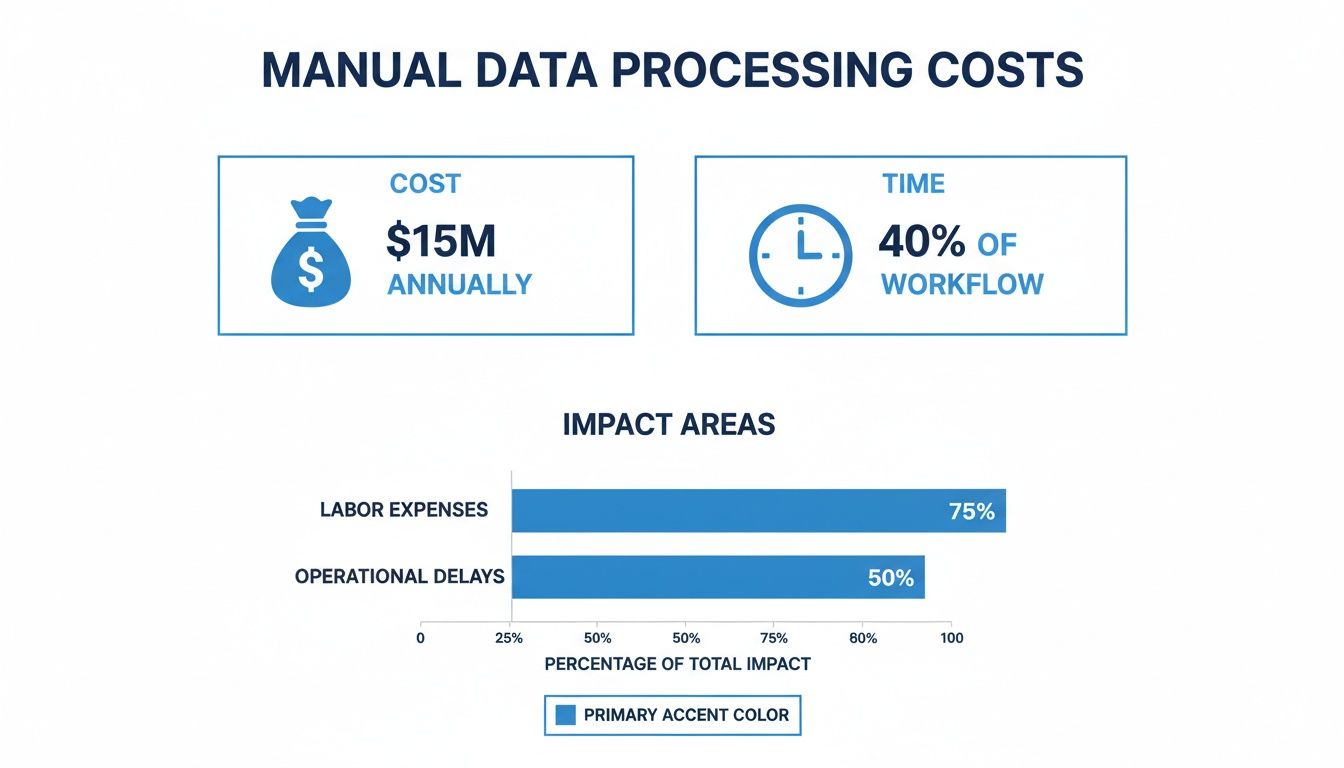
The numbers speak for themselves. Poor data quality, often a direct result of manual entry, can eat up millions in revenue and consume a huge chunk of your team's workweek.
Manual Work vs. Automation: A Head-to-Head Comparison
Putting manual and automated systems side-by-side really brings the difference into focus. We're not talking about a small, incremental improvement here. It’s a complete shift in how you operate.
A 2021 IBM study estimated that businesses lose a staggering $3.1 trillion every year due to poor data quality. A huge chunk of that loss can be traced right back to human error during data entry.
Let's break down exactly where the two approaches differ.
Manual Data Entry vs Automated Document Parsing
The table below gives a direct comparison of traditional manual processes versus a modern automated solution. It's a classic tale of a linear, bottleneck-prone system versus one built for exponential scale.
| Metric | Manual Data Entry | Automated Document Parsing (e.g., DocParseMagic) |
|---|---|---|
| Speed | Slow and linear; processing time increases with every new document. | Extremely fast; can process thousands of documents in the time it takes to do a few by hand. |
| Accuracy | Prone to human error (typos, omissions, misinterpretations), with accuracy decreasing over time due to fatigue. | Near-perfect accuracy, often exceeding 99%, with consistent results regardless of volume. |
| Cost | High operational costs due to labor, training, and the financial impact of fixing errors. | Low per-document cost with a predictable pricing model that scales affordably. |
| Scalability | Difficult and expensive to scale; requires hiring more staff, which introduces more potential for error. | Effortlessly scalable; handles sudden spikes in document volume without additional staff or delays. |
| Reliability | Inconsistent output that depends on individual focus, mood, and workload. | Consistently reliable, providing structured, clean data every time without fail. |
| Compliance Risk | Higher risk due to potential for data mishandling, inconsistent data trails, and human oversight. | Lower risk with built-in validation rules, clear audit trails, and secure data handling protocols. |
Ultimately, sticking with manual data entry is like insisting on walking everywhere when a high-speed train is waiting at the station. Sure, walking will get you there, but the train is faster, more efficient, and far more reliable.
Automation doesn't just speed up the journey; it frees your team to focus on the destination—using clean, accurate data to make smarter decisions instead of wasting time on the grunt work of getting it.
How Manual Processes Drag Down Key Industries
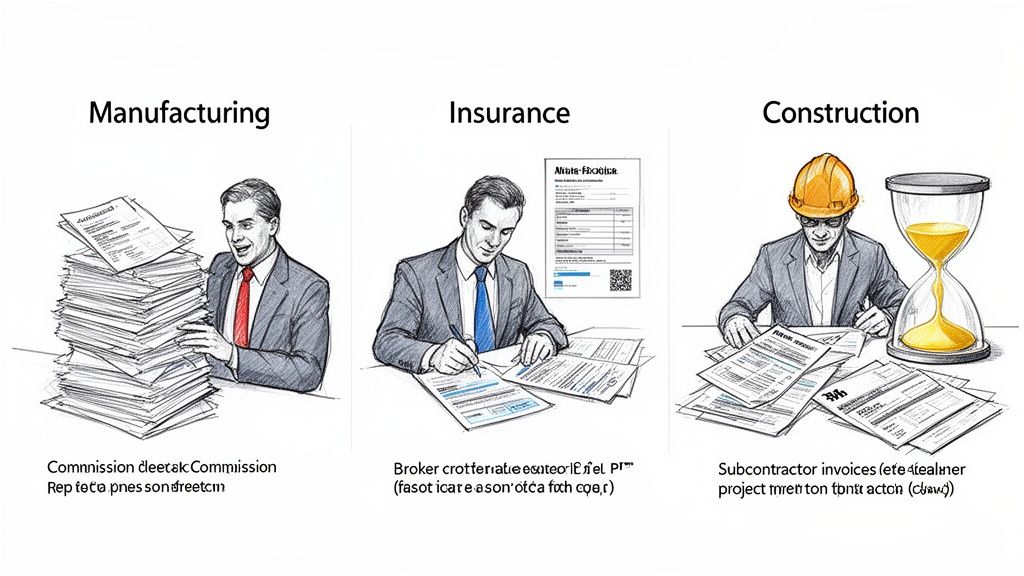
The grind of manual data entry isn't some abstract business problem; it's a daily headache for people in countless fields. While the core task is always the same—copying information from one place to another by hand—the fallout creates unique and expensive bottlenecks depending on the industry. From the factory floor to the insurance agency, these manual steps act like an anchor holding the whole operation back.
This isn’t just a small snag in the workflow. A recent survey in manufacturing, for instance, found that a staggering 48% of companies still rely on manual data entry for their most important documents. This dependency gums up the works, especially during crunch times like year-end. As a result, the job market itself is changing; data entry postings have plummeted by 40% since 2020 as businesses finally start looking for a better way.
Let’s step into the shoes of a few professionals to see what this really looks like.
The Manufacturer’s Rep Drowning in Commission Reports
Meet Sarah. She’s a manufacturer's rep who juggles a dozen different brands. Every month, her inbox is buried under an avalanche of commission reports. The problem? No two are alike. Some are clean PDFs, others are messy Excel sheets, and a few are just grainy scans of paper statements.
Her job is to wrangle all this data into a single master spreadsheet to track her earnings. This means hours of mind-numbing copy-pasting, checking product codes, and adding up columns. One tiny typo could throw off her commission by hundreds of dollars, so she has to check, double-check, and triple-check everything. What should be a quick task turns into a multi-day ordeal.
This manual data entry doesn't just eat up her time. It means she's always looking in the rearview mirror, making it impossible to be proactive about which products are selling or which accounts need a little more attention.
The Insurance Broker Buried in Policy Details
Now, let's look at Mark, an independent insurance broker. A huge chunk of his day is spent poring over new client applications and policy renewals. These documents are dense, often coming in as scanned PDFs filled with critical details like policy numbers, coverage limits, and personal client information.
Every single piece of data has to be typed by hand into his agency's management software. It's slow, tedious work, but the real issue is the risk. A single mistake in a policy number could cause a client’s coverage to lapse. A typo in a premium amount could create a billing nightmare.
Every minute Mark spends keying in data is a minute he isn't advising clients or finding new business. The manual process creates a bottleneck that limits how many clients he can serve, putting a hard cap on his agency's growth.
On top of that, there's the constant stress of making a costly error. Handling all that sensitive client data by hand also increases the risk of an accidental data breach, which is a huge compliance concern.
The Project Manager Overwhelmed by Invoices
Finally, there’s David, a project manager for a construction company. He’s overseeing multiple job sites, each with a small army of subcontractors. Every week, a mountain of invoices hits his desk, and of course, each one has a different layout and level of detail.
Before any subcontractor gets paid, David has to manually check every invoice against project budgets, purchase orders, and work reports. His workflow involves:
- Hunting for the invoice number, date, and total amount.
- Checking line items to make sure the materials and labor costs are correct.
- Typing all of this into the company’s accounting system to get the payment processed.
This is a perfect recipe for delays. A misplaced invoice can hold up payments for weeks, damaging relationships with good subcontractors. And with the sheer volume of manual data entry, it's impossible to get a real-time snapshot of project spending. Budget overruns aren't caught until it's far too late. If this sounds painfully familiar, our guide on optimizing the invoice payment process might offer some relief.
These stories from manufacturing, insurance, and construction all point to the same conclusion. Manual data entry is more than just a boring task—it's a deep-seated operational flaw that wastes time, creates risk, and actively gets in the way of growth.
The Outsourcing Trap: Why It's Not the Fix You Think It Is
When your team is buried under a mountain of manual data entry, outsourcing can feel like the perfect escape route. On paper, the logic is sound: hand off the tedious work to a dedicated team, often for less than you'd pay in-house, and let your people focus on what they do best. But this move is often just a quick fix, trading one set of headaches for another.
Outsourcing doesn't actually solve the root problems of manual data entry. It’s more of a band-aid that can introduce a whole new host of risks and hidden costs. While you might save on direct payroll, you're still stuck with the fundamental flaws of human error and slow, one-at-a-time processing. You’ve just pushed the problem outside your building.
You're Giving Up More Than Just the Workload
The second you send sensitive documents—invoices, financial records, employee files—to an outside vendor, you lose a critical degree of control. You're essentially betting your most valuable information on another company's security practices, which might not be nearly as strong as your own.
This opens up some serious vulnerabilities:
- Data Security Risks: Every time a file is transferred, it's a new opportunity for it to be intercepted or accidentally exposed. Each person at the vendor with access to your data becomes a potential weak link.
- Compliance Nightmares: Regulations like GDPR and CCPA have iron-clad rules for handling personal data. If your vendor has a breach, the responsibility—and the hefty fines—still lands squarely on your shoulders.
- A Lack of Real Oversight: You have very little visibility into who is actually handling your documents or how they’re being stored. This makes it almost impossible to enforce your own company's data governance standards.
This approach is especially shaky when dealing with messy, unstructured documents. The global data entry outsourcing market is expected to hit USD 27.6 billion by 2025, but it’s still grappling with the same tricky formats that cause businesses the most grief. For an insurance underwriter trying to extract asset details from a PDF or a finance manager working with varied bank statements, delays are almost inevitable when an outsourced team hits a format they don't recognize.
It’s no wonder Gartner found that companies lose an average of $15 million a year from bad data. This is a problem that simply moving the work doesn't solve. You can get a deeper look at this market in this global data entry outsourcing report.
You've Just Moved the Bottleneck, Not Removed It
Outsourcing is sold on the promise of speed and efficiency, but the reality is often a slow crawl. Miscommunication, time zone delays, and a general lack of direct control can lead to frustrating hold-ups and quality issues, creating brand-new bottlenecks where old ones used to be.
Instead of solving the inefficiency, you've simply relocated it. The fundamental problem—a human manually keying in data—remains. The process is still slow, still prone to error, and still can't scale with your business.
Just think about the last time a vendor sent back a spreadsheet riddled with errors. The whole correction cycle is agonizingly slow. You have to document the mistakes, send feedback, wait for them to fix it, and then re-check everything. All that back-and-forth burns through the very time you were supposed to be saving.
At the end of the day, outsourcing manual data entry just keeps you tethered to a broken, human-powered process. Real, lasting improvement comes from fixing the workflow itself, not just changing who’s doing the typing. By bringing the process back in-house with modern automation tools, you take back control, guarantee accuracy, and build a system that can actually keep up with your growth.
Your Roadmap to Automated Document Workflows
Realizing how much manual data entry is costing you is one thing, but actually doing something about it is where the real change begins. The good news is that moving away from tedious copy-and-paste work doesn't have to mean a massive IT project or hiring a team of developers. With the right game plan and tools, you can build smart, automated document workflows that free up your team instead of bogging them down.
Think of this as your four-step guide to taking back your team's time and finally getting rid of the hidden risks that come with doing things by hand.
Step 1: Pinpoint Your Biggest Document Headaches
Before you can automate anything, you have to figure out where the real pain is. Not all manual data entry is created equal; some tasks are way more frustrating and expensive than others. Start by finding the workflows that create the most friction day-to-day.
Just ask your team a few simple questions to find the best places to start:
- Which documents take the longest to get through? Maybe it's complex invoices with dozens of line items, or pulling together monthly commission reports from ten different places.
- Where do the costliest mistakes happen? Zero in on workflows where one small slip-up could lead to an overpayment, a compliance nightmare, or a seriously unhappy customer.
- What tasks are stopping your team from doing more important work? Identify the repetitive chores that keep your best people stuck in a rut instead of focused on growing the business.
The usual suspects are things like invoice processing, sales order entry, expense reports, and consolidating financial statements. Once you have a list, pick the one or two processes where automation will give you the biggest, quickest win.
Step 2: Calculate the Real Cost of Your Current Method
Next up, put a number on the problem. This isn't just about salaries; it's about understanding the full financial hit your current manual process is dealing. When you can quantify the cost, it makes the case for automation undeniable and gives you a clear benchmark to measure your success against later.
To get a baseline, figure out the following:
- Time Cost: Multiply the average hours your team spends on manual data entry each week by their hourly wage. Simple, but powerful.
- Error Cost: Estimate the financial damage from common mistakes. This includes the time spent hunting for and fixing them, any overpayments made, and associated late fees or penalties.
- Opportunity Cost: What could your team be doing if they weren't drowning in paperwork? This is the value of the strategic work that's not getting done.
When you add it all up, the true cost of sticking with the old way is often staggering. If you're looking for inspiration, checking out some real-world automation use cases can show you exactly how other businesses have made this switch.
Step 3: Choose the Right No-Code Automation Tool
With a clear picture of your problem and its price tag, it's time to find the right solution. The best part? Modern automation tools aren't just for huge corporations with massive IT budgets anymore. No-code platforms like DocParseMagic were built specifically for the people in departments like accounting, operations, and sales who are actually doing the work.
These tools give your team the power to build their own solutions without writing a single line of code. They can connect the apps they already use every day, set up simple rules for how documents get handled, and create a smooth flow of information from a PDF right into a spreadsheet or accounting system.
The move toward automation isn't just a trend; it's a fundamental shift. A staggering 94% of companies are still stuck with repetitive tasks, but automation can increase productivity by 25-30% and cut errors by up to 75%. Gartner even projects that 60% of these tasks will be automated by 2027. The time to act is now.
Step 4: Implement and Scale Your New System
The final step is to put your new automated system to work. Start small. Pick that high-impact process you identified in step one and focus on getting it right. This lets you test the workflow, get feedback from your team, and score an early victory that builds momentum.
A smart implementation plan looks like this:
- Run a Pilot: Test the new automated workflow with a small, real batch of documents to make sure it's capturing data perfectly.
- Train Your Team: Show everyone how the new process works. More importantly, explain how it makes their jobs easier, not how it replaces them.
- Measure and Refine: Keep an eye on key numbers like processing time, error rates, and cost savings. This is how you'll prove the ROI.
- Scale and Expand: Once you've nailed that first workflow, use it as a blueprint to start automating other manual data entry tasks across the company.
By following this roadmap, you can begin to systematically break down the inefficient manual processes holding your business back. For a deeper dive, check out our complete guide to successful document workflow automation.
How to Automate Your Data Workflow
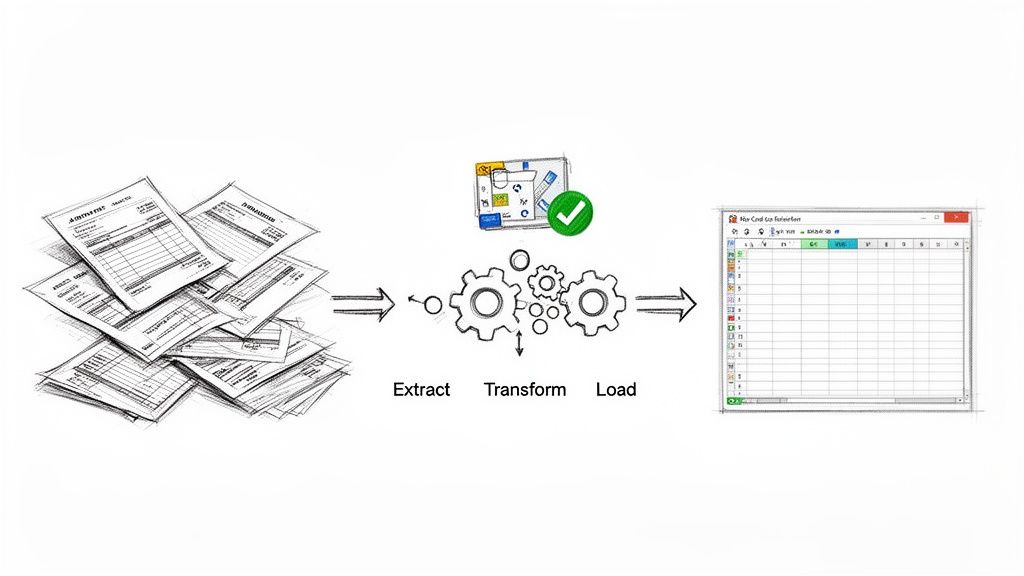
Moving away from manual data entry isn’t just about replacing a person typing at a keyboard. It's about completely rethinking how information moves through your company. Modern automation tools act like a bridge, taking messy, unstructured documents—think invoices, bank statements, or receipts—and instantly turning them into clean, organized data ready for your spreadsheets.
Instead of an employee spending hours hunting for an invoice number or adding up line items on a vendor quote, an automated system grabs that same information in seconds with pinpoint accuracy. This shift frees up your team to focus on what to do with the data, not just on getting it into the system.
Practical Automation in Action
So, what does this actually look like day-to-day? The real magic of automation shines when you see it solve common, frustrating problems. No-code platforms are built to handle all sorts of file types, from PDFs and scans to Word docs and even phone pictures, delivering structured data right when you need it.
Here are a few real-world examples:
- For Accounting Teams: Imagine instantly pulling invoice numbers, line items, and totals from hundreds of different vendor invoices. That’s how you speed up accounts payable.
- For Insurance Brokers: Automatically capture policy numbers, coverage limits, and client details from scanned application forms. This drastically cuts down on compliance headaches.
- For Manufacturers' Reps: Pulling commission reports from a dozen different formats into a single, clean spreadsheet makes reconciliation a breeze.
The core idea here is simple: turning chaotic inputs into predictable, reliable outputs. An automated workflow means that no matter how a document looks, the data you get from it is always clean, consistent, and ready for whatever comes next.
A Low-Risk, High-Reward Approach
The best part? You don't need a huge IT budget or a team of developers to make this happen. No-code document parsers offer a low-risk, high-reward path to getting things done faster. They put powerful automation tools directly into the hands of the people who actually need them. You can explore plenty of modern data entry software options to see just how accessible these solutions are now.
For companies working on their financial processes, it's also about staying compliant. For instance, businesses in the UAE can get ahead of the upcoming UAE e-invoicing mandate by using tools that handle both efficiency and the new rules.
By finally getting rid of the bottlenecks caused by manual data entry, you don’t just save time and money. You build a smarter, more scalable business.
Got Questions About Automating Data Entry?
Thinking about moving away from manual data entry can bring up a lot of questions. It might seem like a huge project, but it’s actually more straightforward than you might think. Let’s tackle some of the most common concerns.
How Much Tech Skill Do I Actually Need?
Honestly, not much at all. Today’s no-code platforms are built for the people who actually do the work—not for developers. If you're comfortable with everyday office software like Excel or Google Sheets, you have all the skills you need to build an automated workflow.
This is a game-changer for teams in finance, HR, and operations. You can finally build and tweak your own solutions without having to get in line for the IT department’s help.
Is This Really Affordable for a Small Business?
Yes, absolutely. Automation isn't just for big corporations with bottomless budgets anymore. Many tools, including our own, use a pay-as-you-go model. That means you only pay for the documents you actually process, making it incredibly budget-friendly.
The return on investment usually shows up fast. Think about the hours saved and the costly human errors you'll eliminate. It quickly becomes one of the smartest financial decisions a growing business can make.
What Kinds of Documents Can I Automate?
You can automate just about any business document you can think of, whether it's a perfectly structured form or a messy, unstructured file. This is what makes it possible to get rid of manual data entry across almost every part of your company.
Here are just a few examples:
- Financial Docs: Invoices, purchase orders, and bank statements are some of the most popular.
- Insurance Forms: Think policies, claims forms, and new applications.
- Internal Reports: This could be anything from commission statements to piles of expense receipts.
Modern tools can even read scanned documents, photos of receipts, and PDFs, turning them all into clean, organized data without anyone having to lift a finger.
Ready to end the copy-paste cycle for good? DocParseMagic transforms your messy documents into clean, usable spreadsheets in minutes—no coding required. Give it a try for free at docparsemagic.com and see the difference for yourself.