What Is Data Entry Software and How Does It Work?
At its heart, data entry software is a tool that takes information from documents and puts it into your digital systems automatically. Think of it as a bridge that moves critical data from physical or digital files—like invoices, receipts, and forms—into places like spreadsheets or your accounting software, but without anyone having to type it all out by hand. For any business drowning in paperwork, this automation is a lifesaver, cutting down on time spent and expensive human errors.
From Manual Typing To Automated Intelligence
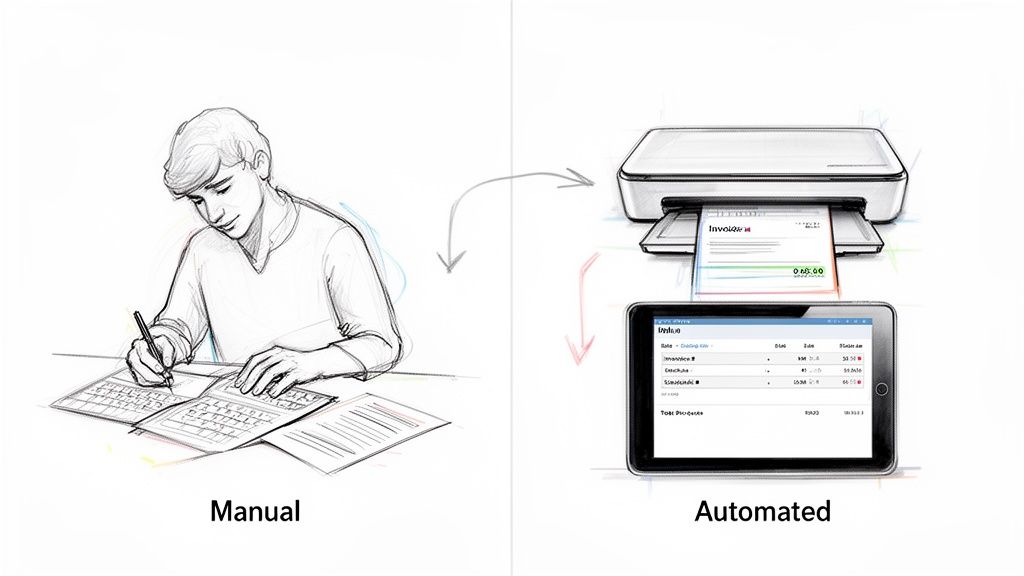
The leap from old-school data entry to what we have today is like the difference between copying a book by hand and using a smart scanner that not only digitizes the text but also understands it. The software has grown from a simple digital typewriter into an intelligent system. It’s designed to solve a core business problem: getting information out of documents and into a computer is slow, costly, and prone to mistakes.
This evolution is all about a fundamental shift in technology. Instead of just grabbing text, modern tools actually understand the context—they know what an invoice number is, can spot a policy start date, and recognize a line-item total. This ability to make sense of the information is what separates a basic tool from a true automation platform.
The Business Case for Intelligent Automation
Manual data entry isn't just a drag; it's a huge operational bottleneck. It slows everything down, opens the door for costly mistakes, and ties up your best people with mind-numbing tasks instead of letting them do strategic work. Intelligent data entry software tackles these pain points head-on.
- Speed Up Everything: An automated system can zip through thousands of documents in the time it takes a person to get through a small stack.
- Get It Right the First Time: By taking manual typing out of the equation, the software drastically cuts down on the typos and errors that always creep into manual work.
- Cut Down on Costs: Less time spent on manual entry means lower labor costs, plain and simple. It frees up your team to focus on things that actually make money.
This change is making a real difference across industries. Teams in accounting, insurance, and procurement can finally stop the copy-paste grind and focus on what matters, like analyzing financials or negotiating with suppliers.
The real value isn't just about capturing text; it's about pulling structured, usable information out of messy documents. It turns a chaotic pile of invoices into a clean, organized dataset you can actually work with.
A Growing Role in the Modern Tech Stack
As businesses create more data than ever before, the need to process it all efficiently has become mission-critical. You can see just how important this technology has become by looking at its rapid market growth.
This shift from simple typing tools to essential automation platforms is happening fast. The global data entry software market was valued at around USD 4.5 billion in 2023 and is expected to hit roughly USD 9.5 billion by 2033. This growth shows just how vital these tools are becoming in any modern company's tech setup. You can dive deeper into the data entry software market trends at DataHorizzon Research.
In the end, modern data entry software is more than just a tool to make things a little faster. It's a foundational piece for any organization that wants to be driven by data, ensuring that high-quality information flows smoothly into the systems that run the business.
How The Technology Actually Reads Your Documents
Modern data entry software does more than just see text on a page—it actually understands it. This isn't magic, though it can feel like it. It's really a three-step process where different technologies build on each other, much like how a person would first read the words, then understand the sentences, and finally grasp the overall meaning of a document.
It all starts with getting your paper documents into the computer. Before any software can do its thing, you need a digital copy of that invoice, contract, or form. Getting a clean, high-quality scan is the first and most critical step for good results. You can learn a lot about digitizing documents with a laser printer scanner to make sure you start with the best possible file.
Once you have a digital file, like a PDF or a JPG, the first layer of technology gets to work.
Layer One: Optical Character Recognition (OCR)
Think of Optical Character Recognition (OCR) as the eyes of the operation. Its only job is to look at the image of your document and recognize all the letters, numbers, and symbols. It essentially turns a picture of text into actual text that a computer can work with.
So, when OCR looks at an invoice, it doesn't see the phrase "Invoice #12345." It sees pixels arranged in shapes that it identifies as the characters I-N-V-O-I-C-E, a hash symbol, and the digits 1-2-3-4-5. The output is basically a plain text file—just a long, jumbled string of characters.
The problem? OCR knows what the words are, but it has no clue what they mean. That's where the next piece of the puzzle comes in.
Layer Two: Document Parsing
If OCR provides the eyes, then Document Parsing is like the grammatical part of the brain. It takes that raw, unstructured text from the OCR and starts giving it some order. This is the step that can tell a shipping address from a billing address, even if they look similar.
Parsing works by using layout analysis and predefined rules to figure out the document's structure. It knows that the text in the top-left corner is probably the vendor's address, and it recognizes that a grid with columns like "Description," "Quantity," and "Price" is a table of line items.
Here’s what parsing does:
- Finds key-value pairs: It spots a label like "Due Date" and pulls the date right next to it.
- Pulls out tables: It can intelligently extract data from rows and columns while keeping the table structure intact.
- Identifies different sections: It separates the purchase order number from the item list below it.
Parsing adds much-needed structure, but it can get tripped up by documents with weird layouts it hasn't been programmed to expect. For that, you need the final, smartest layer.
Layer Three: Intelligent Document Processing (IDP)
This is where the real brainpower comes in. Intelligent Document Processing (IDP) uses Artificial Intelligence (AI) to understand the meaning and context of the data, just like a person would. While basic parsing follows strict rules, IDP can make educated guesses. If you want to dive deeper into this, we have a great guide on what is Intelligent Document Processing.
IDP is the difference between seeing a date on an invoice and knowing it's the payment deadline—a piece of information that can kick off an automated reminder.
This is the technology that lets the data entry software handle all sorts of document layouts without needing a developer to set up a new template for each one. It learns that "Amount Due," "Total," and "Please Pay" all mean the same thing. IDP gets smarter with every document it processes, constantly improving its own accuracy.
Put these three layers together, and you have a system that can turn a messy stack of papers into a perfectly organized dataset, ready for you to use.
Key Features That Drive Business Efficiency
What’s the real difference between a basic data entry tool and a platform that genuinely boosts your business? It’s all about a handful of core features that act as the engine for efficiency. These are the make-or-break capabilities that turn sluggish, manual work into swift, accurate, and automated workflows.
These features do more than just read text off a page. They’re designed to intelligently grab, check, and send information exactly where it needs to go, all with little to no human babysitting. Getting familiar with them is the key to figuring out which software will actually make a difference for your team.
Automated Data Extraction
First up is the most critical feature of all: automated data extraction. Think of it as software that behaves like your most experienced employee—the one who can glance at any document and instantly spot the important details. It doesn’t just copy and paste everything; it intelligently identifies and pulls out specific fields like invoice numbers, due dates, PO numbers, and line-item totals.
The beauty of this is that you don't have to build rigid templates for every single vendor or form. Modern software uses AI to find these key data points even if they’re in a different spot on every document.
- For example: Your accounts payable team gets invoices from 50 different suppliers, and each one looks completely different. Instead of someone manually hunting for the final price on each document, the software automatically finds and extracts the "Total Due" from every single one, no matter the layout.
Data Validation Rules
Once the data is pulled, how can you be sure it’s right? That’s where data validation rules come in. These are basically automated quality control checks you set up to flag potential mistakes before they ever get into your systems. It’s like having a detail-obsessed proofreader for every piece of data.
These rules can be simple—like making sure a date is in the right MM/DD/YYYY format. Or, they can be more complex, like cross-checking an invoice total against the sum of its line items to make sure the math adds up. Research has shown that audit teams using AI-powered tools can cut down on manual data entry errors by as much as 90%, and these validation rules are a huge reason why.
Think of these rules as a digital safety net. They’re there to catch common human slip-ups like typos, formatting errors, or impossible entries—like an invoice dated for next month.
Workflow Automation and Routing
Getting the data right is only half the job. The real magic happens when you can move that information through your business automatically. Workflow automation lets you build simple "if this, then that" steps to send documents and data where they need to go for approvals, payments, or filing.
This diagram breaks down how different technologies work together to make sense of a document, from simply reading the text to intelligently processing it.
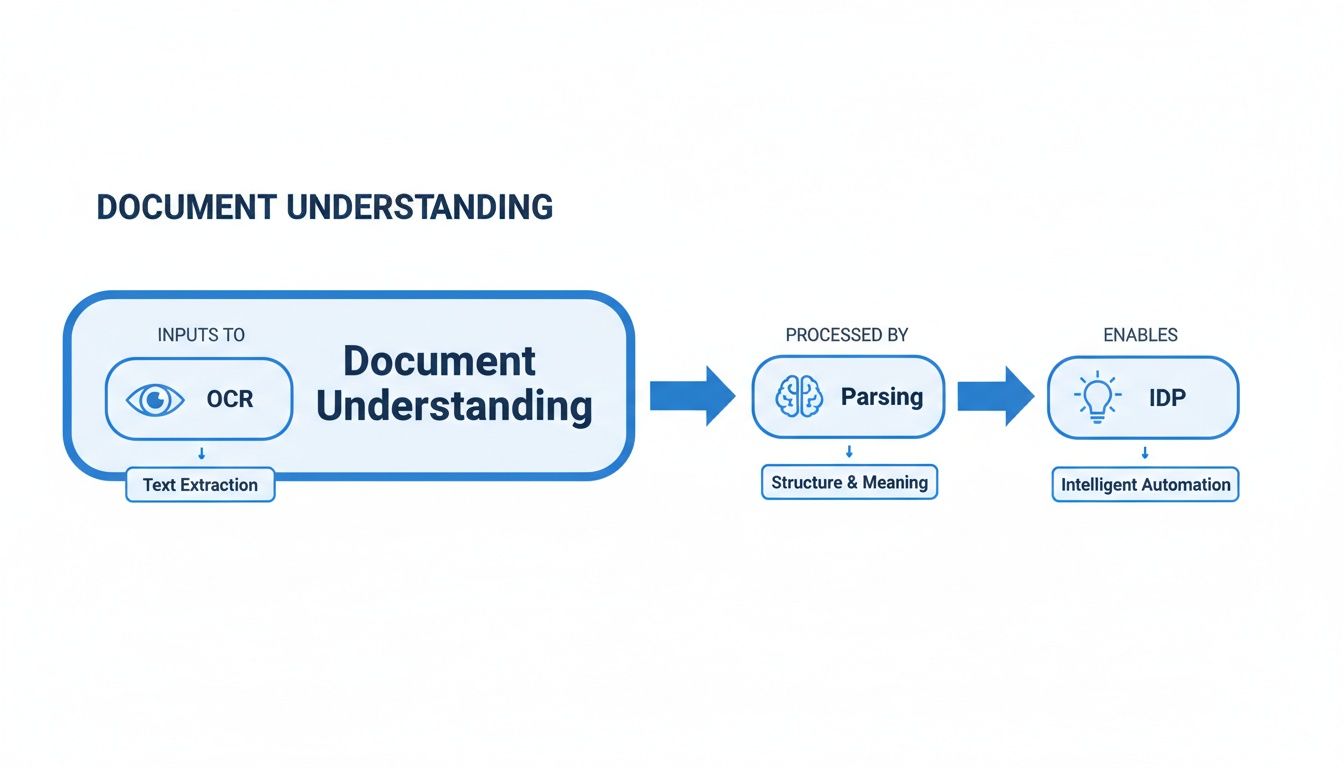
The journey from OCR to Parsing to full-blown IDP shows how the intelligence builds, which is what makes these sophisticated automated workflows possible.
For instance, you could set a rule where any invoice under $500 is automatically approved and sent for payment, while anything over $5,000 gets routed to a manager’s queue for a final look. This completely gets rid of the need to manually forward emails or chase people down for approvals, keeping the entire process flowing.
The table below highlights the dramatic shift from tedious manual work to smart, automated processes.
Manual Data Entry vs Automated Software Features
| Manual Process | Automated Software Feature | Business Impact |
|---|---|---|
| Hand-keying every field from a document into a system. | AI-Powered Data Extraction | Reduces entry time from minutes to seconds; eliminates typos and human error. |
| Visually proofreading entries and double-checking math. | Custom Data Validation Rules | Catches errors instantly, ensuring data is clean and accurate before it hits your systems. |
| Emailing files for approval; physically walking them over. | Automated Workflow Routing | Creates hands-off approval chains, speeds up cycle times, and provides full visibility. |
| Exporting CSVs and manually uploading to other apps. | Native System Integrations | Data flows directly into your core software, creating a single source of truth without manual effort. |
As you can see, it's not just about doing the same tasks faster; it's about fundamentally changing how the work gets done, leading to major improvements in both accuracy and speed.
Seamless System Integrations
Finally, any great data entry software has to play nicely with the other tools you already rely on. Seamless integrations ensure that all the clean, validated data you've extracted flows directly into your core business systems—no more manual exporting and importing.
Think of these integrations as pre-built bridges connecting your data entry software to your essential platforms:
- Accounting Software: Automatically push invoice data right into tools like QuickBooks, Xero, or NetSuite.
- ERP Systems: Sync purchase orders and inventory data with systems like SAP or Microsoft Dynamics 365.
- Cloud Storage: Instantly archive processed documents into the right folders on Google Drive, Dropbox, or SharePoint.
Without solid integrations, you just end up with data stuck in different places, which completely defeats the purpose of automation. When you’re looking at software, always dig into its ability to connect with your existing tech stack. This is what truly completes the automation loop and gives you the biggest efficiency boost.
Real-World Applications Across Different Industries
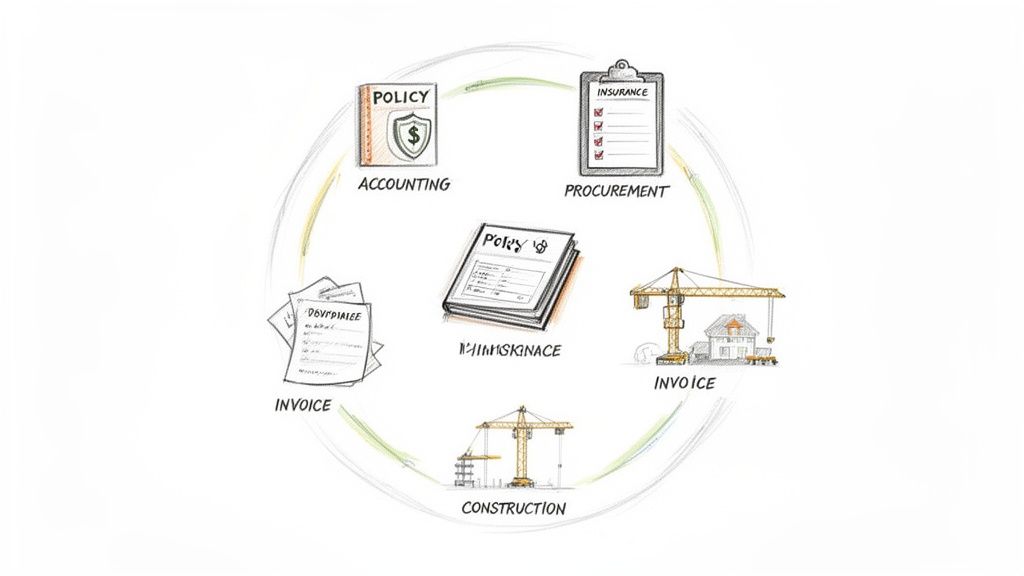
The real test of any technology is how it solves actual, nagging problems for businesses. Modern data entry software isn't just about moving faster; it’s about finally breaking through the operational logjams that have drained resources and slowed down growth for years.
From finance departments to insurance carriers, the core challenge is surprisingly similar: a high volume of documents, a non-negotiable need for accuracy, and the expensive, error-prone manual work that bridges the two. Let's look at how this technology is actually making a difference in a few key industries.
Automating Accounting and Procurement Workflows
If you’ve ever worked in accounting, you know the "three-way match" is a cornerstone of the accounts payable process. It’s also incredibly tedious. It means manually confirming that the details on a vendor invoice, a purchase order (PO), and a receiving report all line up perfectly before you cut a check. One little discrepancy can grind everything to a halt.
This is where data entry software completely changes the workflow. Instead of a person squinting at three different documents, the software can:
- Instantly pull the PO number, line items, and quantities from all three documents.
- Automatically cross-reference everything, flagging any mismatches in price, quantity, or item descriptions.
- Push perfectly matched invoices straight through for payment while sending the exceptions to a human for a quick review.
This one change can cut invoice processing times by over 80%. It lets your finance pros focus on cash flow and strategy instead of playing 'spot the difference' with paperwork.
Procurement teams face a similar grind, especially when juggling proposals. Manually comparing line items and pricing across differently formatted vendor documents is a huge time sink. An intelligent platform can pull this information and pop it into a standardized format, making side-by-side comparisons almost instant.
Speeding Up Insurance and Loan Processing
The insurance world runs on paperwork. Carriers are flooded with application forms, claims documents, and policy schedules, and no two look alike. The manual effort just to pull key information—policyholder names, coverage amounts, effective dates—is staggering.
Intelligent data entry software can read these varied forms in minutes. It finds and extracts the necessary data fields, no matter where they are on the page, and feeds them into the carrier's core systems. This lets underwriters issue quotes faster and helps claims adjusters get payments out the door with far more speed and accuracy.
Loan processing isn't much different. A loan officer has to verify an applicant's entire financial life by combing through bank statements, pay stubs, and tax documents. This manual verification step is a notorious bottleneck.
With automation, an officer can upload a whole stack of financial statements, and the system will instantly extract key figures like monthly deposits, balances, and salary information. This makes due diligence faster, reduces the risk of a simple math error, and gets customers their loan approvals much sooner. To see more examples, you can explore other data entry software use cases.
Tackling Document Chaos in Manufacturing and Construction
Manufacturing reps often have to decipher complex commission statements from dozens of partners, each with its own unique layout. Trying to reconcile sales and verify payments is a headache. Data entry software automates the extraction of sales figures, commission rates, and product codes, dropping everything into a single spreadsheet for easy analysis.
Meanwhile, in construction, project managers are practically buried in subcontractor invoices, change orders, and lien waivers. Losing track of even one of these documents can blow up a budget and create compliance nightmares.
With the right software, a construction firm can set up a simple, clean workflow:
- A subcontractor emails an invoice.
- The software grabs it, pulls out the project codes and costs, and checks it against the original bid.
- Approved invoices are sent directly to the accounting system for payment, leaving a perfect audit trail.
This kind of automation ensures subs get paid on time, heads off costly payment disputes, and gives project managers a real-time handle on project spending. In the end, no matter the industry, the goal is the same: to turn a chaotic mess of documents into the clean, reliable data that helps a business move forward.
Calculating The True Return On Investment
Thinking about new data entry software isn't just about cool features—it’s about what it does for your bottom line. Getting a handle on the return on investment (ROI) is key. It helps you see the purchase not as a cost, but as a strategic move that pays for itself, often much faster than you’d think. The real math here isn't just about cutting expenses; it includes real dollars saved plus some serious operational upgrades that are harder to pin on a spreadsheet.
The easiest returns to see are the ones that hit your bank account directly. These are the hard-dollar savings you can track.
The Tangible Financial Wins
Right off the bat, you get a massive win from reclaimed labor hours. Think about it: instead of paying people for hours of mind-numbing manual entry, that time can be spent on work that actually grows the business, like talking to customers or analyzing performance. If you have an employee making $25 an hour who spends 10 hours a week typing things in, automating that task saves you $13,000 a year. For just one person.
Then there are the savings from slashing errors. Manual data entry is a recipe for mistakes, and every typo costs money to fix. Whether it's resending a shipment, correcting a botched invoice, or even facing compliance fines, those little errors add up fast. An automated system with built-in checks catches mistakes on the spot, so you never have to deal with the downstream chaos.
Finally, let's not forget the steep price of outsourcing. A lot of companies farm out their document processing to third-party services, and that gets expensive. The global market for data entry outsourcing is expected to hit around USD 27.6 billion by 2025, which shows you just how much businesses are spending on this problem. Pulling that work back in-house with the right software cuts those vendor bills and gives you way more control over your own data. For a deeper dive into these numbers, check out the Technavio industry analysis.
Uncovering The Intangible Returns
Beyond the money you save are the benefits you feel. They might be harder to quantify, but they're just as vital for a healthy business.
- Higher Employee Morale: Let's be honest, nobody loves copy-paste work. Taking that soul-crushing task off your team's plate is a huge morale booster, leading to happier employees and lower turnover.
- Faster, Smarter Decisions: Manually entered data is almost always old news by the time it gets to the people who need it. Automation feeds you data in real-time, letting your leaders make sharp, informed decisions based on what’s happening right now.
- Stronger Compliance and Audit Trails: Good software creates a perfect, time-stamped digital paper trail for every document it touches. This makes proving compliance a breeze and takes the headache out of financial audits.
The true ROI isn't just about cutting costs; it's about building a more efficient, resilient, and intelligent operation from the ground up. The initial investment unlocks compounding benefits that ripple across the entire organization.
When you add it all up, the ROI for data entry software makes a powerful financial and operational case for itself. You can learn more about how to automate data entry and start seeing these returns in your own business. By combining the direct savings with these powerful operational boosts, the investment pays for itself in no time.
How to Choose and Implement The Right Software
Switching to a new system can feel like a huge undertaking, but picking and launching the right data entry software doesn't have to be a headache. If you focus on a few key things and follow a simple plan, you can show the value of automation quickly and build momentum for bigger changes down the road.
The secret is to find a tool that solves your most immediate headaches without creating new technical ones. You want something that fits right in with your team's current skills and the technology you already use.
What to Look For in a Solution
As you're looking at different options, zero in on three things that will make or break your success. These are the factors that determine how fast you'll see a return on your investment and how well the software will grow with you.
- Ease of Use: Stick with no-code platforms built for regular business folks, not developers. A simple drag-and-drop interface means your team can start building automated workflows in minutes, not months, without needing to call the IT department for help.
- Integration Capabilities: Your new software absolutely must play nicely with your existing systems, whether that's your accounting platform or cloud storage. This is non-negotiable for creating a smooth, hands-off flow of information from the document all the way to its final destination.
- Scalability: Pick a tool that can keep up as your business grows. It should be able to handle a bigger workload without slowing down or skipping a beat.
Your Four-Step Implementation Plan
Instead of attempting a massive, risky overhaul all at once, take it one step at a time. This approach is much lower risk and lets you rack up some clear wins with a small initial investment, which makes it way easier to get everyone on board for the next phase.
- Start Small: Pinpoint one single workflow that’s high-volume and painfully repetitive. Processing vendor invoices or matching up commission statements are perfect candidates.
- Test with Real Documents: Don't just watch a demo. Sign up for a free trial and upload your own files. It's the only real way to know if the software can actually read and understand your specific documents.
- Run a Pilot Project: Get a small, dedicated team to use the software for a set period—a week or two is often enough. Track the time they save and how much accuracy improves compared to the old way of doing things.
- Show the Value: Take the hard numbers from your pilot—like hours saved per week or a 90% drop in errors—and build your case. Of course, the real value goes beyond just initial cost savings; it's worth understanding different methodologies for calculating investment returns to get the full picture. With proven success in hand, planning a wider rollout becomes a much easier conversation.
Common Questions About Data Entry Software
Making a move to automation naturally brings up some questions. It's smart to wonder if new software will be a smooth transition and actually deliver on its promises. Let's tackle some of the most common things people ask.
Is This Kind of Software a Headache to Set Up?
Not anymore. The days of needing a dedicated IT team and months of setup are pretty much over. Modern, no-code platforms are built for regular business users, which means you don't need to be a tech wizard to get things up and running.
Forget those old-school systems that needed developers to code custom templates for every single document. Today’s AI tools are usually ready to go in minutes. You can often just start uploading your files—the AI is already trained to understand common documents like invoices and purchase orders right out of the box.
Just How Accurate Is It?
Top-tier platforms consistently hit accuracy rates well above 99% on standard documents, which is a big jump from what you get with manual entry. The main thing that affects reliability is the quality of the document you start with—a crisp digital PDF or a clear scan will always give you the best results.
And to give you peace of mind, most tools have built-in safety checks, like data validation rules and confidence scores.
Think of these features as a safety net. They automatically flag any data the system is unsure about, queuing it up for a quick human check. This way, you get the incredible speed of automation backed by the final assurance of a human eye.
Can It Handle Complicated Documents With Tables?
Absolutely. This is where modern intelligent document processing (IDP) software really shines. A basic OCR tool might just spit out a messy wall of text, but advanced platforms are experts at finding and pulling structured data, like all the individual line items from an invoice.
They can intelligently grab each piece of information and organize it into a neat, spreadsheet-ready format. This includes things like:
- Item Descriptions: The name of each product or service.
- Quantities: Exactly how many of each item was purchased.
- Unit Prices: The cost per individual item.
- Line Totals: The total for each row in the table.
This feature alone can wipe out one of the most boring and error-prone parts of manual data entry.
What Kind of Files Can I Use?
Most modern platforms are built to handle pretty much any file you throw at them. This means your team doesn't have to waste time converting documents before they can even start working. You'll find that common formats like PDFs (both native and scanned), Word docs, Excel files, and images like JPG, PNG, and TIFF are all supported.
Ready to ditch the copy-paste grind and put your document workflow on autopilot? With DocParseMagic, you can turn messy files into clean, structured data in minutes—no code required. Get started with free credits today.