A Guide to the Invoice Payment Process from Start to Finish
The journey an invoice takes through your company, from the moment it lands on someone's desk (or in an inbox) to the final "payment sent" notification, is what we call the invoice payment process. It's the financial backbone for keeping your operations running and your suppliers happy.
Get this process wrong, and you're looking at cash flow nightmares and strained vendor relationships. Get it right, and it becomes a quiet, powerful engine for your business.
Mapping the Journey from Invoice to Payment
Think of your accounts payable team as the air traffic controllers for your company's money. Invoices are the incoming flights, each needing to be logged, checked, and guided to the correct gate (approval) before it can be refueled (paid) and sent on its way. Without a solid system, you get chaos—missed payments, duplicate payments, and a lot of frustrated people on both ends.
This whole journey, from start to finish, is more than just an administrative task; it's a critical business function. When you're stuck doing it by hand, it’s not just slow, it's a real money pit. Manual processing can cost anywhere from $9.40 to $22.75 per invoice, and the whole cycle takes an average of 9.2 days. The best-in-class teams? They get it done in just 3.1 days. That’s a huge gap in efficiency, and you can explore more global trends about AI in invoice processing on parseur.com to see just how wide it is.
The Core Stages of the Workflow
To fix or improve something, you first have to understand how it works. Every single invoice, whether it's for a box of pens or a major software license, follows a similar path through your organization. Let's walk through that map, stage by stage.
Here are the key stops along the way:
- Invoice Capture and Data Extraction: This is the starting line, where the invoice first gets into your system.
- Verification and Validation: We check the invoice to make sure it’s legitimate and matches what was actually ordered.
- Approval Routing: The invoice is sent to the right people for the green light.
- Payment Execution: The money is officially sent out to the vendor.
- Reconciliation and Archiving: We close the books on this transaction and file everything away properly.
When you get a handle on these stages, accounts payable stops being a reactive paper-chasing chore. It becomes a strategic part of your business that helps control spending, keeps things running smoothly, and makes your company financially stronger.
The Five Core Stages of Processing an Invoice
Every invoice that lands in your business, whether it's a crumpled piece of paper or a crisp PDF, goes on a surprisingly complex journey. Think of it as a five-stage assembly line. Each step has a specific job to do, and a hiccup at any point can bring the whole process to a halt.
Nailing down these five distinct phases is the first real step toward building a payment process that’s fast, accurate, and headache-free.
This diagram gives a great high-level view of how an invoice moves from arrival to "paid."
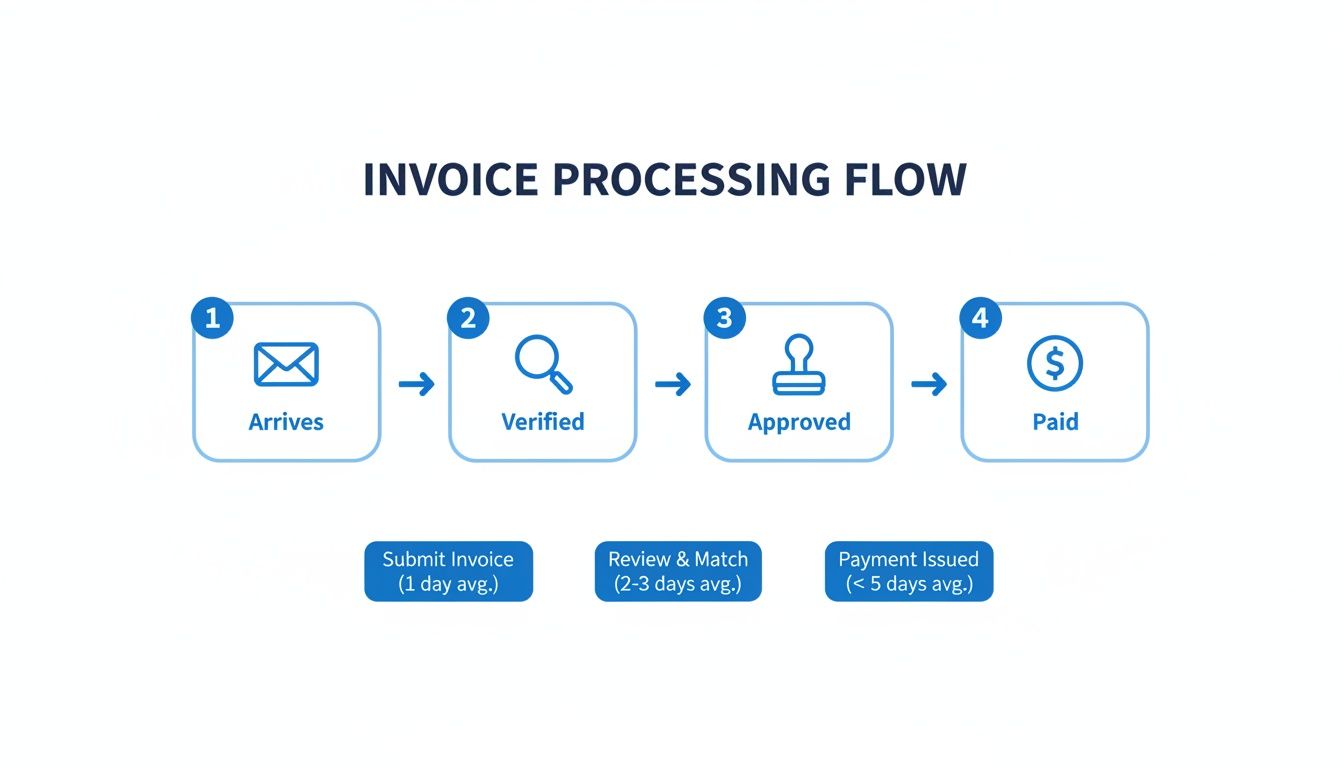
Each checkpoint is a potential bottleneck. A smooth handoff between these stages is what separates a world-class accounts payable team from one that’s always putting out fires.
To give you a clearer picture, here’s a quick breakdown of what happens at each stage of the invoice payment workflow.
Key Stages of the Invoice Payment Workflow
| Stage | Primary Goal | Key Activity Example |
|---|---|---|
| 1. Capture & Extraction | Get invoice data into your system | Keying in the vendor name, invoice number, and total amount |
| 2. Verification & Validation | Confirm the invoice is legitimate | Matching the invoice against a purchase order (PO) |
| 3. Approval & Routing | Get authorization to pay | A department manager signs off on the expense |
| 4. Payment Execution | Send the money | Scheduling an ACH transfer to the vendor's bank account |
| 5. Reconciliation & Archiving | Close the loop in your books | Marking the invoice as "Paid" in your accounting software |
Now, let's dig into what each of these stages really involves.
H3: Stage 1: Capture and Data Extraction
It all starts the moment an invoice shows up. It could be in the mail, as a PDF in an email, or submitted through a clunky vendor portal. The first hurdle is just getting all these documents into one place.
But the real work is data extraction. Someone has to pull all the critical details—vendor name, invoice number, due date, line items, the total amount—off the document and punch it into your accounting system. This is where things often go wrong. Manual data entry is slow and a hotbed for typos that can cost you dearly.
H3: Stage 2: Verification and Validation
Once the data is in, the invoice hits a crucial security checkpoint. The goal here is simple: "Is this a real bill for something we actually ordered and received?"
This is where your team plays detective, cross-referencing a few key documents:
- Purchase Orders (POs): Does the invoice match the PO that was originally issued?
- Receipt Confirmations: Do we have proof that the goods or services were actually delivered?
This process, famously known as three-way matching, is your best defense against paying bogus or inflated invoices. If the numbers don't line up—say, the price is wrong or the quantity is off—the invoice gets flagged. No payment goes out until the mystery is solved.
The verification stage is your company's front-door security. Rushing it is like leaving that door wide open, inviting financial risk and creating a mess for your accountants later on.
H3: Stage 3: Approval and Routing
After an invoice passes the verification test, it needs the official green light. This is the approval stage, where the person responsible for the budget gives their okay.
The biggest bottleneck here? Getting the invoice to the right person. In a manual system, an invoice can easily get buried in someone's inbox or sit on their desk for a week. These delays are what lead to late fees and frantic calls from vendors. A clear, well-defined approval chain is non-negotiable.
H3: Stage 4: Payment Execution
With all the checks and approvals finally done, it's time to pay the bill. The accounts payable team schedules the payment to go out on time—not too early, and definitely not too late.
This step is all about precision. The team chooses the payment method (ACH, wire, check) and double-checks that the right amount is heading to the right vendor account. One wrong digit here can cause a world of trouble.
H3: Stage 5: Reconciliation and Archiving
The job isn't done when the money leaves your account. The final step is to close the loop.
Once the payment is sent, the transaction is logged in the general ledger, and the invoice is officially marked as "paid" in the books. This reconciliation keeps your financial records straight. Finally, the invoice and all its related paperwork are filed away, ready for any future audits.
Common Pitfalls That Derail Invoice Payments
Even the most buttoned-up invoice payment process can get tripped up by a few common, costly mistakes. These aren't just minor administrative headaches; they're the kind of financial leaks that can quietly drain your cash flow, sour vendor relationships, and create some serious compliance risks down the line.
Getting a handle on these pitfalls is the first step toward building a system that actually works.
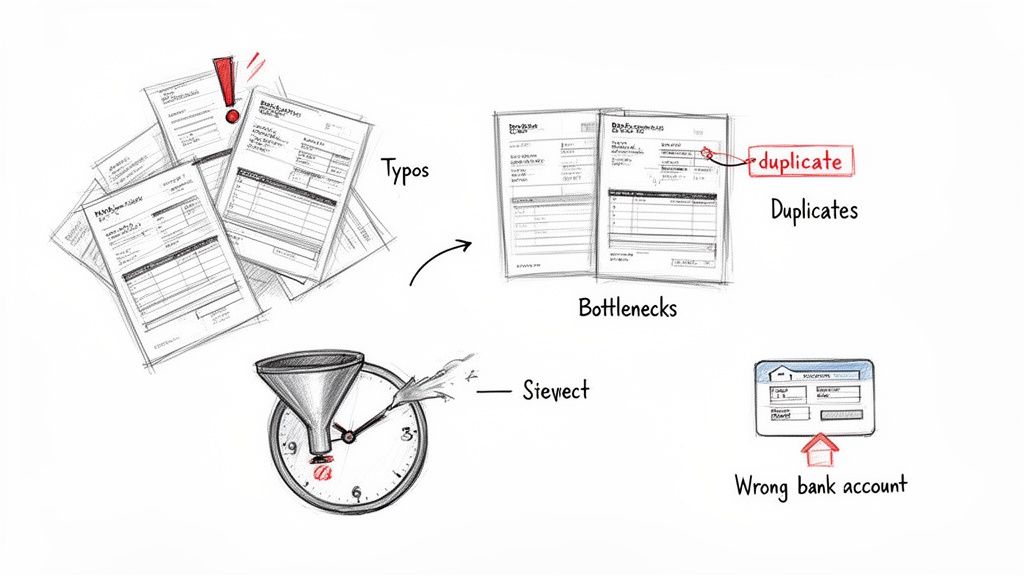
Think of a manual process as a highway with no guardrails. A single wrong turn—like a simple typo during data entry—can send a payment careening into the wrong bank account or lead to a massive overpayment. In a purely manual world, these errors happen a lot more often than you'd think.
And it's not just typos. A disorganized system is basically an open invitation for duplicate invoices. A vendor might accidentally send the same bill twice, and if you don't have a solid verification step, your team could easily pay it twice. Just like that, a simple transaction becomes a needless loss.
Manual Errors and Data Disasters
By far, the most common point of failure is manual data entry. A simple keystroke error when typing an invoice number or amount can set off a chain reaction of problems, from payment rejections to completely skewed financial reports. These tiny mistakes can burn hours of work as someone has to track down the source of the error.
For example, keying in $1,500 instead of $150.00 is an easy slip of the finger but a nightmare to claw back. Disorganized record-keeping just pours fuel on the fire. Misplacing a paper invoice or losing a PDF in a crowded inbox leads to missed payments, late fees, and suppliers who are, understandably, not very happy.
Approval Bottlenecks and Delays
Another huge hurdle is the approval workflow itself. When an invoice needs a manager's signature but that manager is traveling or swamped with emails, the entire process just stops dead in its tracks. This is the classic approval bottleneck.
These delays aren't just an inconvenience; they're expensive. Late payment penalties add up fast, and constantly paying vendors past their due date erodes trust and can even ding your company’s credit rating.
So, what are the usual suspects behind these payment delays?
- Undefined Approval Chains: There’s no clear map of who needs to approve what. Invoices get passed around or, worse, sit on someone's desk because nobody knows who owns the next step.
- Lack of Visibility: The accounts payable team has no idea where an invoice is stuck. Without that visibility, they can't effectively follow up to get it moving again.
- Poor Communication: Managers aren't notified quickly when an invoice lands in their queue for review, so it just sits there for days—or even weeks.
At the end of the day, these issues all point back to the inherent fragility of manual systems. Every time a person has to touch an invoice, it's another chance for an error, a delay, or a simple oversight. Fixing these common problems is the key to creating an invoice payment process that's both efficient and secure.
Best Practices for a Streamlined Workflow
Getting your invoice payment process right isn't about just reacting to bills as they come in. It’s about building a predictable, smooth-running system from the ground up. Think of it like designing a highway for your payments—you need clear on-ramps, designated lanes, and automated toll booths to keep things moving and prevent traffic jams. The real goal is to get rid of the friction that causes delays and costly mistakes.
A great place to start is simply centralizing where invoices land. Instead of letting them get scattered across different personal inboxes, set up one dedicated email address, like invoices@yourcompany.com, for all vendors to use. This one small change creates a single source of truth, making it easy for your team to see everything and ensuring no invoice gets lost in the shuffle.
Once you have a central inbox, you can start standardizing how you handle everything that comes in. Invoices will arrive in all sorts of formats—PDFs, scanned images, maybe even a Word doc. But your internal process for handling them should always be the same. That consistency is the bedrock for building a truly efficient and automated workflow.
Create Clear Approval Hierarchies
One of the biggest reasons payments get held up is confusion over who needs to sign off on what. When an invoice arrives, there should be absolutely no guesswork involved. A clear, well-defined approval hierarchy is your best weapon against these kinds of bottlenecks.
This means mapping out exactly who is responsible for approving certain expenses and setting firm spending limits. For example:
- Marketing expenses under $1,000: Go to the Marketing Manager.
- IT software subscriptions over $5,000: Need a sign-off from both the IT Director and the CFO.
Having this clarity built into your process ensures invoices are routed to the right person right away, which dramatically cuts down on the time they spend just sitting around. For a deeper look at this and other key strategies, you can explore these detailed accounts payable best practices.
Embrace Early Automation for Maximum Impact
While automating the entire process from start to finish is the ultimate goal, you can get huge wins by automating the most painful step first: data entry. Manually typing details from an invoice into your system isn't just mind-numbingly slow; it's where most of the expensive errors happen.
By plugging a no-code document parsing tool in at the very beginning of your workflow, you can eliminate up to 80% of that manual work. These tools can read an invoice, pull out all the important information, and get it ready for your accounting system in seconds.
Automating this one step right at the front frees your team from the tedious copy-and-paste grind. It lets them focus their brainpower on more important things, like verifying information and managing vendor relationships. It’s a simple change that pays off immediately in both speed and accuracy.
Late payments are a massive headache for businesses everywhere. In the US alone, 55% of B2B invoiced sales are overdue, and suppliers often have to wait an average of 43 days to get paid. These delays are usually caused by internal slowdowns like invoice disputes or sluggish approvals, which ends up creating cash flow problems for everyone. You can learn more about the impact of payment delays on parseur.com.
How Automation Is Changing the Game
If you've ever processed invoices manually, you know the drill. It's a slow, frustrating grind that feels like being stuck in rush-hour traffic. Someone on your team opens a PDF, squints at the screen, and painstakingly types the invoice number, line items, and total into a spreadsheet. Then they double-check it, hoping a typo didn't slip through. This single step is the biggest bottleneck in most accounts payable workflows.
Now, let's look at the alternative. That same PDF gets uploaded to a system, and in seconds, all the critical data is pulled out, perfectly structured, and ready to go. This isn't some far-off future tech; it's what modern automation makes possible today.
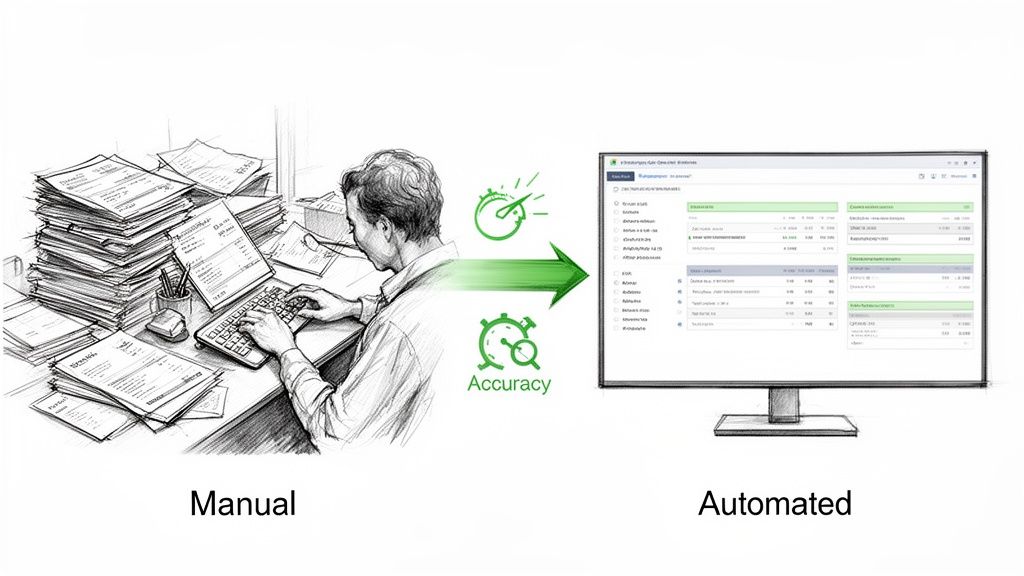
This shift isn't just about saving a few minutes here and there. It’s about completely rethinking the invoice payment process to make it faster, more accurate, and way more transparent.
The Power of Document Parsing
The engine driving this change is document parsing technology. Think of these tools as a smart assistant that can instantly read any invoice you throw at it, no matter the layout or format. They use AI to find and extract key information with a level of precision that a human just can't match consistently.
Here's what that actually means for your team:
- Wipes Out Human Error: The system doesn't get tired or make mistakes. It captures data correctly every single time, putting a stop to overpayments and annoying correction cycles.
- Slashes Processing Time: Tasks that used to eat up days of manual work are now done in minutes. Invoices can fly from receipt to being ready for approval in a tiny fraction of the time.
- Gives You Real-Time Visibility: The moment an invoice is processed, its data is in the system. This gives you an immediate, up-to-the-minute picture of what you owe.
And this isn't some massive IT project only giant corporations can afford. Modern no-code platforms make it possible for even small teams to build a powerful automated workflow. For any business serious about boosting efficiency, exploring automated accounts payable solutions is a logical and crucial next step.
Automating that first step—capturing the data—removes the biggest point of friction in the entire invoice payment process. It’s the move that unlocks serious efficiency and frees your people to focus on more important work.
Unlocking Economic and Operational Gains
The impact here goes well beyond just one company's AP department. The broader shift toward e-invoicing and digital payments is creating huge economic benefits around the world. One estimate points to potential gains of $616 billion across major markets, just by shortening payment cycles by an average of 1.4 days and cutting fraud by 30%.
This efficiency is part of a massive global payments ecosystem that’s on track to handle a staggering $157 trillion by 2025.
Bringing automation into your process is more than a simple upgrade; it's a strategic decision that makes your financial operations tougher and more reliable. It helps your business become more agile and competitive. If you want to get into the nuts and bolts of these tools, check out our guide on automated invoice processing software. The right technology can turn your invoice workflow from a necessary expense into a real operational advantage.
Frequently Asked Questions About Invoice Payments
Switching to a more organized invoice payment process is a smart move, but it always brings up questions. Getting a clear picture of the practical steps and what to expect is the best way to build confidence and get your whole team on board.
Let's walk through some of the most common things finance teams ask when they decide to finally upgrade their workflow.
Where Should We Start with Automation?
The best place to begin is right at the very beginning of the process: invoice data capture. This single step is almost always the most time-consuming and error-prone part of any manual system. When you automate how you pull information from invoices, you're tackling the biggest bottleneck first, which means you'll see a real impact right away.
Instead of your team manually typing details from PDFs, an automated tool can read the document and extract all the critical data in just a few seconds. This one change delivers a massive return on investment.
- It gets rid of costly data entry mistakes.
- It slashes invoice processing time from the moment an invoice arrives.
- It frees up your people to focus on verifying information and analyzing spend, not just mind-numbing data entry.
Think of it this way: automating data capture is the foundation. It makes every other step in the payment process—from approvals to payment runs—faster and far more reliable because you're starting with clean, accurate data.
How Do We Handle All the Different Invoice Formats?
You know the drill. Your vendors send invoices in every format you can imagine—perfect PDFs, Word docs, scanned images, and even photos snapped on a phone. It’s a common worry that no single system could possibly handle all that variety.
The good news is, modern document parsing tools were built for this exact problem. They're designed to be "format-agnostic," which just means they can intelligently read and pull data no matter what the file type or layout looks like. You don't need a separate workflow for PDFs and another for JPGs. A flexible tool can bring it all into one central, consistent process.
What Are the Most Important Metrics to Track?
You can't improve what you don't measure. To really see if your new invoice payment process is working, you need to track a few key performance indicators (KPIs) that show you exactly what's happening with your efficiency and costs.
Here are the essentials to keep an eye on:
- Cost-Per-Invoice: This is your all-in cost. Take the total expenses for your accounts payable department (salaries, software, etc.) and divide it by the number of invoices you process. The goal is simple: get this number as low as possible.
- Invoice Cycle Time: How long does it take, on average, from the moment an invoice hits your inbox to the moment it's paid? A shorter cycle time is a clear sign that you're eliminating bottlenecks and have a healthy workflow.
- On-Time Payment Rate: This is the percentage of invoices you pay by their due date. It’s a critical measure of the health of your vendor relationships.
A major leap forward in this area is embracing supplier payment automation, which has a direct and positive impact on all of these core metrics. Watching these KPIs will give you hard proof of your progress and point you toward any areas that still need a little fine-tuning.
Ready to stop the manual data entry grind? DocParseMagic turns your messy invoices and documents into clean, structured data in minutes. No templates, no code—just drag, drop, and get back to the work that matters. Try it for free at https://docparsemagic.com.