A Simple Guide to 3 Way Matching of Invoices
Here's the bottom line: 3-way matching is a core accounting practice that validates a supplier's invoice before you pay it. It works by checking the invoice against two other crucial documents: the purchase order and the receiving report.
Think of it as a simple but powerful security check to make sure you're only paying for what you actually ordered and received.
What Is 3-Way Matching and Why Does It Matter?
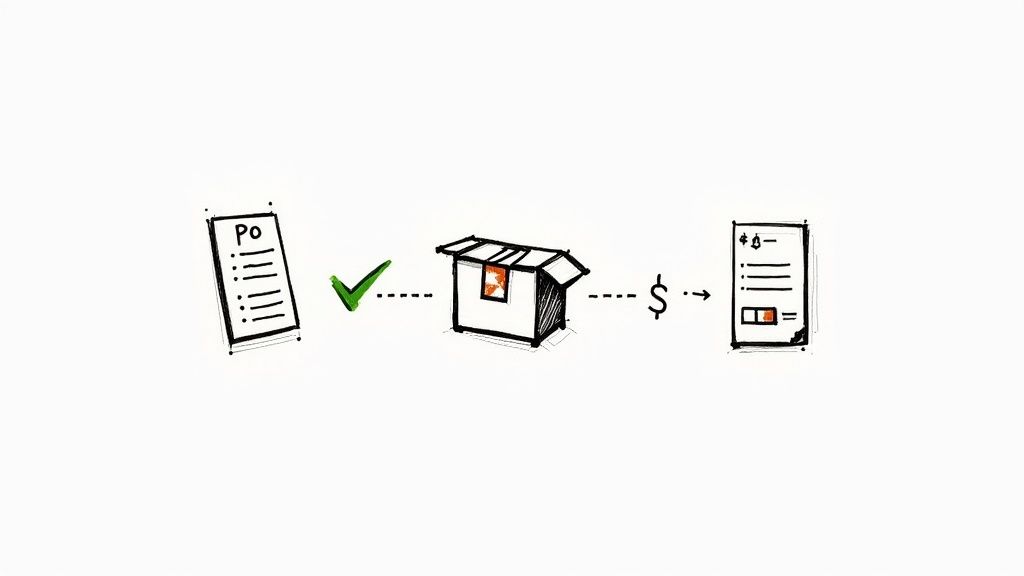
Let's use a simple analogy. Imagine you order a new laptop online. You get an order confirmation email (what you asked for), the laptop arrives in a box (what you got), and the company sends you a bill (what they're charging you).
Before paying, you'd naturally check that the laptop in the box is the model you ordered and that the bill matches the price you agreed to. If it all lines up, you pay. That's 3-way matching in a nutshell.
It’s a fundamental control for any accounts payable (AP) team, designed to protect the company's cash. Instead of just paying any invoice that lands on their desk, this process creates a system of checks and balances.
A Crucial Financial Safeguard
The main goal here is to stop money from leaking out of the business due to overpayments, duplicate invoices, or even outright fraud. By lining up the details on the Purchase Order (PO), the Goods Receipt Note (GRN), and the Supplier Invoice, the AP team can confidently verify that the transaction is legitimate.
This process is a cornerstone of strong internal financial controls and creates a clear, accurate audit trail for every payment.
By requiring these three documents to match, businesses create a strong defense against billing mistakes and phony payment requests. It's one of the most effective ways to protect your bottom line.
In the world of AP, 3-way matching is now the gold standard for preventing expensive errors. A major shift happened around 2010 when modern enterprise resource planning (ERP) systems started building in automated matching features, which cut down on a ton of manual work.
The proof is in the numbers. Companies that implement 3-way matching often see a 50-70% drop in overpayments. You can find more details on the financial impact of 3-way matching at Highradius.com.
Ultimately, this structured approach also builds better relationships with your suppliers. They know their correct invoices will get processed efficiently, which leads to reliable, on-time payments.
The Three Key Documents in Invoice Matching
The whole idea of 3-way matching hinges on three documents telling the same story. Think of them as three different witnesses to a single transaction. When their accounts line up perfectly, you know the transaction is legitimate and you can pay the bill with confidence.
Let's pull back the curtain on each of these documents. It’s not just about knowing what they are, but understanding what specific details to look for to get that perfect match.
The Purchase Order (PO): The Initial Agreement
Everything starts with the Purchase Order (PO). This is the official document your company creates and sends to a vendor to kick off a purchase. It's basically the contract, laying out precisely what you intend to buy, how much of it you need, and the price you've agreed to pay.
A solid PO acts as the single source of truth for what your company actually requested. It sets clear expectations for everyone involved from the very beginning. If you want to dig a little deeper, understanding purchase orders is a great place to start.
When you're matching, here’s what you’re looking for on the PO:
- Unique PO Number: The specific ID that ties all the paperwork together.
- Item Descriptions: What exactly did you order?
- Quantities: How many of each item did you ask for?
- Unit Prices: The agreed-upon cost for each item.
- Total Amount: The final calculated cost before any taxes or shipping fees.
The Goods Receipt Note (GRN): The Proof of Delivery
Next up is the Goods Receipt Note (GRN), which you might also hear called a receiving report. This is an internal document, created by your own team when the shipment from the supplier physically arrives at your door. It’s your tangible proof that the goods were actually delivered.
The GRN is absolutely critical because it confirms what you received and how much of it. A supplier's invoice might claim they sent 100 widgets, but the GRN is the on-the-ground report from your warehouse staff that tells you if only 95 showed up.
A GRN bridges the gap between what was ordered and what gets billed. It’s your internal confirmation that the vendor actually delivered the goods they promised.
For 3-way invoice matching to work, the GRN needs to clearly show:
- Reference to the PO Number: This links the delivery directly back to the original order.
- Date of Receipt: When did the items actually land on your dock?
- Actual Quantities Received: An honest count of what was in the box, which might differ from the PO if there was a partial shipment or backorder.
- Item Condition: Any notes about damaged goods or incorrect items.
The Supplier Invoice: The Request for Payment
The final piece of the puzzle is the Supplier Invoice. This is the official bill from your vendor asking to be paid for the goods or services they provided. In a perfect world, this invoice should be a carbon copy of the details from the purchase order, confirmed by the goods receipt.
This is where you bring it all together. The details on the invoice—especially the quantities, item descriptions, and prices—must line up with both the PO and the GRN. Any mismatch, no matter how small, is a red flag that needs to be investigated before any money changes hands. If you're looking to make this process smoother from the start, check out how an automated purchase order system can help.
To make this crystal clear, here’s a simple breakdown of what each document brings to the table.
Document Breakdown for 3 Way Matching
| Document Type | Key Information | Primary Purpose |
|---|---|---|
| Purchase Order (PO) | Item descriptions, quantities, unit prices, PO number, terms. | To officially request goods/services and establish the agreed-upon terms. |
| Goods Receipt (GRN) | Quantities received, date of receipt, item condition, PO reference. | To confirm that the ordered goods have been physically delivered. |
| Supplier Invoice | Invoice number, final prices, taxes, totals, payment details. | To formally request payment from the buyer for the delivered goods/services. |
As you can see, each document has a distinct role but contains overlapping information. It's the consistency across this shared information that validates the transaction and gives you the green light to pay.
A Step-by-Step Guide to the Matching Process
Knowing what the documents are is one thing, but seeing how they all click together in the real world is where it really makes sense. The 3-way matching process follows a clear, logical path from the moment you realize you need something to the final nod to pay the bill. Let's walk through it.
To make this real, let’s imagine a small manufacturing company, "Innovate Creations." They need a new shipment of 100 specialized widgets from their go-to supplier, "Apex Components."
Step 1: Creating the Purchase Order
Everything starts when the procurement team at Innovate Creations creates a purchase order (PO). This isn't just a casual email asking for parts; it's a formal, legally binding document that sets the terms of the deal.
The PO clearly states what they need: 100 widgets at the agreed-upon price of $50 per widget, making the total $5,000. It gets a unique number—we'll call it PO-123—and is sent over to Apex Components. This document is now the official source of truth for the order.
Step 2: Receiving and Inspecting the Goods
A week later, a truck from Apex Components pulls up to Innovate Creations' loading dock. The warehouse team doesn't just sign a clipboard and send the driver on their way. They get to work.
They carefully unpack the shipment, count every widget, and give them a quick inspection to make sure nothing is broken. Good news—all 100 widgets are present and in perfect shape. The team then generates a Goods Receipt Note (GRN), links it to PO-123, and officially logs the receipt of 100 units. This internal record is the company's proof that they actually have the goods in hand.
Step 3: The Invoice Arrives for the Final Match
A few days later, an invoice from Apex Components lands in the accounts payable (AP) team's inbox. This is the moment of truth. It's time for the 3-way match.
The AP specialist pulls up the three key documents to see if the stories they tell align.
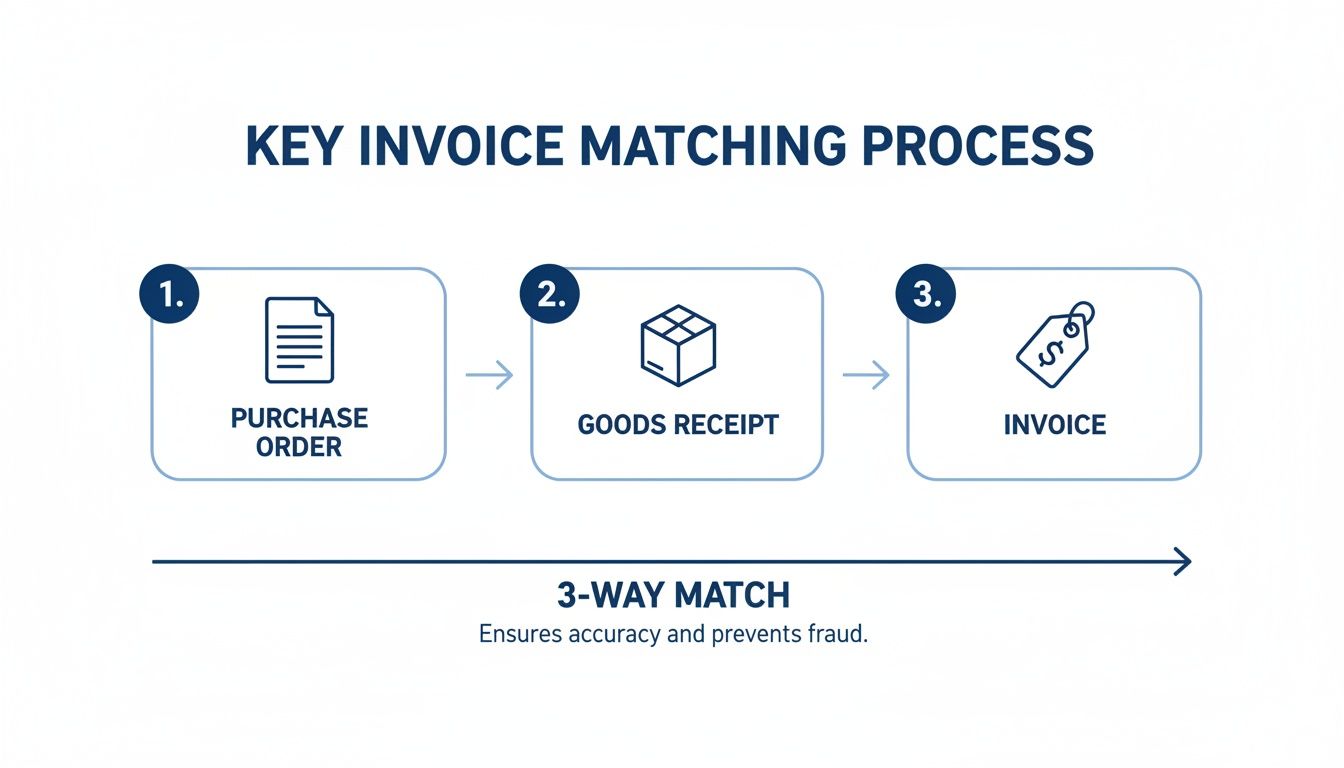
As you can see, each document acts as a checkpoint. Only when the PO, the GRN, and the invoice all agree does the payment get the green light.
The AP specialist runs through their checklist:
- PO-123: Did we order 100 widgets @ $50 each? Yes.
- GRN: Did we receive 100 widgets in good condition? Yes.
- Invoice: Are they billing us for 100 widgets @ $50 each, totaling $5,000? Yes.
It's a perfect match. The quantities are right, the prices are what we agreed to, and the descriptions line up perfectly across the board.
Because every detail aligns, the invoice is approved for payment immediately. This straightforward check caught any potential for overpayment and confirmed the whole transaction was legitimate, all without a single follow-up email or phone call.
With a successful match, the invoice is processed for payment with confidence. Apex Components gets paid on time, which keeps the relationship strong, and Innovate Creations has a clean, verifiable audit trail from start to finish.
What to Do When Invoices Do Not Match
In a perfect world, every invoice would breeze through the 3-way matching of invoices process without a single hiccup. But we all know business is rarely that tidy. The reality is that discrepancies, or exceptions, are just a part of the daily grind in accounts payable.
An exception is simply what happens when the details on the invoice, the purchase order, and the goods receipt don't line up.
These mismatches pop up for all sorts of reasons—it could be a simple typo, a partial shipment, or an unexpected price change from a vendor. Instead of causing a panic, think of these exceptions as a good thing. They’re built-in alerts that stop your company from overpaying or, worse, paying for something that never even showed up. The trick is having a solid, repeatable process to sort them out quickly.
In a traditional manual system, this is a real headache. Mismatches can force rework for as many as 1 in 5 invoices. The supply chain chaos after 2020 only made things worse, causing these discrepancies to jump by 25% worldwide. This makes having a strong exception-handling process more critical than ever. You can learn more about how modern AI tools are tackling these invoicing challenges on Highradius.com.
Identifying Common Discrepancies
While you might see all kinds of exceptions, most of them fall into a few familiar buckets. Knowing what to look for helps your AP team get to the root of the problem and fix it fast.
- Price Mismatches: The price for an item on the invoice is higher or lower than what was agreed upon in the purchase order. Maybe the vendor raised their prices without telling you, or someone just keyed it in wrong.
- Quantity Mismatches: The invoice shows a different number of items than what the warehouse team counted and signed for on the goods receipt. This is super common with partial shipments, backorders, or when damaged items are sent back.
- Missing PO Number: This is a simple but frustrating one. The supplier just forgets to put the purchase order number on the invoice, making it impossible for any system (or person) to match it up correctly.
- Incorrect or Damaged Goods: The receiving team notes that the wrong items arrived or that a shipment came in damaged. Obviously, you don't want to pay the full amount until this is sorted out.
A Playbook for Resolving Mismatches
When an invoice gets flagged, the worst thing you can do is let it sit in a "pending" pile collecting dust. You need a clear action plan. The first step is always to put the invoice on hold to stop an accidental payment from going out the door. From there, the AP team starts digging to find out exactly why it failed to match.
Next, the right team has to take ownership of the problem.
- For Price or Item Issues: This usually falls on the procurement or purchasing department. They need to get in touch with the supplier to figure out what happened, negotiate a solution, and maybe issue a revised PO if the change is legitimate.
- For Quantity or Quality Issues: The warehouse or receiving team has to step in here. They’ll need to double-check their counts or give more detail on the damaged goods, then work with the supplier to get a replacement or credit.
A great way to cut down on the back-and-forth is to set tolerance levels. This means you can automatically approve invoices with tiny discrepancies, like a price difference of less than 1% or $10. It frees your AP team from chasing down every last penny.
Once the underlying issue is fixed—whether it’s a corrected invoice from the supplier or an internal approval for the change—the invoice is taken off hold. It can then be run back through the matching process for final approval and payment.
The Business Case for 3-Way Matching
Let's be honest, 3-way matching might sound like just another tedious step for your accounts payable team. But thinking of it as simple administrative work is a huge mistake. It’s actually one of the most powerful financial controls you can implement, acting as a crucial defense for your company's cash.
At its heart, the process is all about making sure you only pay for what you actually ordered and received. It’s a systematic check that turns your AP department from a reactive payment center into a proactive guardian of your finances. This simple verification is your best weapon against overpayments, sneaky duplicate invoices, and even outright fraud.
Protecting Your Bottom Line
Every single invoice that slips through without proper matching is a gamble. You're essentially trusting that the price is right, the quantity is correct, and the goods actually showed up. That's a risky bet to make over and over again.
Putting a solid matching process in place delivers some immediate, tangible benefits:
- Eliminates Costly Errors: It’s designed to catch price and quantity mistakes before a payment goes out the door. You stop the financial leaks before they can even start.
- Prevents Fraud and Duplicates: A fake invoice will never have a legitimate purchase order and receiving report to match against. This simple requirement acts as a powerful deterrent, making your company a much harder target for scammers.
- Strengthens Supplier Relationships: When vendors know you have a reliable system for paying accurate invoices quickly, it builds trust. Good relationships can lead to better payment terms, and you'll be in a prime position to capture early payment discounts.
Creating an Ironclad Audit Trail
Beyond the day-to-day savings, 3-way matching builds a clean, clear, and bulletproof record for every single purchase. Think about your next audit. Instead of a frantic scramble for paperwork, you'll have a neat package of matched documents ready for any transaction they want to see.
This documentation does more than just make audits easier. It’s concrete proof that your company maintains strong internal controls and is serious about financial integrity. That makes compliance far less of a headache.
This kind of structured process is a fundamental part of running a tight ship. For more on improving your financial workflows, take a look at these essential accounts payable best practices. In the end, it all comes down to peace of mind—knowing your payments are correct, your vendor relationships are solid, and your books are always ready for scrutiny.
How Automation Is Changing the Invoice Matching Game
Let's be honest: manually digging through stacks of paper to verify invoices is a relic of the past. Thankfully, modern technology is turning the 3 way matching of invoices from a slow, painstaking chore into a fast and accurate automated workflow. The days of hunting for documents and squinting at line items are officially numbered.
Accounts payable automation software acts like a super-efficient assistant for your finance team. It uses technology like Optical Character Recognition (OCR) to instantly read and pull key data—like invoice numbers, quantities, and totals—from digital documents. That means no more tedious, error-prone manual data entry.
This information is then fed into smart algorithms that compare the invoice, PO, and goods receipt in seconds. Instead of a person spending hours on this, the system does it almost instantly, flagging only the real exceptions that need a human eye.
The Speed and Precision of Automated Systems
The difference between manual and automated matching is like night and day. A manual process is slow by nature and full of opportunities for human error, which can easily lead to late payments and strained vendor relationships. An automated system, on the other hand, works with incredible speed and precision, 24/7.
This shift is changing the entire accounts payable field. The AP automation market is projected to hit $5.1 billion, largely driven by these powerful tools. Automated 3 way matching can speed up invoice processing by a massive 75%, cutting the average cycle time from a week or more down to just a couple of days. You can find more details on the impact of AI-driven matching at zoneandco.com.
With automation, around 85% of invoices can be approved automatically based on your preset rules, leaving only 15% for human review. That's a huge leap from manual systems, where up to 60% of invoices often get stuck needing someone to step in.
Beyond Speed: A Data-Driven Advantage
But automation does a lot more than just save time. It transforms a simple administrative task into a source of valuable business intelligence. By tracking every transaction electronically, you get a clear view of spending patterns, supplier performance, and any bottlenecks in your process.
This newfound visibility helps you answer critical questions:
- Which suppliers consistently send mismatched invoices?
- Where are the most common delays in our approval chain?
- Are we taking full advantage of early payment discounts?
This data-driven approach allows your AP team to switch from constantly putting out fires to proactively managing company finances. To see how this works in the real world, you can learn more about how to automate invoice processing and the strategic benefits it offers.
Ultimately, automation frees your team from the grind, letting them focus on what they do best: high-value financial analysis that moves the business forward.
Common Questions About 3-Way Matching
Even with a clear process laid out, a few questions always seem to pop up. Let’s walk through some of the most common ones to make sure your 3-way matching of invoices workflow is completely clear.
What Is the Difference Between 2-Way and 3-Way Matching?
The biggest difference comes down to one simple question: "Did we actually get what we ordered?"
-
2-Way Matching: This is the most basic check. It compares the purchase order to the invoice. You're just confirming that the bill matches the price you agreed to pay. It’s a common shortcut for things like software subscriptions or services where there's no physical delivery to sign for.
-
3-Way Matching: This is where you get serious about control. You compare the purchase order, the invoice, and the goods receipt note (GRN). This extra step proves the goods not only cost the right amount but that they also physically arrived at your warehouse or office.
While 2-way matching is faster, it leaves a risky gap. You could end up paying for something that never showed up. 3-way matching closes that loop.
When Is a 4-Way Match Necessary?
A 4-way match is for those times when "delivered" isn't good enough; you also need to confirm "delivered correctly." This process adds a fourth document into the mix: an inspection or quality acceptance report.
Think about ordering highly specialized equipment or custom-machined parts for a manufacturing line. You need to be absolutely certain those parts meet your exact specifications before you release payment. The 4-way match adds that final layer of quality assurance, ensuring the items are not only delivered but also up to standard.
Can Small Businesses Do This Manually?
Of course. You don’t need a fancy, expensive system to get started.
Any small business can set up a solid manual process with nothing more than organized digital folders and a simple checklist. The real secret isn't the software—it's consistency. Always create a PO, log every delivery with a GRN (even if it’s just a simple dated note), and meticulously check both before paying a single invoice.
As you grow, manual checks can become a bottleneck, which is why so many businesses eventually look to automate. To dig deeper into this, you might find it helpful to read about why automation is crucial for business efficiency and compliance.
Stop wasting hours on manual data entry. With DocParseMagic, you can turn messy invoices and receipts into clean, organized spreadsheets in minutes. No templates, no coding—just drag, drop, and get accurate data. Try it free at https://docparsemagic.com.