Everything About what is parse database
You’re probably dealing with this right now. A folder full of invoices, bank statements, policy documents, or vendor quotes is sitting in email, shared drives, or a desktop folder called “final-final-review.” Someone on your team opens each file, finds the important numbers, and copies them into a spreadsheet. Then someone else checks the spreadsheet because everyone knows manual copy-paste creates mistakes.
That’s where people start hearing terms like parsing, parsed data, and parse database. The problem is that this phrase means different things to different people. One person means a software platform. Another means the act of reading data. A third means the place where extracted document data gets stored so finance, operations, and reporting tools can use it.
If you’ve searched what is parse database, you’re not confused because the idea is hard. You’re confused because the term is overloaded. The good news is that the business concept is simple once you separate the meanings.
From Document Chaos to Data Clarity
A finance manager gets a batch of supplier invoices at the end of the week. Some arrive as PDFs. Some are scans from a phone. A few are spreadsheets exported from another system. The manager needs invoice numbers, dates, totals, tax amounts, and line items in one place by Monday morning.
Without automation, the work is repetitive. Open file. Find the total. Copy it. Paste it. Check the vendor name. Fix the date format. Repeat. If a team also receives statements, a tool like this bank statement converter can help standardize file content before downstream processing, which shows the same basic need. Get messy documents into a usable format.
Parsing is the step that reads those files and turns their contents into structured fields. Instead of seeing “text on a page,” the system identifies business meaning. This is the invoice number. This is the due date. These are the line items. This is the subtotal. This is the total due.
Practical rule: Parsing solves only half the problem. Extracted data still needs a home where people can search it, validate it, and report on it.
That home is what many business users really mean when they say parse database. It’s not just a technical container. It’s the organized system that holds the output from document parsing so your team can use it.
Picture the transition from a pile of paper forms to a card catalog. The parser reads each document. The database stores each fact in the right slot. Once that happens, reporting gets easier, reconciliations get faster, and you stop treating documents as one-off files.
Decoding the Term Parse Database
A manager might ask for a “parse database” and get two very different answers from two different teams. An app developer may hear “Parse,” the backend platform. An operations lead may mean a database that stores fields pulled from invoices, contracts, claims, or forms.
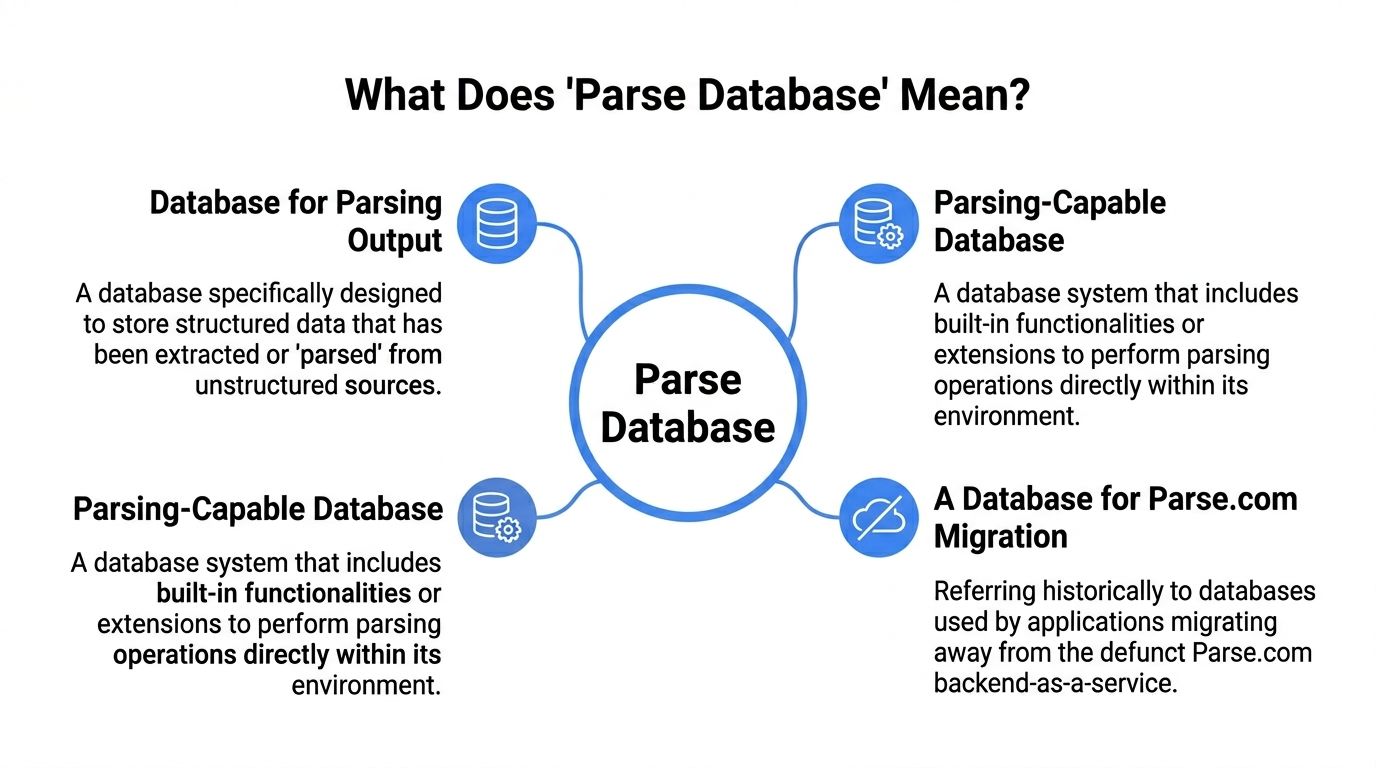
That confusion matters because the storage decision changes the whole workflow. If your goal is to move parsed document data from a tool such as DocParseMagic into reporting, approvals, or data management analytics, you need to be clear about which meaning you are using.
The platform meaning
Sometimes “Parse database” refers to Parse Platform, the open-source backend framework covered by Back4App’s Parse Platform overview. It supports app development on top of databases such as MongoDB or Postgres and includes features for user management, APIs, and real-time app behavior.
That is useful if you are building an application.
It is a different choice from setting up a business database that stores extracted document fields for finance, operations, or compliance teams. A company that wants searchable invoice numbers and totals usually does not start by asking for a mobile app backend. It starts by asking for a reliable place to store and query business records.
The process meaning
Other teams use the phrase more loosely. They mean the act of parsing technical output from a database or system and turning it into something readable.
That usage is legitimate, but it points to a different job. The input is machine output. The goal is easier analysis for technical staff. The business problem in this article is narrower and more practical: taking information pulled from documents and giving it a structured home where people can review it, validate it, and use it.
The business meaning that matters here
For document-heavy teams, a parse database usually means the system that stores parsed document data in organized tables, collections, or records.
A digital librarian analogy helps here. The parser reads each incoming document and identifies the facts that matter. The database works like the catalog. It keeps each fact in the right place so someone can later search by vendor, filter by date, total values by region, or trace a record back to the original file.
Without that storage layer, parsing creates isolated outputs. With it, parsed information becomes operational data.
If you want a plain-English explanation of the parsing side first, this guide on what parsed data means fills in that background.
A practical way to remember it
Use this shortcut:
- Parse Platform refers to an app backend framework.
- Parsing database output refers to cleaning or reformatting technical system output.
- Parse database, in document operations, usually refers to the database that stores extracted document data so the business can use it.
That third meaning is the one that connects document parsing to reporting, workflow, and business intelligence.
How Parsed Document Data Gets Structured
Take a single supplier invoice PDF. A person sees a page layout with logos, boxes, footers, and line items. A database can’t work well with “page layout.” It needs fields.
A parsing tool reads the invoice and separates the visible content into named parts such as vendor name, invoice number, issue date, due date, currency, subtotal, tax, and total. That’s the first layer of structure.
One document becomes several related records
A common challenge for many teams is their assumption that one invoice should become one row. That works only for the header information. The moment the invoice has multiple line items, the data becomes relational.
One invoice often turns into:
- An invoice record for the overall document
- A vendor record if the supplier is tracked separately
- Multiple line item records tied back to the invoice
- Optional approval or payment records if workflow status matters
That’s why a parse database is more than a spreadsheet dump. It stores relationships, not just values.
For teams planning reporting after extraction, it helps to think ahead about analytics needs. This makes broader work around data management analytics relevant. Storage choices affect how easily teams can reconcile, filter, and visualize data later.
Mapping fields into database columns
A document parser’s real job is to convert “what the human sees” into “what the system can query.” This guide on structuring unstructured data shows the same mindset in a broader context.
Here’s a simple example.
| Field on Invoice | Database Column Name | Data Type | Example Value |
|---|---|---|---|
| Vendor Name | vendor_name | Text | North Ridge Supplies |
| Invoice Number | invoice_number | Text | INV-20481 |
| Invoice Date | invoice_date | Date | 2024-11-08 |
| Due Date | due_date | Date | 2024-12-08 |
| Currency | currency_code | Text | USD |
| Subtotal | subtotal_amount | Decimal | 8450.00 |
| Tax | tax_amount | Decimal | 676.00 |
| Total Amount | total_amount | Decimal | 9126.00 |
| PO Number | purchase_order_number | Text | PO-7719 |
What happens to line items
Line items usually become a separate table because one invoice can contain many rows. Each row might hold description, quantity, unit price, and line total. The database links those rows back to the parent invoice through an invoice ID.
Parsed document data is useful when it preserves both the values and the relationships between those values.
That relationship is what lets a manager ask practical questions later. Which vendors billed us most last quarter? Which invoice lines don’t match the PO? Which policy documents include a specific clause? Those aren’t document questions anymore. They’re database questions.
Database Architectures for Parsed Data
Once the parsed data is clean, you still need to decide where it should live. Typically, the practical choice is between SQL databases and NoSQL databases.
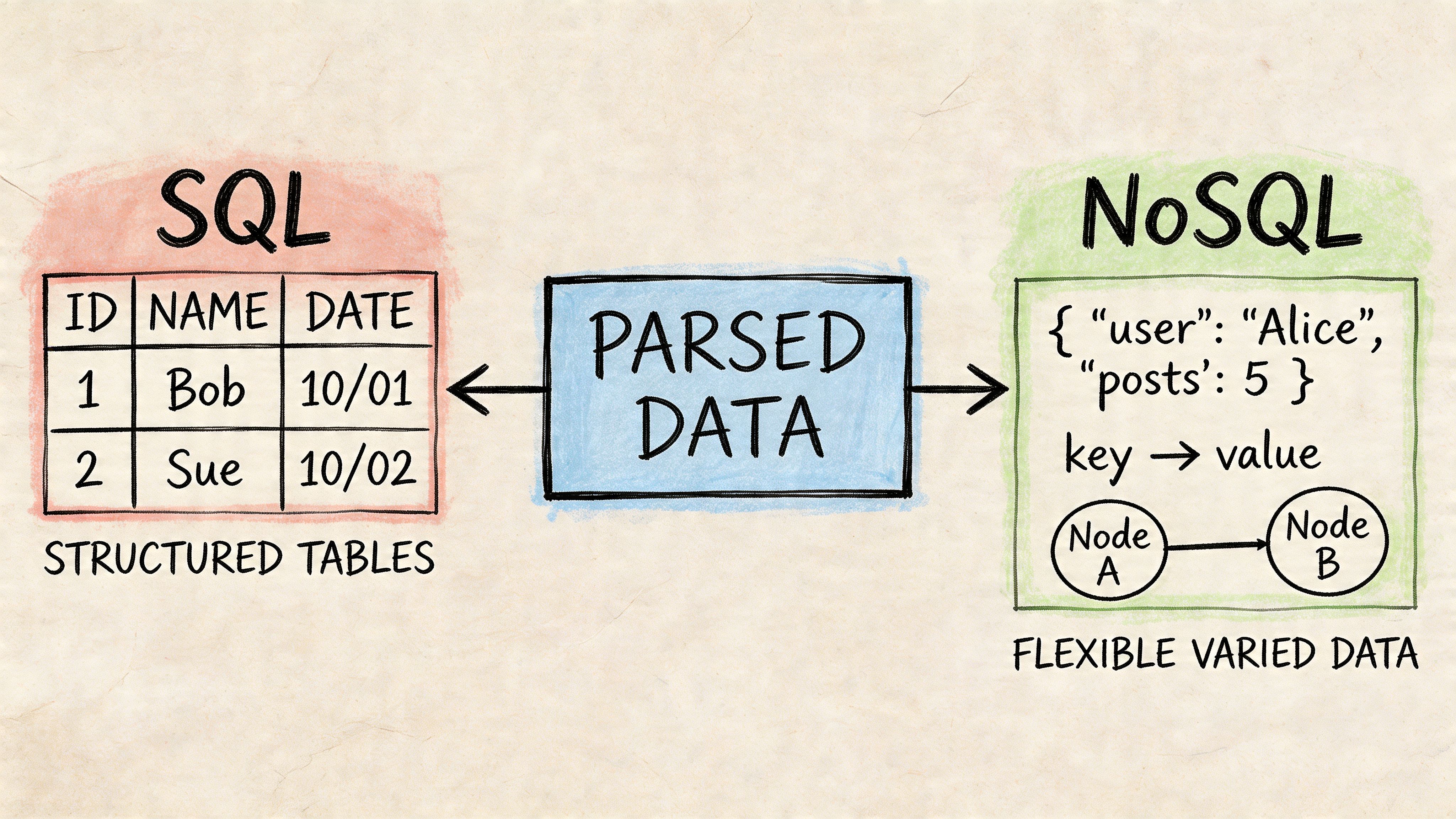
SQL feels like labeled filing cabinets
A relational SQL database is a good fit when your documents produce predictable fields. Invoices, statements, claims, and proposals usually have repeating business concepts. Vendor. Date. Amount. Policy number. Term start. Term end.
That structure makes SQL feel like a set of labeled filing cabinets. One drawer holds invoices. Another holds vendors. A third holds line items. Each drawer has rules about what belongs there.
This approach is good for teams that care about consistency, audit trails, and reporting. Finance teams often prefer it because it aligns with how reconciliation and business intelligence already work.
NoSQL acts more like flexible folders
A NoSQL database is useful when incoming documents vary a lot. One carrier document might include fields another doesn’t. One vendor proposal may have nested sections and optional clauses that don’t fit neatly into fixed columns.
That setup is more like a collection of digital folders where each record can hold different shapes of data. It’s flexible, especially early on, but reporting can become harder if every record looks slightly different.
A simple comparison helps:
| Database style | Best fit | Main strength | Main tradeoff |
|---|---|---|---|
| SQL relational | Repeating business documents | Consistency and reporting | More upfront schema design |
| NoSQL | Highly variable document structures | Flexibility | Harder standardization later |
Advanced SQL can handle hierarchy well
Some parsed documents contain nested structures. Think organizational charts, bill-of-materials documents, or complex grouped line items. SQL Server includes a feature called hierarchyid::Parse() that converts strings like /1/2/1/ into an efficient binary format, and Microsoft notes it can outperform traditional methods by 10-100x for querying nested data in those scenarios, as described in the SQL Server hierarchyid Parse documentation.
That’s a technical feature, but the business takeaway is simple. Some SQL databases can represent nested parsed data very efficiently. You don’t always need awkward recursive logic or spreadsheet workarounds.
If your team asks layered questions like “show all child items under this parent section,” database design matters as much as extraction quality.
For many finance and operations teams, SQL is the default starting point because the end goal is usually reporting, matching, compliance review, or dashboarding.
Integrating Parsing Tools with Your Database
Monday morning often starts the same way. A finance manager has invoices in email, scanned receipts in a shared folder, bank statements in PDF form, and one urgent question from leadership: “Can we see the numbers in a dashboard by this afternoon?” The parser may already know how to read those files. The harder part is getting that extracted data into a database in a form the business can trust and use.
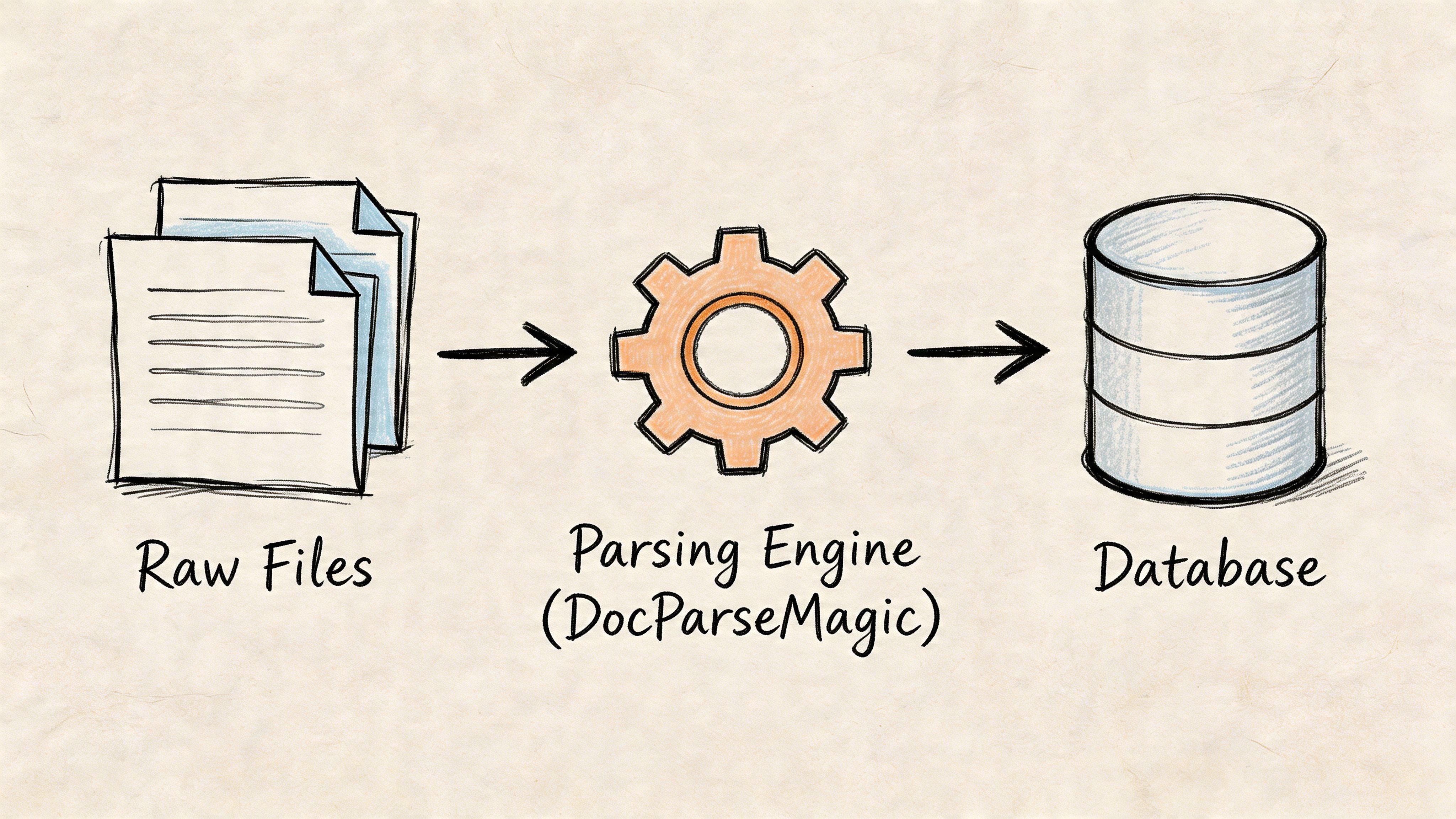
That is where the phrase parse database becomes practical. In this article, the term does not mean the older Parse platform. It means the storage layer that receives document data after a parsing tool has turned messy files into fields, rows, and records.
A useful comparison is a digital librarian. The parser reads each document and figures out what belongs on the index card. The database stores those index cards in a system where people can search, filter, compare, and report without reopening the original PDF every time.
What the handoff actually looks like
The handoff from parser to database usually follows one of three patterns:
-
CSV export
A good fit when your team already has an import job or ETL process that expects flat files. -
API delivery
A better choice when extracted records need to move straight into an application, workflow tool, or reporting system. -
Spreadsheet staging
Useful when someone needs to review exceptions before approved records enter the main database.
For example, a no-code parser such as DocParseMagic document data extraction tools can pull fields from invoices, statements, and other business documents, then pass that structured output into a spreadsheet review step or directly into database tables.
Why the integration step matters
Extraction alone does not solve the business problem. If parsed values stay trapped in export files, teams still spend time copying data, renaming columns, and fixing inconsistencies before anyone can report on it.
Good integration removes that cleanup work. It maps extracted fields to the right database columns, applies a predictable record format, and creates a repeatable path from document arrival to usable data. That is the point where a parser stops being a handy document tool and starts acting like part of your operating system for finance, operations, or compliance.
A practical pipeline for parsed document data
Many teams end up with a flow like this:
- Files arrive from inboxes, portals, scanners, or shared drives
- The parser extracts fields such as invoice number, vendor, date, line items, and total
- A mapping step assigns each field to the right table and column in the database
- Review rules flag exceptions such as missing dates, duplicate invoice numbers, or totals that do not match
- Approved records land in the database for dashboards, matching, search, approvals, or downstream BI tools
That middle mapping step is easy to underestimate. It is the difference between “we extracted some text” and “we created a record the business can use.”
A quick product walkthrough can make that workflow easier to visualize.
Design the handoff with operations in mind
A non-technical manager usually cares about three questions.
Where does the record go?
A clean answer might be “invoice headers go to one table, line items go to another, and the original file link stays attached for audit review.”
Who checks mistakes?
Some records should flow straight through. Others need a human review queue when a field is missing or confidence is low.
How will people use the data later?
If the destination is Power BI, an ERP, or a finance approval workflow, the database structure should match that use instead of mirroring the document page layout.
Security belongs in the integration design too, especially when parsed files contain financial or customer data. The checklist in 10 Crucial Database Security Best Practices is a helpful reference when you are deciding how records should be stored, accessed, and monitored.
A parse database, in the document-processing sense, is the organized destination for extracted document data. The parser reads the paperwork. The database turns that output into something the business can search, reconcile, and analyze at scale.
Best Practices for Security and Validation
A parsed database is only useful if people trust it. If totals are wrong, dates are malformed, or sensitive records are exposed too broadly, the system creates new problems instead of removing old ones.
Validate business rules, not just text
A parser might correctly read the characters on a page and still produce a bad record. Maybe the due date landed in the invoice date field. Maybe a negative sign was missed. Maybe the total doesn’t equal subtotal plus tax.
Good validation checks should reflect business logic:
- Required fields: Don’t accept records missing essentials like invoice number, date, or total.
- Format checks: Dates should look like dates. Currency fields should store numbers, not free text.
- Range checks: Totals should be sensible for your process. Quantities shouldn’t be impossible values.
- Cross-field checks: If subtotal and tax exist, the total should align with them.
- Reference checks: Vendor names, policy IDs, or PO numbers should match known master data where possible.
Bad extraction is obvious. Quietly wrong extraction is what causes downstream damage.
Limit access based on job role
Parsed data often includes financial details, bank information, customer records, or contract terms. Not everyone needs full access.
A practical access model usually includes:
- Finance users who can review and correct transaction fields
- Operations users who can track status but not see every sensitive amount
- Analysts who use approved reporting tables rather than raw records
- Admins who control integrations and permissions
If your team needs a practical checklist, this guide on 10 Crucial Database Security Best Practices is a useful starting point for role-based access, encryption planning, and general database hygiene.
Keep an audit trail
Trust improves when people can answer simple questions. Who changed this field? When was it changed? What did the original document show? Was the value extracted automatically or corrected by a person?
Those answers matter in accounting, insurance, procurement, and any process that may face review later. A parse-and-forget approach won’t hold up well when someone challenges a number in a report.
The safest pattern is simple. Store the original file, store the parsed values, record edits, and apply validation before data reaches downstream systems.
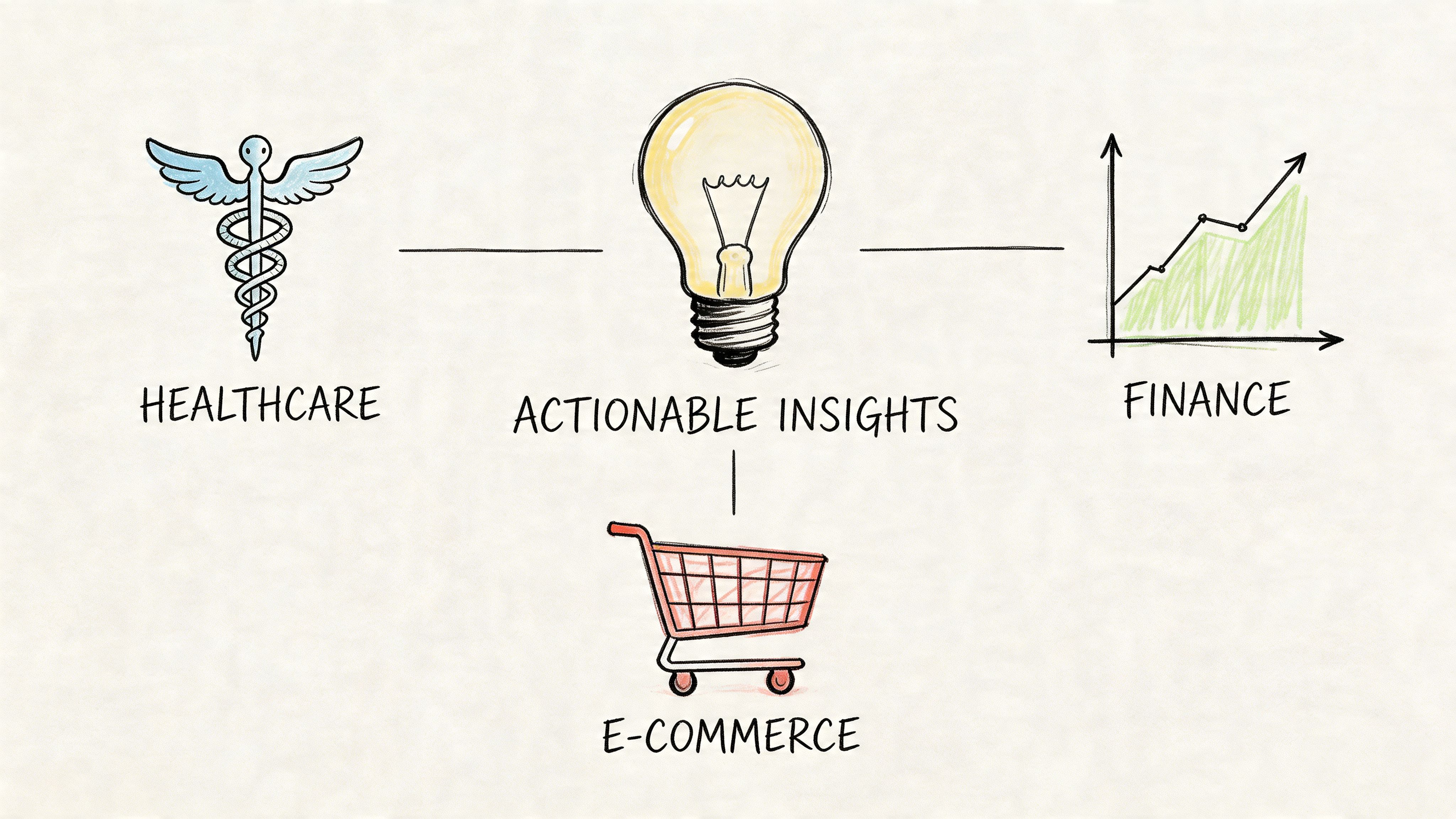
Practical Use Cases Across Industries
A parse database becomes valuable when it supports decisions, not just storage.
Accounting teams
An accounts payable team receives invoices from many vendors. Every file looks a little different, but the team needs the same business fields from each one. Once the parser extracts those fields and the database stores them consistently, the team can compare invoice totals against purchase orders, group spend by vendor, and search historical charges without reopening old PDFs.
That’s also where data quality matters. A Docsumo article on data parsing notes that poor data quality costs firms an average of $15,000 per million records based on a 2022 Forrester report, and it also states that invalid parses can reject 15-20% of ad-hoc queries in some systems. The exact source context is technical, but the business lesson is clear. Bad parsed data gets expensive fast.
Insurance brokers and carriers
Insurance teams often work with policy schedules, endorsements, and declarations that contain repeating but inconsistent fields. A parse database lets them store policy numbers, insured entities, coverage limits, deductibles, premiums, and dates in one structured model.
That changes the daily workflow. Instead of reviewing each carrier document line by line, a broker can filter records, compare terms side by side, and spot missing values more quickly. The original files still matter, but they stop being the primary way people search for answers.
Procurement and sourcing
Procurement teams collect proposals from multiple vendors. One proposal may list pricing in summary form. Another may break services into phases. Another may bury terms in appendix pages.
A parse database creates a common structure across those submissions. That means teams can line up pricing elements, compare contract periods, group optional services, and send clean summaries to decision-makers. The value isn’t only speed. It’s better consistency when evaluating competing offers.
Operations and reporting leaders
Operations managers often inherit the final pain point. They have data in too many formats and no clean way to turn document activity into dashboards. A parse database fixes that by creating a stable reporting layer between documents and BI tools.
Documents answer one question at a time. Databases answer patterns across hundreds or thousands of documents.
Once records are structured, leaders can track aging, exceptions, trends, and workload. The document stops being the end product. It becomes the source material.
Your Data Is Ready What Will You Build
A parse database isn’t one product with one meaning. It’s a practical system built from a few connected parts. A parser reads messy documents. A database stores the extracted fields in a structured way. Validation and access controls make the results trustworthy. Reporting tools turn those records into decisions.
That’s why the phrase matters. If you only think about extraction, you stop too early. True value appears when parsed document data becomes searchable, comparable, and reusable across your business.
If your team is buried in invoices, statements, policy files, or proposals, the opportunity isn’t just faster data entry. It’s building a document-to-data foundation that supports finance, operations, analytics, and automation.
If you want to turn invoices, statements, and other business files into structured tables without building a custom parsing workflow from scratch, DocParseMagic is one option to evaluate. It’s a no-code document parsing platform that extracts fields from messy files into analysis-ready spreadsheets, which can then feed the kind of parse database workflow described in this article.