What Is Parsed Data A Plain-English Guide
Parsed data is simply the clean, organized information that a software program pulls out of a messy document.
Think of it as translating a file that’s easy for humans to read—like a PDF, a scanned receipt, or a contract—into a structured format, like a spreadsheet, that a computer can work with instantly.
From Digital Clutter to Actionable Insight
Imagine you have a shoebox overflowing with crumpled receipts. That’s your raw data. It’s all there, but it's jumbled, hard to use, and would take forever to sort through. To figure out your monthly spending, you'd have to manually flatten each receipt, find the store name, read the date, and punch the total into a calculator. It’s a slow, frustrating process where mistakes are almost guaranteed.
Now, what if you had a helper who could instantly take every single receipt and organize it into a perfect spreadsheet? You'd have neat columns for 'Store,' 'Date,' and 'Amount.' That spreadsheet is exactly what parsed data is. It’s the end result of turning unstructured chaos into structured clarity.
Turning Documents into Data
In the business world, that "shoebox" is more like a constant flood of digital documents—invoices, insurance policies, commission reports, you name it. Data parsing software acts as that super-efficient helper.
It uses technology to:
- Read the document: It identifies all the text and numbers, even on a blurry scanned image.
- Understand the context: It knows the difference between an invoice number and a subtotal.
- Extract key information: It pulls out just the specific fields you need, like a customer name or a policy number.
- Structure the output: It neatly arranges everything into predictable rows and columns for you.
This process transforms a static document that’s just sitting there into a dynamic source of information. This is a huge deal because so much of a company's data is unstructured, locked away in files that databases can't touch. In fact, global spending on big data and analytics is projected to hit about $420 billion by 2026, a number driven by the need to turn all this messy information into useful, parsed data.
Key Takeaway: Parsing isn’t just about copying and pasting text. It’s about understanding a document’s layout and meaning to make its contents truly useful for automation, analysis, and better decision-making.
In the end, parsed data is structured and ready for action, much like how a feature store organizes information to power AI models. This transformation is the crucial first step to automating your workflows and finally unlocking the value hidden inside your business documents.
How Document Parsing Actually Works
To really get what parsed data is, you have to look under the hood at the tech that makes it all happen. I like to think of it as a digital assembly line. A messy, raw document goes in one end, and out the other comes clean, perfectly organized information. Every step in between has a very specific job to do.
This whole process is about turning jumbled files into data that's actually useful.
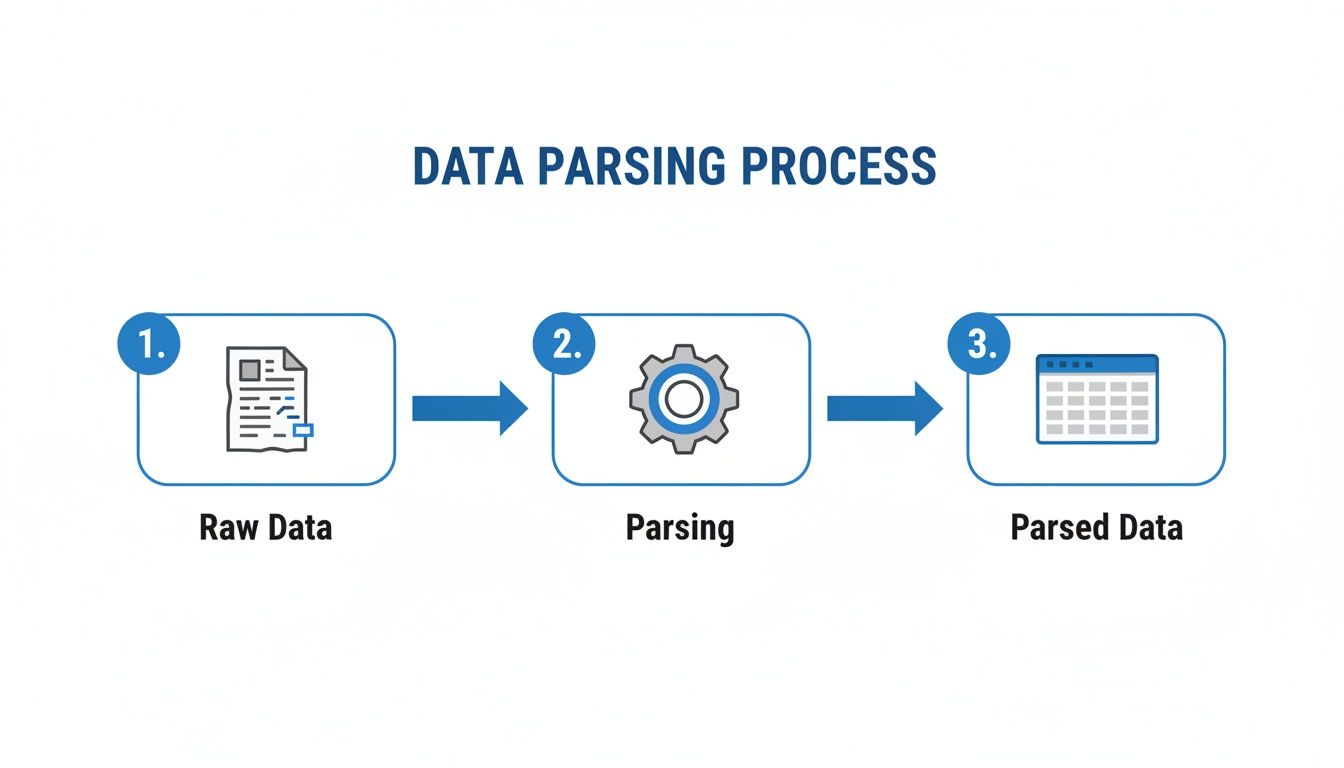
As you can see, the parsing engine is the critical middleman, taking raw input and converting it into a structured format that’s ready for you to analyze or plug into your automated workflows.
The Foundation: Optical Character Recognition
The journey for any scanned document or image file always starts with Optical Character Recognition (OCR). You can think of OCR as the "eyes" of the whole operation. Its job is to look at a picture of a document and translate the shapes it sees into actual text characters a computer can read. It turns a photo of the word "Invoice" into the letters I-n-v-o-i-c-e.
But OCR alone isn't nearly enough. It’s great at digitizing text, but it has zero understanding of what that text actually means. It sees a string of numbers but has no clue if it's a date, an invoice number, or a final price. That's where the real intelligence comes in.
The Brain: Natural Language Processing
If OCR gives the system its eyes, then Natural Language Processing (NLP) gives it a brain. NLP is a branch of AI that allows computers to understand and interpret human language—both written and spoken—in a way that makes sense.
When it comes to parsing documents, NLP takes the raw text from the OCR step and starts figuring out context and relationships.
- It spots key entities: It knows that "Jane Doe" is a name, "$1,500.00" is money, and "01/15/2024" is a date.
- It understands the context: It can tell the difference between a "shipping address" and a "billing address" just by looking at the words around them.
- It deciphers the layout: NLP helps the system recognize tables, lists, and headers, understanding that all the line items on an invoice belong together.
This ability to understand context is what makes true data parsing so different from basic text scraping. It’s the difference between a dumb copy-paste and truly intelligent data extraction.
The Modern Approach: AI-Driven Extraction
Older systems used to lean heavily on rigid templates. That meant every single document had to follow the exact same layout, which was a nightmare to manage. Thankfully, modern parsing tools use sophisticated AI to get the job done.
This AI-powered approach is a core part of what’s known as Intelligent Document Processing. It can find the right information even if its location changes from one document to the next. You can get a deeper dive in our guide on what is Intelligent Document Processing.
This template-free technology is a game-changer. It means you don’t have to waste hours creating rules for every vendor's invoice or every different report format. The AI learns to spot key data points like an "invoice number" or "total due" based on context—just like a person would—giving you flexible and accurate parsed data without all the manual setup.
Real-World Examples of Parsed Data in Action
It’s one thing to talk about data parsing in theory, but where the concept really clicks is when you see it solve real-world problems. The magic isn't just about turning a messy document into clean text; it's about turning a painful, manual business process into a fast, automated workflow.
Let’s dive into a few industries to see how this plays out day-to-day.
Transforming Invoices in Accounting
Think about the sheer volume of invoices any accounting department has to deal with. Traditionally, every single PDF invoice meant someone had to manually hunt for the key details and punch them into the accounting system. It’s slow, tedious, and a breeding ground for typos.
A parsing tool completely flips the script.
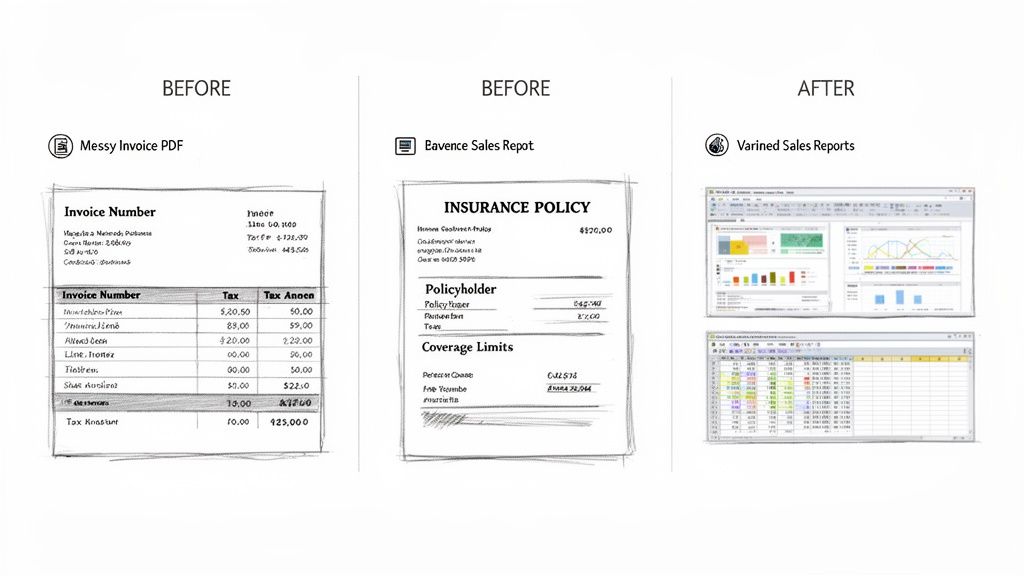
- Before Parsing: A team member opens an invoice PDF. They have to find the invoice number, due date, vendor name, and total amount, then carefully re-type every single field. It's a classic case of human copy-and-paste.
- After Parsing: The PDF gets uploaded. In just a few seconds, the software automatically identifies and pulls out fields like
Invoice Number,Vendor Name,Due Date, andTotal Due, dropping them neatly into a spreadsheet.
From there, the parsed data can kick off automated approvals, match invoices to purchase orders, or even schedule payments—all without a human lifting a finger.
Streamlining Insurance Policy Reviews
The insurance world is built on paper (or at least, digital versions of it). Policies, claims, and endorsements are dense documents packed with crucial information. Trying to find one specific detail in a 30-page policy can feel like searching for a needle in a haystack.
Imagine an underwriter reviewing a new application. They need to quickly verify coverage limits and policyholder information.
With a data parsing tool, they can scan the entire document almost instantly. The software zeroes in on what matters, extracting fields like
Policyholder Name,Policy Number,Effective Date, andCoverage Limitsinto a simple, organized summary.
This cuts the review process from minutes down to seconds, dramatically speeding up quoting and binding.
Consolidating Sales Commission Reports
If you've ever worked with a sales team, you know that commission reports arrive in every format imaginable. One rep sends a PDF, another sends a strangely formatted Excel sheet, and a third just types it into an email.
Trying to manually merge all that into a single master spreadsheet for payroll is a recipe for a headache. A good parsing solution, however, can handle all of it. It’s smart enough to identify the key columns—like Product SKU, Quantity Sold, and Total Payout—no matter how the document is laid out.
The end result? A single, clean spreadsheet with all the parsed data lined up and ready to go.
These are just a handful of examples. Exploring other industry solutions reveals just how many problems this technology can solve. You can check out many more powerful document parsing use cases that cover everything from finance to logistics.
Why Bother with Parsed Data? The Real-World Payoff
Okay, so we know what data parsing is. But the big question is, why should you care? This isn't just some fancy tech upgrade; it's a fundamental shift that can completely change how your business operates. It’s about getting your team out of the weeds of manual data entry so they can focus on work that actually moves the needle.
The most obvious win is a massive boost in accuracy. Think about it: when your finance team is manually typing in invoice details, mistakes are inevitable. In fact, studies show that manual data entry has an error rate between 1% and 4%.
That might not sound like much, but for a company handling 50,000 invoices a year, a 1% error rate translates to 500 mistakes. Each one of those errors is a fire that someone has to put out, costing you time and money. You can learn more about how data trends are shaping modern business over on Bismart's blog.
Put Your Operations on Fast-Forward
Beyond just getting things right, the impact on speed is staggering. A skilled person might be able to get through a handful of complex documents in an hour. An automated parsing tool? It can chew through hundreds in that same hour, and it doesn't need coffee breaks or sleep.
This newfound speed sends a positive ripple effect through your entire company:
- Get Invoices Paid Faster: Your accounts payable team can stop chasing paper and start approving invoices in days instead of weeks, often capturing valuable early payment discounts.
- Deliver Quotes Quicker: In insurance, underwriters can process applications and generate quotes in a fraction of the time, creating a much better experience for potential customers.
- Pay Commissions on Time: Your sales reps get their commission reports quickly and accurately, which is a huge boost for morale and trust in the company.
We're not talking about a minor tweak here. This is about changing the core rhythm of your business, making it faster and more responsive.
Nail Your Audits and Compliance
Finally, let's talk about creating a clean, digital paper trail. When information is copied and pasted manually, it's often impossible to track who did what and when. This can turn into a nightmare during an audit.
With automated parsing, every single piece of data pulled from a document is logged and tracked. You get a perfect, consistent record of what was extracted, from which document, and at what time. This structured audit trail makes proving compliance with regulations infinitely simpler.
By transforming messy documents into clean, organized information, data parsing does more than just make things efficient. It builds a reliable foundation of accurate, fast, and traceable data. This is the bedrock that allows your whole organization to make smarter decisions, faster. At its core, that’s the answer to what is parsed data—it's a reliable source of truth for your business.
Avoiding Common Pitfalls In Data Parsing
Automated data parsing is a massive time-saver, but it isn't infallible. Let’s be real—the documents you deal with every day are often messy. Thinking that technology can magically fix every crumpled receipt or blurry scan is a recipe for trouble.
Understanding the common hiccups is the first step toward building a data extraction process you can actually trust.
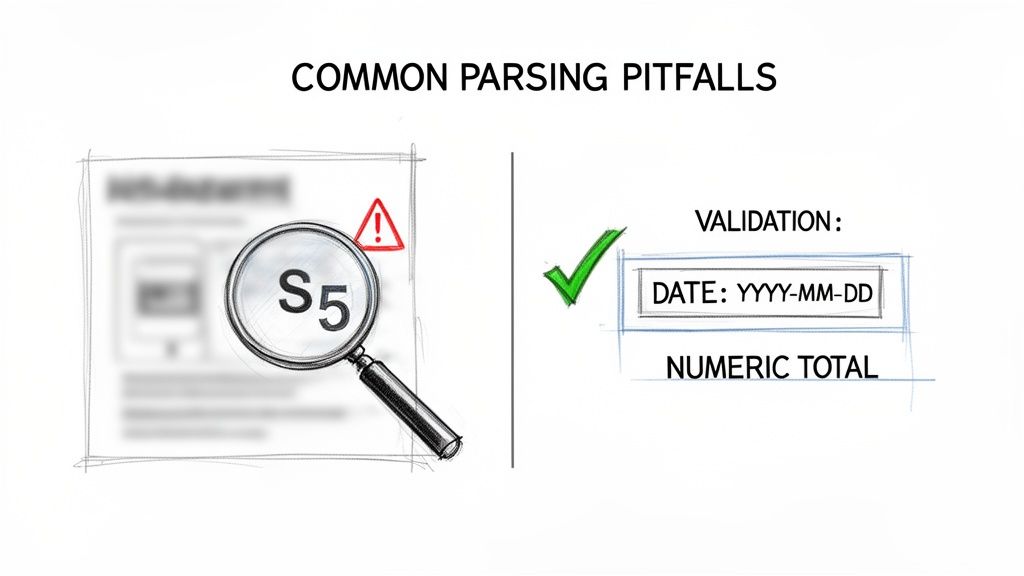
A huge chunk of errors comes from poor-quality source files. If you feed the system a grainy scan or a photo with a shadow across it, the underlying OCR engine might struggle. It’s easy for it to mistake a "5" for an "S" or an "8" for a "B"—a tiny error that can cause big headaches in your financial reports.
To get a better handle on how this core technology works, take a look at our guide on what is Optical Character Recognition.
Setting Up Smart Guardrails
So, how do you catch these inevitable mistakes? You build a safety net with validation rules. These are simple, automated checks that flag data that just doesn't look right before it pollutes your database.
Think of them as guardrails for your information highway.
- Data Type Validation: This makes sure a field that should be a number actually is one. If
Invoice Totalcomes back as "S100.00," a type check will flag it immediately for a human to review. - Format Validation: A
Due Datefield should always look the same—say, MM/DD/YYYY. Any entry that doesn't fit that pattern gets flagged. No more confusing date formats slipping through. - Range Checks: You can set logical limits. For instance, a
Tax Ratefield probably shouldn't contain a value over 50%. A simple range check can catch that outlier.
The Problem of Shifting Layouts
Another headache is dealing with documents that don't stick to a consistent format. One day a vendor’s invoice looks one way, and the next, they’ve completely rearranged it by adding a new column. Old-school, template-based systems would break instantly.
Modern AI-powered parsing tools are much better at this. They look for context—the words "Total Due" or "Invoice #"—instead of just grabbing data from a fixed spot on the page. Even so, it's smart to do a little manual oversight.
Periodically pulling a small sample of documents and comparing the parsed results to the original is a great way to build confidence and spot any weird patterns before they become a real problem.
To help you get started, here's a look at some of the most frequent parsing errors we see and how to handle them.
Common Parsing Errors and Solutions
This table provides a practical guide to identifying and fixing common issues in data parsing to ensure high-quality output.
| Common Error | Example | How to Validate and Fix |
|---|---|---|
| Character Misinterpretation | An "S" is extracted instead of a "5" from a blurry invoice total. | Use numeric data type validation. Set up a rule that flags any non-numeric characters in a currency field for manual review. |
| Incorrect Date Format | A date is parsed as "12-05-2024" when your system requires "2024-12-05". | Implement a strict format check (e.g., YYYY-MM-DD). Any date that doesn't match the pattern is rejected or flagged. |
| Missed Decimal Points | An amount like $1,250.75 is read as $125075. | Combine a numeric range check (to flag unusually high numbers) with cross-validation. For example, check if Subtotal + Tax equals the Total. |
| Swapped Fields | The Invoice Number is mistakenly extracted into the PO Number field. | Use context-based validation. Check for keywords near the extracted data (e.g., "Invoice #," "P.O. Number") to confirm the field's identity. |
| Incomplete Extraction | Only the first page of a three-page policy document is processed. | Validate against a Total Pages field if available. If not, set a business rule to flag documents that seem unusually short for their type. |
Ultimately, a bit of planning goes a long way. By combining a powerful parsing tool with some commonsense validation rules, you can create a workflow that is not only fast but also built on accurate, clean, and reliable data.
Getting Started With Document Parsing
Ready to finally leave manual data entry behind? The good news is you don’t need to launch a massive, months-long IT project to get started. Taking that first step can be surprisingly simple and risk-free, letting you see the benefits for yourself without any big commitment.
The trick is to start small. Don't try to boil the ocean by automating every single document process at once. Instead, pick one high-impact area to prove the concept. Once you have a win there, you can build momentum and expand into other parts of the business.
A Simple Three-Step Plan
Here’s a straightforward way to get going. The goal is to move from a frustrating manual process to an automated one quickly, so you can measure the real-world results.
-
Identify a High-Pain Process: First, think about a workflow that’s both repetitive and a genuine headache for your team. This could be anything from processing vendor invoices to entering sales orders or reconciling commission statements. The best candidates are high-volume tasks that suck up a ton of time and are notorious for typos.
-
Test a No-Code Tool: Next, find a modern, no-code parsing platform like DocParseMagic and sign up for a free trial. The key here is to upload a small batch of your actual documents—the messy ones, the ones with weird layouts, all of it. This is the only way to see how the tool handles your specific files without spending a dime. To keep everything organized for the test, looking into the best document management software solutions can be a huge help.
-
Measure the Results: Now for the fun part: compare the outcomes. Time how long it takes your team to process the same batch of documents by hand versus using the tool. More importantly, check the accuracy of the parsed data against your manual work. The difference in speed and precision usually speaks for itself.
The Power of a Small Win
This simple test does more than just show you what’s possible. It builds a rock-solid business case for you. It’s one thing to talk about efficiency; it’s another to walk into a meeting with clear metrics and say, "We cut processing time by 90% and completely eliminated data entry errors on our test batch." That gets attention and makes it much easier to get buy-in for a wider rollout.
Key Insight: The real magic happens once your data is consistently structured. When line items, dates, and invoice totals are automatically extracted and validated, you can start doing things like approving payments on the spot, matching invoices to purchase orders, and only sending the exceptions to a human for review.
Starting small makes the whole idea feel less intimidating. It gives you the power to see the impact firsthand and prove its value one step at a time.
Have Questions About Parsed Data? We've Got Answers.
Still a little fuzzy on what parsed data is or how it all works? You're not alone. Let's tackle some of the most common questions people have when they first dive into document parsing.
Our goal here is to cut through the jargon and show you what this technology actually looks like in practice.
Is Data Parsing Just Another Name For OCR?
Not quite, but they work together. Think of it this way: OCR (Optical Character Recognition) is the part that reads the document. It scans an image or a PDF and converts the words and numbers it sees into raw digital text. It’s like turning a picture of a page into a simple Notepad file.
Data parsing is the much smarter step that comes next. It understands that raw text. While OCR just identifies the characters, parsing figures out what they mean, pulling out specific pieces of information like an invoice number, a customer's name, or a subtotal.
Do I Need To Be A Tech Whiz To Parse Documents?
Absolutely not. The days of needing a developer to write complicated scripts or create rigid templates for every single document type are long gone.
Modern tools are built for business users. You can literally just drag and drop your files, and the software does all the heavy lifting. The result is a perfectly organized spreadsheet, ready to use—no coding skills necessary.
The Bottom Line: If you know your way around a spreadsheet, you have all the technical skill you need to use a modern data parsing tool. It's designed to be that simple.
How Safe Is It To Upload My Sensitive Documents?
Security is everything, especially when you're dealing with sensitive information. Any serious parsing service makes this their top priority. They use robust, industry-standard encryption to protect your data while it's being uploaded and while it's stored.
Top-tier solutions are built from the ground up to handle confidential financial records, contracts, and other critical business documents. It's always a good idea to review a provider's security policies, but you can be confident that professional platforms are designed with data protection at their core.
Ready to stop wasting hours on manual data entry? DocParseMagic transforms your messy documents into clean, structured data in minutes. Try it for free and see how much time you can save.