What Is Accounts Payable Workflow? Complete Guide
The accounts payable workflow is the end-to-end business process for receiving, verifying, approving, and paying supplier invoices, ensuring all company bills are legitimate and paid on time. In practice, that matters more than ever because 60% of AP teams still process invoices manually, and 52% spend over 10 hours a week on invoice processing alone.
If you're handling invoices through email threads, shared folders, paper copies, and a lot of copy-paste into your accounting system, you're not alone. Many finance managers and small business owners inherit an AP process that sort of works until month-end arrives, suppliers start asking about payments, and one missing invoice creates a scramble.
I’ve seen this pattern many times. The approvals may be reasonable. The payment run may be under control. But the trouble starts earlier, in the first mile, when invoices arrive as PDFs, scans, phone photos, or attachments with inconsistent layouts. If that intake step is messy, everything downstream gets slower.
Your Guide to the Accounts Payable Workflow
A good AP workflow is a reliable system for moving an invoice from arrival to payment without losing control along the way. It helps your team answer basic but important questions: Is this invoice real? Did we receive what we were billed for? Who needs to approve it? When should we pay it? Can we find the record later?
That sounds straightforward. It rarely feels straightforward when your desk, inbox, and accounting queue are all full at the same time.
Why this process feels harder than it should
Many consider AP to be primarily about approvals and payments. Those matter, but they aren't usually where the mess begins. Friction often begins when invoice information has to be pulled manually from unstructured documents and entered into a system line by line.
Practical rule: If your team has to retype invoice data before it can even begin review, your workflow already has a bottleneck.
This is why the question "what is accounts payable workflow" isn't just academic. It's operational. You're defining the path every supplier invoice follows, and that path affects cash flow, vendor trust, audit readiness, and your team's workload.
The manual burden is still widespread. As of 2024, 60% of AP teams continue to process invoices manually, with 52% of AP departments spending over 10 hours per week on invoice processing alone, according to the accounts payable automation trends report.
What a healthy workflow should do
A healthy AP process should give you three things:
- Clear intake: Every invoice enters through a known channel and doesn't disappear into someone's inbox.
- Controlled review: Your team can verify details before money goes out.
- Traceable payment: You can see what was paid, when, by whom, and why.
If your current process feels reactive, that's usually a sign the workflow is undocumented, fragmented, or too dependent on manual entry. If you want a practical next step after reading this, this guide on how to manage accounts payable is a useful companion.
The Core AP Workflow A Step-by-Step Breakdown
Think of AP as a financial relay race. Each step passes the baton to the next. If one handoff is sloppy, the whole race slows down.
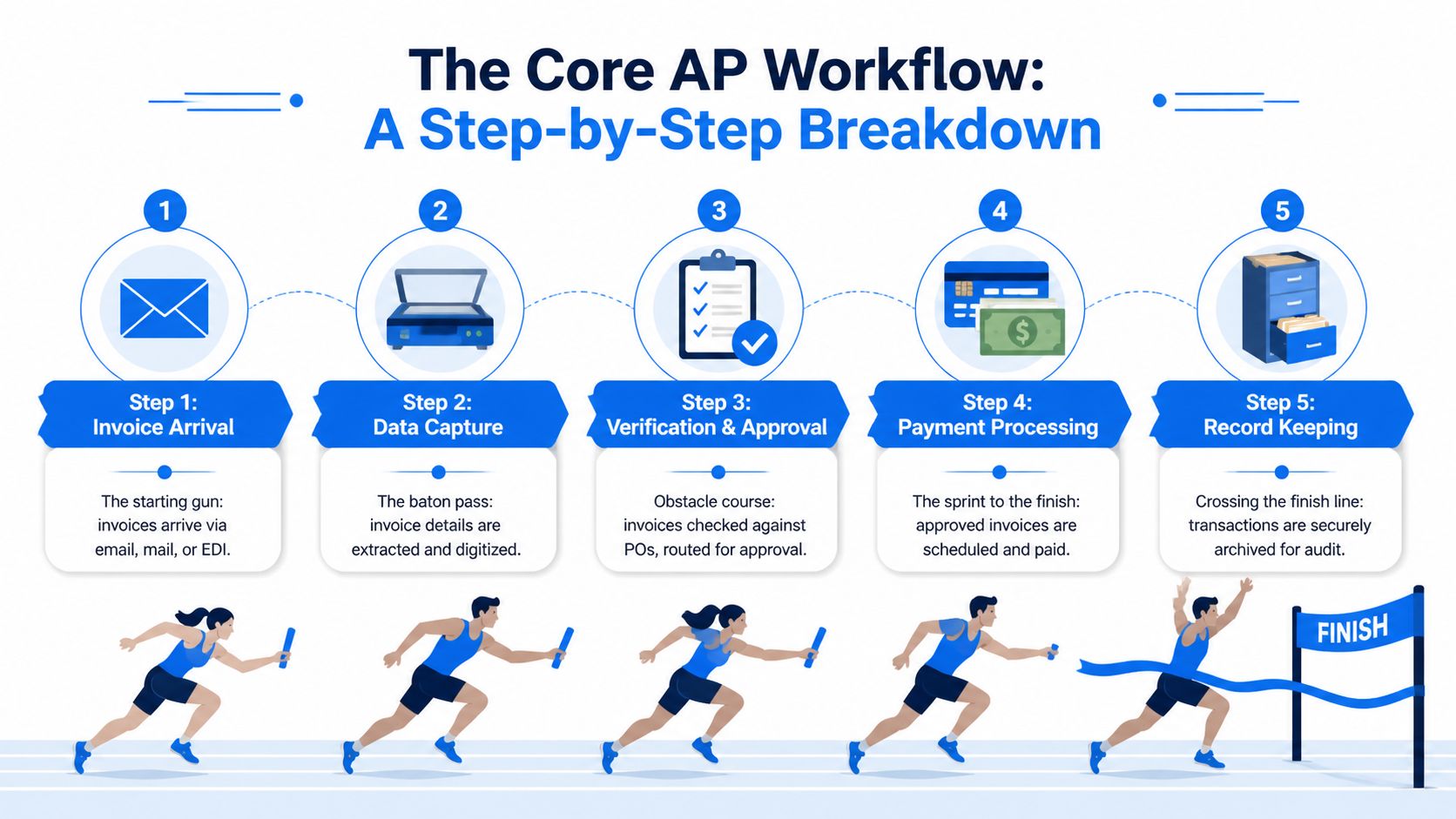
Step 1 Invoice arrival
Every workflow begins when an invoice shows up. It might arrive by email, supplier portal, mail, or as a scanned attachment sent from a branch office.
This first step sounds small, but it sets the tone for everything else. If invoices arrive in ten different places, someone has to hunt them down. That's how deadlines get missed and duplicate submissions slip through.
A clean intake process usually includes:
- One receiving point: A shared AP inbox, centralized upload path, or controlled mail process
- Basic logging: A way to mark that the invoice has been received
- Ownership: One person or team responsible for checking new arrivals daily
Step 2 Data capture
Once the invoice arrives, someone has to turn it into usable data. That means capturing the vendor name, invoice number, invoice date, due date, total amount, and often line-item details or coding fields.
In a manual workflow, a clerk reads the invoice and types those details into the ERP or accounting software. In a digital workflow, the system extracts the information first, and the team reviews exceptions instead of typing every field.
This is the baton pass most companies underestimate. If the data comes in wrong here, every later step inherits the error.
When AP feels slow, don't only inspect approvals. Inspect how invoice data enters the system.
Step 3 Verification and approval
This is the control point. The business needs to confirm the invoice is legitimate and matches what was ordered and received.
A key control here is three-way matching. That means the system or the AP team compares three records before payment:
- The purchase order
- The receipt of goods or services
- The supplier invoice
According to Thomson Reuters on optimizing the AP workflow process, this verification stage uses three-way matching to validate that the PO, receipt documentation, and invoice details align before payment authorization, helping reduce risks such as incorrect billing and potential vendor fraud.
If the invoice says 100 units, but the receiving record shows 80, someone should stop and ask why. If the vendor billed a different unit price than the PO, that needs review before payment. Good AP controls catch those issues before cash leaves the bank.
After verification, the invoice moves to approval. The approver might be a department manager, budget owner, project lead, or controller, depending on the spend type and policy.
Step 4 Payment processing
Approved invoices move into the payment queue. At this point, AP decides when and how to pay based on due dates, vendor terms, and cash planning.
Discipline matters. Paying too early can tighten cash unnecessarily. Paying too late can strain supplier relationships and create unnecessary cleanup work.
A successful handoff into payment means:
- The invoice is approved
- Exceptions are resolved
- Vendor details are confirmed
- The payment method is ready
If you're tightening this stage specifically, this breakdown of the invoice payment process can help map the decision points.
Step 5 Record keeping
The race isn't over when the payment goes out. AP still needs a reliable record of what happened.
That means storing the invoice, approval trail, matching documents, and proof of payment in a way your team can search later. When a supplier calls, an auditor asks a question, or month-end reconciliation starts, record keeping saves hours.
Here’s a simple view of the full handoff logic:
| Step | Main question | What good looks like |
|---|---|---|
| Invoice arrival | Did we receive it? | It enters one controlled intake point |
| Data capture | Can the system use it? | Key fields are captured accurately |
| Verification and approval | Should we pay it? | Matches are checked and approvals logged |
| Payment processing | When and how do we pay? | Payment is scheduled with control |
| Record keeping | Can we prove what happened? | Documents are archived and searchable |
Key Roles and Performance Indicators in Your AP Process
An AP workflow can look organized on paper and still break down in practice if ownership is fuzzy. One person enters invoices, another approves them, a third answers vendor emails, and nobody is clearly responsible for fixing the backlog caused by bad invoice data. That confusion is expensive.
Clear roles matter even more at the first mile. If messy PDFs, scans, and vendor-specific layouts are landing in your queue every day, someone has to own intake quality before the rest of the workflow can run properly. If that step stays manual, every downstream KPI gets distorted. Approval times look slow, payment timing looks inconsistent, and supplier complaints rise, even when the actual problem started at data capture.
Who usually owns what
The AP clerk or AP specialist usually handles invoice intake, field validation, vendor communication, and day-to-day processing. This role is the front desk for invoice chaos. If a supplier sends a blurry scan, leaves off the PO number, or formats line items differently each month, AP sees the problem first.
The department manager or budget owner approves the spend. Their job is to confirm the purchase was legitimate, correctly coded, and within budget. They are not the best person to repair broken invoice data, which is why clean capture upstream matters so much.
The AP manager or finance manager monitors the queue across stages. This person clears exceptions, watches aging, and spots patterns. For example, if one supplier always triggers corrections because invoice numbers are hard to read, the manager should see that trend and address the source instead of treating every invoice as a one-off problem.
The controller looks at control quality, reporting accuracy, and whether the process can hold up under stress. A simple test helps here. If your strongest AP employee took two weeks off, would invoices still move through the system accurately, or would the process depend on that person's memory and workarounds?
How to measure whether AP is healthy
Instead of only tracking "did we survive month-end," high-performing AP teams focus on a small set of KPIs that show where work slows down, where money leaks out, and where suppliers start to lose trust.
The most useful metrics usually fall into three groups. The Institute of Finance & Management's AP benchmark guidance groups AP measurement around process efficiency, cost, and control performance. That structure is practical because it keeps one flashy metric from hiding a weak process.
- Operational metrics: invoice processing time, exception rate, backlog volume, and invoices processed per team member
- Financial metrics: cost per invoice, discounts captured, late fees, and duplicate payment recovery
- Supplier and control metrics: supplier inquiry volume, dispute frequency, and how often invoices require rework because key fields were captured incorrectly
That last group deserves more attention than it usually gets.
A team can approve invoices quickly and still run a weak AP process if people spend hours correcting header fields, chasing missing details, or answering vendor emails about payment status. In many businesses, those problems begin before approval. They start when invoice data enters the workflow in an inconsistent form.
Here’s a simple management lens:
| KPI category | What it tells you | Typical warning sign |
|---|---|---|
| Operational | How efficiently invoices move | Backlogs form at intake or exception handling |
| Financial | What AP costs and saves | Missed discounts, rework, avoidable penalties |
| Supplier and control | How reliable the process feels to vendors and auditors | More status calls, more disputes, more correction work |
If you only watch cycle time, you can miss the actual source of delay. If you also track exception rate, first-pass capture accuracy, and rework volume, you can see whether the workflow is failing at the first mile. That is usually where finance teams gain the most ground first.
Common Bottlenecks That Cripple AP Efficiency
While many teams treat approvals as the main delay, the bigger slowdown often starts earlier, before anyone can approve anything.
An invoice lands in the inbox as a blurry scan, a phone photo, a vendor PDF with fields in odd places, or a multi-page file that mixes line items with terms and remittance details. Someone in AP has to read it, interpret it, and type it into the system correctly. That work feels small because it happens one document at a time. In practice, it acts like a traffic jam at the entrance to the whole process.
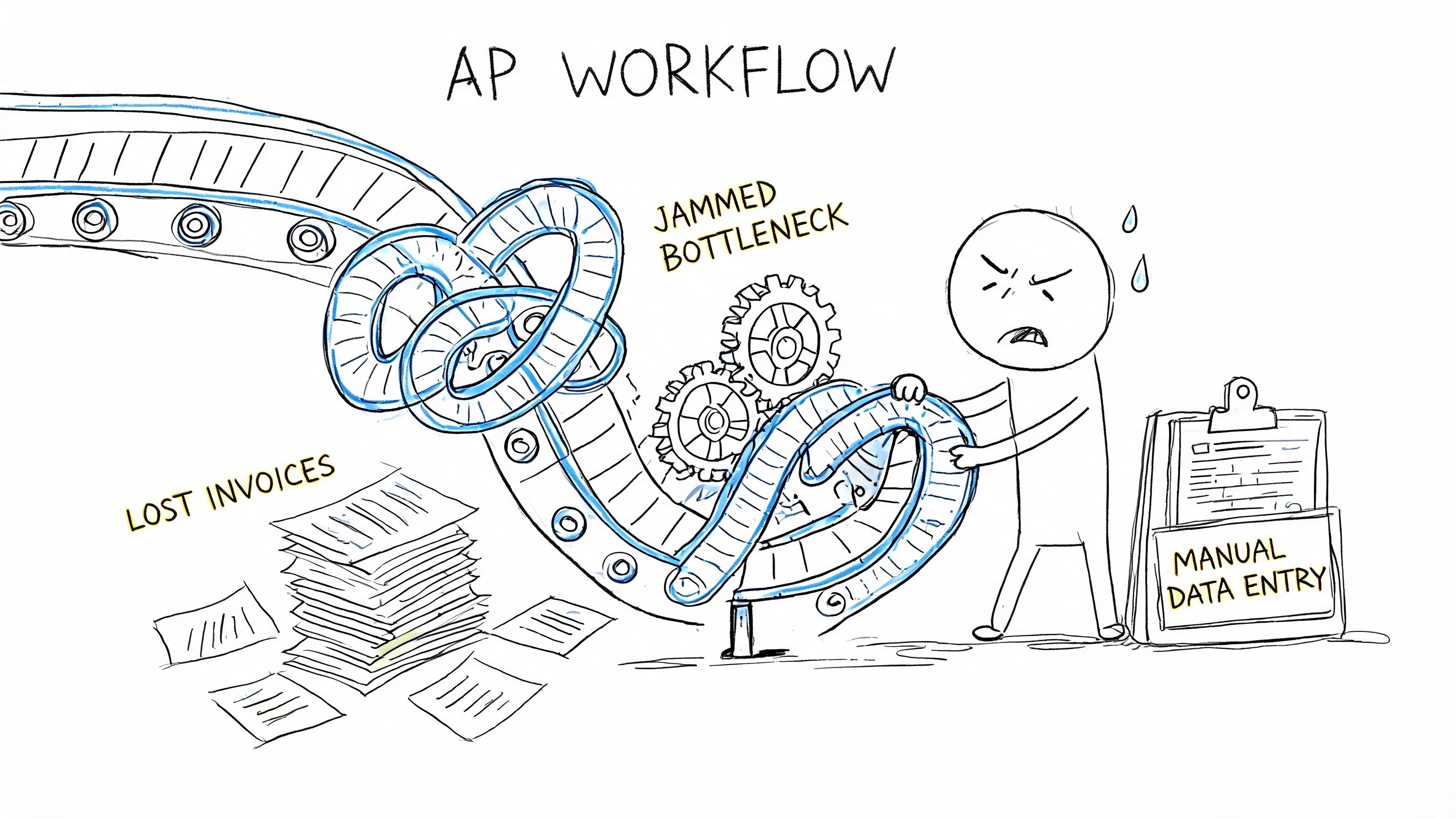
The hidden first-mile problem
Many AP guides spend their time on routing, approvals, and payment timing. Those steps matter. But they often assume invoice data is already captured in a clean, structured format.
That assumption causes trouble.
If the first handoff into your AP system depends on a person reading messy documents and retyping key fields, the workflow begins with translation work, not control work. A new finance manager often notices the symptom first. Approvals seem inconsistent. Exceptions pile up. Suppliers ask for updates. Yet the root cause sits earlier, at intake.
A warehouse analogy helps here. If boxes arrive without readable labels, the problem is not your shelving plan. The problem is that no one can sort inventory correctly in the first place. AP works the same way. Clean routing depends on clean capture.
If you are trying to streamline invoice workflows, start by examining how invoice data enters the process, not only how it moves after entry.
What bad intake does to the rest of the workflow
Manual capture creates downstream problems that do not look like capture problems at first.
- Matching failures increase: A small typo in the invoice number, amount, or supplier name can break a two-way or three-way match.
- Approvals become hesitant: Managers delay approval when the coding, dates, or line details look incomplete.
- Exception queues grow: AP staff spend time fixing records that should have been correct on first entry.
- Month-end gets heavier: Controllers and accountants end up tracing errors back to the original document.
- Duplicate payments become easier to miss: The same invoice can be keyed differently enough to slip past basic checks.
That is why AP can feel disorganized even with a hardworking team and clear approval rules. The process is trying to produce reliable outputs from inconsistent inputs.
The handoff problem between procurement, receiving, and finance
A second bottleneck appears between functions.
Procurement creates the purchase order. Receiving confirms what arrived. AP verifies the invoice and schedules payment. If any one of those records is incomplete or late, AP becomes the team holding the file and answering the supplier.
A common sequence looks like this:
- A buyer creates a PO with vague descriptions or missing line detail.
- Goods arrive, but the receipt is not logged promptly.
- The supplier sends the invoice on time.
- AP cannot complete the match and parks the invoice in exceptions.
- The supplier follows up, and AP has to investigate a problem it did not create.
New finance leaders often call this an AP issue because AP sees the backlog. It is really a coordination issue. The workflow only runs well when purchasing data, receipt data, and invoice data line up in the same structure.
Signs the real bottleneck is at the front of the process
Look for patterns like these:
- Status requests are constant: invoices are entering late, entering with errors, or sitting unclassified.
- Exceptions feel normal instead of unusual: teams have adapted to bad capture and now treat rework as part of the job.
- Approvers ask basic questions: they are reviewing records that were never prepared well enough for a quick decision.
- Staff spend more time searching than deciding: folders, emails, and PDFs are scattered across inboxes and shared drives.
- Automation feels underwhelming: the system handles routing, but people still do manual prep before the workflow even starts.
That last point deserves attention. A business can buy AP software and still keep the hardest part manual. If you want a practical framework for fixing that stage, this guide to automated invoice processing explains how structured capture changes the rest of the workflow.
For many businesses, the first real improvement in AP efficiency does not come from adding another approval rule. It comes from reducing the manual effort required to turn messy invoices into usable data.
The Power of Automation in the Modern AP Workflow
Automation helps most when it removes repetitive work at the exact point where humans are adding the least value. In AP, that's often data capture, routing, and routine validation.
If you compare a manual workflow with an automated one, the difference isn't just speed. It's consistency. The process becomes less dependent on who happens to be available, who knows a vendor's invoice format by memory, or who remembers where a document was saved.
What automation changes first
A manual process often looks like this: open the email, download the invoice, read the PDF, type fields into the accounting system, check the PO, chase the approver, schedule the payment, then file the documents.
An automated process changes the sequence. The invoice is captured digitally, key fields are extracted, matching rules run earlier, approvers receive the invoice in a structured form, and the system keeps a searchable record throughout.
According to Intuit's explanation of the accounts payable workflow, advanced AP systems use Optical Character Recognition (OCR) to automatically extract fields such as vendor name, invoice number, invoice date, due date, amount due, line-item details, and general ledger codes. This replaces labor-intensive manual data entry and reduces errors while accelerating processing.
Manual vs automated AP workflow comparison
| Process Stage | Manual Workflow (The Old Way) | Automated Workflow (The New Way) |
|---|---|---|
| Invoice intake | Invoices arrive in scattered inboxes, mail, and folders | Invoices enter a centralized digital workflow |
| Data capture | Staff retype fields from PDFs or scans | OCR extracts key fields for review |
| Matching | AP manually compares documents | Rules and system checks flag mismatches |
| Approval | AP chases people through email | Invoices route automatically to the right approver |
| Payment prep | Staff assemble batches manually | Approved invoices move into scheduled payment queues |
| Record keeping | Files are saved in multiple places | The system keeps a consistent audit trail |
Why OCR matters so much
Many managers hear "automation" and think first about approval routing. That's useful, but OCR solves an earlier problem.
OCR technology reads invoice documents and converts relevant fields into structured data. In practical terms, that means your team doesn't need to key in the vendor name, invoice number, due date, amount, and line items by hand every time. Less typing usually means fewer typos, fewer duplicate records, and a faster start to the workflow.
For teams evaluating how to streamline invoice workflows, it helps to focus on which tool effectively removes manual touchpoints versus which tool merely moves documents around after manual prep is already done.
What good automation still doesn't fix by itself
Automation isn't magic. If vendor records are messy, PO discipline is weak, or receiving records are incomplete, software won't erase those issues. It will surface them faster.
That's still valuable. A visible problem is easier to fix than a hidden one. But it's why finance leaders should assess process design and data quality together.
For a practical view of how this works in invoice-heavy environments, this guide on automated invoice processing is worth reviewing.
Supercharge Invoice Capture with DocParseMagic
The biggest AP improvement often comes from fixing the first mile. If invoice data arrives cleanly, the rest of the workflow has a fair chance to move smoothly. If intake is messy, every later step has to work harder.
Basic OCR can read text. That helps. But AP teams usually need more than raw text. They need structure.
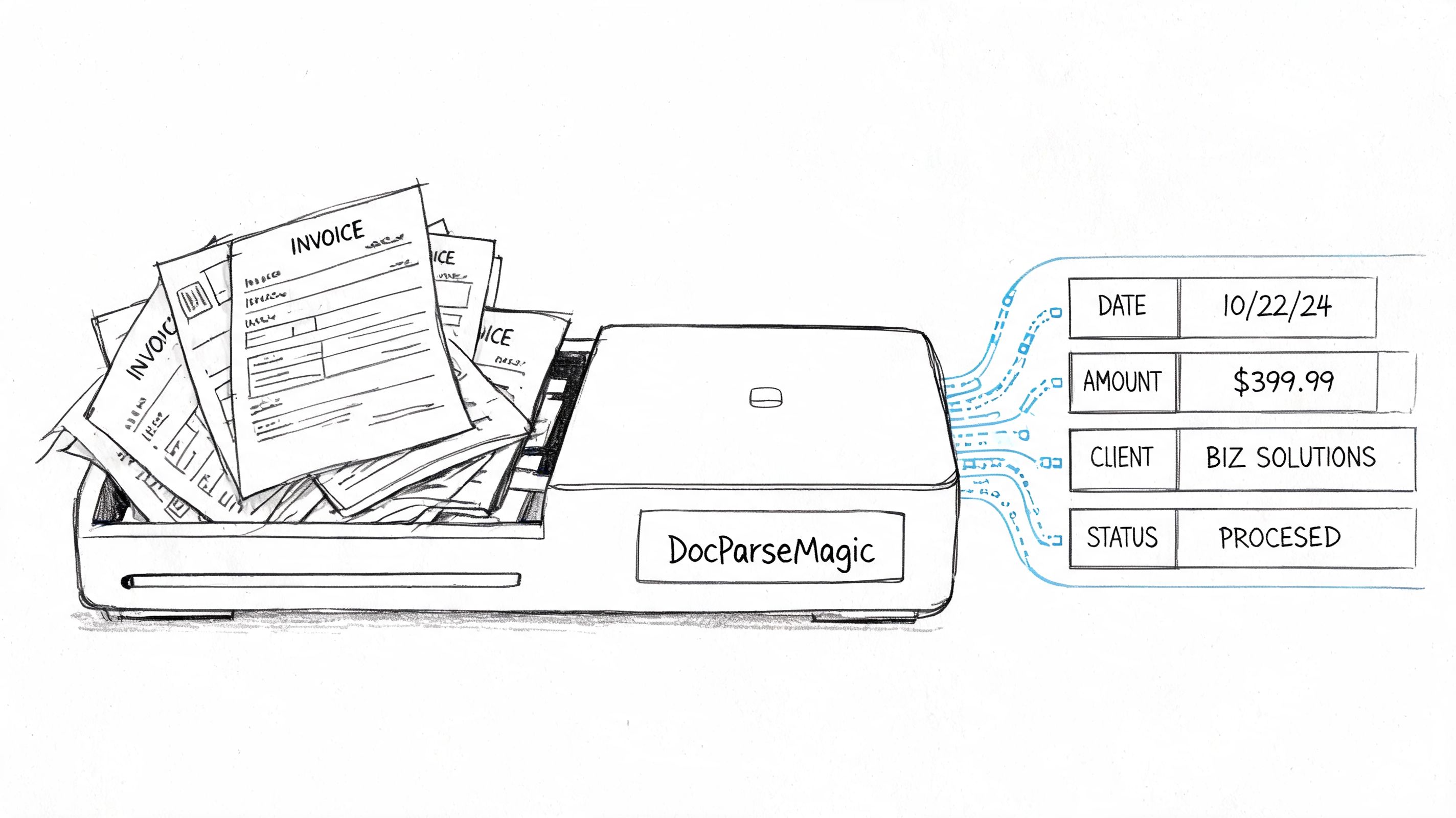
What intelligent parsing does differently
A parsing tool handles the fact that invoices rarely look the same. One supplier puts the invoice number at the top right. Another buries it in a table. One sends a clean digital PDF. Another sends a skewed phone photo. A standard template-based workflow struggles when the format changes.
DocParseMagic is a no-code document parsing platform that turns messy invoices, statements, and business files into structured spreadsheets. It can work with PDFs, Word files, Excel files, scanned pages, and photos, and it doesn't require template setup. Instead of only copying visible text, it identifies the fields you need, such as invoice numbers, dates, totals, and line items, and organizes them into analysis-ready tables.
That matters in AP because line items are often where actual checking occurs. If your team can extract descriptions, quantities, unit prices, and totals into a usable table quickly, matching and coding become much easier.
Where this helps in day-to-day AP
This kind of tool is useful when:
- Supplier formats vary widely: Your vendors don't send standardized invoices.
- Line-item review matters: You need detail for coding, matching, or dispute resolution.
- Scans are common: Field teams, branch offices, or smaller vendors send lower-quality files.
- Staff time is tight: AP employees need to review exceptions, not type repetitive fields all day.
Clean invoice data isn't a nice extra. It's the starting condition for a workflow that can actually scale.
A finance manager doesn't need every automation feature on day one. But they do need a dependable way to turn incoming documents into structured data. That's often the difference between a workflow that looks digital and one that reduces work.
Your Checklist for Improving Your AP Workflow
You don't need to redesign the entire department in one month. Start with a clear diagnosis, fix the highest-friction step, and build from there.
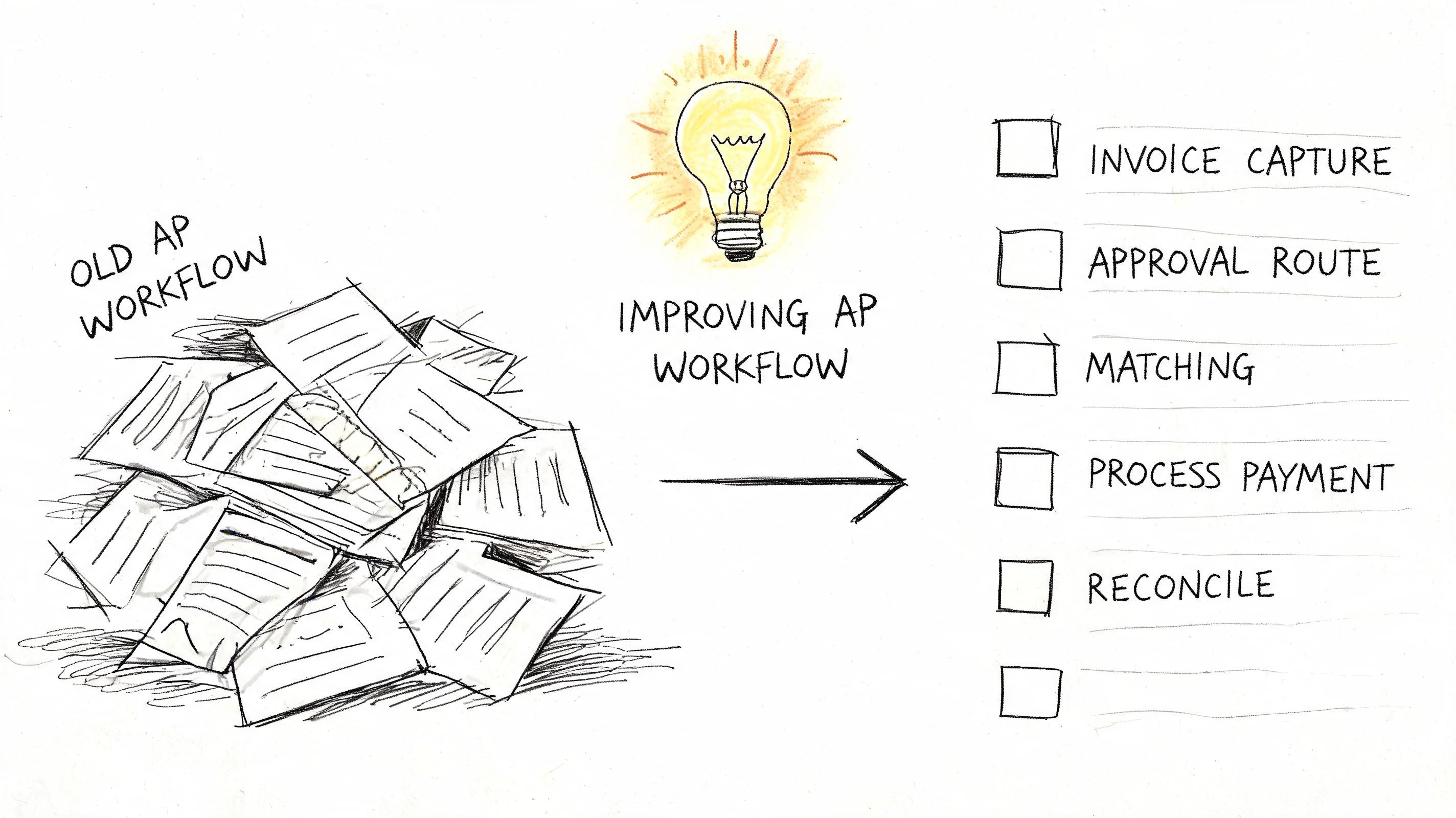
A practical starting checklist
-
Map where invoices enter List every intake channel your business uses. Include email inboxes, paper mail, supplier portals, branch offices, and employee forwarding habits. You can't control a workflow you haven't fully mapped.
-
Find the first manual choke point
Watch one invoice travel from arrival to payment. Note the first point where someone has to stop and type, copy, rename, reformat, or chase missing data. That's usually where the biggest time loss begins. -
Define a small KPI set
Track one operational metric, one financial metric, and one supplier metric. Keep it simple enough that the team will review it. -
Check matching readiness outside AP
Review whether POs are complete and whether receipts are recorded consistently. AP often inherits problems created upstream. -
Separate routine work from exceptions
Your standard invoices should move one way. Problem invoices should move another. If every invoice gets the same heavy manual review, the process won't scale. -
Evaluate capture tools before broader workflow tools
Ask a basic question: does the tool help us get accurate data off messy invoices, or does it only organize tasks after manual entry is done? Start where the labor starts.
What to avoid during improvement
Some teams rush into automation and only digitize the mess. They replace paper folders with shared folders, or email approvals with approval software, but keep manual invoice typing at the front of the process.
That usually disappoints people because the workload hasn't changed enough.
Start with the invoice in its raw form. If your system can't handle that well, the rest of the workflow will stay fragile.
A better way to think about AP changes
Treat AP improvement like a control-and-data project, not just a software project. The cleanest process isn't the one with the most screens. It's the one where data enters accurately, approvals happen predictably, and records stay easy to trace.
If you're a new finance manager, don't aim for perfection first. Aim for fewer surprises. In AP, that's real progress.
If your AP team is still spending too much time pulling fields out of messy invoices, DocParseMagic can help you solve that first-mile problem. It turns PDFs, scans, photos, Word files, and Excel documents into structured, analysis-ready tables without template setup, so your team can spend less time on manual entry and more time reviewing, matching, and controlling the workflow.