
What Is a Change Order in Construction?
A change order in construction is a formal document that amends the original contract to reflect a change in the project's scope, price, or schedule. In practice, these changes are common, and they typically increase a project's final contract price by 5-10% on average.
You’re probably here because a job that looked straightforward has shifted. Maybe the owner wants different finishes, maybe the site conditions don’t match the drawings, or maybe accounting is staring at a stack of signed and unsigned forms trying to figure out what was approved. That’s where change orders stop being a legal concept and become a daily operations issue.
On a real project, the problem rarely starts with the form itself. It starts when the field team says, “We had to do this to keep moving,” while finance asks, “Was this in the contract?” If that gap isn’t closed quickly, the budget log drifts, billing gets messy, and people start relying on memory instead of records.
That’s why understanding what is a change order in construction matters beyond project management. It affects cost control, schedule updates, subcontractor payments, and audit readiness. If your team is sorting through PDFs, photos, emails, and handwritten backup, the challenge is as much administrative as it is contractual. Teams dealing with that kind of paperwork load often look for construction document workflows that reduce manual entry.
Introduction
A crew opens up a slab expecting a routine tie-in. Instead, they find conditions that don’t match the plans. Work pauses. The superintendent calls the project manager. The owner wants answers. The subcontractor wants to know whether to proceed. Accounting wants to know whether the extra labor can be billed.
That moment is where a change order earns its keep.
Without a formal process, everyone starts making side agreements. The field keeps moving because the schedule matters. The office tries to catch up later. Then a few weeks pass, an invoice arrives, and someone says they never approved that cost or those extra days. Small misunderstandings turn into expensive ones fast.
A change order gives the team one controlled way to handle that shift. It records what changed, what it costs, and whether the schedule moves with it. It also creates a clean paper trail for the owner, contractor, architect, and finance team.
Practical rule: If the work, price, or completion date changes, treat it as contract work that needs formal documentation, not as a casual field note.
That matters because unmanaged changes don’t stay isolated. They affect the payment application, subcontractor buyout tracking, lien waiver timing, and the running contract value. On busy jobs, the actual difficulty isn’t only deciding whether a change is valid. It’s tracking dozens of supporting documents and making sure the approved numbers match what gets billed.
The Anatomy of a Construction Change Order
A change order isn’t just a memo that says, “We changed something.” It’s closer to a mini-contract that modifies the original agreement.
Under the AIA A201 fundamentals of change orders, a change order is legally defined as a written instrument signed by the Owner, Contractor, and Architect that states their agreement on the change in the Work, the adjustment in the Contract Sum, and the adjustment in the Contract Time. The same source also notes that unaddressed changes are a major risk, with some industry reports indicating they contribute to 84% of projects exceeding their budgets.
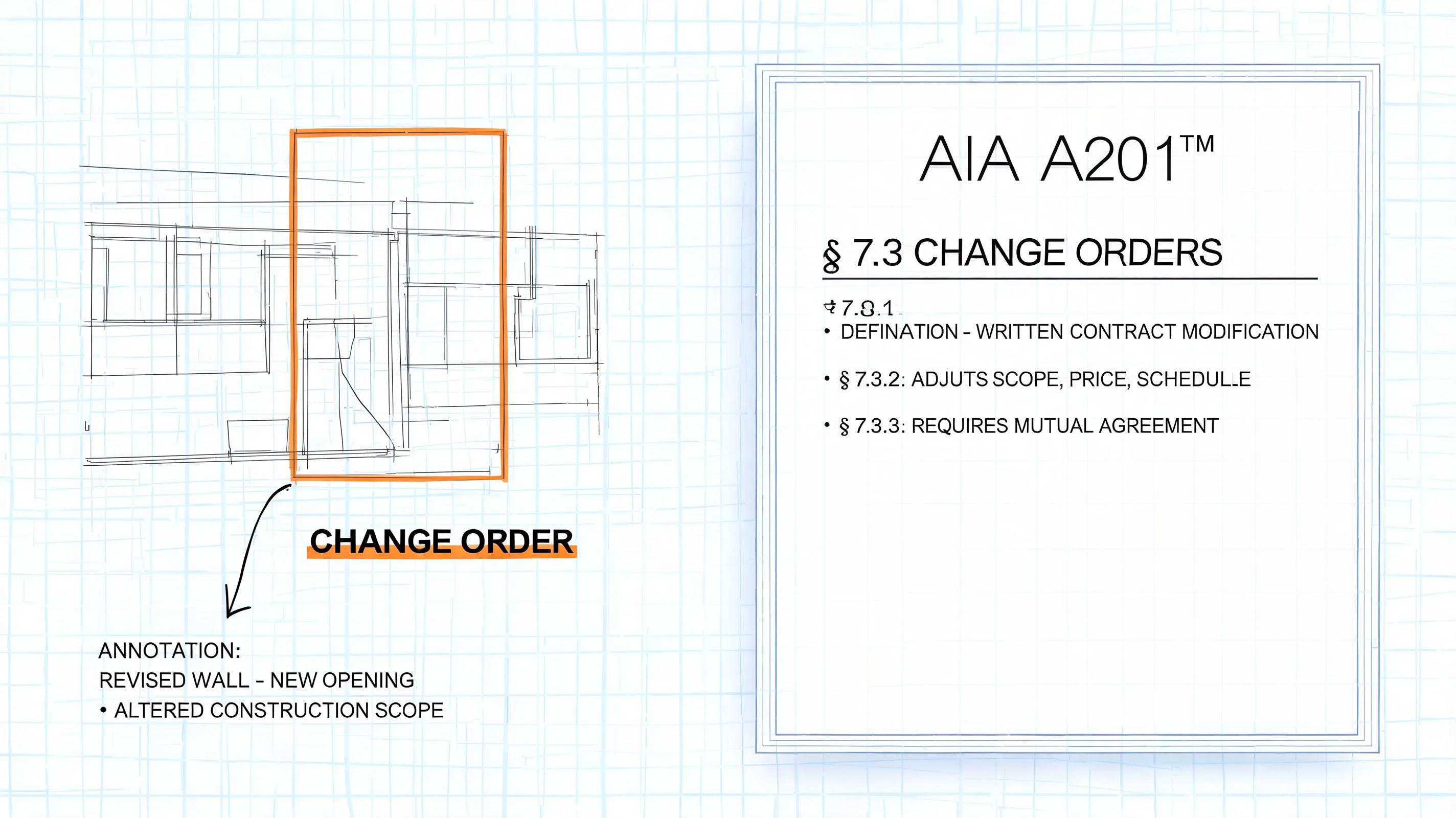
The three parts that matter most
Every solid change order answers three questions.
-
What changed in the work?
This is the scope description. It should say exactly what is being added, removed, revised, or corrected. “Revise wall framing at grid line B” is useful. “Per field condition” usually isn’t. -
What happens to the contract sum?
This is the money piece. The document should show whether the change adds cost, deducts cost, or leaves the total unchanged. -
What happens to contract time?
Some changes are purely financial. Others affect sequencing, deliveries, inspections, or labor availability. If the completion date or milestone dates move, the change order should say so.
Why signatures matter
A lot of new team members get stuck here. They think the pricing backup or an email chain is the change order. It isn’t. Those documents support the change order, but they don’t replace it.
The signed document is what ties the parties together. It tells the field they can proceed, tells finance what to code and bill, and tells everyone later what was agreed to. Without that, people end up arguing over which version was final.
A good change order should read clearly enough that someone who joins the project later can understand the decision without sitting through a meeting replay.
What supporting backup usually includes
The form itself is only part of the record. Typically, the following are also attached:
- Drawings or sketches that show the revised work
- Pricing breakdowns from subcontractors or suppliers
- Schedule notes that explain any time impact
- Photos or field reports showing the condition that triggered the change
That backup is where many teams lose control. The official change order may be one page, but the actual file can be spread across email threads, scanned forms, phone photos, and revised quotes.
Why Change Orders Happen in Construction
Most change orders happen for ordinary reasons, not dramatic ones. Construction starts with plans, assumptions, and site information. Once crews begin work, real conditions test those assumptions.
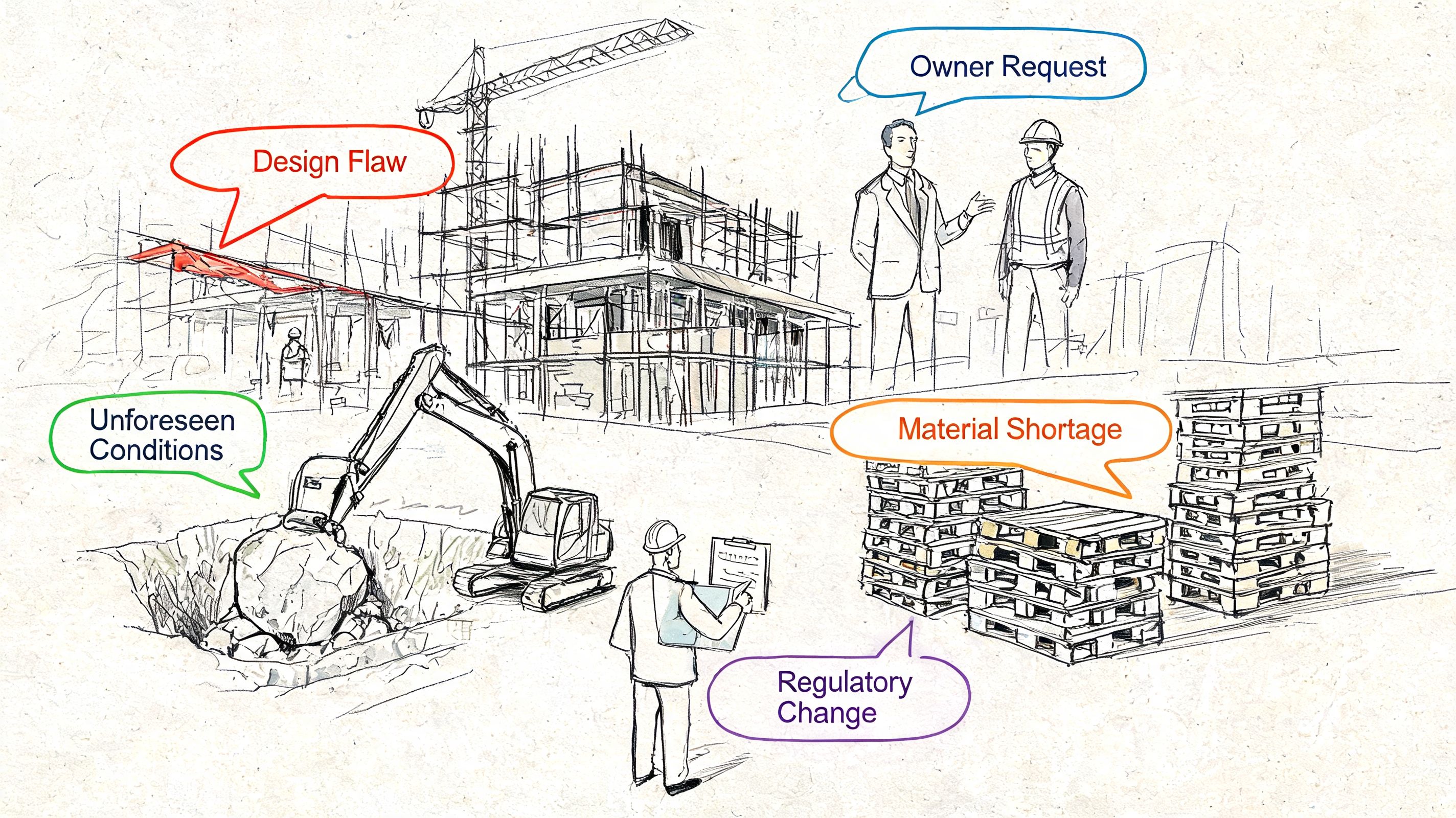
On large projects, they’re not rare. According to AIA research on change order patterns, projects over $50M average 11.29 change orders. That same source highlights common triggers such as quantity differences, unforeseen work, field condition limitations, and functional enhancements, and notes that changes often spike late in the project lifecycle.
Owner-driven changes
Some changes are intentional. The owner decides they want upgraded finishes, a different layout, extra power, or added features after seeing the work in place. Nobody necessarily made a mistake. The priorities changed.
These can be the easiest changes to understand and the hardest to contain. A request that sounds simple in a meeting can affect framing, MEP coordination, procurement, and inspection timing.
Design gaps and coordination issues
Other changes come from the documents themselves. A detail may conflict with another sheet. A dimension may not work in the field. One trade’s work may interfere with another trade’s installation.
That doesn’t always mean the design team failed. It does mean the project needs a formal path to revise the work and assign the cost and time effects correctly.
Site conditions and jobsite reality
This is the category that catches new teams off guard most often. You open a wall and find something unexpected. You excavate and hit unsuitable conditions. Existing construction differs from the record drawings.
When that happens, the field still needs direction. The change order process turns that discovery into a documented decision instead of a verbal scramble.
Here’s a quick explainer that shows how these issues play out in practice:
External constraints
Some changes come from outside the main project team. A required submittal gets rejected. A product becomes unavailable. An authority having jurisdiction requires a revision before approval.
Those situations often frustrate everyone because no one planned for them, yet someone still has to document the added work, cost, and time impact.
- Quantity differences can force more work than the original takeoff suggested.
- Field limitations can require a different method than the one shown in the drawings.
- Functional enhancements often start as improvement ideas and end as contract revisions.
Understanding Different Change Order Types and Pricing
Not every change order affects a project in the same way. Some add work. Some remove it. Some only change how the work is performed. If you’re in finance or project controls, this distinction matters because the pricing logic changes with the type.
Directional types of change orders
At the simplest level, change orders usually fall into three practical buckets:
- Additive changes increase scope, cost, or both. Example: adding electrical devices to support new equipment.
- Deductive changes remove work and reduce the contract amount. Example: eliminating a finish upgrade before procurement.
- Zero-cost changes revise scope without changing the agreed price. Example: swapping one approved detail for another with no net cost impact.
A lot of confusion happens when teams treat all three as if they’re the same. They aren’t. A deductive change often needs just as much backup as an additive one because someone has to prove what cost is coming out.
Pricing methods you’ll see most often
According to Trimble’s overview of change orders and documentation risks, poor documentation contributes to 52% of claims. The same source explains that change orders can be priced as a fixed-sum (lump sum) for quantifiable work or on a time-and-materials (T&M) basis for unknown conditions, with T&M often costing 30-50% more while offering greater flexibility.
That leads to the two pricing models commonly encountered.
| Aspect | Lump Sum (Fixed-Price) | Time & Materials (T&M) |
|---|---|---|
| Best fit | Clearly defined work | Uncertain or unfolding work |
| Cost certainty | Higher at approval | Lower until work is complete |
| Speed to start | Slower if pricing takes time | Faster when work can't wait |
| Documentation need | Front-loaded estimate support | Ongoing daily tickets and backup |
| Risk | Contractor carries more estimating risk | Owner carries more cost variability |
| Finance review | Easier to compare to budget upfront | Requires tighter reconciliation later |
How to choose between them
Use lump sum when the team can describe the work clearly and price it before starting. That’s usually better for cost certainty.
Use T&M when the condition is real but the full extent isn’t known yet. That keeps the work moving, but only if the field tracks labor, materials, equipment, and approvals carefully. This is also where people often confuse markup and margin, so a practical reference like markup vs margin explained can help teams review pricing language more accurately.
If the scope is fuzzy, the paperwork has to be sharper.
Navigating the Change Order Approval Process
A good approval process protects the project from two common problems. The first is unauthorized work. The second is approved work that never gets reflected correctly in budgets, billing, and records.
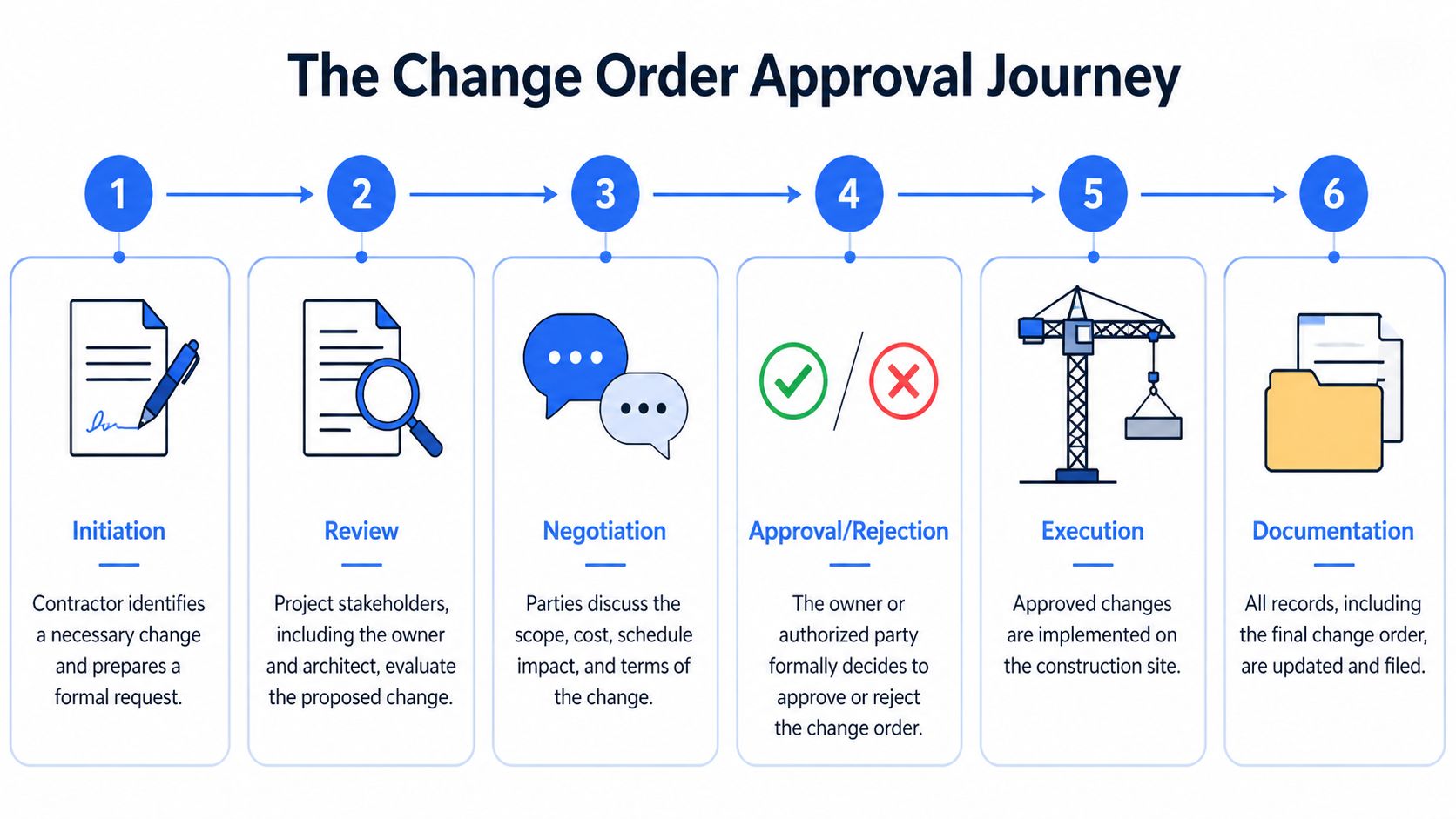
Step 1 and step 2
The process starts when someone identifies a change. That may be the contractor, owner, architect, engineer, or field team. The key is to stop treating it like a casual issue and record it as a contract matter.
Then the team reviews whether the change is legitimate. Is it outside the original scope? Is there a real reason for the adjustment? Is there enough information to price and schedule it?
Step 3 and step 4
Next comes pricing and negotiation. Here, subcontractor quotes, labor assumptions, material impacts, and schedule effects get discussed. On paper this sounds simple. In practice, most delays originate here.
After negotiation, the owner or authorized decision-maker approves or rejects the proposal. Approval should be formal, not implied through a meeting note or a field conversation.
What usually needs to be reviewed
- Scope clarity so everyone agrees on what work is included
- Cost support such as quotes, breakdowns, or logs
- Time impact if the change affects milestones or completion
- Contract compliance including notice and signature requirements
Step 5 and step 6
Once approved, the field executes the revised work. Then the office updates the contract value, cost report, schedule records, and payment documents.
The last step sounds administrative, but it’s where a lot of profit leaks out. If the PM logs one amount, accounting bills another, and the subcontractor invoice references a different version, the project loses clarity fast.
Field advice: Don’t close the loop when the work is finished. Close it when the paperwork, budget, and billing all match.
Where teams usually get tripped up
New team members often think the approval process is just about signatures. It’s really about alignment across multiple records. A complete workflow usually includes:
- Identification of the change
- Internal review
- Pricing and negotiation
- Formal approval
- Execution in the field
- Documentation updates in project and accounting systems
If even one of those steps is weak, the team may still build the job correctly but struggle to bill it correctly.
The Real Impact of Change Orders on Cost and Schedule
People often talk about change orders as if they’re isolated events. They aren’t. One approved revision can affect labor flow, procurement timing, subcontractor coordination, invoice review, and the payment schedule.
According to the ASCE study on the financial impact of change ordersCO.1943-7862.0000206), change orders typically increase a project’s final contract price by 5-10% on average. The same source notes that data from federal construction projects showed change orders at about 5.5% of total contract value, reflecting a consistent financial effect.
The direct cost is only part of it
The obvious impact is the added or reduced contract amount. That’s what everyone sees first. But the less visible costs often create more friction.
Crews may need to stop and restart work. Materials may need to be reordered or resequenced. Supervisors may spend time resolving field questions instead of managing production. Safety planning can shift too, especially when work methods or access conditions change. For teams reviewing operational risk around those disruptions, this guide for construction H&S managers is a useful companion resource.
Why finance teams feel the pain later
Even when the field absorbs a change quickly, the accounting effects usually show up downstream. Subcontractor invoices arrive with revised amounts. Payment applications need updated contract values. Retainage, commitments, and waiver tracking all need to stay aligned.
That’s one reason change order discipline ties closely to waiver review and payment controls. If your team is trying to keep downstream documents aligned after approved changes, this construction lien waiver template guide can help frame what to verify in the payment file.
Delay doesn’t always look dramatic
Not every change adds a visible block of time to the master schedule. Some create smaller disruptions that stack up. A day waiting for clarification here, a resequenced trade there, a missed fabrication slot later on. The project may not call it a delay at first, but the finish line starts moving.
Best Practices for Tracking and Reconciling Change Orders
Good change order management is often less about legal language and more about recordkeeping discipline. Teams know they need approved forms. The struggle is keeping the backup, budget log, invoices, and payment records consistent after the form is signed.
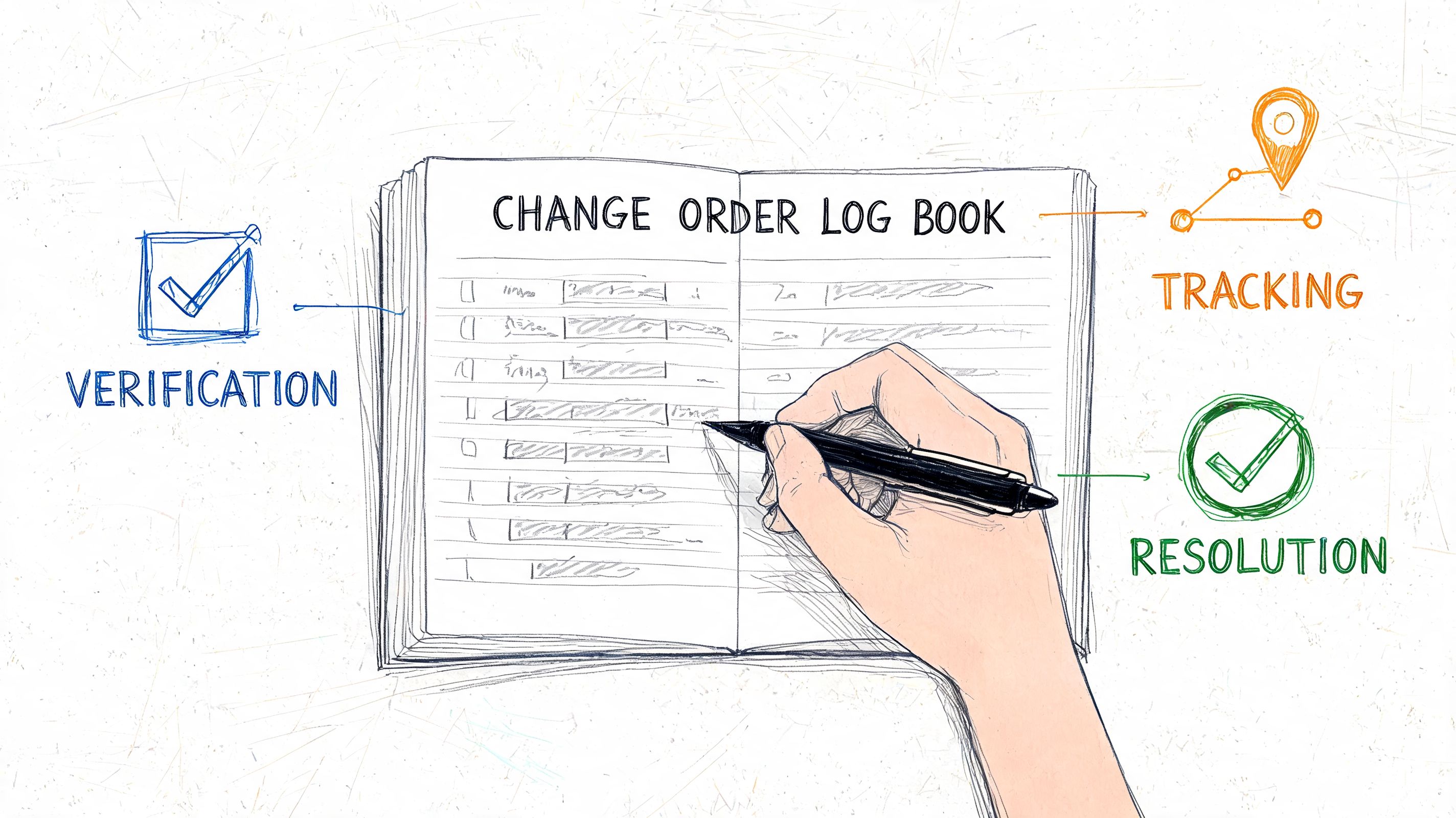
The administrative load is real. According to Young Architect’s discussion of change order workload, project managers spend 15-20 hours weekly on manual documentation tasks related to change orders. The same source notes that subcontractors can see change orders account for up to 20% of their contract value, which can create serious cash flow pressure.
What good tracking looks like
A clean process usually includes:
- One running log with status, amount, and date for every pending and approved change
- Consistent file naming so accounting, PMs, and field staff can find the latest version
- Backup attached to the record instead of buried in email
- Invoice matching so billed amounts reflect approved amounts
- Waiver and payment checks tied to the revised contract value
A lot of contract teams also borrow practices from broader agreement management. For example, CatchDiff contract insights offer a useful lens on version control and approval discipline, both of which matter here.
Why teams move away from manual entry
Manual tracking breaks down when documents arrive in mixed formats. One subcontractor sends a PDF. Another sends a phone photo. Someone else sends an Excel breakdown with a revised total. Re-entering all of that into a log takes time and creates room for mismatch.
Tools that extract fields from messy project documents can help. For construction teams handling forms, invoices, and waiver backup, construction change order management software is one way to think about replacing copy-paste workflows. DocParseMagic is one option in that category. It parses documents such as change orders, pulls details like amounts, dates, descriptions, and approval fields, and turns them into analysis-ready tables for reconciliation.
The best process is the one that lets the project team answer two questions quickly: what changed, and has everyone recorded it the same way?
If your team is buried in change orders, subcontractor invoices, and supporting PDFs, DocParseMagic can help turn those files into clean, structured data you can review and reconcile faster. Upload scans, PDFs, photos, or spreadsheets, extract the fields that matter, and keep project, finance, and audit records aligned without manual copy-paste.