A Guide to Construction Change Order Management Software
Picture this: a multi-million dollar project is running like a well-oiled machine. Then, one small, poorly documented change order throws a wrench in the works. This isn't just a worst-case scenario; it's a story that plays out on job sites every day. What starts as a minor crack in the process—a misfiled email, a verbal “go-ahead”—can quickly become a flood of budget overruns, schedule delays, and shrinking profit margins.
This is where construction change order management software comes in. It’s the tool built to stop the chaos before it starts and protect your bottom line.
The Hidden Costs of Manual Change Orders
In construction, change is a given. The problem is that we often try to manage it with a patchwork of spreadsheets, endless email chains, and sticky notes. Trying to run a project this way is like navigating a complex highway system with a crumpled, hand-drawn map. It might get you through a short trip, but it’s a recipe for disaster on a long journey full of detours. One missed turn—or one unapproved change—can send the entire project spiraling.
That's where the real damage happens. A seemingly simple change order for a different window style has massive downstream effects. It hits procurement, messes with labor schedules, blows up budgets, and can interfere with the work of other trades. Without a single, central system, you often don't see these impacts until it's too late. The result? Frantic rework, expensive delays, and pointless arguments over who said what and when. In fact, industry data shows an average of 35% of projects deal with at least one major change, and every single one is a financial landmine.
Bringing Order to the Chaos with Technology
This is the exact problem that construction change order management software was built to solve. Think of it as the project’s central hub, connecting everyone from the crew in the field to the team in the finance office on one unified platform.
Instead of digging through your inbox for an approval or trying to read a subcontractor's handwriting, every detail is captured, tracked, and visible in real-time. This technology turns the change order from a source of conflict into a controlled, transparent part of the job. It gives project managers, GCs, and finance teams the visibility they need to take back control and protect profitability.
The real value of this software is simple: It creates a single source of truth. When everyone is working from the same playbook, arguments fade, approvals get faster, and financial risks are shut down before they can get out of hand.
This guide is all about practical steps for putting this technology to work. We’ll break down how it fits into your daily operations and how to pick the right solution for your company. You'll learn how to shift from constantly fighting fires to proactively managing change, ensuring every adjustment makes your project stronger, not weaker.
To get a better handle on the basics, you can explore the complete construction change order process in our detailed article.
What Is Change Order Management Software?
On any construction project, change is inevitable. A change order is just the formal term for an update to the contract—maybe adding a new feature, removing something, or just changing how the work gets done. Simple enough, right?
But in the real world, a single change order can set off a chain reaction of chaos. Suddenly, you're digging through emails, hunting down signed papers, and making frantic calls, all while trying to decipher scribbled notes on a set of old plans. It’s a huge risk for project budgets and timelines.
Trying to manage this mess manually is like navigating a new city with a crumpled, coffee-stained paper map. You'll probably get where you're going eventually, but not without a lot of stress, wrong turns, and wasted time. This is how it's been done for decades, and it's a broken system where information gets lost, disputes flare up, and profits disappear.
Construction change order management software is the modern fix for this old-school headache. It’s the GPS that replaces that crumpled map. The software gives your team a single, digital command center to handle every part of a change order, from the first request all the way to the final payment. It’s not just a place to store files; it’s a living system that connects your people, documents, and financials in one place.
As the image below shows, a small, unmanaged change can quickly spiral out of control, causing major headaches. Software gives you the tools to stop that from happening.
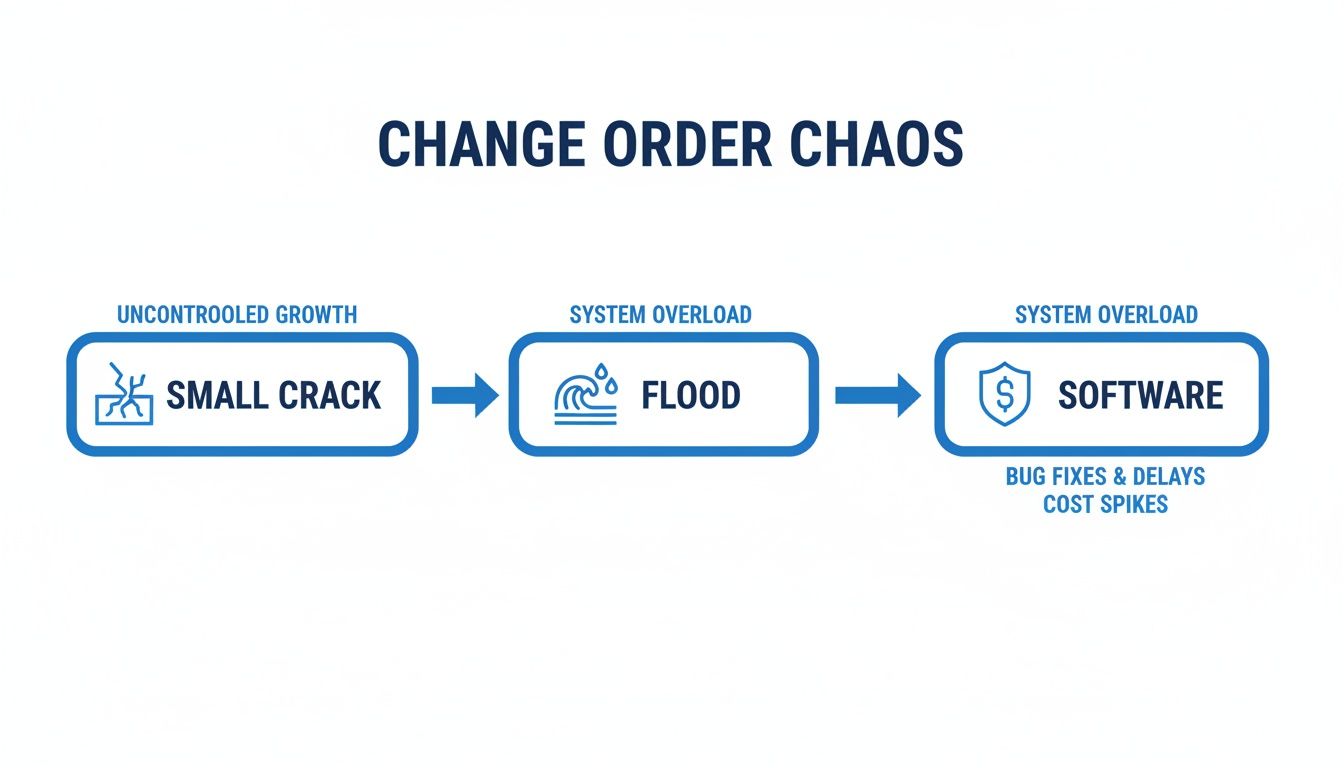
Without a system, a tiny crack becomes a flood. The right software gives you the control to contain these issues before they sink your project.
From Manual Chaos to Automated Control
The real difference here is moving from being reactive to proactive. Instead of spending your days chasing signatures or trying to find the latest version of a document, the software automates the workflow for you. It makes sure the right information gets to the right people, instantly.
One study found that approving a change order the old-fashioned way can take more than 24 days. With software, you can shrink that cycle dramatically, keeping the project moving and protecting your cash flow.
This shift doesn't just make you more efficient—it cuts down on risk in a big way. The table below breaks down the common pain points we've all felt and shows how software provides a clear solution.
Manual vs. Automated Change Order Management
| Pain Point | Manual Process (The Old Way) | Software Solution (The New Way) |
|---|---|---|
| Lost Information | Key details are buried in emails, spreadsheets, and paper forms. It’s a recipe for confusion and disputes. | A central hub stores all documents, communication, and approvals in one spot, creating a perfect audit trail. |
| Approval Delays | Chasing down physical signatures or email replies from stakeholders can stall on-site progress for weeks. | Automated workflows instantly send change orders to the next person in line, with reminders to keep things moving. |
| Cost Inaccuracy | Guessing the true cost impact is slow and full of errors. It's easy to miss how a change affects labor, materials, and other trades. | Real-time cost data shows you exactly how each change hits the project budget and your profit margins. |
| No Visibility | Owners and your finance team are often left in the dark about the status and cost of changes until it's too late. | Dashboards and reports give everyone a clear, live view of all pending and approved change orders. |
At the end of the day, construction change order management software creates a single source of truth. It standardizes how your team handles one of the most unpredictable parts of any job. This not only frees up administrative time but also builds trust with clients and subs by making the process transparent and fair for everyone. It helps you turn change from a project threat into a manageable—and profitable—part of the job.
Essential Features That Drive Project Success
When you're shopping for construction change order management software, it's easy to get lost in a long list of features. But here’s the thing: the real value isn't just what the software does, but the problems it solves on the ground. Every feature should be a direct answer to a real-world headache you face in the field or the back office.
Think about it like this: a high-performance engine is worthless if you don't have a transmission to get that power to the wheels. The best software features work together the same way, turning the chaos of change orders into a controlled process that keeps projects profitable and on schedule.
Let's break down the core components that make it all click.
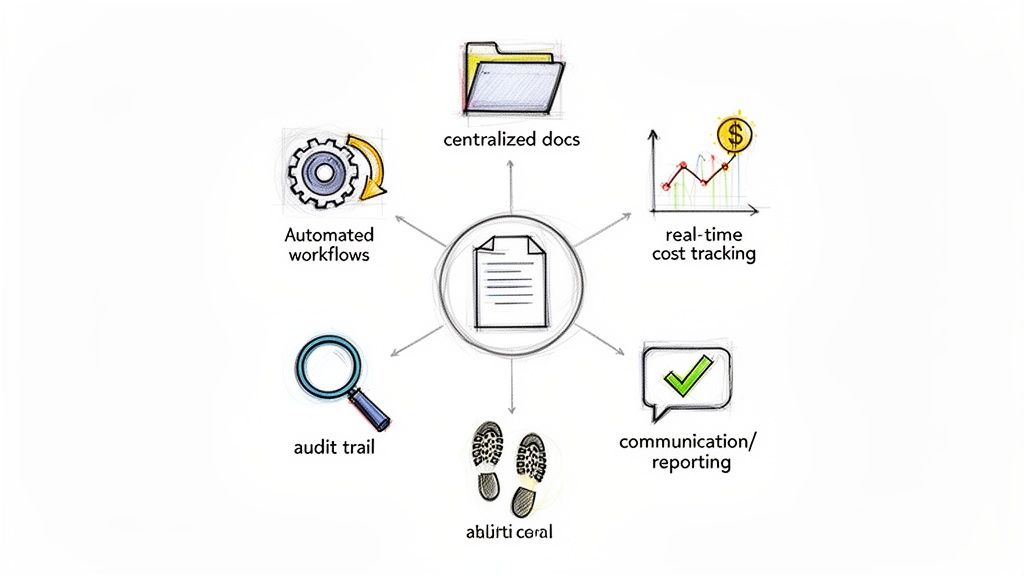
Centralized Document Hub
The absolute bedrock of any good system is a centralized document hub. This isn't just another digital folder. It’s the single source of truth for the entire project team. It puts an end to the frustrating scavenger hunts through messy email chains, random shared drives, and stacks of paper on someone's desk.
From the moment a change is suggested, every single related document—the RFI that started it, the updated drawings, site photos, and all the subcontractor quotes—lives in one accessible place. This creates an ironclad record, stops the "he said, she said" arguments cold, and guarantees everyone is looking at the same, most current information. It’s all about transparency and accountability.
Automated Approval Workflows
We’ve all seen it: a change order sits on someone's desk for weeks, holding up progress on site. Manual approvals, where someone has to physically walk a folder around or remember to forward an email, are a massive bottleneck. In fact, some studies show that getting a manual change order approved can take an average of 24 days.
Automated workflows are like a digital fast lane for approvals. As soon as a change order is submitted, the system automatically sends it to the next person in line, pinging them with notifications until a decision is made.
This one change has a ripple effect. It slashes administrative busywork and keeps the project moving. Your project managers can stop chasing signatures and start focusing on actually managing the job.
Key benefits you'll see right away:
- Faster Approvals: What used to take weeks now gets done in a matter of days, or even hours. Momentum is everything.
- Clear Accountability: The system shows exactly who has the ball and for how long. No more guessing games.
- Consistent Process: Every change order follows the same pre-set rules, so no steps get skipped and you stay compliant.
Real-Time Cost Tracking and Financial Visibility
The real danger with change orders is how their costs sneak up on you. A few small changes here and there might seem harmless, but they can quietly bleed your profit margin dry. If you don't have a live look at the numbers, you won't know there's a problem until it's too late.
Good construction change order management software gives you a live financial dashboard. The second a change order is priced and approved, the system instantly updates the total project budget, how much contingency has been used, and the new projected final cost. This gives the whole team, from the field to the finance department, a clear, up-to-the-minute picture of the project's financial health, so you can make smart decisions before costs get out of hand.
Comprehensive Audit Trails
In construction, the best defense is a rock-solid paper trail. When a dispute comes up—and it will—your ability to defend your position depends entirely on the quality of your records. An indisputable audit trail is your best friend.
The software should automatically log every single touchpoint on a change order. This means tracking:
- Who submitted the change and the exact time they did it.
- Every comment, revision, and new version of a document.
- Who approved or rejected it, with a precise timestamp.
This chronological history is non-negotiable. It creates a bulletproof record that can quickly shut down disagreements and protect your company from baseless claims, potentially saving you a fortune in legal fees. Some platforms go even further, integrating with document data extraction software that can automatically pull key details from an uploaded subcontractor quote or invoice. That level of detail ensures that every decision is backed by hard, verifiable evidence.
How to Choose the Right Software for Your Team
Picking the right construction change order management software can feel overwhelming. There are dozens of options on the market, and every single one claims it will solve all your problems. But here’s the secret: you aren't looking for a perfect, one-size-fits-all tool. You're looking for the right tool that fits your team, your workflow, and solves your biggest headaches.
Think of it like buying a new work truck. A plumbing contractor doesn't need a massive dump truck, and a heavy civil crew can't make do with a small cargo van. The right vehicle depends entirely on the job you’re doing, the equipment you already have, and how your team operates. It’s the exact same with software.
Before you even schedule a demo, take a hard look at your current process. Map out how a change order moves from the field to the office and finally to the client. Where are the hang-ups? Is it waiting for approvals? Pricing the change accurately? Or just tracking down the right paperwork? Knowing your pain points gives you a concrete shopping list for what you actually need.
Define Your Core Requirements
Once you've identified the biggest sources of friction, you can build a focused list of what to look for. This isn't about finding the software with the longest feature list; it’s about finding the one with the right features that address your real-world problems.
Here are the key areas to evaluate:
- Integration Capabilities: Your change order software can't be an island. It has to talk to the other systems you rely on daily. A critical factor is how well it connects with your existing accounting or project management platforms, like specialized software such as Sage 100 Contractor, which is often the backbone for job costing.
- Mobile Accessibility: Changes happen on the job site, not behind a desk. Your field team needs a dead-simple mobile app to create, update, and submit change requests right from their phone, complete with photos and notes. If the app is clunky or difficult to use out in the field, your team simply won’t use it.
- Scalability and Growth: The software you choose today needs to be able to grow with you. As you take on more projects, more users, or more complex work, will the system keep up? Look for flexible plans and features that can be turned on as your business expands.
Asking the Right Questions During Demos
Software demos are designed to show off a product in its best light. Your job is to cut through the sales pitch and see how it would actually perform for your team. Use your list of requirements to steer the conversation.
Don't just ask if the software has a certain feature. Ask the salesperson to show you how that feature solves one of your specific problems. For instance, instead of asking, "Do you have reporting?" try, "Show me exactly how I would build a report of all pending change orders and their total cost impact on our contingency."
Come prepared with a list of questions to keep the demo grounded in your reality.
Essential Vendor Questions:
- How does your system handle offline work for crews on sites with bad cell service?
- Can you walk me through the step-by-step process of connecting your software to our accounting system?
- What does your training and onboarding look like for our office staff versus our field personnel?
- How do our subcontractors get access, and is there any cost for them to use the platform?
By focusing on your specific needs and pressing for clear answers, you can get past the marketing fluff. This approach ensures you choose a construction change order management software that truly helps your team, improves your process, and provides a real return on your investment. You can also explore our overview of solutions for the construction industry to see other ways to improve document-heavy workflows.
Implementing Your New System for Smooth Adoption
You can pick the perfect construction change order management software, but if your team doesn't buy in, it’s just an expensive line item. The real secret to a successful rollout isn't just about the tech—it's about the people who have to use it every single day.
A clumsy, top-down mandate is a recipe for disaster. The best approach is to treat implementation as a supportive process that makes everyone's job genuinely easier. You need to show your team this isn't just one more thing to learn, but a tool that gets them out of paperwork hell and helps everyone get paid faster.
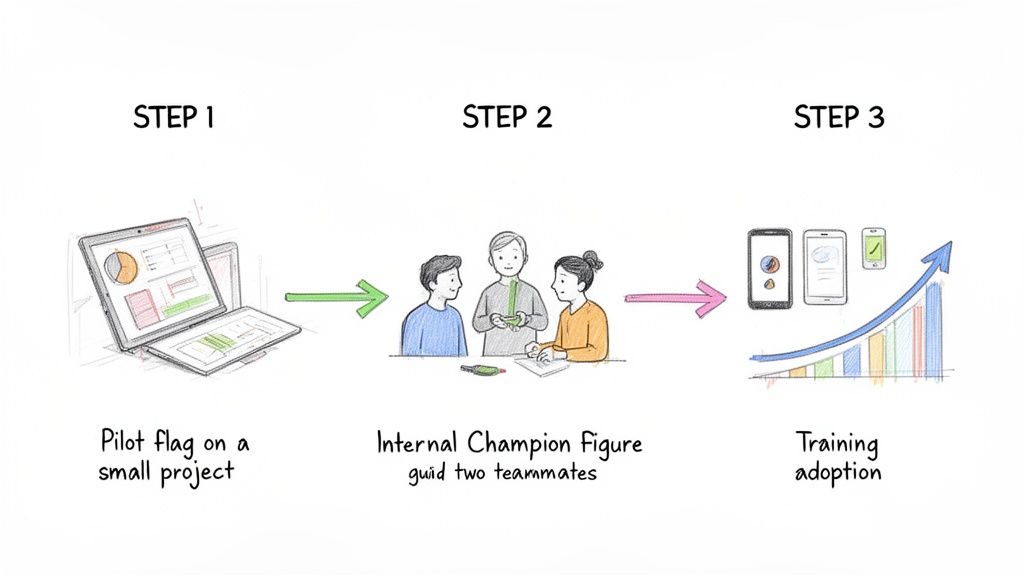
Start Small With a Pilot Project
Don't try to boil the ocean. Before you roll out the software across the entire company, test the waters with a single, manageable project. Think of a pilot project as a controlled trial run, giving you a safe space to work out the kinks. It's your chance to fine-tune workflows and get honest feedback without derailing all of your operations.
Pick a project team that’s at least open-minded about technology and led by a PM who will give you constructive criticism. The lessons you learn here are gold, and they'll help you build a success story you can show the rest of the company.
By starting with a pilot, you can iron out the kinks and create a blueprint for success. This approach turns your first users into advocates, making the company-wide rollout smoother and more effective.
Identify and Empower Internal Champions
In every company, you have a few people who are naturally curious and always looking for a better way to do things. These are your internal champions, and they are your secret weapon for getting everyone else on board.
Find these folks—it might be a tech-savvy project engineer, a forward-thinking superintendent, or an organized office admin—and get them involved from the very beginning. Give them a little extra training and officially make them the go-to person for their coworkers.
Nothing sells a new system faster than seeing a teammate use it to save time and headaches. An endorsement from a trusted peer is often more powerful than any memo from management.
Provide Role-Specific Training and Support
One-size-fits-all training is a waste of time. A superintendent in the field and an accountant in the office have completely different jobs, and their training should reflect that. If you want people to actually use the software, you have to show them exactly how it helps with their specific tasks.
- For Field Teams: Get them on the mobile app immediately. Show them how they can snap a few photos, add a note, and submit a potential change order right from their phone. No more driving back to the trailer to fill out forms.
- For Project Managers: Focus on the dashboards and reports. Walk them through tracking the real-time cost impact of all changes and seeing exactly where every COR is in the approval process.
- For the Finance Department: Highlight the accounting integration. Demonstrate how an approved change order automatically flows into the billing system, making invoicing accurate and fast.
Sometimes, looking at software built for a specific trade, like a comprehensive HVAC business management software, can give you great ideas for features that work well for everyone. When you focus on the direct wins for each role, the software stops feeling like a chore and starts becoming a tool they can't live without. That’s how you get quick adoption and an even quicker return on your investment.
Frequently Asked Questions
Thinking about new software for change orders? You probably have a few questions. We get it. Here are some of the most common ones we hear from GCs, project managers, and finance teams, along with some straight answers.
How Much Does This Software Typically Cost?
Let's get right to it: How much is this going to cost? There’s no single price tag, as the cost can vary quite a bit. Pricing usually depends on how many people will be using it, the specific features you need, and sometimes the total value of the projects you're running. Most vendors offer monthly per-user subscriptions or tiered plans, so you can start small and add more capabilities as you grow.
But honestly, the sticker price isn't the whole story. The real calculation is the return on investment. Think about the money you'll save by catching budget overruns early, the administrative hours you'll get back, and the costly disputes you’ll avoid. Most platforms offer a free trial or demo for a reason—so you can see that value for yourself before you spend a dime.
Can This Software Integrate With Our Existing Tools?
Absolutely. In fact, if a platform can't talk to your other tools, you should probably walk away. The best solutions are built to connect with the software you already rely on, like QuickBooks for accounting or project management hubs like Procore. This two-way sync stops the madness of double-data entry and makes sure everyone is working from the same numbers.
A platform that creates a single source of truth is what you're after. When your change order system feeds data directly to your accounting software, you eliminate manual errors and get a live, accurate picture of your project's financial health.
When you're vetting vendors, make sure to ask for a list of their off-the-shelf integrations. It's also smart to ask how they handle building custom connections if your team has a unique tool you can't live without.
How Do We Get Our Field Teams to Actually Use It?
This is the million-dollar question. You can buy the best software in the world, but if your field team won't use it, it's worthless. Getting them on board comes down to one simple thing: it has to make their job easier, not harder. The key is finding a platform with a dead-simple mobile app that works well on a phone, even with spotty service.
Here’s a game plan for getting your field crew to buy in:
- Bring Field Leaders in Early: Get your superintendents and foremen involved when you’re still shopping around. Ask for their input. If they help pick it, they'll help champion it.
- Show Them What’s In It For Them: During training, forget the corporate jargon. Show them how they can snap a few photos, tap a few buttons, and have a COR submitted before they even leave the spot—no more driving back to the trailer to scan muddy paperwork.
- Point Out the Payoff for Subs: Subcontractors will get on board fast when they realize what the tool means for them: faster, more transparent payments. When they see that clear documentation gets their invoices approved without a fight, they’ll be your biggest fans.
What Is the Implementation Process Like?
A good vendor doesn't just hand you a login and wish you luck. They should act as a partner. The process usually kicks off with a discovery phase where they sit down with you to really understand your current change order process—warts and all—to find the biggest headaches.
From there, they'll help set up the system to fit your workflow, not the other way around. We often see a pilot program on a single project next, which lets you work out the kinks in a low-risk setting. After some focused training for your office and field teams, you'll be ready for a full company rollout. A successful implementation is always a team effort built on solid training and support.
Ready to stop chasing paperwork and start controlling your change orders? DocParseMagic uses advanced document parsing to instantly extract data from subcontractor quotes, invoices, and other change order documents, turning chaos into clean, actionable data. Sign up for free and see how it works.