A Practical Guide to the Construction Change Order Process
Change orders are a fact of life in construction. Simply put, a construction change order is the formal process for making any kind of alteration—big or small—to a project’s original scope. It’s the official handshake that turns an unexpected hiccup or a brilliant new idea into a recognized part of the job.
This process is absolutely essential. It makes sure everyone is on the same page about how the change will affect the project's cost and timeline, which is the best way to keep things transparent and head off disputes before they start.
Why Mastering Change Orders Is Crucial for Project Success
No matter how buttoned-up your plans are, every construction project hits a snag. Let’s say your crew is excavating a foundation and hits an old, unmarked utility line. Suddenly, the original plans are out the window. Work grinds to a halt, the schedule is at risk, and the client needs answers now. This is precisely where a solid change order process saves the day.
Without a formal system in place, that scenario quickly devolves into chaos. Verbal agreements get misremembered, undocumented work leads to bitter payment disputes, and the project’s budget and schedule get shredded. A change order isn't just more paperwork; it's a vital tool for communication and risk management. It creates a clear, auditable trail of any deviation from the contract, protecting everyone involved.
Protecting All Stakeholders
When you handle change orders the right way, you bring clarity and accountability to what could otherwise be a very messy situation. A well-managed process ensures that:
- Owners see exactly how a change will impact the final cost and completion date before they give the green light.
- General Contractors can get fair compensation for the extra labor, materials, and time needed to do the new work.
- Subcontractors have a documented, approved change to their scope, so they aren't stuck doing uncompensated work based on a flimsy "handshake deal."
This structured approach turns a potential blow-up into a controlled, collaborative negotiation. It gives everyone a transparent framework for talking through the new scope, justifying the costs, and adjusting the schedule fairly.
By documenting every single modification, you create a single source of truth that kills any "he said, she said" arguments later on. That paper trail is your best defense for resolving disagreements and keeping the project financially healthy.
Ultimately, getting this process right is about more than just managing changes—it's about maintaining trust and staying in control. When handled professionally, change orders allow a project to evolve without causing budget overruns and broken relationships. Nailing down the details of a well-run process, from the first request to the final contract amendment, is a cornerstone of successful project management. You can explore how document parsing tools are transforming data management for construction firms to see how modern tech helps get this done.
The Journey of a Change Order From Start to Finish
Think of a change order not as a single document, but as a journey. It’s a process with clear, distinct phases that, when managed correctly, can turn a potential crisis into a well-documented, fair adjustment. Each step builds on the last, creating a transparent, auditable trail from the moment a problem pops up to its final resolution.
The whole point is to move from an issue to an agreed-upon solution in a structured way.
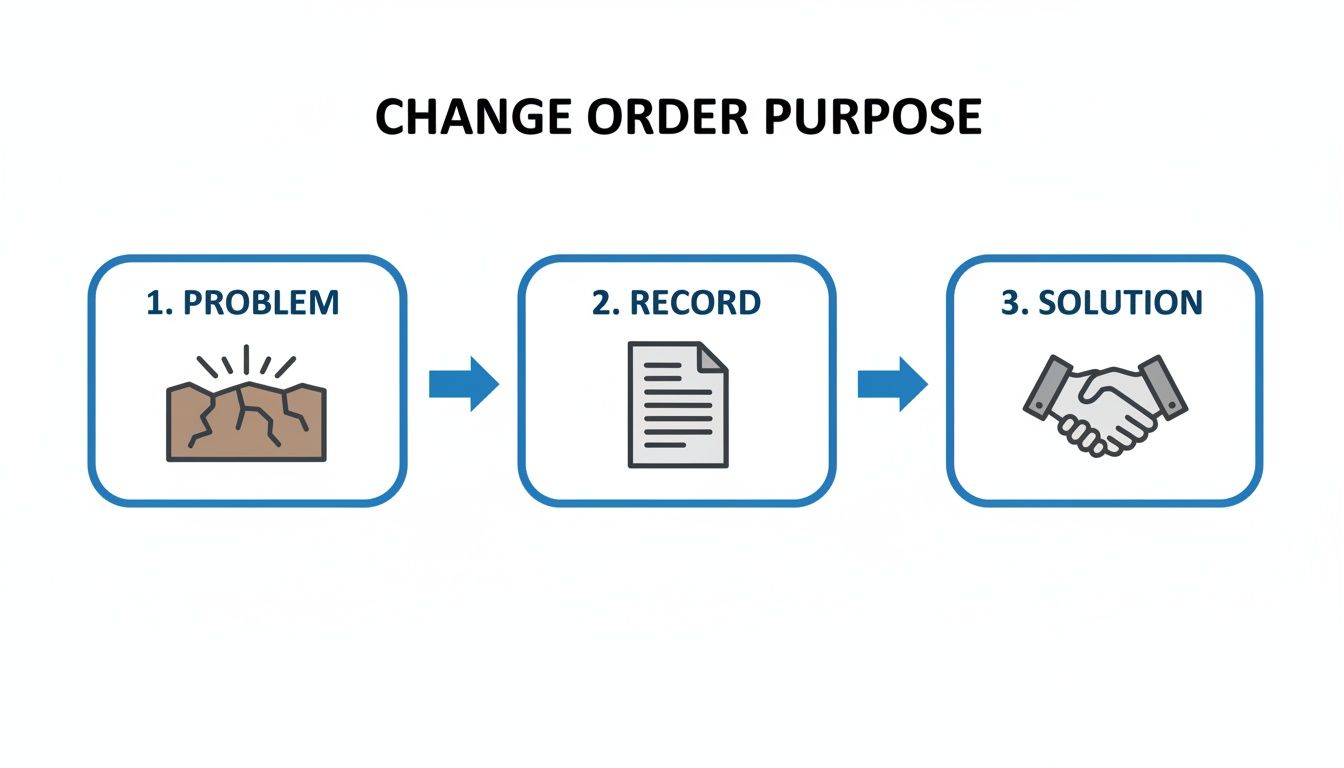
This simple diagram nails it: you identify a problem, you record it formally, and then you agree on a solution. That middle step—the documentation—is the bridge that makes everything else work.
So, How Does It All Start?
The change order journey begins the second something on-site deviates from the original plan. These triggers can come from anywhere. The owner might walk the site and suddenly want an extra window. The architect could issue a revised drawing.
But more often than not, it’s the classic "unforeseen conditions." A crew starts digging a trench and hits an undocumented utility line. A soil report comes back looking nothing like what was expected, forcing a foundation redesign. The key here is immediate recognition. Someone needs to raise their hand and say, "Hold on, what we're seeing in the field doesn't match the contract."
Drafting the Initial Request
Once a change is spotted, it's time to formalize it with a Change Order Request (COR). This isn't the final, approved change—it's the opening proposal. Usually, the contractor or subcontractor whose work is directly affected will put this together.
A solid COR is incredibly detailed. It needs to lay out exactly what the change is, why it’s necessary, and give a preliminary look at how it might impact the budget and schedule. Think of it as building your case. The more thorough you are now, the less friction you'll have later.
For that surprise utility line, a good COR would include:
- A precise description of where the pipe is and what it is.
- Site photos and marked-up plans showing the conflict.
- A clear statement that work in that spot is on hold until this is resolved.
A well-crafted COR is your first and best shot at justifying the change. If you're vague or leave out key details, you’re just inviting questions and delays. A detailed request with clear evidence gives the owner everything they need to make a quick, informed decision.
Getting Down to Brass Tacks: Cost and Time
With the COR submitted, the conversation turns to money and time. The contractor has to put together a detailed price proposal that breaks down every single associated cost. This is way more than just the price of a few new pipes; transparency is everything if you want to get paid fairly.
Your cost proposal needs to cover all the bases:
- Direct Costs: Labor, materials, equipment—the obvious stuff.
- Indirect Costs: Extra hours for the project manager, more site supervision, and general overhead.
- Markup: The contractually agreed-upon percentage for overhead and profit.
- Schedule Impact: A realistic estimate of the extra days needed.
This is often where the back-and-forth happens. The owner might push back on the labor hours, or the architect might suggest a cheaper way to do it. The only way to navigate this successfully is to have solid data backing up your numbers. It’s all about clear communication and a shared goal of finding a fair solution that keeps the project moving forward.
A Quick Look at the Process
To help visualize the flow, here's a table breaking down the typical lifecycle of a change order.
Key Stages of the Change Order Process
| Stage | Key Actions | Primary Responsible Party | Essential Document |
|---|---|---|---|
| 1. Identification | Discovering a deviation from the contract scope. Notifying relevant parties. | Anyone on the project team | Field Report, RFI |
| 2. Proposal | Detailing the scope, cause, and initial impact of the change. | Contractor/Subcontractor | Change Order Request (COR) |
| 3. Negotiation | Pricing the change, assessing schedule impact, and agreeing on terms. | Contractor & Owner/Architect | Detailed Cost Proposal |
| 4. Execution | Formalizing the agreement with a legally binding document. | Owner & Contractor | Signed Change Order (CO) |
| 5. Implementation | Performing the work and updating all project controls (schedule, budget). | Project Team | Updated Schedule, Budget |
This framework provides a clear roadmap, ensuring that no critical steps are missed along the way.
Making It Official: Executing the Change Order
Once everyone has agreed on the scope, cost, and time, it’s time to execute the formal Change Order (CO). This is the legally binding document that officially amends the original contract. It pulls in all the details hammered out during negotiations and becomes the single source of truth for the change.
The signature workflow here is absolutely critical. The CO needs to be signed by authorized people from all parties—usually the owner and the general contractor, and sometimes the architect. Until those signatures are on the document, the change is not approved. Starting work based on a verbal "go-ahead" is one of the most common and costly mistakes in this business. It’s a recipe for a payment dispute down the line.
Closing the Loop: Implementation and Record-Keeping
With a signed change order in hand, you can finally get to work. But implementation is more than just telling the crew to start. The change has to be woven into the fabric of the project management system.
The project manager needs to update the master schedule to reflect the new completion date. The accounting team has to adjust the project budget and set up cost codes to track the new expenses. This financial tracking is essential for knowing where the project’s profitability really stands.
Many firms are getting smarter about how they handle this paperwork. For instance, you can learn more about how to pull data from construction documents in our article on the topic. By ensuring the change is reflected in every project control system, you keep the entire team aligned and the project on a clear, well-documented path.
Getting to Know the Different Types of Change Orders
On any given job site, changes are inevitable. But not all changes are the same, and knowing how to classify them is the first real step in managing them properly. The type of change order you're dealing with sets the tone for the entire process—it determines the workflow, the urgency, and, of course, the financial hit to the project.
Think of them as different tools in your project management belt. Using the right one means you’re following the contract, managing everyone's expectations, and keeping the books clean. If you misclassify a change, you're just asking for confusion, payment disputes, and delays.
Additive Change Orders
This is the one you’ll see most often. An additive change order does exactly what it sounds like: it adds work to the original contract. This almost always means the contract price goes up, and you can usually expect the project schedule to get a little longer, too.
These changes can come from anywhere—the client, the architect, even your own team. A classic example is a homeowner who decides halfway through a kitchen remodel that they want to upgrade from standard laminate countertops to granite. That's a whole new ballgame. It means sourcing new materials, possibly bringing in different skilled labor, and adjusting both the budget and the timeline. All of that has to be captured in a formal additive change order.
Deductive Change Orders
On the flip side, a deductive change order is all about removing work from the original scope. When this happens, the contract price usually goes down. You’ll often see these pop up during value engineering or when a client needs to tighten the budget.
Imagine a commercial client who initially planned for custom-built shelving in their new office but later decides to go with a cheaper, off-the-shelf option to save money. You'd issue a deductive change order detailing the work being cut and calculating the credit back to the owner. Be warned, though—negotiating the value of that credit can get tricky. You have to fairly account for the materials, labor, and overhead that are no longer needed.
It's a common myth that deductive changes are simple. Accurately pricing work you aren't doing requires just as much detail as pricing new work. You have to make sure the credit is fair to both the owner and your company.
Construction Change Directives
Sometimes, a change is so critical you can’t afford to waste a single day negotiating the price. That’s when a Construction Change Directive (CCD) comes into play. A CCD is basically a direct order from the owner or architect telling you to get started on a change immediately, even if you haven't agreed on the final cost or time extension.
This tool is designed to keep the project moving while the dollars and cents get sorted out. For instance, if you uncover an unexpected structural issue that’s a safety hazard, the owner will likely issue a CCD to get the remediation work started right away. You’re contractually obligated to do the work and track every single cost meticulously. Those costs are then reconciled later and rolled into a formal change order. CCDs come with risk, so bulletproof cost tracking is an absolute must.
Zero-Cost Change Orders
Not every tweak to the plan impacts the schedule or the budget. A zero-cost change order is what you use to document a change that has no financial or time impact but is still a deviation from the original drawings. This could be something as simple as swapping one material for an equally priced, readily available alternative because of a supply chain hiccup.
Even though no money is changing hands, writing this down is still incredibly important. It keeps the as-built records accurate and protects you from any future claims that you didn't stick to the specs. It’s simply a formal nod from both parties that a minor pivot was made and agreed upon.
The wider economic climate can have a huge impact on how often you see certain types of change orders. When times are tough, for example, you can bet you'll see more deductive change orders as clients try to trim costs. At one point, global construction activity took a major hit, with the sector forecast to shrink by 2.4 percent due to tariffs and a weak real estate market. This meant change order patterns looked very different across residential, commercial, and infrastructure projects, as each was dealing with its own set of pressures. You can dig deeper into these global construction trends in this report from Oxford Economics.
7 Common Change Order Mistakes (And How to Avoid Them)
Even the most buttoned-up project managers can get tripped up by the change order process. It's a minefield of potential conflicts. One small misstep can easily snowball into a major dispute, blowing up your schedule and your budget. The fastest way to protect your projects is to learn from the mistakes others have made.
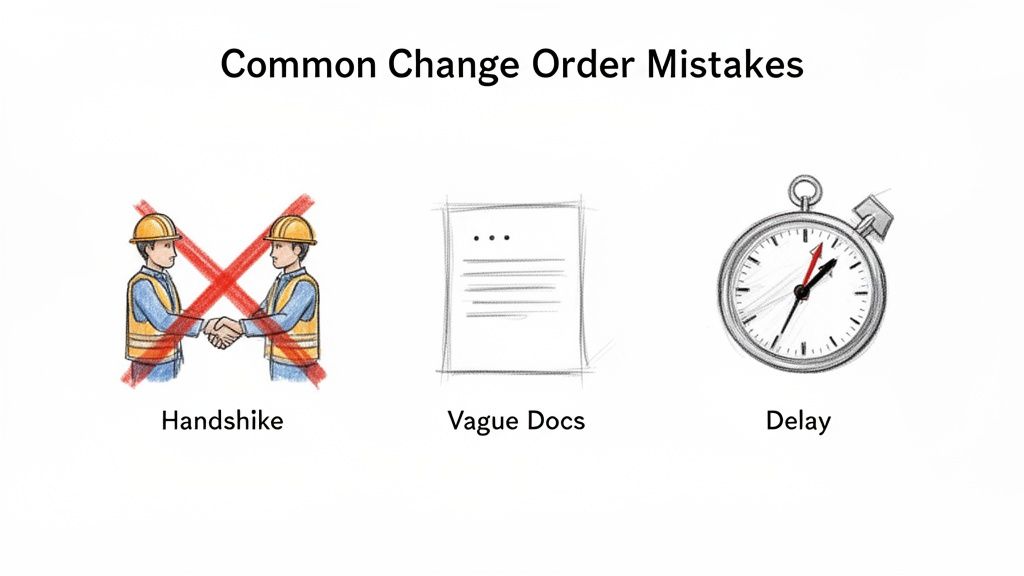
Often, the most dangerous pitfalls look harmless at first—a quick verbal agreement to keep things moving or a loosely written scope to save time. But these are the shortcuts where profits go to die and relationships turn sour.
Relying on Handshake Deals
This is the classic mistake, and it’s a big one: proceeding with work based on a verbal agreement. You’ve probably heard it before from an owner trying to avoid a delay: "Just get it done, we'll figure out the paperwork later." This should set off alarm bells.
When your invoice for that work lands on their desk weeks later, their memory of the conversation might be conveniently different. Without a signed document, you have absolutely no contractual ground to stand on. You're left in a costly "he said, she said" battle you’re unlikely to win.
How to avoid it:
- Never, ever start work without a signature. This needs to be a non-negotiable policy for your entire team.
- If work has to begin immediately, use a Construction Change Directive (CCD). This gives you formal instruction to proceed while the final price is being negotiated, offering crucial legal cover.
Submitting Vague Documentation
A close second is turning in a change order request that’s incomplete or poorly detailed. A COR that just says "Additional electrical work in Room 201" with a single lump-sum cost is an invitation for a fight. It leaves way too much room for interpretation.
The client or architect will immediately start questioning what’s included (and what’s not), leading to a frustrating back-and-forth that grinds the whole process to a halt. Remember, clear documentation gets you paid faster.
Your change order paperwork needs to tell a complete, undeniable story. It must clearly explain what changed, why it changed, and exactly how that change hits the project's cost and schedule. Ambiguity is the enemy of timely payment.
The fix? Get meticulous with your details. Break down costs into labor hours, material quantities, and equipment usage. Attach marked-up drawings, photos from the site, and any relevant RFIs or emails. You need to build a case that’s impossible to argue with.
Tolerating Processing Delays
A change order sitting on someone’s desk for weeks can be just as damaging as bad paperwork. These delays can create serious cash flow problems, especially for subcontractors who have already paid for the materials and labor out of pocket.
Progress on-site comes to a standstill, and the frustration strains relationships between the GC, subs, and the owner. A stalled change order becomes a bottleneck that messes with the entire project schedule and kills morale. You have to be proactive.
Tips for preventing delays:
- Establish clear timelines in the contract for how long the owner has to review and approve change orders.
- Keep a live change order log to track the status of every single request in real-time.
- Schedule regular follow-ups with the project owner or architect to keep things moving. Don't let it fall off their radar.
Starting with Inaccurate Estimates
Let's be honest, a lot of change orders are born from a shaky original estimate. If the initial bid was rushed or based on incomplete plans, you're practically guaranteed to face scope gaps that turn into change orders later. A huge number of changes stem from these initial inaccuracies.
Fortunately, modern tools can help you avoid this pitfall. Using powerful construction estimating software from the start can dramatically improve your planning and cut down on the need for costly adjustments down the line.
Avoiding these common mistakes isn't about adding more red tape. It’s about being disciplined and proactive. By insisting on written approvals, providing bulletproof documentation, and actively managing the workflow, you protect your profits and keep your projects on track.
Let Automation Handle Your Change Order Workflow
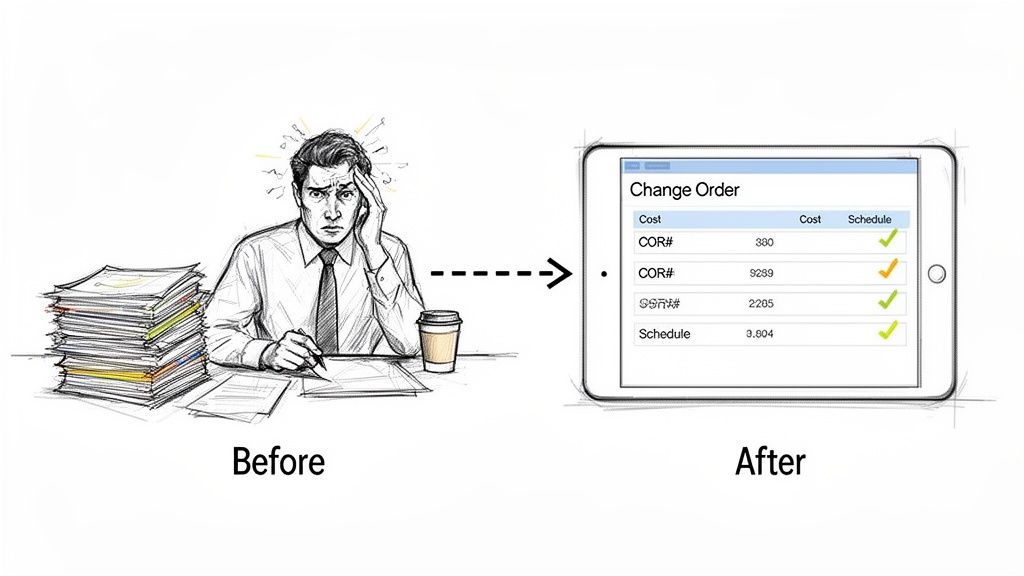
Let's be honest: the administrative side of change orders can be a soul-crushing bottleneck. If you're a project accountant or manager, you know the drill. Printing PDFs, manually punching numbers into accounting software, and then chasing people down for signatures. It’s a grind.
This manual process isn't just slow; it's a minefield for human error. A single typo in a cost code or a missed line item can wreak havoc on your financial reports. Suddenly, payments are delayed, and you're staring at a completely skewed picture of your project's profitability. A workflow that should take minutes ends up stretching across days.
How Document Parsing Clears the Logjam
This is where automation steps in to solve a problem as old as construction itself. Think of automated document parsing tools as a hyper-efficient assistant who can read and understand all your change order paperwork instantly.
Imagine you just received a change order PDF from a subcontractor. Instead of you squinting at the screen to find and re-type everything, the software intelligently spots and pulls out the key details you need. This is way beyond simple text recognition—it's about understanding context.
You can set these tools to grab specific information, like:
- The Change Order Request (COR) number
- Project name and number
- Subcontractor information
- Detailed cost breakdowns for labor, materials, and equipment
- Any impact on the project schedule
The tool then neatly organizes this information into a structured format, like a spreadsheet, all set for a one-click import into your project management or accounting system. Just like that, the entire manual data entry step is gone, and so is the risk of expensive mistakes.
A Real-World Automation Scenario
Picture this: It's Tuesday morning, and ten change orders from different subs just landed in your inbox. In the old days, that meant your entire day was shot—a blur of tedious, error-prone data entry just to get the information logged for review.
But with an automated workflow, the game changes completely. The accountant simply drags and drops all ten PDFs into a document parsing platform. Before their coffee even gets cold, the system has chewed through every single document. It has accurately pulled all the cost codes, totals, and schedule adjustments, laying them out in a clean, consolidated dashboard.
Turning messy documents into structured data in minutes is the key to real-time budget tracking. Project managers can finally see the financial impact of changes as they happen, not weeks later after the paperwork slog is finally over.
This kind of efficiency is a lifesaver, especially for firms juggling projects in different regions. Construction spending can vary wildly from one market to another, with some areas booming while others slow down. This creates a documentation headache for national or global firms, but automated parsing helps consolidate that data effortlessly. For more on these market dynamics, check out this global construction monitor.
The time you get back allows your team to focus on work that actually matters, like spotting cost trends or flagging potential budget overruns before they become big problems. You can even take it a step further. Tools like a legal AI assistant can help automate the review of tricky contractual clauses in the change orders themselves.
Ready to make this happen? Our guide on effective document processing strategies is a great place to start. Shifting from data entry to data analysis is what separates the firms that get by from the ones that get ahead.
Answering Your Top Change Order Questions
Out on the job site, the same questions about change orders pop up time and time again. Getting a handle on these is crucial for keeping a project on track and avoiding some serious headaches down the line. Let’s break down the most common ones with some straight-to-the-point answers you can actually use.
What Is the Real Difference Between a COR and a CO?
I see people get these two mixed up all the time, but the difference is huge and has real financial consequences.
Think of a Change Order Request (COR) as the proposal. It’s the official heads-up from the contractor to the owner saying, "Hey, something's changed, and here’s what it will take to deal with it." This document spells out the new scope, why it’s needed, and gives a preliminary estimate for the cost and schedule impact.
A Change Order (CO), on the other hand, is the finish line. It’s the final, signed-off document that legally modifies the original contract. It means everyone agrees. Never, ever start work based on a COR. The signed CO is your green light—it's the only thing that ensures you’ll get paid for that extra work.
Who Is Responsible for Paying for a Change?
This is the big one, isn't it? The answer almost always comes down to why the change was needed in the first place. Generally, it falls into one of three buckets:
- The Owner: If the owner decides they want upgraded finishes halfway through the project or asks to add a new feature, that's on them. Their request, their cost.
- The Contractor: If the change is necessary because of our own mistake—say, we installed the wrong windows or didn't follow the plans—then we have to eat that cost. It's on us to fix it.
- No One (or Shared): This is the tricky one. Sometimes you hit unforeseen site conditions, like a layer of rock nobody knew was there, or you find a major error in the architect’s drawings. These situations often turn into a negotiation. Your contract should have a clause for this, but it can sometimes end up being a shared cost.
The rule of thumb is pretty simple: whoever caused the deviation from the original plan is usually on the hook for the cost. This is exactly why meticulous, daily documentation is your best friend. It’s your proof.
How Can We Minimize Change Orders in the First Place?
Look, some changes are just part of the game. But you can definitely cut down on the number of them by being incredibly thorough before you ever break ground.
The best defense is a rock-solid pre-construction phase. Get the owner, architects, engineers, and your key subs in a room and pore over the plans until everyone’s eyes hurt. This is your chance to spot conflicts, ask questions about vague details, and make sure everyone is on the exact same page about the scope. A little extra time spent here saves a mountain of paperwork and pain later.
What Should I Do When an Owner Disputes a Change Order?
It's going to happen. When an owner pushes back, the worst thing you can do is get emotional. Stay calm and go straight to your documentation.
Lay out the signed COR, your daily reports from the days in question, any relevant photos or videos from the site, and the email chain that started it all. Walk them through your detailed cost breakdown again, line by line, so they see exactly how you got to your number. If they still won't budge, it's time to pull out the contract and look at the dispute resolution clause. It will tell you the next steps, which could be mediation or arbitration. Just keep it professional and stick to the facts you’ve been documenting all along.
Stop burning hours manually typing in data from change orders and invoices. DocParseMagic can intelligently pull the key information you need from any construction document—PDFs, scans, you name it—and drop it into a clean spreadsheet in minutes. Give the free trial a shot and see the difference it makes. Learn more at docparsemagic.com.