A Practical Guide to Modern Document Processing Workflows
Think about the stacks of paper—invoices, contracts, purchase orders, reports—that flow through your business every single day. If you're like most companies, someone is probably still typing that information by hand into a spreadsheet or system. Document processing is simply a better way. It’s about teaching computers to read, understand, and organize that information for you, automatically.
It's the difference between manually logging every expense from a receipt and just taking a picture of it with your phone, letting an app do the rest.
Why Document Processing Matters Now More Than Ever
In any business, documents are where the action is. They hold the critical data that drives everything from paying your suppliers and closing sales to onboarding new hires. But when you handle them the old-fashioned way, you create a massive bottleneck. It’s slow, it’s expensive, and frankly, it’s a breeding ground for human error.
The real issue is that manual data entry just doesn't scale. As your business grows, the paperwork piles up, and suddenly you're facing frustrating delays, costly mistakes, and a team bogged down in grunt work. This isn’t just inefficient; it’s a competitive disadvantage.
The True Cost of Inefficient Workflows
Handling documents by hand is more than just a headache—it's a genuine operational drag. For departments in accounting, insurance, or procurement, the cost of manually processing every invoice or claim is becoming impossible to justify. This is a core challenge that sits at the heart of Business Process Automation (BPA), which is all about finding smarter ways to get work done.
The real challenge isn't just the sheer volume of documents. It’s about the valuable information trapped inside them. Modern document processing is designed to unlock that value, fast.
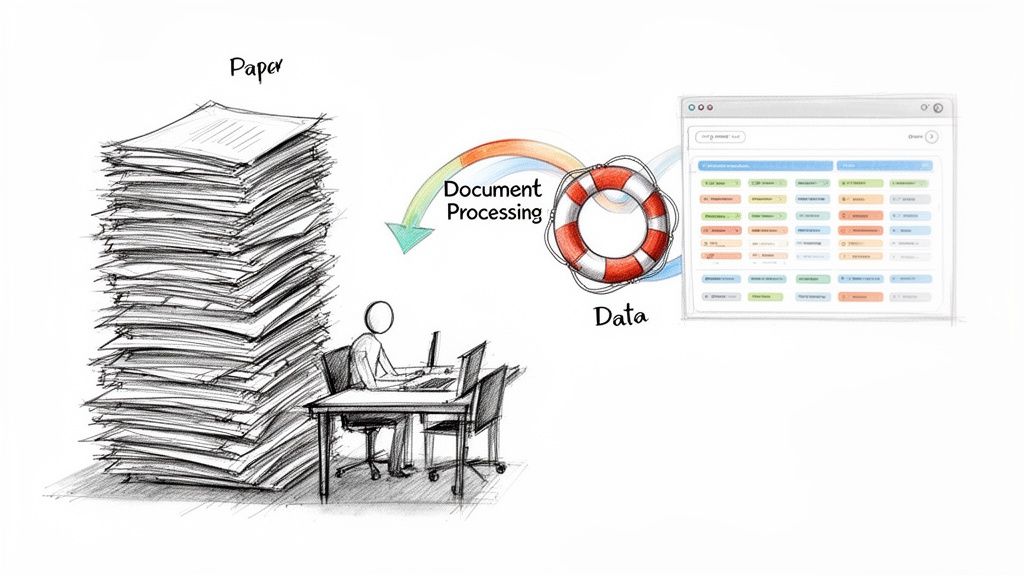
The market trends tell the same story. The intelligent document processing (IDP) space was valued at $2.30 billion and is expected to rocket to $12.35 billion by 2030. That's an astonishing annual growth rate of 33.1%. This explosion isn't happening by accident; it’s a direct response to the flood of unstructured data and the urgent need for smarter, more cost-effective automation.
To see just how different the two approaches are, let's break it down side-by-side.
Manual vs Automated Document Processing
| Metric | Manual Processing | Automated Processing |
|---|---|---|
| Speed | Slow; days or weeks per document | Fast; minutes or seconds per document |
| Accuracy | Prone to human error (typos, misinterpretation) | High; over 99% accuracy is achievable |
| Cost | High labor costs, plus costs of fixing errors | Low operational cost, pay-per-use models |
| Scalability | Poor; requires hiring more people to handle volume | Excellent; handles massive spikes without new hires |
| Employee Focus | Tedious, low-value data entry | Strategic analysis and problem-solving |
| Data Accessibility | Locked in paper or siloed digital files | Centralized, searchable, and instantly available |
This table makes it clear: sticking with manual processes is no longer a viable option for a growing business.
From Manual Drudgery to Strategic Advantage
Automating your document workflows changes the entire game. What was once a costly, time-consuming chore becomes a source of real efficiency and business intelligence.
Here’s what that looks like in practice:
- Warp Speed: Approving a batch of invoices, which used to take a week, can now be done in an afternoon.
- Bulletproof Accuracy: AI-powered systems don't get tired or make typos, drastically reducing costly mistakes.
- Empowered Teams: Your staff can stop mind-numbing copy-paste work and focus on what they were hired for—analysis, customer relationships, and strategic thinking.
Ultimately, adopting modern document processing isn’t just about catching up. It’s about building a smarter, faster, and more resilient company that’s ready for whatever comes next.
The Technologies Powering Smart Document Automation
So, how does a scanned invoice or a PDF contract actually become useful, structured data? To really get it, we need to peek under the hood at the core technologies that make modern document processing tick. Think of them as a highly specialized team, working together to bring order to your document chaos. This goes way beyond just making a digital copy of a paper file.
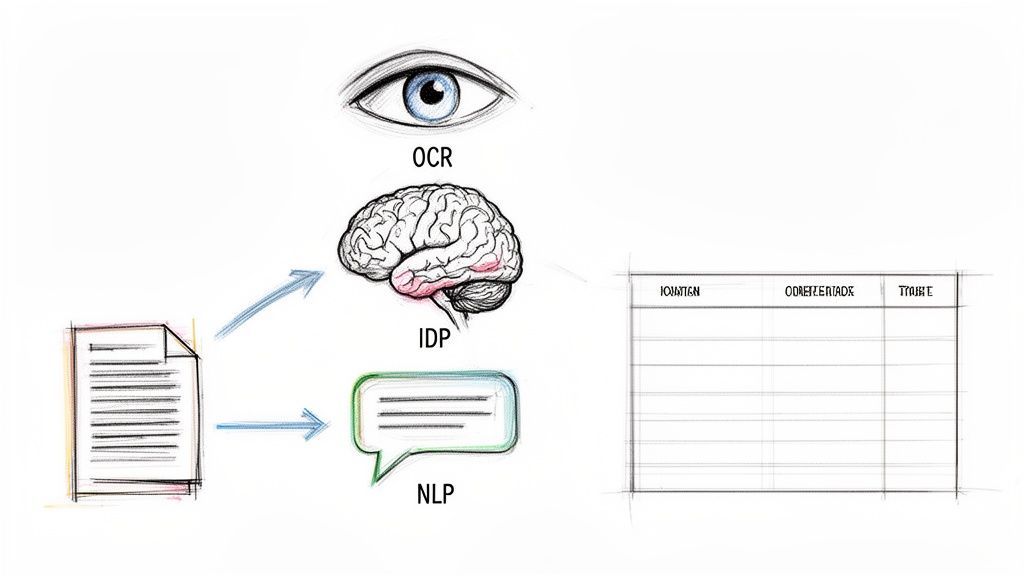
It all starts with a foundational technology called Optical Character Recognition (OCR). In the simplest terms, OCR gives a computer “eyes.” It scans an image of a document—whether it’s a crisp PDF or a quick photo from your phone—and recognizes the letters, numbers, and words on the page. Ever taken a picture of a business card and had your phone pull the contact info right out? That’s OCR at work.
But on its own, basic OCR is a bit like a digital photocopier. It can read the text, but it has no clue what any of it means. It sees "INV-12345" and "April 10, 2024," but it doesn’t know one is an invoice number and the other is a date. For any real automation, we need more smarts.
Going Beyond Just Reading With Intelligent Document Processing
This is where Intelligent Document Processing (IDP) comes into play. If OCR provides the eyes, IDP is the brain. It takes the raw text that OCR spits out and starts to understand the context and meaning behind it. IDP is what allows the system to see a string of numbers next to the words "Invoice #" and know, without a doubt, that this is the invoice number. It can find the total amount due, even if it’s in a different spot on every single document.
The magic of IDP is that it uses machine learning to find and pull out specific bits of data without needing a rigid template. This is a massive leap forward. Older systems forced you to manually build a template for every single invoice layout you received. The moment a supplier tweaked their design, your template would break, and it was back to the drawing board. IDP gets rid of that headache, learning and adapting to variations as it goes. You can dive deeper into how this all works in our guide on what Intelligent Document Processing is.
In a nutshell, IDP doesn't just read words; it understands concepts. It knows the difference between a "shipping address" and a "billing address" and can label the data it extracts correctly for your other business systems.
Understanding Language and Intent
The final piece of this powerful trio is Natural Language Processing (NLP). This is a branch of AI that gives computers the ability to make sense of human language the way we actually write and speak it. When it comes to processing documents, NLP is crucial for interpreting the unstructured parts—things like the detailed descriptions in line items, the complex clauses in a legal contract, or the body of an email.
Here’s a quick breakdown of how they all work in concert:
- First, OCR scans the document and turns the image into text a computer can read.
- Next, IDP analyzes that text, finding and structuring the key data points like names, dates, and dollar amounts.
- Finally, NLP dives into the messy, unstructured text to figure out meaning, intent, and the relationships between words.
Of course, once you have all this neatly processed data, you need a safe and organized place to keep it. This is where robust document management software becomes essential, helping you stay compliant while making sure your data is secure and easy to find.
Together, these technologies take a static document and turn it into a dynamic, structured set of data. It’s a seamless flow from seeing pixels on a page to understanding their purpose, transforming what was once a slow, error-prone manual task into a fast and accurate automated workflow.
How Document Processing Actually Works in the Real World
Alright, let's move past the technical jargon and talk about what this stuff actually does. The real magic of document processing isn't the technology itself—it’s how it solves frustrating, expensive problems that businesses face every single day. It's about turning mind-numbing manual work into a source of speed and insight.
Think about the real people stuck in these workflows. Picture an accountant drowning in a mountain of vendor invoices at the end of the month. Or an insurance agent squinting at a screen, manually typing policy details from dozens of different forms. These are the moments where automation stops being a buzzword and starts being a lifesaver.
In each of these examples, you’ll see a clear "before and after." We'll look at how a smart system tackles specific business headaches, freeing up people to do work that actually requires a brain.
A New Reality for Accounting and Finance
In any accounting department, the accounts payable (AP) process is usually ground zero for manual data entry. It’s not uncommon for a finance team to spend 40% or more of its time just wrestling with invoices. This isn't just inefficient; it’s a soul-crushing waste of talent that could be spent on strategic financial analysis.
Let’s paint a picture of the "before" state. Meet Sarah, an AP clerk. Her week is a blur of:
- Opening hundreds of PDF invoices one by one from an overflowing email inbox.
- Manually keying in invoice numbers, dates, line items, and totals into the accounting software.
- Painstakingly trying to match each invoice to the right purchase order.
This is a recipe for disaster. It's tedious, slow, and a single typo can cause a costly duplicate payment or tick off a key supplier with a late one.
Now, let's look at the "after" picture with a modern document processing tool. Sarah’s workflow is completely transformed. She drags a whole batch of invoices into the system and lets it run. The platform reads everything, pulls out the data, matches invoices to POs, and just flags the few exceptions that need her attention. She’s no longer a data entry clerk; she’s a financial controller.
Transforming Insurance and Policy Management
The insurance world is built on a mountain of documents. Policies, claims forms, and medical records are dense, complex, and packed with critical information that’s rarely organized in a neat, tidy way. An agent's entire job hinges on how fast they can find and understand the right details.
Imagine an agent trying to set up a new auto insurance policy. The old way involved manually scanning a multi-page application, hunting for the VIN, coverage limits, and driver history. The risk of misreading something or fat-fingering a number is huge, and a small mistake can lead to massive problems for both the client and the company.
With automation, the process is a breeze. The agent just uploads the scanned application. In seconds, the system identifies and yanks out every key piece of information, dropping it right into the policy management software. The agent can then get a quote and bind the policy in minutes, not hours. It’s a game-changer for customer experience.
The real wins here are speed and accuracy. By killing the manual search-and-peck routine, insurers can slash processing times by up to 80%. That means they can write more business and handle claims faster when it matters most.
Gaining an Edge in Procurement, Manufacturing, and Lending
This isn't just for finance and insurance, either. Any industry drowning in paperwork can see huge benefits.
- Procurement: A sourcing manager needs to compare bids from a dozen vendors, all in different formats. Instead of building a spreadsheet by hand, they can let a platform pull the pricing and terms automatically. Suddenly, they can make smarter purchasing decisions in a fraction of the time.
- Manufacturing: A sales team for a manufacturer's rep gets commission statements from 30 different companies, each with its own crazy layout. Automation can extract the sales data from every single one, standardizing it so reps get paid accurately and on time, without anyone having to pull their hair out.
- Lending: A loan officer has to verify a borrower's income from bank statements. An intelligent system can scan the statements, find the deposits, and calculate the monthly average—all automatically. This shaves days off the loan underwriting process.
This shift is happening everywhere. While North America is currently the biggest market, the Asia-Pacific region is catching up fast, showing a global trend toward fixing these broken, old-school processes. If you want to dive deeper into the market trends, Fortune Business Insights has a great analysis of the intelligent document processing market.
At the end of the day, these stories show that document processing isn't just some abstract tech concept. It’s a practical solution to very real business problems, delivering results you can measure and freeing up your best people to do their best work.
A Practical Framework for Implementing Document Processing
Jumping into an automated system can feel like a massive undertaking, but modern tools have made it much less intimidating than you might think. Forget the old days of complex, code-heavy projects that required a team of developers. Today, you can follow a simple, clear framework to get started.
This roadmap breaks the whole process down into a few manageable steps. The goal is to get you from theory to action, helping you score a quick win and build momentum for automating even more.
Start with a Single, High-Impact Workflow
The biggest mistake I see people make is trying to automate everything at once. It’s a recipe for frustration. Instead, focus on one specific, painful process.
A great candidate for your first project is usually a workflow that’s high-volume, mind-numbingly repetitive, and prone to human error. For most businesses, that’s accounts payable, hands down.
Why start with invoices?
- High Volume: Most companies deal with a constant stream of invoices, giving you plenty of documents to work with right away.
- Standardized(ish) Data: While the layouts can be all over the place, the core information you need—invoice number, date, total amount, line items—is almost always there somewhere.
- Clear ROI: The time saved and errors avoided by automating invoice processing are immediate and incredibly easy to measure.
Once you’ve picked your workflow, you need to decide what a "win" looks like. What specific pieces of information do you absolutely have to pull from each document for the process to be a success?
Identify Your Critical Data Points
Before you even think about looking at software, get crystal clear on your data needs. If you’re starting with accounts payable, your list of essential data fields might be something like this:
- Invoice Number
- Invoice Date
- Vendor Name
- Total Amount
- Purchase Order (PO) Number
- Individual Line Item Descriptions
- Quantity and Unit Price for Each Line Item
This list is your blueprint. It's the set of instructions you'll give the document processing platform, telling it exactly what to look for. The beauty of modern AI-driven systems is that you don't need to worry about where on the page this information is. You just tell the system what to find.
It's like giving a shopping list to a personal shopper. You don't tell them which aisle to walk down; you just tell them you need milk, bread, and eggs. The AI figures out where to find everything on its own.
With your workflow chosen and data points defined, it’s time to gather your raw materials. Collect a small but diverse batch of sample documents—around 10 to 15 is a great starting point. Make sure they come from different vendors with different layouts to see how well the system handles real-world variety. For a deeper look at setting up these processes, check out our guide to document workflow automation.
This flow diagram shows how data from different industries is unlocked to drive real results.
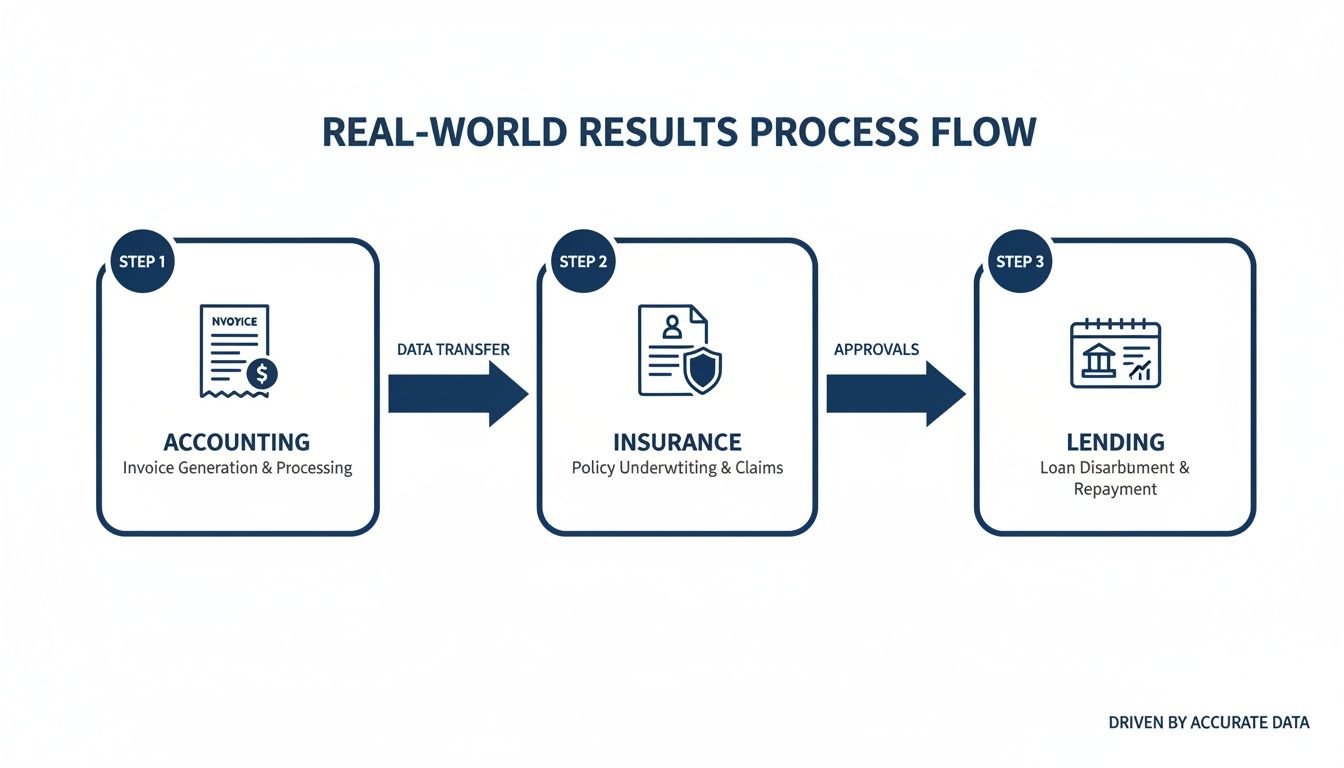
As you can see, it doesn't matter if it's an invoice, an insurance policy, or a bank statement. The end game is always the same: turn messy, unstructured documents into clean, structured data that helps you make faster, smarter business decisions.
Embrace the No-Code Revolution
Not too long ago, setting up this kind of automation was a major IT project. It meant developers writing custom code and building rigid templates for every single document variation. If a supplier changed their invoice format even slightly, the template would break, and you’d have to get the developers back on the phone. It was slow, expensive, and fragile.
Thankfully, no-code platforms like DocParseMagic have completely changed the game. You don't need templates. You don't need to know how to code.
Here’s the modern, much simpler process:
- Upload Your Samples: Just drag and drop your collection of sample invoices into the platform.
- Point and Click: On the first document, you simply highlight the data you want to extract and give it a name (like "Invoice Number").
- Let AI Do the Rest: The AI learns from that one example. It then automatically finds and extracts the same data points from all the other documents you uploaded, no matter how different their layouts are.
This simple, intuitive approach puts powerful automation technology into the hands of the people who actually do the work—the accountants, the operations managers, and the insurance agents. You can get started in minutes, not months.
Of course. Here is the rewritten section with a more natural, human-written tone, following all your specified requirements.
Navigating the Real-World Mess of Document Automation
Let's be real for a moment. Bringing in any new tech has its share of "Aha!" moments and "Uh-oh" moments, and document processing is no different. The potential is huge, absolutely, but you’ll run into a few hurdles. The good news? The most common challenges are exactly what modern platforms are designed to solve, turning potential showstoppers into minor speed bumps.
Because let's face it, your documents aren't always going to be pristine, perfectly aligned PDFs. The real world is messy. You get blurry scans from the field, photos of receipts snapped at a weird angle, and a dozen different invoice layouts from a dozen different vendors. Older systems would choke on that kind of variety, but today's AI is built for it.
The point here isn't to gloss over the problems. It’s to show you just how solvable they are, so you can feel confident that this technology can handle the unique chaos of your business.
Tackling Poor Document Quality
One of the first things people worry about is the quality of the documents themselves. What happens when you get a scanned invoice that’s a little crooked? Or a photo of a purchase order with a shadow right across the total?
This is where the magic happens behind the scenes. Modern document processing tools have built-in cleanup crews that work automatically:
- AI-Powered Image Enhancement: Before the system even attempts to read the text, it preps the image. It can instantly straighten skewed pages, lighten up dark spots, and boost the contrast, making the text crisp and clear for the OCR engine.
- Handwriting and Grainy Scans: Let's not forget handwritten notes on a work order or text from a grainy, old scan. Advanced AI models have been trained on millions of examples, so they can decipher handwriting and pull text from low-quality images that would have been impossible just a few years ago.
All of this pre-processing happens in the blink of an eye, ensuring that even your less-than-perfect documents get processed with a high degree of accuracy.
Handling Wildly Inconsistent Document Layouts
Another classic headache, especially for anyone in accounts payable, is the sheer variety of document designs. Every supplier has its own idea of what an invoice should look like. One puts the invoice number in the top right corner, another tucks it away at the bottom left next to the tax ID.
This is where the leap from rigid, template-based systems to "template-free" AI really changes the game. Instead of needing a specific map for every single vendor's layout, modern AI thinks in terms of concepts. It understands what an "invoice number" is, so it can find it no matter where it’s hiding on the page.
This flexibility is a lifesaver. It means you aren't constantly building and updating templates or calling IT for help every time a supplier redesigns their bill. The system just gets it. This is one of the biggest reasons businesses are finally moving on from older, brittle, rule-based automation.
Making Sure the Data is Accurate and Secure
Speed and flexibility don't mean much if the data is wrong or your information gets compromised. When you're working with sensitive financial records or customer data, you have to be 100% certain everything is correct and handled securely.
Today’s platforms have this covered from a few different angles:
- Confidence Scoring: The AI is smart enough to know when it's not sure about something. For every piece of data it pulls, it assigns a confidence score. If a number is smudged and the system is only 70% sure it read it right, it can automatically flag that field for a quick human check. This "human-in-the-loop" approach is the perfect blend: full automation for the clear-cut stuff, with a human safety net for anything questionable.
- Rock-Solid Security: Protecting your data is table stakes. Leading platforms use end-to-end encryption, which means your documents are locked down and secure whether they're being uploaded or just sitting in the system.
- Staying Compliant: Reputable providers build their platforms to meet major data privacy regulations like GDPR and HIPAA. This ensures your workflows are not just efficient but also fully compliant with strict legal and industry rules.
These features act as essential guardrails, giving you the peace of mind that your automated processes are fast, smart, and safe.
How to Measure the ROI of Your Automation Efforts
Bringing in an automation tool isn’t just about getting new tech; it’s a business decision that needs to pay for itself. To get your leadership team on board, you have to move past saying "it'll save time" and start talking about the actual financial return.Calculating your return on investment (ROI) provides the hard numbers to justify the initial cost and prove the project was a success down the road. It’s like a financial check-up for your new, improved workflow.
Key Metrics to Track for Document Processing
To really see the difference automation makes, you have to measure the right things. Start by tracking a few key performance indicators (KPIs) that show a clear before-and-after picture of your process.
Here are the most important metrics to keep an eye on:
- Cost Per Document Processed: This is your bottom-line number. Figure out the total cost of your old manual process—that means employee salaries, hours spent, and the cost of fixing errors—and divide it by the number of documents you handled. Then, compare that to the much lower cost per document with the automated system.
- Data Entry Error Rate: We all know manual data entry leads to mistakes. Track the percentage of documents that need to be corrected after they've been processed. With automation, you should see this number drop dramatically, often by over 95%, which cuts out all the expensive follow-up work.
- Cycle Time Per Document: How long does it really take to get a single invoice from the inbox to fully approved? Measure this in hours or, more likely, days. Automation can take a process that used to drag on for a week and shrink it to just a few hours.
A Simple Framework for Calculating Your ROI
Once you have these core numbers, calculating your ROI is pretty straightforward. It’s all about turning benefits like “faster processing” into a dollar figure.
ROI isn't just about cutting costs. It's about creating value. It shows you how much more effective your team is now that they've traded mind-numbing data entry for strategic work that actually pushes the business forward.
Let’s say you discover that automation frees up your accounts payable team from 20 hours of manual invoice work every week. You can put a price on that. If your AP clerk's loaded hourly rate is $25, that’s a direct labor savings of $2,000 per month. That figure alone is often enough to pay for the software. Our guide on automating data entry walks through more of these calculations.
In the end, these metrics tell a story. They prove that better document processing isn't just an operational tweak—it helps you close the books faster, improve relationships with suppliers by paying them on time, and lets your team finally focus on what really matters.
Frequently Asked Questions About Document Processing
As you dig into document processing, you’re bound to have some questions. It’s a big topic, and it helps to get straight answers on what modern tools can actually do versus the older tech you might be used to. Let's tackle a few of the most common ones.
How Is This Different From Basic OCR Software?
This is a great question because it gets right to the heart of the matter. Think of basic Optical Character Recognition (OCR) as a simple digitizer. It looks at a document and turns the image of the words into a plain text file. It's useful, but it has zero understanding of what that text actually means.
Intelligent document processing is the next level up—it adds a brain to the OCR. It doesn’t just see the characters "INV-54321"; it understands that’s an invoice number. This layer of context and understanding is what allows the system to pull out specific pieces of data and label them correctly, making the information ready to use in your other business software.
Do I Need a Template for Every Document Type?
With the old way of doing things, you absolutely did. You had to create a rigid template for every single vendor invoice or form. The second a supplier changed their layout, even just a little bit, the template would break and you’d be back to square one, manually fixing things. It was a headache.
Thankfully, modern AI-powered platforms are template-free. They learn to find information the same way a person does—by understanding the context. They know what an invoice number or a subtotal looks like, no matter where it appears on the page. This flexibility means they can handle all the different document layouts you get without constant manual intervention.
Key Takeaway: The real magic of template-free AI is its adaptability. It was built for the real world, where documents come in hundreds of messy, unpredictable formats.
How Secure Is My Data?
Security is non-negotiable, especially when you’re dealing with financial records or sensitive customer details. Any credible document processing platform will be built on a foundation of strong security protocols, like end-to-end encryption, to protect your data from the moment you upload it to the time it’s stored.
Beyond that, top-tier providers make sure their systems are compliant with major data privacy laws like GDPR and HIPAA. This means you can be confident that you’re not just building a more efficient workflow, but a fully compliant one, too.
Ready to stop wrestling with manual data entry? DocParseMagic turns your messy documents into clean, structured data in minutes. Get started for free today and see how easy document processing can be.