What Are Line Items? A Quick Guide for Invoices (what are line items)
Think about the last time you went to the grocery store. The receipt doesn't just show the total you paid; it lists everything you bought: 'Milk, $3.50,' 'Bread, $2.75,' 'Apples, $4.10.' Each of those entries is a line item.
That’s exactly how they work in business. On an invoice, a purchase order, or a quote, line items are the individual entries that detail every single product or service being bought or sold. They turn a vague total into a specific, understandable list.
Deconstructing the Details in Your Documents
A line item’s job is to break down a total cost into its smaller, more manageable parts. This gives you a crystal-clear, itemized view of any transaction. Instead of a single, mysterious number, you get a detailed list explaining precisely what you're paying for.
Without line items, an invoice is just a summary. Imagine getting a bill from a contractor for $10,000. What is that for? Is it for materials? Labor? Subcontractor fees? You have no way of knowing.
Now, imagine that same invoice with line items: 50 hours of electrical work, 25 sheets of drywall, 10 gallons of paint. Suddenly, you have a complete story. You have the context you need to verify charges, track inventory, and make smart financial decisions.
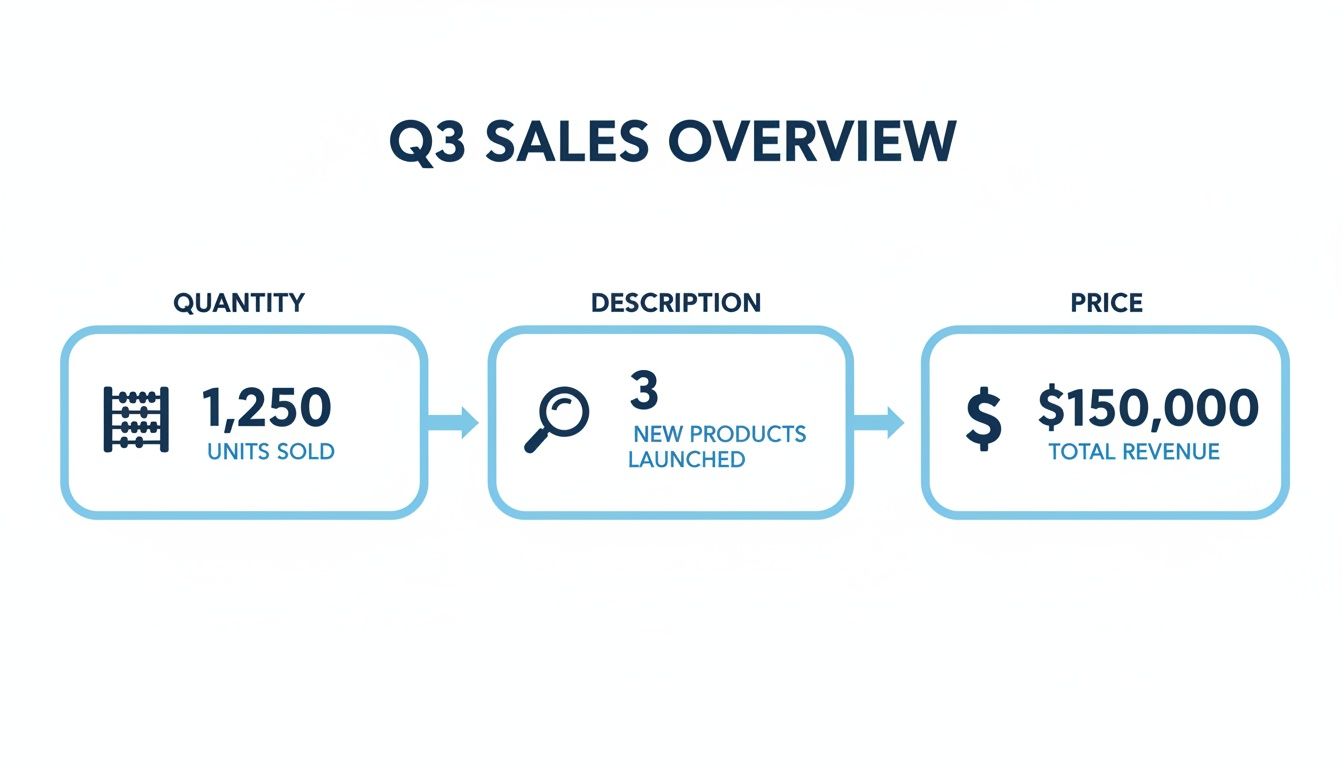
Each piece of information—the description, the quantity, the price—works together to paint a full picture of the transaction.
Anatomy of a Typical Line Item
So, what makes up a line item? While the format can vary, a few core components are almost always present. Understanding these basic fields is the first step to unlocking the power of your financial documents. For a deeper look at how software reads this information, check out our guide on what parsed data is and how it works.
The table below breaks down the essential components you'll find in most line items.
| Component | Description | Example |
|---|---|---|
| Description | A clear name or explanation of the item or service. This often includes a SKU (Stock Keeping Unit) or part number for easy tracking. | "Heavy-Duty Work Gloves" |
| Quantity | The number of units being purchased. This could be a physical count, hours of service, or another measurement. | "150" |
| Unit Price | The cost for a single unit of the item. | "$12.50" |
| Line Total | The final calculated cost for that specific line (Quantity x Unit Price). | "$1,875.00" |
These simple fields combine to create a detailed, verifiable record for every part of a purchase or sale.
Line items are the fundamental building blocks of business transactions. With the global e-invoicing market expected to process a staggering 550 billion invoices a year by 2035, the sheer volume of line-item data is exploding. This makes the ability to accurately capture and analyze this information more crucial than ever before.
Seeing Line Items in the Real World
Line items aren't some rigid, one-size-fits-all concept. Think of them more like financial chameleons, changing their colors to match the language of whatever industry they're in. While the core idea—breaking down a total cost—is always the same, what a line item looks like at a manufacturing plant is worlds away from what you'd see at a creative agency.
Getting a feel for these differences is the key to understanding how these detailed entries drive business decisions everywhere.
Manufacturing and Product Sales
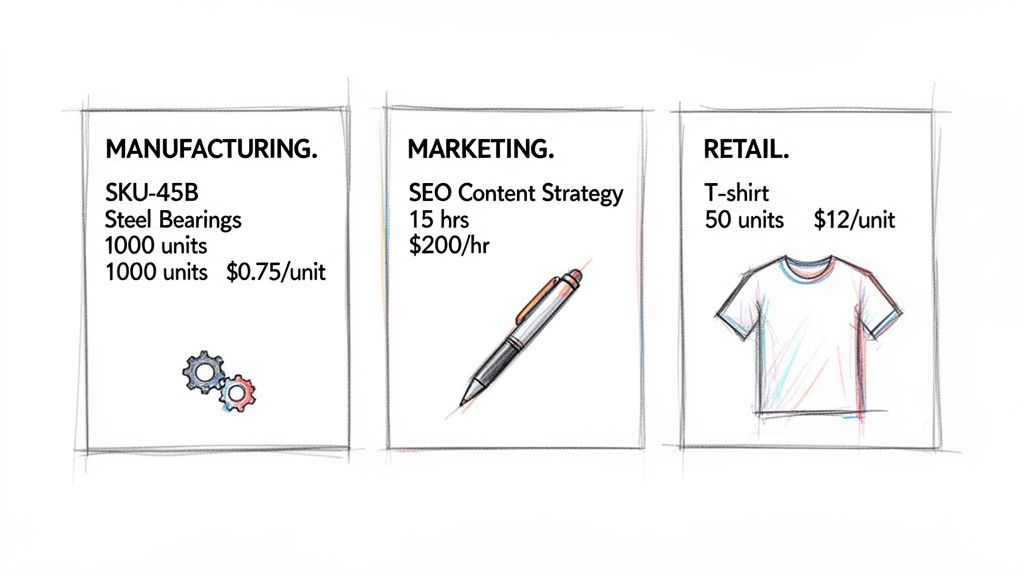
When you're dealing with physical goods, line items get straight to the point. They're all about tangible products. Each entry on an invoice or purchase order represents a specific item, usually tagged with a unique code. This nitty-gritty detail is absolutely essential for managing inventory, tracking costs, and planning production runs.
Imagine an invoice sent from a parts supplier to an automotive factory. It would list every single component with total precision:
- SKU-45B, Steel Bearings, 1000 units, $0.75/unit, $750.00
- SKU-91C, Rubber Gaskets, 500 units, $1.20/unit, $600.00
- SKU-22A, Hex Bolts (M8), 2500 units, $0.15/unit, $375.00
In this world, the SKU (Stock Keeping Unit) is king. It acts as a unique fingerprint for each product, cutting out confusion and making sure the right parts are ordered and received every time. This kind of clarity is the bedrock of any efficient supply chain.
Professional Services and Agencies
Now, let's switch gears to service-based industries like marketing, consulting, or law. Here, line items stop tracking physical things and start quantifying time, effort, and expertise. Instead of listing units sold, an invoice breaks down hours billed or project milestones achieved. It’s all about transparency, helping clients see exactly what they're paying for.
A marketing agency's invoice for a big project might look something like this:
Project: Q3 Digital Campaign
- SEO Content Strategy, 15 hours, $200/hr, $3,000.00
- Social Media Management, 25 hours, $120/hr, $3,000.00
- PPC Ad Spend (Google), 1 lump sum, $2,500.00, $2,500.00
Notice how the description becomes the most important part? It clearly defines the service performed. The "quantity" is now measured in hours, and the "unit price" is the hourly rate. It all comes together to give a crystal-clear breakdown of the total project cost.
Construction and Insurance Applications
Line items are just as crucial in other complex fields. Take a construction proposal, for instance. It uses line items to detail every single material and labor cost—from lumber and concrete right down to the plumbing and electrical work. This is what allows contractors to create accurate bids and keep the project budget on track.
It’s the same story with insurance. An insurance policy declaration page lists out line items for each type of coverage:
- Liability Coverage: $500,000 limit - Premium: $450.00
- Collision Coverage: $1,000 deductible - Premium: $320.00
- Comprehensive Coverage: $500 deductible - Premium: $180.00
Each line represents a specific protection, with its associated cost (the premium). At the end of the day, it doesn't matter if you're tracking steel bearings, billable hours, or insurance coverage. Line items provide the granular detail you need for total financial clarity and operational control.
The Real Costs of Manual Line Item Management
On the surface, keying in line item data by hand seems like just another tedious part of the job. But in reality, it’s a minefield of hidden costs and risks that can quietly bleed a company dry. Every single time someone retypes information from a PDF invoice into a spreadsheet, a tiny window for error cracks open.
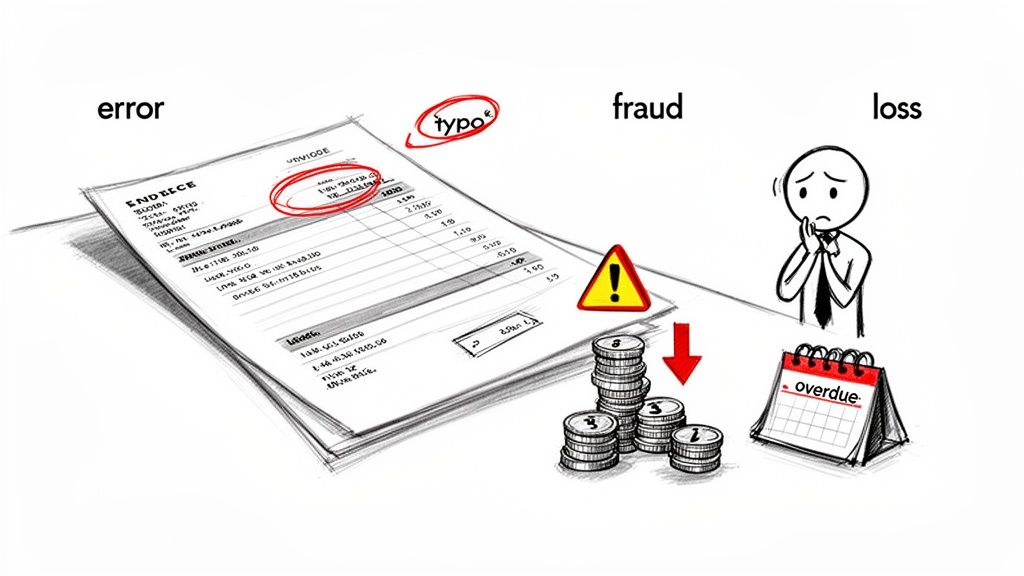
Think about a simple typo—a decimal point in the wrong place or an extra zero added to a quantity. That one small mistake can completely derail an entire quarter's inventory count, leading to surprise stockouts or costly over-ordering. These aren't just minor clerical slip-ups; they create real operational gridlock and financial headaches that take hours of painful reconciliation to untangle.
The Ripple Effect of Small Mistakes
The trouble with manual data entry goes way beyond simple typos. When your process depends entirely on a human eyeball, a whole host of other serious risks pop up, creating a domino effect of problems across the business.
These aren't just hypotheticals, either. They're the everyday headaches that eat into profits and put a strain on important vendor relationships.
- Financial Leaks: Overpayments are one of the most common issues. A slightly inflated line item on a doctored invoice can easily get past a busy accounts payable clerk, resulting in an immediate financial loss.
- Compliance Nightmares: Keying in the wrong tax code or product description can trigger compliance failures during an audit, leading to hefty fines and a mountain of legal paperwork.
- Operational Bottlenecks: When invoice line items don’t match the original purchase order, the whole payment process screeches to a halt. This kicks off a frustrating cycle of back-and-forth emails, late payments, and damaged supplier trust.
The Staggering Financial Toll of Fraud
Beyond honest mistakes, manual processes are a welcome mat for deliberate fraud. Scammers know just how to exploit the complexity of line items, betting that small discrepancies will fly under the radar. The financial fallout is shocking.
US businesses lose an average of $300,000 every year to scams that exploit these very details. On a global scale, finance teams get hit with about nine successful invoice fraud attacks annually, with each incident costing an average of $133,000.
That adds up to over $1 million in losses per company—a staggering sum tied directly to outdated, insecure workflows. In sectors like construction and manufacturing, where a single invoice can have dozens of line items for materials and labor, the risk multiplies. Teams in these industries often spend 55 hours a week on paper-based tasks and another 39 hours just chasing down and fixing exceptions. You can dig deeper into these numbers and see how modern solutions are fighting back against invoice fraud.
The statistics paint a crystal-clear picture: sticking with manual line item management isn't just inefficient; it's a massive financial liability. The time wasted on mind-numbing data entry, the money lost to errors and fraud, and the operational friction all build a powerful case for a smarter, automated way to handle this critical data.
Bringing Order to Line Item Chaos with Automation
If you've ever stared at a mountain of invoices, you know the feeling. The manual process of copying and pasting every single line item is not just slow—it's a recipe for disaster. This is where automation steps in, and it’s a total game-changer.
Think of automated data extraction as a hyper-efficient assistant. It can look at any document, instantly spot the line item table, and pull out every critical detail—quantity, description, unit price, you name it—with incredible accuracy.
This isn't just about doing the old job faster; it’s about fundamentally changing how the work gets done. What used to be hours of mind-numbing, error-prone drudgery now takes just a few seconds. The result? You get your time back, your data is far more accurate, and you gain a crystal-clear view of where your money is actually going.
From Manual Grind to Automated Flow
Let's paint a picture. The old way involved a stack of PDF invoices landing on someone's desk. They'd have to open each file, meticulously highlight the data for every single line, and paste it one by one into an accounting system or spreadsheet. It’s a slow, tedious process that almost guarantees mistakes will slip through.
Now, imagine the automated workflow. You take that same stack of documents and upload them all at once. In moments, the system intelligently finds the tables, extracts every line item, and organizes the data into a perfectly structured, ready-to-use format. The difference is night and day. Chaos becomes order. Manual friction becomes automated flow.
This shift isn’t just a nice-to-have; it’s a strategic move. Automated systems don’t get tired, they don't make typos, and they can process thousands of documents in the time it takes a person to get through a handful. This frees up your team to focus on work that actually requires their brainpower.
Keeping Up with Modern Business
The need for this kind of technology is growing fast. The global e-invoicing market is exploding, projected to grow by USD 36,095.5 million between 2024 and 2029. With experts predicting the total number of invoices will quadruple by 2035, the sheer volume of line items will soon be impossible to manage by hand.
Whether you're a loan processor pulling asset details from a statement or an operations manager trying to track inventory, every line item holds critical information. Manually extracting it can easily eat up hours every single week. Discover more about the invoicing boom and its market impact.
This is exactly the problem that intuitive, no-code tools like DocParseMagic are built to solve. They’re designed to handle all this complexity without you needing to be a tech wizard. You can upload large batches of files—PDFs, Excel sheets, even photos of receipts—and get back perfectly structured tables ready for your analysis. It puts powerful data extraction into anyone's hands, turning a huge operational headache into a simple, efficient process.
Putting Line Item Automation into Action
So, how does this all work in the real world? Let's move from theory to practice and see how a tool like DocParseMagic takes a messy, multi-page PDF invoice and turns it into clean, usable data. We're talking about going from a chaotic document to structured information in seconds.
Imagine dragging and dropping that jumbled invoice into the platform. You don't have to build a template or tell the system where the table is. The AI gets to work, instantly identifying the block of line items—even if the formatting is a nightmare or the table spills across multiple pages. That last part is a common headache that trips up simpler tools all the time.
A few moments later, you get back an organized spreadsheet. Every piece of information from the original document is now neatly sorted into its own column: quantity, SKU, description, unit price, and total. This isn't just a text dump; it's a smart reconstruction of the data, ready for you to actually use.
Solving Real-World Data Problems
The real magic here is how this process handles the unpredictable, often messy nature of business documents. It’s built to solve the exact problems that give finance and procurement teams headaches day in and day out.
Here’s how specific features tackle those common pain points:
- Multi-Page Table Handling: The system automatically figures out when a single table of line items continues onto a second or third page, stitching all that data together without missing a beat.
- Automatic Calculations: It can instantly run the math on the data it pulls, like verifying that Quantity x Unit Price actually equals the line total. If something doesn't add up, it gets flagged for you to review.
- Intelligent Column Recognition: Even if the columns on the invoice are unlabeled or in a weird order, the technology understands the context. It knows which column holds product codes, which one has descriptions, and where the costs are.
This is what it looks like when the tool has worked its magic.
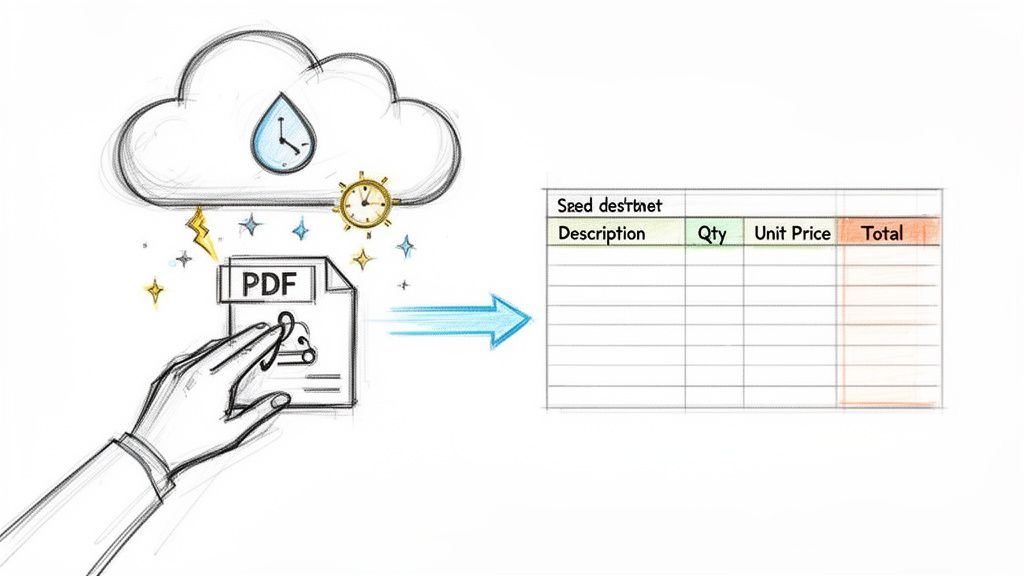
As you can see, the chaotic PDF on the left becomes a perfectly organized, clean table on the right. No manual data entry needed.
A Practical Tool for Daily Tasks
This kind of automation plugs directly into your day-to-day work, killing off tedious tasks and freeing up your team for things that actually require a human brain.
Instead of spending hours copy-pasting, your accounts payable team can focus on handling exceptions and managing vendor relationships. Procurement managers can analyze spending patterns across all suppliers instead of building comparison spreadsheets by hand.
The whole point is to turn a time-sucking administrative chore into a fast, reliable process that gives you clean data.
For a complete look at how this all works, check out our guide on data extraction from invoices. You'll see exactly how you can apply these ideas to your own workflow. By bringing in automation, you stop just processing documents and start using the information inside them to make smarter decisions.
Turning Line Item Data into Business Intelligence
Once you have a clean, automated way to capture line item data, the real work begins. The goal shifts from just being efficient to becoming strategic. This granular information isn't just for the record books; it's a goldmine of business intelligence that can drive smarter, more profitable decisions across your entire company.
Think of it this way: the total on an invoice tells you that you spent money. The line items tell you why you spent it, what you bought, and how much each individual thing cost. That detailed view is where the magic happens. By analyzing this data over time, you can spot trends and opportunities that are completely hidden when you only look at the big picture.
From Data Points to Strategic Decisions
With reliable line item data, you can graduate from basic accounting to asking much bigger, more strategic questions. The answers you uncover can directly boost your bottom line, strengthen supplier relationships, and fine-tune your internal operations.
For instance, a procurement manager can finally track price changes for key materials across hundreds of invoices. If a supplier's unit price for a critical component has quietly crept up by 15% over the last year, that's a red flag. It’s a clear signal to renegotiate that contract or start shopping around for other vendors.
In the same way, a sales manager can dig into commission statements line by line. They can see exactly which products are bringing in the most profit or which reps are consistently upselling premium services. This kind of detail is invaluable for shaping sales strategy and designing incentive programs that actually work.
The real value of line item data isn't in processing it faster, but in using it to understand your business better. It turns a tedious administrative task into a competitive advantage.
Unlocking Department-Specific Insights
The applications stretch into nearly every corner of the business. A logistics coordinator could use line item data from purchase orders to perfect their inventory levels, making sure popular items are always in stock without tying up cash in slow-moving products. An operations manager can analyze spending patterns department by department, quickly identifying potential cost savings or unexpected budget blowouts.
By automating the extraction, you're not just saving time; you're building a foundation of trustworthy data. This turns what was once a source of errors and delays into a wellspring of actionable intelligence. You can learn more about making this happen by exploring how automated data extraction works in more detail.
Got Questions About Line Items? We've Got Answers.
Now that we’ve covered the ins and outs of line items and how automation can tame them, let's tackle a few questions that pop up when teams start putting these ideas into action.
Why Is It So Hard to Pull Line Items From a PDF?
Here’s the thing about PDFs: they were designed to look good on a screen, not to be a structured database. Think of a PDF table as a picture of a spreadsheet, not the spreadsheet itself.
When you try to copy and paste from that "picture," the whole structure falls apart. Basic tools that just read the text can't tell where one column ends and another begins. This is why you need smarter technology that can look at the page, understand the layout visually (just like a person would), and then intelligently piece the table back together into clean, usable data.
Can a Machine Really Be More Accurate Than a Person?
It might sound counterintuitive, but yes—especially when it comes to repetitive work. A person entering data from hundreds of invoices can get tired, make a typo, or simply overlook a small detail. It happens to the best of us.
An automated system, on the other hand, doesn't get distracted or fatigued.
Even better, it can run instant checks that a human might skip. For example, it can multiply the quantity by the unit price on every single line to make sure it matches the total. If it doesn't, the system flags it immediately—catching errors that could have easily slipped through.
How Fast Can My Team Actually Get Started and See Results?
You can get going almost immediately. Modern tools are built to be intuitive, so you don't need to build templates or install complicated software. It’s a simple sign-up-and-go process.
Most teams start seeing a huge difference right away. The time saved on even the first batch of invoices is often a real eye-opener.
Ready to stop wasting hours on manual data entry? DocParseMagic turns your messy documents into clean, actionable data in seconds. Try it for free and see the magic for yourself.