Professional Statement Of Account Template 2026
Month-end usually falls apart in the same way. Someone exports invoices. Someone else checks payments. A spreadsheet gets copied from last month. Then a client emails back and asks why a paid item is still showing as open.
That mess usually isn't caused by bad accounting. It's caused by weak structure. A solid statement of account template gives you one place to show the opening balance, every charge, every payment, every credit, and the exact amount still due. When it's built properly, it cuts disputes, speeds up collections, and makes your receivables process easier to run.
What's needed isn't a prettier file, but a template that works under pressure, handles exceptions cleanly, and can be reused without breaking formulas every month.
Why Your Business Needs a Flawless Statement of Account
At the end of the month, clients don't want fragments. They don't want one invoice PDF, three payment receipts, and a separate email explaining a credit note. They want one document that tells the full account story.
That's why the statement matters. It consolidates the account into a single view. The client can see prior balance, current activity, credits, payments, and what remains unpaid. Your team gets fewer back-and-forth emails because the document answers the obvious questions before the client asks them.
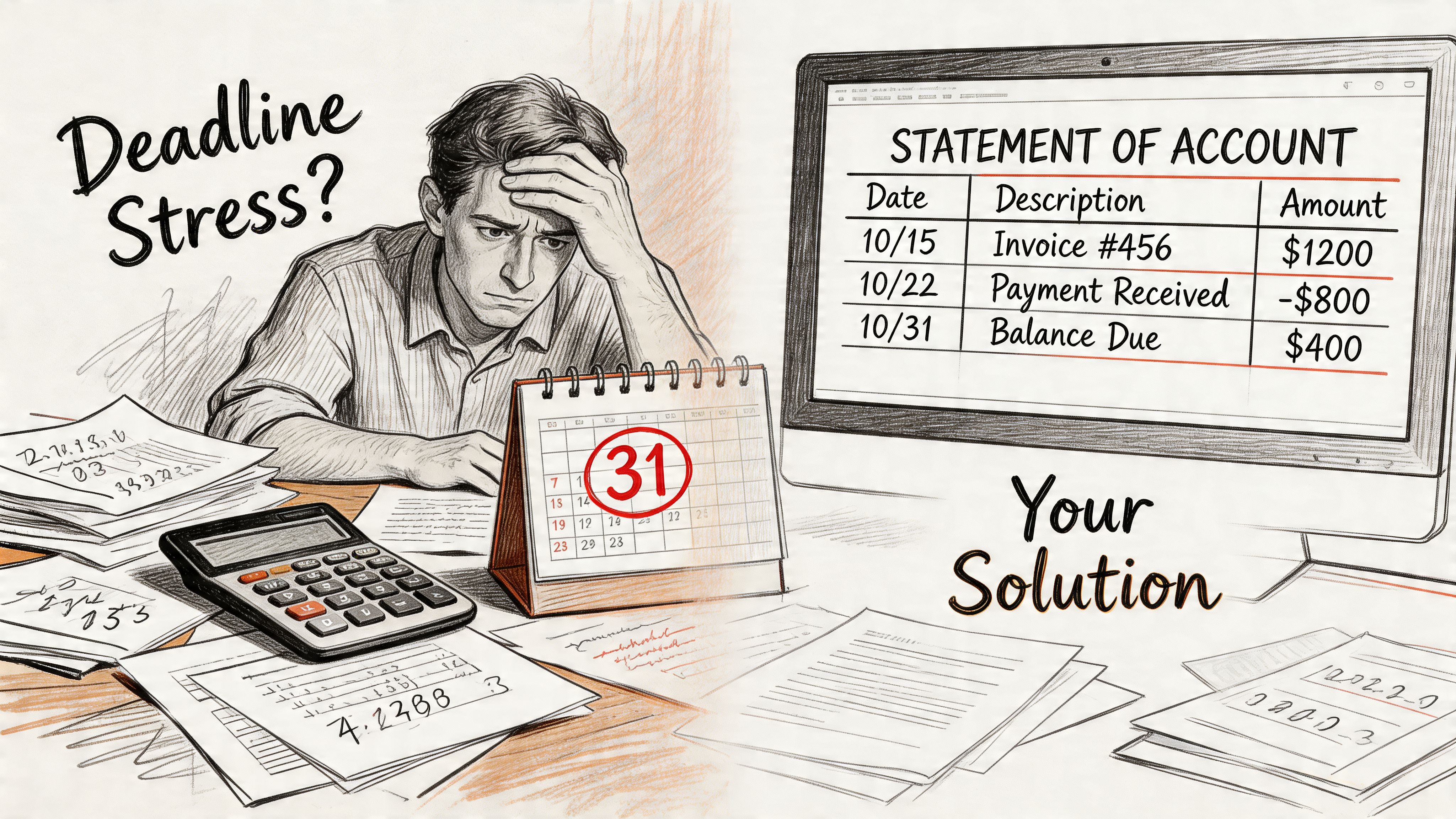
Why finance teams still depend on it
This isn't an outdated bookkeeping relic. A 2022 PwC survey of 1,200 finance teams found 78% still rely on statement templates for B2B credit sales, processing an average of 150 statements monthly per firm, improving cash flow by 15-20% through better visibility into unpaid invoices according to this statement of account reference.
That makes sense in practice. Credit-based businesses need a recurring customer-facing summary. Invoices ask for payment on a specific transaction. Statements show the condition of the account.
A good statement of account template also creates internal discipline. If the template forces the team to reconcile balances before sending, errors get caught earlier. If it displays credits clearly, customer trust improves. If it highlights overdue amounts, collections conversations become specific instead of vague.
What weak templates get wrong
The problem isn't usually that a business has no template. It's that the template was thrown together once and never cleaned up.
Common failures include:
- Mixed purposes: The file tries to be both a customer statement and an internal ledger dump.
- Unclear balances: Paid, unpaid, disputed, and credited items all sit in one undifferentiated list.
- Broken formulas: Running totals stop matching after rows are inserted or deleted.
- No client context: The statement lacks account ID, statement period, or payment instructions.
- Poor presentation: Customers can't tell what needs action and what is just historical detail.
Practical rule: If a client has to email asking, "Which amount do you want me to pay?" the statement failed.
Why a better template pays for itself
The gain isn't just cosmetic. It's operational. Teams that issue statements consistently can follow a repeatable review process, and customers receive a document they can use to approve payment.
There's also a second benefit that many finance teams overlook. The same discipline you apply when creating outgoing statements also improves how you process incoming statements from vendors, insurers, and partners. Once you standardize the fields you care about, your downstream reconciliation work gets much easier.
That matters because manual document work is slow. For users in accounting and insurance, automating template data extraction from PDFs cuts processing time from 2 hours to 5 minutes per statement, enabling reconciliation of commissions and premiums with 99% accuracy, as noted in the same statement of account source. The lesson is simple. Clean structure upstream makes automation downstream possible.
Anatomy of an Effective Statement of Account Template
Before building the file, define the parts that must appear every time. A professional statement of account template isn't just a transaction list. It's a document with a hierarchy. The reader should understand who issued it, which account it covers, what happened during the period, and what action is required.
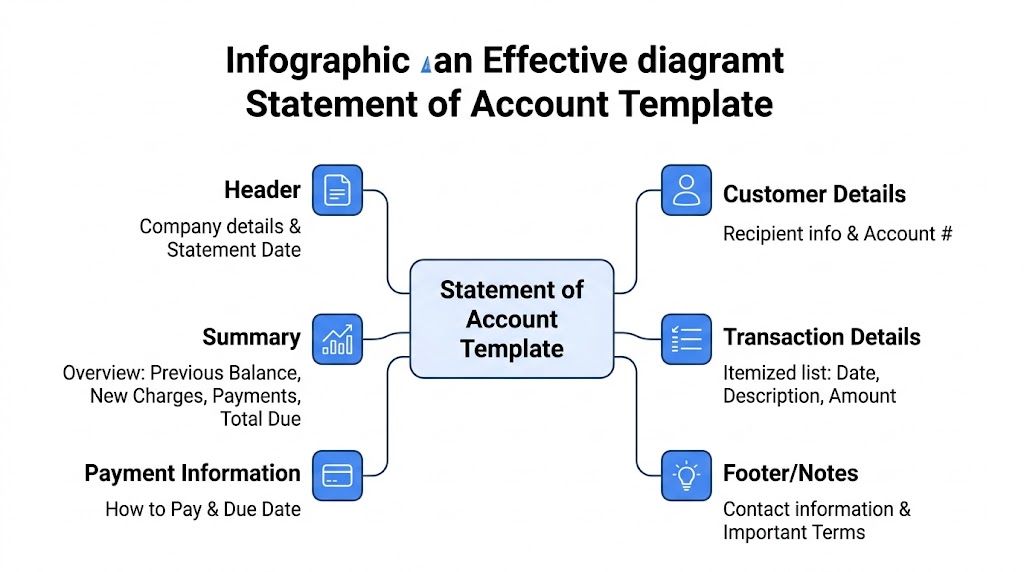
The header must identify the account without guesswork
The top section carries more weight than most templates give it. It should identify your business, the customer, the account, and the statement period in plain terms.
Include these basics:
- Business details: Legal or trading name, address, and contact channel for billing questions.
- Customer details: Name, address, and account identifier if you use one.
- Statement date: The issue date of the statement itself.
- Statement period: The date range covered by the document.
If you're reconciling against bank activity, it's useful to understand what a bank statement shows so your payment dates and references line up with how funds appear in financial records.
The account summary should answer the payment question fast
A client should not need to study the full transaction table to find the current due amount. The summary section sits near the top and answers that immediately.
A practical summary includes:
| Summary field | What it does |
|---|---|
| Previous balance | Carries forward the unpaid amount from the prior period |
| New charges | Adds invoices or debits raised during the current period |
| Payments and credits | Reduces the balance for amounts received or adjustments issued |
| Total due | Shows the net amount now payable |
This section is where many disputes start or stop. If the previous balance is wrong, the whole statement loses credibility. If credits are buried lower down instead of summarized, customers often assume they were ignored.
The transaction detail table is the proof
The transaction table supports the summary. It shouldn't be decorative. It should let a customer or internal reviewer trace the account activity line by line.
The standard columns are straightforward:
- Date
- Ref.
- Description
- Amount
- Payment
- Amount Due
Those fields work because each column has one job. The date anchors timing. The reference ties back to an invoice or credit note. The description gives context. Amount and payment separate charges from receipts. Amount due gives the running balance.
A statement becomes useful when every line can be tied back to a real document or real cash movement.
The footer handles payment, terms, and edge cases
The bottom of the statement often gets ignored, but it's where practical issues live. If your client is ready to pay, this section should make that easy.
Use the footer for:
- Payment instructions: Bank details, remittance direction, or portal guidance.
- Terms and notes: Any overdue interest policy or explanatory note on disputed items.
- Contact details: The right person or mailbox for account queries.
- Remittance advice area: Helpful when clients still pay by sending a separate payment notice.
If your business applies interest on overdue balances, show the policy clearly and apply it consistently. Hidden charges create friction. Clear terms reduce argument.
What is non-negotiable and what is optional
Some elements belong on every statement. Others depend on your business model.
Non-negotiable items
- Customer identification
- Statement date and period
- Opening balance or previous balance
- Complete transaction listing for the period
- Current amount due
Optional but often valuable
- Aging summary
- Credit note section
- Purchase order references
- Tax fields such as VAT or GST
- Detachable remittance area
The best templates don't try to show everything to everyone. They show the right information in the right order. That's what makes them readable, and readability is what gets statements acted on.
How to Create Your Statement Template in a Spreadsheet
For many, the spreadsheet version is still the best starting point. Excel and Google Sheets are flexible, easy to audit, and simple to adapt across customers. The mistake is building each statement from scratch instead of creating one master file with locked structure and reusable formulas.
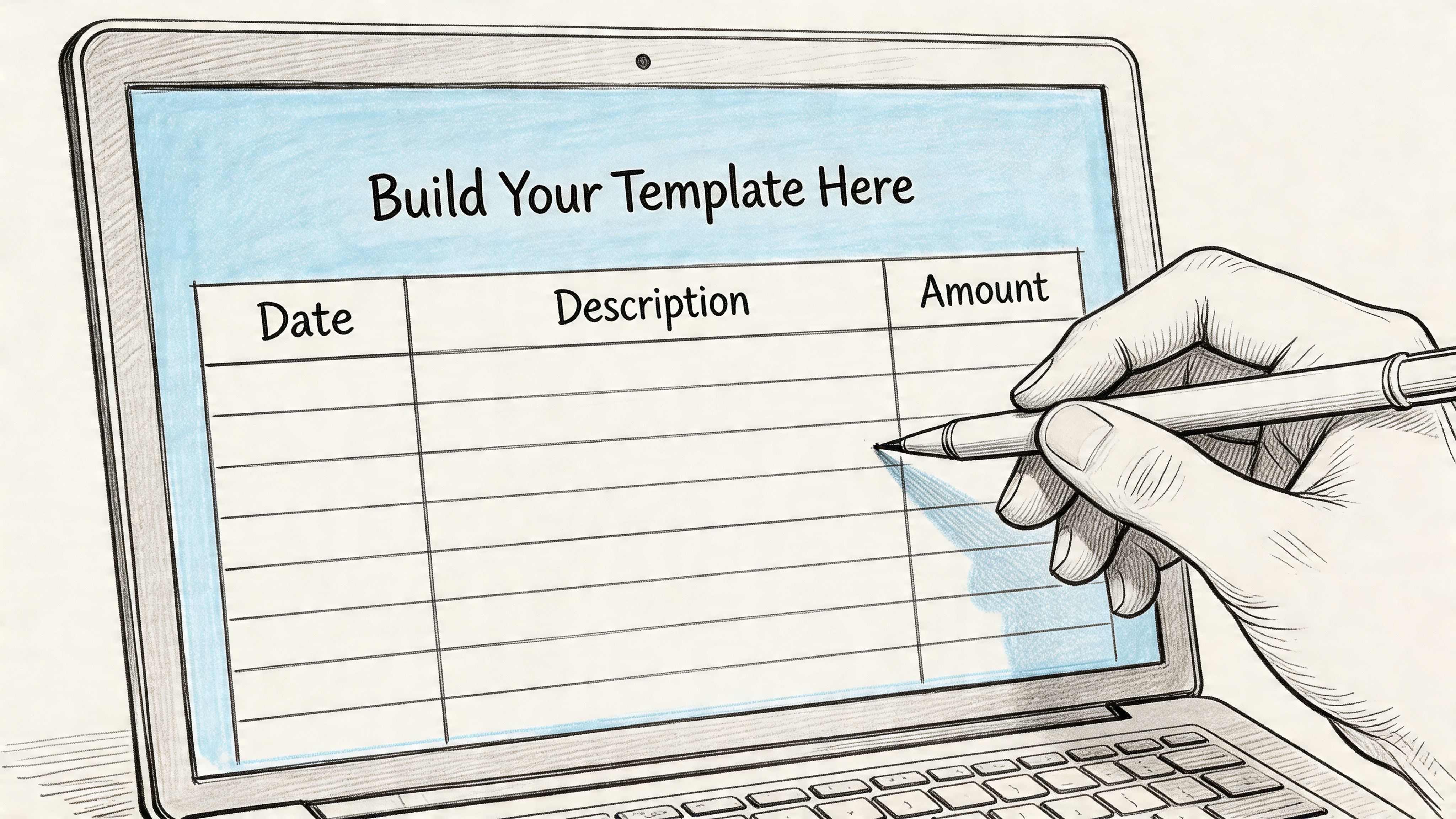
A robust statement of account template standardizes financial reporting by integrating ledger tracking with client communications, reducing manual errors by up to 40%, and monthly statements with conditional formatting and a detachable remittance stub can improve collection rates by 85% according to Enerpize's statement template guide.
Start with one master sheet
Open a new workbook and create a single clean statement layout first. Don't try to solve aging, credits, and remittance variants on the first pass. Get the base version right.
Set up these zones from top to bottom:
- Header block for your company name, client name, client address, account ID, statement date, and statement period.
- Summary block for previous balance, new charges, payments and credits, and total due.
- Transaction table for detailed account movement.
- Footer block for payment instructions, contact details, and notes.
If your Excel skills need a refresher before you start building formulas and validation rules, this guide on advanced Excel spreadsheet skills is useful for tightening the mechanics.
Build the summary with stable formulas
The summary should pull from the detail rows, not rely on manual typing. That keeps the file consistent from month to month.
A practical approach looks like this:
- Put invoice amounts in one column.
- Put credits and payments in another.
- Use the summary formula
=SUM(B2:B10)-SUM(C2:C10)style logic to calculate the current movement. - Add the previous balance to arrive at total due.
Keep these cells visually distinct. Use borders, bold labels, and accounting number formatting. If the amount due doesn't stand out, the client won't spot it quickly.
Create the transaction table correctly
This table does the heavy lifting. Use the column structure supported in the verified methodology:
| Column | Purpose |
|---|---|
| Date | Transaction date |
| Reference | Invoice number, credit note, or receipt reference |
| Description | Short transaction label |
| Debit Amount | Charges raised |
| Credit or Payment | Payments or credits applied |
| Balance | Running total |
For the running balance, use a formula logic like =D2-E2+F1, adjusted to suit your row layout. The key is consistency. If you insert rows later, check that the formula still flows down correctly.
Three practical habits matter here:
- Keep transactions in chronological order. Statements become hard to reconcile when entries jump around.
- Use one row per event. Don't combine multiple invoices into one line.
- Separate debits from credits. Netting them into one amount column makes review harder.
If a junior team member can't trace the balance from top to bottom in one pass, simplify the table.
Add controls that prevent common errors
Most spreadsheet mistakes aren't advanced errors. They're small avoidable ones. Wrong date formats. Broken references. Typos in invoice numbers. Duplicate entries.
Add simple controls:
- Data validation: Restrict reference fields to acceptable patterns or source lists.
- Conditional formatting: Highlight overdue balances in red when they're past your internal rule.
- Locked formula cells: Prevent accidental overwriting in summary and balance columns.
- Named input cells: Useful for statement date, client ID, and opening balance.
Here's a helpful walkthrough before you finalize formatting:
Add a remittance stub only if your clients will use it
A detachable remittance stub still matters in some industries. In others, it just clutters the page.
Include it when your customers commonly send payment references separately or when your team processes a lot of emailed remittance notices. Keep it short. Customer ID, statement reference, invoice references, amount paid, and bank details are enough.
Skip it if your clients pay through a portal and never return payment advice. A template should support your actual workflow, not a nostalgic one.
Test the file before you roll it out
Don't release the template after formatting it once. Test it with real-life scenarios:
- A period with only invoices
- A period with part payments
- A period with credit notes
- A carry-forward balance from the prior month
- A zero-balance statement
Also test ugly scenarios. Missing reference. Duplicate payment. Negative balance after overpayment. Those are the situations that expose weak formulas.
A strong template is boring in the best way. It behaves predictably, even when the account doesn't.
Adapting Your Template for Invoices, Credits, and Aging
One base file is useful. Three customized versions are better. Different account situations need different presentation, and forcing every customer into one standard statement usually creates confusion.
A client who only needs to pay open invoices doesn't need a full historical ledger every time. A customer with returns and adjustments needs credits shown clearly. A collections team needs aging detail that supports follow-up calls.
Choose the variant that matches the job
Here's a practical comparison of the most common variants.
| Template Type | Primary Use Case | Key Feature |
|---|---|---|
| Open invoice statement | Customer needs a clean payment list | Shows only unpaid invoices and current open items |
| Credits and adjustments statement | Returns, rebates, or disputes affect the account | Separates credits clearly so the net balance is easy to verify |
| Aging statement | Collections and AR review | Buckets balances by age so overdue risk is visible |
That small shift in layout changes how fast the document gets used. The best version is usually the one that removes irrelevant detail.
Open invoice statements work best for payment action
This version strips the statement down to unpaid items. It doesn't need to be a complete account history if the customer only wants to know what remains open.
Use it when:
- the client pays from a weekly or monthly AP queue
- your billing volume is high
- old paid items distract from current action
The trade-off is that it provides less context. If the customer disputes the opening position, you'll need the fuller ledger-based statement ready to support it.
A useful companion process is tightening the steps around billing and follow-up. This article on the invoice payment process is a good operational reference if your issue isn't the template itself but the flow around it.
Credits and adjustments statements reduce argument
Accounts with returns, service corrections, chargebacks, or promotional credits often become unreadable in a generic template. The customer sees a negative line somewhere in the middle and still isn't sure whether the credit was applied.
Here, layout matters more than formula complexity.
Practical adjustments include:
- Group credits separately: Keep credit notes visually distinct from invoices.
- Use descriptive labels: "Credit note for returned goods" is better than "Adjustment."
- Show the net due near the top: The client shouldn't have to calculate the impact of credits manually.
A credit that is technically present but visually buried will still trigger a payment dispute.
Aging statements support collections discipline
For internal AR work, aging is often the most useful version. It turns a balance into a priority list. Instead of seeing only total due, your team sees which portion is current and which portion is older.
Aging statements usually split balances into buckets such as current, 30 to 60 days, and older overdue categories. Exact bucket design depends on your policy, but the principle is the same. Older money needs faster attention.
If you need a model for the reporting side, this Accounts Receivable Aging Report Template is a helpful reference for how teams organize overdue balances for review.
What to change and what to leave alone
Adapt the presentation, not the accounting logic. Your core fields should remain stable so you don't create a new reconciliation problem every time you customize the template.
Keep these consistent across all variants:
- Same account identifiers
- Same balance logic
- Same source transaction references
- Same date standards
Change these as needed:
- amount of historical detail shown
- whether paid items appear
- whether credits are grouped
- whether aging buckets are added
- whether the statement is customer-facing or internal-only
The right approach is modular. Build one core file, then save controlled variants for specific use cases. That gives you flexibility without losing control.
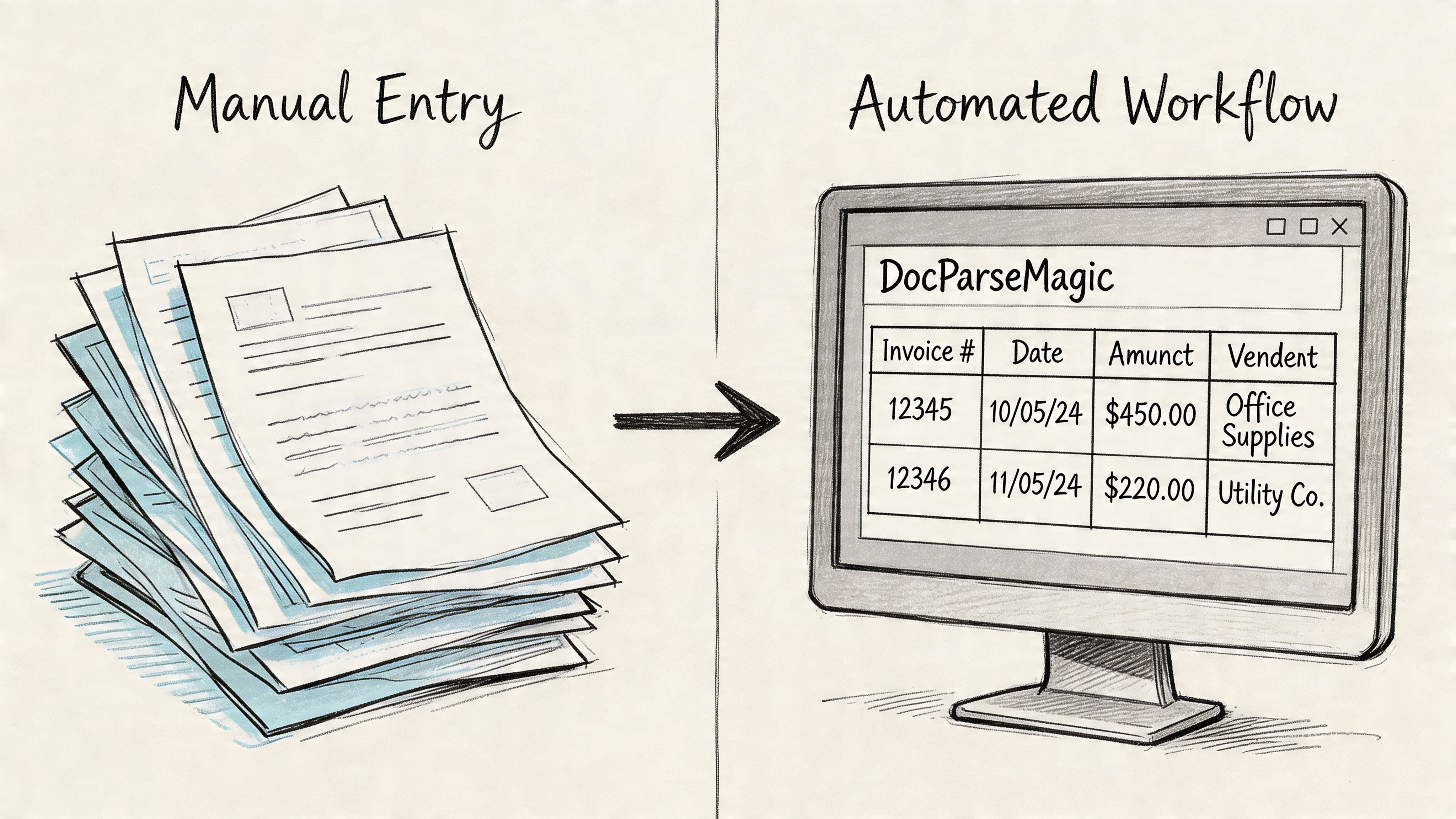
From Manual Entry to Automated Workflow with DocParseMagic
The typical focus is on statements sent out. The hidden drain is usually in the statements they receive. Vendor statements, insurer bordereaux, commission reports, supplier account summaries, and partner reconciliations all arrive in different formats. Someone then has to key the data into a spreadsheet before any real accounting work begins.
That manual step is where hours disappear. It's also where small errors creep in. Wrong invoice number. Missed credit. Payment typed into the wrong row. Once those mistakes enter the spreadsheet, reconciliation takes longer than it should.
The workflow problem is usually format, not effort
Finance staff are often careful. The issue isn't laziness. It's document inconsistency.
One supplier puts invoice numbers in the top right. Another places them in a table footer. One insurer lists premiums by section. Another embeds them inside a multi-page summary. Traditional copy-paste methods break down because every file needs a different treatment.
That's why automation matters most when incoming documents are semi-structured rather than perfectly standardized.
What an extraction workflow should do
A good extraction workflow takes a statement PDF or image and turns it into structured rows and fields that your spreadsheet can use.
The process should let you:
- Upload the document directly: No cleaning or reformatting first.
- Identify the fields that matter: Invoice number, transaction date, total due, credits, policy details, commission values, or line items.
- Map output to a table: So each statement becomes usable spreadsheet data.
- Export for reconciliation: Ready for matching, review, and posting.
An automated document pipeline provides more utility than a template file. Templates standardize what you send. Extraction standardizes what you receive.
Where this helps most in practice
This kind of workflow is especially useful when your team handles recurring third-party documents, such as:
| Document type | Typical pain point |
|---|---|
| Vendor statements | Multiple open invoices and payment lines in one PDF |
| Commission reports | Carrier-specific layouts with inconsistent labels |
| Insurance statements | Premiums, taxes, and adjustments split across pages |
| Customer remittances | Payment references arriving in mixed formats |
If you're evaluating broader process improvements, this overview of an automated billing system helps connect extraction to the rest of the receivables cycle.
The fastest statement process isn't the one with the nicest spreadsheet. It's the one that removes rekeying wherever possible.
The complete workflow is stronger than either piece alone
A polished statement of account template improves outbound communication. Automated extraction improves inbound processing. Together, they create a cleaner loop.
You send a readable statement. The customer or partner responds with a document. The incoming file gets converted into structured data instead of being typed manually. Your team reconciles faster because the same key fields exist on both sides of the process.
That's the shift that matters. Not just prettier statements. Better operational flow.
Professional Wording and Communication Best Practices
A clean template won't rescue a sloppy message. Clients decide how urgent a statement feels from the email around it, not just the PDF attached. If the language is vague, delayed, or overly aggressive, you either get ignored or you create friction.
Use subject lines that tell the client what the email is
Skip clever wording. State the document and the account clearly.
Good examples:
- Statement of account for May
- Monthly statement for Account 1048
- Statement of account showing current balance
- Overdue statement and open items for review
Those subject lines work because the recipient knows what they've received and what to do next.
Keep the email body short and specific
For a standard monthly issue, a simple message is enough:
Please find attached your statement of account for the current period. It shows the opening balance, recent transactions, payments received, and the current amount due. If anything needs clarification, reply to this email and our accounts team will review it.
For a first reminder on an overdue balance, adjust the tone without escalating too early:
Attached is your latest statement of account, which shows items that remain outstanding. Please review the open balance and let us know if payment has already been made or if any item needs attention.
For a firmer follow-up, be direct and factual:
We are following up on the attached statement of account, which shows an overdue balance on the account. Please confirm payment status or contact us today if there is a query holding this up.
Write for clarity, not pressure
The best accounts communication does three things well:
- Names the document clearly: say "statement of account," not "account update."
- States the action required: review, confirm, or pay.
- Provides a response path: a real billing contact or reply option.
Don't overload the message with policy language unless you're already in formal collections. Early reminders should stay professional and easy to answer.
Match the wording to the account condition
Use a standard monthly tone for regular statements. Use softer wording when a payment may be delayed in the client's approval workflow. Use firmer language only when the balance is clearly overdue and prior contact has been ignored.
That progression matters. An account query can often be solved quickly when the client feels informed rather than accused.
Common Questions on Statement of Account Management
Is a statement of account the same as an invoice
No. An invoice requests payment for a specific transaction. A statement of account template summarizes the overall account, including prior balance, invoices, payments, credits, and the amount still due.
How often should a business send statements
Monthly works well for most credit accounts because it creates a regular review cycle. Some teams also send interim statements for overdue accounts or on customer request.
Should paid invoices appear on the statement
Sometimes. Include them when the customer needs full account history or when payments need to be shown for context. Exclude them in an open-invoice version where the goal is fast payment action.
What details are usually required
Include business and customer identification, statement date, statement period, transaction detail, and the current balance. Payment instructions and a contact for billing queries are also useful.
Should I build different templates for different clients
Usually not from scratch. Build one core version, then save controlled variants for open invoices, credits, and aging so your process stays consistent.
If your team spends too much time retyping data from statements, invoices, commission reports, or insurance documents, DocParseMagic is worth a look. It turns messy business files into clean spreadsheet-ready data, which makes reconciliation faster and removes a lot of manual copy-paste work from the month-end cycle.