The Complete Automated Billing System Guide
If you're still closing the month with exported spreadsheets, emailed PDF invoices, and a running list of “things to fix before sending,” you’re not alone. Most finance teams don’t start with a broken billing process. They start with a process that worked when volume was lower, pricing was simpler, and fewer systems were involved.
Then the cracks show up all at once.
A sales rep changes a contract after the invoice draft is built. A customer disputes a line item because the usage file and the invoice don’t match. Someone on the team rekeys totals from a scanned vendor bill and swaps two digits. Payment follow-up gets delayed because nobody is fully sure which invoices are final and which are still waiting on corrections.
That’s the point where many finance managers start looking for an automated billing system. Not because they want a big software project, but because they want the month-end scramble to stop.
The End of Month-End Madness
The last week of the month often looks the same. Your team pulls data from the ERP, checks a few contract terms in email, opens a spreadsheet to apply pricing rules, exports invoices, then starts answering questions from sales, operations, and customers before the invoices are even sent.
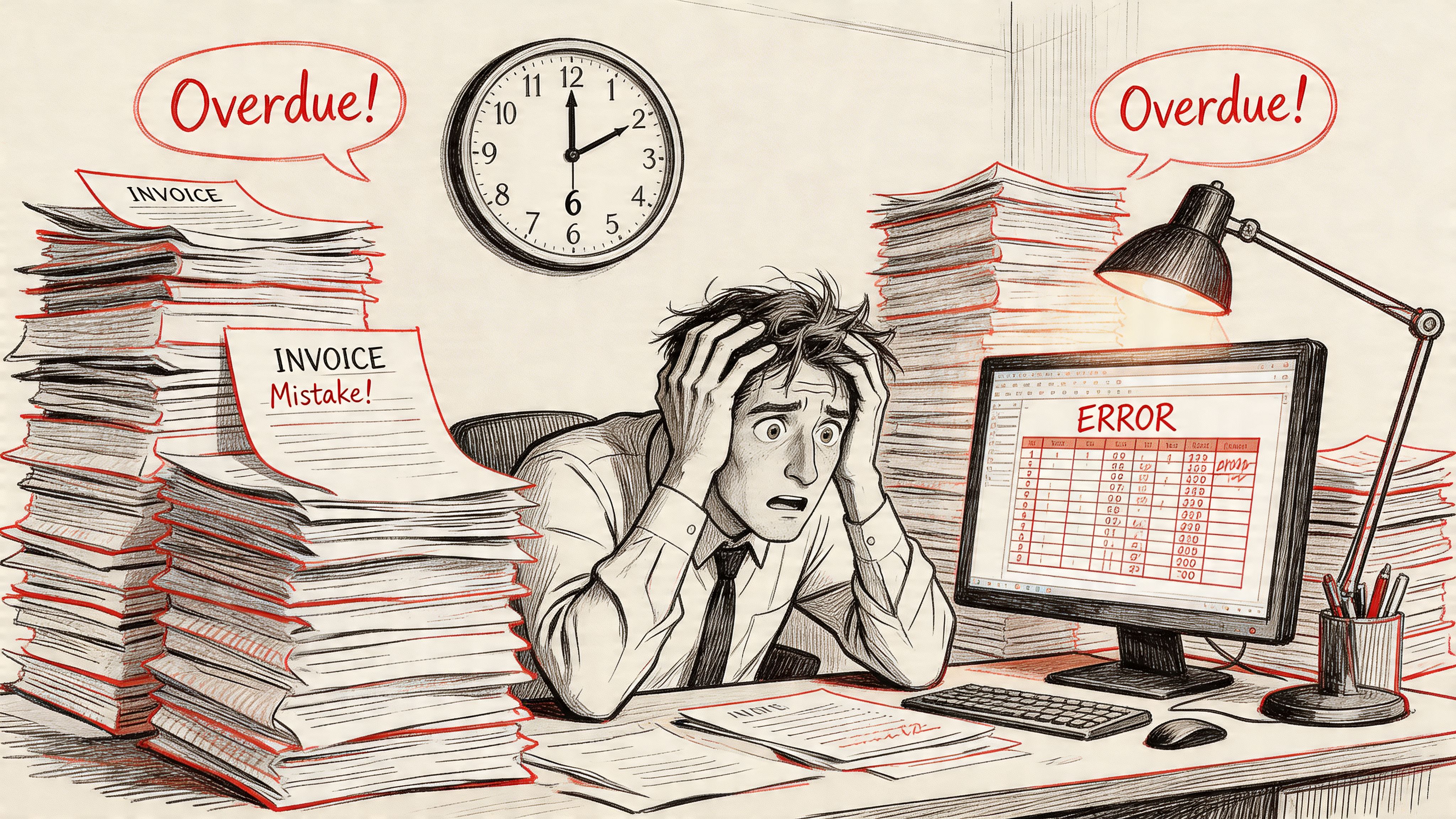
If that sounds familiar, the problem usually isn’t effort. It’s that manual billing asks people to act like a system. They have to remember exceptions, track approvals, copy data between tools, and catch mistakes before a customer does.
Why so many teams stay stuck
Many companies know they need automation, but still haven't crossed the line from intention to execution. According to BillingPlatform's 2025 State of Accounts Receivable Automation Survey, only 3% of companies have fully automated their AR processes, despite 80% rating AR automation as important, high priority, or critical.
That gap makes sense when you’ve lived through finance software projects. Billing touches customer records, contracts, pricing, taxes, payment methods, approvals, and reporting. It feels risky because it is important.
Practical rule: If billing depends on human memory to move data from one step to the next, your process is already too fragile.
What changes when billing becomes a system
A real automated billing system doesn’t just send invoices faster. It creates a repeatable flow from input to invoice to payment. That matters because month-end problems usually start upstream, long before a PDF invoice is created.
If your team is also tightening broader close workflows, this month-end close process checklist is a useful companion. Billing and close are different processes, but they fail for the same reason. Too much manual cleanup at the end.
The good news is that automation is more approachable than it looks. Once you break the process into parts, most of the confusion disappears.
What Exactly Is an Automated Billing System
An automated billing system is often described as software that creates invoices and collects payments. That’s true, but it’s too small a definition to be useful.
A better way to think about it is this. An automated billing system is the operating system for how money moves through your customer billing process.
A simple invoicing tool is like a printer. It produces documents. An automated billing system is more like a logistics network. It receives inputs, checks them, applies rules, routes exceptions, generates outputs, and keeps a traceable record of what happened.
It does more than send invoices
Manual billing tends to treat invoicing as the main event. In reality, the invoice is the result of many earlier decisions:
- What happened
- Who it belongs to
- Which pricing rules apply
- Whether any credits, discounts, or adjustments should be included
- How payment should be collected
- What needs to be recorded for audit and reporting
If any of those steps live in email, spreadsheets, or tribal knowledge, the invoice may still go out, but the process won’t be reliable.
That’s why teams evaluating automated billing software should look beyond invoice templates and payment buttons. The important question is whether the system can handle your billing logic without forcing your team to rebuild exceptions manually every month.
The nerve center for revenue operations
For finance managers, the biggest shift is mental. Stop thinking of billing as a document-generation task. Start thinking of it as controlled decision-making.
An automated billing system should act as a single source of truth for questions like:
| Billing question | Manual answer | Automated answer |
|---|---|---|
| Which rate applies? | Check the spreadsheet or contract | Apply the stored pricing rule |
| Was the amount adjusted? | Search email threads | Show the adjustment record |
| Why did this invoice change? | Ask the analyst who prepared it | Review the system history |
| Did the payment post correctly? | Reconcile across tools | Match against recorded transactions |
That’s why clean inputs matter so much. If the source document is messy, inconsistent, or incomplete, the billing engine has to pause while someone interprets it.
Why invoice automation often stalls before it starts
Many projects encounter difficulties when teams buy a billing platform, connect a few systems, then discover that core inputs still arrive as scanned invoices, handwritten change orders, policy statements, commission reports, or supplier documents with different formats.
At that point, automation becomes selective. The easy records flow through. The hard records go back to humans.
If you’re trying to understand that upstream challenge, this guide on intelligent document processing helps clarify the difference between just reading a document and extracting structured data a billing workflow can effectively use.
An automated billing system is only as reliable as the data it receives. Fast bad data just creates faster disputes.
That’s the distinction most first-time buyers miss. Billing automation is not just about output. It starts with input quality.
The Core Components of an Automated Billing Engine
Once you remove the buzzwords, a billing engine follows a pretty logical chain. Data comes in. The system checks it. Pricing rules are applied. An invoice is created. Payment gets recorded. Then someone monitors the whole thing for issues.
That sequence matters because billing errors rarely come from one dramatic failure. They usually come from a small mistake early in the chain that nobody notices until a customer asks, “Why was I charged for this?”
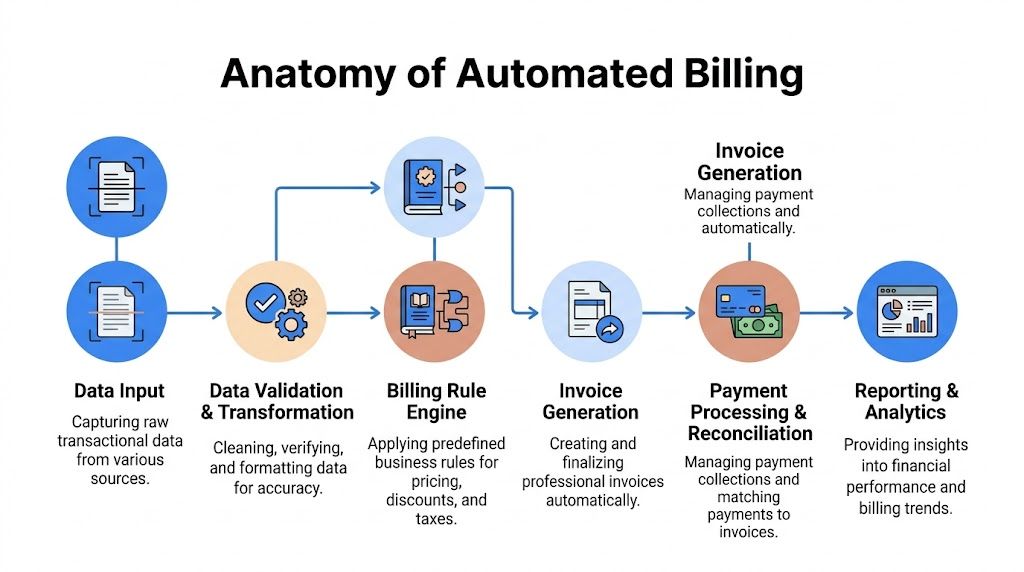
According to Orb’s explanation of automated billing architecture, an effective system uses a seven-stage pipeline that includes ingestion, enrichment, metering, pricing, invoicing, payments, and monitoring. That architecture also supports idempotent writes to prevent duplicate charges and full traceability, which can reduce billing disputes by 40-60%.
Ingestion means collecting billable facts
Ingestion is the system’s front door. Through it, raw billing events enter the process.
For a SaaS company, that might be usage logs. For a service business, it might be approved work records. For a construction team, it could be a subcontractor invoice and a change order. For an insurance workflow, it may start with extracted policy and premium details.
The key point is simple. The system needs a stable way to capture events without duplicating them.
Why idempotency matters
“Idempotent” sounds technical, but the finance version is straightforward. If the same event gets sent twice, the customer should still only be charged once.
That’s one reason billing engines track identifiers like event IDs and timestamps. They help the system recognize a retry versus a new charge.
Enrichment adds business context
Raw data is rarely enough on its own. A line item that says “extra inspection” means very little until the system knows the account, contract, project, cost code, unit, and effective pricing terms.
Enrichment is where the system attaches that context.
A useful way to picture it is a shipping label. A package without an address exists, but it can’t go anywhere. Billing data without context has the same problem.
Metering and rating turn activity into charges
Teams often get nervous because this stage feels mathematical. It doesn’t have to be mysterious.
- Metering measures the thing being billed. Hours, units, transactions, pages, usage, mileage, or line items.
- Rating applies the charge logic. Flat fee, tiered rate, cap, minimum, contract price, or discount.
If your contracts include tiers, thresholds, or customer-specific terms, this part needs to be transparent. Finance should be able to explain how the number was created without reverse-engineering a spreadsheet.
Pricing orchestration keeps rules separate from code
A healthy system stores pricing logic in a way that can be changed without breaking the whole workflow.
That matters because pricing changes all the time. New plans, contract renewals, temporary credits, regional differences, and negotiated exceptions are normal. If every pricing update requires custom engineering, your billing process slows down immediately.
Keep pricing rules versioned and visible. When finance can't see which rule produced a charge, disputes become investigations.
Invoicing is where many teams start, but not where billing starts
Invoice generation is the visible output. The customer sees the PDF or portal balance. Internally, though, invoicing should be almost boring.
A strong billing system should already know the customer, charges, adjustments, taxes, and terms before the invoice stage begins. That’s what makes invoice generation reliable instead of dramatic.
If your current workflow still relies on analysts to manually clean invoice data before it can enter the system, this overview of automated invoice processing software is worth reviewing. It helps connect the dots between document intake and downstream billing accuracy.
Payments and monitoring close the loop
After the invoice is issued, the system still has work to do. It needs to trigger payment collection, record outcomes, and keep a durable ledger of what happened.
For teams exploring integrating with payment processors like Stripe, the practical question isn’t just “Can this connect?” It’s “Will payment results flow back cleanly into reconciliation, customer account status, and reporting?”
Monitoring is the final layer. Through monitoring, finance sees failed payments, exceptions, unusual adjustments, and bottlenecks across the pipeline. Without monitoring, an automated billing system becomes a black box. With it, you get traceability.
The Business Case for Automation Benefits and ROI
Finance leaders don’t need another vague promise about “streamlining operations.” They need to know whether an automated billing system will save time, reduce cost, and improve cash flow in ways the team can experience.
The answer is usually yes, but only if you define the return correctly.
Start with labor and processing cost
The easiest gain to understand is operational effort. Manual billing and invoice handling consume time at nearly every step: collecting data, checking exceptions, keying fields, routing approvals, correcting errors, issuing invoices, and matching payments.
According to Quadient’s 2025 AP automation statistics, best-in-class teams using AP automation process an invoice in 3.1 days for $2.78, compared to 17.4 days and $12.88 for average organizations. Quadient says that represents efficiency gains of up to 75% in both time and cost.
Even if your billing workflow isn’t identical to AP, the lesson is clear. Structured automation lowers the amount of human handling per transaction.
Then look at cash flow, not just efficiency
A faster process matters because delayed billing delays collection.
When teams send invoices late, correct them after the fact, or spend too much time resolving preventable disputes, cash flow suffers. An automated billing system shortens the distance between completed work and collectible revenue.
Here’s the practical version:
- Shorter cycle times mean invoices go out closer to the actual service date.
- Cleaner invoices reduce back-and-forth with customers.
- Consistent payment workflows make follow-up less dependent on memory.
- Better visibility helps finance see what is open, paid, disputed, or stalled.
That’s why ROI often appears first in working capital, not just headcount savings.
Accuracy is a financial outcome
People often treat accuracy as a “soft” benefit. It isn’t. Every billing mistake triggers real work.
A wrong unit count leads to an adjusted invoice. A missing PO delays payment. A mismatched line item creates a dispute. A duplicate charge damages trust and consumes staff time across finance, sales, and support.
Better billing accuracy doesn't just prevent embarrassment. It protects collection speed, customer trust, and team capacity.
Customer experience affects collection
Customers pay faster when the bill is understandable and defensible.
That doesn’t mean every invoice must be elegant. It means the amount should match the contract, the supporting detail should be available, and payment options should be easy to use. A customer portal, clear remittance references, and consistent invoice formatting all help.
Where finance teams usually see return first
The strongest business case usually combines several smaller wins instead of one huge headline.
| ROI area | What improves |
|---|---|
| Processing effort | Less manual entry, fewer review loops |
| Cycle time | Faster movement from billable event to invoice |
| Accuracy | Fewer disputes, credits, and reissued invoices |
| Visibility | Better tracking of open balances and exceptions |
| Team focus | Staff spend more time on analysis than cleanup |
That’s why an automated billing system should be evaluated as an operating improvement, not just a software purchase. If it reduces friction across billing, collections, and reconciliation, the return shows up in multiple places at once.
How to Implement Your Automated Billing System
Most billing automation projects get framed as a systems integration project. In practice, the first challenge is usually simpler and messier. Your billing engine needs clean input.
If upstream documents are inconsistent, incomplete, or trapped in PDFs and photos, the billing system can’t make reliable decisions. It can only wait for someone to translate the mess into structured data.
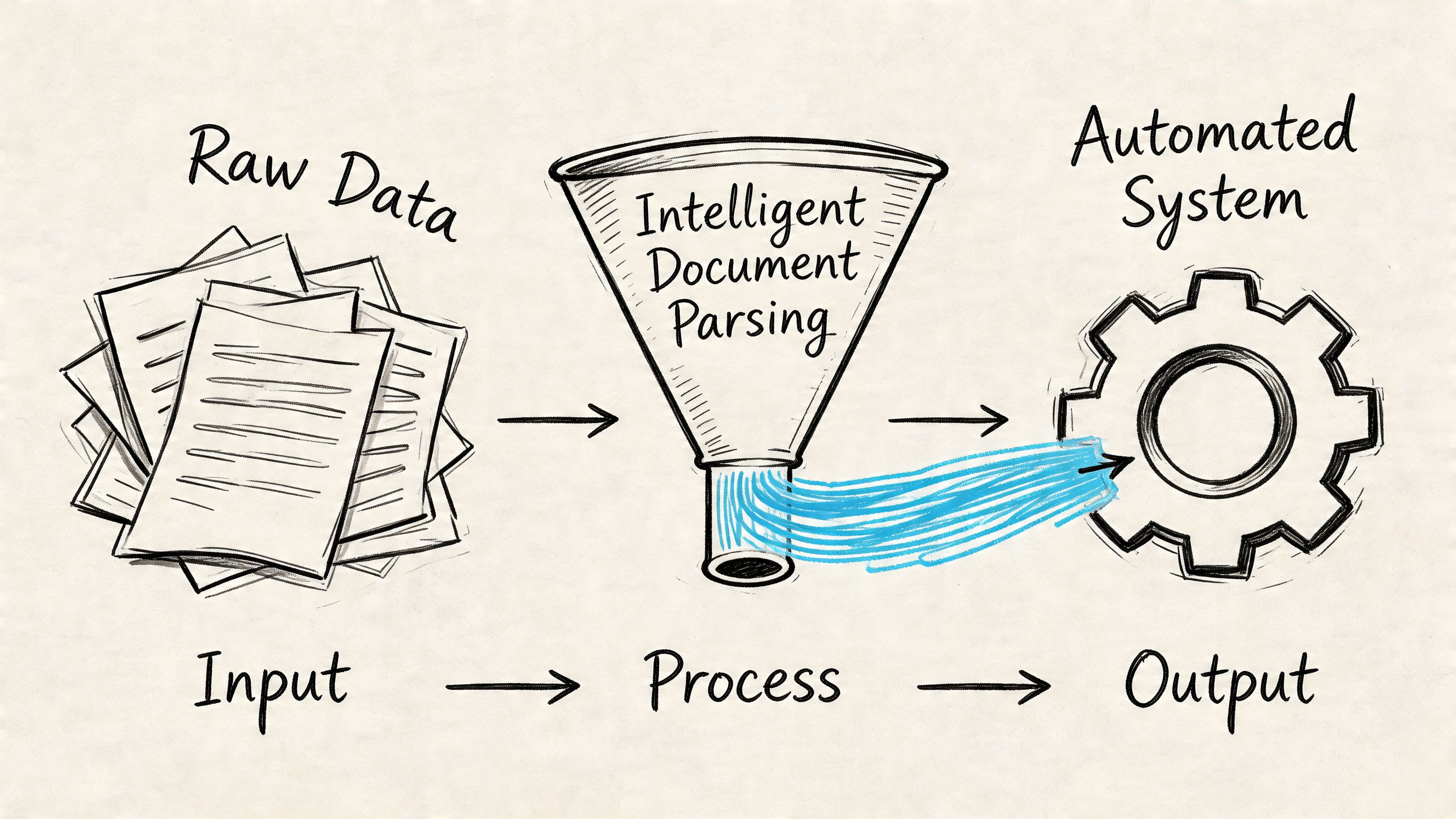
That’s why implementation should start before invoice generation rules, payment routing, or dashboard design. Start at the input layer.
Step one is fixing the data intake problem
This is the part most vendors gloss over. They show a clean workflow with clean records. Real finance teams don’t receive clean records.
They receive scans, vendor invoices, statements, policy documents, field photos, handwritten notes, email attachments, and forms created by outside parties who don’t follow internal formatting standards.
In complex industries, that problem gets worse fast. In Monite’s discussion of construction invoice management, companies may handle 75+ invoices from 8-12 subcontractors, and overlapping work can create duplicate billing or cross-tier discrepancies that contribute to 5% of revenue lost to billing errors.
A billing engine won’t solve that by itself. It still needs structured, comparable data.
Step two is converting messy documents into usable fields
Before automation can apply rules, the system needs data like:
- Invoice number
- Vendor or customer name
- Line items
- Dates
- Units or quantities
- Totals
- Cost codes
- Project or policy references
- Approved change details
At this stage, document parsing becomes the practical first move.
For example, DocParseMagic is a no-code document parsing platform that extracts structured fields from invoices, statements, scanned pages, Word files, spreadsheets, and photos, then outputs organized tables finance teams can use in billing and reconciliation workflows. That matters because it turns unstructured inputs into records a billing system can process.
Step three is map, then automate
Once your input data is usable, implementation becomes much more manageable.
Use a phased approach:
-
Identify repeatable billing inputs
Pick the documents and event sources that show up most often and create the most manual work. -
Define the required fields
Decide what the billing engine must know to rate, invoice, and reconcile correctly. -
Map inputs to downstream systems
Connect extracted data to ERP, CRM, accounting, or project systems. -
Create exception paths
Some records will still need review. Build that into the process instead of pretending every document is clean. -
Pilot one workflow first
Start with one billing stream, one business unit, or one invoice class.
Don't automate your entire billing landscape on day one. Automate one stable path, prove it works, then widen the lane.
Step four is design for human review where it matters
Automation doesn’t mean no people. It means people stop doing low-value translation work and focus on judgment.
Good review points include:
| Review point | Why it still matters |
|---|---|
| Unclear line items | A person may need to interpret intent |
| Change order conflicts | Terms may not match the original scope |
| Cross-document mismatches | Totals may differ across sources |
| High-value exceptions | Finance may want approval before billing |
That approach is especially important for distributed teams. Field records, subcontractor documents, and customer support notes often arrive in different formats and at different times. A practical automated billing system accepts that reality and structures around it.
Choosing the Right Vendor and Avoiding Pitfalls
Buying billing software is easier than buying the right billing software. Most platforms can demo invoices, recurring charges, and payments. The harder question is whether the product fits the complexity of your process without forcing your team into workarounds.
A useful way to evaluate vendors is to split the conversation into two parts. First, what the platform must handle. Second, where projects usually fail.
Vendor Selection Checklist for Automated Billing Systems
| Feature Category | Key Questions to Ask | Why It Matters |
|---|---|---|
| Billing models | Can it support subscription, usage-based, milestone, and hybrid billing? | Your pricing will change over time |
| Rule flexibility | Can finance update pricing rules and exceptions without heavy engineering? | Billing slows down when every change becomes an IT task |
| Document intake | How does the system handle PDFs, scans, statements, and non-standard source files? | Clean input determines reliable automation |
| Integrations | Does it connect cleanly with ERP, CRM, accounting, and payment tools? | Billing breaks when data has to be re-entered |
| Audit trail | Can you see who changed what, when, and why? | Disputes and audits require traceability |
| Exception handling | What happens when data is missing, conflicting, or incomplete? | Real workflows always have edge cases |
| Payment support | How are payment outcomes posted back to customer records and reporting? | Collections and reconciliation depend on feedback loops |
| Reporting | Can finance monitor invoice status, open balances, and failure points easily? | Visibility is part of control |
| Scalability | Will the data model still work if volume, entities, or billing complexity grows? | A short-term fit can become an expensive migration later |
| Support and onboarding | Who helps configure rules, integrations, and issue resolution? | Billing is too critical for weak implementation support |
Common mistakes that create expensive rework
The most common vendor mistake is buying for the demo instead of buying for the exceptions.
A polished invoice screen doesn’t tell you how the system handles conflicting source documents, contract amendments, split approvals, or partially structured data. Those are the moments that decide whether automation sticks.
Three pitfalls show up often:
-
Choosing a rigid data model
If the platform assumes every billable event arrives in a perfectly structured format, your team will still end up cleaning records manually. -
Ignoring implementation ownership
Finance, IT, operations, and customer-facing teams all touch billing. If nobody owns cross-functional decisions, the rollout stalls. -
Underestimating support quality
Billing is not a side workflow. When something breaks, you need timely answers.
The right vendor doesn't just process ideal transactions. It helps you control messy ones.
A simple test for future fit
Ask every vendor to walk through one real billing exception from your environment. Not the clean version. The ugly one.
Show them the scanned file, the change request, the pricing exception, and the payment mismatch. If the answer relies on spreadsheets outside the system, extra manual review everywhere, or “custom work later,” take that seriously.
Automated Billing in Action Industry Use Cases
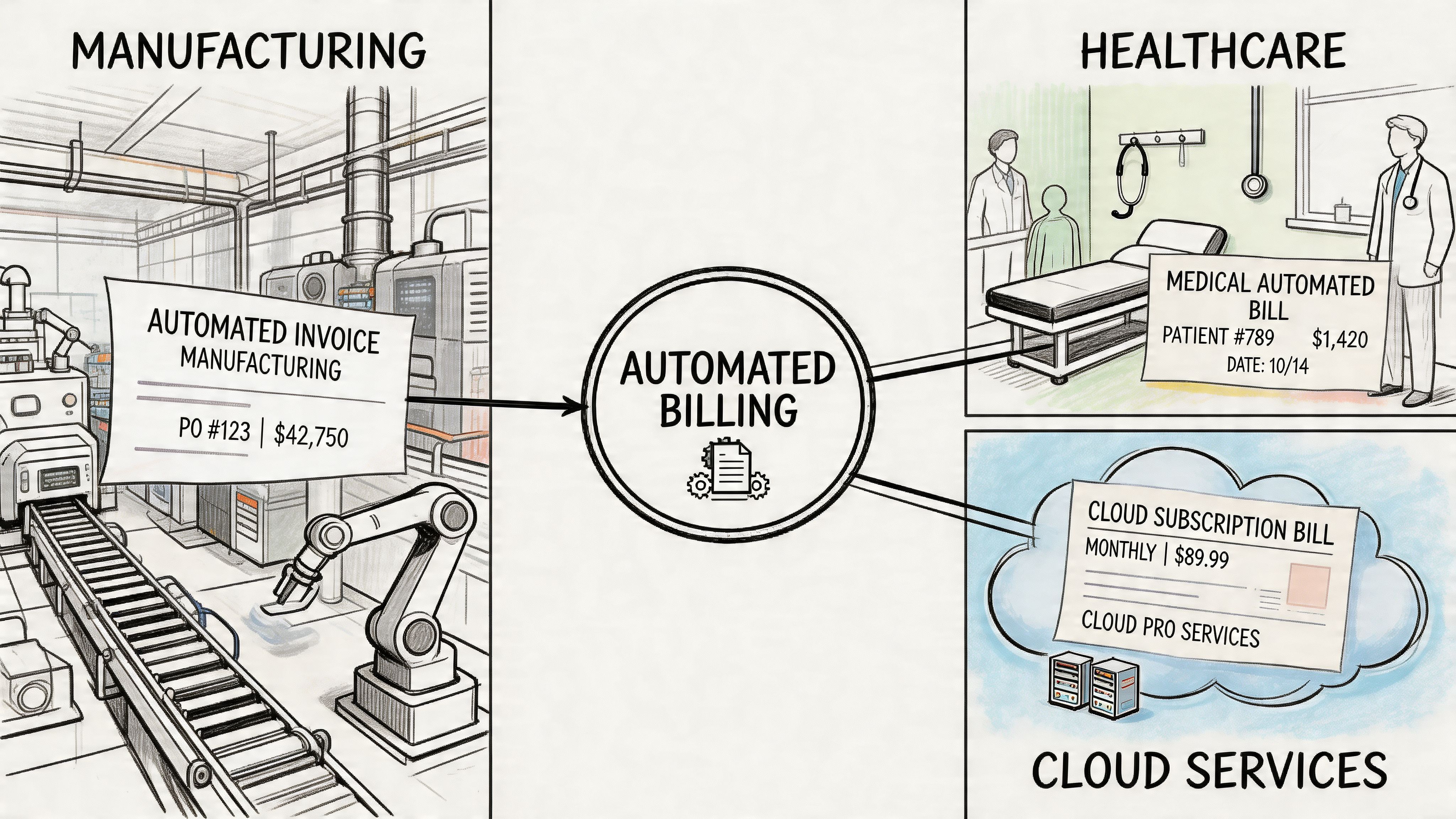
Billing automation becomes easier to understand when you stop thinking in platform features and start looking at daily work.
Different industries create different billing pain. The pattern is the same. Information arrives in messy formats, someone has to interpret it, and mistakes slow down payment.
Construction and project billing
A project accountant receives subcontractor invoices, equipment charges, change orders, and field logs from multiple parties. The challenge isn’t only entering the data. It’s checking whether the charges overlap, whether the billed phase is approved, and whether the project codes line up.
In Tenna’s explanation of telematics-based construction billing, automated systems can use engine hours, mileage, GPS activity, timestamps, maintenance records, and dispatch data to generate invoices from rate tables without manual entry. That can reduce billing disputes by 50% and accelerate payments by 15-20 days.
That example matters because it shows what “automation” really means in the field. Not just sending invoices faster, but creating a trusted source of billable usage.
Insurance and premium operations
An insurance team often works with policy schedules, endorsements, premium summaries, and statement documents that weren’t designed for easy extraction.
Manual workflows force staff to read the document, locate the correct premium details, and key them into downstream systems. A structured billing process can pull policy fields into a standard format, so premium calculations and checks happen consistently.
The value isn’t flash. It’s fewer interpretation mistakes and less rework when a customer or carrier asks for support.
Manufacturers’ reps and commission workflows
Commission reporting has its own version of billing chaos. Different principals send statements in different formats. Product names vary. Sales periods don’t always line up cleanly. Deductions appear in one report and not another.
An automated billing system helps only after the source data is normalized. Once that happens, finance can reconcile line items, compare rates, and create accurate payment files without rebuilding the logic every cycle.
Procurement and vendor comparison
Procurement teams may not think of themselves as billing teams, but they still deal with billable data. Supplier proposals, quote sheets, contract schedules, and invoice terms all need comparison.
If each vendor submits information in a different structure, analysts spend too much time reorganizing inputs before they can even evaluate them. Document parsing plus a billing-ready workflow turns those scattered submissions into comparable records.
Accounting teams and statement-heavy processes
For accounting teams, the win is often visibility. Bank-related statements, customer remittances, and invoice packets become structured rows instead of one-off files sitting in folders.
That changes the job from “find and enter” to “review and decide.” For a finance manager, that’s the promise of an automated billing system. Less clerical movement. More control.
Your Next Steps Toward Billing Automation
The path into billing automation is simpler when you stop treating it like one giant software decision.
Start with your pain points. Look for the places where staff retype data, chase missing context, reconcile inconsistent documents, or hold invoices because the source records aren’t usable yet.
Then fix the input problem first. If your billing data arrives in PDFs, scans, photos, statements, and mixed templates, clean extraction has to come before workflow automation. Otherwise you’ll automate only the clean slice of your process and leave the hardest work untouched.
Finally, run a pilot. Pick one billing stream with clear business value and enough repetition to prove the model. Build the intake, mapping, review steps, invoice logic, and payment flow. Learn from the exceptions. Then expand.
An automated billing system works best when it’s grounded in the documents and decisions your team already handles every day. Once those inputs become structured and dependable, the rest of the process gets much easier to control.
If your billing workflow still starts with messy PDFs, scanned invoices, statements, or field documents, DocParseMagic can be a practical first step. It turns unstructured business files into clean, analysis-ready tables your finance team can use for reconciliation, billing prep, and downstream automation without template setup.