Month End Close Process Checklist: Your Fast, Accurate Close
The month-end close often feels like a high-stakes race against time, filled with manual data entry, endless reconciliations, and the constant pressure to deliver accurate financial statements. This frantic cycle leaves little room for the strategic analysis that actually drives business growth. Traditional checklists, while helpful, frequently fall short because they fail to address the core bottleneck: the immense volume of messy, unstructured documents that bog down accounting teams. Invoices, expense reports, commission statements, and vendor agreements all arrive in different formats, requiring tedious, error-prone manual work. This is where a modern, actionable month end close process checklist becomes essential.
This guide provides a blueprint for transforming that chaos into clarity. We’ll move beyond the basics and focus on specific, high-impact reconciliation tasks where intelligent automation can make the biggest difference. You will learn how to streamline critical workflows, from matching invoices against purchase orders and receipts to untangling complex intercompany transactions and commission statements.
Each item on this checklist is designed to be a practical step toward a faster, more accurate, and less stressful close. We’ll cover key tasks including:
- Reconciling credit card and corporate card statements with precision.
- Validating vendor invoices and statement of account balances.
- Processing and reconciling specialized documents like change orders and lien waivers.
By implementing these strategies, you can significantly reduce manual effort, minimize human error, and reclaim valuable time. The goal is to shift your team's focus from tedious data wrangling to high-value financial analysis, turning the month-end close from a dreaded scramble into a smooth, efficient, and predictable process. This checklist is your roadmap to achieving just that.
1. Reconcile and Match Invoices to Purchase Orders and Receipts
One of the most foundational tasks in any month-end close process checklist is ensuring your expenses are accurate. This starts with a three-way match, a crucial accounts payable process that verifies invoice details against their corresponding purchase orders (POs) and goods receipt records. This simple verification step is your first line of defense against overpayments, duplicate billings, and fraudulent invoices, ensuring you only pay for what you ordered and received.
Manually matching hundreds of documents is a significant bottleneck during the close. Each invoice, PO, and receipt must be individually reviewed, leading to errors and delays. Automation tools like DocParseMagic eliminate this friction by extracting key data points, such as invoice numbers, line items, quantities, and totals, directly from documents. This extracted data is then organized into a structured format, like a spreadsheet, for quick and accurate comparison against your PO and receiving logs.
How to Implement This Step
- Start Early: Don't wait until the last week of the month. Begin processing and matching invoices as soon as they arrive to identify and resolve discrepancies with vendors well before closing deadlines.
- Standardize Data: Use a tool like DocParseMagic to automatically standardize the format of extracted invoice data. This makes a side-by-side comparison with your internal PO and receiving data nearly effortless.
- Prioritize and Set Thresholds: Flag high-value invoices and new vendor payments for a priority manual review. To improve efficiency, establish a small tolerance threshold (e.g., a 2-5% variance) for minor price discrepancies to avoid escalating every tiny mismatch.
By implementing a robust three-way matching system, you create a reliable foundation for your financial statements. For a deeper dive into this fundamental control, you can learn more about the best practices for 3-way matching of invoices and how it strengthens financial integrity.
2. Extract and Validate Expense Codes and Account Coding
A critical step in any month-end close process checklist is assigning every business expense to the correct general ledger (GL) account. Accurate account coding ensures that your financial reports, like the profit and loss statement, correctly reflect where money is being spent. This process involves extracting key invoice details and mapping them to the appropriate expense categories, departments, or cost centers, which is essential for meaningful budget-to-actual variance analysis and departmental reporting.
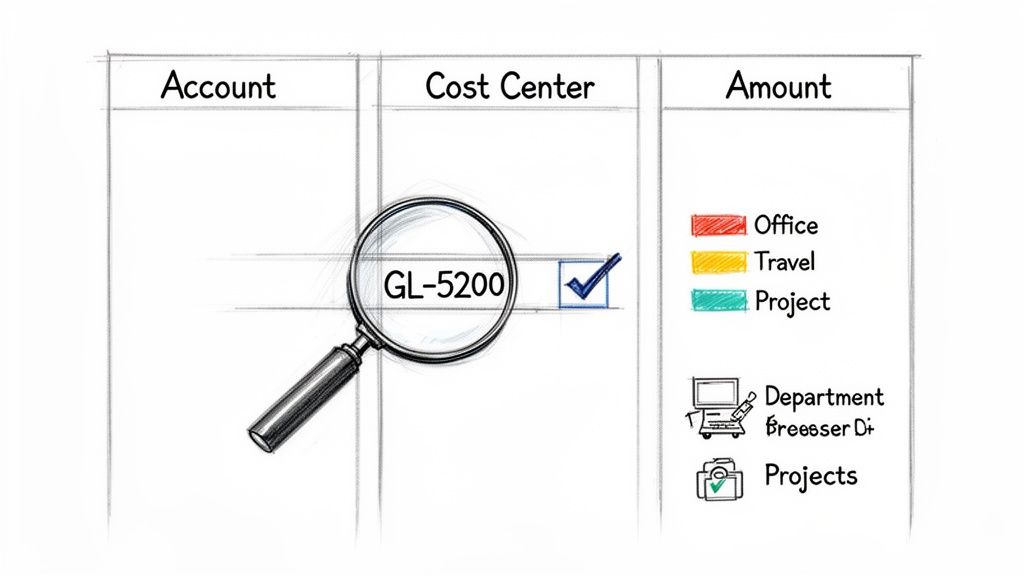
Manually reviewing each invoice to determine its proper coding is slow and prone to human error, especially with high volumes. Misclassifying a large capital expenditure as a simple operating expense can significantly distort financial health metrics. Automation tools like DocParseMagic streamline this by extracting vendor names, line-item descriptions, and amounts. This structured data allows accounting teams, like those at construction firms, to efficiently code subcontractor invoices to specific projects and cost centers, ensuring precise job costing and reporting.
How to Implement This Step
- Create a Vendor Master List: Maintain a master file that maps specific vendors to their default GL expense accounts. This can be used to pre-populate coding suggestions, significantly speeding up the validation process for recurring invoices.
- Establish Clear Coding Guidelines: Document clear rules for your team, especially for complex or multi-line invoices. Define how to split costs between different departments (e.g., marketing vs. sales) or expense types (e.g., supplies vs. services).
- Review Coding Weekly: Instead of saving all coding validation for the last few days of the month, perform weekly reviews. This "mini-close" approach helps catch and correct errors early, reducing month-end pressure and preventing last-minute fire drills.
Properly coding expenses provides the granular detail needed for effective financial analysis and strategic decision-making. To build a strong foundation for this task, you can learn more about the best ways to categorize business expenses and create a clear chart of accounts for your organization.
3. Reconcile Credit Card and Corporate Card Statements
A critical component of any month-end close process checklist is reconciling corporate and employee credit card statements. Organizations rely on these cards for everything from employee travel expenses to recurring software subscriptions. This step involves meticulously matching every transaction on the statements to a corresponding receipt, invoice, or expense report to ensure all spending is legitimate, approved, and correctly categorized in the general ledger.
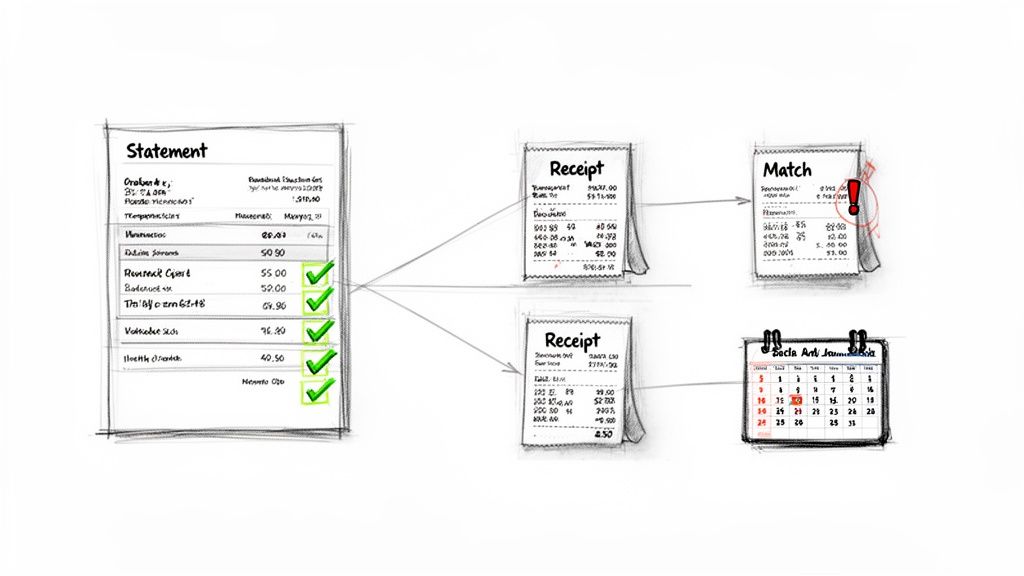
Manually verifying hundreds of small transactions is time-consuming and prone to human error, creating a major bottleneck. Automation tools like DocParseMagic streamline this by extracting key data from both credit card statements and supporting documents like PDF invoices or photos of receipts. For example, a professional services firm can automatically match corporate card charges against client project expense submissions, ensuring accurate client billing. The tool organizes the extracted data into a structured format, enabling a swift and accurate reconciliation process.
How to Implement This Step
- Establish a Clear Policy: Mandate that employees submit all receipts and expense reports within 3-5 days of a transaction. This policy prevents a last-minute scramble to find documentation and speeds up reconciliation.
- Centralize Document Collection: Use a tool like DocParseMagic to create a centralized repository for all receipts and supporting documents. Automatically categorize submissions by employee, date, and vendor to simplify matching against statement line items.
- Review and Flag Transactions Early: Don't wait until the end of the month to review spending. Flag high-value, unusual, or out-of-policy transactions as they occur to resolve issues with employees or vendors immediately.
- Separate Recurring Charges: Isolate predictable, recurring vendor payments like software subscriptions from variable employee expenses. Automating the reconciliation for these known charges first can significantly reduce the manual workload.
By systematically reconciling card statements, you maintain tight control over spending and ensure the accuracy of your financial records. To further enhance this process, you can explore how to convert bank statements to Excel for easier analysis and reporting.
4. Validate and Reconcile Intercompany Transactions
For organizations with multiple subsidiaries or divisions, reconciling intercompany transactions is a critical part of the month end close process checklist. These internal transfers of goods, services, loans, or costs must be accurately tracked and eliminated during consolidation to prevent overstating revenue and expenses. Failing to do so can lead to significant misstatements in the consolidated financial reports and create major headaches during an audit.
The complexity arises when each entity uses slightly different documentation or tracking methods. Manually sifting through invoices, transfer documents, and journal entries between related parties is slow and highly prone to error. An automation tool like DocParseMagic helps standardize this process by accurately extracting key details from intercompany invoices and transfer documents. This allows your team to quickly match transactions between entities, verify amounts, and flag discrepancies for investigation before the final consolidation.
How to Implement This Step
- Standardize Templates: Establish and enforce the use of standardized intercompany invoice and transaction templates across all entities. This simplifies data extraction and makes automated matching far more reliable.
- Maintain a Master Log: Create a shared, master intercompany transaction log that is updated in real-time or daily. This avoids a last-minute scramble to identify and reconcile transactions at the end of the month.
- Implement Formal Sign-Offs: Institute a mandatory sign-off process where the accounting heads of each entity formally confirm their intercompany balances with one another before the close. This creates accountability and resolves issues early.
A disciplined approach to intercompany reconciliations ensures the integrity of your consolidated financial statements. To learn more about how automation can streamline even the most complex document workflows, see how DocParseMagic can be tailored to fit your specific reconciliation needs.
5. Process and Reconcile Policy Premium and Commission Statements
For insurance carriers, brokers, and managing general agents (MGAs), a critical component of the month-end close process checklist is the accurate processing of premium and commission statements. These documents are notoriously complex, often arriving as multi-page PDFs packed with policyholder data, premium amounts, commission rates, and various adjustments. Properly reconciling this information is fundamental to recognizing revenue correctly and ensuring agent commissions are paid accurately.
The manual reconciliation of these statements is a major challenge during the close. Each line item must be cross-referenced against internal policy management systems, leading to a high risk of errors and significant time consumption. Automation tools like DocParseMagic address this by extracting key details such as policy numbers, premium amounts, and commission percentages directly from carrier statements. This data is then structured for efficient reconciliation, ensuring commissions are precisely calculated and recorded before the books are closed.
How to Implement This Step
- Flag Policy Changes: Don't wait for month-end to deal with policy adjustments. Flag endorsements, cancellations, and renewals as they occur throughout the month to make reconciling final statements much smoother.
- Build a Carrier Database: Use a tool like DocParseMagic to create a historical database of statement formats from each carrier. This builds an intelligent system that recognizes and extracts data more efficiently over time.
- Implement a Weekly Review: Instead of tackling a mountain of statements at month-end, implement a weekly commission reconciliation review. This proactive approach helps your team catch and resolve discrepancies with carriers early, avoiding last-minute fire drills.
By automating the extraction and reconciliation of these complex insurance documents, you create a more reliable and efficient financial close. To see how this technology transforms manual work, you can explore the process of extracting data from commission statements and its impact on financial accuracy.
6. Reconcile Loan Portfolio Performance and Underwriting Documents
For financial institutions, a critical part of the month end close process checklist involves ensuring the loan portfolio's integrity. This requires reconciling loan system data against original underwriting documentation, a process that verifies the accuracy of every loan on the books. This step confirms that details in loan applications, credit reports, income verifications, and asset statements match the records in your core system, which is essential for accurate risk assessment, financial reporting, and regulatory compliance.
Manually reviewing and matching data from hundreds of documents per loan is a major operational drain during the close. Underwriters and loan processors must sift through PDFs and scanned files to find applicant names, income figures, and asset details, leading to potential data entry errors and significant delays. Automation tools like DocParseMagic streamline this reconciliation by extracting key data points directly from these documents. The tool structures this information neatly, allowing for a fast and accurate comparison against your loan portfolio records, creating an audit-ready trail.
How to Implement This Step
- Standardize Naming Conventions: Establish a clear document naming convention that links every underwriting document to a specific loan ID in your portfolio system. This simple organizational step makes file retrieval and auditing much faster.
- Create a Pre-Close Checklist: Use a tool like DocParseMagic to automatically generate a checklist of required documentation for each loan. This helps you flag and address incomplete files early in the month, preventing last-minute scrambles for missing paperwork.
- Prioritize and Flag: Identify high-risk or large-value loans for a more detailed manual review. Set up automated flags for any discrepancies found between extracted data and system records, such as mismatched income figures or unverified assets, to prioritize follow-up actions.
By systematically reconciling underwriting documents, you fortify your loan portfolio's data quality and ensure compliance. To see how automated data extraction can transform your loan reconciliation workflow, explore how DocParseMagic for Loan Processing helps community banks and mortgage servicers maintain accuracy and efficiency.
7. Extract and Match Vendor Invoice Terms and Payment Dates
Accurate payment timing is crucial for effective cash flow management and correct accrual accounting. This step in the month-end close process checklist involves extracting key dates and terms from vendor invoices, such as invoice dates, due dates, and early payment discount opportunities. By matching this information against payment records, you ensure bills are paid on time, capture valuable discounts, and maintain strong vendor relationships.
Manually tracking these details across countless invoices is prone to error and can lead to missed savings or late fees. Automation tools like DocParseMagic streamline this task by accurately extracting invoice dates, payment terms (like Net 30 or 2/10 Net 30), and due dates from any invoice format. The tool organizes this critical data, making it easy for accounts payable teams to optimize payment schedules and for finance leaders to forecast cash requirements accurately.
How to Implement This Step
- Create a Vendor Master List: Maintain a central file with standard payment terms for each vendor. Use this list to validate the terms extracted by DocParseMagic, quickly flagging any deviations that may require review or negotiation.
- Prioritize Discount Capture: Focus on capturing early payment discounts from high-value or high-frequency vendors to maximize savings. Use the extracted data to build a payment schedule that prioritizes these opportunities without straining working capital.
- Build a Cash Flow Forecast: Use the structured output from DocParseMagic, which includes due dates and discount windows, to create a reliable short-term cash flow forecast. This helps you anticipate outflows and manage your cash position more effectively.
- Analyze and Negotiate: Regularly review the payment term data you've collected. Analyzing trends can reveal opportunities to negotiate more favorable terms with key suppliers, improving your company's working capital cycle.
8. Consolidate and Reconcile Vendor Statement and Statement of Account Balances
Beyond individual invoices, reconciling vendor statements of account (SOAs) is a critical step in a thorough month-end close process checklist. These monthly summaries list all invoices, credits, and payments, providing a complete picture of your account status from the vendor's perspective. Comparing these statements against your accounts payable subledger confirms that all transactions have been recorded, prevents duplicate payments, and uncovers any missed invoices or credits.
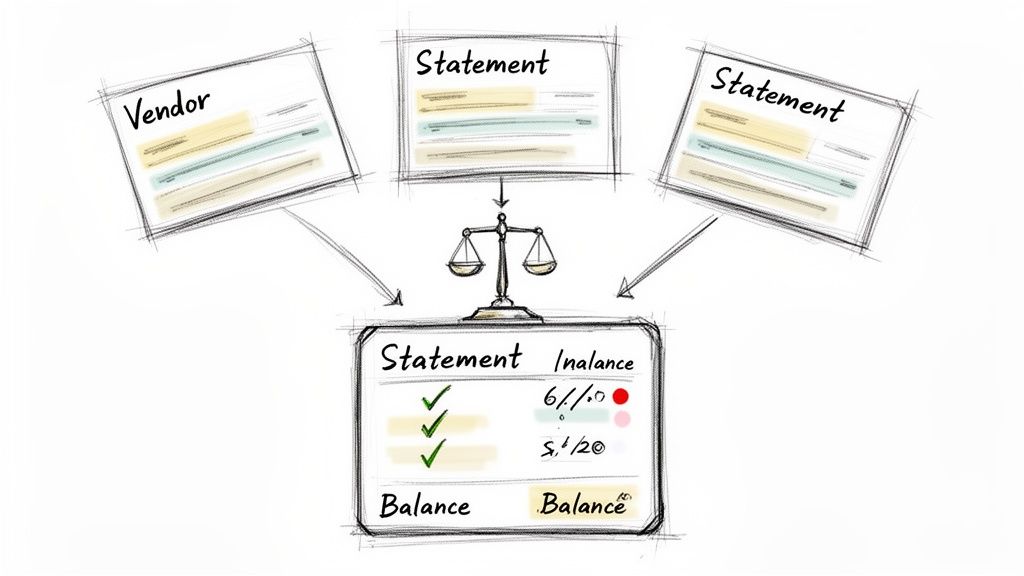
Manually verifying multi-page statements from dozens or even hundreds of suppliers is tedious and prone to error. An automation tool like DocParseMagic streamlines this by extracting key details such as vendor names, invoice numbers, payment history, and ending balances directly from each statement. For example, a manufacturing firm can use this to quickly reconcile statements from over 100 suppliers, creating an organized dataset to match against its AP records and ensuring balance accuracy.
How to Implement This Step
- Start Reconciling Early: Request vendor statements to arrive by the 25th of the month. Use a tool like DocParseMagic to begin extracting and reconciling data before the final close cutoff, giving you more time to resolve issues.
- Maintain a Reconciliation Tracker: Create a simple spreadsheet to monitor the status of each vendor reconciliation. Track which statements have been received, which have been reconciled, and which have outstanding discrepancies that require follow-up.
- Establish Discrepancy Thresholds: To manage your team's time effectively, focus on material differences. Implement a policy to immediately investigate and flag any discrepancies over a set amount (e.g., $500) or significant aging items for follow-up with the vendor.
By systematically reconciling vendor statements, you gain confidence in the completeness and accuracy of your accounts payable balance. Learn how AP automation can transform this and other crucial closing tasks, reinforcing the integrity of your financial reporting.
9. Process and Reconcile Commission and Royalty Payments
For businesses with variable compensation structures, accurately processing commissions and royalties is a critical part of the month end close process checklist. This step involves validating sales data, applying the correct commission or royalty rates, calculating payouts, and accruing the expense correctly. It's a detailed process that directly impacts both employee compensation and the accuracy of your financial statements, making it essential to get right.
Manually calculating and verifying these payments from various sales reports and statements is prone to error and can be incredibly time-consuming. An incorrect calculation can lead to disputes with sales teams or partners and misstated expenses. Automation tools like DocParseMagic streamline this by extracting key data like sales amounts, commission rates, and calculated totals directly from commission statements and supporting sales reports. This allows finance teams to quickly validate calculations and reconcile them against payout records.
How to Implement This Step
- Create a Master Register: Use a tool like DocParseMagic to help build and maintain a master commission register. This central document should detail all compensation plans, rates, and tiers, serving as the single source of truth for all calculations.
- Validate Data Weekly: Don't leave this complex task for month-end. Extract and validate commission data on a weekly basis to catch calculation errors or discrepancies early, giving you ample time to resolve issues before the closing crunch.
- Implement a Sign-Off Process: Establish a formal review and sign-off workflow. Before any payments are processed, require sales managers or department heads to verify the accuracy of their team’s commission reports, adding an essential layer of internal control.
- Analyze Monthly Trends: Once the data is reconciled, analyze commission and royalty trends. Look for unusual spikes or dips that could indicate calculation errors, incorrect rate applications, or potential overpayments that require further investigation.
10. Verify and Reconcile Change Orders, Lien Waivers, and Subcontractor Invoices
For construction, engineering, and other project-based industries, the month-end close process checklist must include specific controls for project-related documents. This step involves carefully reconciling change orders, lien waivers, and subcontractor invoices to ensure all work performed is properly billed, paid, and recorded. Verifying these documents prevents cost overruns, payment disputes, and compliance issues, ensuring project financials are accurately reflected in your statements.
The complexity of managing dozens of active projects, each with multiple subcontractors and potential scope changes, makes manual verification a major hurdle. Tools like DocParseMagic streamline this by automatically extracting key details like change order scope and cost, lien waiver information, and subcontractor invoice line items. This data is then structured and organized, allowing accounting teams to efficiently reconcile project-level expenses and close the books without getting lost in paperwork.
How to Implement This Step
- Establish a Formal Change Order Process: Don't wait for an invoice to learn about a scope change. Implement a process that requires project manager approval on all change orders before work begins. This dramatically reduces post-invoice disputes and reconciliation delays.
- Automate Document Tracking: Use a tool like DocParseMagic to create a centralized, project-level log of all change orders, lien waivers, and invoices. This provides a clear audit trail and makes it easy to flag invoices received without a corresponding approved change order.
- Implement Weekly Reviews: Schedule a brief weekly meeting with project managers to review outstanding change orders and subcontractor invoices. Catching discrepancies early in the cycle is far more efficient than trying to resolve them during the high-pressure closing week.
- Verify Lien Waiver Compliance: Before processing final payments, confirm that all required lien waivers have been received and are correctly filled out. This is a critical risk management step that protects your business from potential claims.
10-Point Month-End Close Checklist Comparison
| Task | 🔄 Implementation Complexity | ⚡ Resource Requirements | 📊 Expected Outcomes | 💡 Ideal Use Cases | ⭐ Key Advantages |
|---|---|---|---|---|---|
| Reconcile and Match Invoices to Purchase Orders and Receipts | 🔄 High — needs PO/receipt system access and exception workflows | ⚡ Moderate — invoice extraction + PO/receipt data feeds | 📊 Accurate expense recognition, duplicate prevention; ⭐⭐⭐⭐ | 💡 Procurement, manufacturing, AP month‑end 3‑way matching | ⭐ Prevents duplicate payments, audit trail, speeds AP (⚡) |
| Extract and Validate Expense Codes and Account Coding | 🔄 Moderate — requires GL mapping and coding rules | ⚡ Moderate — vendor master, coding rules, GL import format | 📊 Cleaner GL, accurate departmental P&L, fewer restatements; ⭐⭐⭐⭐ | 💡 Project accounting, construction, departmental cost allocation | ⭐ Ensures GL integrity, enables budget/variance analysis (⚡) |
| Reconcile Credit Card and Corporate Card Statements | 🔄 Low–Moderate — handle receipts, photos, foreign FX | ⚡ Low–Moderate — centralized receipt repo, matching rules | 📊 Faster reimbursements, fraud prevention; ⭐⭐⭐ | 💡 Firms with corporate cards, professional services, high travel | ⭐ Reduces review time, improves reimbursement accuracy (⚡) |
| Validate and Reconcile Intercompany Transactions | 🔄 High — cross‑entity coordination, elimination rules | ⚡ Moderate — entity identifiers, intercompany logs | 📊 Accurate consolidation, fewer elimination adjustments; ⭐⭐⭐⭐ | 💡 Multi‑entity organizations, holding companies, multi‑location firms | ⭐ Speeds cross‑ledger matching, provides audit‑ready documentation (⚡) |
| Process and Reconcile Policy Premium and Commission Statements | 🔄 High — multi‑page and inconsistent carrier formats | ⚡ High — carrier templates, commission calculation logic | 📊 Accurate commissions/premiums and regulatory compliance; ⭐⭐⭐⭐ | 💡 Insurance carriers, brokers, MGAs reconciling carrier reports | ⭐ Reduces commission errors, accelerates reconciliation (⚡) |
| Reconcile Loan Portfolio Performance and Underwriting Documents | 🔄 High — regulated docs, PII handling, multi‑page files | ⚡ High — secure storage, document linking to loan records | 📊 Audit‑ready loan files, improved reserve and reporting accuracy; ⭐⭐⭐⭐ | 💡 Banks, mortgage servicers, community lenders | ⭐ Ensures compliance, speeds loan file review and audits (⚡) |
| Extract and Match Vendor Invoice Terms and Payment Dates | 🔄 Moderate — varied term formats and interpretation | ⚡ Low–Moderate — vendor master, payment scheduling integration | 📊 Optimized cash management, capture of early‑pay discounts; ⭐⭐⭐ | 💡 Treasury, procurement, mid‑market manufacturers | ⭐ Prevents late fees, identifies discount opportunities (⚡) |
| Consolidate and Reconcile Vendor Statement and Statement of Account Balances | 🔄 Moderate — varying vendor formats and cutoff timing | ⚡ Moderate — statement parsing, AP subledger access | 📊 Fewer discrepancies, faster vendor reconciliations; ⭐⭐⭐⭐ | 💡 Firms with many suppliers, manufacturing, services | ⭐ Identifies missing/duplicate items, speeds reconciliation (⚡) |
| Process and Reconcile Commission and Royalty Payments | 🔄 High — tiered plans, bonuses, tax withholding rules | ⚡ Moderate — commission register, payroll/tax integration | 📊 Accurate payouts, fewer disputes, payroll compliance; ⭐⭐⭐⭐ | 💡 Sales organizations, brokers, publishers, licensors | ⭐ Reduces disputes, ensures withholding and reporting accuracy (⚡) |
| Verify and Reconcile Change Orders, Lien Waivers, and Subcontractor Invoices | 🔄 High — handwritten/poor scans and scope ambiguity | ⚡ Moderate — project logs, approval workflows, document capture | 📊 Accurate project cost accounting and lien compliance; ⭐⭐⭐⭐ | 💡 Construction firms, general contractors, project‑based orgs | ⭐ Ensures lien waiver compliance, reduces disputes and overbilling (⚡) |
From Checklist to Competitive Advantage: Building a Smarter Close
The month-end close is often viewed as a necessary, yet burdensome, accounting ritual. However, as we've detailed throughout this guide, it represents a significant opportunity to build a powerful financial engine for your organization. Moving beyond the simple act of ticking boxes on a checklist is where true value is unlocked. The goal is to transform this historically reactive process into a proactive, strategic function that delivers timely, accurate, and insightful financial intelligence.
This comprehensive month end close process checklist has provided a roadmap, breaking down the intricate tasks from pre-close preparation to final reporting. We've explored the detailed reconciliation of everything from purchase orders and credit card statements to complex intercompany transactions and industry-specific documents like subcontractor invoices and insurance commission statements. The common thread among these disparate tasks is the heavy reliance on manual document processing, a bottleneck that consumes valuable time and invites human error.
Key Takeaways for a Transformed Close
Mastering your month-end close process hinges on embracing a new mindset focused on efficiency, accuracy, and strategic insight. Here are the most critical takeaways to guide your transformation:
- Standardization is Your Foundation: A well-documented and standardized process is non-negotiable. It ensures consistency, simplifies training, and creates a clear baseline from which you can measure improvements. Without it, every close is a chaotic scramble.
- Automation is Your Accelerator: The most significant gains in speed and accuracy come from automating manual, document-heavy tasks. Targeting the reconciliation of invoices, vendor statements, and expense reports with document-parsing tools frees your team from tedious data entry and allows them to focus on analysis.
- Proactive Reconciliation is Essential: Don't wait until the last day of the month. Implementing continuous or daily reconciliation for high-volume accounts like cash and accounts receivable dramatically reduces the pressure and workload during the final crunch time.
- Ownership Drives Accountability: Assigning clear ownership for every single checklist item, from reconciling policy premiums to verifying lien waivers, eliminates confusion and ensures every task is completed on time. A responsibility assignment matrix (RACI chart) can be an invaluable tool here.
Your Actionable Next Steps
Turning these concepts into reality requires a deliberate, step-by-step approach. Instead of attempting a complete overhaul overnight, focus on incremental progress to build momentum.
- Identify Your Biggest Bottleneck: Review the ten reconciliation points covered in this article. Which one consistently causes the most delays, errors, or team frustration? Is it matching thousands of invoices to purchase orders, or reconciling complex, multi-page vendor statements?
- Pilot an Automation Solution: Select that single, high-pain process and pilot a document-parsing tool. Focus on one specific workflow, such as processing subcontractor invoices or extracting data from loan application documents. Measure the time saved and the reduction in errors to build a compelling case for wider adoption.
- Refine and Expand: Once you've successfully automated one area, use the learnings to tackle the next. Gradually expand the use of automation across your month end close process checklist, turning a series of manual burdens into a streamlined, tech-enabled workflow.
Ultimately, a world-class month-end close is not just about closing the books faster. It’s about building trust in your financial data, empowering your leadership with real-time insights, and reallocating your team’s brainpower from mundane data entry to high-impact strategic analysis. By viewing your checklist not as a list of chores but as a blueprint for optimization, you can convert your finance function from a cost center into a true competitive advantage.
Ready to eliminate the manual data entry that slows down your close? See how DocParseMagic uses advanced AI to instantly extract and validate data from invoices, statements, and other critical documents, turning your tedious reconciliation tasks into a swift, automated workflow. Visit DocParseMagic to start your journey toward a faster, smarter close today.