
SMS to Email: The Complete Guide for 2026
Your phone buzzes. A field rep has texted a photo of a signed purchase order. Ten minutes later, a customer sends a policy image by SMS. Then a vendor replies to a status request with a short text that matters, but it is now sitting on one employee’s phone instead of in the team inbox.
This underlying reason drives the search for sms to email. Not because the setup is interesting. Because important business communication keeps landing in the wrong place.
For accounting, insurance, procurement, and operations teams, SMS is fast but messy. Email is slower, but it is where approvals, filing, forwarding, and audit trails usually happen. The practical job is not just to receive a text. It is to move that text into a system people already use, without losing context, attachments, or the reply trail.
Why Forward SMS to Email in the First Place
The gap usually shows up during routine work. Someone texts an invoice photo, a claim update, a proof-of-delivery image, or a short approval. The message gets read on a phone, maybe screenshotted, maybe copied, maybe forgotten. Nothing about that flow is stable.
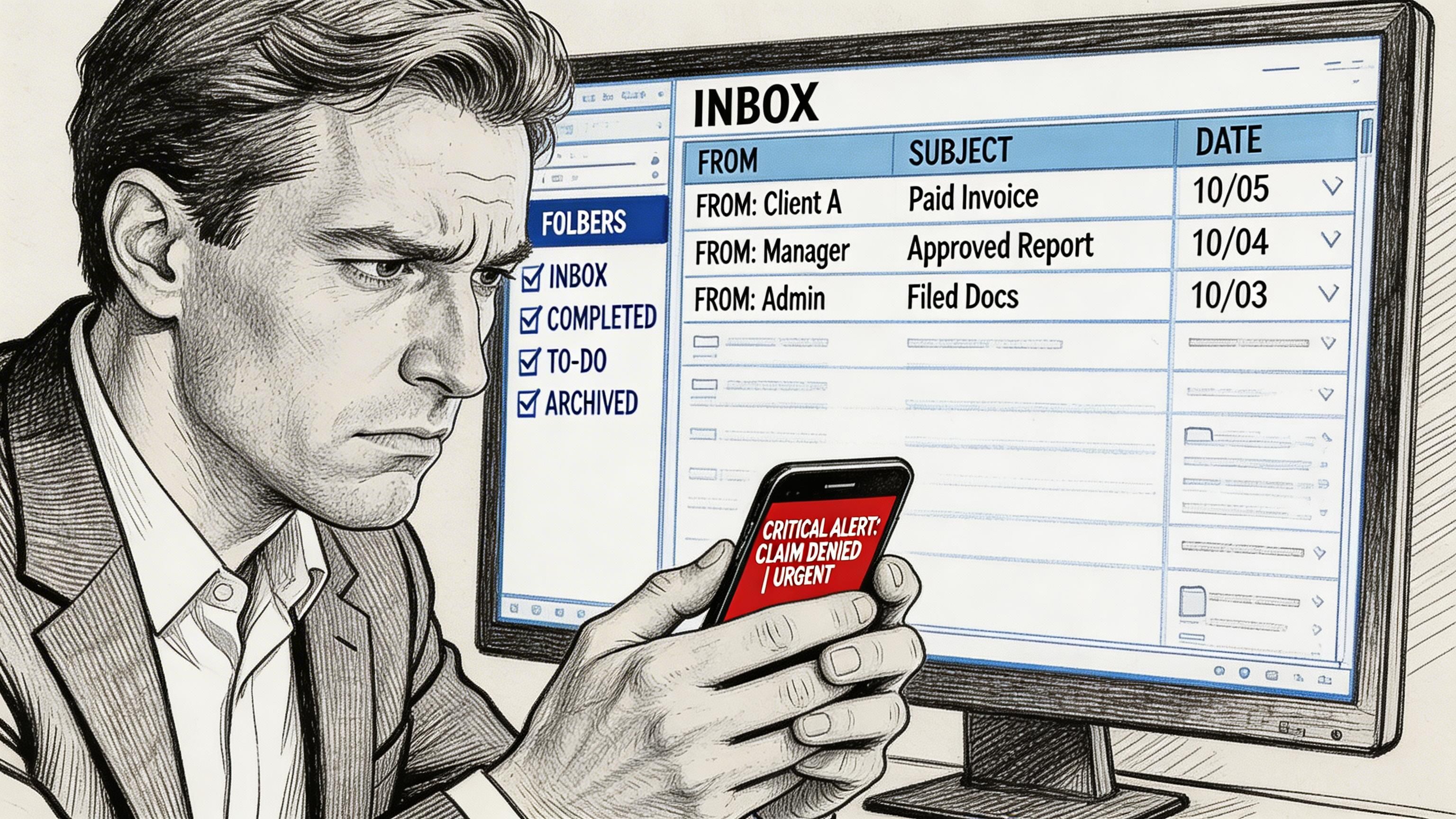
SMS matters because people see it. The first SMS message was sent on December 3, 1992, and the source cited below says that by 2026, SMS is projected to be a trillion-dollar marketing channel with 90 to 98 percent open rates, compared with 20 to 30 percent for email. It also reports 45 percent or higher response rates for SMS versus 6 percent for email, and says 90 percent of recipients open texts within 3 minutes (Project Broadcast on SMS marketing statistics for 2026).
That speed is why companies use SMS for urgent document-related communication. The problem is that speed alone does not create a usable workflow.
Three common approaches solve it:
- Carrier gateways work for simple forwarding and quick tests.
- Dedicated business messaging services handle two-way texting better.
- Automated workflows and APIs give you routing, formatting, and system integration.
Practical rule: If one person just needs occasional text alerts in an inbox, start simple. If a team needs shared ownership, searchable history, or document handling, skip straight to a managed service or automation layer.
The right method depends less on budget than on what happens after the message arrives.
Using Carrier Gateways for Simple SMS Forwarding
A carrier gateway is the fastest way to prove the concept. If a dispatcher, office manager, or owner just needs a text to land in an inbox, this method can be running in minutes without buying software or assigning a new business number.
The trade-off is reliability and control. Carrier gateways are best for light-duty forwarding, not message handling that affects revenue, compliance, or customer service.
How the carrier gateway method works
The setup is simple. Send a text message to an address built from the recipient phone number and the carrier’s email domain. The carrier accepts the SMS, converts it, and drops it into the email inbox tied to that address.
The basic format looks like this:
- Enter the destination as phonenumber@carrierdomain.com
- Write the message in your phone’s standard SMS app
- Keep it plain text
- Send it like a normal text
TrueDialog’s overview of text-to-email gateways describes the core process. Use the native messaging app, confirm you are sending standard SMS, enter the full gateway email address in the recipient field, and keep the content plain text (TrueDialog on text to email gateways).
Major US carrier gateway addresses
| Carrier | SMS Gateway Address | MMS Gateway Address |
|---|---|---|
| Verizon | phonenumber@vtext.com | phonenumber@vzwpix.com |
| AT&T | phonenumber@txt.att.net | phonenumber@mms.att.net |
| T-Mobile | phonenumber@tmomail.net | phonenumber@tmomail.net |
For U.S. testing, these are the formats I usually verify first.
Where carrier gateways make sense
Carrier gateways are useful in a narrow set of situations, and that is fine. I have used them for after-hours alerts, one-person notification flows, and short operational messages that did not need a reply.
They work best when the job is small and the consequences of a missed message are low:
- Basic notifications: short alerts sent to one inbox
- Quick pilot projects: validate whether sms to email fits the process before buying tools
- No new app rollout: staff can keep using the phone and email tools they already know
That simplicity is the whole appeal.
If the business already relies on a cloud phone system, it is also worth comparing carrier gateways with VoIP text messaging for business. VoIP platforms usually give you better visibility, shared ownership, and cleaner message history, even for fairly small teams.
Where carrier gateways break down
The weak spots show up fast in real use.
Message length is the first problem. Short alerts usually pass through cleanly. Longer texts can split awkwardly, lose formatting, or arrive as something that looks more like a partial note than a usable business record.
Carrier matching is the second problem. If the sender uses the wrong carrier domain, the message does not route correctly. That happens more often than people expect, especially when employees are texting customers, vendors, or field staff on mixed carriers.
Reply handling is the bigger operational issue. A gateway can get a text into email, but the thread often becomes messy once people start replying from different devices or inboxes. That is where teams begin asking who responded, whether the customer saw it, and which system has the definitive record.
There is also very little structure in the email that comes through. For businesses that need to sort by account, parse job numbers, or trigger downstream actions, that missing metadata matters.
For setup advice that avoids common failures
Treat carrier gateways like a fragile utility. They can help, but they need tight rules.
-
Start with a short test message Use one line of plain text. Confirm delivery before trying templates, signatures, or copied content.
-
Use plain characters Curly quotes, special symbols, and pasted formatting create avoidable conversion issues.
-
Keep the body clean Remove disclaimers, footers, and email signatures. They add noise and can break the message format.
-
Document the carrier domain you are using Do not rely on memory. Keep a short reference sheet for staff so they do not guess the address.
-
Send test messages from the actual devices your team uses iPhone-to-gateway behavior, Android messaging apps, and desktop texting tools can behave differently.
One more practical point. If your broader communication flow also needs outbound notifications from email, this guide on sending an email to a text message address helps map the reverse direction so the handoff stays consistent.
Best use case: low-risk, one-way alerts that one person can monitor without collaboration, audit history, or automation requirements.
When carrier gateways stop being the right tool
Carrier gateways stop making sense once the inbox is supposed to do real work.
If incoming texts need triage, ownership, tagging, attachment handling, or routing into a business process, the gateway becomes the weakest link. I have seen companies start with a simple text-to-email forward for invoice issues or service approvals, then hit a wall because the email arriving from the carrier had inconsistent formatting and no dependable thread context.
That matters even more if the final destination is not a person but a workflow. For example, if an SMS triggers an email that later feeds a parser such as DocParseMagic, message consistency matters more than bare delivery. A messy forwarded email is harder to extract data from, harder to classify, and harder to trust.
Carrier gateways are good for proving the path. They are a poor long-term choice for business conversations or document-driven operations.
Dedicated Services for Two-Way Conversations
Once a business needs actual conversation management, a dedicated service beats carrier gateways quickly. The reason is simple. The hard part is not sending a message into email. The hard part is keeping replies organized.
Google Voice for light business use
Google Voice is often the first upgrade because it is familiar and easy to test. For a solo operator, a small agency, or a manager who wants one business texting number separate from a personal phone, it is a practical starting point.
The strengths are obvious:
- A dedicated business-facing number
- Simple text handling
- Email notifications for incoming activity
- Access from desktop and mobile
For one person or a very small team, that can be enough. A property manager, independent adjuster, or bookkeeper can monitor texts without handing out a personal number.
Its weakness shows up when several people need to work the same thread. Shared ownership is limited. Internal notes are limited. Handoffs can get messy. If a finance coordinator and an account manager both need visibility, Google Voice starts to feel narrow.
Business texting platforms for teams
Platforms like OpenPhone, Dialpad, and other virtual phone systems are better when texting is part of daily operations instead of a side channel.
What they usually handle better:
| Need | Google Voice | Team-focused virtual phone systems |
|---|---|---|
| Dedicated number | Yes | Yes |
| Desktop and mobile access | Yes | Yes |
| Shared inbox | Limited | Stronger |
| Internal comments | Limited | Common |
| Team assignment | Limited | Common |
| Better workflow integrations | Limited | Better |
If you are evaluating options, it helps to review how VoIP text messaging for business works in practice. The useful distinction is not just “can it send texts.” It is whether the service treats texting as part of a business communication stack rather than a personal messaging feature.
The core value lies in conversation continuity
The best dedicated platforms solve a problem many teams underestimate. A reply from a customer is not just another message. It is part of a thread tied to a number, a user, and often a job in progress.
That matters when:
- an underwriter asks for one missing document
- a vendor confirms a revised quote by text
- a subcontractor replies with a photo and a short note
- a policyholder sends a clarification after hours
In those cases, email forwarding alone is not enough. The team needs context.
What to look for before you choose
Do not choose based on price first. Choose based on workflow friction.
Shared inbox behavior
If two people open the same message, can one claim it? Can the other see that? If not, duplicate replies start happening.
Internal collaboration
Team messaging tools are better when they support private notes attached to a text thread. That keeps side discussion out of the customer-facing conversation.
Number strategy
Some teams want one company number. Others need separate numbers by department or campaign. Both approaches can work. The wrong choice creates confusion later if incoming replies land in the wrong queue.
Export and retention
If messages affect finance, claims, compliance, or vendor management, you need a credible history. The service should make retrieval easier, not harder.
A useful related reference is this DocParseMagic post on email to text message workflows, especially if your use case involves moving notifications across channels without losing operational clarity.
Selection shortcut: If one person owns the texts, choose the simplest service that gives you a dedicated number. If a team owns the texts, buy for routing and collaboration first, not for vanity features.
What does not work well
A common mistake is trying to force a consumer messaging tool into a shared business process. It feels cheap at first, then expensive in labor.
Another bad pattern is forwarding every incoming text to a generic inbox without clear ownership. That turns one incoming message into three follow-up questions inside the office. Nobody knows who should answer, and the sender waits.
Dedicated services cost more than carrier gateways. They also remove a lot of invisible rework. In most team settings, that trade is worth it.
Building Automated SMS to Email Workflows
Manual forwarding helps at the edge. Automation helps at scale.
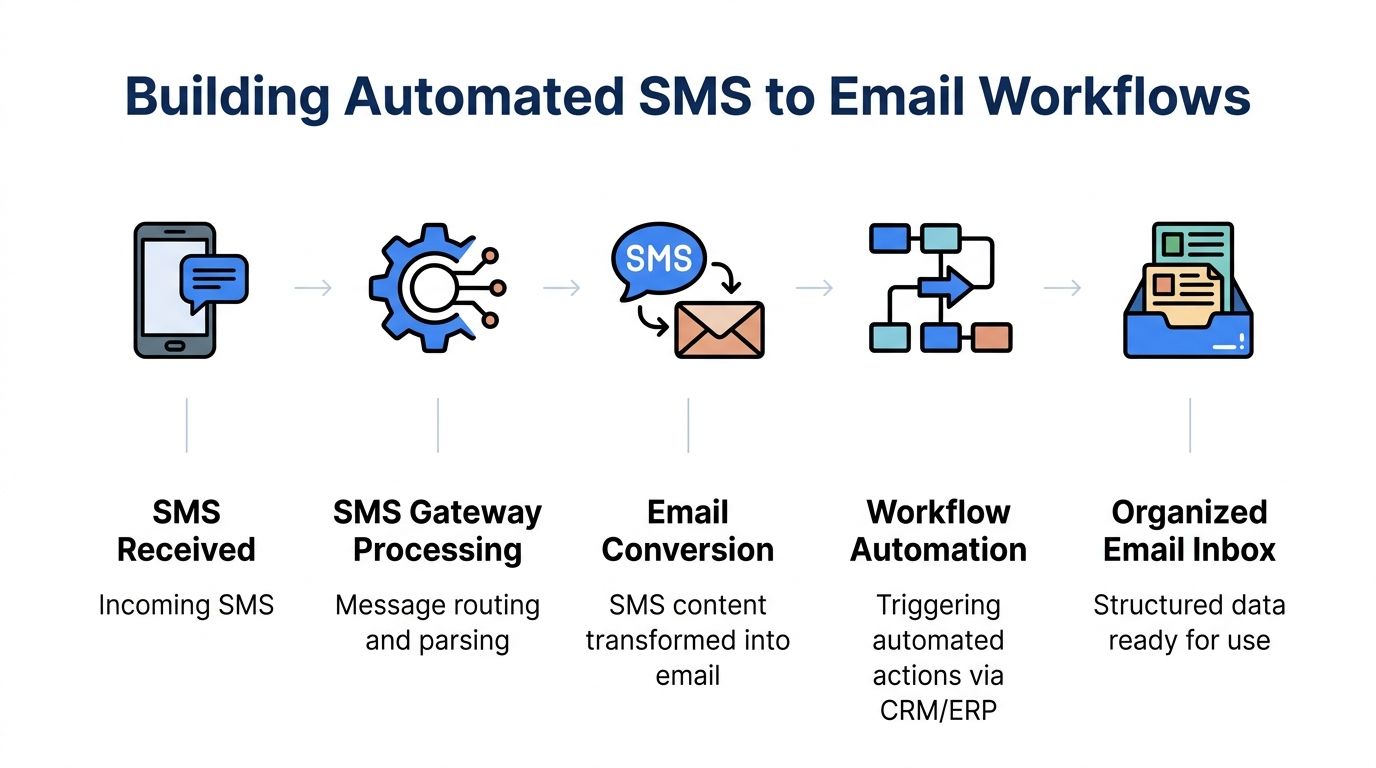
When a business receives recurring texts tied to orders, claims, status checks, approvals, or document intake, the smarter move is to convert the message into a structured email automatically. That gives you consistent subject lines, sender labeling, routing rules, and a place to trigger downstream actions.
A no-code path that works
A common no-code pattern looks like this:
-
Receive an SMS on a business number This usually comes through a provider that supports automation hooks.
-
Catch the event in Zapier or a similar tool The trigger is “new inbound SMS.”
-
Format the email before sending it Put the sender number in the subject. Put the body in a clean template. Add tags for department or workflow type.
-
Send to a processing inbox Use a mailbox dedicated to the next action, not a general office inbox.
-
Apply mailbox rules or downstream automation Route by sender, keyword, or queue.
This is the difference between “we got a text in email” and “we now have a repeatable intake channel.”
If you are comparing no-code tools before building this, DocParseMagic’s take on Zapier vs n8n is worth reviewing. The important question is not which tool is trendier. It is which one matches your team’s comfort level and need for control.
Why SMTP-based conversion still matters
Some businesses already live in email systems and want to originate messages there. In those cases, SMTP-based email-to-SMS tools still have a place because they fit existing mail infrastructure and user habits.
SMTP2GO describes a flow where you enable email-to-SMS, compose the email with the body as SMS content, address it to phonenumber@sms.smtp2go.com, and send it through the provider relay. The system parses the message and splits content over the limit into segments of 153 characters after the first 160-character segment. The same source says success rates are 97 to 99 percent in major U.S. and EU markets for single messages under 160 characters, with lower performance for concatenated messages. It also notes that the reverse process, SMS-to-email via API, offers much greater control for business workflows, and cites SMSEagle latency under 1 second for time-critical notifications (SMTP2GO on SMS messaging).
That last point matters most. SMTP is useful. API-driven sms to email is usually better when workflow design matters.
What an API workflow gives you
APIs let you do more than forward content. They let you shape it.
With an API-based pipeline, you can:
- Add metadata such as sender number, timestamp, route, and message type
- Normalize formatting before the email is created
- Branch logic based on keywords or destination teams
- Store identifiers so replies can tie back to a specific thread or record
- Create cleaner audit trails than ad hoc mailbox forwarding
A practical pattern looks like this:
| Step | What happens |
|---|---|
| SMS arrives | Provider receives the inbound message |
| Webhook fires | Your app or automation tool receives the payload |
| Processor formats it | You clean text, label source, assign a workflow tag |
| Email is generated | The system sends a structured message to the right inbox |
| Business rule runs | Inbox rule, ERP trigger, or document workflow takes over |
Video walkthrough
A short walkthrough can make the automation logic easier to visualize.
Build for routing, not just delivery
This is the part that changes outcomes. If every inbound text becomes a generic email, you have only moved clutter from a phone to an inbox.
Useful routing rules often include:
- By sender class: Customer, vendor, field rep, or internal user
- By content trigger: Approval, missing document, status update, urgent exception
- By destination team: Claims, AP, procurement, underwriting, operations
- By attachment presence: Text-only messages may follow a different path than image-based submissions
Operational advice: Name the inbox by workflow, not by person. “claims-intake@” or “ap-texts@” ages much better than forwarding everything to one employee and hoping they stay in the role.
What tends to fail in automated setups
The failure points are rarely technical first. They are usually design problems.
Weak subject lines
If every email subject is identical, nobody can scan the queue.
No source labeling
A message without the sender number or origin context becomes hard to action later.
Overloaded central inboxes
Automation should sort messages before humans touch them, not dump all of them into a shared pile.
No reply plan
If your outgoing SMS asks for a response, your system must know where that response goes and who owns it.
When those details are set early, sms to email becomes more than a forwarding trick. It becomes a reliable intake layer for business operations.
Troubleshooting Common SMS and Email Integration Issues
The failures are usually predictable. That is good news, because predictable failures are fixable.
When attachments disappear or become useless links
This happens most often with MMS content, especially photos sent from field staff or customers. One service passes the image through cleanly. Another replaces it with a carrier link. Another drops it entirely.
Typical causes include carrier conversion limits, weak MMS support, or a gateway that was only built for plain text.
What helps:
- Use a provider that supports MMS explicitly if images matter
- Test real phone types instead of assuming one successful test covers all devices
- Route image-heavy workflows through dedicated services or APIs, not bare carrier gateways
If invoice photos, ID cards, damage shots, or signed forms are central to the process, this is not the place to cut corners.
When text arrives garbled
Strange characters usually come from encoding or formatting issues. Copying from email signatures, web pages, or rich text editors makes it worse.
Try these fixes:
- Keep content plain text
- Avoid decorative symbols and smart punctuation
- Trim auto-signatures before conversion
This problem shows up more often than teams expect in approval messages and templated alerts.
When delivery is delayed
A few seconds may be fine. Several minutes can break an approval or exception workflow.
The likely causes vary by method:
| Symptom | Likely cause | Better approach |
|---|---|---|
| Random delays on simple forwards | Carrier gateway variability | Use a managed service |
| Delays on long messages | Message segmentation | Shorten content |
| Delays on high-volume workflows | Queueing or throttling | Move to API-based routing |
The fix is not always “change vendors.” Sometimes it is just reducing message length and removing unnecessary content.
The reply management gap
This is the problem that hurts teams the most after launch. Sending is easy. Managing the reply path is not.
TextBolt describes this as the SMS-to-Email Reply Management Gap. Teams struggle to track which emails produced which SMS conversations, prevent reply confusion from multiple gateway numbers, and maintain audit trails. For accounting and insurance teams, that becomes a workflow bottleneck because staff end up manually tracking conversations that should be part of normal processing (TextBolt on email to SMS and reply complexity).
A practical fix for reply confusion
Do not rely on human memory to reconstruct the thread later. Build identifiers into the flow.
Use a simple scheme:
- Add a ticket or case reference in the message body
- Store sender number and outbound number together in your system
- Route replies to a mailbox or queue with a named owner
- Avoid mixing campaigns and operations on the same texting number
Best fix: If a text expects a reply, treat it like a support or operations conversation from the start. That means thread ownership, logging, and retrieval should be designed up front.
What to check first when something breaks
- Was the original message plain text or MMS
- Was the content too long
- Did the message pass through a fragile carrier gateway
- Did the email lose context such as sender number or timestamp
- Does anyone own the reply queue
Most sms to email problems are not mysterious. They come from using a lightweight method for a workflow that needed stronger controls.
From Email Inbox to Actionable Data
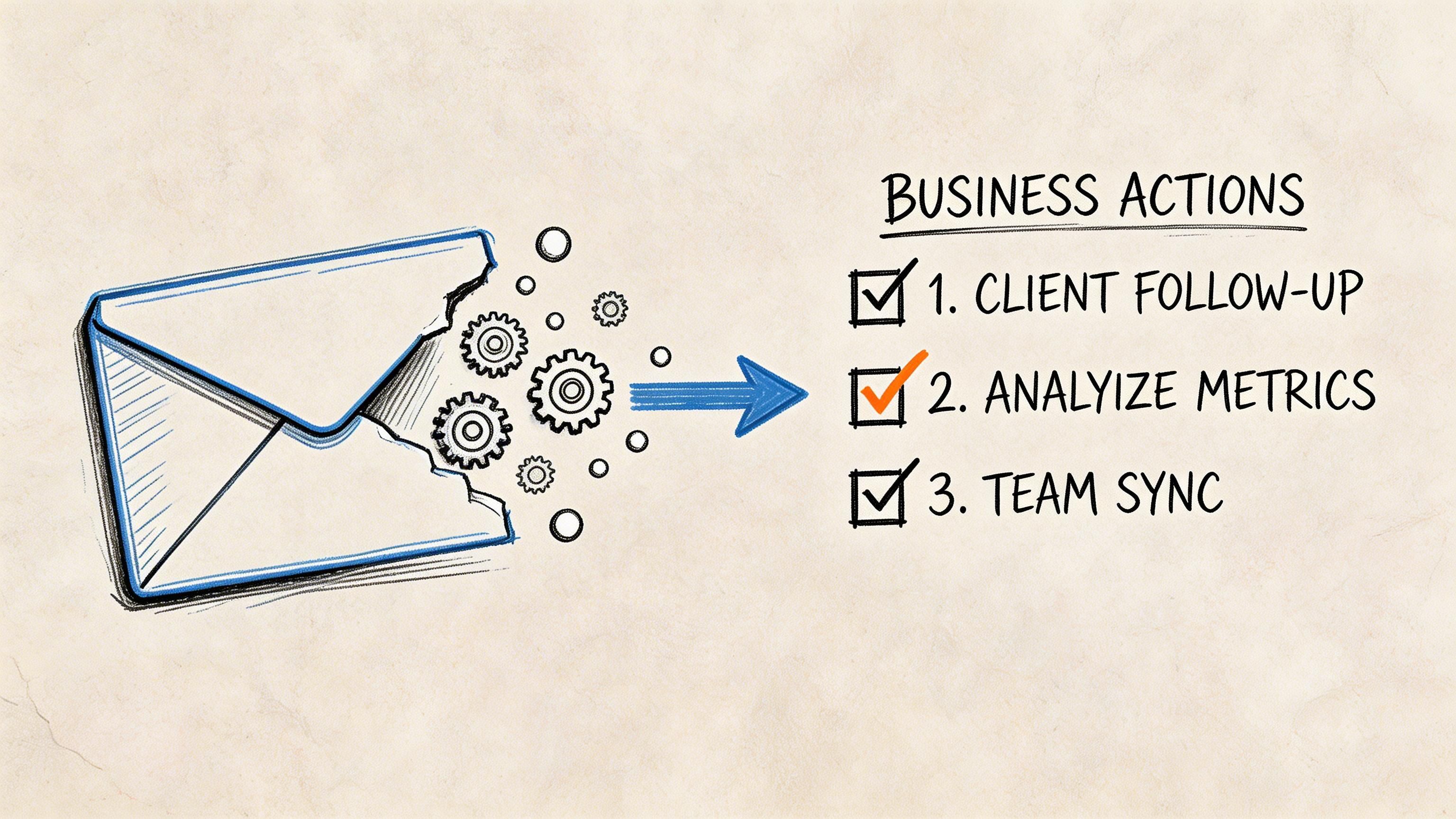
Getting the text into email is only the first useful step. The significant payoff starts when the email triggers action.
A lot of teams stop too early. They celebrate that the message now lands in Outlook or Gmail, but the staff still has to open it, read it, copy the details, rename the attachment, and enter the data into a spreadsheet or system. That is not a finished workflow. It is just a cleaner inbox.
Use SMS for urgency and email for recordkeeping
For document-heavy teams, SMS and email do different jobs. The challenge is using both without making the process noisy.
The source behind this section describes an SMS-Email Channel Conflict Problem for time-sensitive document notifications. SMS has a 90 percent-plus open rate, while email remains necessary for archival and compliance. A practical strategy it identifies is using SMS for the initial alert, such as “New invoice received,” and email for the detailed, archivable document (YouTube discussion on SMS and email orchestration).
That pattern works because each channel does what it is good at.
A better end state
Here is the version that saves time:
- A field agent texts a photo of a signed purchase order
- The sms to email workflow forwards it to a dedicated inbox
- A mailbox rule or automation sends that email into a document extraction flow
- The data becomes structured rows instead of image-based clutter
The same approach works for invoices, statements, policy documents, proof-of-delivery images, and vendor forms.
What the business gains
At this point, document automation becomes more valuable than forwarding alone.
A proper extraction flow can:
| Input received by email | Useful output |
|---|---|
| Invoice photo | Invoice number, date, total, line items |
| Policy image | Policy details, premium fields, named entities |
| Purchase order | PO number, vendor, terms, amounts |
| Statement screenshot | Key balances and transaction fields |
If you want a deeper look at what that downstream layer can do, this overview of automated data extraction is a good reference.
Why this matters in real operations
A phone is a terrible long-term system of record. An inbox is better, but still incomplete. The highest-value workflow is one where the message becomes usable business data with minimal human rekeying.
That matters most when teams process repeatable document types. AP teams do not want invoice photos trapped in text threads. Insurance teams do not want policy details sitting in personal devices. Procurement teams do not want vendor quotes manually copied from screenshots.
Key takeaway: sms to email is not the finish line. It is the handoff point between urgent communication and structured processing.
When you design the flow that way, the business gets both speed and order.
Frequently Asked Questions About SMS to Email
Is sms to email legal for business use
It can be, but legality depends on how you send messages and what kind of consent you have. Transactional and operational messages are different from marketing texts. If your team is sending business texts at scale, review consent requirements and message handling rules carefully.
For a practical overview, this guide to SMS marketing best practices is a useful starting point, especially if your use case may cross from operational alerts into promotional messaging.
Does sms to email work internationally
Sometimes. It depends on carrier support, country rules, provider coverage, and number formatting. Carrier gateway methods are the least dependable for international use. Dedicated platforms and API-based services usually give you better control, but you still need to test your real destination markets.
Can I use my existing business number
Maybe. Some services allow porting or number enablement for texting, while others work better with a new dedicated number. The decision is operational, not just technical.
A current number may preserve continuity for customers. A dedicated number may be cleaner if you want one queue for AP, one for claims, and another for procurement.
Should replies go to email or a messaging app
If one person manages the conversation, email can be enough. If a team needs collaboration, assignment, and thread ownership, a messaging app or shared workspace is usually better. Email is good for recordkeeping. It is not always the best control surface for active conversations.
What is the safest starting point
Start with one workflow, not the whole company. Pick a single use case such as invoice status texts, missing-document requests, or vendor confirmations. Test inbound handling, routing, and reply ownership before expanding.
If your team is already getting invoices, statements, policy documents, or purchase orders through text and email, DocParseMagic helps turn those messy files into clean spreadsheet-ready data without manual retyping. It is a practical next step once your sms to email flow is working.