Zapier vs n8n An Expert Comparison for Business Automation
The great debate between Zapier and n8n really boils down to a single, critical question: do you need plug-and-play simplicity, or do you want deep control and customization? One gets you running in minutes, while the other gives you the keys to the entire engine.
Your choice here isn't just about features; it's about matching the tool to your team's skills, budget, and the complexity of the problems you're trying to solve.
Choosing Your Automation Engine
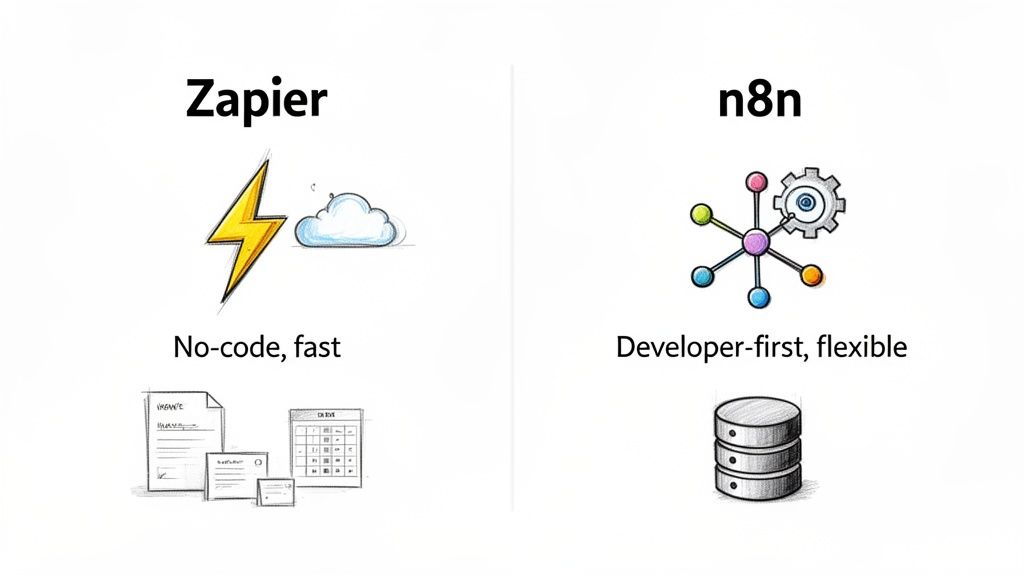
When finance, procurement, or operations managers start looking at automation, the decision between Zapier and n8n is a common fork in the road. Let's break down which path makes the most sense for your business.
Zapier is the undisputed heavyweight champion of no-code. It's famous for its incredibly intuitive, point-and-click interface that lets just about anyone connect thousands of apps without writing a single line of code. It’s built for speed and accessibility. You can find out more by reading our guide on what no-code automation is.
On the flip side, n8n is the powerful, open-source contender built with developers and technical users in mind. It offers incredible flexibility and major cost savings, especially if you have the resources to host it yourself. This makes it a fantastic choice for complex, high-volume workflows where you need to get under the hood and tweak the logic.
The right tool is entirely contextual. A finance team that just needs to get invoices from an inbox into QuickBooks has very different needs than a procurement team running custom data extraction and validation across multiple systems.
This guide is designed to give you a practical, side-by-side look to help you decide. To kick things off, here’s a quick overview of how they stack up.
Quick Glance Zapier Vs n8n
This table gives you a high-level summary of the core differences between Zapier and n8n. It's a great starting point for seeing where each platform shines.
| Feature | Zapier | n8n |
|---|---|---|
| Best For | Non-technical teams, speed, broad app support | Technical users, complex workflows, cost control |
| User Interface | Linear, step-by-step wizard | Visual, node-based canvas |
| Hosting Model | Fully managed cloud service | Cloud and self-hosted options |
| Pricing Basis | Per-task (each action is a task) | Per-execution (entire workflow run) |
| Customization | Limited to pre-built app actions | High (custom code, custom nodes) |
| Security | Managed (SOC 2, GDPR) | High control (self-hosted), user-managed |
As you can see, the decision isn't just about which tool is "better," but which one is the right fit for your team's DNA and the job at hand. Now, let’s dig deeper into each of these areas.
Comparing App Connectors and Core Features
When you're looking at automation platforms, the number and quality of app connectors are everything. It's the first thing I check. After all, a tool is only as good as its ability to talk to the software you already rely on every day. Zapier and n8n come at this from two very different angles.
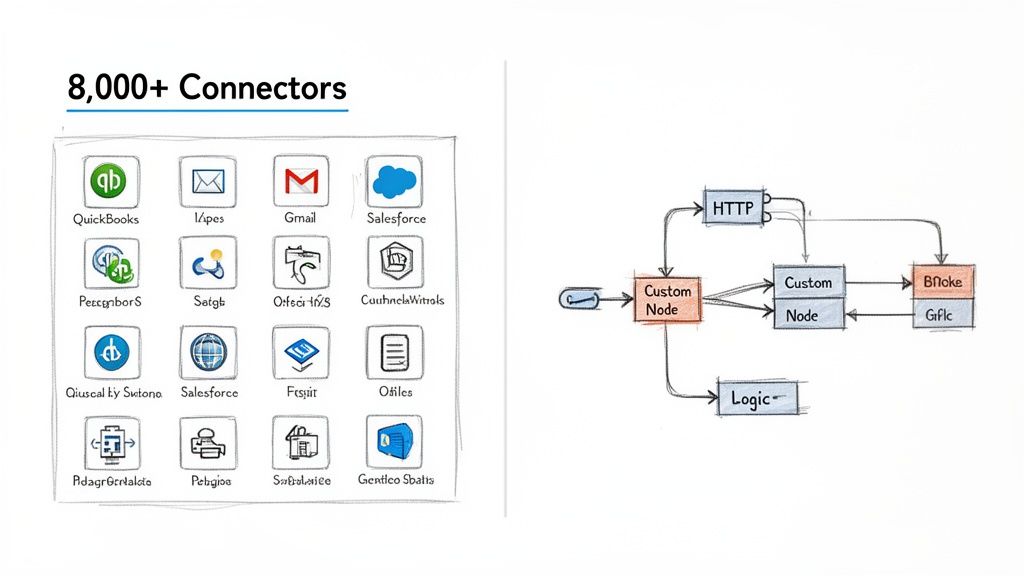
Zapier’s main claim to fame is its massive, sprawling library. We're talking over 8,000 pre-built app connectors. For teams without a developer on standby, this is a game-changer. You can link mainstream tools like Salesforce, QuickBooks, or Gmail in just a few clicks, no code required.
This plug-and-play approach is why Zapier dominates the market. It’s perfect for getting standard workflows up and running fast—think automatically creating a CRM entry from a new web form lead. The sheer size of its ecosystem means you can automate something right now. If you want to see how this fits into the wider landscape, check out our guide on different data extraction tools.
Depth And Customization With n8n
On the other side of the ring, n8n offers a more curated library of around 1,500 native connectors. While that number is smaller, n8n’s real strength isn't just about what's pre-built; it's about what you can build yourself.
n8n was clearly designed with technical users and developers in mind. Its node-based workflow editor is where the magic happens, giving you granular control. The star of the show is the HTTP Request node. This single feature is a skeleton key, letting you connect to practically any service with a REST API, even if a dedicated n8n connector doesn't exist yet.
This boils down to a fundamental trade-off. Zapier gives you immediate, broad connectivity for popular apps. n8n gives you the power tools to build deeper, more customized integrations for any specific need you can imagine.
Understanding this difference is key. The way these platforms manage connections is a core part of what defines modern cloud integration services and will heavily influence which tool is right for you.
Integrations For Finance and AI
For finance and accounting departments, Zapier’s huge connector library is a serious advantage. With over 8,000 integrations, including more than 450 AI-focused apps and the ability to perform over 40,000 distinct actions, it’s built for heavy-duty tasks like high-volume invoice processing.
This is especially true for businesses that use tools like DocParseMagic to extract data from various documents and need to push that information into different systems, from CRMs to accounting software. The platform has proven it can handle the load. One Enterprise client, for example, processes a staggering 27 million tasks every month, proving its mettle in document-heavy environments.
Evaluating Total Cost of Ownership
When you're looking at Zapier versus n8n, the sticker price is just the beginning. To get the real picture, you have to dig into the Total Cost of Ownership (TCO), especially when your work involves processing a high volume of documents. How each platform’s pricing scales with your actual usage makes all the difference.
Zapier’s model is famously task-based. It’s easy to grasp: after the initial trigger, every single action in your workflow counts as a task. This sounds simple enough, but the costs can spiral quickly once your workflows get more complex or you start pushing more volume through them.
Let’s walk through a common finance scenario. An invoice comes in, a tool like DocParseMagic parses it, the data goes to a spreadsheet, a new entry is created in QuickBooks, and a manager gets a heads-up on Slack. That’s four actions, meaning a single invoice just burned through four tasks. If you process 10,000 invoices a month, you’re suddenly looking at 40,000 tasks, which will almost certainly push you into one of Zapier's more expensive plans.
n8n’s Different Approach: The Execution Model
This is where n8n completely changes the game. Its pricing is built around executions, not individual tasks. A complete workflow run—whether it has two steps or fifty—is counted as just one execution. For any business running detailed, multi-step automations, this is a fundamental shift in the cost structure.
Take that same invoice process. In n8n, the entire workflow from start to finish counts as a single execution. At 10,000 invoices a month, you're only using 10,000 executions. This volume often fits comfortably within n8n’s lower-cost plans, giving you predictable and manageable pricing that scales beautifully. We've seen teams running complex automations—like feeding DocParseMagic data into a CRM for proposal analysis—find n8n to be 80-90% cheaper than Zapier at scale. This kind of cost efficiency is a huge deal, and others have noticed it too, as detailed on Softr.io.
For anyone running high-volume or complex automations, n8n's execution-based model is a clear winner on cost. It lets you build sophisticated workflows without punishing you for every extra step.
Don't Forget Hosting and Maintenance
The TCO conversation isn’t finished until you account for hosting. Zapier is a fully managed cloud service. Your subscription fee covers everything—the infrastructure, the updates, the security. There are no surprise operational costs.
n8n gives you choices: a managed cloud version or a self-hosted option. Going the self-hosted route can save you a ton on software licenses since the core platform is free. However, you're then on the hook for infrastructure costs like servers and databases, not to mention the technical expertise needed for setup, ongoing maintenance, and security.
When comparing total costs, you have to weigh these different models. A good place to start is by understanding the trade-offs between on-premises vs cloud computing. For a finance manager, it comes down to a simple choice: Do you prefer Zapier's predictable operating expense, or are you willing to manage the technical side with n8n to achieve potentially much lower costs?
Hosting, Security, and Compliance: Who Holds the Keys?
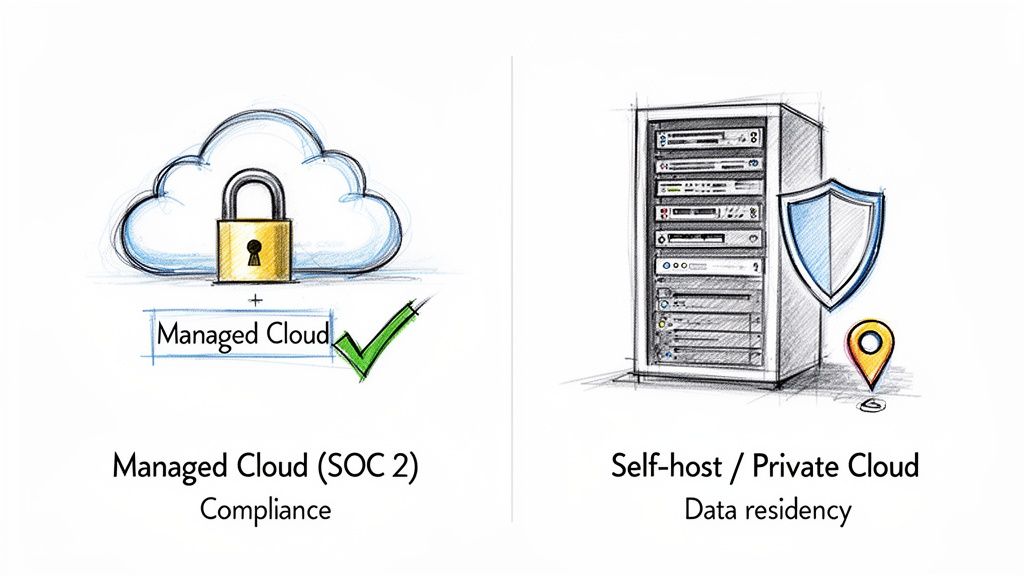
When we talk about security with Zapier and n8n, the question isn't really "which one is more secure?" It’s about who is responsible for that security. Your organization's approach to data governance will be the single biggest factor in making this choice.
Zapier keeps things simple with a fully managed cloud service. If you want security handled for you, this is your answer. Zapier is SOC 2 Type II certified and compliant with both GDPR and CCPA, making it a plug-and-play solution for companies in regulated industries like finance or insurance.
You simply don't have to think about server maintenance, managing vulnerabilities, or preparing for audits. The security and compliance framework is already built. This is a massive plus for teams that don't have dedicated IT security staff but still need to meet high standards.
The n8n Approach: Total Control, Total Responsibility
Now, n8n takes a completely different path, prioritizing flexibility and control. Its biggest security feature is the ability to self-host the platform on your own servers, whether they're in your office or a private cloud. For any organization facing strict data residency laws or internal policies that forbid third-party data access, this is a game-changer.
When you self-host, all your data—from workflow logic to application credentials—never leaves your infrastructure. This gives you absolute authority over your data environment, which is often a non-negotiable requirement for sectors dealing with highly sensitive information. Getting this right means following established best practices for document management within your own secure perimeter.
The trade-off is crystal clear: with n8n, the burden of security falls squarely on your shoulders. Your team is responsible for everything—configuring firewalls, managing user access, patching vulnerabilities, and proving your setup meets regulations like HIPAA or GDPR.
This approach gives you ultimate control, but it demands serious technical skill. Your IT and security teams must be ready to build, monitor, and maintain a hardened environment from scratch.
Ultimately, the decision comes down to your operational strategy. Do you want the out-of-the-box, hassle-free compliance that a managed service like Zapier provides? Or do you need the absolute data sovereignty that only a self-hosted platform like n8n can offer? The right answer depends entirely on your industry, in-house expertise, and data governance rules.
Automating Document Workflows in Practice
Alright, enough with the feature lists. The real test is seeing how these tools handle everyday business problems. Let’s put Zapier and n8n to work on two common scenarios—one for a finance team and another for procurement—to see where each one truly shines.
The Zapier No-Code Workflow Example
Picture a busy finance team drowning in invoices. They don't have time for a complex IT project; they just need a simple, reliable way to get invoice data from a PDF into a spreadsheet. This is Zapier's bread and butter.
A finance person could build this workflow in about 15 minutes:
- Trigger: A new invoice lands in a specific Google Drive folder.
- Action 1: The file is immediately sent over to DocParseMagic. The service scans the PDF, pulling out the invoice number, vendor, amount due, and all the line items.
- Action 2: Zapier takes that clean, structured data from DocParseMagic and neatly creates a new row in a Google Sheets spreadsheet. The accounts payable team can then review it for approval.
And that’s it. The beauty here is the sheer simplicity. It’s a straight line from A to B to C, and anyone on the team can set it up without writing a single line of code. It just works.
The n8n Complex Logic Workflow Example
Now for a tougher challenge. A procurement team is evaluating vendor proposals. They aren't just pulling data; they need to compare each proposal against their internal standards and flag anything that doesn't meet their criteria.
This is where n8n's depth becomes a massive advantage. Their workflow would be more of a flowchart than a straight line:
- Trigger: Vendor proposals arrive as attachments in a dedicated email inbox.
- Step 1: The workflow grabs the attachments and sends them to DocParseMagic to extract key terms like pricing, delivery dates, and payment schedules.
- Step 2: Here's the magic. The workflow uses a Code Node to run a bit of custom script. This script queries an internal SQL database to fetch the company's approved budget and standard terms for this specific project.
- Step 3: A Switch Node acts as a decision-maker. It checks if the vendor's payment term is longer than "Net 30" or if the price is more than 10% over budget.
- Step 4: Based on the decision, the workflow splits. Compliant proposals are automatically added to the team's project board. Any flagged proposals get sent directly to a manager, with a notification explaining exactly what was out of spec.
This is the key difference. n8n isn't just connecting apps; it's running a business process. You’re embedding your own rules and custom logic right into the workflow, something you simply can't do in a strictly no-code tool.
Both tools get the job done, but they're playing different games. Zapier is about getting standard tasks automated quickly. n8n is for building sophisticated, custom-tailored systems that can handle the messy, logic-heavy parts of a real business process.
Which Automation Tool Is Right for You
So, Zapier or n8n? There's no single "best" answer here. The right choice really comes down to your team's technical skills, your budget, and the complexity of the document workflows you need to build.
Think of it less as a feature-for-feature competition and more as a question of matching the tool to the job. A small finance team just looking to automate 500 invoices a month will love how quickly they can get things done with Zapier. But for a large procurement department processing 50,000 documents with very specific validation rules, the control and cost savings of n8n will be far more attractive, especially if they have developers to help.
Making the Right Choice for Your Team
At the end of the day, it boils down to a simple trade-off: are you looking for speed and simplicity, or are you after total control and better long-term costs?
This decision tree lays out the fundamental choice you're making.
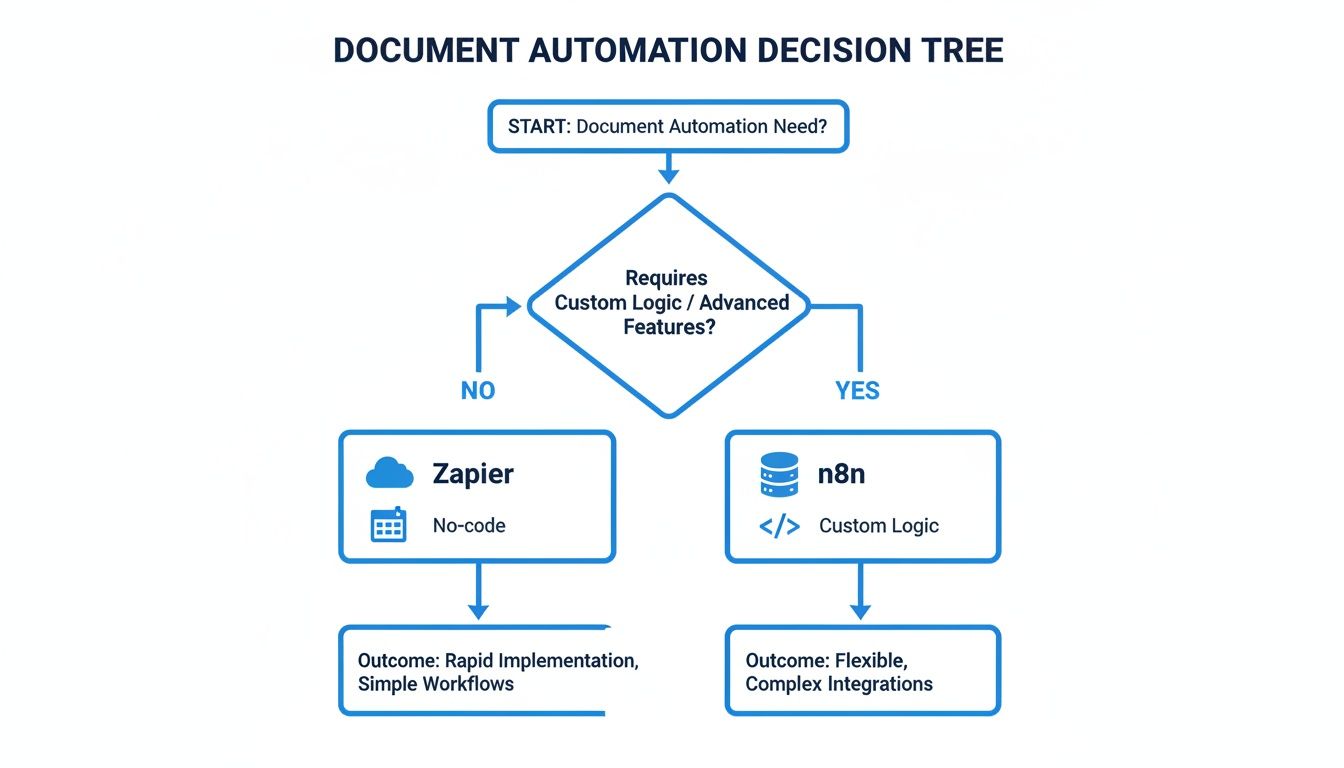
As you can see, the path splits pretty clearly. Zapier is built for people who want to set up automations fast without writing a line of code. n8n is for when your workflows need custom business logic or developer involvement.
Here's the bottom line: If your team isn't technical and your automation needs are fairly straightforward, Zapier is the way to go for fast results. If your workflows are complex, require custom code, or you're dealing with high volumes where cost becomes a big deal, n8n gives you the power and scalability you need.
Use this as your guide to pick the platform that genuinely fits how your team works. Making the right call now ensures you get the most out of your investment from the very beginning.
Frequently Asked Questions
When comparing Zapier and n8n, a few questions always seem to pop up. Let's walk through them to help you get the clarity you need.
Can I Use n8n if I Don’t Know How to Code?
Absolutely. You don't need to be a developer to get started with n8n. Its visual, node-based editor feels a lot like drawing a flowchart, and the huge library of pre-built connectors lets you build some pretty powerful automations right out of the box. Many people start with the included templates and do just fine.
That said, knowing a little code goes a long way with n8n. If you want to build truly custom logic or connect to an obscure API, some technical skill will help you unlock its full potential. While it’s definitely more developer-friendly than Zapier, its visual builder makes it perfectly usable for everyone else.
Is Zapier’s Pricing Worth It for Small Businesses?
For a lot of small businesses, the answer is a resounding yes. The real value of Zapier is speed and simplicity. If your workflows are straightforward and don't need to run thousands of times a month, the free and lower-tier plans are often a bargain.
Think about it this way: the time you save by avoiding a complicated technical setup often delivers an immediate return on your investment. You do have to keep an eye on your task usage, though. As your business scales, that task-based pricing can add up fast, so it’s smart to monitor your costs.
Which Tool Is Better for Sensitive Financial Data?
Both platforms can handle sensitive data securely, but they approach security from two very different angles. The right choice in the Zapier vs. n8n debate really comes down to your company's own rules for governance and compliance.
-
Zapier gives you a fully managed, turn-key solution. It comes with built-in compliance for standards like SOC 2 Type II, making it a great choice if you want an expert to handle security for you.
-
n8n is all about control. With its self-hosting option, you can keep all your data and credentials inside your own private infrastructure. This is non-negotiable for organizations with strict data residency policies or those that need to meet regulations like HIPAA on their own terms.
In short, Zapier offers proven, managed security, while n8n hands you the keys to build your own fortress.
Ready to stop wasting time on manual data entry and automate your document workflows? DocParseMagic turns messy invoices, statements, and proposals into clean, structured data in minutes. Try it for free and see how much time you can get back.