What Is No Code Automation and How Does It Work?
At its heart, no-code automation is a way for anyone—and I mean anyone—to build automated workflows that connect different apps and services without ever touching a line of code. It’s all done through simple, visual tools, usually with a drag-and-drop interface, turning complex processes into something you can map out on a screen.
This approach takes powerful technology that was once locked away for developers and puts it into the hands of the people who actually do the work every day.
So, What Is No Code Automation, Really?
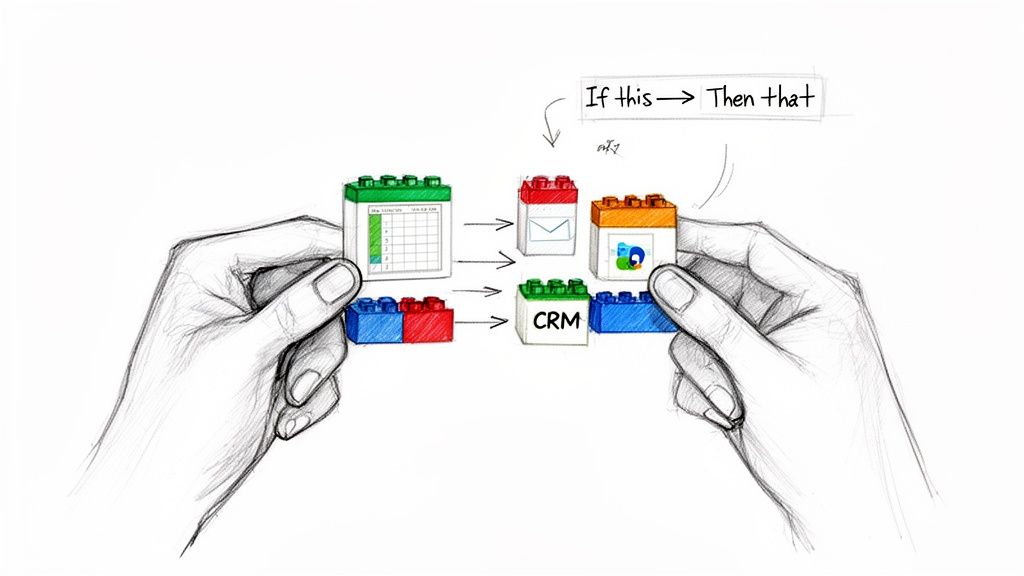
Think about all the different software tools you use—your CRM, email, project management board, accounting software. Each one is like a separate island, holding its own valuable data. Getting information from one island to another usually involves a lot of manual, mind-numbing work, like copying and pasting between spreadsheets.
Traditionally, if you wanted to build a bridge between those islands, you’d have to hire a developer to write a bunch of code. It was expensive and slow.
No-code automation changes the game completely. It gives you a box of pre-built bridges. Instead of writing code, you just drag and drop connectors on a visual canvas to link your apps together. It feels a lot like snapping digital LEGO bricks into place, where each brick is an app or a specific task.
To give you a clearer picture, here’s a quick breakdown of what makes no-code automation tick.
No Code Automation At A Glance
| Core Principle | What It Means For You |
|---|---|
| Visual Interface | You build workflows by dragging and dropping elements on a screen, not by writing code. |
| Pre-Built Connectors | The "bridges" between popular apps like Google Sheets, Slack, and Salesforce are already built for you. |
| Logic-Based Rules | You set up simple "if this happens, then do that" rules to tell your workflow what to do. |
| User Empowerment | You don't need to be a developer to solve your own automation challenges. |
Essentially, it's about making automation accessible to everyone, regardless of their technical background.
The Simple Logic Behind It All
The magic of no-code automation boils down to a simple but incredibly effective concept: "if this, then that." Every automated workflow you build is based on this fundamental logic, which has two main parts:
-
Triggers: This is the “if this” part. A trigger is the specific event that kicks off your workflow. It could be anything—a new email landing in your inbox, a customer submitting a form on your website, or a deal being marked as "won" in your CRM.
-
Actions: This is the “then that” part. Once a trigger happens, the system automatically performs one or more actions. This could be saving an email attachment to Dropbox, adding the form data to a spreadsheet, or sending a "new deal closed!" notification to your team's Slack channel.
For example, imagine a finance manager setting up a workflow where the trigger is a new invoice arriving in their Gmail. The action is the system automatically pulling out the invoice number and amount and adding that info as a new row in a Google Sheet. Just like that, manual data entry is gone.
Putting Power in the Right Hands
This approach hands the keys to the people who know the problems best—the business users on the front lines. A marketing manager can set up a workflow to automatically post social media updates. A project manager can build an automation to assign tasks based on project status. An operations lead can create a process to consolidate weekly reports.
And the best part? They can do it all themselves, without adding another ticket to the IT department's backlog.
No-code empowers the people closest to a business problem to build the solution. It removes the technical barrier, allowing for faster problem-solving and greater operational agility by turning domain experts into creators.
This isn't just a niche trend; it's a massive shift in how work gets done. The global low-code/no-code market was valued at $26.9 billion in 2023 and is expected to soar to $65 billion by 2027. This incredible growth is fueled by the urgent need for companies to move faster and work smarter, especially when developer talent is hard to find.
If you're curious, you can uncover more about the rise of no-code automation and see what’s driving the movement. By making automation a tool for everyone, these platforms are fundamentally changing how modern businesses operate.
Comparing No-Code, Low-Code, and Traditional Automation
To really get what no-code automation is all about, it helps to see how it fits into the bigger picture. The world of automation isn't a one-size-fits-all deal; different tools are built for different people and different problems. Picking the right approach for your business means understanding these key differences.
Think of it like building a house. You've got a few options, and each comes with its own trade-offs in time, cost, and the skills required.
-
Traditional Automation: This is like hiring an architect and a full construction crew to build your dream home from scratch. It's incredibly powerful and you can customize every single detail, but it’s by far the most expensive and time-consuming path. It demands highly specialized skills.
-
Low-Code Automation: This is more like using a high-end prefab home kit. You get a solid blueprint and pre-built components, which really speeds things up. But you still need some technical know-how—a good contractor, perhaps—to put it all together, hook up the plumbing, and make custom tweaks.
-
No-Code Automation: This is like leasing a fully furnished, move-in-ready apartment. Everything you need is already there, set up and ready to go. Anyone can walk in, arrange the furniture how they like, and start living in it right away. No construction skills needed.
This analogy really gets to the heart of it: who gets to do the building? Traditional automation keeps that power in the hands of developers, while no-code throws the doors wide open for everyone else.
Who Is It Built For?
The biggest difference between these three is who they’re designed for.
Traditional automation is purely the territory of software developers and IT experts. They write custom scripts and build complex integrations using programming languages like Python or Java. You absolutely need a deep technical background.
Low-code platforms are built for a mixed crowd. They’re great for "power users," business analysts, and IT folks who are technically savvy but aren't necessarily full-time coders. They can build things fast but might need to dip into a little code for more advanced features.
On the other hand, no-code automation is made for the business user. We're talking about people in marketing, finance, operations, and project management. Anyone can jump in and start solving their own problems using a simple, visual interface, no coding required.
Speed and Agility
How fast you can get something up and running is another huge differentiator. A traditional automation project can easily take weeks, if not months, to go from an idea to a finished product. It’s a long road of development cycles, rigorous testing, and IT approvals.
Low-code chops that timeline down significantly, often turning months of work into just a few weeks. It uses pre-built components and visual tools to accelerate everything.
No-code works in a matter of hours or even minutes. A department manager can spot a repetitive task, map out a workflow, and have it automated by the end of the day. This is the kind of agility that lets teams react and adapt to business needs almost instantly.
This speed is a game-changer for processes that can't wait, like automatically processing incoming invoices or contracts. If you’re curious about that, you can learn more about how intelligent document processing is changing the game.
Flexibility and Customization
This is where you really see the trade-offs.
Traditional automation offers unlimited flexibility. Since you’re building everything from the ground up with code, you can create incredibly specific, complex solutions for any business need you can imagine. The only real limit is the developer's skill.
Low-code gives you a lot of flexibility, but you’re still working within the platform's sandbox. You can customize things quite a bit, but you're ultimately using the building blocks the platform gives you. It's powerful, but not limitless.
No-code offers the least amount of deep customization, but it’s more than enough for the huge majority of everyday business tasks. It’s brilliant at connecting the apps you already use and automating standard processes. The platform’s pre-built connectors and actions set the boundaries, but within those, you can solve thousands of common operational headaches with incredible ease.
Comparing Automation Approaches
To make the choice clearer, let's break down how these three approaches stack up against each other on the factors that matter most.
| Factor | No-Code Automation | Low-Code Automation | Traditional Automation |
|---|---|---|---|
| Target User | Business Users (non-technical) | Power Users, IT, Jr. Developers | Professional Developers |
| Required Skill | None (Visual drag-and-drop) | Basic coding logic and some scripting | Advanced programming expertise |
| Speed | Extremely Fast (Hours or days) | Fast (Days or weeks) | Slow (Weeks or months) |
| Flexibility | Moderate (Within platform limits) | High (Customizable with code) | Unlimited (Completely custom) |
| Cost | Low (SaaS subscriptions) | Moderate (Platform licenses) | High (Developer salaries, infrastructure) |
| Best For | Standard business processes, connecting apps, and rapid problem-solving. | Building business apps and complex workflows with some custom logic. | Building core enterprise systems and highly specialized, unique solutions. |
Ultimately, the right tool depends entirely on the job. No-code shines for its speed and accessibility, empowering your team to fix their own problems without waiting on IT. For more complex, custom solutions, low-code and traditional methods still hold their ground.
How Businesses Are Really Using No-Code Automation
Let's move past the theory and look at how no-code automation is actually being used in the real world. Across all sorts of industries, companies are using these tools for more than just small tweaks; they're completely rethinking how they get work done.
The secret sauce is putting the power to build solutions directly into the hands of the people who know the problems best. This simple shift cuts out the long delays and frustrating back-and-forth that happens when business teams try to explain their needs to a swamped IT department.
Let’s dig into a few concrete examples.
Unburying Finance and Accounting Teams
Finance departments are often drowning in repetitive tasks—manually processing invoices, receipts, and expense reports. No-code automation is the lifeline they need to clear the clutter and slash human error.
The Headache: A mid-sized company's accounts payable team was burning over 20 hours every week just typing data from PDF invoices into their accounting software. Not only was it painfully slow, but it was also riddled with costly mistakes.
The No-Code Fix: They set up a simple workflow that did the heavy lifting for them.
- The Trigger: An invoice arrives in a specific email inbox.
- The Magic: The tool automatically reads the PDF, pulling out key details like the vendor, invoice number, due date, and total amount.
- The Handoff: It then creates a new bill in their accounting software with all that data.
- The Alert: Finally, it pings the finance manager on Slack to give it a quick once-over for approval.
The Payoff: The team got those 20 hours back every single week. Data entry errors dropped by more than 95%, and they started paying invoices faster, which made their vendors a lot happier. If you want to go deeper on this, our guide to document workflow automation is packed with similar strategies.
This diagram really drives home why no-code is such a game-changer for teams like this, showing how it removes the technical barriers seen in other approaches.
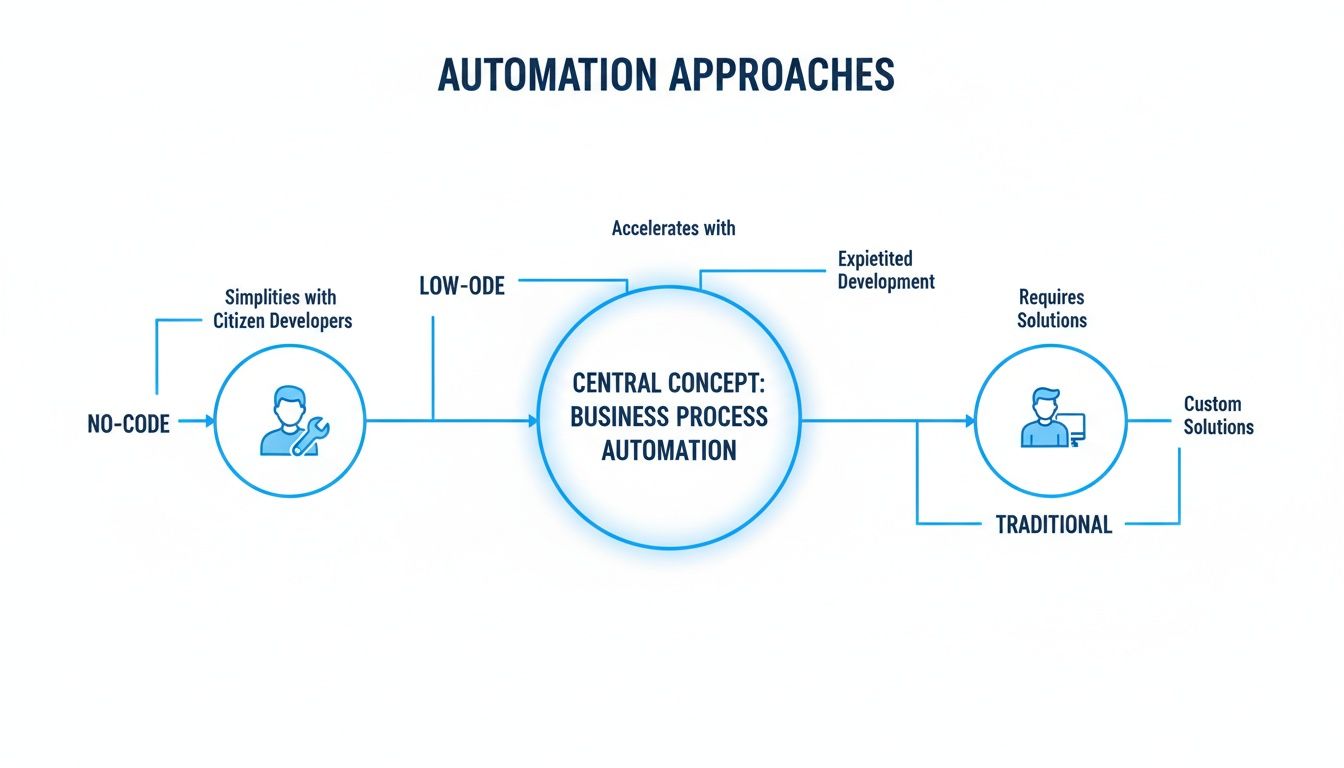
As you can see, no-code opens the door for any business user, while low-code and traditional development demand a much higher level of technical skill.
Taking the Pain Out of Procurement
Procurement teams juggle a massive amount of information—comparing vendor proposals, managing contracts, and ticking compliance boxes. No-code tools bring some much-needed order and speed to these high-stakes decisions.
The Headache: A sourcing team was struggling to compare proposals. They were manually copying and pasting pricing, terms, and delivery dates from dozens of documents into a giant spreadsheet. It was slow, frustrating, and a recipe for mistakes.
The No-Code Fix: They built a no-code workflow to do the analysis for them.
- Vendors uploaded their proposals to a shared cloud folder.
- An automation would scan each new document, instantly pulling out the data points they cared about (like unit cost, warranty period, or compliance certifications).
- All of this information was automatically organized and fed into a central dashboard for easy comparison.
The Payoff: What used to take days of painstaking work now takes just a few hours. The team can make smarter, faster decisions and negotiate better deals. It’s a similar principle behind tools for AI-powered security questionnaire automation, which tackle other types of compliance-heavy document workflows.
No-code automation turns complex, document-heavy processes into streamlined, data-centric workflows. It transforms the question from "Who can do this for us?" to "How can we build this ourselves?"
Giving Sales and Ops Teams Their Time Back
Sales operations is all about connecting the dots—pulling data from different places to calculate commissions, track performance, and forecast revenue. This is exactly where no-code automation shines, acting as the glue between systems that don't talk to each other.
The Headache: A manufacturing rep firm had a sales manager spending nearly a full day every month just to calculate commissions. He had to log into five different manufacturer portals, download five different report formats, and then manually stitch everything together in Excel.
The No-Code Fix: They designed a workflow to run the whole process on autopilot.
- The Trigger: The automation kicks off automatically on the first day of the month.
- The Work: It logs into each portal and downloads the latest sales reports.
- The Cleanup: It then extracts and standardizes the key sales data from each file.
- The Result: All the clean data lands in a single Google Sheet, perfectly formatted and ready for the commission calculations.
The Payoff: A full day of tedious, manual work now gets done in less than 10 minutes. The sales manager is free to focus on coaching his team instead of fighting with spreadsheets, and commissions are always accurate and on time.
The Upsides and Downsides of No-Code Automation
Let's be realistic: no technology is a magic wand, and no-code automation is no different. It’s incredibly powerful, but it’s not the right tool for every single job. To really make it work for you, you need a clear-eyed view of what it’s great at and where it has its limits. This helps you set the right expectations and decide exactly where to put it to work.
The biggest draw for most people is pure, unadulterated speed. A traditional software project can easily drag on for months, but a business user can often knock out a no-code workflow in a single afternoon. This means teams can fix problems the moment they pop up instead of getting stuck in a long line waiting for the IT department.
That speed directly translates into saving money. When you let your non-technical folks build their own solutions, you cut down on the need for expensive developer hours for simpler tasks. On top of that, the subscription fees for most no-code platforms are a drop in the bucket compared to funding a full-blown custom development project.
The Clear Advantages of Going No-Code
Maybe the most important benefit is how it empowers your business users. No-code hands the tools directly to the people who actually know the day-to-day processes inside and out. A marketing manager doesn't have to spend hours trying to explain the finer points of a lead-nurturing workflow to a developer—they can just build it themselves.
This one change sends ripples across the whole company.
- Productivity Skyrockets: When you automate the boring, repetitive stuff like data entry, report building, and sending notifications, your team is free to focus on the work that actually requires a human brain. In fact, some studies show office workers spend over 500 hours per year on tasks that could easily be automated.
- Fewer Mistakes: People make mistakes; it’s just part of being human. Automation, on the other hand, does the same task perfectly every single time, which means better data quality and fewer costly errors.
- Innovation Gets a Boost: When your teams can try out new ideas for processes without a huge upfront investment, they become more creative and can adapt to new challenges on the fly.
By making automation accessible to everyone, no-code platforms act as a force multiplier. You unlock the hidden potential of your current team and get more done without having to hire more people.
This self-service approach is great for morale and also takes a huge load off your IT department. It frees them up to concentrate on the heavy-lifting projects like infrastructure, security, and complex systems that really need their expertise.
Navigating the Potential Limitations
While the benefits are fantastic, you have to be just as aware of the potential hurdles. No-code automation wasn't built to create a new core banking system or a highly specialized enterprise application from the ground up. Its real magic is in connecting the systems you already use and automating well-defined processes.
Here are some of the most common limitations you might run into:
- Customization Can Be Tricky: No-code tools work with a library of pre-built connections and actions. If you need a very specific function that isn't already supported or you want to connect to an old, niche system, you might find yourself stuck.
- The "Vendor Lock-In" Problem: Once you’ve built a bunch of your critical workflows on one platform, switching to another one can be a massive headache. It’s really important to pick a platform you feel confident can grow with you for the long haul.
- Governance is a Must: When anybody can build an automation, you run the risk of creating "shadow IT"—a tangled mess of unmanaged and undocumented workflows that could be a security nightmare. Without some clear rules, it can be tough to keep track of what’s running, protect your data, and maintain standards.
These aren't reasons to avoid no-code; they're just things you need to manage. If you start with a solid governance plan and choose a reliable, scalable platform, you can dodge these risks and truly tap into the power of what no-code automation is for your business.
Choosing the Right No-Code Automation Tool
The no-code market is absolutely flooded with tools, and trying to pick one can feel like a shot in the dark. It’s tempting to go with the one that has the slickest website, but that's a mistake. The right tool is the one that fits your team's skills, plugs into the software you already use, and actually solves your problems without causing new ones. Getting this right from the start will save you a world of hurt later on.
To make a smart decision, you need a game plan. You have to look past the marketing buzz and weigh each option against what your business truly needs. That means thinking about everything from how easy it is to use to its security chops and ability to grow with you.
Define Your Core Requirements
Before you even glance at a single demo, you need to know exactly what you’re trying to fix. Which specific, mind-numbing tasks are you trying to get off someone's plate? Which departments are drowning in manual work? Nail down the answers to these questions first, and you’ll have a solid checklist to work from.
Start by jotting down your non-negotiables. Your list might look something like this:
- Specific Integrations: Does it play nice with your most important apps, like Salesforce, QuickBooks, or Slack? A tool is worthless if it can't connect to the software your business runs on.
- Ease of Use: Can a non-technical person actually use it without pulling their hair out? The whole point is to empower your business teams, so a tool with a monster learning curve is self-defeating.
- Advanced Capabilities: Do you need it to do more than the basics? For example, can it accurately pull data from messy PDF invoices or manage complex, multi-step approval chains?
The best no-code automation tool isn't the one with the most bells and whistles—it's the one that solves your biggest headaches with the least amount of fuss. Always start with your specific problem.
With a clear list of must-haves, you can immediately start crossing tools off your list, which saves a ton of time.
Evaluate Key Technical and Business Factors
Once you have a shortlist, it's time to go deeper. This is where you graduate from looking at features to thinking about long-term partnership and reliability. A tool can look amazing in a demo but have hidden flaws that only show up after you’ve gone all-in.
Here are the critical things to investigate:
- Security and Compliance: How are they protecting your data? Look for proof like SOC 2 or GDPR compliance, data encryption, and user permission controls. This is an absolute deal-breaker, especially if you're handling sensitive information.
- Scalability and Reliability: Can this thing keep up as your business grows? Ask about its limits and look up its uptime history. The last thing you need is a platform that chokes when your workload spikes.
- Pricing and Total Cost of Ownership: Get the full story on pricing. Is it per user, per workflow, or per task? Watch out for hidden fees that can turn a "cheap" tool into an expensive problem down the line.
- Support and Community: What happens when you're stuck? Check out their customer support options. Is help available when you actually need it? A lively user community can also be a goldmine for tips and solutions.
Comparing the best document automation software is a good place to start, as these reviews often cover these critical points.
Run a Pilot Project Before Committing
Finally, never, ever buy a tool based on the sales pitch alone. The only way to know if it will truly work for your team is to take it for a real test drive. Pick a small project that’s high-impact but low-risk and run a pilot.
This trial run does two things. First, it gives your team a real feel for the platform, quickly exposing any clunky features or gaps. Second, it gives you hard data and a clear ROI, which makes it much easier to justify a full-scale investment. A successful pilot builds momentum and shows everyone the real power of what no-code automation is all about.
Getting Started with No Code Automation
Diving into no-code automation can seem like a massive project, but the secret is to start small and build from there. Forget about trying to automate an entire department overnight. Instead, find one specific, nagging problem you can fix quickly.
This first success story is your most powerful tool. It proves the concept, gets people talking, and builds the momentum you need for bigger things. Think about a task everyone on the team dreads. Is it manually copying customer data from a form into your CRM? Or the mind-numbing process of chasing down invoice approvals? These are the perfect places to start.
Find Your First Win
The goal of your first project isn't to change the company. It's to solve a real, everyday problem for your team. A successful pilot creates a powerful internal case study, making it much easier to get support for more ambitious automations down the line.
Look for a process with a few key ingredients:
- Highly Repetitive: Someone does the exact same thing over and over, every single day or week.
- Rule-Based: The workflow follows a clear "if this happens, then do that" logic.
- Connects Multiple Apps: The task involves shuttling information between different software tools.
- Low Risk: If the automation hiccups, it won't grind the business to a halt.
Once you’ve zeroed in on a process, the next step is absolutely critical: bring in the people who actually do the work.
Involve the End Users
No one knows a process better than the people on the front lines. They know all the little exceptions, workarounds, and hidden steps a manager might not even be aware of. Including them from day one ensures that what you build will actually work in the real world, not just on a flowchart.
The best automations are built with, not for, the teams that use them. This partnership prevents you from creating a solution that looks great on paper but fails in practice, leading to better adoption and real results.
When employees help build their own solutions, they become its biggest advocates. They develop a sense of ownership, which goes a long way in encouraging their colleagues to get on board with the new process.
Establish Simple Guardrails
As more people in your organization start building their own automations, you'll need some basic rules of the road to keep things from getting chaotic. This isn't about creating red tape; it's about establishing simple guidelines to prevent a messy and unmanageable "shadow IT" problem.
Start with a few straightforward principles:
- Documentation: Have a central, easy-to-access place where you log what each automation does, who built it, and which apps it touches.
- Ownership: Assign a clear owner to every workflow. This person is responsible for making sure it runs smoothly and fixing it if it breaks.
- Continuous Improvement: Encourage teams to revisit their automations every so often. Can they be faster? More efficient? More reliable?
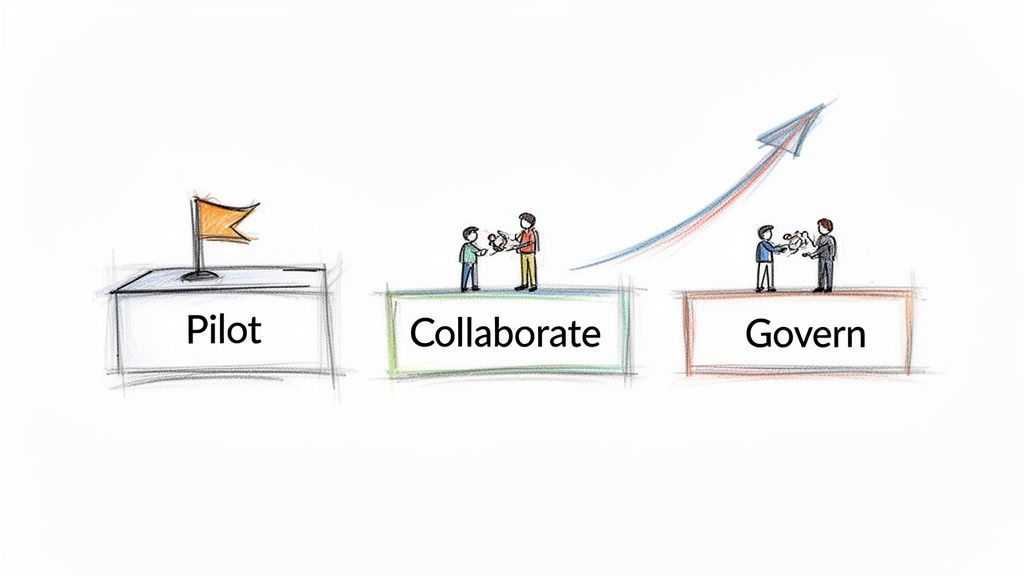
By following this simple roadmap—start small, work together, and set clear ground rules—you can successfully navigate what no-code automation is all about and start reaping the benefits.
Frequently Asked Questions
Still have some questions about how no-code automation actually works in the real world? Let's clear up a few of the most common ones.
Can No-Code Automation Handle Complex Business Logic?
Absolutely. You'd be surprised how much heavy lifting modern no-code platforms can do. They use familiar concepts like conditional rules (if this, then that), loops, and branching paths to map out even quite sophisticated business processes.
Think of things like multi-stage approval chains for purchase orders, validating customer data against multiple databases, or complex document routing. While you're not going to build a core banking system with it, for a huge range of operational tasks, it’s more than powerful enough. The trick is to match the tool to the task.
Is No-Code Automation Secure Enough for Business Data?
This is a big one, and the short answer is yes—if you choose the right platform. Reputable no-code providers know that security is non-negotiable for businesses, so they build in enterprise-grade safeguards. We're talking about data encryption, strict access controls based on user roles, and detailed audit logs to track every action.
Many of the top tools are compliant with major standards like SOC 2 and GDPR. When you're shopping for a solution, always dig into their security documentation. It's far more secure than the alternative: employees using unvetted personal apps to move company data around.
The whole idea is that making automation accessible to everyone shouldn't compromise security. The best no-code platforms are designed from the ground up to deliver both ease of use and the robust protection your sensitive information needs.
Will No-Code Automation Replace Developers?
Not at all. The goal is to free them up, not replace them. No-code empowers your business experts—the people in finance, marketing, or HR—to automate their own repetitive tasks and build the workflows they need. This lets your professional developers focus on the big, strategic projects that truly require their deep coding expertise.
It's about creating a better partnership between IT and the rest of the business. You get faster solutions for everyday problems, and the IT backlog shrinks. It’s all about collaboration, not replacement.
Ready to stop wasting time on manual document data entry? DocParseMagic turns messy invoices, commission reports, and vendor proposals into clean, structured data in minutes. Sign up for free and see how it works.