Email to Text Message Your Guide to Instant Alerts and Notifications
We've all been there. You send a critical email, only to have it vanish into the black hole of a cluttered inbox. When time is money, that's a frustrating—and costly—delay.
The fix? Convert that email to a text message. It’s a simple but powerful way to bridge the gap between a passive email and an alert that gets seen almost instantly.
Why Turn an Email into a Text Message
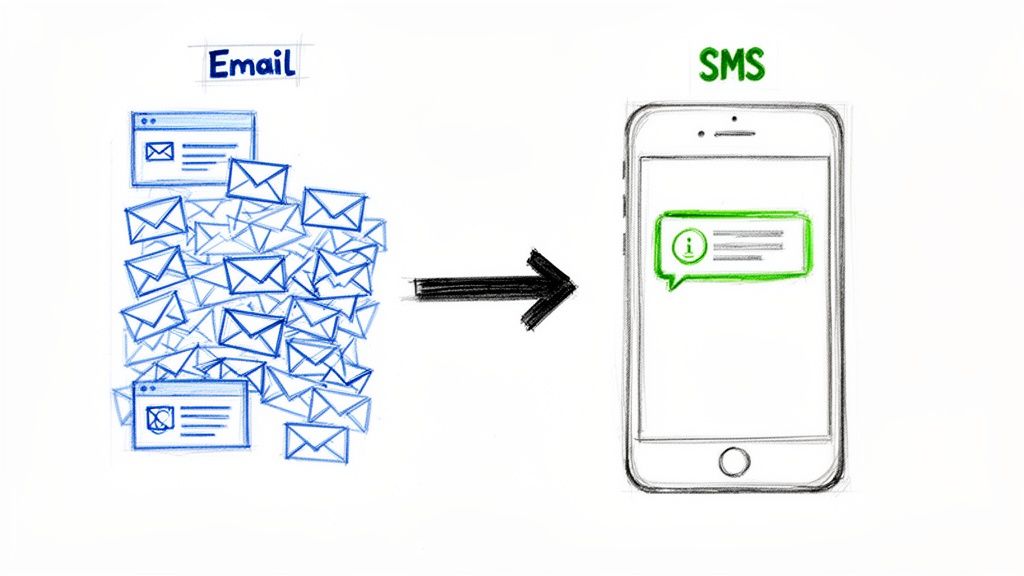
Think about an accounting team waiting for a manager to approve a high-value invoice. That email notification could sit unread for hours, holding up the entire payment cycle.
Now, imagine that same alert landing as a text on the finance manager's phone. The difference is immediate action versus a long, drawn-out wait. This is the whole point of an email to text message workflow: it cuts through the noise and puts urgent information where it can’t be missed.
The Power of SMS Engagement
The numbers don't lie. While typical email open rates can be anywhere from 20-45%, SMS open rates are a staggering 98%. The difference in response rates is even more dramatic: a mere 6% for email compared to a massive 45% for SMS. You can find more stats on this topic over at Kixie.
The real magic here is speed. Around 90% of text messages are opened and read within just three minutes of delivery. For anything time-sensitive, that kind of immediacy is a total game-changer.
This makes it the perfect solution for business communications that just can't wait.
Real-World Business Applications
This isn't just a gimmick; it’s a practical way to make your operations run smoother. I've seen it work wonders in a bunch of scenarios.
- Faster Approvals: A purchasing team gets an instant SMS the moment a new vendor proposal hits their inbox. No more delays waiting for someone to check their email.
- Urgent Alerts: An IT department automatically forwards critical system error emails as text alerts to the on-call tech. This can slash downtime significantly.
- Streamlined Operations: A project manager receives a quick text for every major update, so key milestones never get buried in a mountain of unread messages.
Setting up a system to forward emails as texts is one of the quickest ways to speed up your internal processes. It’s a great first step toward automating repetitive tasks and giving your team's productivity a real boost.
The Free Method Using Carrier SMS Gateways
Believe it or not, the easiest way to send an email to a text message costs absolutely nothing. It uses a system that's already built right into the mobile networks we all use every day. The whole thing works through something called an SMS gateway.
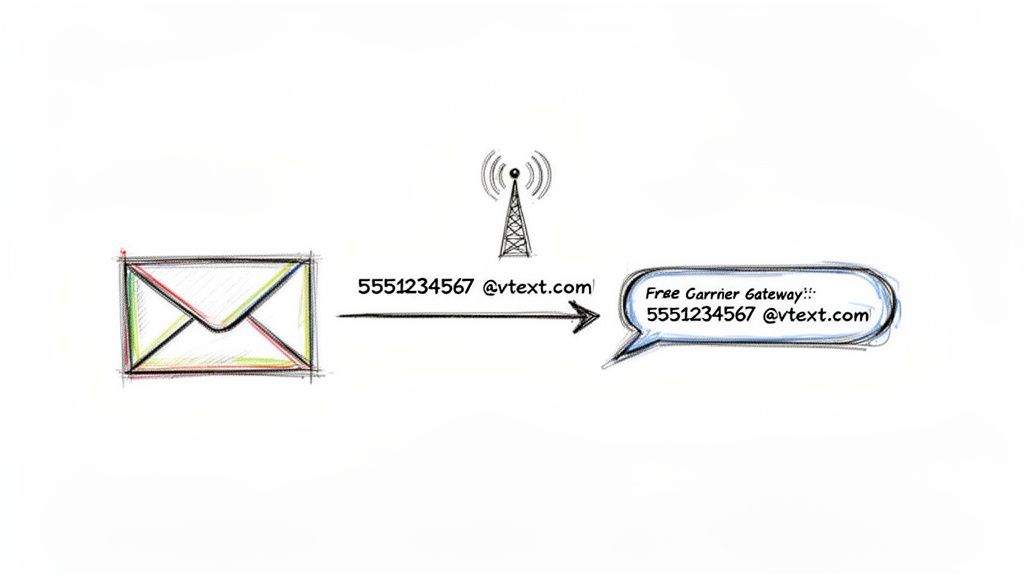
Think of it as a special email address that every mobile carrier assigns to a phone number. When you send a regular email to that address, the carrier’s network catches it, strips it down to plain text, and forwards it as an SMS to the person’s phone. You don’t need any fancy software—just your standard email client, whether it's Gmail, Outlook, or something else.
How It Works in Practice
The process is surprisingly simple. All you need are two things: the person’s 10-digit phone number and the name of their mobile carrier. The gateway address is just a combination of the two.
For instance, let's say you need to text someone at 555-123-4567 and you know they're on Verizon's network. You would just type 5551234567@vtext.com into the "To" field of a new email. That's it. The network takes care of the conversion and delivery.
I’ve seen this work wonders for small business owners. One contractor I know set up a simple filter in his email. Whenever an automated alert about a new work order comes in, his inbox automatically forwards the key details—like the job address and contact info—directly to his crew's phones as a text. They see it instantly, no app needed.
This method is perfect for sending quick, one-off alerts or simple reminders where you need to make sure the message gets seen right away.
Finding the Right Gateway Address
The only real trick is figuring out which gateway address to use. Each carrier has its own unique domain, and if you use the wrong one, your email will just bounce back as undeliverable.
To help you get started, here is a breakdown of the gateway addresses for the major US carriers.
Major US Carrier SMS and MMS Gateway Addresses for 2026
Just find your recipient's carrier in this table to get the right gateway address. Remember to replace "number" with their full 10-digit phone number without any dashes or spaces.
| Carrier | SMS Gateway Format | MMS Gateway Format |
|---|---|---|
| AT&T | number@txt.att.net | number@mms.att.net |
| Verizon | number@vtext.com | number@vzwpix.com |
| T-Mobile | number@tmomail.net | number@tmomail.net |
| U.S. Cellular | number@email.uscc.net | number@mms.uscc.net |
| Sprint | number@messaging.sprintpcs.com | number@pm.sprint.com |
A quick tip: The "SMS Gateway" is for standard, text-only messages and is generally more reliable. The "MMS Gateway" lets you include a subject line (which often becomes bold text) or even small images, but success can be hit-or-miss depending on the carrier. For anything important, I always recommend sticking with the SMS gateway.
If you're curious about the mechanics behind this process, exploring how different email to SMS gateways are set up can give you a much deeper understanding of how your email actually becomes a text message.
This free method is a fantastic starting point for anyone who just needs to send an occasional email to text message. But as we'll cover next, if you're thinking about high-volume sends or need it for critical business communications, you'll quickly run into its limitations.
When to Upgrade to a Dedicated SMS API
The free carrier gateway method is a clever trick, and it's perfect for sending a quick, one-off email to text message. Need to send a single alert? It works just fine.
But what happens when your needs grow? What if you have to send hundreds of appointment reminders or blast out an urgent notification to your entire team? That's when this free method starts to buckle under the pressure.
For any serious business communication, relying on individual carrier gateways is a recipe for disaster. You'll quickly hit some hard limits that can disrupt your entire workflow. Sooner or later, you'll need to make the jump to a dedicated SMS API.
Recognizing the Breaking Point of Free Gateways
Imagine you're running an insurance brokerage. You need to send automated renewal reminders to hundreds of clients every month. Using the free gateway approach, you'd have to figure out each client's mobile carrier, maintain a messy list of different gateway addresses, and then just cross your fingers and hope the messages arrive.
This system simply doesn't scale, and it's incredibly fragile. The pain points become obvious pretty fast:
- Zero Delivery Confirmation: You hit send on an email and have absolutely no idea if it landed as a text. It could get blocked by the carrier, delayed for hours, or just disappear into the ether. You'd never know.
- Weird Formatting: Messages often show up looking mangled. Long email signatures, HTML junk, and strange characters can make your texts look unprofessional and confuse your customers.
- High Risk of Being Marked as Spam: Carriers are on high alert for spam. Sending a bunch of messages from a standard email address is a massive red flag, and it's a great way to get your communications blocked entirely.
When your business depends on messages getting there, "hope" isn't a strategy. The lack of delivery reports is often the single biggest reason people switch to a professional service.
For something like an automated document workflow where time-sensitive alerts are everything, a system with no feedback loop is a non-starter.
The Power of a Dedicated SMS API
This is where a dedicated SMS API (Application Programming Interface) comes into play. Services like Twilio or Sinch offer a professional-grade bridge that connects your software directly to mobile networks, completely bypassing those unreliable carrier gateways.
Instead of emailing a carrier-specific address, your application makes a direct API call to the provider. That provider then takes on the complex job of ensuring your message is formatted correctly and delivered reliably. The difference is night and day.
SMS Gateway vs. SMS API: A Quick Comparison
Choosing the right method really comes down to what you're trying to accomplish. For a simple, personal notification, the free gateway is fine. For anything more, the differences become critical. This table breaks it all down.
| Feature | Carrier SMS Gateway | Dedicated SMS API |
|---|---|---|
| Delivery Reports | None | Real-time status (sent, delivered, failed) |
| Sender ID | Your email address (unprofessional) | Dedicated phone number or short code |
| Two-Way Communication | Clunky (replies go to email) | Seamless, conversational texting |
| Scalability | Very low; not for bulk sending | High; built for millions of messages |
| Reliability & Speed | Inconsistent and often slow | High reliability with fast delivery |
| Compliance (TCPA) | Your responsibility; hard to manage | Built-in tools for consent and opt-out |
| Cost | Free | Pay-per-message or subscription-based |
At the end of the day, the choice is clear. If you're sending more than just a handful of messages, or if those messages are vital to your business, upgrading to an API isn't just a good idea—it's a necessity. The control, reliability, and professional features you gain are essential for any serious email to text message integration.
How to Set Up Your Email to Send as a Text
Alright, let's get our hands dirty. You can actually start turning emails into texts in just a few minutes, using tools you’re already familiar with like Gmail or Outlook. The magic trick here is a simple, automatic forwarding rule.
The whole concept is pretty straightforward. You just need to set up a filter that keeps an eye out for specific emails. When one lands in your inbox that matches your criteria, your email client automatically forwards it to the carrier's special SMS gateway address. This is a fantastic way to get instant text alerts without having to lift a finger.
Creating an Email Forwarding Rule
Let’s walk through a real-world scenario. Say your company’s CRM shoots you an email from notifications@yourcrm.com every time a hot new lead comes in. You can’t afford to miss those. To get them as texts, you'd set up a forwarding rule.
Here’s how you could tackle that in Gmail or Outlook:
- Find the Filter/Rule settings: In Gmail, you’ll look for "Filters and Blocked Addresses." In Outlook, it's called "Rules."
- Set up your trigger: This is where you tell it what to look for. In our example, you might set the conditions to be
From: notifications@yourcrm.comand maybe evenSubject contains: Urgentto be more specific. - Define the action: Now, tell it what to do. You’ll choose the
Forward it to:option and plug in the person's SMS gateway address. If their number is123-456-7890and they're on the AT&T network, you'd type in1234567890@txt.att.net.
Once you save that rule, any email matching those exact conditions gets zapped over to that phone as a text message. It's a surprisingly powerful bit of what is no-code automation you can configure yourself in just a couple of clicks.
A quick heads-up: A single SMS message is capped at 160 characters. Your email client will send the whole email, but the carrier will chop off anything that doesn't fit. Always put the most critical info right at the very top of your email to make sure it gets through.
Programmatic Sending for Developers
If you’re comfortable with code or have a developer on your team, you can get a lot more control by sending these messages programmatically. This is perfect for baking email-to-text notifications directly into your own applications.
For example, a simple Python script can send an email straight to the SMS gateway. This method completely bypasses the need for an email client and its forwarding rules, giving you total command over what the final text message looks like.
Here's a basic Python snippet to show you what I mean: import smtplib from email.message import EmailMessage
Email configuration
sender_email = "your_email@gmail.com" sender_password = "your_app_password" recipient_gateway = "1234567890@txt.att.net"
Create the message
msg = EmailMessage() msg.set_content("New Lead: John Doe. Phone: 555-867-5309. Please follow up ASAP.") msg['Subject'] = 'Urgent Lead' msg['From'] = sender_email msg['To'] = recipient_gateway
Send the email
try: with smtplib.SMTP_SSL('smtp.gmail.com', 465) as smtp: smtp.login(sender_email, sender_password) smtp.send_message(msg) print("Alert sent successfully!") except Exception as e: print(f"Error: {e}") Using code like this lets you send a clean, pre-formatted message that you know will fit within the SMS character limits. Better yet, it strips out all the HTML junk from the email, so you don't have to worry about weird formatting issues that sometimes pop up with automatic forwarding.
Best Practices for Professional Text Message Alerts
It’s tempting to think of email-to-text as a simple conversion, but they are two completely different worlds. A text message lands directly in someone’s personal space, so your approach needs to be built on respect, clarity, and following the rules. If you get it wrong, you’re not just annoying someone—you could be damaging your brand or even breaking the law.
The absolute first rule of business texting is getting explicit consent. I can't stress this enough. Regulations like the Telephone Consumer Protection Act (TCPA) in the U.S. are incredibly strict. Just because you have a customer's phone number doesn't give you a free pass to text them. They have to opt-in specifically for text messages.
While the technical setup for an email-to-text rule can be straightforward, its success hinges on what happens next.
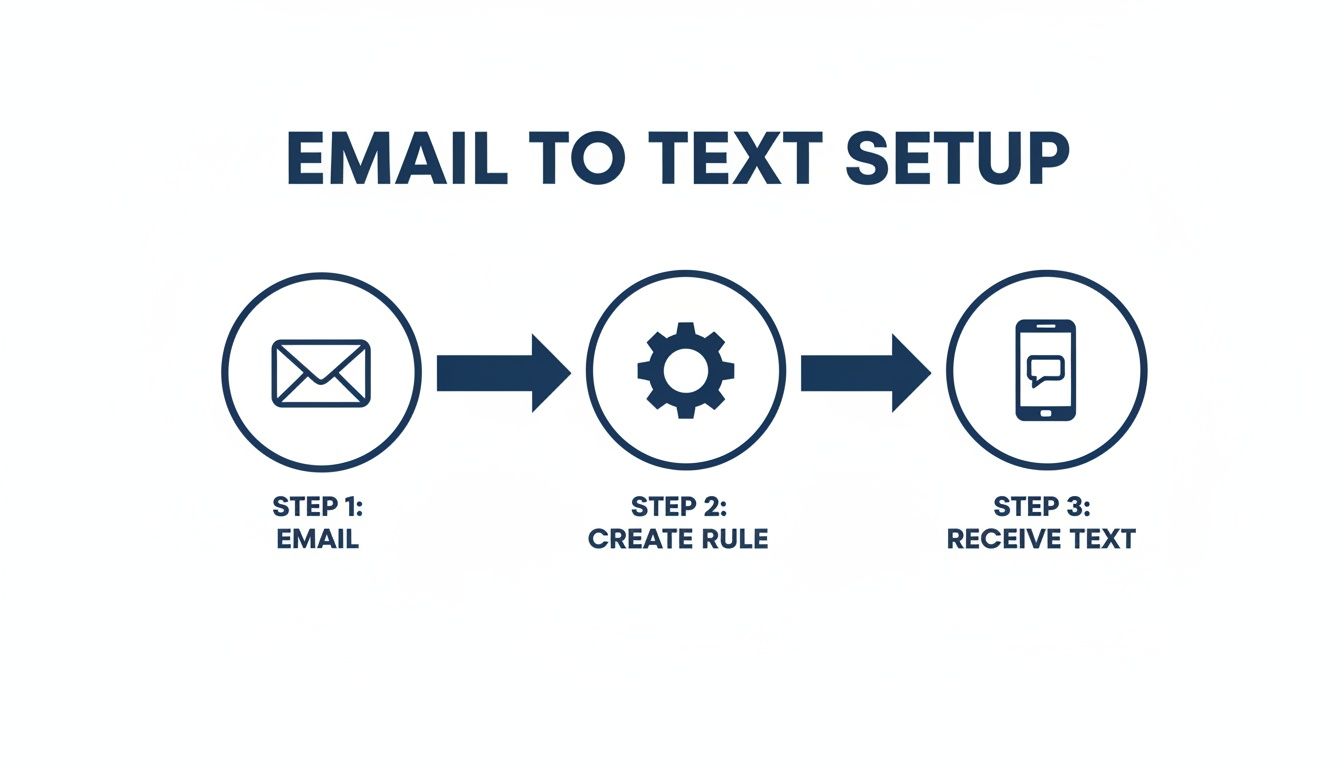
This process is only the beginning. Professionalism and deliverability are what truly make it work.
Keep Your Messages Clear and Concise
Once you have permission to send a text, your next job is to be brief. SMS messages have a hard limit of 160 characters. Go over that, and your message gets split into multiple parts, which looks messy and can sometimes fail to deliver correctly.
Here’s how to nail the delivery:
- Put the vital info first. Don't bury the lead. The most important detail should be the first thing they read.
- Cut the fluff. Email signatures, polite openings like "I hope this email finds you well," and other pleasantries have no place in a text.
- Shorten your links. If you need to include a URL, use a service like Bitly to save precious characters and keep things looking clean.
Think about a real-world scenario. A procurement manager gets an urgent alert about a vendor proposal. The text should read, "URGENT: New vendor proposal received," not "Good afternoon, this is an automated alert to inform you that..."
The goal is immediate value. Your recipient needs to grasp the message's purpose in seconds. A long, rambling text completely defeats the purpose of using SMS for its speed and directness.
Ensure Deliverability and Security
Relying on a free carrier gateway with your personal email address is a recipe for disaster. Carrier spam filters are notoriously aggressive, and they'll start blocking your alerts without any warning if they see too much volume from an unofficial source.
This is where a dedicated SMS service becomes invaluable. They have established relationships with carriers, which dramatically improves your chances of actually reaching the inbox.
And this channel is only getting bigger. Projections show US SMS marketing spend will likely hit $12.6 billion by 2025. Why? Because 99% open rates for texts completely blow email out of the water. For a loan processor sending a link to financial documents from a tool like DocParseMagic, SMS is a no-brainer—especially when studies show 91% of consumers actually want to receive texts from businesses.
You can explore more of the data behind these trends by checking out these SMS marketing statistics.
Got Questions About Sending Emails as Texts?
Once you get an email-to-text system running, you'll almost certainly run into a few quirks. I've seen the same questions pop up time and again, so let's walk through the most common ones to help you get ahead of any issues.
So, Can People Reply to These Texts?
Yes, they can, but it’s not exactly a smooth conversation. When someone replies to a text you sent through a carrier gateway, that reply lands back in your email inbox.
The problem is, the formatting is usually a complete mess. Trying to follow a back-and-forth chat this way gets confusing fast. It works in a pinch, but it's not built for real-time conversation.
What About Sending Pictures or Attachments?
This is another big one. Standard SMS is just for plain text, so you can't attach images, PDFs, or other files directly. To do that, you'd need to use the carrier's Multimedia Messaging Service (MMS) gateway, which uses a different address than the SMS gateway.
For an AT&T user, for example, the MMS address is number@mms.att.net. The catch? MMS delivery can be really hit-or-miss depending on the carrier and the recipient's phone.
Pro Tip: A much better way to send files is to upload them to a service like Google Drive or Dropbox. Then, just shorten the link and include it in your text. This works every time, no matter the carrier, and gives you a lot more control.
This approach is also far more professional for sending business documents and lets you track access.
Why Aren't My Messages Getting Through?
It's a huge headache when your texts just don't show up. More often than not, the problem comes down to one of a few usual suspects. The first thing to check is that you have the right gateway address for the recipient's carrier—it’s an easy mistake to make.
Mobile carriers also run aggressive spam filters. If you start sending a lot of messages from a personal email address (like a free Gmail account), their systems might flag you as spam and silently block your texts. Your alerts will just vanish. Splitting a single long email into multiple texts can also trigger filters and cause delivery to fail.
If you're curious about the nitty-gritty of how this works on the receiving end, getting a handle on SMS receiver capabilities can shed some light on why certain messages arrive while others get lost.
Ultimately, if you're sending anything important or in high volume, a dedicated SMS API is the only truly reliable option. It bypasses these common gateway problems and gives you delivery receipts, so you know for sure your messages have been delivered.
Are you tired of manually copying data from invoices, statements, and other business files? DocParseMagic turns your messy documents into clean, organized spreadsheets in minutes. Stop the tedious copy-paste and let our AI-powered platform extract the data you need with audit-ready accuracy. Get started for free today and see how much time you can save.