
8 Crucial Semi Structured Data Examples to Master in 2026
Most business data doesn't fit neatly into rows and columns. While we're familiar with structured data in spreadsheets, the majority of information that drives decisions-from vendor invoices to customer emails-is semi-structured. This type of data has some organizational properties, like tags or markers, but doesn’t conform to the rigid format of a traditional database. Understanding how to handle it is crucial for efficiency and automation.
This article provides a curated list of common semi structured data examples, breaking down exactly what they are and why they matter for teams in finance, operations, and procurement. We will explore everything from JSON files and PDF invoices to HTML web forms and EDI documents. For investment banks, effectively managing these varied data sources is a core challenge; a robust CRM for Investment Banks often serves as the central hub for consolidating insights from pitch decks, emails, and financial statements to accelerate deal flow.
Instead of just defining terms, we will offer a strategic breakdown for each example. You will learn:
- Key Elements: How to identify the semi-structured components in each document type.
- Common Challenges: The typical hurdles you'll face when trying to extract this information.
- Actionable Tips: Practical, replicable methods for parsing and automating data extraction, including how no-code tools can simplify the process.
By the end of this guide, you'll have a clear framework for recognizing, analyzing, and extracting value from the semi-structured data that flows through your business every day, turning potential chaos into actionable intelligence.
1. JSON (JavaScript Object Notation)
JSON (JavaScript Object Notation) is a cornerstone of modern data exchange and a prime example of semi-structured data. It organizes information into a human-readable text format using key-value pairs, much like a dictionary. This structure provides a predictable framework (the "keys") while allowing the actual information (the "values") to vary in content and type, including text, numbers, lists (arrays), or even other nested JSON objects. This flexibility is what makes it so powerful for representing complex, real-world documents like invoices or insurance policies.

This blend of structure and flexibility makes it an ideal output format for document parsing tools. For instance, when an intelligent data extraction platform like DocParseMagic processes a batch of invoices from different vendors, it can map the extracted data (like invoice_number, due_date, and total_amount) to a consistent JSON structure, even if the source PDFs had wildly different layouts.
Strategic Breakdown and Actionable Tips
The true power of JSON lies in its hierarchical nature, which mirrors the nested relationships in business documents.
-
Represent Line Items with Arrays: Most invoices contain multiple line items. A JSON array is the perfect structure for this. Each item in the array can be its own object with keys like
description,quantity, andunit_price. This keeps the data clean and easy to loop through for processing. -
Use Nested Objects for Clarity: Group related information. Instead of having separate top-level keys like
vendor_name,vendor_address, andvendor_city, create a nestedvendorobject that contains all of these as its own key-value pairs. This makes the data model more intuitive and easier to navigate. -
Establish a Schema for Validation: Before ingesting JSON data into a database or ERP system, validate it against a predefined JSON Schema. This ensures all required fields are present and in the correct format (e.g., ensuring
total_amountis a number, not text). This step prevents data corruption downstream and is crucial for maintaining data integrity.
Key Takeaway: Using JSON as the standardized output for extracted document data creates a reliable bridge between chaotic source documents and structured business systems. Its ability to handle variable line items and nested information makes it one of the most effective semi structured data examples for financial and operational workflows.
2. XML (eXtensible Markup Language)
XML (eXtensible Markup Language) is another foundational format in the world of semi-structured data, using a tag-based system to define and organize information. Unlike HTML, where tags are predefined for web display, XML allows you to create custom tags that describe the data they contain, such as <InvoiceNumber> or <PolicyHolder>. This self-describing nature provides a rigid yet flexible framework, making it a reliable choice for enterprise systems where data meaning must be explicit and standardized.
This hierarchical structure is especially valuable in industries like insurance, finance, and healthcare, where documents like claims forms or clinical records contain complex, nested information. XML provides a way to represent this complexity while enforcing a predictable structure through schemas. For instance, when an intelligent document processing tool extracts data from a batch of healthcare claim forms, it can map the patient details, procedure codes, and diagnostic information into a standardized XML format that can be directly ingested by legacy backend systems, ensuring interoperability and compliance.
Strategic Breakdown and Actionable Tips
The true advantage of XML in data exchange is its strictness and extensibility, which ensures data integrity across different systems.
-
Define XSD Schemas for Validation: An XML Schema Definition (XSD) acts as a blueprint for your XML document. Before processing extracted data, validate it against an XSD to ensure all required fields (like
<ClaimID>or<TotalPremium>) are present and conform to the correct data type. This is non-negotiable for maintaining data quality in regulated industries. -
Use Namespaces to Avoid Conflicts: When combining data from multiple sources, like a purchase order and a shipping notice, you might encounter tags with the same name but different meanings. XML namespaces prevent these conflicts by providing a method to qualify element names, ensuring data from different document types can coexist in a single file without ambiguity.
-
Leverage XSLT for Transformations: XSLT (eXtensible Stylesheet Language Transformations) is a powerful tool for converting XML data into other formats, such as HTML for reports or even another XML structure. For document workflows, this is invaluable for transforming raw extracted data into a format required by a specific ERP or CRM system. You can explore how this works in practice by learning how to convert PDF files into structured XML.
Key Takeaway: XML provides a robust and verifiable framework that makes it one of the most dependable semi structured data examples for enterprise-level data interchange. Its ability to enforce strict validation via schemas makes it ideal for mission-critical documents where data accuracy is paramount.
3. CSV (Comma-Separated Values)
CSV (Comma-Separated Values) is a ubiquitous format that represents tabular data in a simple text file. While it lacks the hierarchical depth of JSON or XML, its predictable row-and-column structure makes it a classic example of semi-structured data. Each row is a record, and commas (or other delimiters) separate the fields within that record. This simplicity is its greatest strength, making CSV the go-to format for exporting data from bank portals, accounting systems, and databases for easy import into spreadsheets.
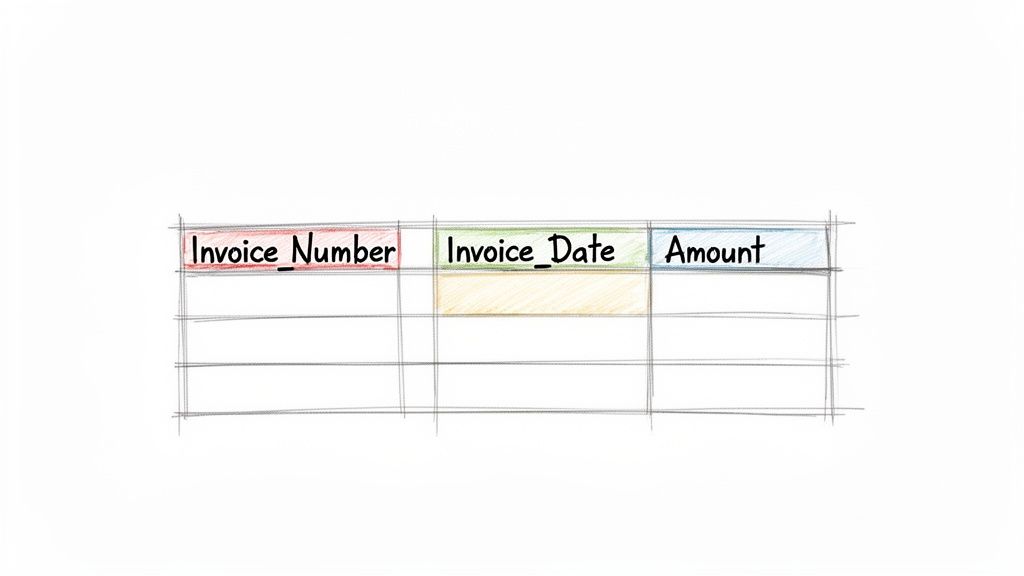
This format is the bedrock of practical data analysis and a common output for data extraction tools. For example, an accounting team using a platform like DocParseMagic to process 500 vendor invoices can receive the extracted data as a single, clean CSV file. This file can be immediately opened in Excel or Google Sheets, allowing for quick analysis, sorting, and uploading into systems like QuickBooks without complex transformations. For an even deeper dive, you can learn more about data parsing in Excel and how it complements CSV workflows.
Strategic Breakdown and Actionable Tips
The effectiveness of a CSV file depends entirely on how well it is structured before being created. A thoughtful approach turns a simple text file into a powerful data asset.
-
Structure with Descriptive Headers: The first row should always be a header row with clear, descriptive column names like
Invoice_Number,Due_Date, andLine_Item_Amount. Avoid spaces or special characters in headers to ensure compatibility with most systems; use underscores instead (e.g.,invoice_number). -
Flatten Hierarchical Data: A CSV is flat, so nested data from a source document must be "flattened." For an invoice with multiple line items, create a separate row for each line item, duplicating the parent invoice information (like
Invoice_NumberandInvoice_Date) in each row. This keeps the data tidy and analysis-ready. -
Handle Delimiter Issues Proactively: While commas are standard, data fields themselves might contain commas (e.g., "123 Main Street, Suite 4"). To prevent this from breaking your columns, ensure your system wraps fields containing commas in double quotes (
"). Alternatively, use a less common delimiter like a pipe (|) or tab.
Key Takeaway: CSV provides the most direct path from extracted, semi-structured document data to a universally accessible, structured format. By establishing clear headers and a consistent method for flattening complex data, CSV remains one of the most practical semi structured data examples for operational teams in finance, procurement, and accounting.
4. Email and Message Headers (SMTP/IMAP Metadata)
Emails are a classic and pervasive example of semi-structured data, blending rigidly defined metadata with completely unstructured content. Every email contains structured headers like From, To, Date, and Subject, which follow the strict formatting rules of protocols like SMTP and IMAP. This predictable header information is combined with the free-form, unpredictable content of the email body and its attachments. This hybrid nature makes email a powerful, if challenging, source for automated data workflows.
The real value for businesses lies in using this metadata to automate the routing and categorization of attached documents. For example, when a vendor emails an invoice as a PDF, a platform like DocParseMagic can use the email headers to identify the sender and subject line. This context allows it to automatically categorize the attachment as an "invoice" from a specific vendor before parsing the PDF content, creating a seamless, end-to-end automation workflow.
Strategic Breakdown and Actionable Tips
Leveraging email metadata is the first step in taming the chaos of document intake. It provides crucial context that informs how attached documents should be handled.
-
Categorize Documents with Header Data: Use rules based on email headers to pre-sort documents. For instance, an email from
invoices@suppliercorp.comor with a subject line containing "Invoice" can be automatically routed to an accounts payable workflow. This simple step separates invoices from policy renewals or bank statements before any parsing even begins. -
Validate Sender Identity: The
Fromaddress is a key piece of data for security and validation. You can cross-reference the sender’s domain with your approved vendor list to flag potentially fraudulent documents. This adds a critical layer of verification to your financial processes. -
Timestamp with Email Metadata: Use the email’s
Received-Dateheader as the official timestamp for a document’s arrival. This is invaluable for accounting, ensuring invoices are logged in the correct financial period, and for compliance, creating a clear audit trail.
Key Takeaway: Treating email as a metadata-rich container, rather than just a message, transforms it into a powerful tool for workflow automation. Parsing these headers provides the necessary context to intelligently route, validate, and process the unstructured documents attached, making it one of the most practical semi structured data examples in business operations.
5. HTML Tables and Web Forms
HyperText Markup Language (HTML) is the backbone of the web and an excellent example of semi-structured data, particularly within tables and forms. It uses predefined tags like <table>, <tr> (table row), and <td> (table cell) to create a consistent tabular structure, but the content inside those cells can be highly variable. This hybrid approach is common in business portals, from online bank statements to vendor procurement platforms, where structured layouts present dynamic, unstructured information.
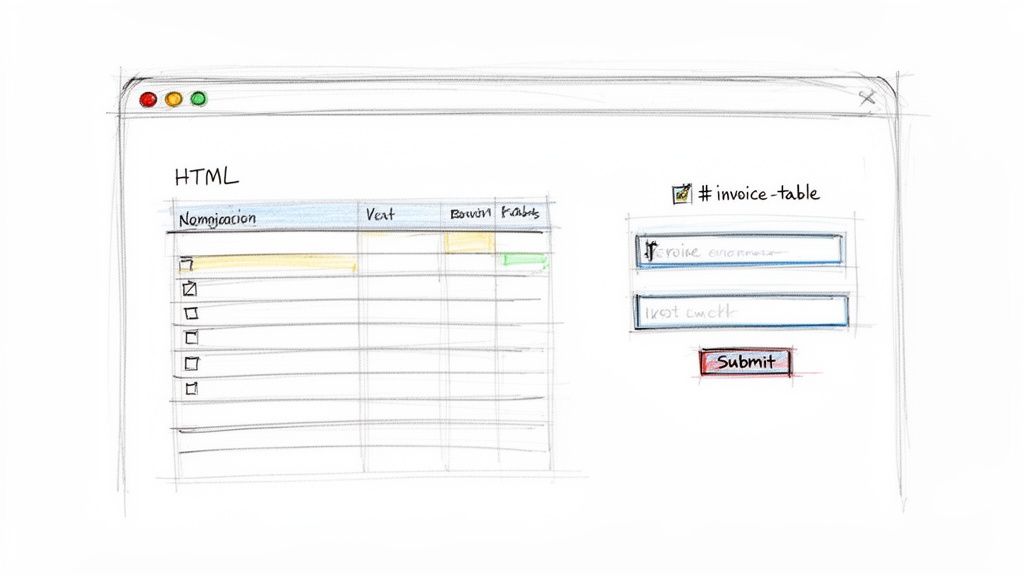
This predictable yet flexible format is ideal for web scraping and data extraction. For example, an intelligent automation tool can be configured to navigate an insurance provider's portal, locate the policy details table, and extract specific data points like policy_number, premium_amount, and coverage_dates into a structured format like JSON. This allows businesses to automate the retrieval of critical data that is only available through web interfaces.
Strategic Breakdown and Actionable Tips
Effectively extracting data from HTML requires navigating its semi-structured nature by targeting the consistent tags and attributes surrounding the variable content.
-
Target Data with Specific Selectors: Use CSS selectors or XPath expressions to pinpoint the exact data you need. Instead of manually searching, you can create a rule to grab the text from the third
<td>in every<tr>of a table with a specific ID. This makes extraction repeatable and scalable. For detailed parsing of HTML content often found in tables and forms, a practical guide to BeautifulSoup for web scraping can be particularly effective. -
Handle Dynamic Content with Headless Browsers: Many modern portals use JavaScript to load data after the initial page loads. Standard scrapers may fail here. Use headless browser tools like Puppeteer or Selenium to fully render the page, including the JavaScript-loaded content, before extraction begins.
-
Build in Resilience to Layout Changes: Web portals change. Implement robust error handling and monitoring to detect when a layout change breaks your scraper. For instance, set up alerts that trigger if an expected data field returns empty, prompting a review of your selectors. This proactive approach minimizes data pipeline disruptions.
Key Takeaway: HTML tables and forms represent a critical source of business intelligence locked behind web portals. Combining web scraping techniques with data extraction platforms creates a powerful workflow for transforming this accessible but semi-structured data into a structured asset, making it one of the most practical semi structured data examples for operational automation.
6. EDI (Electronic Data Interchange) Documents
EDI (Electronic Data Interchange) is a set of standards for exchanging business documents between organizations electronically. While often seen as highly structured, EDI messages like purchase orders (850s) or invoices (810s) are fundamentally semi-structured. Their format relies on rigid segments and delimiters defined by standards like ANSI X12 or EDIFACT, but the specific segments used and their order can vary based on trading partner agreements, making them a unique type of semi-structured data.
This blend of strict syntax with flexible implementation creates a significant challenge. A manufacturer receiving EDI purchase orders from Walmart and Target will find that while both use the same standard, their specific implementations differ. An intelligent data extraction platform like DocParseMagic is essential for parsing these varied EDI streams, translating the cryptic segment codes into a consistent, usable format like JSON or CSV for integration into an ERP or WMS.
Strategic Breakdown and Actionable Tips
The core challenge with EDI is translation and validation, transforming coded messages into actionable business information.
-
Map EDI Segments to Usable Fields: The first step is creating a clear mapping from EDI segments (e.g.,
N1,PO1) to human-readable database fields (BuyerName,LineItemSKU). Maintain a translation table for each trading partner, as their use of optional segments can differ significantly. -
Validate Syntax and Segment Logic: Before processing, always validate the EDI message. This includes checking for correct syntax, ensuring all mandatory segments are present, and verifying that segment counts match the transaction headers. Implement robust error logging to catch and quarantine failed messages for manual review.
-
Normalize EDI Data for Downstream Systems: Use a tool like DocParseMagic to convert the parsed EDI data into a standardized format. Transforming complex EDI messages into a clean JSON structure, for example, makes the data immediately usable for business intelligence, inventory management, and financial reconciliation without requiring specialized EDI knowledge from every team.
Key Takeaway: Viewing EDI as a semi-structured format is crucial for building resilient data pipelines. Standardizing the extraction and normalization process transforms these rigid, partner-specific files into a flexible data asset, making it one of the most impactful semi structured data examples in supply chain and B2B commerce.
7. PDF Documents with Text Layers (Searchable PDFs)
PDFs with an embedded text layer represent a crucial category of semi-structured data, bridging the gap between a fixed visual layout and machine-readable content. Unlike a flat image, a searchable PDF contains text data that can be copied, searched, and extracted, often generated from the source application (like an accounting system) or added via Optical Character Recognition (OCR). The data is semi-structured because the text exists without explicit tags, but its position on the page (coordinates) and visual formatting (bold, font size) provide an implicit structure that defines its meaning.
This format is the primary input for intelligent document processing platforms like DocParseMagic. When a vendor invoice or bank statement is received as a searchable PDF, the platform can directly access the text layer without needing to perform OCR from scratch. This allows it to parse key information like invoice numbers, line items, and policy details with higher speed and accuracy by combining text content with layout analysis.
Strategic Breakdown and Actionable Tips
The key to unlocking the value in searchable PDFs is leveraging both the text and its positional context.
-
Verify Text Layer Quality First: Before processing a large batch of documents, always check a sample. A poor-quality text layer, often from a faulty OCR process, can contain errors or misplaced characters. Verifying this upfront prevents widespread extraction inaccuracies and saves significant rework.
-
Use Positional Coordinates for Context: The location of text is a powerful structural clue. For example, text located directly to the right of the label "Invoice Number:" is almost certainly the invoice number itself. Modern parsers use these spatial relationships to identify and link data fields correctly, especially in documents with complex table layouts.
-
Leverage Table Detection Algorithms: Financial documents like invoices and statements rely heavily on tables. To avoid jumbled text, use tools with advanced table detection that can accurately identify row and column boundaries based on text alignment and visual cues. This ensures that line items, descriptions, and amounts are extracted as clean, structured records. For a deeper look, you can learn more about how to extract data from PDF documents effectively.
Key Takeaway: Searchable PDFs are one of the most valuable semi structured data examples because they offer machine-readable text within a stable visual framework. By combining text extraction with an understanding of the document's layout, businesses can achieve highly accurate and automated data capture for critical financial and operational workflows.
8. YAML (YAML Ain't Markup Language)
YAML (a recursive acronym for "YAML Ain't Markup Language") is a human-friendly data serialization standard that prioritizes readability. It represents data structures using indentation and line breaks instead of brackets or tags, making it one of the most approachable semi structured data examples. YAML organizes information in key-value pairs, lists (sequences), and associative arrays (mappings), creating a clean, hierarchical view of the data that is easy for humans to read and write.
This simplicity makes YAML an excellent format for configuration files, like those used in Kubernetes or CI/CD pipelines. For document processing, it serves as a highly readable alternative to JSON for representing extracted data. For instance, an intelligent data extraction platform like DocParseMagic could output the structured data from a complex insurance policy into a YAML file, where nested coverage details and endorsements are clearly visible through simple indentation, making manual review and validation far more intuitive.
Strategic Breakdown and Actionable Tips
YAML’s strength is its readability, which simplifies the process of defining and reviewing complex, nested data structures extracted from business documents.
-
Represent Multi-Line Text Clearly: Business documents often contain multi-line text blocks, such as detailed invoice descriptions or policy notes. YAML's block scalars (
|to preserve newlines,>to fold them) are perfect for capturing this text verbatim without cluttering the output with escape characters. -
Use Lists for Line Items: Just like JSON, YAML excels at representing lists. Use a hyphen-prefixed list to structure invoice line items, policy coverages, or commission records. This creates a clean, scannable format that is easy to parse programmatically.
-
Maintain Strict Indentation: YAML's structure is entirely dependent on indentation. Always use spaces (typically two) instead of tabs to define hierarchy. Inconsistent indentation is the most common cause of parsing errors, so establishing a strict standard is critical for data integrity.
-
Reduce Duplication with Anchors and Aliases: For documents with repeating information blocks (like multiple contacts with the same company address), YAML's anchors (
&) and aliases (*) allow you to define a block once and reference it multiple times. This streamlines the output and reduces redundancy.
Key Takeaway: YAML provides a clean, human-centric way to represent extracted document data, making it ideal for configurations, templates, and outputs that require frequent manual review. Its indented structure offers a more natural representation of hierarchical information than bracket-heavy formats like JSON.
Comparing 8 Semi-Structured Data Examples
| Format | 🔄 Implementation complexity | ⚡ Efficiency / Resource requirements | ⭐ Expected outcomes | 📊 Ideal use cases | 💡 Key advantages / Tips |
|---|---|---|---|---|---|
| JSON (JavaScript Object Notation) | Low — simple parsing; nesting increases mapping effort | High ⚡ — fast parsing, small footprint | ⭐⭐⭐ — reliable for flexible exports and integrations | APIs, exporting parsed invoices to ERPs, web services | Use JSON Schema for validation; clear naming; arrays for line items |
| XML (eXtensible Markup Language) | High 🔄 — schema (XSD), namespaces and transformations required | Moderate ⚡ — verbose, higher parsing/validation cost | ⭐⭐⭐⭐ — strong validation, auditability, compliance-ready | Enterprise EDI, SOAP services, compliance-heavy insurance/finance workflows | Define XSDs, use namespaces, leverage XSLT for format conversions |
| CSV (Comma-Separated Values) | Low — trivial generation; flattening nested data required | Very High ⚡ — minimal resources, fastest to parse/generate | ⭐⭐⭐ — excellent for tabular exports; loses nesting/metadata | Spreadsheets, accounting imports, quick analysis and reporting | Use quoted fields/alt delimiters; include metadata columns; consistent formats |
| Email & Message Headers (SMTP/IMAP) | Medium — header parsing simple; attachment extraction & auth adds complexity | Moderate ⚡ — requires mail access, parsing libraries, storage | ⭐⭐⭐ — strong provenance/routing info; body content varies | Automated routing, attachment ingestion, audit trails for incoming docs | Extract headers for routing, validate sender domains, timestamp source emails |
| HTML Tables & Web Forms | Medium — DOM parsing is straightforward; JS rendering and auth increase complexity | Moderate ⚡ — may need headless browsers and scraping infra | ⭐⭐⭐ — good for portal data; fragile to layout/JS changes | Scraping online banking/insurance portals, form data extraction | Use CSS/XPath selectors, headless browsers for JS pages, monitor layout changes |
| EDI (Electronic Data Interchange) | Very High 🔄 — strict standards, partner-specific mappings and validations | Moderate ⚡ — efficient runtime but high setup/licensing costs | ⭐⭐⭐⭐ — high integrity and automation for B2B exchanges | Large retailers/manufacturers, supply chain, healthcare claims | Maintain translation tables, validate segments, store originals for audits |
| PDF with Text Layers (Searchable PDFs) | Medium — text extraction straightforward; OCR quality and layout parsing needed | Moderate ⚡ — OCR and layout analysis consume CPU/time | ⭐⭐⭐⭐ — high accuracy with good text layers; core document input | Invoices, bank statements, policy documents processed by DocParseMagic | Verify OCR quality, use coordinates & confidence scoring, apply table detection |
| YAML (YAML Ain't Markup Language) | Low — human-friendly syntax; whitespace sensitivity can cause errors | High ⚡ — lightweight and readable, smaller ecosystem | ⭐⭐⭐ — ideal for configs and mappings; less API-friendly | Extraction rules, field mappings, configuration files | Use anchors/aliases to reduce duplication, enforce consistent indentation |
From Chaos to Clarity: Putting Your Data to Work
Throughout this guide, we've journeyed through the diverse landscape of semi-structured data, moving beyond simple definitions to explore tangible, real-world applications. From the developer-friendly hierarchies of JSON and XML to the everyday chaos of PDF invoices and the rigid protocols of EDI, we've seen how this data type forms the backbone of modern business operations. The examples covered weren't just a technical showcase; they were a practical demonstration of the hidden value trapped inside your most common documents and data streams.
The core lesson is that semi-structured data is not a problem to be solved but an opportunity to be seized. The inherent flexibility that makes it challenging to parse is also what makes it so versatile. An email isn't just a block of text; it's a potential record containing a sender, timestamp, subject, and attachments, each a valuable piece of structured information. A PDF invoice isn't just a digital paper; it's a collection of vendor details, line items, and payment terms waiting to be liberated.
Recognizing the patterns within this apparent chaos is the first and most critical step toward automation and efficiency.
Key Takeaways: From Recognition to Action
If you remember nothing else from our exploration of semi structured data examples, let these key principles guide your strategy:
- Structure is Everywhere: Even in the most disorganized-looking documents, like a scanned receipt or a multi-page policy document, there are recurring patterns. Keywords like "Invoice #," "Total Due," and "Policy Period" act as anchors, creating a predictable, albeit flexible, structure you can leverage.
- Context is King: The value of a data point is often defined by its surroundings. The number "150.00" is meaningless on its own. When it appears next to the words "Subtotal," it gains context and becomes actionable financial data. Your extraction strategy must account for this contextual relationship.
- One Size Does Not Fit All: The approach for parsing a highly predictable XML file is fundamentally different from extracting data from a variable PDF invoice from a new vendor. Your toolkit, whether it involves custom code or a no-code platform, must be adaptable to handle this variety.
Ultimately, mastering the flow of semi-structured data is about transforming manual, error-prone processes into streamlined, automated workflows. It's about empowering your finance team to process invoices in minutes instead of days, enabling your operations managers to onboard vendors without tedious data entry, and giving your analysts clean, reliable data to drive better business decisions. The goal is to spend less time finding and fixing data and more time using it.
Your Next Steps to Data Mastery
The journey from manual data entry to automated clarity is an incremental one. You don't need to boil the ocean. Start small and build momentum.
- Identify Your Biggest Pain Point: Which document type causes the most headaches? Is it vendor invoices, customer purchase orders, or insurance policy documents? Choose one high-impact workflow to target first.
- Analyze the Structure: Gather 5-10 examples of that document. Look for the consistent anchors, keywords, and data relationships we've discussed. Note the variations between them. This simple analysis will inform your entire automation strategy.
- Explore Modern Tools: Instead of defaulting to complex custom scripts or manual processing, investigate no-code parsing solutions. These platforms are specifically designed to handle the variability inherent in semi structured data examples and can deliver a much faster return on investment.
By consistently applying these principles, you can systematically dismantle data silos and unlock the tremendous operational efficiency hidden within your everyday documents. This isn't just an IT project; it's a fundamental business upgrade that frees your team to focus on high-value work, reduces operational risk, and builds a more scalable, data-driven organization. The path from chaos to clarity is clear, and the tools to get you there are more accessible than ever.
Ready to stop manually entering data from invoices, purchase orders, and other semi-structured documents? DocParseMagic uses advanced AI to understand and extract data from any business document, no templates or coding required. See how you can automate your workflows in minutes by visiting DocParseMagic and starting your free trial today.