How to Convert PDF to XML A Practical Guide
So, what does it actually mean to convert a PDF to XML? Think of it as translating a static, flat document into a language that computers can instantly understand. It takes a file that's essentially a digital picture of a page and restructures it with clear tags, turning it into machine-readable data.
This process is the key to unlocking the information trapped inside your PDFs, making it possible for software to read, process, and analyze that data automatically. It's how you turn a simple document into a dynamic, usable asset.
Why You Should Convert PDF to XML
Most people start looking into PDF to XML conversion with a straightforward need: get information out of a document. But the real power isn't just getting the data out; it's what you can do with it once it’s free.
Imagine turning thousands of digital invoices, contracts, or reports into structured data that flows directly into your ERP or database. This is more than just a file format change—it’s about unlocking the valuable intelligence that's been sitting dormant in your documents.
Unlocking Business Intelligence from Static Files
The biggest win here is turning messy, unstructured content into a goldmine of structured information. If you're new to this, a great starting point is understanding the difference between structured and unstructured data. A PDF is like a printed page; a computer sees a collection of pixels and text, not distinct data fields. XML, on the other hand, is like a perfectly organized spreadsheet where every piece of data has a clear label.
This transformation is what fuels critical business operations. Suddenly, you can:
- Automate Data Entry: No more mind-numbing, manual copy-pasting of invoice details, purchase order numbers, or client information.
- Supercharge Financial Analysis: Easily pull financial figures from reports to track trends, compare performance, and build forecasts without the risk of human error.
- Simplify Compliance and Reporting: Systematically extract required data from contracts or compliance forms to ensure you're meeting regulatory standards.
The technique used to pull this information out is known as parsing. We cover this in detail in our guide on what is data parsing.
Gaining a Strategic Advantage
Ultimately, converting PDFs to XML is a strategic play. It makes your data more agile, accessible, and actionable. It’s no surprise that document conversion services are a cornerstone of modern data workflows, commanding a leading 23.7% share of the entire data conversion market.
This highlights the massive demand for transforming unstructured PDFs—which make up an astounding 66.8% of all enterprise data—into something useful like XML. The market is even projected to hit USD 1098.3 billion by 2034, largely driven by AI and OCR improvements that make these conversions faster and more accurate than ever. You can learn more about these market trends on unstract.com.
Making this shift empowers businesses to automate tedious processes, slash operational costs, and finally make the kind of smart, data-driven decisions that give them a real edge.
Choosing the Right PDF to XML Conversion Method
Let's be clear: not all PDF conversion jobs are the same. The best tool for a one-off file grab is worlds apart from what you'd need for a massive, automated workflow. Your decision really comes down to a trade-off between speed, security, accuracy, and cost.
You've got three main roads you can take: free online converters, dedicated desktop software, and custom-built scripts. Each one has its place, and the right choice hinges entirely on your situation. Are you handling sensitive financial data? Do you need to process thousands of documents every day?
Thinking through these questions is the first step. This decision tree can help you visualize the process.
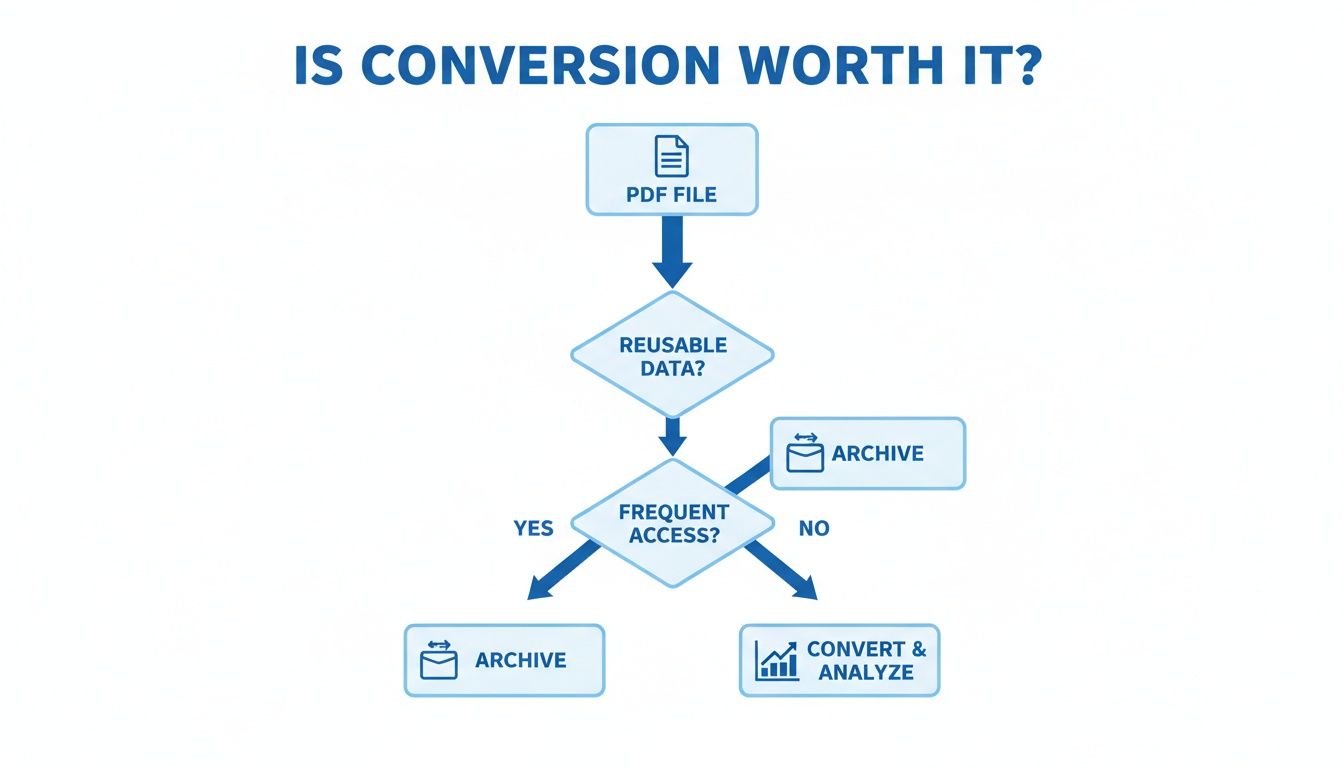
As the flowchart shows, if you need to reuse or frequently access the data locked inside your PDFs, converting them is almost always the smart play. So, let’s dig into the options.
Comparing PDF to XML Conversion Tools
When you're trying to figure out how to convert PDF to XML, there are a few key things to weigh. Online tools are fast but can be a security nightmare. Desktop software gives you more power and handles tricky files better, while custom development offers ultimate control for those with the right skills.
To help you choose the right approach, I've put together a quick comparison of the most common methods.
| Method | Best For | Pros | Cons |
|---|---|---|---|
| Online Converters | Quick, non-sensitive, one-off conversions. | Fast, free, and nothing to install. | Major security risks, limited features, and often poor accuracy. |
| Desktop Software | Batch processing and scanned documents (OCR). | Secure, high accuracy, and handles complex layouts well. | Requires installation and usually comes with a cost. |
| Custom Development | High-volume, automated, integrated workflows. | Complete control, scalable, and tailored to your exact needs. | Requires programming knowledge and significant setup time. |
At the end of the day, picking the right tool is about matching its strengths to your specific needs. There's no single "best" option—just the best one for the job at hand.
The most critical question to ask is: "Am I comfortable uploading this document to a third-party server?" If the answer is no, online converters are immediately off the table.
From my experience, for most business tasks involving invoices, contracts, or reports, the security and reliability of desktop software or a specialized platform are non-negotiable. An online tool might feel convenient for a single file, but the risk of a data leak or the time you'll waste fixing conversion errors just isn't worth it.
Online Converters: Your Go-To for Quick, Simple Jobs
Let's be honest, when you have a single, non-sensitive PDF and need a quick XML conversion, your first instinct is probably to search for an online tool. It makes sense. They’re right there in your browser, no software to install, and most have a simple drag-and-drop interface that gets the job done in seconds.
You just upload your file, pick XML from a dropdown menu, and click "Convert." A moment later, a download link appears. For one-off tasks like grabbing data from a public report or a simple product catalog, this approach feels almost too easy.
But that ease of use comes with some serious strings attached, and it’s crucial to understand them before you upload anything.
The Hidden Costs: What to Watch Out For
The biggest red flag with free online tools is always data privacy. The second you upload a document, you're sending it to someone else's server. Because of this, you should never, ever use these services for files containing personal data, financial records, or any kind of confidential business information.
Beyond the security risks, the quality of the conversion can be a real gamble. I've seen it all:
- Elaborate tables get completely mangled.
- Special characters and unique fonts come out as gibberish.
- The final XML is so poorly formed it’s practically useless.
My Two Cents: Think of free online converters as a tool for non-critical, public documents where 100% accuracy isn't a dealbreaker. For anything important, the risk of data leaks and sloppy conversions just isn't worth it.
After any conversion, always pop the XML file open in a text editor to give it a once-over. Are the tags logical? Is any data missing or jumbled? Trust, but verify.
And remember, XML isn't the only game in town. Depending on your needs, sometimes learning how to convert a PDF to a CSV file might be a better fit, especially for purely tabular data. Knowing your options helps you pick the right tool for the job every time.
Get More Accuracy and Control With Desktop Software
When you're working with sensitive or really complex documents, a quick online converter just isn't going to cut it. This is where dedicated desktop software becomes your best friend. It gives you a secure, offline space to handle the conversion from PDF to XML, putting you in complete control.
Unlike the free tools you find online, these applications are built for heavy lifting and precision. They pack in features you need for serious business tasks—the kind of stuff you rarely get with a browser-based tool.
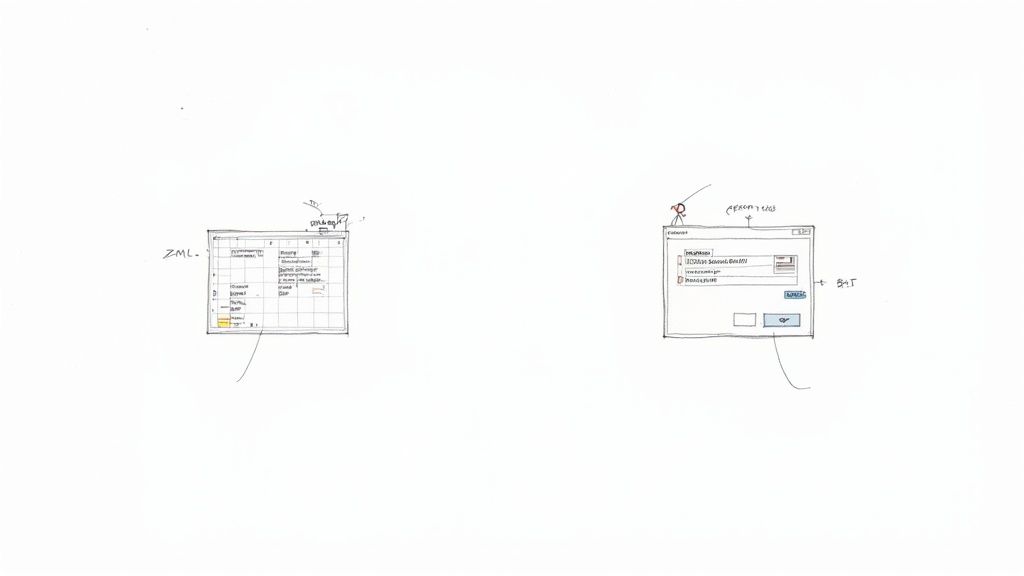
Why Desktop Tools Are a Better Bet
Desktop solutions really start to shine when you need a perfect conversion and have some advanced processing to do. A few of their best features include:
- Optical Character Recognition (OCR): This is a total game-changer for scanned documents. OCR tech can actually read the text from an image—like a scanned invoice—and turn it into real, machine-readable characters. No data gets left behind.
- Batch Processing: Got a folder with hundreds or even thousands of PDFs? Instead of converting them one by one, you can process the whole batch at once. Think of the hours you'll save.
- Customized Output: You get to decide exactly how the final XML is structured. This means you can define how tables, headers, and other elements get tagged, making sure the output file is formatted perfectly for whatever system you're plugging it into.
A great example of a tool with these kinds of powerful features is UPDF. The interface gives you a ton of options for not just converting but also editing and organizing your PDFs, which shows just how much control you get.
A Look at a Real-World Scenario
Let's say you need to convert a scanned invoice to XML. Using an OCR-powered tool like UPDF makes this surprisingly simple.
This particular software has a solid 4.8/5 rating for stability and costs just US$35.99/year. You just upload the PDF, choose XML as your output format, and let the software's AI figure out the complex layout. For structured documents, you can expect an average accuracy of around 95%.
This kind of efficiency is exactly why over 80% of enterprises are planning to invest more in document automation. You can read more about the growth of data conversion services if you're curious.
Key Takeaway: For any conversion involving confidential data or requiring precise extraction from complex or scanned PDFs, desktop software is your most reliable and secure option. It's a small investment that pays off big in accuracy and peace of mind.
Advanced Conversion for Developers and Automation
When you're dealing with hundreds or thousands of PDFs, or need surgical precision in how you pull data, manual tools and desktop software just don't cut it. This is where you roll up your sleeves and get programmatic. For developers and businesses, this means building your own automated conversion pipelines.
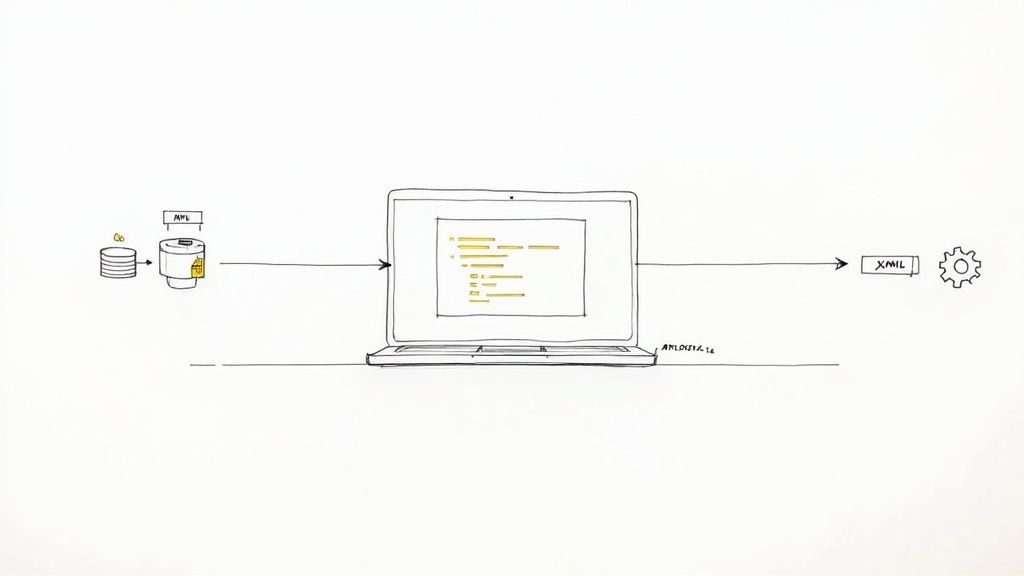
By jumping into a language like Python, you can design a custom workflow that does exactly what you need. Forget one-size-fits-all solutions. This approach lets you set your own rules for data extraction, map specific PDF fields to a custom XML schema, and plug the whole thing directly into your existing apps and databases.
Building Your Own Conversion Engine
Instead of clicking around a user interface, you can write scripts using specialized libraries. This flips the script entirely, turning PDF to XML conversion from a manual chore into a fully automated, scalable machine.
If you're using Python, a few libraries are essential for this kind of work:
- PyPDF2: This is a solid starting point for basic text extraction and managing PDF files (like splitting or merging). It’s perfect for simple documents where the text is straightforward.
- pdfplumber: A step up from PyPDF2. It’s fantastic for getting granular details about text characters, lines, and even the rectangles that make up tables, which is incredibly useful for parsing structured data.
- lxml: This isn't a PDF library, but it's your best friend for building the final XML file. It gives you complete control to create clean, well-structured XML from the data you’ve just extracted.
This programmatic approach is what modern data processing is built on. With HTML conversion services expected to capture a 34.7% revenue share in 2025, XML's role in enterprise data is more important than ever. The entire document systems market is projected to grow from USD 10.51 billion to USD 19.81 billion by 2030, and that growth is driven by the need for structured, machine-readable data. Building these automated pipelines is how businesses turn static documents into usable information. You can read more about these data conversion market trends.
Pro Tip: I’ve seen this a million times—inconsistent PDF layouts are a nightmare. The trick is to stop relying on coordinates. Instead, find an "anchor" text or pattern. For instance, always search for the string "Invoice Number" to find its value, because its position can easily change from one invoice to the next.
This level of automation is a cornerstone of smart data management. If you want to explore this further, take a look at our guide on how to automate data entry to see how these ideas apply to other business processes.
Got Questions About PDF to XML? We've Got Answers.
When you start digging into PDF to XML conversion, you'll quickly run into the same few questions that trip everyone up. Let's get them answered so you can sidestep the common headaches and get a clean conversion the first time.
This isn't just about changing a file extension. The quality of your final XML file really depends on two things: how complex your original PDF is and the tool you pick for the job.
So, Can I Keep the Original PDF Layout?
This is probably the most common question we hear. The short answer? No, not really. And that's by design.
A PDF is all about visual presentation—where text, images, and lines sit on a page. XML couldn't care less about visuals. Its entire purpose is to describe the structure and meaning of the data. Think of it as the blueprint, not the finished building.
A good conversion tool won't try to clone the PDF's look. Instead, it will intelligently identify things like headers, paragraphs, and tables and wrap them in the correct XML tags. The visual layout is stripped away, leaving you with pure, organized data.
The goal isn't to mirror the PDF's design; it's to translate its content into a structured format. Clean, well-tagged data is the real prize here.
What's the Best Way to Handle Scanned PDFs?
If your PDF is actually just an image of a document (like a scan), you have one non-negotiable requirement: Optical Character Recognition (OCR).
Without OCR, a standard converter sees your document as a single, flat picture. It has no way to "read" the text, so it can't extract anything. OCR technology is the magic ingredient that scans the image, recognizes the letters and numbers, and turns them into actual text that can then be converted to XML.
You'll almost always need dedicated desktop software or a more advanced platform for this. Most free online tools just don't have reliable OCR, leaving your scanned data completely locked away.
How Do I Deal With Complicated Tables and Formatting?
Ah, the dreaded complex table. We've all seen them—merged cells, weird headers, and layouts that make no logical sense. This is where basic converters fall flat and professional tools earn their keep.
More powerful solutions, like specialized desktop software or custom scripts, give you the control you need. They typically let you:
- Pinpoint Table Areas: Manually draw a box around a table to tell the software exactly what to extract.
- Map Data to Tags: Specify that "Column A" should always go into the
<invoice_number>tag, for example. - Create Rules for Messy Data: Set up logic to handle inconsistencies, like when a date is formatted differently across pages.
Trying to do this with a simple online tool will likely leave you with a jumbled mess of XML that takes longer to fix than it would have to retype it all by hand. When your documents contain important structured data like invoices or reports, investing in a good tool pays for itself almost immediately.
Ready to stop wrestling with messy files and manual data entry? DocParseMagic turns your most complex PDFs, scans, and reports into clean, structured data in minutes. No coding, no templates—just drag, drop, and get the accurate data you need. Try it free today and see how much time you can save. Learn more about DocParseMagic.