what is data parsing? A simple guide to turning messy data into insights
Think of data parsing as the ultimate digital translator. It takes all the jumbled, messy data from sources like PDFs, emails, or scanned documents and neatly organizes it into a structured format, like a spreadsheet, that your software can actually understand and work with.
So, What Is Data Parsing, Really?
Imagine you get a business card at a networking event. To save that contact, you don't just snap a picture of the card and call it a day. You read the card, pull out the name, title, company, email, and phone number, and then plug each piece of information into the correct field in your phone's contact list.
That's exactly what data parsing does, but for your business documents.
Most of the information that flows into a business every day doesn't show up in a perfect, ready-to-use spreadsheet. It comes in as unstructured data—think invoices from vendors, purchase orders from clients, or lengthy reports. This data is all over the place, making it impossible for your systems to use it without a lot of manual work. Data parsing is the bridge that connects that chaotic information to your structured business systems.
From Messy Text to Actionable Data
At its core, a data parser uses smart logic to break down a wall of text and figure out what it all means. It's not just a simple copy-paste job; it's about understanding the context of the information on the page.
Here’s where you see it in action every day:
- Reading an Invoice: A good parser doesn't just see a PDF. It finds the "Invoice Number," grabs the "Due Date," pulls out each "Line Item" along with its "Quantity" and "Price," and pinpoints the "Total Amount."
- Processing a Purchase Order: It can instantly identify the vendor's name, the PO number, the shipping address, and all the item SKUs, getting them ready for your inventory or ordering system.
- Analyzing Sales Reports: Instead of someone manually sifting through a dense commission statement, a parser can distinguish between sales reps, calculate their commissions, and link sales to specific products.
To put it simply, data parsing is what makes your data useful. Before parsing, you just have a digital file you can look at. After parsing, you have clean, organized information you can act on.
Before we dive deeper, let's look at a quick comparison of what your data looks like before and after parsing.
Data Parsing at a Glance
This table gives you a clear, side-by-side view of how data parsing takes raw, jumbled information and transforms it into a clean, structured format that your systems can actually use.
| Concept | Before Parsing (Raw Data) | After Parsing (Structured Data) |
|---|---|---|
| Invoice Number | A block of text on a PDF: "Invoice #INV-9432" | "invoice_number": "INV-9432" |
| Client Info | An email signature with name, title, and company | "name": "Jane Doe", "title": "CEO" |
| Line Items | "3 Widgets @ $15.00 each, 5 Gadgets @ $25.00" | {"item": "Widget", "qty": 3, "price": 15.00} |
| Address | "123 Main St, Anytown, USA 12345" in a letter | "street": "123 Main St", "city": "Anytown" |
As you can see, the "After" column contains information that's ready to be plugged directly into a database, CRM, or accounting software without any manual keying.
In essence, data parsing turns data you can see into data you can use. It unlocks the valuable information trapped inside your documents, turning them from digital paperweights into assets that fuel automation, analytics, and better business decisions.
Without this crucial step, a huge chunk of company information would just sit there, completely untouched. In fact, some experts estimate that for many businesses, nearly 80% of their data is unstructured and inaccessible. Parsing is the key to unlocking it.
How the Data Parsing Process Works
To really get what data parsing is, let's pull back the curtain on the process. Picture a data parser as the most organized person you know, tasked with sorting a mountain of mail into neat, labeled piles. The whole operation follows a logical flow that turns messy, jumbled documents into clean, usable information for your business.
It all starts with getting the data in the door, a step called data ingestion. This is where the parser receives the raw, unstructured files. We're talking about anything from a PDF invoice a vendor just emailed over to a scanned insurance claim form that’s been sitting in a queue.
Once the files are received, the system needs to figure out what it's looking at. This is document classification. It’s the parser’s way of quickly identifying if a document is an invoice, a purchase order, a bank statement, or something else entirely.
This is the core idea—turning chaos into order.
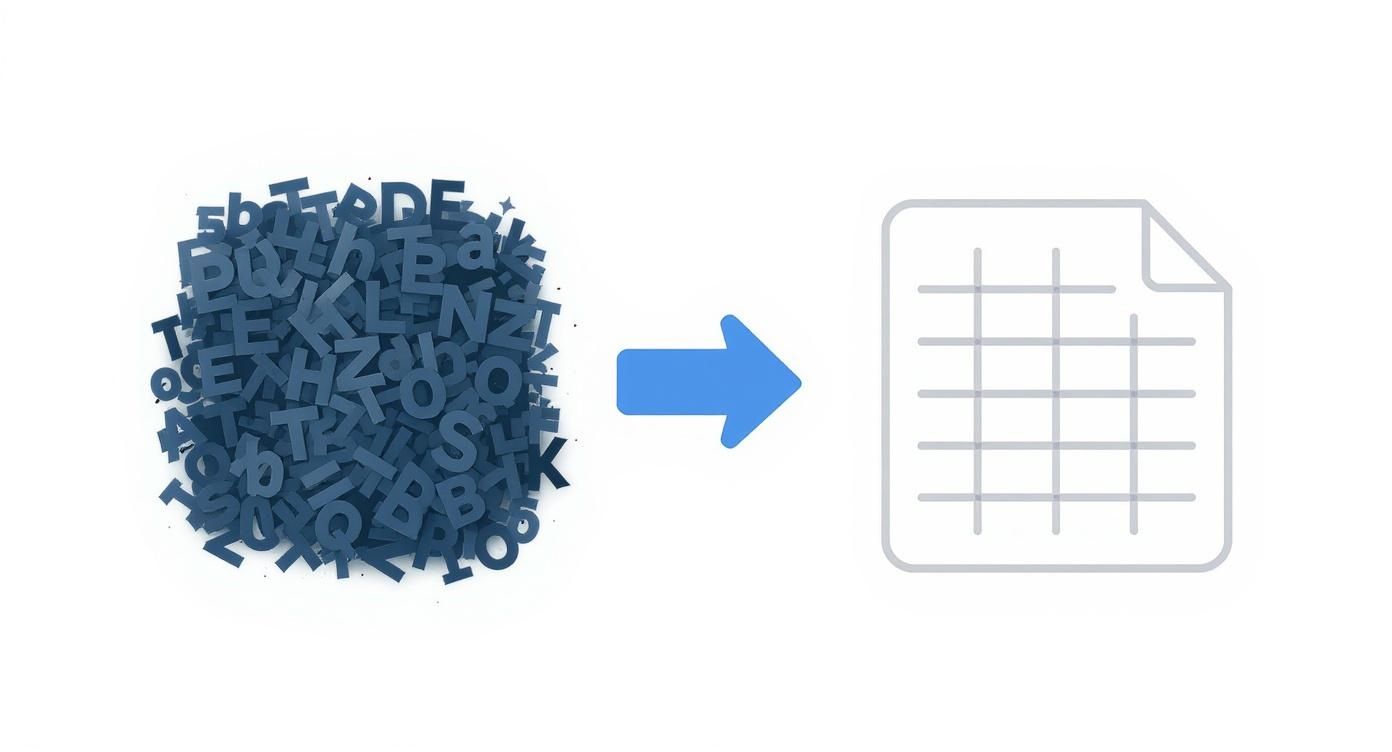
As you can see, the goal is to take a jumble of raw information and convert it into a clean, structured format that your other software can actually understand and use.
Key Parsing Techniques
After a document is classified, the real magic begins with data extraction. This is where the parser scans the document to find and grab the specific details you need. There are a couple of ways to do this, each with its own advantages.
-
Rule-Based Parsing: This is the old-school method. It works by following a strict set of rules and templates you create. For example, you might tell the parser, "the invoice number is always in the top-right corner," or "look for a table with columns named 'Description' and 'Amount' to find the line items." It's incredibly fast and accurate for documents that never change their layout.
-
AI-Powered Parsing: Newer tools lean heavily on artificial intelligence (AI) and machine learning. Instead of being locked into rigid rules, these parsers learn to understand the context of a document, just like a person would. They can spot the "due date" no matter where it is on the page because they recognize the words and patterns around it. For businesses drowning in paperwork, this approach has been shown to cut manual data entry work by over 80%.
Structuring and Delivery
The final, crucial step is data structuring. All that information the parser pulled out—names, dates, totals, addresses—is now organized into a perfectly clean format like JSON, CSV, or an XML file. This structured data is then sent right where it needs to go, whether that's your accounting software, CRM, or a central database.
The real power of data parsing isn’t just grabbing text from a page. It’s about giving that text meaning and structure. It turns a random string of characters like "05/25/2024" into a useful, labeled piece of data like "invoice_date," ready for analysis or automation.
This whole automated process gets rid of the soul-crushing, error-prone task of manual data entry. It frees up your team to focus on work that actually matters—the stuff that grows the business.
Data Parsing vs. Data Extraction and OCR
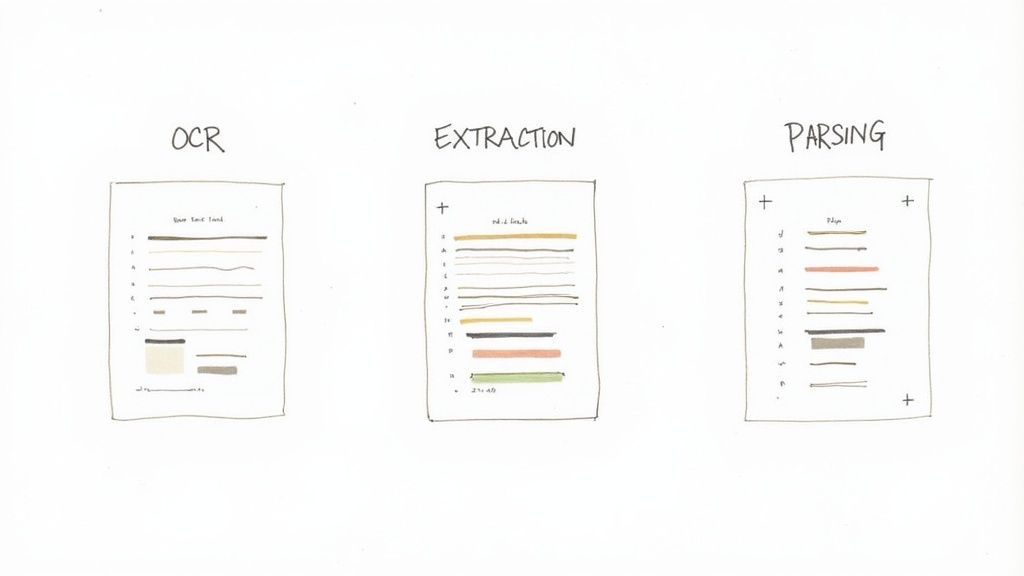
When you dive into the world of document processing, it's easy to get lost in the jargon. Terms like parsing, extraction, and OCR often get used interchangeably, but they actually refer to distinct, sequential steps.
Think of it like building a piece of furniture from a kit. OCR is just getting the printed instructions into a language you can read. Extraction is identifying all the individual parts—screws, panels, and dowels. Parsing is following the instructions to assemble those parts into a finished, usable bookshelf. Let's break down each step.
OCR: Teaching a Computer to Read
When you start with a scanned document, a PDF, or even a photo of a receipt, you first need to turn those images of letters into actual text a computer can understand. That's the job of Optical Character Recognition (OCR).
OCR scans the document and converts the shapes of letters and numbers into digital text characters. It’s a foundational first step, but that's all it does. It gives you a block of raw, unstructured text without any context. It sees the characters "INV-12345," but it has no clue that this is an invoice number. To get a better handle on this technology, you can learn more about what Optical Character Recognition is and how it kicks off the whole process.
Data Extraction: Finding the Important Bits
Once OCR gives you a chunk of digital text, data extraction steps in. Its job is to sift through that text and pull out specific, predefined pieces of information. It’s like highlighting key phrases in a long report.
An extraction tool can be told to find any 10-digit number and label it as a "Phone Number," or to grab the text that comes after the words "Total Amount." It's great at finding the needles in the haystack, but it just gives you a list of disconnected facts. You're left with a pile of ingredients, but no recipe to put them together.
Data Parsing: Giving the Data Meaning and Structure
This is where data parsing brings it all home. It takes the individual pieces of data found during extraction and organizes them into a meaningful, structured format that your software can actually use.
Parsing doesn't just see "Jane Doe" and "$150.00." It understands that "Jane Doe" is the value for the "Customer Name" field and "$150.00" belongs in the "Total Amount" field, and both are tied to the same invoice record. This final step is what creates a clean, organized entry in a spreadsheet or database.
While extraction pulls out the right ingredients, data parsing is what assembles them into a finished recipe. It’s the final step that organizes those ingredients into a structured, useful format.
To make the distinctions crystal clear, here’s a simple table breaking down the three concepts.
Parsing vs. Extraction vs. OCR
| Term | Primary Goal | Typical Input | Typical Output |
|---|---|---|---|
| OCR | Convert images of text into machine-readable text characters. | Scanned documents, PDFs, image files. | A plain text file (e.g., .txt). |
| Data Extraction | Identify and pull out specific data points from a body of text. | Raw text from OCR or digital documents. | A list of isolated data points (e.g., name, date, amount). |
| Data Parsing | Organize extracted data into a structured, relational format. | Extracted data points. | Structured data (e.g., JSON, XML, CSV, database entry). |
In short, you can't have parsing without extraction, and for scanned documents, you can't have extraction without OCR. Each step builds on the last to turn a useless picture of a document into perfectly organized, actionable data for your business.
How Industries Use Data Parsing to Drive Growth
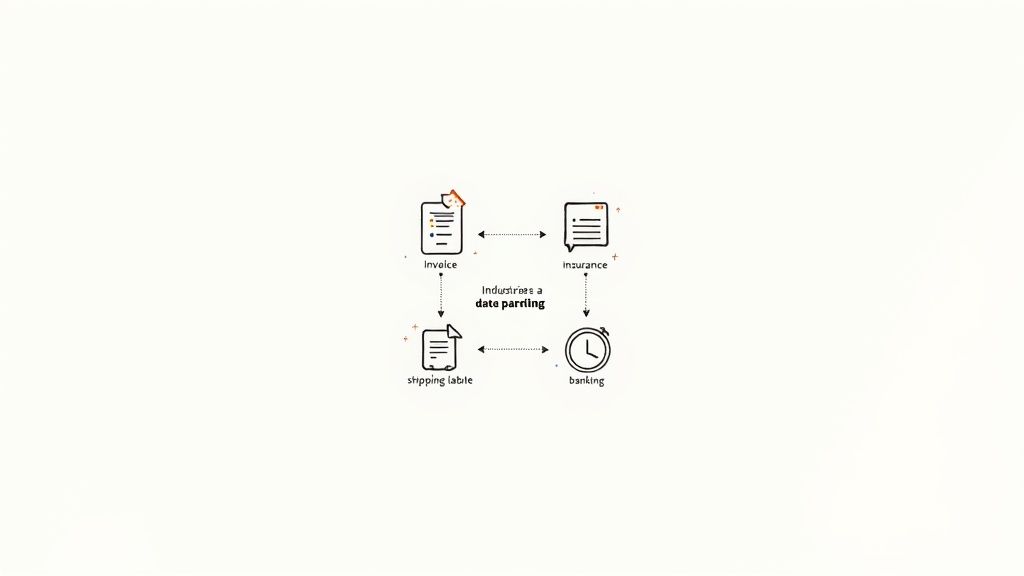
The theory behind data parsing is interesting, but seeing it in action is where you really grasp its power. In just about every industry, companies are using this technology to get ahead. They're swapping out slow, manual tasks for smart, automated workflows that actually move the needle.
Let’s start with a familiar scene: an accounting team buried under a mountain of invoices at the end of the month. The old way meant someone had to open every single file, read it, and manually punch the numbers into the accounting system. It was slow, tedious, and a breeding ground for human error.
Now, imagine they bring in a data parsing tool. Suddenly, that whole process is automatic. The parser instantly grabs vendor names, invoice numbers, line items, and totals, then zips that information right into their software. It’s a simple change, but this kind of automation has been shown to slash manual entry time by over 90% and practically wipe out costly payment mistakes.
Speeding Up Insurance Claims and Logistics
The insurance world is dealing with the same kind of document overload, especially when it comes to claims. A single claim can generate a stack of paperwork, from medical reports to repair estimates. Sifting through all that by hand can take days, which means unhappy customers and bloated operational costs.
Data parsing completely changes that equation. It can read and structure information from all kinds of claim forms in minutes, highlighting the important details for adjusters. This huge boost in speed gets claims approved faster and keeps customers happy. For a deeper dive, check out our guide on automated claims processing.
The benefits don't stop there. Take a look at these other sectors:
- Logistics: Companies parse shipping labels, bills of lading, and customs forms to get a live look at their supply chain. This helps them cut down on delays and make sure packages get where they need to go.
- Banking: Loan officers use parsing to pull key numbers from bank statements, tax returns, and pay stubs in seconds. It’s how they’re shrinking loan approval times from weeks down to just days.
- Legal: Law firms and legal departments use tools like AI contract review software to automatically find and extract critical clauses from contracts, helping them manage risk without spending hundreds of hours on manual review.
The Bottom Line: More Time for What Matters
No matter the industry, the core problem is the same. Businesses are sitting on a goldmine of unstructured data trapped in documents, and trying to handle it all by hand just doesn't work anymore. It’s too slow, costs too much, and is riddled with errors.
At its heart, data parsing frees up your team from the grind of low-value, repetitive work. When you automate how information gets into your systems, you give your people the time to focus on what humans do best: analysis, customer relationships, and finding new ways to grow the business.
This isn't just about making a single workflow a little better. It’s about fundamentally changing how your business operates. You’re finally unlocking the value hidden in all those everyday documents, turning them from a headache into an asset that helps you make smarter, faster decisions. The result is a company that's more efficient, more agile, and better prepared to compete.
A Quick History of Data Parsing
Data parsing feels like a modern invention, but its story actually begins way back with the first computers. It wasn't created to read invoices or emails, but to solve a much more basic problem: how to make a computer understand a programming language.
In the early days, programmers needed a way to translate the code they wrote into commands a machine could actually follow. This translation process is parsing in its purest form. The computer had to break down every line of code, figure out its grammar and structure, and turn it into a step-by-step logical sequence. This early work set the stage for everything that followed.
From Programming Code to Business Data
For a long time, parsing was a niche tool for computer scientists building compilers. It was highly technical and used for one specific job. But as computing power grew, so did its potential. By 1961, efficient stack-based parsing algorithms were well-understood, creating a foundation that many modern systems still rely on today. You can see the whole journey unfold in this historical timeline of parsing algorithms.
Then came the internet, and with it, a data explosion. Businesses were suddenly swimming in unstructured information from emails, PDFs, websites, and social media feeds. The neat, orderly world of databases was gone, replaced by a chaotic flood of "big data." This created a massive problem—and a huge opportunity.
The old parsing methods, built for the rigid rules of programming languages, just couldn't keep up. The technology had to evolve to handle the messy, inconsistent, and often unpredictable nature of human language.
The real challenge was no longer about understanding strict code; it was about interpreting flexible, unstructured business documents. This shift turned data parsing from a specialized tool into a core technology for automation and business intelligence.
The Leap to Intelligent Automation
This is where things got really interesting. The latest evolution in parsing technology is all about artificial intelligence. Instead of depending on fragile, pre-defined rules, today's best parsing tools use machine learning and natural language processing to understand documents in a much more human-like way.
These new intelligent systems, often central to AI for Document Analysis, can spot an invoice number or a customer name no matter where it appears on the page. It's this intelligence that powers modern automation, transforming the tedious chore of manual data entry into a smooth, automated process. Parsing has grown up from a simple translator into a smart interpreter, ready to unlock the value hidden inside all your business documents.
How to Implement a Data Parsing Solution
https://www.youtube.com/embed/9lBTS5dM27c
Getting a data parsing solution up and running is more straightforward than you might think, especially with today's software. The first big question you'll face is a classic one: do you build it yourself or buy a solution that's ready to go?
Building a custom parser from the ground up gives you total control, but that control comes at a steep price. You're looking at significant development hours, constant maintenance every time a document layout changes, and the headache of managing the underlying infrastructure. For most companies, it’s a long, expensive detour that pulls people away from what they do best.
Choosing the Right Approach
For most businesses, buying a ready-made solution like DocParseMagic is the smarter move. It's faster, more reliable, and far more cost-effective. These platforms are designed to handle tons of different document types right out of the gate, so you skip the entire development and maintenance nightmare. You get the power of sophisticated AI and an easy-to-use system, no coding required.
The key to getting a quick win is to start small. Don't try to boil the ocean by automating every single document process in your company all at once. Pick one specific, high-volume task that’s painfully repetitive and focus on getting that one thing automated perfectly.
Pro Tip: A fantastic place to start is with accounts payable. Invoices are generally pretty standard, and the time you'll save is something you can see and measure almost immediately.
Calculate Your Return on Investment
Figuring out your potential ROI isn't complicated. First, get a handle on how much time your team is currently sinking into manual data entry for the process you've chosen to pilot. For example, maybe one person spends 10 hours a week just keying in invoice data.
- What's the labor cost? Just multiply those hours by that employee's hourly rate.
- How much time will you save? With a solid parsing tool, that 10-hour slog could easily become a one-hour task.
- What's that time worth? You've just freed up nine hours every single week. That's nine hours your employee can now put toward more valuable work, like building vendor relationships or analyzing spending patterns.
This simple math usually makes the business case for you. By starting with a focused project, you can prove the value quickly and build the confidence to tackle bigger automation goals down the road. To dive deeper into this first step, check out our guide on how to automate data entry and start transforming your workflows.
Still Have Questions About Data Parsing?
Even after getting the basics down, you probably have a few practical questions about how data parsing would actually work for your business. Let's tackle some of the most common ones we hear.
What Kinds Of Files Can I Actually Parse?
Great question. Modern parsing tools are designed to handle pretty much any document format you throw at them. You're not stuck with just one type.
We're talking about the documents your business already uses every single day, like:
- PDFs: This is the big one. It works for both computer-generated PDFs and scanned paper documents.
- Image Files: Think photos of receipts snapped on a phone or scanned forms saved as JPG, PNG, or TIFF files.
- Office Documents: You can pull data directly from Word documents (.docx) and Excel spreadsheets (.xlsx) without any extra steps.
- Emails: The best tools can even grab key information straight from the body of an email or its attachments.
The whole point is to work with your files as they are, right where they are. No more awkward file conversions.
How Do I Know My Data Is Safe?
This is a huge concern, and it should be. You're often dealing with sensitive information like invoices, customer details, or financial reports. Any decent data parsing platform puts security front and center.
Look for tools that offer end-to-end encryption. This is a non-negotiable. It means your data is scrambled and secure from the moment you upload it (in transit) all the way to when it's stored on the server (at rest). It’s the digital equivalent of an armored truck and a bank vault.
Think of it this way: a top-tier platform treats your data with the same strict security protocols a bank uses. Only people you authorize should ever be able to see it, period.
Do I Need A Tech Background To Use This?
Not anymore. While the technology behind data parsing is complex, using it shouldn't be. The best platforms today are built for business users, not just developers.
Most leading tools now have no-code, user-friendly interfaces. This means you can build a complete workflow—from uploading a document to exporting structured data—without writing a single line of code. It’s all drag-and-drop and point-and-click.
Your team in accounting, procurement, or operations can set up their own automations in minutes. They know the documents best, and now they have the power to parse them on their own.
Ready to stop wasting time on manual data entry? DocParseMagic turns your messy documents into clean, usable spreadsheets in minutes. Sign up for free and see how it works.