Boost Efficiency with retail automation: A Practical Guide
At its most basic, retail automation is simply about using technology to handle the repetitive, time-consuming tasks that used to require a person. It’s about moving away from manual processes and toward more efficient, data-backed systems. This isn't just about futuristic robots stocking shelves; it’s about smart software and hardware that can manage everything from inventory levels to customer checkouts, freeing up your team to focus on work that actually grows the business.
Understanding Retail Automation and Its Urgency
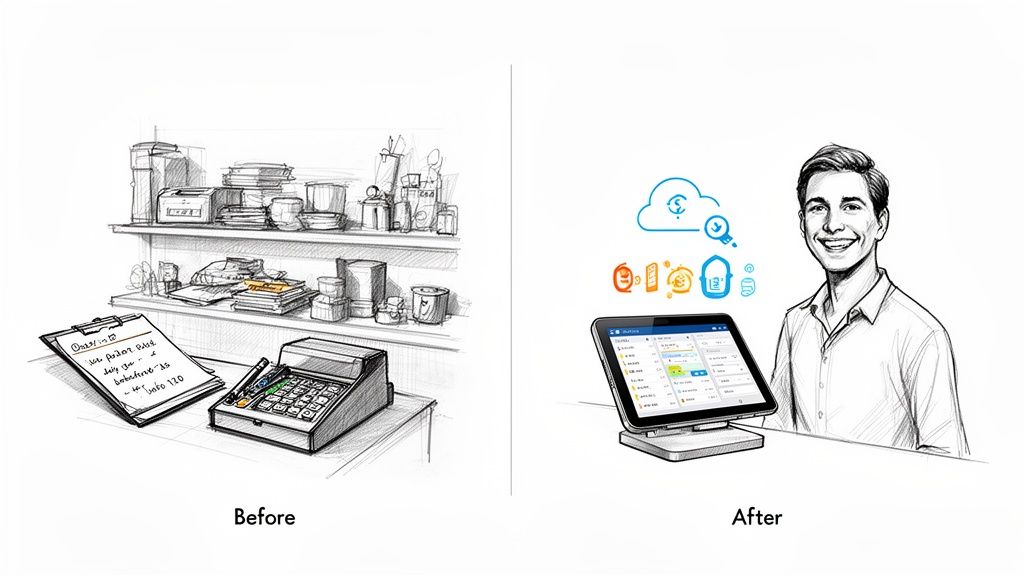
In a nutshell, retail automation means handing over routine jobs to technology. Imagine a small boutique that once tracked sales in a notebook and managed stock by walking the floor with a clipboard. After implementing automation, that same shop now has a digital point-of-sale (POS) system that not only processes sales but also updates inventory in real-time and even tracks which items are most popular.
This isn't just a fancy upgrade. It's a necessary response to the real-world pressures retailers are facing today. Between rising operational costs, tangled supply chains, and customers who want everything yesterday, trying to keep up with manual methods is a losing battle. They're slow, riddled with potential errors, and just can't move at the speed modern commerce demands.
Why Automation Is No Longer a Luxury
The push for retail automation isn't just a trend; it's a survival tactic. Several critical pressures are making old-school manual operations a serious handicap for any business hoping to grow.
Here are the main drivers pushing businesses to automate:
- Rising Operational Costs: Wages, rent, and the cost of goods are always climbing. Automation helps you get more done without necessarily increasing your headcount, protecting your margins.
- Complex Supply Chains: Juggling dozens of suppliers, tracking purchase orders, and managing stock is a massive headache. Automation gives you a clear view of your entire supply chain, so you can avoid running out of popular items or getting stuck with stuff that doesn't sell.
- High Customer Expectations: Today's shoppers expect a fast, smooth, and personalized experience. Automation is what makes things like seamless online checkouts and accurate in-store stock information possible.
- The Problem of Human Error: Manually typing invoice details or counting inventory will always lead to mistakes. A simple typo can cost you thousands. Automation brings a level of accuracy that humans just can't match for these kinds of tasks.
By addressing these fundamental problems, retail automation flips the script. Instead of constantly putting out fires and reacting to problems, you can start proactively planning for growth and focusing on what matters most: your customers.
From Manual Effort to Smart Systems
Think about the life of a single product on your shelf. Without automation, an employee has to notice stock is low, call or email a supplier to reorder, and then painstakingly enter the invoice details into the books when the shipment arrives. Every single one of those steps is a chance for a delay or a mistake.
Now, let's look at that same process with automation. The POS system flags that an item is running low and automatically triggers a purchase order. When the supplier’s invoice comes in, a system reads it, pulls out the key data, and sends it straight to your accounting software for approval.
This isn't just about saving time—though it saves a lot of it. This connected system gives you powerful data. You can spot sales trends instantly, get much better at predicting what customers will want next, and make smarter buying decisions. Retail automation isn't just another tool; it's a whole new way of running your business—one that's faster, smarter, and ready for whatever comes next.
What Retail Automation Actually Does for Your Business
Jumping into retail automation isn't just about getting the latest tech; it's a smart business move that pays for itself in real, measurable ways. Sure, "efficiency" is the obvious benefit, but the true impact goes much deeper, hitting your bottom line, building customer loyalty, and giving you a serious leg up on the competition.
Let's get past the buzzwords and talk numbers. Automation goes straight for your biggest operational headaches and costs. Think about all the time spent manually counting stock, keying in invoice data, or matching up purchase orders. These tasks aren't just slow—they're breeding grounds for human error. A single misplaced decimal or a missed invoice can lead to painful overpayments or stockouts, chipping away at your profits every single day.
Slash Costs and Nail Your Accuracy
By handing these jobs over to automated systems, you can practically wipe out those costly slip-ups. For example, an automated platform can process hundreds of supplier invoices without a single typo, guaranteeing you pay exactly what you owe, every time. This stops money from leaking out of the business and frees up cash you can put back into growing the company.
This isn't just a niche trend; it's a massive global shift. The retail automation market is exploding, projected to jump from USD 11.24 billion in 2018 to a whopping USD 23.58 billion by 2026. That kind of growth shows just how seriously retailers are taking operational excellence to stay in the game.
It all boils down to two core wins:
- Lower Labor Costs: Automation takes on the grunt work, letting your current team achieve more without you having to constantly hire for back-office roles.
- No More Costly Errors: Software doesn't get tired or have a bad day. Automating data for orders, invoices, and inventory brings a level of precision that stops you from losing money on bad payments or ordering blunders.
The real magic of retail automation is how it turns messy operational data into your sharpest strategic tool. It replaces guesswork with smart, data-backed decisions.
Free Up Your People to Do What They Do Best
One of the biggest—and most underrated—perks of automation is what it does for your team. When your staff isn't stuck doing mind-numbing work like copying numbers from a PDF into a spreadsheet, they can finally focus on the things that actually make a difference.
This means more time spent on high-impact activities that drive sales and make customers happy. Instead of chasing paperwork, your team can focus on creating better store displays, negotiating with suppliers, spotting sales trends, or—most importantly—giving customers an amazing in-person experience.
A better employee experience is a direct, if often overlooked, benefit. For example, using a tool like the Pebb communication platform for retail staff engagement helps create a more connected and productive workforce. A happier team sticks around longer and provides better service, creating a positive loop that makes your entire business stronger.
To see the difference in black and white, let's compare the old way versus the new way.
A Quick Comparison of Manual vs Automated Retail Processes
This table breaks down how automation transforms everyday retail tasks, moving them from slow and error-prone to fast and accurate.
| Retail Task | Manual Process (The Old Way) | Automated Process (The New Way) | Key Benefit |
|---|---|---|---|
| Inventory Count | Staff physically count items; data is entered into a spreadsheet. | Barcode scanners or RFID tags update a central system in real-time. | 99%+ accuracy and live stock visibility. |
| Invoice Processing | AP team manually enters data from PDF/paper invoices into accounting software. | Software automatically extracts data from any invoice format and syncs it. | 80% faster processing and zero data entry errors. |
| Purchase Orders | POs are created, emailed, and tracked manually. Matching is done by hand. | System auto-generates POs based on stock levels and performs 3-way matching. | Prevents over-ordering and simplifies reconciliation. |
| Supplier Onboarding | New vendors email documents; staff manually enter details into multiple systems. | Vendors upload docs to a portal; data is parsed and systems are auto-updated. | Reduces onboarding time from weeks to days. |
| Customer Returns | Staff manually inspect items, process refunds, and update inventory. | Customers initiate returns online; system automates refund and updates stock. | A smoother customer experience and faster processing. |
As you can see, automation doesn't just make things a little faster—it completely changes how work gets done, freeing up your team and eliminating costly mistakes.
Gain a Serious Competitive Edge
When you pull it all together, these benefits give you a powerful advantage. With clean, reliable data, you can forecast demand with incredible accuracy, making sure you have the right products on the shelves at the right time. This clear view of your supply chain also lets you spot potential disruptions early and manage your supplier relationships like a pro.
Ultimately, this all leads to a much better, more consistent experience for your customers. From showing accurate stock levels online to enabling faster checkouts and hassle-free returns, automation makes every interaction seamless. In a crowded market, that's what builds trust, earns loyalty, and turns a first-time shopper into a lifelong fan. You're not just doing things faster; you're building a smarter, more resilient business from the inside out.
Where Retail Automation Really Moves the Needle
It’s one thing to talk about the benefits of automation in theory, but it’s another to see exactly where it makes a real, tangible difference in your daily operations. Automation isn't some magic wand you wave over your business. It's a collection of powerful tools aimed squarely at the most time-consuming, error-prone parts of retail.
When you apply these technologies to the right areas, the returns aren't just noticeable—they're immediate and substantial.
This diagram breaks down the core wins from automation, showing how it boosts your bottom line, sharpens your data, and improves the experience for everyone involved.
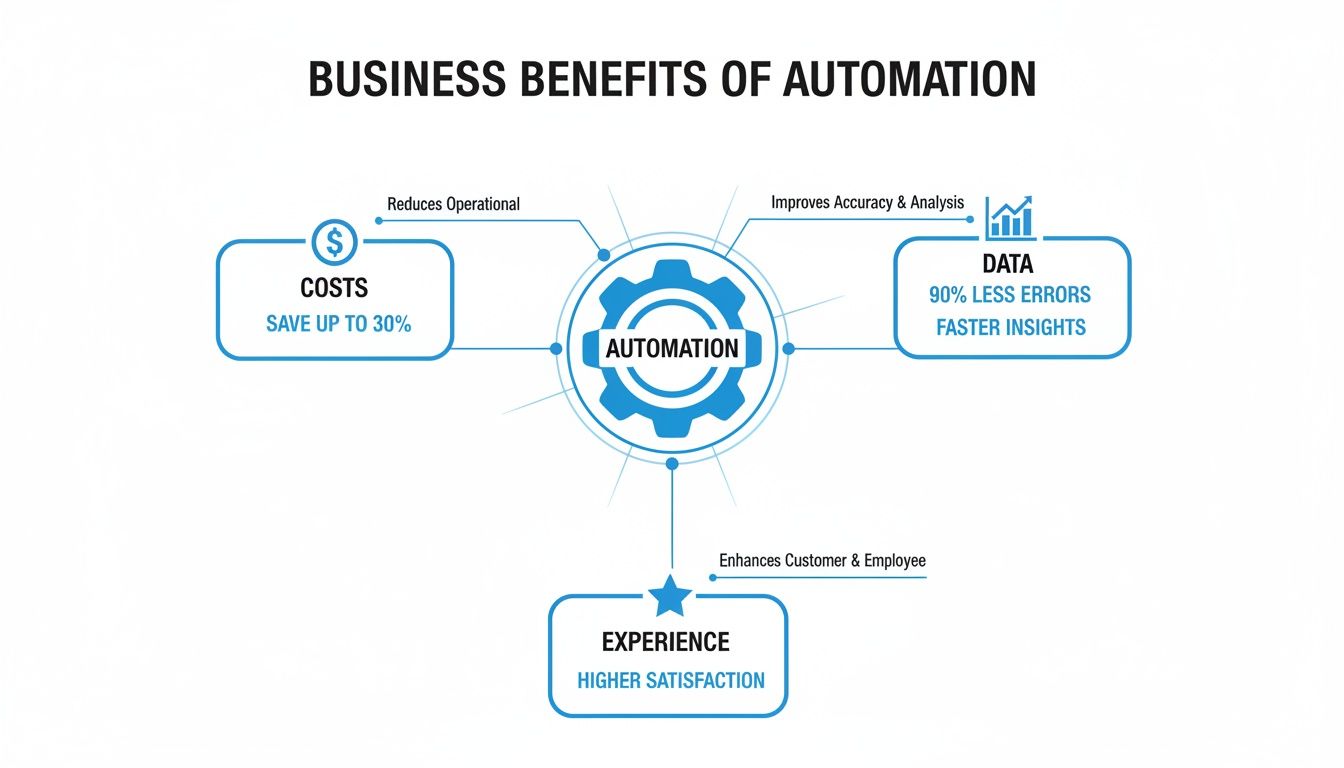
As you can see, these benefits are all connected. Better data leads to smarter spending, which in turn creates a better experience for both your staff and your customers. Let's dig into the specific parts of the business where this all comes to life.
Reinventing Inventory Management
Bad inventory management is a silent killer of profits. If you overstock, you’re tying up cash in products that just sit there. If you understock, you’re losing sales and leaving customers frustrated. Doing it all by hand with a clipboard is slow, riddled with errors, and gives you a blurry snapshot of a constantly moving target.
This is where automation turns inventory from a guessing game into a science. Tools like Radio-Frequency Identification (RFID) tags and sophisticated barcode scanners give you a live, real-time picture of every single item, whether it's in the stockroom or on the sales floor.
- Automated Stock Counts: Instead of taking hours, RFID readers can count thousands of items in minutes with near-perfect accuracy.
- Real-Time Alerts: The system can automatically flag when you're running low on a popular item and even queue up a purchase order before you officially run out.
- Reduced Shrinkage: When you know exactly where every product is supposed to be, it’s much easier to spot and prevent theft or loss.
The efficiency gains ripple through the entire supply chain. For larger operations, this is where you start looking into more advanced systems. You can find detailed guides on Automated Storage and Retrieval Systems (ASRS) for smart warehouse automation that really unpack how these complex setups work.
Modernizing Point-of-Sale Systems
The checkout counter is your last and best chance to leave a good impression. Nothing sours a great shopping trip faster than a long line or a clunky payment process. Today's Point-of-Sale (POS) systems are the command center for retail automation, handling much more than just taking money.
In fact, in-store automation is where most of the action is. It accounted for nearly 60% of the global revenue share in 2023 as retailers focused on what customers see and experience first. Big players like hypermarkets and supermarkets are leading the charge, using POS and RFID technology to cut down on shrinkage by 15-25% every year.
A modern POS system is the central nervous system of a retail business. It connects sales directly to inventory, customer profiles, and your accounting books.
This integration means information flows seamlessly. When a customer buys a shirt, the POS doesn't just ring up the sale. It instantly deducts the item from your inventory count, logs the transaction for accounting, and might even credit the customer's loyalty account. Self-checkout kiosks are another perfect example, cutting wait times and freeing up your team to help customers on the floor instead of being stuck behind a register.
Streamlining Invoicing and Payments
The back office is often where hidden inefficiencies quietly bleed money and time. Manually processing supplier invoices is a grind, and it's full of opportunities for expensive mistakes. One typo can lead to an overpayment, and a lost invoice can strain a critical supplier relationship.
Automated invoice processing uses technology to read, understand, and handle invoices with very little human touch. This is where intelligent document parsing really shines.
- Data Extraction: The system automatically pulls key details—invoice number, date, line items, and totals—from any digital file or PDF.
- Three-Way Matching: It then checks the invoice against the purchase order and the receiving report to make sure everything lines up perfectly before a payment is even considered.
- Digital Workflow: Once approved, the invoice is sent straight to the accounting system for payment, leaving a clean, easy-to-audit digital trail.
This doesn't just speed up your accounts payable cycle; it dramatically lowers the risk of paying a bogus or duplicate invoice. Our guide on warehouse automation software dives deeper into how these back-end processes can be completely transformed.
Accelerating Supplier Onboarding
Getting a new supplier set up can be a painfully slow, paper-heavy ordeal. You're juggling contracts, tax forms, and banking information. Every document needs to be reviewed and typed into multiple systems by hand, creating bottlenecks that can delay getting new products on your shelves.
Automation completely digitizes and simplifies this process. New suppliers can upload their documents to a secure portal. From there, an intelligent system pulls out the necessary information and automatically fills it into your procurement, accounting, and inventory systems. A process that used to take weeks of email tag can now be wrapped up in a few days, sometimes even a few hours.
Optimizing Customer Returns
Finally, let's talk about returns. A smooth, hassle-free returns process is absolutely vital for building trust and keeping customers for the long haul. If it’s a pain to bring something back, a customer might never shop with you again.
Automation makes returns painless for everyone. It allows customers to start a return online, get a shipping label instantly, and track its journey back to you. When the item arrives, the system can automatically process the refund and update inventory to put the product back in stock. It creates a fast, transparent experience that gives customers the confidence to keep coming back.
Building Your Retail Automation Roadmap
So, you're sold on the idea of retail automation. That's great. But turning that concept into a reality that actually works requires a smart, practical plan.
The most successful retailers don't try to overhaul everything at once. That's a recipe for chaos. Instead, think of it less like building a skyscraper from scratch and more like renovating your house one room at a time. You get to see results quickly, learn as you go, and build momentum for the next project.
The goal here is to create a roadmap that transforms your operations without bringing them to a grinding halt. And it all starts not with fancy tech, but with a brutally honest look at your current processes.
First, Hunt Down Your Biggest Bottlenecks
Before you can fix anything, you have to know exactly what’s broken. The first step is to pinpoint the most frustrating, time-sucking, and error-prone tasks in your daily workflow. Where is your team wasting hours? Where do the costliest mistakes keep happening?
You have to get specific. It’s not enough to say, "inventory is a mess." A real bottleneck sounds like this: "Our team spends 15 hours a week manually counting stock, and our counts are still off by 5% every single month."
Look for common pain points like these:
- Mind-Numbing Data Entry: How much time is lost just copying information from supplier invoices, POs, or new vendor forms into your system?
- Endless Email Chains: Are you constantly chasing suppliers for order updates or hounding them for payment information?
- Reconciliation Nightmares: Does matching invoices to purchase orders and delivery receipts take days and require a spreadsheet savant?
When you zero in on these specific headaches, you find the exact spots where automation will deliver the biggest and fastest payoff.
Next, Set Clear Goals and Define What a “Win” Looks Like
Once you know the problem, you need to define what solving it actually looks like. Vague goals like "improve efficiency" are useless because you can't measure them. Instead, you need to set clear, quantifiable Key Performance Indicators (KPIs) that will prove your automation project is working.
These goals should be tied directly to the bottlenecks you just identified.
For example:
- Problem: Slow invoice processing.
- Goal: Reduce average invoice approval time from 10 days to 2 days.
- Problem: Constant inventory errors.
- Goal: Decrease stock discrepancies from 5% to less than 1%.
- Problem: Supplier onboarding is a slog.
- Goal: Cut the time to set up a new vendor from two weeks to 48 hours.
These concrete numbers remove all the guesswork. They give you a clear benchmark to measure against, making it easy to show the real, tangible value of your investment to your team and leadership.
A well-defined goal acts as your north star. It keeps the project focused on solving a real business problem, prevents it from spiraling out of control, and ensures you end up with a solution that actually moves the needle.
Start Small with a Pilot Project
The thought of automating your entire business at once is terrifying—and for good reason. It’s incredibly risky. A much smarter approach is to start with a focused pilot project. Pick one of those key bottlenecks you found and apply automation to that single process first.
This "start small, prove it, then scale" approach is the secret sauce to successful retail automation. A pilot project lets you:
- Test the Tech: See how a tool actually performs in your real-world environment with your data and your team.
- Get Feedback: Collect direct input from the employees who will be using the system day in and day out.
- Prove the ROI: Use your KPIs to demonstrate a clear, measurable win before you ask for a bigger budget.
For instance, you could start by automating invoice processing for just one category of your suppliers. Once you prove that you can cut processing time by 80% for that small group, you’ll have a powerful case for rolling it out to the entire accounts payable department.
To get a better sense of how this works in practice, you can learn more about the fundamentals of no-code automation in our detailed guide. This method takes the risk out of the equation and builds confidence every step of the way.
Speeding Up Your Operations with Smart Document Parsing
While the flashy, customer-facing tech gets all the attention, the biggest wins in retail automation often happen quietly behind the scenes. Real operational efficiency isn't about robots on the sales floor; it's about eliminating the unseen administrative drag that quietly drains your resources and slows down growth.
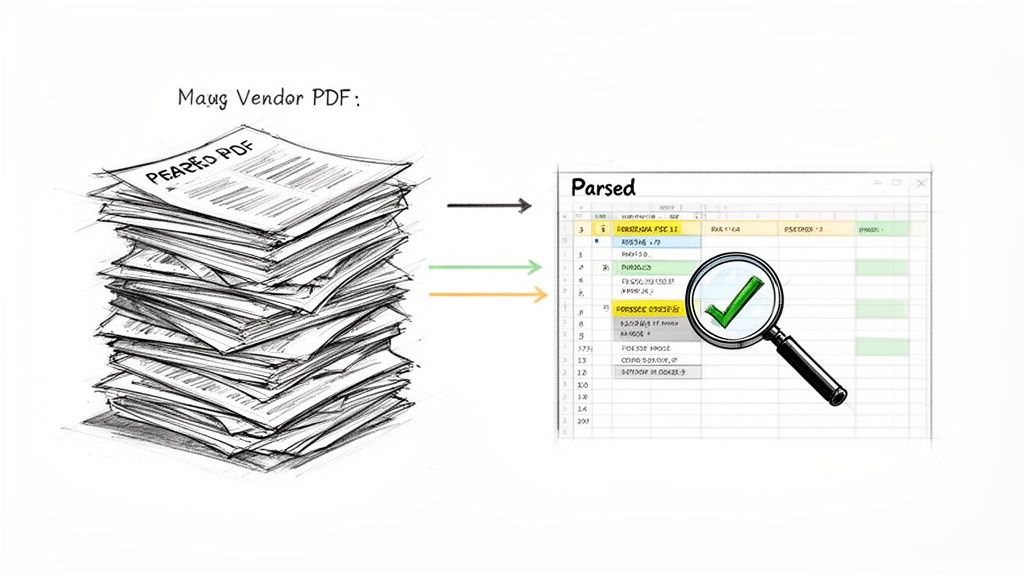
This is where intelligent document parsing comes in. This technology solves one of the oldest and most frustrating problems in business: the never-ending flood of documents like invoices, purchase orders, and supplier forms. Every vendor sends their information in a slightly different layout, turning what should be simple data entry into a manual, error-prone mess.
Making Sense of Document Chaos
Think about your accounts payable team wading through hundreds of PDF invoices every week. Each one has to be opened, read, and have its key details—invoice number, line items, total amount—manually typed into your accounting system. It’s not just slow. It’s a minefield for human error, where a single typo can lead to a costly overpayment or a strained vendor relationship.
Intelligent document parsing is like having a universal translator for all that paperwork. It doesn't just copy and paste text; it understands the context. It knows what an "invoice number" is, no matter where it's located on the page, and pulls it out cleanly every time.
This is the real job of back-office automation: turning the messy, unstructured information from the outside world into the clean, structured data your internal systems need. It builds a solid, reliable bridge between your suppliers and your software.
Tools like DocParseMagic are built for this exact task. They let you take a mountain of different documents—from scanned receipts to multi-page vendor invoices—and instantly turn them into organized, usable data. The output is a perfect, analysis-ready spreadsheet that's ready in minutes, not days.
Shifting from Manual Entry to Strategic Work
When you get rid of the soul-crushing task of manual data entry, you completely change the game for your finance and operations teams. Their time is suddenly freed up from tedious administrative work, allowing them to focus on activities that actually move the needle for the business. This is where you see the real return on your investment.
Here are a few practical examples of what this looks like:
- Automated Payment Reconciliation: The system can automatically match an invoice against its purchase order and the delivery receipt. This three-way matching process flags any problems instantly, stopping payment errors before they ever happen.
- Instant Supplier Quote Comparison: When you're sourcing new products, you can run multiple vendor proposals through the system and get a single, comparable view of their pricing, terms, and availability. This means faster, smarter buying decisions.
- Faster Supplier Onboarding: New vendor forms, tax documents, and contracts can be processed automatically. This can shrink the time it takes to get a new supplier approved and active in your system from weeks down to just a few days.
This is much more than a simple time-saver. Automating these workflows creates a source of clean, reliable data that you can trust. This data becomes the foundation for more accurate financial forecasting, better budget management, and deeper insights into your spending. If you want to dive deeper, you can learn more about what is intelligent document processing.
Your Quick-Start Checklist for Document Automation
Getting started doesn't mean you have to rip and replace all your current systems. The trick is to start small by targeting the most painful and repetitive document-based tasks first.
Here’s a short checklist to help you spot the best opportunities:
- Find the Paper Pile-Up: Which department is drowning in manual data entry from PDFs or scanned papers? (Hint: It’s usually Accounts Payable).
- Count the Wasted Hours: Try to estimate how many hours your team spends each week just keying in data. This number is the heart of your business case.
- Pinpoint the Cost of Mistakes: Have you recently dealt with overpayments, paying the same invoice twice, or missing out on early payment discounts because of processing delays?
- Trace the Information Path: Follow a single invoice from the moment it arrives to the moment it’s paid. Note every single manual step that could be automated.
By focusing on these specific pain points, you can roll out a smart document parsing solution that delivers an immediate and measurable impact. It's a critical piece of any serious retail automation strategy, turning administrative headaches into a streamlined engine for growth.
Measuring Success and Avoiding Common Pitfalls
So, you've decided to bring automation into your retail business. Great! But flipping the switch is just the beginning. The real test comes next: proving the system is actually delivering value and navigating the inevitable bumps in the road.
Think of it like getting a new, high-performance car. It has incredible potential on paper, but you don't know its true value until you see how it performs on your daily commute—its real-world fuel efficiency, its reliability, and how it handles traffic. In the same way, your automation tools need to be measured against clear business goals to prove they’re really improving performance.
Defining Your Key Performance Indicators
To show that your retail automation is delivering a solid return on investment (ROI), you need to track the right metrics. These Key Performance Indicators (KPIs) turn vague goals like "making things more efficient" into hard numbers that show a real impact. Your KPIs should be directly linked to the operational headaches you wanted to solve in the first place.
Focus on tracking numbers that tell a clear story:
- Order Processing Time: How long does it take from receiving a purchase order to getting it fulfilled? A sharp drop here is a huge win for your workflow automation.
- Inventory Carrying Costs: Keep an eye on the total cost of holding onto unsold stock. Good automation cuts down on overstocking and improves your forecasts, which should bring this number down.
- Invoice Accuracy Rate: What percentage of supplier invoices are processed without any errors? You want this to be as close to 100% as possible. Fewer errors mean fewer overpayments and disputes.
- Employee Productivity: This one can be tricky to measure, but you can track things like tasks completed per person each day or how much time is spent on specific manual jobs. The goal is to show your team is moving from tedious data entry to more strategic, high-value work.
Success in retail automation isn't about how many tasks you automate. It's about how much value those automations create. Solid KPIs give you undeniable proof that your investment is saving time, cutting costs, and reducing errors.
Navigating Common Implementation Pitfalls
Even the best-laid automation plans can get derailed by a few common challenges. Knowing what these roadblocks are ahead of time helps you plan for them and keep your project on track. After all, launching new tech is as much about managing people and processes as it is about the software itself.
Here are three major pitfalls to watch for—and how to sidestep them:
- Poor Data Quality: Your automation tools are only as good as the data you feed them. If your inventory records, supplier info, or product catalogs are a mess, your new system will just make those problems bigger and faster. Before you do anything else, invest time in a thorough data cleanup.
- Team Resistance and Lack of Training: It’s natural for employees to see automation as a threat to their jobs instead of a tool to help them. Be proactive with communication. Frame it as a way to get rid of boring, repetitive tasks so they can focus on more interesting work. Then, provide great training to build their confidence and make sure they’re comfortable with the new systems.
- Choosing Overly Complex Technology: It's easy to get wowed by fancy, feature-packed software. But picking a system that’s too complicated for your actual needs will lead to a long, expensive implementation and a team that doesn't want to use it. Start with the problem you need to solve and find the simplest tool that gets the job done.
By getting ahead of these issues, you can build an automation strategy that not only gets off the ground but keeps delivering value for years to come.
Stop wasting hours on manual data entry and start building a more efficient back office. With DocParseMagic, you can turn any invoice, purchase order, or supplier document into clean, structured data in minutes. Try it for free today and see the magic for yourself!