Master Request for Proposal Evaluation Criteria
From Proposal Piles to a Winning Partnership
You sent the RFP. The deadline passed. Now your team is staring at a pile of PDFs, Word files, spreadsheets, and scanned attachments that all claim to solve the same problem.
At this stage, many sourcing processes start to wobble. One evaluator cares most about features. Another fixates on price. Someone in IT raises security concerns late. Finance wants cleaner cost comparisons. Operations wants proof the vendor can deliver. If you do not lock down your request for proposal evaluation criteria before review starts, the process turns subjective fast.
Consistent evaluation is vital because teams often manage significant proposal traffic. For instance, the average company receives about 230 RFPs a year, responds to around 150, passes on roughly 35% of opportunities, and wins about 47% of submitted proposals. On the buy side, that volume translates into repeated pressure to evaluate consistently, document decisions, and move quickly without cutting corners.
A good evaluation model does not just help you pick a vendor. It protects you from avoidable mistakes. The wrong choice can leave you with implementation delays, hidden work for your staff, poor adoption, and a contract you regret long after the award notice goes out.
The fix is structure. You need a scoring approach that tells reviewers what matters, how much it matters, and what good evidence looks like. You also need a practical way to extract comparable information from messy proposal documents so people are not retyping pricing, SLA terms, security details, and implementation notes by hand.
Below are 10 essential request for proposal evaluation criteria that I use to turn vendor selection into a repeatable decision process. They cover the obvious factors (like technical fit and price) but also the criteria that often decide whether a project succeeds after signature, such as: integration, support, usability, and change management.
1. Technical Capability and Accuracy
If the solution cannot do the core job reliably, nothing else saves it.
For document-heavy workflows, this criterion should focus on how well the vendor handles the files your team receives. Not sample files from a polished demo. Your files. That means the odd PDF export from an old system, the scanned policy document, the spreadsheet with merged cells, the supplier quote with inconsistent line items.

An insurance team may need to extract premium amounts, coverage terms, deductibles, and renewal dates from proposal packets. An accounting team may need invoice numbers, dates, line items, and totals. A procurement group may need pricing schedules, service exclusions, delivery commitments, and contract terms pulled into one comparison view.
What to test
Do not accept broad claims about accuracy without a live sample run. Ask vendors to process representative documents from your environment, including poor scans and edge cases.
Useful prompts include:
- Use real files: Provide examples from active workflows, not sanitized templates.
- Check low-confidence handling: Ask how the system flags uncertain fields for review.
- Trace every extraction: Require an audit trail showing what was extracted and what a user corrected.
- Separate by document type: A vendor may perform well on digital PDFs and struggle with scanned forms.
Technical capability also includes whether the product understands structure, not just text. That distinction matters in proposal review, invoice capture, and policy comparison. If you want a quick grounding, this overview of intelligent document processing is a useful reference point for what modern extraction should do.
What works and what does not
What works is scenario testing tied to downstream decisions. If extracted data will feed pricing analysis, compliance review, or financial reconciliation, score accuracy based on those real outcomes.
What does not work is evaluating off screenshots and generic feature lists. I have seen teams overweight a polished demo and underweight extraction quality on messy files. They paid for automation and still kept a manual validation team in place because the outputs were not trustworthy enough to use.
Ask each finalist to process the same batch of documents. That keeps technical scoring fair and exposes who can handle your reality versus who only handles the demo environment.
2. Integration and API Capabilities
The failure usually shows up after selection, not during the demo.
A vendor wins the scorecard, the team signs, and then implementation stalls because proposal data cannot move cleanly into the systems that run the business. Buyers end up exporting CSV files, emailing spreadsheets, and asking analysts to rekey approved fields into the ERP or contract repository. At that point, the software has added one more handoff instead of removing one.
Integration deserves its own score because it affects labor, error rates, reporting quality, and time to value. Review native connectors, API coverage, webhooks, import and export controls, authentication options, and the vendor’s ability to support the last mile of setup in your environment.
Start with the handoff map
Map the process before you watch a demo. Identify where documents arrive, where extracted fields are reviewed, and where approved data must go next. That exercise exposes whether you need real-time sync, scheduled batch updates, or a simple export that a business team can manage without developer support.
In practice, the destinations are usually predictable:
- Finance teams: Send pricing, invoice, or payment fields into NetSuite, QuickBooks, or another ERP.
- Procurement teams: Push awarded terms, vendor records, or line-item data into purchasing and contract workflows.
- Commercial teams: Route supplier or partner data into Salesforce or another CRM for onboarding and reporting.
Teams evaluating document automation products often miss one key question. Can the system hand structured output to the next platform in a format your team can use? A product that extracts data well but creates cleanup work downstream will drag your ROI down fast. If you are also weighing whether business users can configure those workflows themselves, this primer on no-code automation workflows helps frame that trade-off.
Score implementation effort, not connector count
“Has an API” is a weak scoring line. I have seen vendors earn full marks for that claim and still require weeks of custom mapping, middleware work, and support tickets to complete a basic sync.
Score the parts that affect delivery risk:
- Ownership of setup: Define whether your internal IT team, the vendor, or an implementation partner handles mapping and deployment.
- Error handling: Failed syncs should be logged, visible, and easy to retry without data loss.
- Schema change management: Field names, document types, and approval workflows will change. The integration model should handle that without a rebuild.
- Authentication and access control: Check SSO, OAuth, API keys, role permissions, and how credentials are rotated.
- Output structure: Confirm whether the platform returns JSON, CSV, webhooks, or direct connector payloads that match your downstream requirements.
Here, the decision-making framework matters. Do not treat integration as a yes or no feature. Weight it based on business impact. If extracted fields will feed vendor onboarding, price comparison, or contract metadata, integration can carry more practical value than a slick review screen. In a scoring matrix, I often separate “integration breadth” from “integration effort” so a long connector list does not hide a difficult implementation.
Test against your actual environment
Use one or two real downstream systems during evaluation. Ask finalists to show how data moves from the document platform into your target application, how exceptions are handled, and what the audit trail looks like after a failed or corrected sync.
Modern platforms should also help your team compare outputs across vendors without turning the process into manual spreadsheet work. Tools such as DocParseMagic can support structured extraction and field-level comparison so evaluators can score integration readiness with actual payloads, not vendor promises. That shifts this criterion from a qualitative impression to evidence you can place in the evaluation matrix.
The practical rule is simple. If “integrates with” still requires your team to copy, clean, and reformat data by hand, score it as partial capability, not full capability.
3. Ease of Use and No-Code Requirements
A platform can be technically strong and still fail because the people who need it cannot run it.
This criterion matters most when procurement, finance, insurance, or operations teams want to manage their own workflows instead of waiting on IT for every field change or validation rule. If the system requires specialists for basic updates, small issues pile up and adoption slows.
Start the evaluation by asking a simple question: can a business user set up, review, and adjust the workflow after onboarding?
Early in the review, it helps to visualize the kind of interface your team will be dealing with.
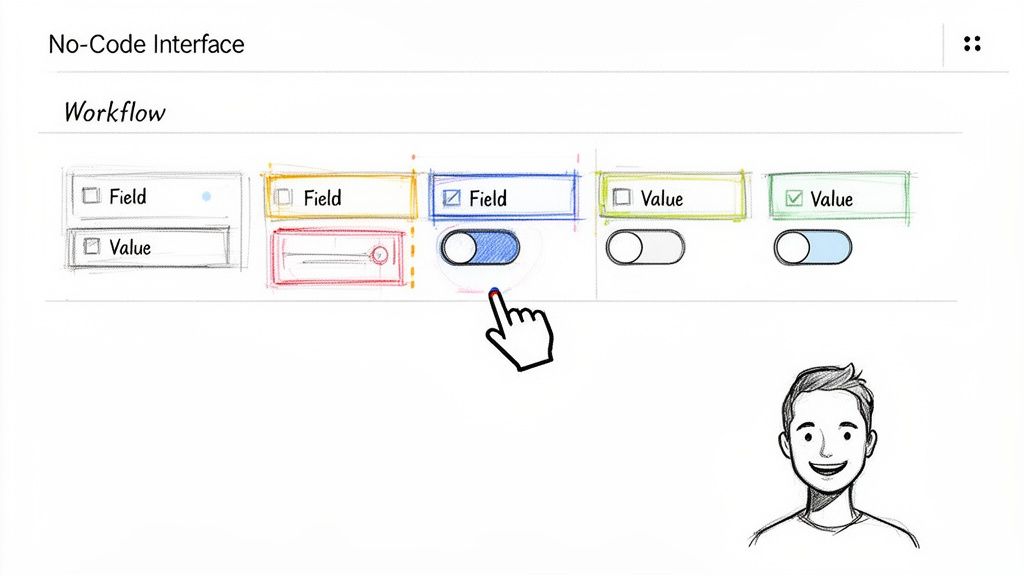
What usability really means
Usability is not whether the screen looks modern. It is whether a buyer, analyst, or finance manager can complete real work without relying on a technical intermediary.
Look for:
- Fast setup: Can your team configure extraction fields and review rules directly?
- Clear exception handling: When a field is wrong or missing, can a user fix it without confusion?
- Role controls: Managers, reviewers, and admins should not all have the same access.
- Onboarding depth: Good documentation matters, but so does the product’s basic learnability.
A useful lens here is whether the software supports no-code automation in a practical way, not just as a marketing phrase.
A quick reality test
During demos, I ask the vendor to let an ordinary business user perform a common task. For example: upload a file set, map fields, fix an exception, and export results. That tells you more than any feature walkthrough.
What works is a hands-on trial with the people who will run the workflow.
What does not work is letting only senior stakeholders judge usability. They often see the strategic value but do not feel the day-to-day friction.
Later in the review cycle, ask for a more detailed walkthrough or recorded session your wider team can test against.
If your evaluators finish a demo saying, “IT can probably handle that,” score it lower than a tool your business team can own directly.
4. Processing Speed and Scalability
At 4:30 p.m. on the day proposals are due, the neat demo story usually falls apart. Addenda arrive late, file sizes jump, and evaluators still expect a clean comparison pack before the scoring meeting. That is the test. Processing speed should be scored on throughput you can rely on, not on how fast a vendor handles one polished sample file.
Large proposal sets create a practical bottleneck for teams reviewing pricing sheets, requirements matrices, certifications, and supporting attachments across multiple bidders. If the platform cannot extract and organize that information fast enough for side by side review, the delay shows up downstream as rushed scoring, manual rework, and weaker award documentation.
Measure throughput, not demo speed
Ask vendors to run a batch that looks like your intake. Include mixed file types, uneven scan quality, long appendices, and at least a few documents with awkward tables or nested sections. If the tool supports automated extraction and comparison, including platforms such as DocParseMagic, test whether the output stays structured enough to feed a scoring matrix without hours of cleanup.
Score these areas:
- Batch throughput: How many files can the platform process in one run, and what user intervention is required?
- Queue predictability: Does turnaround stay within a usable window when volume spikes?
- Output readiness: Can reviewers work from the extracted data immediately, or does the team spend time fixing formatting and missing fields?
- Performance across document complexity: Fast results on simple forms do not tell you much about complex proposals with attachments and tables.
- Service reliability: Ask about planned downtime, job monitoring, retry behavior, and how failures are flagged to users.
One point matters more than teams expect. Speed only has value if the results are complete enough to support a decision.
I have seen tools post impressive turnaround times because they avoid the hard parts. They skip line-item detail, flatten section hierarchies, or push exceptions back to staff for manual handling. That may work in a narrow workflow with standardized inputs. It usually fails in procurement, where submissions vary by bidder and the hard-to-parse content often contains the scoring detail that matters most.
A better evaluation method is to score speed and completeness together. For example, give one score for turnaround time and another for extraction usability. Then review them side by side in your matrix. A vendor that finishes slightly slower but produces structured, comparable outputs often creates less total effort than a faster tool that leaves analysts rebuilding the data by hand.
Stress-test the operating model
Do not stop at, "How fast is it?" Ask, "What happens on our busiest day?"
That question gets to scale. A platform may perform well for one department and still struggle when procurement, finance, and operations are all processing documents in the same period. Ask for evidence from production environments that resemble your volume and document mix. Then confirm whether pricing, support levels, or processing limits change once you cross certain thresholds.
The trade-off is straightforward. Real-time processing sounds attractive, but many teams get more value from predictable same-day or overnight batch runs that feed a scoring worksheet, exception queue, and reviewer packet on schedule. In an RFP process, dependable throughput usually beats flashy speed.
5. Data Security and Compliance
A vendor reaches the final round, pricing is acceptable, the demo went well, and then security review exposes a gap in audit logging or data retention. The team either restarts with the next bidder or spends weeks negotiating controls that should have been tested in the RFP. Both outcomes are avoidable.
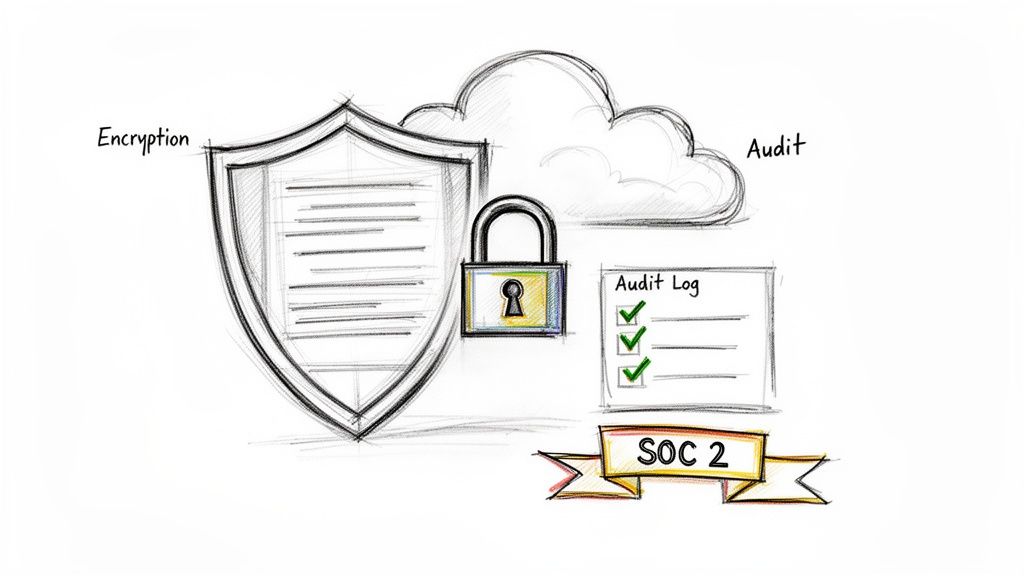
Security belongs in the scored evaluation model from the start because it affects implementation risk, legal exposure, and operating effort after award. It is not just a review item for counsel or IT. If a platform will process proposal files, pricing sheets, employee records, claims documents, or customer data, the evaluation team needs a clear view of how that information is protected, where it is stored, who can access it, and how those actions are recorded.
Give security its own score
I prefer a visible security and compliance criterion instead of hiding it inside general technical capability. That forces evaluators to compare evidence directly and prevents a strong demo from overshadowing weak controls.
A practical scoring model should cover:
- Independent security evidence: Current certifications, attestations, or assessment reports your internal reviewers can examine.
- Audit logs and traceability: Clear records of access, edits, exports, configuration changes, and deletions.
- Access control: Role-based permissions, separation of duties, and support for controlled sharing.
- Retention, deletion, and residency: Rules for how long data is kept, how it is removed, and where it is hosted.
- Incident handling: Documented response procedures, notification commitments, and ownership during an event.
Score evidence quality, not vendor confidence
Procurement teams get better results when they ask for proof in a format that can be checked. A polished security answer in the proposal is useful, but it should not carry the same score as documentation your security team can validate.
Here, a decision framework helps. Instead of marking security as pass or fail, assign sub-scores for control coverage, evidence quality, and fit to your regulatory environment. Then compare those sub-scores in the same matrix you use for technical and commercial review. If you are extracting RFP responses with tools like DocParseMagic, standardize the vendor answers into comparable fields so reviewers are not reading ten different security narratives and trying to reconcile them by hand.
The right weighting depends on the project. A low-risk internal workflow may only need baseline controls and straightforward retention terms. A procurement involving regulated data, confidential pricing, or cross-border storage needs tighter scrutiny and more score weight. The key is to set that expectation before bids arrive, not after a preferred vendor is already in front.
What to test during evaluation
Ask vendors to show how security works in practice, not just how it is described in policy. Request sample audit records. Confirm whether deleted files can be restored, by whom, and for how long. Check whether administrators can see all documents by default or whether access can be limited by team, entity, or project.
These details shape real operating risk.
A vendor may meet baseline compliance requirements and still create extra work for procurement if logs are hard to export, permissions are too broad, or retention rules require support tickets for routine changes. In my experience, that trade-off matters. Strong controls that are difficult to administer often push teams into workarounds. Strong controls with usable administration settings hold up much better after go-live.
Bring security reviewers in early, define the evidence you expect, and score it with the same discipline you apply to functionality and price. That keeps the process data-driven and reduces the chance of late-stage surprises.
6. Cost Structure and ROI Clarity
A vendor can win on price and still cost more by month three.
That usually happens after implementation starts and the detailed billing model shows up. Extra document volume, support limits, change requests, and training gaps can turn a low bid into a budget problem fast. Procurement teams need this section of the RFP to expose that risk before scoring, not after award.
Compare commercial models on the same basis
Use a common pricing template and require every bidder to fill it in. If one vendor bundles onboarding and another lists it separately, convert both into the same cost buckets before you score them. Without that normalization, evaluators end up comparing packaging choices instead of actual cost.
At minimum, break costs into:
- Implementation and setup
- Subscription or license fees
- Usage-based charges
- Support tiers
- Training
- Customizations or professional services
- Integration or data migration work
Then test how pricing changes under operating conditions. Ask for year-one and year-two cost scenarios based on your expected volumes, user counts, and business units. If your proposals include mixed files, scanned attachments, or varied intake channels, tie the pricing discussion to the actual work involved in handling structured and unstructured procurement data, not a clean demo dataset.
I also want clear answers to three questions. What makes the invoice go up? Which services are capped? Which assumptions in the proposal are likely to fail once departments start using the tool at scale?
Weight price carefully, then score ROI with evidence
Public-sector scoring models often keep price important without letting it dominate the decision. George Washington University’s public procurement example is useful here because it separates pricing from experience, qualifications, references, and approach rather than treating low cost as a proxy for value.
That reflects how these projects work in practice. A cheaper platform that needs constant manual cleanup, extra analyst time, or vendor intervention is not cheaper.
ROI should be tied to the current workflow. Keep it simple and auditable:
- Hours saved in extraction, comparison, and validation
- Cycle time reduced during review and award
- Rework avoided from copy-paste mistakes or inconsistent scoring inputs
- Outside service spend avoided if internal teams can handle more volume themselves
For example, if evaluators now pull pricing, terms, and exceptions from proposals by hand, modern extraction tools such as DocParseMagic can reduce that labor by structuring the data for side-by-side comparison. That gives you a better basis for the scoring matrix later in the article. It also helps finance challenge vendor ROI claims with your own numbers instead of accepting a generic payback story.
The best submissions make trade-offs visible. Higher fixed fees may buy predictable budgeting. Usage pricing may work better if volumes are seasonal. A low base price can still be acceptable if overage rules are transparent and support is included.
Score the vendor on cost clarity as much as cost level. If your team cannot explain the bill before signing, you will have trouble controlling it after go-live.
7. Document Format Support and Versatility
Real procurement data does not arrive in a neat, consistent package.
One vendor sends a searchable PDF. Another sends a scanned proposal packet. Another submits pricing in Excel, narrative in Word, and certifications as image files. If your chosen tool only handles tidy inputs, your team ends up doing file cleanup before automation can even begin.
This criterion should test the range of inputs the platform can process without requiring conversion, template setup, or manual preprocessing.
A good mental model is the difference between structured and unstructured data. Procurement teams live in both worlds. A pricing table may be semi-structured. A narrative response on implementation risk is not.
Test the ugly files
At this juncture, many vendors struggle. They perform well on native digital files but struggle on scans, photos, or mixed-format submissions.
Use examples such as:
- Supplier proposals: Word docs, PDF exports, and supporting spreadsheets.
- Insurance submissions: Scanned forms, email attachments, and portal exports. Accounting inputs: Vendor invoices received as PDFs, photos, or spreadsheet attachments.
Request a mixed batch and see what happens.
Versatility saves review time
The practical value here is not abstract flexibility. It is less pre-work for your staff.
A versatile platform should let evaluators upload a messy set of files and still get usable outputs for comparison. That matters when deadlines are tight and reviewers are already managing commercial, technical, and risk questions at the same time.
What works is scoring format support against the documents you receive most often plus the bad ones that create the most rework.
What does not work is assuming broad format support because the vendor’s website lists PDFs, images, and Office files. The only convincing test is performance on your own file set.
8. Vendor Stability and Support Quality
A capable product with weak support becomes your team’s problem quickly.
This criterion deserves more attention than it typically gets. Buyers often spend weeks comparing features, then treat support as a soft factor. That is backwards for systems that sit inside finance, procurement, or operations workflows. When data stops flowing or outputs look wrong, your team needs answers fast.
Check the operating model behind the product
Support quality is not merely “do they have email and chat.” It includes how the company handles onboarding, issue triage, escalation, release communication, and customer accountability.
Ask for evidence in a few areas:
- Reference calls: Speak to customers with similar scale and complexity.
- Escalation path: Find out what happens when production work is blocked.
- Documentation quality: Good help content reduces dependency on support.
- Product direction: A stagnant roadmap frequently shows up in customer frustration before it shows up in the contract.
This is also where procurement judgment matters. A smaller vendor may provide stronger direct attention than a larger one. A larger vendor may offer broader service coverage but slower personalization. Neither is automatically better.
What I look for in references
I ask current customers about implementation friction, response quality during live issues, and whether promises made in sales continued after signature. You learn a lot from how a customer describes the vendor during a problem, not during a smooth period.
What works is talking to multiple references and asking specific service questions.
What does not work is accepting curated success language from one enthusiastic customer.
If your process depends on continuous document flow, support quality should carry real score weight, not just a tie-breaker note in the margin.
9. Customization and Flexibility for Industry-Specific Needs
Generic capability is useful. Configurability is what makes it stick.
This criterion matters when your documents, validation rules, or workflows reflect industry logic that a standard product does not fully understand out of the box. Insurance, accounting, manufacturing, lending, and procurement all have their own vocabulary, exceptions, and review patterns.
Industry fit is more than templates
A platform should be able to accommodate how your team evaluates documents.
Examples:
- Insurance teams: Need fields tied to coverage, policy periods, deductibles, and premium structures.
- Accounting groups: Need line-item extraction, totals validation, and coding logic that supports downstream finance work.
- Manufacturers’ reps: May need structured extraction from commission statements and agreement terms.
- Lending or underwriting teams: Often need data captured from financial statements, tax records, and application packages.
The evaluation question is whether your team can configure these needs directly or whether every change turns into a custom services request.
Score future adaptability
The strongest vendors are not just configurable today. They stay maintainable when your forms, partners, or compliance rules change.
This is one reason formal evaluation frameworks matter. FAR 15.305 requires agencies to assess proposals only against the solicitation’s stated factors and to document strengths, weaknesses, and risks using methods such as numerical weights or adjectival ratings through Acquisition.GOV guidance on proposal evaluation factors. That discipline translates well to commercial buying. If flexibility matters because your environment changes often, state it clearly and score the risk of rigidity.
What works is giving finalists a non-standard use case and watching how they adapt.
What does not work is assuming “custom fields” equals true flexibility. Sometimes it means little more than relabeling output columns while the underlying extraction logic stays brittle.
10. Training, Documentation and Change Management
A project can win the evaluation and still lose the rollout.
This criterion decides whether users adopt the platform, trust the outputs, and build it into their daily routine. Training is not just an onboarding event. It is the practical support that helps new users, power users, reviewers, and admins do their jobs without confusion.
Adoption depends on what people can learn fast
I score this area based on the materials and support the vendor can show before contract signature.
Look for:
- Role-specific training: Admin setup is different from reviewer training.
- Usable documentation: Searchable, current, and written for actual tasks.
- Practical onboarding: Not just product tours, but workflow configuration help.
- Ongoing education: Release notes, updated guides, and advanced learning resources.
This matters even more for smaller organizations. One under-discussed problem in RFP practice is that SMEs often do not have large evaluation committees or dedicated system owners. Guidance aimed at big enterprises misses that reality. North Dakota’s evaluator guide is a useful anchor for formal process thinking, and related discussion in this area highlights how smaller teams often benefit from simpler evaluation methods and AI-assisted document handling rather than heavyweight review structures tied to large committees, as reflected in the state evaluator guidance context.
Change management is part of the buy
A good vendor helps you answer practical rollout questions. Who owns the workflow? Who validates outputs? How do you train backup users? How do new hires learn the process?
If the vendor cannot explain how a new analyst gets productive after go-live, expect adoption issues no matter how good the software looks in demos.
What works is naming internal power users and asking the vendor to support that model.
What does not work is assuming a short training session will solve process change on its own.
10-Point RFP Evaluation Matrix
| Capability | Implementation Complexity 🔄 | Resource Requirements 💡 | Expected Outcomes ⭐ / 📊 | Ideal Use Cases ⚡ | Key Advantages ⭐ |
|---|---|---|---|---|---|
| Technical Capability & Accuracy | Medium–High: model tuning and validation for complex fields | Moderate: sample documents, SME review, validation workflows | High accuracy (target exceeding common benchmarks); fewer manual corrections; audit-ready data | Invoice line-items, insurance proposal extraction, accounting | Reduces manual review, scalable accuracy, compliance-ready |
| Integration & API Capabilities | High: custom mappings and connector upkeep; pre-built connectors reduce effort | Developer time, API testing, integration environments | Automated data flow and real-time sync; fewer manual transfers | ERP/CRM/BI integrations (QuickBooks, NetSuite, Salesforce) | Eliminates duplicate entry, enables automation, audit trails |
| Ease of Use & No-Code Requirements | Low: business users can configure via visual tools | Minimal IT; business champions and short training | Fast adoption and rapid time-to-value | Non-technical teams (brokers, procurement, accounting) | Empowers users, lowers TCO, faster deployment |
| Processing Speed & Scalability | Medium: requires capacity planning; auto-scaling simplifies peak handling | Cloud resources, monitoring, possible premium tier | High throughput; meets peak demands; faster turnaround | High-volume RFPs, month/quarter-end invoice processing | Rapid processing, reduces bottlenecks, meets deadlines |
| Data Security & Compliance | Medium–High: mapping controls and certifications required | Security/legal reviews, audit evidence, configuration of RBAC | Regulatory compliance, reduced breach risk, auditable logs | Finance, insurance, healthcare, GDPR/HIPPA-regulated teams | Protects sensitive data, supports audits, builds trust |
| Cost Structure & ROI Clarity | Low–Medium: straightforward pricing but needs volume modelling | Finance analysis, usage forecasting, negotiation time | Predictable budgeting if volumes known; measurable ROI | SMEs, procurement teams measuring cost vs. labor savings | Transparent pricing, try-before-buy credits, flexible scaling |
| Document Format Support & Versatility | Low–Medium: broad format handling minimizes preprocessing | Test samples across PDF, DOCX, XLSX, images, scans | Accepts diverse inputs; fewer conversion steps; consistent intake | Mixed-format invoices, scanned archives, multi-vendor proposals | Flexible intake, supports legacy and modern formats |
| Vendor Stability & Support Quality | Low: selection impacts operational risk and support load | Budget for support tier; reference checks; SLA review | Reliable operations, faster issue resolution, continuity | Mission-critical deployments; enterprise adoption | Responsive support, continued product development, community resources |
| Customization & Flexibility for Industry Needs | Medium–High: custom rules or pro services may be required | Domain SMEs, configuration effort, possible professional services | Customized extraction and business logic; less manual post-processing | Insurance policies, manufacturing specs, lending documents | Industry fit, configurable workflows, preserves business rules |
| Training, Documentation & Change Management | Low–Medium: requires planning and structured onboarding | Training sessions, onboarding specialist, documentation | Higher adoption rates and faster productivity gains | New deployments, large user bases, cross-functional teams | Accelerates adoption, reduces support burden, enables self-service |
From Criteria to Choice Scoring and Automation
Friday afternoon. Three evaluators have finished reading six proposals, and the debrief goes sideways because each person scored a different version of the truth. One reviewer focused on the demo, another on the pricing tab, and a third missed a security exception buried in an appendix. That is what happens when criteria exist, but the scoring process is loose.
A weighted matrix fixes that. Put each criterion in its own row, assign the weight before proposals are opened, and score every vendor on the same scale. I usually keep the scale at 1 to 5 with written definitions for each score, because a simple model gets more consistent scoring than a detailed one that nobody applies the same way.
The weighting should reflect business risk, implementation effort, and the cost of getting the decision wrong. A high-volume document operation might give technical accuracy and integration most of the score. A regulated buyer may push security, auditability, and support coverage higher. The exact mix matters less than the discipline of locking it in early, before a polished sales pitch starts influencing the room.
That discipline matters in formal procurement. It also matters in everyday buying. Predefined weights give the team a record they can defend, and they reduce the usual bias toward the cheapest bid, the strongest presenter, or the incumbent vendor.
The matrix itself is not the hard part. Populating it is.
Proposal data is rarely organized for evaluators. Pricing sits in one workbook. Security answers show up in a questionnaire. Implementation timelines are tucked into slides. Key limitations may appear only in the terms or a footnote. If the team copies all of that into a spreadsheet by hand, the scoring model becomes slow before it becomes useful.
A better approach is to separate extraction from evaluation. First, pull the same fields from every vendor submission into a normalized comparison sheet. Then score from that sheet. This turns proposal review from a document hunt into a decision process.
That is where automation earns its place in the workflow. A parsing tool can extract pricing, contract terms, implementation dates, API details, security responses, supplier identifiers, and other structured fields from mixed proposal files. Evaluators still need to judge fit, risk, and service quality, but they start with cleaner inputs and fewer transcription errors.
DocParseMagic is relevant here because it is described as a no-code document parsing platform that pulls data from PDFs, Word files, Excel files, scanned pages, and photos into structured spreadsheets. For procurement teams comparing vendor responses, that means less copy-paste and faster side-by-side review, especially when proposals arrive in inconsistent formats.
Use automation carefully. It helps with fact gathering and comparison, but it does not replace commercial judgment. If a vendor prices aggressively because implementation work has been pushed into change orders, the spreadsheet will not catch that on its own. Someone still has to read for risk.
A practical model looks like this: set the weights, define the scoring rules, extract comparable data from every response, flag gaps or exceptions, then hold a calibration meeting before final scoring. Teams that follow this sequence usually spend less time arguing about what was submitted and more time discussing which trade-offs they are willing to accept.
That marks the shift from criteria to choice. The matrix gives you structure. Automation gives you usable inputs. Together, they turn a qualitative RFP review into a process that is faster, more consistent, and easier to defend.
If your team is buried in proposal PDFs, pricing attachments, and side-by-side comparisons, DocParseMagic can help you turn unstructured vendor responses into organized spreadsheets for faster scoring and cleaner procurement decisions.