PDF Text Extraction: Unlock Data & Automate Workflows
PDF text extraction is the process of pulling text out of a PDF file and turning it into something you can actually use—like editable text or structured data. Think of it as liberating the information trapped inside a static document so you can search, analyze, and work with it.
What Is PDF Text Extraction and Why Is It Essential
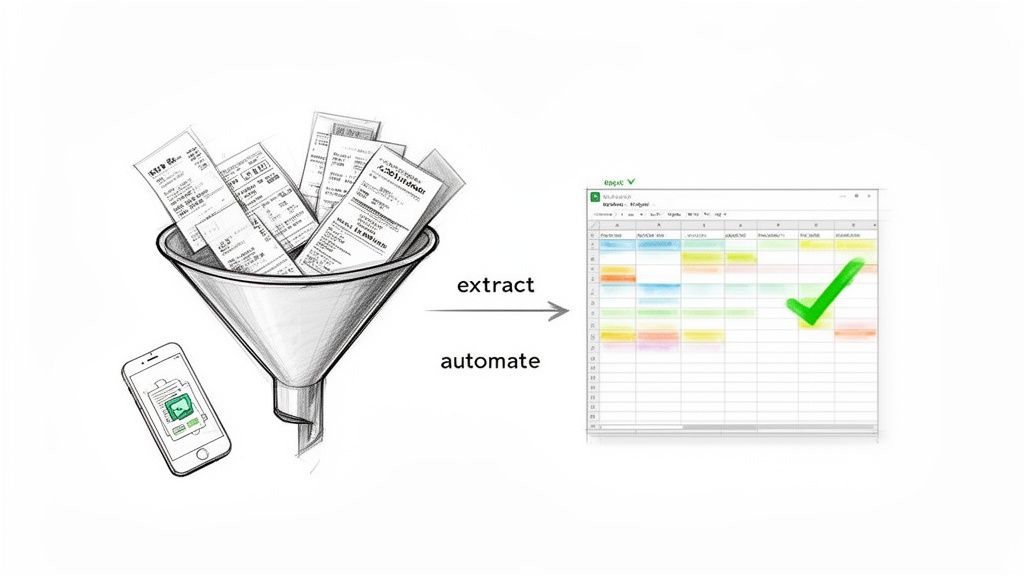
Ever been stuck manually copying and pasting information from a PDF invoice or report into a spreadsheet? It's a painfully slow and mind-numbing task. That's the exact problem PDF text extraction was designed to solve.
Simply put, it’s the technology that pulls text and data from PDF files—like contracts, purchase orders, or medical records—and converts it into a structured format you can immediately work with.
This isn't just a minor convenience; it's a game-changer for businesses. So much of the world's most valuable information is locked away in PDFs, and for teams in finance, logistics, and legal, the daily flood of these documents can be overwhelming. Relying on manual data entry is no longer a viable option. It's not just slow and costly, but it's a major source of human error.
The Problem With Manual Data Entry
Manually typing out information from a PDF is a huge bottleneck. It’s a repetitive, low-value task that pulls your skilled people away from the work that actually matters. Every hour someone spends re-keying invoice numbers or customer details is an hour they aren't spending on analysis, strategy, or building client relationships.
The real issue is that PDFs were created to act like digital paper. Their main purpose is to preserve a document's visual layout, not to make the data inside easy to access. This design choice effectively locks away information that modern businesses need at their fingertips.
This is where automated extraction becomes essential. It systematically breaks down the data barriers that PDFs create.
Unlocking Trapped Data for Business Growth
When you automate text extraction, you're doing much more than just saving time. You're unlocking a goldmine of information that was previously inaccessible. The ripple effect on your business operations is huge.
- Drastically Reduces Human Error: Automated tools don't have bad days or make typos. The data you capture is clean, consistent, and reliable from the start.
- Frees Up Your Team: It lets your employees move from tedious data entry to high-impact data analysis. They can finally focus on strategic work that drives growth.
- Enables Data-Driven Decisions: With instant access to data from thousands of documents, you can spot trends, reconcile accounts, and make faster, smarter business decisions.
The market statistics back this up. The global Data Extraction Market, valued at USD 2.86 billion in 2024, is on track to hit USD 6.70 billion by 2033. This explosion is largely driven by the need to make sense of unstructured files like PDFs, especially now that 65% of enterprises have adopted digital document workflows.
PDF text extraction is often the crucial first step in a larger data pipeline ETL process, where raw information is transformed into valuable business intelligence.
Exploring the Three Core Extraction Methods
Getting text out of a PDF isn't a one-size-fits-all job. The right approach for pdf text extraction completely depends on the file itself—how it was made and what you're trying to pull from it.
Think of it like getting groceries out of a bag. Sometimes you can just reach in and grab what you need. Other times, the items are in unmarked containers, and you have to figure out what’s inside first. Let's walk through the three main ways this is done, from the most basic to the most sophisticated.
1. Native Text Extraction
The most straightforward method is native text extraction. This works perfectly on "digitally-native" PDFs, which are files created directly from a digital source, like saving a Word document or a Google Doc as a PDF. In these documents, the text is already there as coded characters, just like the words you're reading on this webpage.
Analogy: Picture a digitally-native PDF as a clear glass jar with a label on it. The text is the label—it’s already readable and easy to access. Native extraction simply reads that label. It's incredibly fast and accurate because there's no guesswork involved.
This method is the gold standard for efficiency, but it has one major blind spot: scanned documents. If you take a paper invoice, scan it, and save it as a PDF, you don't have text. You have a picture of text. Native extraction will come up empty-handed, which leads us to our next tool.
2. Optical Character Recognition (OCR)
What do you do with a scanned document? You need a way to turn that image of words into real, editable text. That's the magic of Optical Character Recognition (OCR).
An OCR engine analyzes an image, identifies the shapes of characters—letters, numbers, and symbols—and translates them into machine-readable text. It’s essentially teaching a computer how to read. The software scans the page, looks at the pixels, and determines, "That pattern of dots looks like a 'B,' and that one looks like an '8'."
This technology is the bridge from the physical paper world to the digital data world, making it essential for digitizing archives, old records, or incoming mail. But OCR isn't foolproof. Its accuracy can take a hit from a few common problems:
- Image Quality: Blurry, skewed, or low-resolution scans are hard for software to read, just like they are for us.
- Complex Layouts: Columns, creative fonts, or text wrapped around images can easily confuse the OCR engine.
- Handwriting: Modern OCR is getting better at reading handwriting, but it’s still far less reliable than with standard printed text.
For anyone processing a lot of scanned documents, getting a handle on OCR is a must. If you want to go deeper, you can learn more about how PDF OCR technology works and see it in action.
3. AI-Powered Intelligent Parsing
OCR is great at turning a picture into a wall of text, but that’s usually where it stops. You get the words, but they lack any context or structure. This is where the most powerful method, AI-powered intelligent parsing, shines.
Intelligent parsing goes beyond just reading the text; it understands it. Imagine giving an invoice to a smart assistant. They wouldn't just read the words back to you—they'd tell you who it's from, how much is owed, and when it's due.
This is the brain behind modern pdf text extraction platforms like DocParseMagic. Instead of giving you a messy text file, an intelligent parser can:
- Identify Key Fields: It automatically finds the
Invoice Number,Due Date, andTotal Amounton a bill, regardless of their position. - Extract Table Data: It can pull all the line items from a purchase order, even if the table has no visible lines.
- Understand Context: It knows that "05/10/2026" is a date, "$1,250.75" is money, and "Acme Corp" is a company name.
This approach uses advanced machine learning models to recognize a document’s layout and the meaning behind the words. It’s the difference between simply dumping the contents of a box on the floor and having someone neatly unpack, sort, and label everything for you. The data becomes instantly usable.
Simple Extraction Versus Intelligent Parsing
When it comes to getting text out of a PDF, it's easy to think all tools do the same thing. But that’s not quite right. The difference between a simple extraction tool and an intelligent parsing platform is huge—it’s like comparing a pile of raw lumber to a fully assembled piece of furniture.
Simple text extraction, often using basic OCR, is just the raw lumber. It dumps all the text from your PDF onto a page. You have the words, sure, but they’re just a jumbled, unstructured mess. It's up to you to manually sort through that wall of text to find anything useful.
Intelligent parsing, on the other hand, is the finished furniture. It acts like a skilled researcher who knows exactly what to look for. It doesn’t just read the words; it understands the document’s layout, structure, and the context of the data. This is what modern Intelligent Document Processing (IDP) is all about.
What Does "Understanding" a Document Mean?
When we say an AI "understands" a document, we mean it can do much more than just convert images to text. This is where intelligent parsing really sets itself apart. The machine graduates from being a simple typist to a data analyst.
An intelligent platform like DocParseMagic won't just see a string of numbers. It recognizes it as an Invoice Number because it has learned where that field usually sits and what it looks like. It won't just turn a table into a messy block of text; it will actually rebuild the table with the correct rows and columns, even if the PDF has no visible lines.
This isn't magic. It's the result of sophisticated machine learning models that have been trained on millions of real-world documents. They learn to spot patterns and relationships in data, making the output instantly ready for your workflows.
This chart shows where different extraction methods sit, with AI-powered parsing at the very top as the most advanced approach.
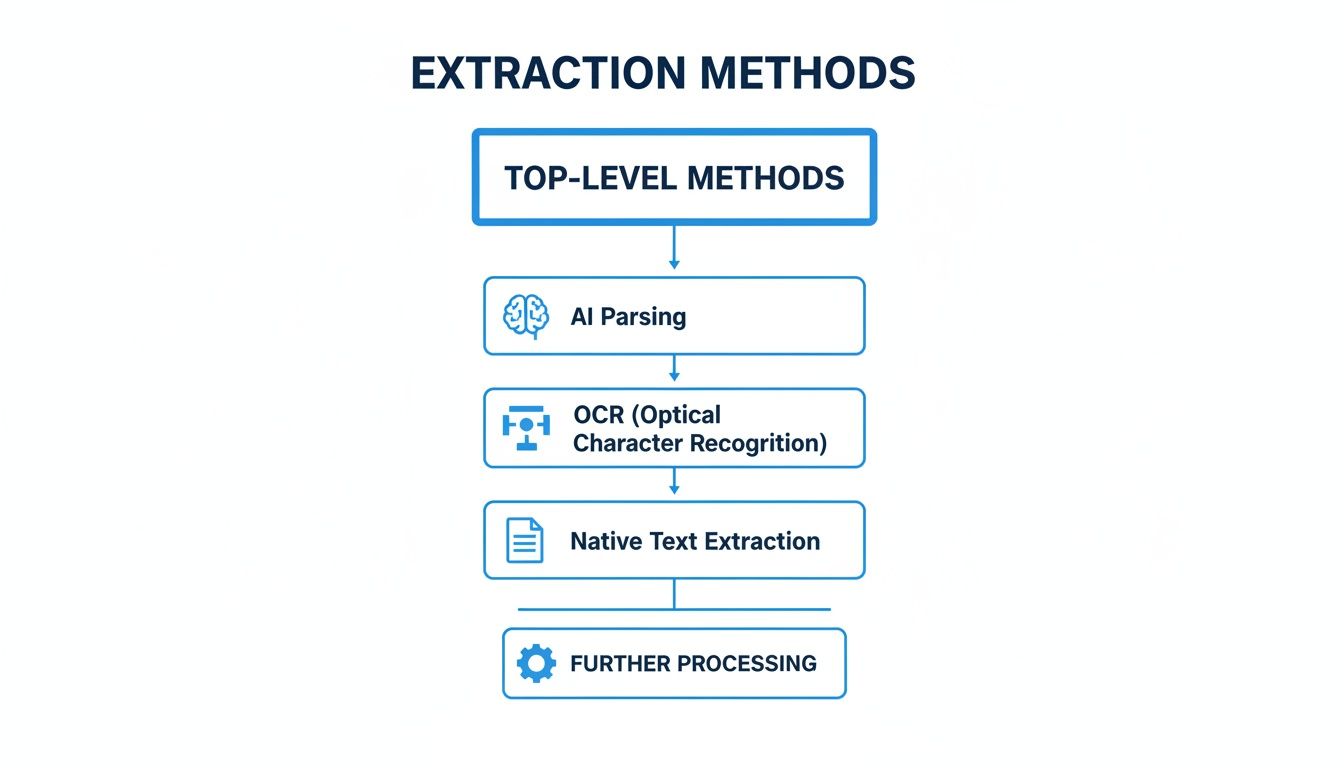
As you can see, AI parsing builds on top of older methods like native text extraction and OCR to deliver truly smart results.
The Business Impact of Intelligent Parsing
This difference in capability has a massive impact on how businesses operate. It’s why the Intelligent Document Processing (IDP) market is booming, growing from USD 1,933.5 million in 2023 to a projected USD 17,826.4 million by 2032.
This growth is happening because businesses are finally tackling a huge problem: up to 90% of their data is trapped in unstructured documents like PDFs. With nearly 54% of modern PDF tools now including some form of AI, the industry is clearly shifting. You can dig into more of the numbers behind this trend and discover key intelligent document processing statistics.
The core benefit is moving from raw, messy text to clean, structured data. Intelligent parsing delivers information that is analysis-ready the moment it's extracted, eliminating the tedious, error-prone, and costly step of manual data cleanup.
Think about these real-world scenarios where intelligent parsing shines:
- Varying Invoice Formats: It can instantly find and pull the
Total Amountfrom hundreds of different vendor invoices, even if each one has a completely unique layout. - Complex Policy Documents: It can extract specific coverage limits and effective dates from long, dense insurance policies without a human ever needing to read them.
- Data Validation: The best systems can even check the extracted data against other sources or apply business rules, like flagging an invoice where the line items don't add up to the total.
Comparison of Simple Extraction vs. Intelligent Parsing
To put it all in perspective, let’s look at a side-by-side comparison. The table below clearly shows what you get from a basic tool versus an intelligent platform when you're trying to process a document like an invoice.
| Feature | Simple Text Extraction | Intelligent Document Parsing (like DocParseMagic) |
|---|---|---|
| Output Format | A single, unstructured block of text. | A structured format (JSON, CSV) with labeled data fields. |
| Data Context | Lost. "123 Main St" is just text, not identified as an address. | Preserved. The tool identifies "123 Main St" as a Shipping Address. |
| Table Handling | Flattens tables into a jumble of words and numbers. | Reconstructs tables with accurate rows, columns, and headers. |
| Post-Processing | Requires significant manual work to sort and make sense of the data. | Delivers analysis-ready data that can be used immediately. |
| Example Use | Basic keyword searching in a single document. | Automating accounts payable, building databases, and running analytics. |
Ultimately, the right tool depends on your goal. If you just need to find a single word in one document, a simple extraction tool might be fine. But if your goal is to automate business processes, get rid of manual data entry, and make better decisions with your data, then intelligent parsing is the only way to go.
Real-World Business Applications and ROI
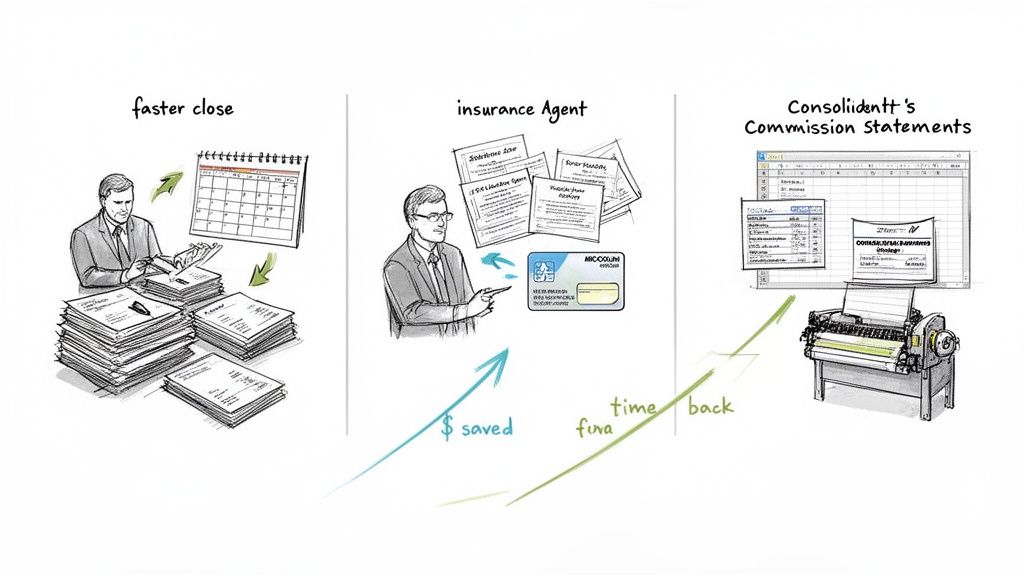
This is where the rubber meets the road. All the theory about pdf text extraction is interesting, but what does it actually do for a business? For companies buried under a mountain of documents, this isn't just a minor tech upgrade. It completely changes how work gets done and delivers a serious return on investment.
The market numbers back this up. The Data Extraction Software Market is growing at a steady 11% CAGR. It’s on track to nearly double from USD 2,734.98 million in 2022 to a projected USD 5,691.02 million by 2030. Unstructured data processing—the engine behind PDF extraction—is what’s driving this growth, especially in paper-heavy fields like accounting and manufacturing. If you want to dig deeper, you can explore the full data extraction market trends and forecasts.
Streamlining Accounting and Finance Workflows
Let’s start with accounting departments, which are often ground zero for manual data entry headaches. They’re constantly battling a flood of invoices, purchase orders, and expense reports, and no two documents ever seem to have the same layout. Processing all this by hand isn't just painfully slow; it’s a recipe for costly mistakes.
Automated pdf text extraction completely flips the script. An intelligent tool can look at a PDF invoice from any vendor and instantly grab the key details: invoice number, due date, line items, and the final total. This makes something like automated three-way matching possible, where the system checks the invoice against the purchase order and delivery receipt on its own, with no one having to lift a finger.
The result? Finance teams have told us they’ve cut their month-end closing process from several days down to just a few hours. It’s not just about being faster. It means better cash flow, snagging early payment discounts, and letting your accountants focus on financial strategy instead of typing numbers into a spreadsheet.
We cover this process in more detail in our guide to automated invoice processing.
Empowering Insurance Brokers and Agents
The insurance world practically runs on paper. Brokers and agents are juggling policy documents, declaration pages, and claim forms from dozens of different carriers. Trying to manually pull client information, coverage limits, and premium costs to get a single, clear picture is a nightmare.
This is where smart extraction provides a real competitive advantage. Picture an agency getting hundreds of policy renewal documents at once. An automated system can:
- Pull Policy Details: It instantly extracts client names, policy numbers, effective dates, and specific coverage amounts from every single PDF.
- Create a Central Hub: All that extracted data flows into a unified, searchable client database—often overnight.
- Spot New Opportunities: With all the data in one spot, agents can quickly find clients who might need additional coverage, making cross-selling and upselling easy.
The ROI is undeniable. Teams get back thousands of hours previously lost to administrative work, slash the risk of compliance errors, and gain the insights they need to serve clients better and grow their business. Seeing how this is applied across different fields can really spark some ideas; you can explore various use cases for PDFs to see what’s possible.
Optimizing Manufacturing and Sales Operations
It's a similar story for manufacturers' representatives. They often have to deal with multiple partners, and each one sends a commission statement in a unique PDF format. Trying to manually reconcile all those statements to make sure you’re getting paid correctly is a tedious, frustrating job that can burn up days of valuable time.
With an intelligent parsing tool, a rep can just upload all their commission statements at once. The system gets to work, automatically pulling out the important data—sales numbers, commission rates, and final payouts—and organizing it all into a single, clean spreadsheet. Discrepancies pop out immediately, ensuring reps get paid what they're owed, on time.
This leads to a far more transparent and efficient sales operation. Reps can finally trust the numbers and spend their time selling, while managers get a clear, consolidated view of performance across every partner and product line.
Here is the rewritten section, designed to sound like it was written by an experienced human expert.
Wrestling with Messy PDFs? Here’s What Actually Goes Wrong
Getting clean text out of a PDF should be simple, but it rarely is. The reality is that most documents aren't perfect, digitally-native files. They're often messy, scanned copies that can trip up even sophisticated software. Think of it like trying to read a note that was crumpled up, rained on, and then smoothed out—the words are there, but they’re not easy to decipher.
For a long time, the only way to deal with these issues was painfully manual. If a scan was blurry or crooked, you were stuck. You either had to find the original and scan it again (good luck) or sit there and hand-key the garbled text yourself, which completely defeats the purpose of automation.
Thankfully, we've moved past those days. Modern tools are built to anticipate these real-world problems and fix them on the fly.
Fixing Bad Scans Before They Become Bad Data
The number one culprit behind failed pdf text extraction is, without a doubt, poor image quality. A blurry or poorly lit scan can completely throw off an OCR engine, leading it to misread letters, mash words together, or just skip entire lines of text.
Instead of just trying to read a messy image, today's intelligent platforms first act like an expert photo editor. They automatically clean up the document before the extraction process even starts.
- Deskewing: The software instantly detects if a page was scanned at an angle and straightens it out, so the lines of text are perfectly horizontal.
- Denoising: It digitally removes visual clutter like shadows, coffee stains, or that faint background texture you get from a cheap scanner.
- Resolution Enhancement: It can even sharpen fuzzy text, making the characters crisp and easy for the AI to identify correctly.
This pre-processing step is a game-changer. It takes a document that would have been unreadable and turns it into a clean, machine-ready file in a fraction of a second.
It's like having a sound engineer clean up a noisy audio recording. They'll remove the hiss and static so you can hear the music clearly. AI-powered image correction does the exact same thing for your documents—it cuts through the noise so the important data comes through perfectly.
Making Sense of Jumbled Layouts and Mobile Photos
But what about documents that aren't just a simple block of text? Many business documents are a complex maze of columns, tables, and nested sections. Basic extraction tools see a page like this and panic. They just grab all the text they can find, mashing columns together and turning a neatly organized table into an incomprehensible jumble.
This is where true intelligent document processing shines. A smart system doesn't just read the text; it understands the document's layout and structure. It recognizes that there are two separate columns and keeps their content distinct. It can identify a table by the spatial relationship between headers and data points, even if there are no visible border lines. This is the difference between simple text scraping and genuinely understanding a document.
We also have to face the fact that a "document" in 2026 is often just a photo snapped on a phone. An employee takes a picture of a receipt for an expense report, or a customer sends a photo of a signed contract. The best tools are designed to handle these mobile images just as easily as a pristine PDF, applying the same image-cleanup and layout-analysis logic.
The Security Question
Of course, if you're using a cloud-based tool, uploading sensitive financial or customer information brings up an important question: is it secure? Handing over your data requires a huge amount of trust.
This is non-negotiable. Leading platforms like DocParseMagic are built with security as a core principle, not an afterthought. Here’s what you should expect:
- End-to-End Encryption: Your data should be encrypted while it's being uploaded (in transit) and while it's stored on the provider's servers (at rest).
- Compliance and Data Protection: Any serious provider will adhere to major data protection standards, giving you peace of mind that your information is handled legally and responsibly.
When you see the old, frustrating way of doing things next to the new, automated approach, the choice becomes clear. The key to successful pdf text extraction at scale is picking a tool that is smart enough to handle the messy, real-world documents you actually have.
How to Start Extracting PDF Data Today
If you're tired of the endless copy-paste grind, you’ll be happy to know that getting started with automated pdf text extraction is much simpler than most people think. You don't need a team of developers or a deep understanding of AI. Let's walk through how you can go from messy documents to clean, usable data in just a few minutes.
Modern tools like DocParseMagic are built for regular business users, not just tech wizards. The whole point is to let you see the results for yourself, without writing a single line of code.
Your Six-Step Guide to No-Code Extraction
The process is designed to be straightforward. The goal is to take a stack of digital paperwork and turn it into an organized spreadsheet, ready for you to analyze or plug into your other business software.
Here’s how you can get going right now:
-
Sign Up for a Free Trial: The first step is just getting access. Most modern platforms offer a free trial that comes with enough credits to process a good batch of documents. You can usually sign up without a credit card and start experimenting immediately.
-
Gather Your Documents: Find a few real-world examples of the files you work with every day. Try to include a mix—some clean, digitally-born PDFs, a few crooked scans of invoices, and maybe even a picture of a receipt taken with your phone. Testing with your actual documents is the best way to see the value.
-
Simply Drag and Drop: Once you’re in, just upload your files. There’s no complicated setup here. You can literally drag your documents from a folder on your computer and drop them right into the web application.
-
Let the AI Work Its Magic: This is where the heavy lifting happens behind the scenes. The AI gets to work analyzing each file, automatically fixing things like skewed pages or low-light photos. It then reads the document and pulls out the key information you care about—like invoice numbers, due dates, line items, and totals.
-
Review the Structured Data: Within seconds, you'll see the results laid out in a clean, simple table. All the data that was once locked inside the PDF is now organized into neat columns with clear labels. You can immediately see the information at a glance.
-
Download and Use Your Data: With a single click, you can export everything into a standard spreadsheet (like a CSV or Excel file). This data is now ready to go. You can import it into your accounting system, use it for a report, or send it to another application, saving yourself hours of manual data entry.
The whole idea is to remove the friction. You shouldn't need to build a custom template for every new vendor or write special rules for each document layout. A truly smart platform adapts to your files, making the entire pdf text extraction process feel almost effortless.
Of course, if you're a developer and want to build this kind of power directly into your own software, that's an option too. For a more hands-on approach, you can check out our guide on how to use Python to extract text from a PDF, which dives into the programmatic side of things.
Following these simple steps is the fastest way to prove the concept for yourself and start winning back the time you’re currently losing to manual work.
Got Questions About PDF Text Extraction? We've Got Answers.
Diving into PDF text extraction brings up a lot of practical questions. If you're thinking about using this tech in your business, you've probably got a few of these on your mind already. Let's clear things up with some straightforward answers.
How Accurate Is PDF Text Extraction?
This is the big one, and the honest answer is: it completely depends on the tool you're using.
Older, basic OCR tools might hit 90-95% accuracy on a perfect, cleanly typed document. But throw in a blurry scan or a complicated layout, and that accuracy plummets. Think about it—even a single mistake, like misreading a "1" as a "7" on an invoice total, can create a huge mess.
That's where modern AI-powered platforms are different. They don't just "read" characters; they understand the context of the document. This helps them achieve accuracy rates that are often over 99%, even on messy or challenging files. They're smart enough to cross-reference information and correct the kinds of errors that would easily trip up a simpler system.
Can It Read Handwritten Notes?
Yes and no. This is a common hurdle, and the technology for it—often called Intelligent Character Recognition (ICR)—has come a long way. But it's still not as foolproof as reading printed text.
Modern tools can usually handle clearly written block letters pretty well. Messy cursive or quick scribbles? That's still a major challenge. For critical business tasks, it's best to stick with extracting printed text for now and keep an eye on how ICR technology develops.
For most business uses today, like processing invoices or insurance policies, the focus remains on extracting printed text with near-perfect accuracy. While handwriting recognition is improving, it's not yet the primary strength of most commercial document parsing tools.
API Versus No-Code Tool: Which Should I Choose?
This choice really boils down to who will be using the tool and what you're trying to accomplish.
- API (Application Programming Interface): This is your best bet if you have developers on your team. An API lets you plug the extraction technology directly into your own software, giving you total control to build custom workflows from scratch.
- No-Code Tool: This is designed for business users. A platform like DocParseMagic gives you a simple, visual interface. You just drag and drop your documents, and it gives you back structured data—no coding required.
So, if you want to automate a process quickly without tying up your IT department, go for a no-code solution. If you need deep, custom integration with your existing systems, an API is the way to go.
How Secure Is My Data in the Cloud?
When you're dealing with sensitive client or financial information, security is everything. Any reputable cloud extraction service knows this and makes it their top priority.
Look for platforms that offer end-to-end encryption. This means your data is scrambled and unreadable from the moment you upload it to the moment it's stored. The best providers also comply with major data protection standards, giving you peace of mind that your information is being handled with the highest level of care.
Ready to stop the manual copy-paste and see what intelligent extraction can do for you? DocParseMagic turns your messy documents into clean, analysis-ready spreadsheets in minutes. Get started for free and see it in action.