What Is PDF OCR And How Does It Work?
PDF OCR, which stands for Optical Character Recognition, is the magic that lets computers read text from images. Think of it as teaching your software to see the words in a scanned document—like an invoice, a contract, or an old company memo saved as a PDF—and turn them into actual, usable text.
What Is PDF OCR and Why Does It Matter?
Let's start with a simple, real-world problem. You have a huge stack of paper invoices sitting on your desk. You can read them, but your computer can't. If you scan them all to create PDFs, you've built a nice digital filing cabinet, but you haven't really solved the core issue.
That information is still trapped. It's locked inside what is essentially a collection of pictures. You can't copy a sentence, search for a specific invoice number, or pull the sales data into a spreadsheet. The document is digital, but the data isn't.
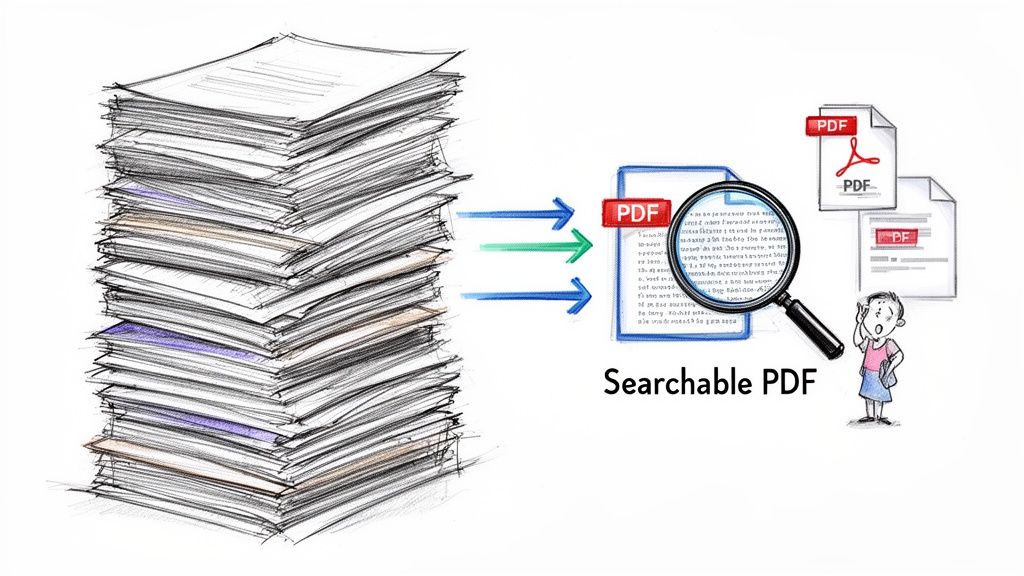
This is precisely the problem PDF OCR technology was built to fix. It's the bridge that connects the static, visual world of a scanned document to the dynamic, data-driven world our software needs to function.
From a Flat Image to Smart Data
It helps to know that PDFs generally come in two flavors. You have "true" PDFs, which are created digitally from a program like Microsoft Word or Google Docs. These are searchable from the get-go. Then you have image-based PDFs, which come from a scanner, a copier, or even the camera on your phone. These are just photos of documents.
OCR software analyzes the image, recognizing the unique shapes of each letter, number, and symbol. It then converts those shapes into machine-readable characters.
Once a document goes through the OCR process, it's completely transformed. That static file becomes a dynamic asset, and you can suddenly:
- Search and find information instantly. Forget spending hours manually scanning a 200-page contract for a single clause.
- Copy and paste text. Move information from a PDF into an email or report without having to retype a single word.
- Automate data entry. Pull key details like invoice totals, customer names, and due dates directly into your accounting or CRM software.
It's a staggering thought, but some estimates suggest that nearly 80% of an organization's knowledge is locked away in unstructured documents like PDFs. PDF OCR is the key that unlocks it all, turning a passive archive into an active resource you can actually use.
At the end of the day, OCR isn't just a simple conversion tool. It’s a core piece of technology for making businesses more efficient. It gets rid of the soul-crushing work of manual data entry, cuts down on human error, and speeds up just about every workflow imaginable.
How PDF OCR Reads Your Documents
Imagine you’ve got a stack of paper invoices, and you need to get all that information into your accounting software. You could type it all in by hand, or you could use a scanner and a PDF OCR tool to do the heavy lifting. But how does it actually read the document?
It’s a bit like a detective piecing together clues. The software doesn't just see a picture of text; it meticulously analyzes the page to figure out what everything means and how it all fits together. This isn't just basic text recognition; it's a smart, multi-step investigation.
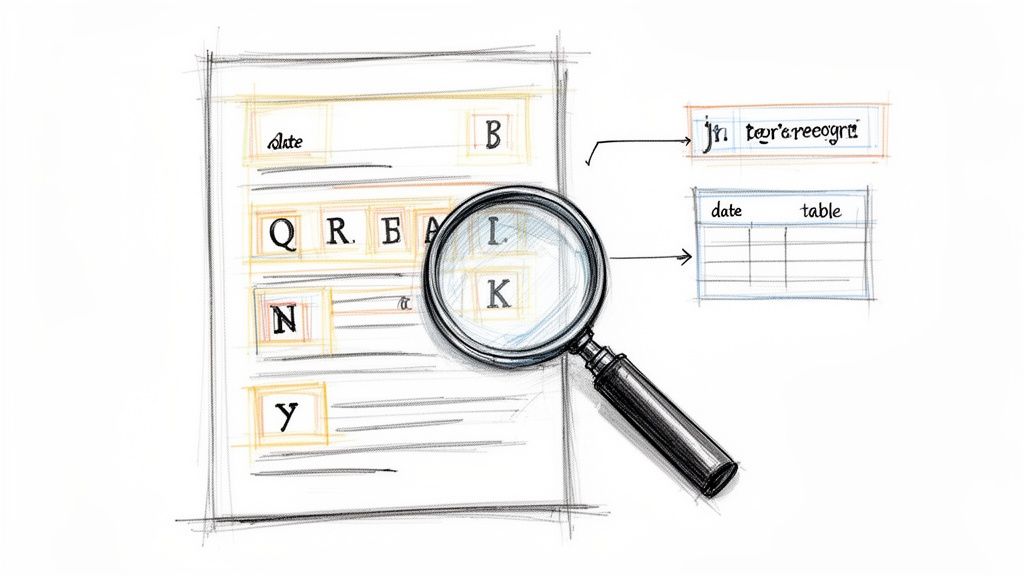
The first step is the most fundamental: turning an image of a letter into a real, editable character. This is the classic job of Optical Character Recognition, where the software scans the document for shapes it knows are letters and numbers. But without context, a string of characters like "123MainSt" is just a jumble. The real magic comes next.
From Characters to Context
This is where modern PDF OCR tools really prove their worth. Once the individual characters are identified, the system starts analyzing the document’s layout to understand what they mean. It’s like a detective realizing that a number in the top-right corner is probably a date, and a list of items with prices next to them is an invoice table.
Today’s OCR software does the same thing by identifying different parts of the document’s structure:
- Headings and Subheadings: It spots the bigger, bolder text and knows these are section titles.
- Paragraphs: It groups related sentences into logical blocks of text.
- Tables: It recognizes the grid-like structure of rows and columns to pull out data cleanly.
- Key-Value Pairs: It understands that a label like "Invoice #:" is directly related to the number that comes right after it.
It’s this ability to interpret context that makes PDF OCR such a powerful AI-powered data extraction engine. The software doesn't just read; it understands.
Why Document Quality Matters
Just like a detective struggles with a blurry, out-of-focus photo, the quality of your scanned document has a huge impact on OCR accuracy. The software's ability to correctly identify text and understand the layout depends almost entirely on how clean the source file is.
A clean, high-resolution scan is the single most important factor for achieving high accuracy. Modern systems can often achieve over 99% accuracy on clear documents, but that number can drop quickly with poor-quality inputs.
Here are the key things that can make or break your results:
- Scan Resolution: If a scan is low-resolution, the letters can look pixelated and fuzzy, making them hard for the software to identify. You should always aim for at least 300 DPI (dots per inch) for reliable results.
- Document Layout: Really complex layouts with tons of columns, mixed-up fonts, and images sprinkled throughout can confuse even the smartest OCR tools.
- Image Quality: Simple physical issues can cause major problems. Things like a crooked scan, shadows from the scanner lid, or even a coffee stain can hide text or throw the whole process off.
By getting a handle on these basic steps—from recognizing characters to analyzing context—you can see why PDF OCR is so effective and how to set your documents up for success. If you want to dig a little deeper, check out our guide on what OCR technology is and how it all started.
How Businesses Actually Use PDF OCR
It’s one thing to understand the tech behind PDF OCR, but it’s another to see how it completely changes how work gets done. Businesses in every industry are taking those slow, manual, document-heavy tasks and turning them into fast, automated workflows. This isn't just about scanning text; it's about reinventing core operations.
Think about any accounting department. They're often swimming in a sea of invoices, purchase orders, and expense reports. Manually typing data from these documents is a recipe for slow-downs and mistakes, which can easily lead to late payments and painful reconciliation problems. With PDF OCR, an entire invoice is read and processed in seconds.
The software instantly spots and pulls out the key details:
- Vendor name and address
- Invoice number and date
- Line items, quantities, and prices
- Subtotals, taxes, and the total amount due
Once extracted, that data is ready to be sent straight into the accounting system, getting rid of the manual data entry bottleneck for good.
Real-World Wins in Different Fields
The impact goes far beyond the finance team. In the insurance world, processing claims and managing policies means digging for specific details in long, dense documents. An adjuster can use OCR to grab a policy number, incident dates, and coverage limits from a scanned form in an instant. This makes validating claims faster and creates a much better experience for customers when they need it most.
Procurement teams face a similar challenge when comparing proposals from different vendors. Instead of building a comparison spreadsheet by hand—a truly mind-numbing task—they can use PDF OCR to pull out pricing, terms, and specs from each document automatically. This makes for a quick and accurate side-by-side analysis, leading to smarter negotiations and better spending.
PDF OCR is the foundational step that makes document content usable for other AI systems, which dramatically expands what AI capabilities a business can tap into.
Why the Financial Sector Is All-In
There’s a reason the Banking, Financial Services, and Insurance (BFSI) sector is a massive adopter of OCR. In 2023, BFSI accounted for about 26% of the entire global OCR market, making it the clear frontrunner. They’ve embraced it because OCR automates data extraction from loan applications, bank statements, and trade finance documents, which has been proven to reduce transaction processing times by 70% and drastically cut down on errors. For more on this trend, you can find great info about the growing OCR technology market on market.us.
From approving invoices to processing loans faster, the applications are everywhere. By turning flat, static documents into structured, usable data, PDF OCR delivers a clear and measurable return. This technology is a key piece of a bigger strategy called intelligent document processing, which we cover in our guide to intelligent document processing.
Choosing the Right Type of PDF OCR
Not all PDF OCR tools are built the same. Picking the right one really comes down to the kinds of documents you’re working with and how much automation you truly need. It's the difference between a simple tool that does one thing well and a smart system that can grow with your entire workflow.
Getting this choice right is more important than ever. The Optical Character Recognition (OCR) market was valued at USD 10.62 billion in 2022 and is projected to hit USD 32.90 billion by 2030. That’s because businesses are hungry for tools that can slash manual data entry by up to 80%. You can dig into the numbers and learn more about the growing demand for automated data processing to see why this is happening.
Let's break down the main approaches you'll find.
Template-Based OCR: The Rigid Blueprint
The old-school way of doing OCR relies on templates. Think of it like a fill-in-the-blanks form. The software is hard-coded to look for specific information in exact locations on the page. For instance, it expects the invoice number to always be in the top-right corner and the total amount to always be at the very bottom.
This method can be fast and accurate, but it has a massive catch: it only works if every single document is identical. The moment a vendor tweaks their invoice layout, the template shatters, and your automation grinds to a halt. It’s a brittle system, best for highly controlled situations where you only ever process one standardized document type.
AI-Driven OCR: The Flexible Learner
Modern PDF OCR is a whole different ballgame. It uses artificial intelligence (AI) and machine learning (ML) to think more like a person. Instead of being locked into a fixed template, these systems learn to spot key information based on context.
An AI model doesn't need to be told where the invoice number is; it figures it out by recognizing patterns, keywords ("Invoice #," "Inv No."), and document structures it has seen across thousands of examples. This makes it incredibly powerful and adaptable.
- It handles variation: It can process invoices from hundreds of different suppliers, each with its own unique design.
- It understands context: It knows that "Total Due" and "Amount Owed" are the same concept.
- It improves over time: The more documents it sees, the smarter and more accurate it gets.
This is where you see the real business impact—automating processes that were once thought to be too complex for a machine.
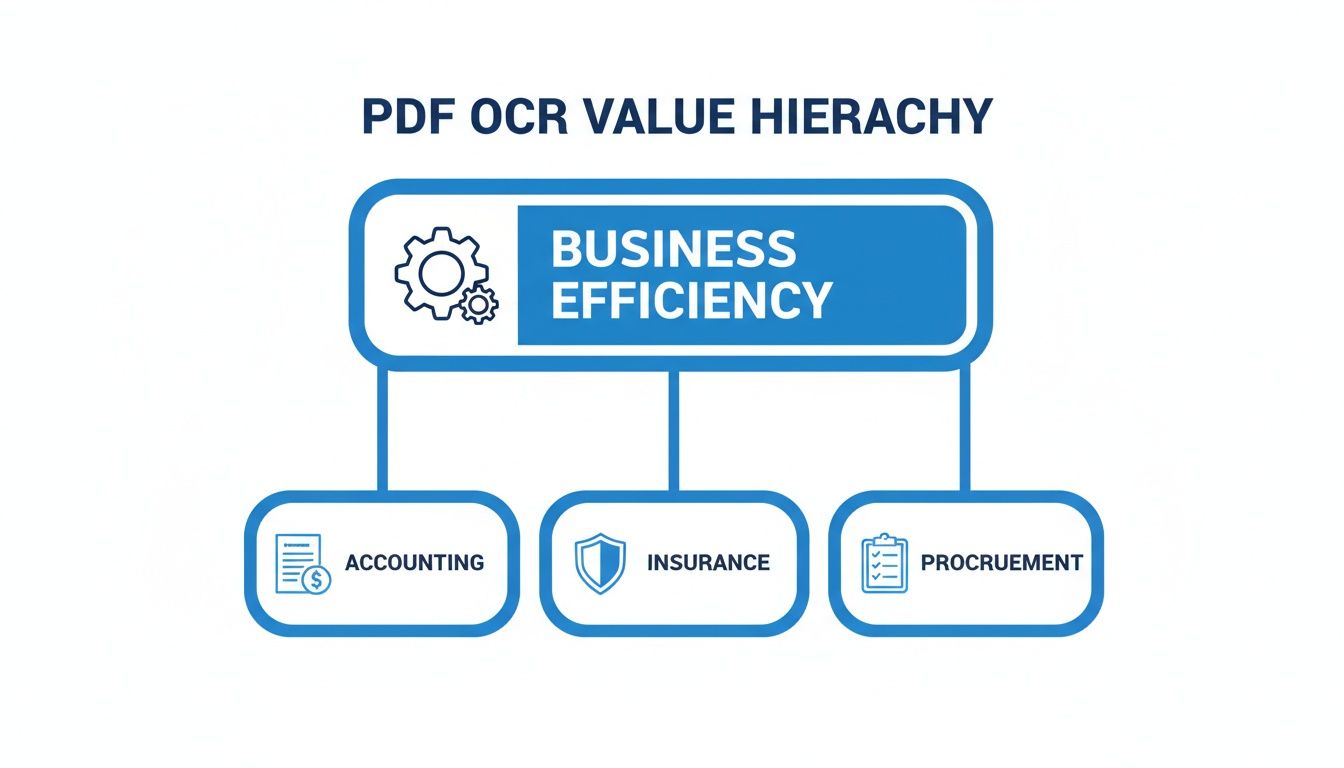
As you can see, whether it's accounting, insurance, or procurement, the end goal is the same: boosting efficiency by taking the manual work out of data extraction.
For any business dealing with a messy pile of different documents—like vendor invoices, customer contracts, or insurance claims—an AI-driven approach isn't just a nice-to-have. It’s essential for building an automation process that actually works at scale.
Platforms like DocParseMagic are built on this AI-powered foundation. They give you the power to handle all sorts of document types without getting stuck building and fixing fragile templates.
A Quick Comparison of OCR Technologies
To make it even clearer, here’s a breakdown of the different OCR methods you'll encounter.
| OCR Technology Comparison | | :--- | :--- | :--- | :--- | | OCR Approach | How It Works | Best For | Limitations | | Template-Based OCR | Uses fixed rules and coordinates to find data in specific locations. A rigid "map" for each document layout. | Processing high volumes of a single, standardized document type (e.g., a specific internal form). | Extremely brittle. Fails if the document layout changes even slightly. Requires a new template for every new layout. | | AI/ML-Powered OCR | Uses machine learning and natural language processing (NLP) to understand context and identify data fields regardless of their location. | Handling diverse and unstructured documents from various sources, like invoices, receipts, and contracts. | Requires a larger initial dataset to train the AI model effectively. Can have a learning curve for highly complex documents. | | Full-Document Parsers | Combines AI/ML with advanced layout analysis to understand the entire document structure, including tables, paragraphs, and nested items. | Complex, multi-page documents like loan applications, legal agreements, or detailed financial reports. | Can be more resource-intensive and expensive. May be overkill for simple data extraction tasks. |
Ultimately, the best approach depends on your specific needs. While template-based tools have their place, the real power for most modern businesses lies in AI-driven solutions that can handle the unpredictability of real-world documents.
How to Implement PDF OCR in Your Workflow
Bringing PDF OCR into your business isn't just about plugging in a new piece of software. It’s about building a smart process that fits right into your daily operations. To get it right, you need a clear plan that focuses on accuracy and automation from the get-go.
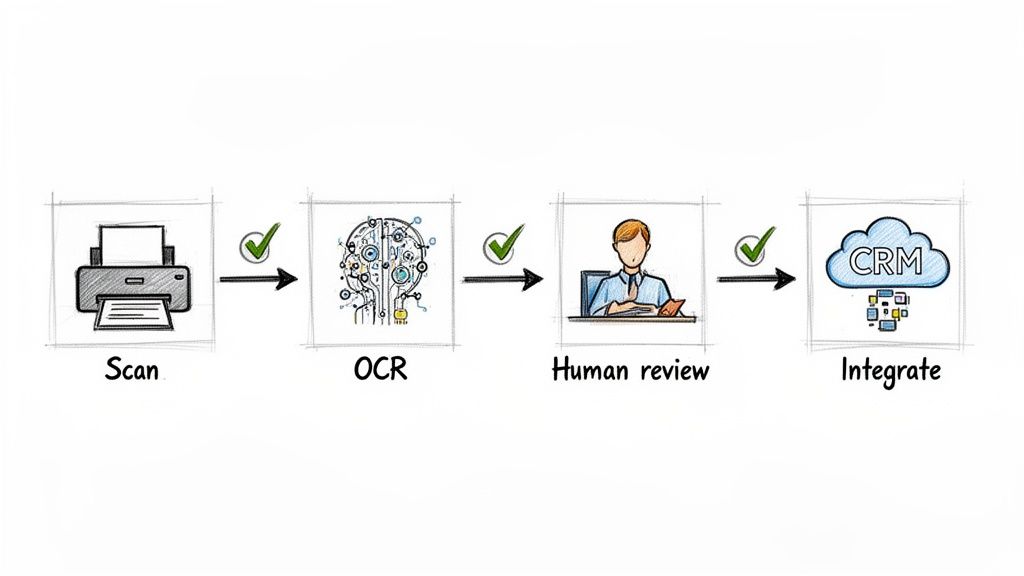
The whole thing really starts before the software even sees the document. The quality of your scan is probably the single biggest factor in getting good results. It's the old "garbage in, garbage out" principle—a blurry, crooked, or low-quality scan will trip up even the best OCR tools.
Preparing Documents for Success
If you want your OCR process to work well, you have to start with clean, high-quality source files. It’s a simple step, but it makes a world of difference in your final accuracy.
- Scan at High Resolution: Aim for 300 DPI (dots per inch) or higher. Anything less and the characters might be too fuzzy for the software to read clearly.
- Ensure Good Lighting: Shadows and glare are the enemy of a good scan. Make sure your lighting is even and consistent so no part of the page is washed out or too dark.
- Straighten and Clean: Make sure the document is flat and aligned correctly. Get rid of any staples, paper clips, or sticky notes that might block text or cast shadows.
The Role of Human Validation
Let’s be realistic: even the most advanced OCR isn't going to be perfect 100% of the time. That’s why having a quick human review, or validation, is such a crucial step in the middle of the process.
This doesn't mean someone has to re-read every single word. It’s more of a quick spot-check on the most important data points, like an invoice total or a client's name. This "human-in-the-loop" step helps you trust the system and catches small mistakes before they become big headaches. If you're curious about the nuts and bolts of this, check out our guide on how to convert a PDF to text.
Connecting OCR to Your Systems
The final step is where the real magic happens: integration. The data you pull from PDFs is only useful if it gets into the other systems you rely on every day. When you connect your OCR tool to your accounting software, CRM, or ERP, you create a truly automated workflow from start to finish.
This kind of connectivity is a huge deal. It’s why B2B companies made up 75.9% of the USD 13.1 billion OCR market back in 2023. As more businesses automate their document-heavy tasks, that market is expected to hit USD 37.75 billion by 2032. You can find more data about this trend in the optical character recognition market on marketsandata.com.
An effective implementation isn't just about extracting text—it's about getting clean, validated data where it needs to go without manual intervention. This transforms OCR from a simple tool into a true business process automation engine.
Got Questions About PDF OCR? We’ve Got Answers.
Let's clear up a few common questions that pop up when people first dive into PDF OCR. Getting a handle on these points will help you see exactly how this tech can fit into your daily work and what you can realistically expect from it.
So, Is OCR the Same as Data Extraction?
This is a big one. People often use these terms as if they mean the same thing, but they’re actually two different, but related, steps.
Think of it like this:
- PDF OCR is the part that reads the document. It’s like your eyes scanning a page and recognizing all the letters and words. It turns a static image of text into something your computer can work with, like text you can copy and paste.
- Intelligent data extraction is the part that understands what it just read. It doesn't just see the words "Invoice Number" and "12345"; it knows that "12345" is the actual invoice number you need. It finds the meaning behind the words.
In short, OCR digitizes the text, and data extraction pulls out the specific information you actually care about.
How Accurate is This Stuff, Really?
It’s come a long, long way. With a clean, high-quality document and a modern AI-powered tool, you can expect accuracy rates topping 99%.
Of course, the quality of the original document is everything. A blurry scan from a fax machine or a photo with weird lighting will always be tougher to read than a crisp, digital-born PDF. But for the vast majority of business documents you handle every day, today’s tools are incredibly reliable.
The bottom line is this: modern PDF OCR is more than accurate enough for mission-critical work, whether it’s in accounting or legal. The conversation has shifted from "can the machine read the letters?" to "does the machine understand the document?"
Do I Need to Be a Developer to Use OCR?
Not anymore. A few years ago, the answer would have been a definite "yes." Setting up OCR was a complex job that required serious coding skills. It was a tool built by techies, for techies.
That world has completely changed. Today's best platforms are built for regular business users. They have simple, visual interfaces that let you build powerful automation workflows without ever touching a line of code.
With DocParseMagic, you can literally drag and drop your files and start pulling data in minutes. See for yourself how simple it is to get your documents working for you—sign up for free at docparsemagic.com and give it a try.