Optical character recognition: How OCR turns documents into data
Ever tried to copy and paste text from a photo or a scanned PDF? You can't. That locked-in information is just a collection of pixels, forcing you to retype everything by hand. This is the exact problem Optical Character Recognition (OCR) was built to solve.
OCR technology is what turns those static images of text into real, usable data that a computer can understand, edit, and search. It's the bridge between the physical page and the digital world.
What Is Optical Character Recognition
Think about an old family recipe card you've snapped a picture of. To save it digitally, you'd have to manually type out every ingredient and instruction. OCR does that work for you, instantly. It essentially teaches a computer to read.
The process is a lot like how we learn to read ourselves. First, we identify the shapes of individual letters. Then, we string them together to form words, and eventually, we understand the meaning of a full sentence. OCR software works in a similar way, analyzing the image, recognizing character patterns, and reconstructing them into machine-readable text.
The Core Purpose of OCR Technology
At its heart, OCR is all about unlocking information. Before this technology, getting data off a piece of paper and into a computer system was a slow, manual grind that was full of frustrating typos.
OCR flips that script entirely. It allows software to see a scanned invoice not as a single, flat image, but as a collection of valuable data points—like an invoice number, a due date, and line-item amounts.
The real magic of OCR is its ability to turn unstructured data (an image of a document) into structured, actionable data (text you can drop into a spreadsheet). This is the foundational step for any kind of meaningful document automation.
Why It Matters for Modern Businesses
For any business, the ability to instantly pull data from documents is a game-changer. Companies stuck with manual data entry are creating bottlenecks that slow down critical operations, from processing supplier invoices to approving customer applications.
By bringing OCR into their workflows, businesses can see immediate benefits:
- Speed Up Everything: Imagine automatically pulling key details from purchase orders, contracts, and receipts. This shrinks processing times from days or hours down to mere minutes.
- Boost Data Accuracy: Manual entry is riddled with human error. A good OCR system, on the other hand, can hit accuracy rates well over 99% on clear documents, ensuring your data is reliable.
- Make Everything Searchable: OCR helps create a powerful digital archive where employees can find any piece of information inside thousands of documents in seconds, just by typing in a keyword.
In the end, optical character recognition is far more than a simple scanning utility. It's the engine that powers intelligent automation, freeing your team from the tedious chore of paperwork so they can focus on work that actually drives the business forward.
How Modern Text Recognition Actually Works
To get a real feel for modern optical character recognition, it helps to think of it as a digital detective piecing together a puzzle. The software doesn’t just "see" a document; it meticulously analyzes every little part to figure out what it all means. This process has come a long way from simple character matching and now uses artificial intelligence to make sense of the messy, complex documents we see in the real world.
The whole operation breaks down into a few key stages. Each step builds on the last, turning a static picture into useful, dynamic data. It all starts with cleaning up the "crime scene" (the document image) and ends with every piece of evidence (the text) correctly identified.
This simple graphic shows how a physical paper document gets turned into digital text.
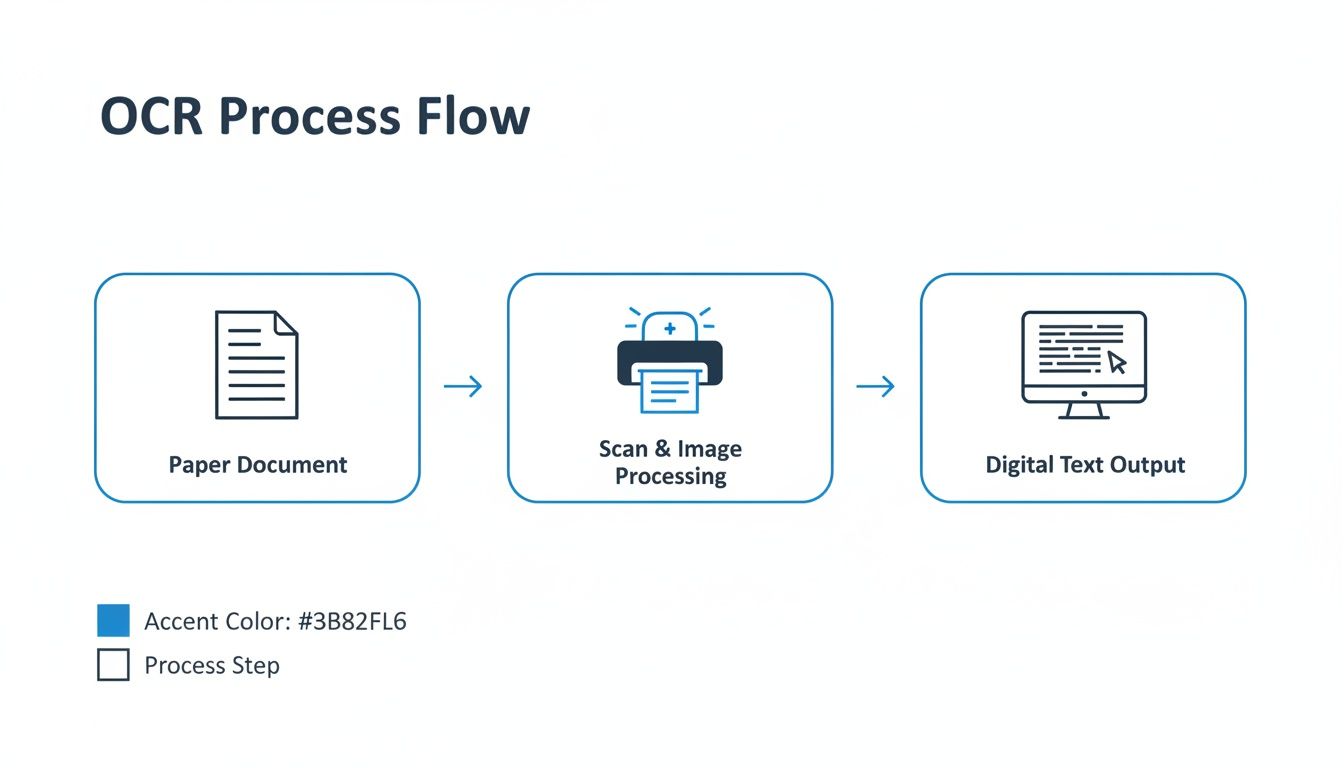
As you can see, the journey from paper to data is a direct conversion. It turns a physical asset into a digital one that you can actually manage and analyze.
Pre-Processing The Digital Image
Before a single letter can be recognized, the software has to clean up the source image. This pre-processing stage is absolutely critical because the quality of the input has a massive impact on the final accuracy. Think of it like trying to sharpen a blurry photo so you can see all the details.
A few common pre-processing steps make all the difference:
- Deskewing: If a document was scanned at an angle, the software straightens the page so the text lines up horizontally. No more crooked lines.
- Binarization: The image gets converted to pure black and white. This high-contrast version makes it much easier for the system to tell the text apart from the background.
- Noise Removal: The software gets rid of any random specks, smudges, or "salt-and-pepper" dots that could trip up the character recognition process.
This digital cleanup gives the next stages the cleanest possible data to work with, which drastically cuts down on potential errors.
Feature Extraction And Pattern Recognition
With a clean image, the real detective work can start. The system moves on to feature extraction, breaking down each character into its basic parts—lines, curves, loops, and intersections. An "A," for instance, is identified by its two angled lines meeting at a point with a horizontal bar across the middle. An "O" is just a single closed loop.
Next comes pattern recognition. Here, the software compares these extracted features against a massive library of known characters, fonts, and languages. The earliest OCR systems relied on simple template matching, which was a pretty rigid process. It only worked if the font on the page was a perfect match for a template in its database.
Modern systems are much smarter. They use machine learning and neural networks to get the job done.
This AI-powered approach allows the software to recognize characters in thousands of different fonts and sizes, even if it’s never seen that specific style before. It learns the general rules of what makes a letter "B" a "B," no matter the typeface.
This shift from rigid templates to flexible AI was a complete game-changer. The 1970s and 1980s saw OCR transform from a niche academic technology into a mainstream business tool. A huge part of this was Ray Kurzweil's 1974 omni-font breakthrough, which could read any normal font with 99% accuracy on high-quality prints. Postal services jumped on it; by 1980, the USPS was processing 200 billion pieces of mail a year using OCR for ZIP codes, hitting 95% read rates and saving an estimated $1 billion in labor costs annually.
The Rise of Intelligent Document Processing
These days, the most advanced systems do more than just read text. Intelligent Document Processing (IDP) is the next step in the evolution. This is where the software not only recognizes the characters but actually understands what they mean in context.
For example, a basic OCR tool might correctly read the text "$150.00" and "Due: 05/30/2025" from an invoice. An IDP solution, on the other hand, understands that one is the "Total Amount" and the other is the "Payment Due Date." It sees the document's structure and extracts data into meaningful fields, not just a jumbled string of words and numbers. You can learn more about this in our guide on performing OCR on PDF documents.
This ability to understand context is what makes modern text extraction so powerful for businesses. It’s the difference between getting a raw block of text versus a perfectly organized spreadsheet, all ready for you to use.
Common Challenges and Accuracy in OCR
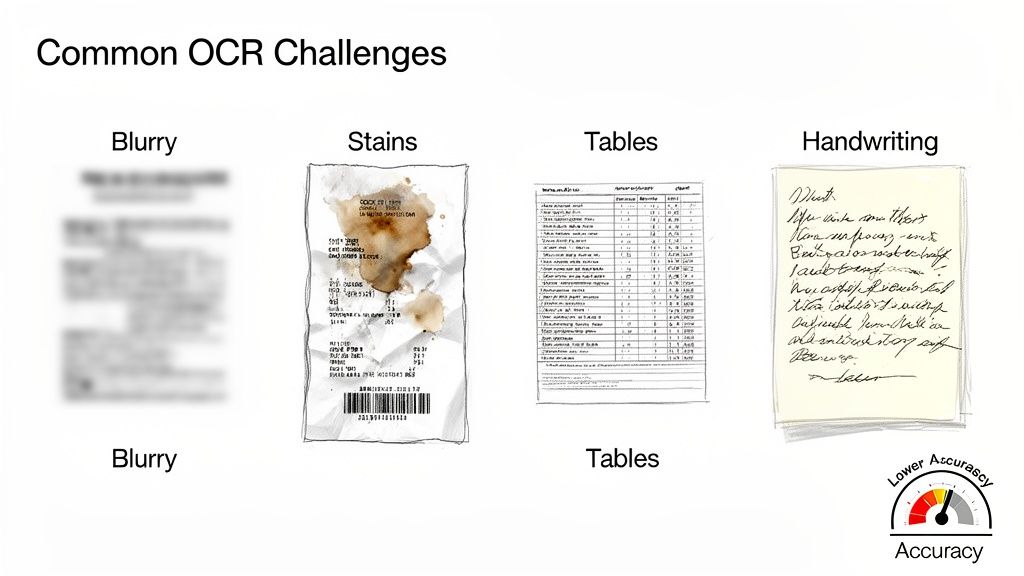
As powerful as optical character recognition is, it’s not magic. The technology’s success hinges on the quality of the document you feed it, and a number of real-world hurdles can trip up even the smartest systems. Understanding these roadblocks is the first step to setting realistic expectations and getting the best results from your tools.
Think about trying to read a crumpled, coffee-stained note you found in an old coat pocket. That’s the kind of challenge OCR systems tackle every day. The cleaner the document, the better the outcome. It's that simple.
Obstacles to Accurate Text Extraction
Even the most sophisticated OCR software will struggle with a bad image. The old saying "garbage in, garbage out" is especially true here. Your scan or photo quality is the single biggest factor influencing the final accuracy.
Here are some of the usual suspects that cause problems:
- Low-Resolution Images: If a scan is blurry or pixelated, the software can’t make out the fine details that distinguish one letter from another. For reliable results, you should aim for a resolution of at least 300 DPI (dots per inch).
- Complex Layouts: Documents with multiple columns, dense tables, or text wrapped around pictures can easily confuse an OCR engine. This often results in jumbled text that’s completely out of order.
- Weird Fonts and Handwriting: Funky, decorative fonts are tough for systems trained on standard text. Handwriting is even harder, though newer AI-based tools for Intelligent Character Recognition (ICR) are getting much better at deciphering it.
- Poor Document Condition: Stains, creases, faded ink, and shadows from bad lighting can hide parts of the text, leading to predictable errors and gaps in the data.
While the goal is always to minimize errors, chasing 100% accuracy on every single document is rarely practical. The real key is knowing what level of accuracy is "good enough" for your needs and finding a tool that hits that mark consistently.
How OCR Accuracy Is Measured
So, how do we actually put a number on OCR performance? The industry standard is the Character Error Rate (CER). It’s a straightforward calculation that tells you the percentage of characters the software got wrong.
For instance, if a page has 1,000 characters and the OCR tool misreads 10 of them, the CER is 1%. That translates to 99% accuracy at the character level. With clean, typed documents, modern AI-powered OCR can often hit over 99.5% accuracy.
But that number can plummet when you introduce the challenges we just discussed. A low-quality scan might only deliver 80% to 90% accuracy, which could mean hundreds of errors on a single page. This is exactly why cleaning up the image before running OCR is so important.
The table below breaks down the most common factors that can make or break your OCR results.
Factors That Influence OCR Accuracy
| Factor Affecting Accuracy | Description | Impact on OCR Performance |
|---|---|---|
| Image Resolution | The clarity and detail of the scanned image, measured in DPI (dots per inch). | Low DPI (<300) causes pixelation, making characters hard to distinguish. High DPI improves accuracy significantly. |
| Document Layout | The structure of the document, including columns, tables, headers, and footers. | Complex layouts can confuse the reading order, leading to jumbled or incomplete text extraction. |
| Font Type and Size | The specific typeface, style (bold, italic), and size of the text. | Unusual or highly stylized fonts are harder to recognize. Very small text can also be problematic. |
| Handwriting vs. Typed | Whether the text is machine-printed or written by hand. | Handwriting is highly variable and significantly more difficult to process accurately than standard typed text. |
| Image Quality | The overall condition of the image, including contrast, brightness, and noise. | Poor lighting, shadows, stains, or creases can obscure characters and lead to high error rates. |
| Language and Character Set | The language of the document and any special characters or symbols used. | Systems trained on a specific language may struggle with others or with unique symbols not in their library. |
In the end, knowing what can go wrong helps you set your documents up for success. By starting with the best possible image, you give your optical character recognition software a fighting chance to deliver the clean, reliable data your business depends on.
Where OCR Really Shines: Real-World Wins
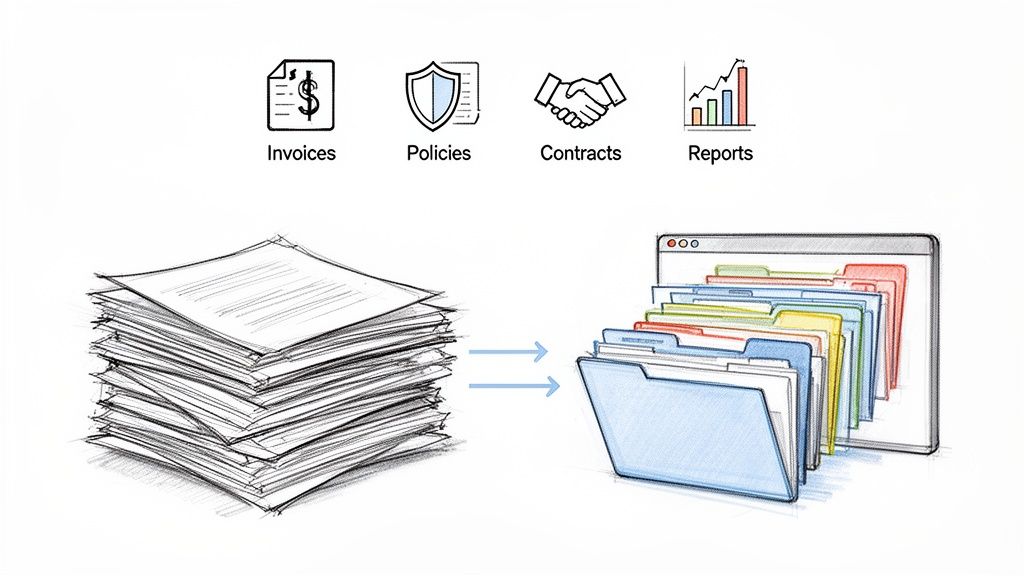
The theory behind OCR is interesting, but its real value comes from solving actual business headaches. This is where it stops being a clever piece of tech and starts transforming slow, manual tasks into smooth, automated workflows. Across every industry you can think of, OCR is the key that unlocks the data trapped in paper documents and static image files.
One of the biggest impacts OCR has is in powering document workflow automation. Forget passing stacks of paper from one desk to the next. Businesses can now digitize documents the moment they arrive and let the data route itself. This is where you see the most incredible gains in efficiency.
Bringing Finance and Accounting into the 21st Century
Picture an accounting department at the end of the month. They’re drowning in a sea of paper invoices from countless suppliers. Every single one has to be typed into the accounting system by hand—a tedious, soul-crushing job where mistakes are almost guaranteed. A single typo or a misplaced decimal can throw everything off, leading to payment delays and a reconciliation nightmare.
This is where OCR completely changes the game.
With an OCR-powered system, that same team can just scan the invoices. The software reads and pulls out the crucial details in a heartbeat:
- Vendor Name: So you know who to pay.
- Invoice Number: For perfect tracking and record-keeping.
- Due Date: To avoid late fees and keep vendors happy.
- Line-Item Details: Capturing exactly what was bought, for how much.
- Total Amount: For quick verification before sending it for approval.
A task that used to tie up a whole team for hours—or even days—can now be done in minutes. The data flows straight into their financial software, which means manual entry and the typos that come with it are practically a thing of the past. It speeds up the entire accounts payable process and gives them clean, reliable data for better financial planning.
Untangling the Insurance Paper Trail
The insurance industry runs on paperwork. Policies, claims forms, appraisals, medical records—it all adds up to a mountain of documents. For an agent or claims processor, trying to find one specific detail in a client’s 50-page policy could mean hours of flipping through pages.
Let's say a claims adjuster is handling a complicated property damage case. They need to check coverage limits, deductibles, and specific exclusions from a policy that was scanned years ago. By applying OCR, the entire library of documents becomes searchable.
Instead of reading line by line, the adjuster can simply type "water damage" or "deductible" and instantly find every relevant section. This makes validating a claim faster, more accurate, and ultimately gets the policyholder paid sooner.
This isn’t just a small improvement; it's a massive leap forward for everything from underwriting new policies to processing claims, ensuring compliance, and keeping customers happy.
Boosting Procurement and Manufacturing
In procurement, teams are constantly juggling contracts, purchase orders, and proposals. Trying to compare terms from different suppliers often means someone has to manually copy data from various PDFs into a spreadsheet. It’s slow, boring, and inefficient.
OCR tech lets procurement managers automatically pull terms, pricing, and delivery dates from all those vendor documents. This allows for quick, side-by-side comparisons, helping them negotiate better deals and make smarter buying decisions.
It’s a similar story in manufacturing, where OCR is used to track parts and products moving through the supply chain. Serial numbers, lot codes, and expiration dates printed on components can be scanned and logged automatically. This creates a rock-solid audit trail for quality control without anyone having to type in a single number. For sales teams like manufacturers' reps, OCR can even pull data from multiple commission statements and consolidate them into one clean report, saving hours of reconciliation work every single month.
How to Integrate OCR into Your Workflow
Getting started with optical character recognition doesn't mean you need to hire a team of developers or kick off a massive IT project. With modern no-code platforms, you can start automating your manual data entry surprisingly quickly. The secret is to start small with a clear, specific problem and expand from there.
This approach is all about getting a quick win. When you target a single, repetitive task, you see a real return on your investment almost immediately. It’s the best way to prove the value of automation without a huge upfront commitment.
Pinpoint Your Biggest Document Bottlenecks
First things first: find the most painful, document-heavy tasks bogging down your team. Where are people spending hours manually retyping information from one system to another? Those are your golden opportunities for automation.
Look for workflows with these tell-tale signs:
- High Volume: Are you swimming in dozens or even hundreds of the same document type every week? Think invoices, purchase orders, or commission statements.
- Repetitive Data Entry: Is a core part of someone's job just copying the same fields—invoice number, date, total amount—over and over again?
- High Risk of Human Error: Do simple typos cause payment delays, compliance headaches, or accounting nightmares?
A perfect example is an accounts payable team drowning in supplier invoices. That process is repetitive, high-volume, and a single misplaced decimal can cause a world of trouble. This is an ideal place to start your OCR journey.
Prepare Your Documents for Success
Once you’ve picked a workflow, the next step is making sure your documents are set up for success. Just remember: the quality of your input directly impacts the quality of your output. You don't need pristine documents, but a little prep work goes a long way.
Try to get clear, clean scans with a resolution of at least 300 DPI (dots per inch). Make sure the pages are straight and don't have heavy shadows, stains, or creases that could trip up the software. While today's AI-powered tools are pretty forgiving, starting with a good scan gives you the best shot at near-perfect accuracy from the get-go.
The idea of a machine reading text has been around for over a century. The journey of Optical Character Recognition (OCR) technology actually started back in 1914, when a physicist named Emanuel Goldberg built a machine that could read characters and turn them into telegraph code. By 1959, IBM's 1287 scanner was reading handwritten numbers on checks, cutting manual entry errors by up to 90% in its early trials. You can find more insights about the long history of OCR technology.
Choose the Right Tool for the Job
Not all OCR tools are built the same. Your average scanner might turn a document into a text file, but it often just dumps everything into an unstructured block of text. For true business automation, you need a tool that doesn’t just read the text—it understands it.
As you look at your options, hunt for a platform that checks these boxes:
- Requires No Templates: Modern tools should be smart enough to find fields like "Invoice Number" or "Due Date" on their own, without you having to build a new template for every vendor’s unique layout.
- Provides Structured Output: The end goal isn't a wall of text. You want your data organized in a clean spreadsheet (like an Excel or CSV file), with everything sorted into the right columns.
- Includes a Human Review Step: Even with 99% accuracy, mistakes can still slip through. A good workflow should include a quick "human-in-the-loop" step, where someone can glance at the extracted data next to the original document to give it a final thumbs-up.
This blend of intelligent data capture and simple quality control is what separates basic OCR from real-world workflow automation. If you're ready to explore your options, our guide on choosing the best data extraction tools is a great place to start. By following these steps, you can get optical character recognition working for you and start winning back your team's valuable time.
Going Beyond Simple OCR
Knowing what optical character recognition is and what it can do is a great starting point, but the real magic happens when you see where the technology is today. Think of traditional OCR like a very literal transcriber—it sees characters on a page and converts them into digital text. That's it. The job ends there.
But that’s just the first step. The real breakthrough comes when a system moves beyond just reading the words to actually understanding what they mean in context.
This is the leap from getting a messy wall of text to receiving a perfectly structured data set you can use right away. Modern platforms don’t just see random letters and numbers; they recognize an invoice number, pinpoint a due date, and pull out a specific line item. They understand how all the different bits of information on a page relate to one another.
A Tale of Two Workflows
Let’s look at a quick before-and-after to see what this means in the real world.
Before (Basic OCR): Someone in your accounting department gets a PDF invoice. They run it through a basic OCR tool, which spits out a jumbled text file. Now, the real "fun" begins. They spend the next 20 minutes painstakingly copying and pasting the vendor’s name, the invoice number, each line item, the quantity, and the final total into a spreadsheet. It's tedious, mind-numbing work where one tiny typo can throw everything off.
After (Intelligent Extraction): Now, that same person uploads the PDF to a platform like DocParseMagic. In a few seconds, the system doesn't just read the document—it identifies and extracts every key piece of information. It knows what an invoice number looks like, finds the total amount, and neatly organizes each line item into its own column. The output is a structured, ready-to-use spreadsheet. The 20-minute chore is now done in under 30 seconds.
This is the power of moving from simple transcription to genuine comprehension, all driven by AI that can handle messy, real-world documents without needing a rigid template.
The Power of Contextual Understanding
Today’s tools go even further by layering on a level of intelligence that old-school OCR could only dream of. They can perform tasks that feel like human reasoning, turning a simple data extraction tool into a powerful automation engine.
This is where the term Intelligent Document Processing (IDP) comes in. To really get the most out of your documents, you need to look at advanced Intelligent Document Processing solutions that pair OCR with sophisticated AI.
These systems bring some game-changing features to the table:
- On-the-Fly Calculations: The platform can automatically check if the line-item costs add up to the final total on an invoice and flag any mistakes immediately.
- Filling in Missing Information: If an invoice is missing a vendor name, an intelligent system can figure it out by looking at past documents or other clues.
- Handling Unstructured Data: It can pull out valuable information from a dense paragraph of text, not just from neatly organized forms or tables.
This is what the future of document processing looks like. It’s no longer about just turning images into text. It’s about turning messy documents into clean, reliable, and actionable data that helps your business run smarter.
Want to dive deeper into this technology? Check out our complete guide on what is Intelligent Document Processing.
Your Top OCR Questions, Answered
Let's finish up by answering some of the most common questions people have about optical character recognition. Think of this as a quick-reference guide to solidify what you've learned.
What's the Real Difference Between OCR and IDP?
It's a classic "engine vs. car" situation. OCR is the engine—it does one specific, vital job: it looks at an image and pulls out the text. That’s it. It sees the letters and numbers but doesn't know what they mean.
Intelligent Document Processing (IDP) is the whole smart car. It uses that OCR engine to read the text, but then its AI brain kicks in to actually understand it. An IDP system knows that "INV-123" is the invoice number and "$542.10" is the final total, not just a random string of characters.
Just How Accurate Is OCR Software Today?
This really boils down to one thing: the quality of the document you give it. If you feed it a crisp, clear scan of a standard printed document, you can expect accuracy to be over 99%. We're talking less than one mistake for every hundred characters.
But in the real world, documents are often messy. Blurry scans, weird fonts, or complex tables can trip up basic OCR. This is where modern AI-powered tools shine, using machine learning to make sense of the chaos and deliver far better results than old-school, rigid systems.
The goal isn't always 100% perfect transcription on the first try. It's about getting the accuracy high enough to slash manual data entry from hours of tedious typing down to just a few minutes of quick validation.
Can OCR Actually Read Handwriting?
Yes, it can! This specialized technology is often called Intelligent Character Recognition (ICR). Using sophisticated AI models, today's systems can interpret a surprisingly wide range of handwriting, from neat cursive to rushed block letters.
That said, it's wise to keep expectations in check. Reading handwriting is still one of the toughest challenges for a computer, so the accuracy won't be as high as it is for printed text. The legibility and consistency of the writing make a huge difference. Still, it's a massive leap forward for anyone needing to digitize handwritten forms, notes, or archives.
Tired of manually retyping data from your documents? DocParseMagic transforms jumbled files into clean, organized spreadsheets in seconds. Sign up for free and see how much time you can save.