How to Improve Procurement Efficiency: A 2026 Roadmap
If your procurement team feels busy all day but still ends the week behind, the problem usually isn't effort. It's workflow. People are retyping invoice data from PDFs into spreadsheets, chasing approvers in email, checking supplier terms across scattered files, and fixing preventable mistakes after the fact.
That kind of work drains time, but the bigger problem is what it blocks. Buyers can't compare vendors cleanly. AP can't reconcile invoices quickly. Managers approve spend without a full view of contract terms, supplier history, or category trends. Procurement stays reactive when it should be shaping cost, compliance, and supplier performance.
Most guides on how to improve procurement efficiency jump straight to strategy decks or large platform rollouts. In practice, the fastest gains often come from a more tactical place: the messy documents sitting in inboxes, shared drives, and AP queues. That's where manual effort piles up, and that's where a practical roadmap should start.
The Hidden Costs of an Inefficient Procurement Process
A weak procurement process rarely fails in one dramatic way. It leaks value a little at a time. One invoice sits in someone's inbox waiting for review. One buyer copies pricing from a vendor proposal into the wrong column. One approver misses an email, so a purchase gets delayed and the team places an urgent order outside the normal process.
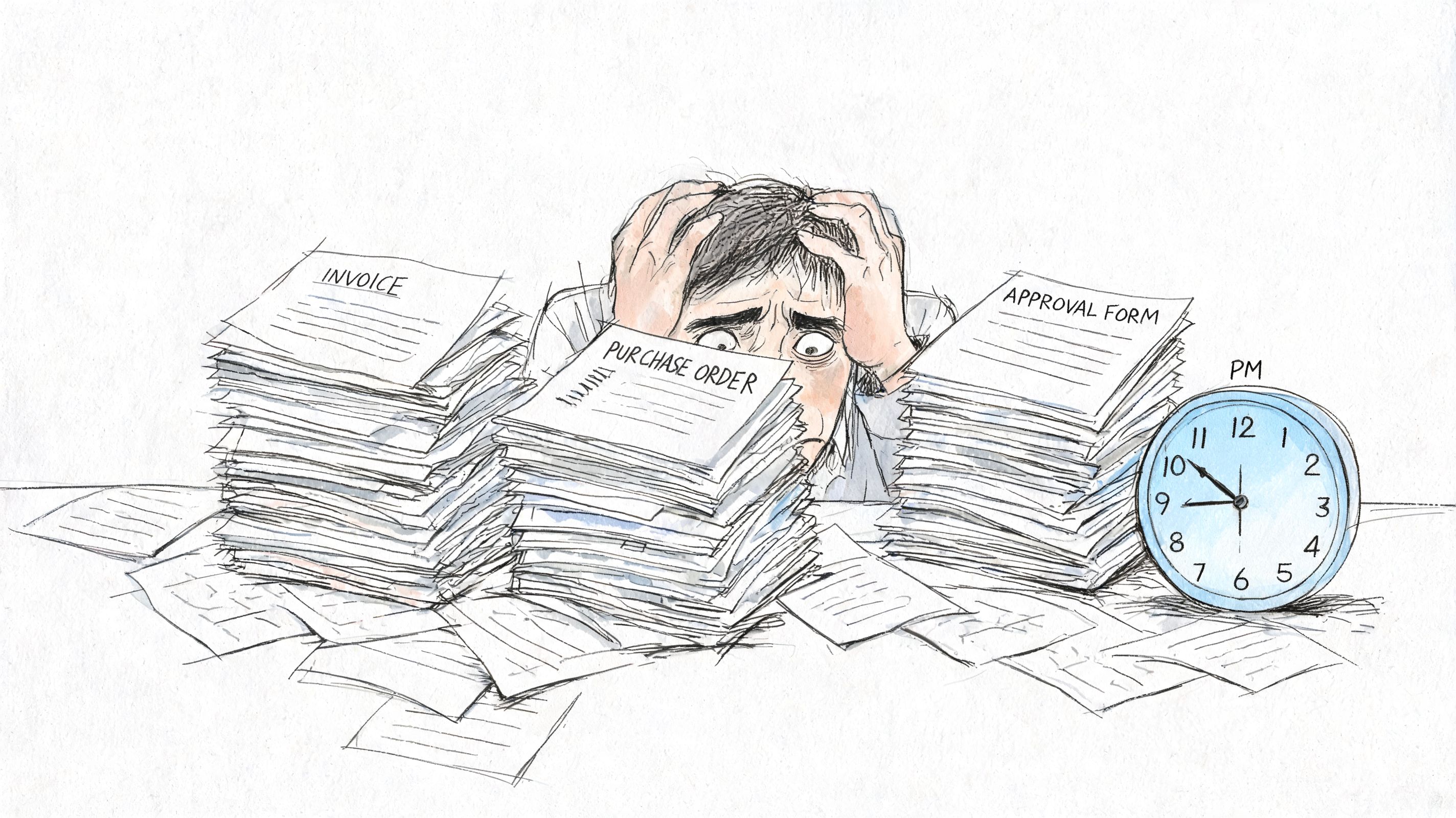
Those issues look small in isolation. Together, they create late payments, duplicated work, weak audit trails, and supplier frustration. They also push experienced procurement staff into clerical tasks when they should be managing demand, negotiating terms, and reducing spend leakage.
What inefficient procurement actually costs
The visible cost is labor. The hidden costs are often worse:
- Missed discounts and poor timing: Slow approvals and delayed invoice handling can close the door on favorable payment timing.
- Supplier friction: Suppliers don't like resending documents, correcting preventable errors, or waiting on inconsistent communication.
- Bad decision-making: If your spend data lives across ERPs, email attachments, and spreadsheets, category decisions are based on fragments instead of facts.
- Compliance drift: Off-contract buying becomes easier when approved suppliers, pricing, and terms aren't visible at the moment of purchase.
Procurement doesn't become strategic when the team works harder. It becomes strategic when routine work stops consuming the day.
The urgency is real. A projection cited by Procurement Tactics' procurement statistics says over 80% of companies are expected to have digitized procurement processes by 2026, and 87% of companies now use eProcurement tools to improve supplier sourcing. That matters because once digital adoption becomes normal, manual teams don't just move slower. They lose visibility, control, and negotiating power.
Why this is the right place to start
Procurement leaders often look first at sourcing strategy or system replacement. Both matter. But if your incoming documents are still unstructured and your core workflow still depends on copy-paste, approvals in email, and spreadsheet comparison, you'll carry waste into every later improvement.
That's why the roadmap starts with measurement, process mapping, and targeted automation of document-heavy work. Fix the operating layer first. The strategic gains come after that.
Establish Your Baseline and Set Clear KPIs
Procurement processes are frequently perceived as slow. Yet, few teams can pinpoint exactly where delays occur, what each costs, or which step generates the most rework. Measurement is essential for improvement.
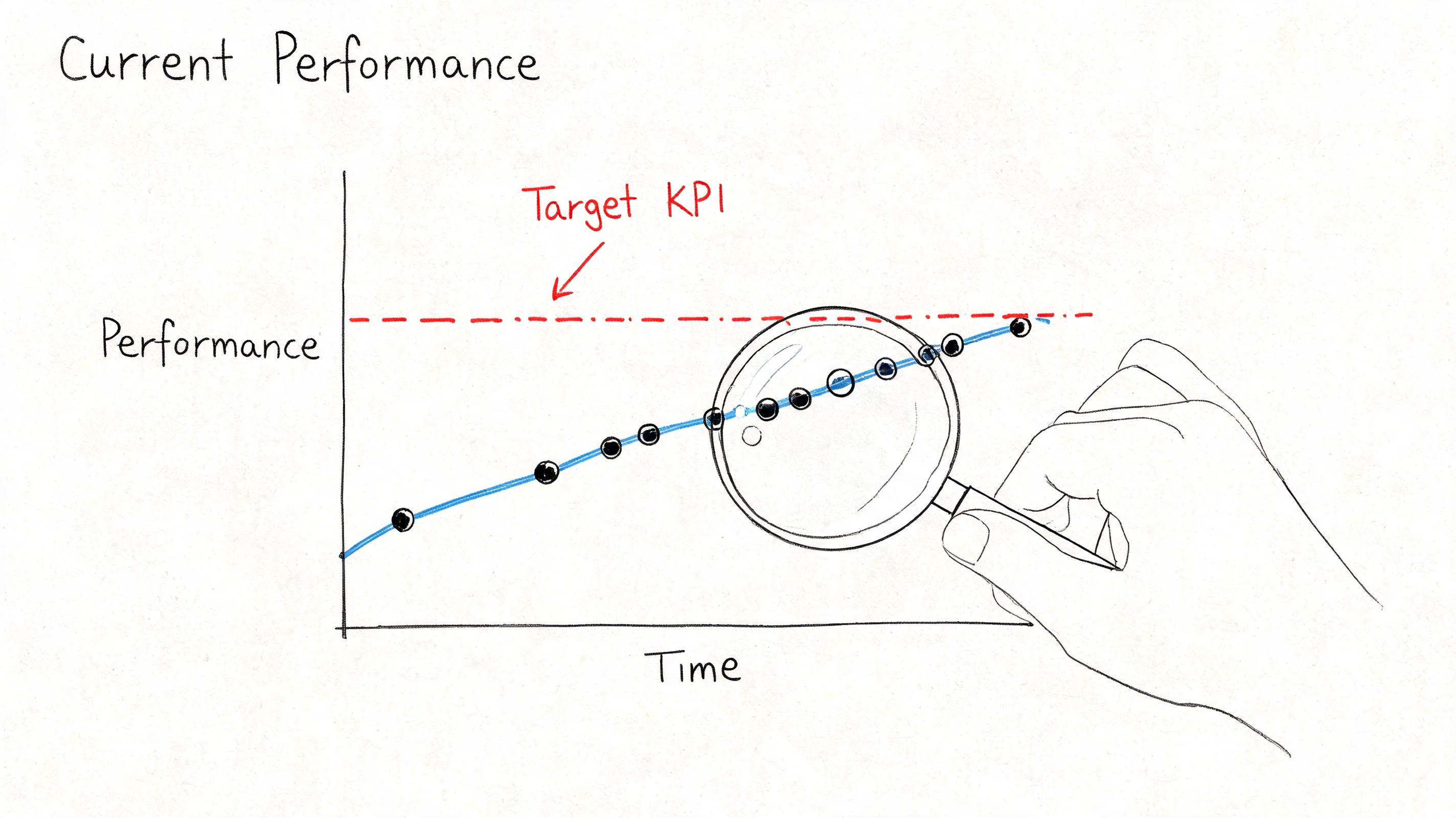
Start with a baseline that is simple enough to build now, not perfect enough to delay for months. Pull data from the systems you already have. That usually means your ERP, AP platform, purchasing inboxes, approval logs, and a few spreadsheets that people rely on more than they admit.
Measure the points where work gets stuck
A useful baseline mixes speed, accuracy, and control. These are the KPIs I look at first:
- Procure-to-pay cycle time: How long it takes from request to payment.
- PO cycle time: How long it takes to turn an approved request into a purchase order.
- Cost per invoice processed: Especially useful when comparing manual handling against automated workflows.
- Invoice exception rate: How often invoices need manual intervention because something doesn't match.
- PO accuracy rate: A practical signal for whether upstream purchasing data is reliable.
- Maverick spend share: Spend that bypasses preferred suppliers or approved channels.
- Contract compliance: Whether purchases follow negotiated terms and approved pricing.
- Supplier onboarding time: A common delay point that slows sourcing and buying.
If your team needs help with finding the right performance indicators, that framework is useful because it forces a basic but important question: which measures guide decisions, and which just decorate a dashboard?
Build one operating view
Don't wait for a full BI project. A simple dashboard is enough if it shows trends by category, buyer, supplier, and process step. If your AP team already handles part of the data manually, it's worth reviewing practical workflows for managing accounts payable effectively so procurement and finance are measuring the same handoffs.
Use a table like this to get started:
| KPI | What to pull | What it tells you |
|---|---|---|
| Cycle time | Requisition, approval, PO, receipt, invoice, payment dates | Where requests stall |
| Exception rate | Invoice mismatch and hold reasons | Whether data quality or process design is the issue |
| PO accuracy | PO corrections, returns, mismatch notes | Whether buyers are working from clean inputs |
| Maverick spend | Non-preferred supplier transactions | Whether policy is actually being followed |
| Supplier onboarding time | Request and activation dates | Whether supplier setup blocks purchasing |
Practical rule: If a KPI can't be tied to a specific owner and a corrective action, it doesn't belong in your first dashboard.
Keep the first baseline narrow
A common mistake is trying to measure everything across every category. Start with one business unit or one spend area where document volume is high and the workflow is easy to observe. Office supplies, indirect spend, recurring software purchases, and routine invoice categories usually expose process issues quickly.
The point of the baseline isn't to prove sophistication. It's to create a before-and-after record that lets you show time savings, accuracy gains, and control improvements once changes go live.
Map Your Processes and Eliminate Waste
On paper, a routine purchase looks controlled. In practice, a supplier sends a proposal PDF, a buyer copies prices into a spreadsheet, legal reviews a clause by email, finance asks for a missing field, and the requisition sits until someone rebuilds the same information in the ERP. That is where procurement time disappears. Not in strategy workshops. In document handling, rework, and waiting between handoffs.
Start with one real transaction and trace it from request to payment. Use an actual proposal, PO, receipt, and invoice, not the policy version of the process. The goal is to see where people are compensating for weak inputs, unclear ownership, or system gaps.
Follow the work at handoff level
A useful process map shows what happened, who touched it, what changed, and how long it waited. If a file gets downloaded, renamed, rekeyed, emailed, exported, or manually matched, mark it. Those are labor signals.
The pattern is usually the same across teams. Procurement builds side trackers because supplier documents arrive in inconsistent formats. AP keeps its own exception log because mismatch reasons are hard to see in the purchasing system. Approvers rely on email because routing rules do not reflect actual spend authority.
The waste usually shows up in five places:
- Manual data capture: Buyers or AP staff copy proposal terms, pricing tables, tax details, or invoice lines into internal systems.
- Approval bottlenecks: Requests wait in inboxes because the approval path depends on a person, not a rule.
- Duplicate tracking: The same transaction lives in email, spreadsheets, shared drives, and the ERP.
- Exception-heavy matching: Teams compare POs, receipts, and invoices line by line because descriptions or units of measure do not align.
- Blurred ownership: Several people touch the transaction, but no one owns the stalled step.
Build the map around one proof case
You do not need specialist software to find waste. A spreadsheet, whiteboard, or swimlane diagram is enough if it answers four operational questions:
- Where did the request enter the process?
- Who handled it next?
- What data was added, checked, or changed?
- Where did it stop and why?
That exercise exposes the trade-off. Many companies add manual checks to reduce risk, then create more delay and more keying errors in the process. A duplicate approval may catch a rare exception, but it also slows every standard purchase. A custom spreadsheet may help one buyer compare quotes, but it creates version control problems and forces the same data back into the ERP later.
One short map often explains a month of frustration.
Remove waste before you apply automation
Clean up the process first. Remove duplicate approvals that do not change decisions. Standardize supplier intake fields so quotes and invoices arrive with the identifiers your team needs. Define which exceptions need human review and which should route automatically. If your PO workflow still depends on buyers rebuilding supplier data by hand, fix that foundation before scaling. A clear automated purchase order workflow reduces avoidable re-entry and makes downstream matching easier.
Rollout discipline matters here. The U.S. General Services Administration's guidance on phased acquisitions supports breaking large technology and process changes into manageable stages rather than pushing one large launch. Procurement teams see the same pattern in practice. Start with a high-volume, low-judgment workflow where the inputs are messy but the rules are clear. Indirect spend, standard vendor invoices, and repeat purchases usually expose waste quickly and give you cleaner evidence for the next phase.
If your spend includes logistics-heavy categories, transportation inefficiency can distort the picture. Reviewing freight consolidation methods helps separate sourcing issues from distribution issues, which prevents the team from blaming supplier performance for what is really a shipment planning problem.
A good process map should leave you with a short list of fixes, named owners, and a clear view of which manual document steps are costing the most time. That is the level of detail that improves efficiency.
Automate High-Impact Document-Heavy Tasks
A common procurement failure looks like this. The team buys an e-procurement suite, approval routing improves, and PO status becomes more visible. Then buyers still spend Friday afternoon opening supplier proposals, copying pricing into comparison sheets, fixing invoice field errors, and chasing AP because the source files came in as messy PDFs and email attachments.
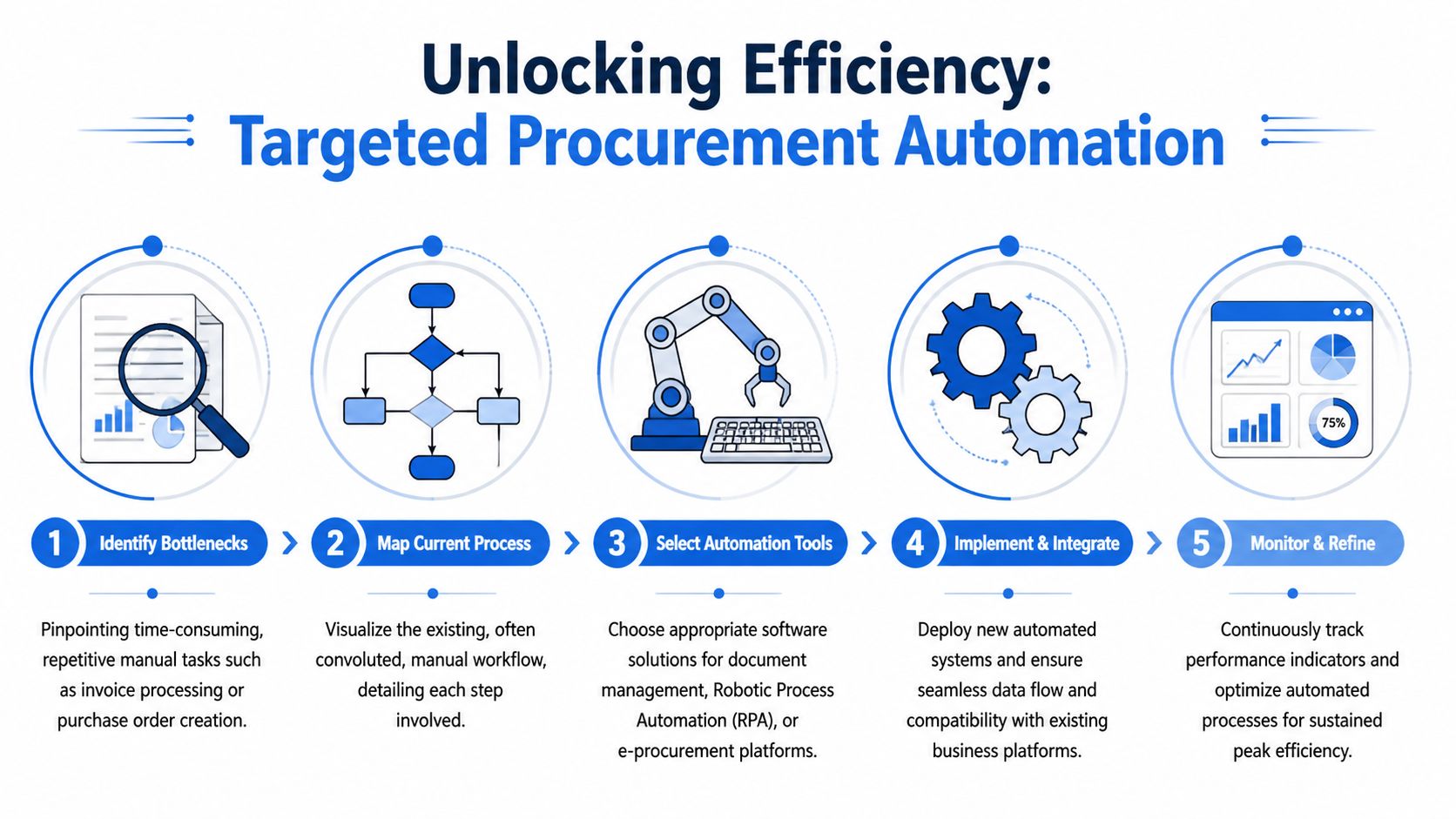
That gap matters more than many teams expect. Workflow automation helps, but a large share of procurement labor sits one step earlier, where someone has to read unstructured documents and turn them into usable data. If that intake step stays manual, the system around it runs faster while the team feeding it does not.
Basic source-to-pay automation still earns its place. Automatic PO creation from approved requisitions, routing approvals to the right manager, and three-way matching all reduce handling time and tighten control. But those gains flatten out fast when supplier proposals, invoices, statements, and pricing sheets still arrive in inconsistent formats.
The biggest delays start before approval
Procurement rarely receives clean, standardized inputs. It receives scanned invoices, supplier quotes built in different templates, spreadsheets with unclear column headers, and contracts attached to long email threads. Buyers then spend time extracting unit prices, payment terms, tax amounts, freight charges, and line items before they can even begin the review that leadership thinks the system already automated.
That is why document-heavy tasks deserve their own automation plan.
A practical order of operations looks like this:
- Automate PO creation where approved requisitions are already structured and rules are stable.
- Automate approval routing so requests stop waiting in inboxes or chat threads.
- Automate three-way matching once PO and receipt data are clean enough to compare reliably.
- Automate document extraction for invoices, proposals, statements, and supporting files that still arrive unstructured.
For teams tightening intake and PO speed together, this guide to automated purchase order processing is a useful reference because it shows how upstream document quality affects downstream matching and cycle time.
Why unstructured document processing deserves priority
This is the tactical layer many procurement improvement plans miss. The heavy manual work often sits inside files, not workflows. A buyer can have a clean approval path and still lose hours rekeying pricing tables from supplier proposals or fixing invoice data that OCR captured poorly.
Unstructured document processing solves a narrower problem, but it is often the higher-return one. It pulls supplier names, invoice numbers, dates, payment terms, totals, and line items from PDFs, scans, Word files, and spreadsheets into structured records that procurement and AP can use.
This short walkthrough shows the idea in action:
Amazon Business on procurement best practices discusses AI-driven automation as a way to reduce cycle time and improve handling of routine purchasing work. In practice, the strongest use case is usually not broad automation first. It is fixing the document intake bottleneck that keeps forcing skilled staff back into copy-paste work.
Where to apply it first
Start where volume is high, rules are clear, and document variation is painful but manageable.
Good first targets include:
- Vendor proposal comparison: Extract pricing tables, commercial terms, and line items into a side-by-side review format.
- Invoice capture before matching: Convert invoice fields into structured data before AP or procurement reviews exceptions.
- Statement and support file review: Pull recurring charges, category details, and billing periods into analysis-ready tables.
- Vendor onboarding records: Standardize supplier-submitted forms and supporting documents through a controlled intake point such as the Buyers Connect AI vendor portal.
- Audit support: Keep extracted fields tied to the original document so reviewers can verify decisions quickly.
The trade-off is straightforward. Document automation works best where formats vary but the fields you need are predictable. It is less useful on low-volume files that require heavy judgment or frequent interpretation of legal language. Teams get better returns by automating repetitive extraction and keeping true exceptions with experienced reviewers.
Tools differ in what they handle. Some RPA products move files between systems. Some OCR tools return raw text and leave the cleanup to your team. A no-code document parsing platform like DocParseMagic serves a more specific purpose. It extracts structured fields and line items from invoices, proposals, statements, and scans into spreadsheets that procurement teams can compare, reconcile, and review without manual rekeying.
The payoff is not just speed. It is better control at the point where errors first enter the process. When proposal and invoice data arrive in a usable structure, buyers compare suppliers faster, AP spots mismatches sooner, and spend analysis rests on cleaner source data.
Consolidate Suppliers and Sharpen Negotiation Tactics
Once your data is cleaner and your process stops bleeding manual hours, procurement can finally use information instead of anecdotes. At this point, efficiency becomes a strategic advantage.
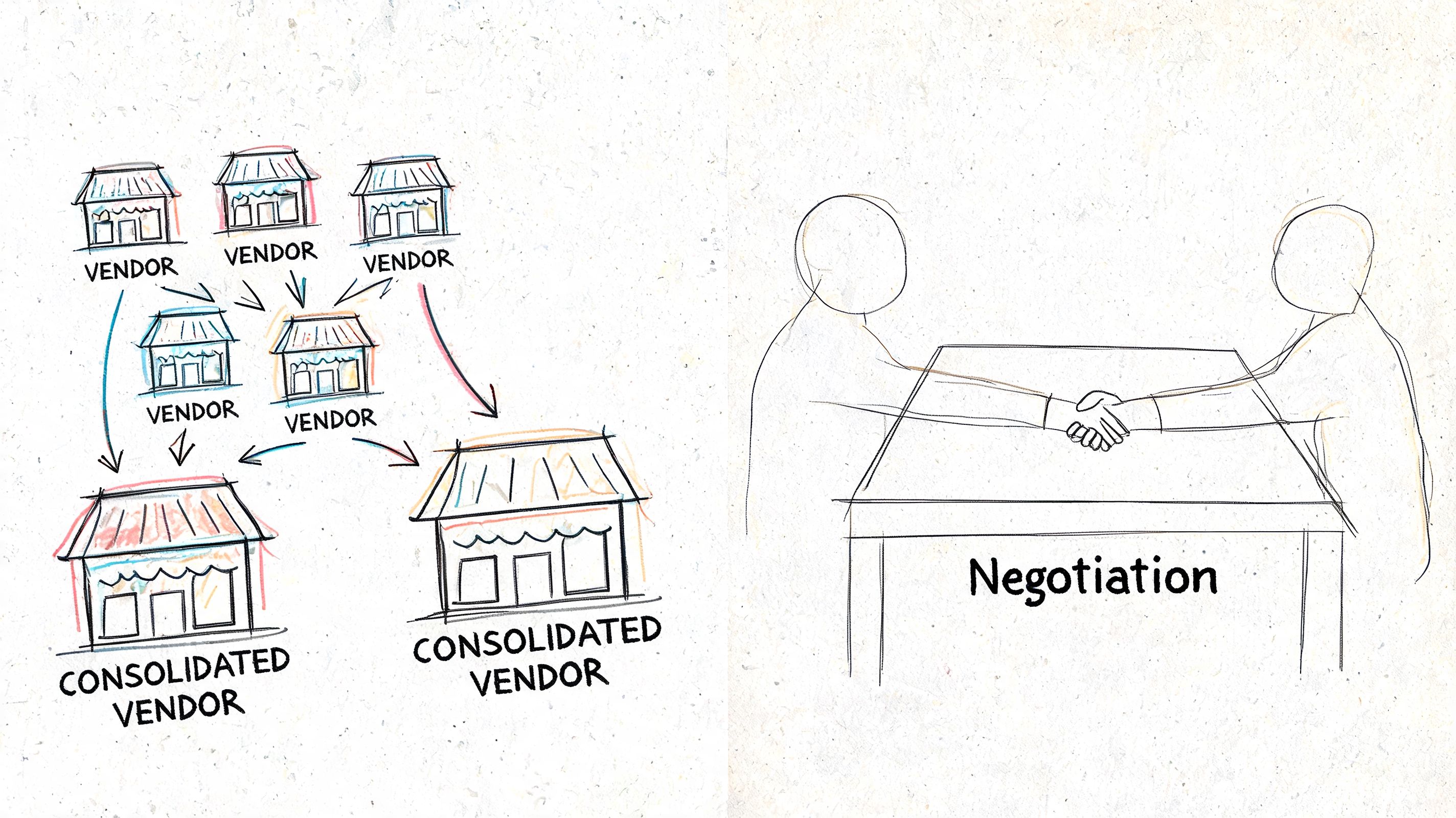
Supplier consolidation only works when spend visibility is good enough to show fragmentation clearly. If the same supplier appears under multiple names, if proposals sit in email, or if invoice data isn't categorized consistently, consolidation becomes guesswork.
Use spend data to find fragmentation
Start with a category where multiple suppliers provide similar goods or services. Pull total spend, purchase frequency, invoice volume, pricing variation, delivery issues, and off-contract buying. Then ask a harder question: how many suppliers are you maintaining because the workflow makes comparison difficult, not because the category needs that much supply diversity?
Research summarized by UNA's procurement efficiency article shows that when firms systematically consolidate suppliers, reducing a fragmented supplier base by 20 to 40% and assigning 60 to 80% of spend to a core group of strategic suppliers, negotiators often achieve 8 to 12% price reductions in those categories and improve supplier onboarding and contract compliance by 30 to 50%.
That result doesn't come from squeezing suppliers blindly. It comes from concentrating volume, standardizing terms, and creating a manageable supplier portfolio.
Build a supplier scorecard people will actually use
Keep the scorecard tight. If it becomes a long questionnaire, users stop updating it.
A practical version includes:
| Scorecard area | What to review |
|---|---|
| Commercial fit | Price consistency, payment terms, contract alignment |
| Operational fit | Delivery reliability, invoice quality, responsiveness |
| Compliance fit | Approved status, documentation completeness, contract adherence |
| Strategic fit | Category importance, ability to scale, cross-site support |
One useful support mechanism is a structured supplier intake path. If you're reviewing options for registration and onboarding workflows, a portal like the Buyers Connect AI vendor portal gives a good reference point for how to centralize vendor submission and reduce scattered onboarding inputs.
For procurement teams refining governance after consolidation, these vendor management best practices are also worth reviewing because consolidation fails when supplier control improves on paper but not in daily execution.
Better negotiation starts before the meeting. It starts when your team can prove volume, compare terms cleanly, and show where fragmented buying weakened your position.
Don't over-consolidate
There is a trade-off. Fewer suppliers can increase negotiation power and simplify administration, but over-consolidation can reduce resilience or create dependency in sensitive categories. Direct materials, specialized services, and region-specific supply often need a different approach than indirect spend.
So treat consolidation as category strategy, not ideology. Reduce noise where supplier overlap is wasteful. Keep optionality where supply continuity matters more than administrative simplicity.
Rollout Your Plan and Track for Success
A procurement efficiency plan fails when teams try to change the whole operating model in one move. The better approach is controlled rollout. Pick one process, one category, and one measurable problem.
Invoice-heavy indirect spend is usually a good pilot. The documents are repetitive enough to test automation, the stakeholders are easy to identify, and the gains show up quickly in cycle time, exception handling, and approval speed.
What a practical rollout looks like
Use a short pilot with clear ownership:
- Choose one pain point such as invoice capture, proposal comparison, or approval routing.
- Define the baseline using the KPIs you already set.
- Limit the scope to one category, region, or business unit.
- Train the actual users instead of only the managers.
- Review exceptions weekly so you can fix routing, field mapping, and policy gaps early.
The point of a pilot isn't to create a polished demo. It's to surface operational friction while the blast radius is small.
Common failure points
These issues show up repeatedly:
- Weak stakeholder buy-in: Procurement agrees to the change, but finance, IT, or business approvers keep using the old path.
- Too much customization too early: Teams try to accommodate every edge case before the core workflow is stable.
- Poor training: Users understand the tool interface but not the new process rules.
- No follow-up on exceptions: Problems accumulate in side channels and eventually pull people back into manual work.
One reason disciplined rollout matters is cost. According to a Forrester finding cited in CoreX Corp's procurement statistics summary, implementing AI-driven procurement strategies has resulted in a 15% reduction in operational costs for many companies. That kind of result comes from optimized processes, better supplier negotiations, and stronger forecasting. It doesn't come from buying software and hoping behavior changes on its own.
Track the right proof after go-live
Once the pilot is running, compare against your baseline. Look for:
- Faster cycle times
- Lower exception handling
- Cleaner supplier and invoice data
- Less manual rekeying
- Stronger contract and approval compliance
Then decide whether the process is ready to expand. If the answer is yes, roll the model into the next category. If the answer is no, fix the operating issue before widening scope.
Procurement efficiency isn't a one-time project. It's a repeatable cycle of measuring, simplifying, automating, and tightening control. Teams that treat it that way build a function that moves faster without losing discipline.
If your team is still extracting pricing, terms, invoice fields, or line items by hand, DocParseMagic is worth evaluating. It converts messy PDFs, scans, statements, proposals, and invoices into structured spreadsheets without template setup, which makes it useful for procurement teams that need faster comparison, cleaner matching, and less manual rekeying in document-heavy workflows.