A Guide to the Fuzzy String Matching Algorithm
A fuzzy string matching algorithm is a lifesaver for anyone dealing with messy, real-world text. It’s a way of finding connections between two strings that are similar, but not an exact match. Think of it less like a rigid spellchecker and more like a clever assistant who understands that "Acme Corp" and "Akme Corporation" are probably the same company, even with typos or abbreviations.
Finding Order in Data Chaos
Let's get practical. Imagine you're an accounting manager trying to reconcile invoices. One vendor, 'Acme Corp,' shows up in your system as 'ACME Corp Inc.' on a scanned invoice and 'Acme Corporation' on a purchase order. A standard search (like Ctrl+F) would see these as three completely different entities, leaving you to fix them by hand. It's a frustrating, time-consuming process that can easily lead to duplicate payments or records.
This is exactly the problem fuzzy matching was born to solve.
Instead of looking for a perfect one-to-one match, these algorithms calculate a similarity score between two strings. It’s a bit like asking, "How many small changes—like adding, removing, or swapping a letter—would it take to make these two words identical?" The fewer the changes, the higher the score and the more likely it's a match.
From Old Theory to Modern Practice
The core idea isn't new. The foundational algorithm, Levenshtein Distance, was developed back in 1966 to measure exactly that—the number of edits needed to change one string into another. Fast forward to today, and that simple concept is the engine behind some seriously powerful business tools.
Modern platforms like DocParseMagic use advanced versions of this logic to achieve matching accuracies up to 95%, even with messy scanned documents. That’s a game-changer when you consider that 30-40% of datasets from invoices suffer from these kinds of data entry errors and inconsistencies.
This is how raw, jumbled text gets turned into clean, reliable information. Fuzzy matching finds the hidden relationships between data points that a machine would otherwise miss.
A fuzzy string matching algorithm essentially turns chaos into clarity. It finds the signal in the noise, connecting the dots between "John Smith" and "Jon Smyth" or "Main St." and "Main Street" when traditional methods would see no relationship at all.
This entire process is a key part of modern data work. By taking all the inconsistent text from your documents and standardizing it, you create clean parsed data. If you want to dive deeper, our guide on what parsed data is explains why this is so critical for any automation project. In the end, it’s about letting your team stop wasting time on manual cleanup and start making decisions with information they can actually trust.
A Look at the Core Fuzzy Matching Methods
To get a real grip on cleaning up messy data, you need to pop the hood and see how different fuzzy string matching algorithms work. They all try to figure out how similar two pieces of text are, but they go about it in completely different ways. Think of them as specialized tools in a workshop—you wouldn't use a sledgehammer to hang a picture frame. Knowing the difference is the first step to picking the right tool for your documents.
This diagram shows the basic idea: messy, chaotic data goes in, the algorithm does its magic, and clean, structured information comes out.
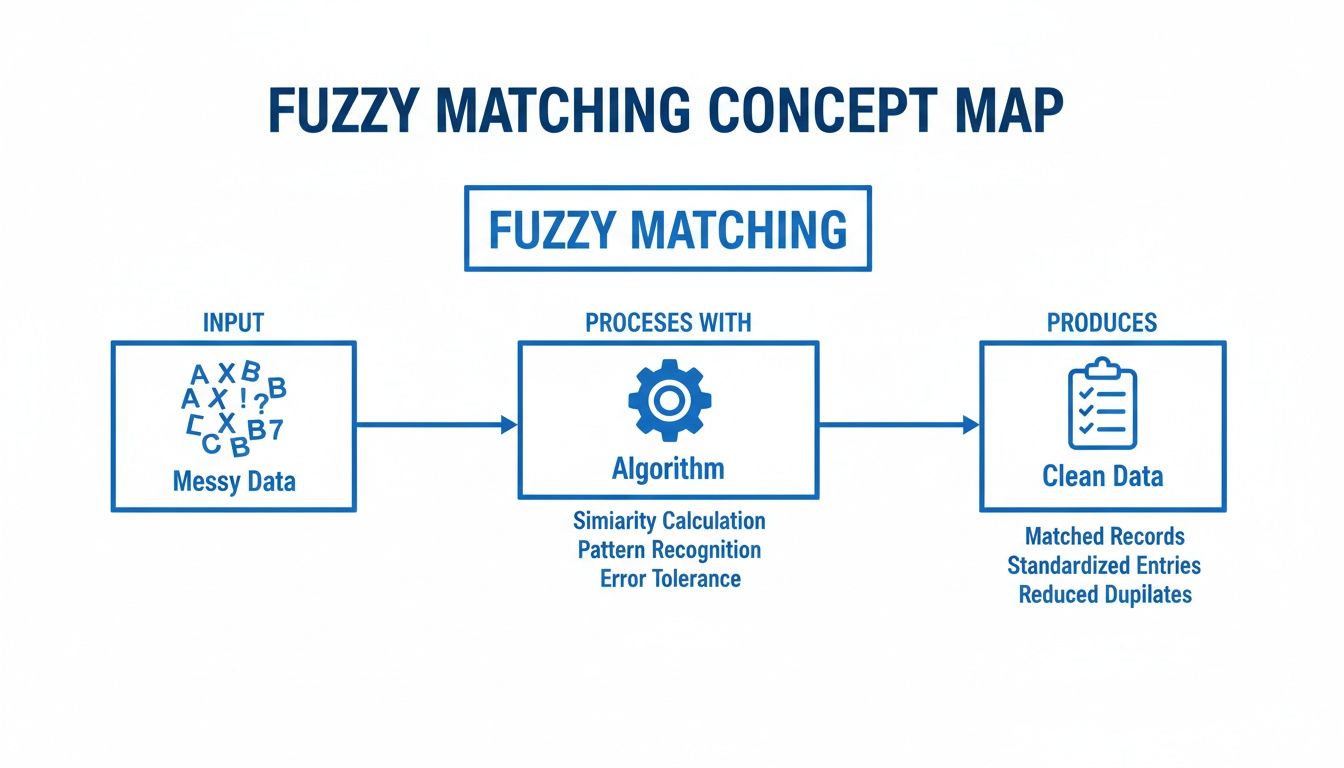
At its heart, this is what we're all trying to achieve with data parsing: turning jumbled inputs into something reliable and organized.
Edit-Distance Algorithms: The Foundation
The most straightforward and common approach is based on edit distance. These algorithms simply count the number of edits you'd need to make one string look exactly like another.
The most famous of the bunch is Levenshtein Distance. Imagine you’re trying to turn the word "kitten" into "sitting." Levenshtein counts the minimum number of single-character steps to get there:
- Insertions: Adding a new character.
- Deletions: Removing a character.
- Substitutions: Swapping one character for another.
For "kitten" to become "sitting," you'd need 3 edits: substitute 'k' for 's', substitute 'e' for 'i', and add a 'g' at the end. The lower the Levenshtein distance, the more similar the two strings are. Simple as that.
A handy variation is the Damerau-Levenshtein distance. It adds a fourth move: transposition, which is just swapping two letters right next to each other. This is a lifesaver for catching common typos like "form" vs. "from." Damerau-Levenshtein sees that as one simple swap, not a deletion and an insertion.
Algorithms Built for Names
While Levenshtein is a solid all-purpose tool, some algorithms were built with a specific job in mind. The Jaro-Winkler distance algorithm is a perfect example, designed specifically for matching proper nouns like people’s names or company names. It was originally created for finding duplicates in census data, so it knows a thing or two about messy names.
Jaro-Winkler works by looking at two things:
- The number of characters the two strings have in common (even if they're slightly out of place).
- The number of transpositions (swaps) needed to make them line up.
But its secret weapon is the "prefix bonus." It gives extra points to strings that start with the same few letters, usually the first four. This is built on a simple observation: typos in names rarely happen at the very beginning. That's why it's so good at recognizing that "Robert" and "Roberts Inc." are likely related.
Phonetic Algorithms: Matching by Sound
Finally, we have phonetic algorithms. These couldn't care less about spelling; they match strings based on how they sound. This is a totally different way of thinking that helps you find matches even when the spellings are wildly different.
The classic phonetic algorithm is Soundex. It takes a string and boils it down to a four-character code that represents its English pronunciation. For example, "Robert" and "Rupert" might look different on paper, but they both get the same Soundex code: R163. This makes it incredibly powerful for matching names that were taken over the phone or written down by hand.
This kind of phonetic analysis is often a crucial piece of larger, more complex systems, like the ones that handle Optical Character Recognition.
Comparing Core Fuzzy String Matching Algorithms
To help you decide which approach to start with, this table breaks down the core concepts and best use cases for each of the algorithms we've covered.
| Algorithm | Core Concept | Best For | Example Use Case |
|---|---|---|---|
| Levenshtein | Counts character insertions, deletions, and substitutions. | General-purpose text cleaning and typo detection. | Correcting "invoic" to "invoice" in extracted text. |
| Jaro-Winkler | Measures character similarity and gives a bonus for shared prefixes. | Matching proper nouns like names and companies. | Linking "ABC Corp." to "ABC Corporation" in a vendor list. |
| Soundex | Converts strings to a code based on their English pronunciation. | Matching names that sound similar but are spelled differently. | Finding "John Smith" when the input is "Jon Smythe." |
Each of these methods offers a unique advantage. Understanding their performance in more detail often requires a deeper dive into Mastering Algorithm Design and Analysis. In the real world, the most powerful document parsing solutions rarely rely on just one; they often combine these techniques to build a truly robust system.
Choosing the Right Algorithm for Your Documents
Picking a fuzzy string matching algorithm isn't a one-size-fits-all deal. The best choice comes down to the kind of documents you're working with and what you’re trying to pull out of them.
Think of it like a mechanic choosing a tool. A torque wrench is essential for a specific job, but you wouldn't use it to hammer a nail. In the same way, the algorithm that's brilliant at matching company names might be completely wrong for comparing long product descriptions. Getting this right is the key to solid automation and can be the difference between a smooth workflow and one that needs constant babysitting. You have to weigh the trade-offs between speed, accuracy, and the types of mistakes you expect to find in your data.
Matching Short Text and Proper Nouns
When your main goal is to match short bits of text like company names, people's names, or addresses, Jaro-Winkler is almost always the best tool for the job. It was originally built to do exactly this, born out of work at the U.S. Census to find duplicate records.
What makes it so good is its "prefix bonus." It gives more weight to strings that start with the same characters, which is exactly how we identify names. For example, "DocParseMagic Inc." and "DocParseMagic LLC" will get a very high score because the most important part—the beginning—is a perfect match. This focus makes it fantastic at ignoring noisy suffixes like "Inc.", "Corp.", or "LLC".
Imagine a procurement team trying to make sense of vendor proposals where 'IBM Global Services' is written as 'I.B.M. Global Serv.' across different files. This is where a smart fuzzy matching strategy shines. By incorporating phonetic algorithms like Soundex and Metaphone, developed between 1918 and 1990, you can normalize strings based on how they sound. In fact, studies show that 88% of mismatches in business datasets of over one million records are caused by just 1-3 character edits.
For DocParseMagic users in accounting and insurance, this approach delivers 92% accuracy when pulling line items from scanned statements. That completely blows away exact matching, which can fail up to 60% of the time on messy, real-world data. You can dig deeper into these business wins by exploring how fuzzy matching solves real-world data problems.
Handling Typos and General Text
When you're dealing with general text or just expect a lot of typos, Levenshtein or Damerau-Levenshtein are your go-to algorithms. They aren't specialized for names. Instead, they have one simple job: calculate the "edit distance," which is just the number of changes it takes to make two strings identical.
This makes them incredibly versatile for all sorts of tasks:
- Fixing OCR mistakes: If a scanner reads "Invoice" as "Invoic" (a deletion), Levenshtein sees that as a distance of 1—a very close match.
- Catching common typos: Damerau-Levenshtein is especially clever with transposed letters, like typing "form" instead of "from," and correctly counts it as a single edit.
- Analyzing longer text: When you need to compare product descriptions or memo lines, these algorithms give you a reliable similarity score without being biased toward the start of the string.
The core takeaway is to match your algorithm to your data's expected flaws. For name variations, prioritize prefix similarity with Jaro-Winkler. For typos and general text errors, rely on the straightforward edit-counting of Levenshtein.
When to Use Phonetic Algorithms
But what if the spelling is way off, but the words sound the same? This is where phonetic algorithms like Soundex or Metaphone come in. They're perfect for data that was spoken or transcribed by a human. Think of a call center log where a customer's name, "Jon Smith," was typed in as "John Smyth."
A regular edit-distance algorithm would see those as pretty different. A phonetic algorithm, however, converts both names into the same simplified code, making the match obvious. This makes them a lifesaver for cleaning up CRM systems, customer lists, and any other database where names might have been entered by ear.
Advanced Techniques for Better Accuracy
Once you've picked a solid fuzzy matching algorithm, the real magic begins. Think of it like a musician who has learned the scales—now it's time to play the music. To get truly exceptional accuracy when parsing messy documents, you need to layer on a few more advanced techniques. These are the adjustments that separate good results from truly reliable ones.
Let's start with one of the most powerful tricks in the book: N-gram tokenization.
Unlocking Power with N-Gram Tokenization
Instead of trying to compare two long strings character-by-character, the N-gram approach smartly breaks them down into small, overlapping pieces. It's a game-changer for handling data where the order gets mixed up.
For example, take two address fields: "123 Main St" and "Main St 123". A basic algorithm like Levenshtein would struggle, seeing them as quite different because of the reordering. But N-grams see right through that.
If we break both down into 2-character chunks (bigrams), here's what we get:
- "123 Main St" becomes:
{"12", "23", " M", "Ma", "ai", "in", "n ", " S", "St"} - "Main St 123" becomes:
{"Ma", "ai", "in", "n ", " S", "St", "t ", " 1", "12", "23"}
Suddenly, it's obvious these two strings are made of the same stuff. By comparing these sets of chunks, the algorithm spots a massive overlap and concludes they're a match. This is perfect for things like names and addresses, where components often get shuffled around. This is exactly how a tool like DocParseMagic can understand variations in vendor names or policy details without being locked into a rigid template.
In high-stakes fields like finance and insurance, this kind of precision is everything. A simple name mix-up like 'Jonathon Smith' vs. 'Jonathan Smyth' can create serious compliance headaches. Modern systems, with roots going back to the 1960s, use techniques like N-gram tokenization to catch up to 82% of these variations in customer databases. For DocParseMagic users, this translates to loan processors pulling income data from bank statements with 96% field-level accuracy. That's a huge deal when manual copy-paste errors can affect 25% of all entries. You can dig deeper into how fuzzy matching is a core part of modern data systems.
Setting the Right Similarity Threshold
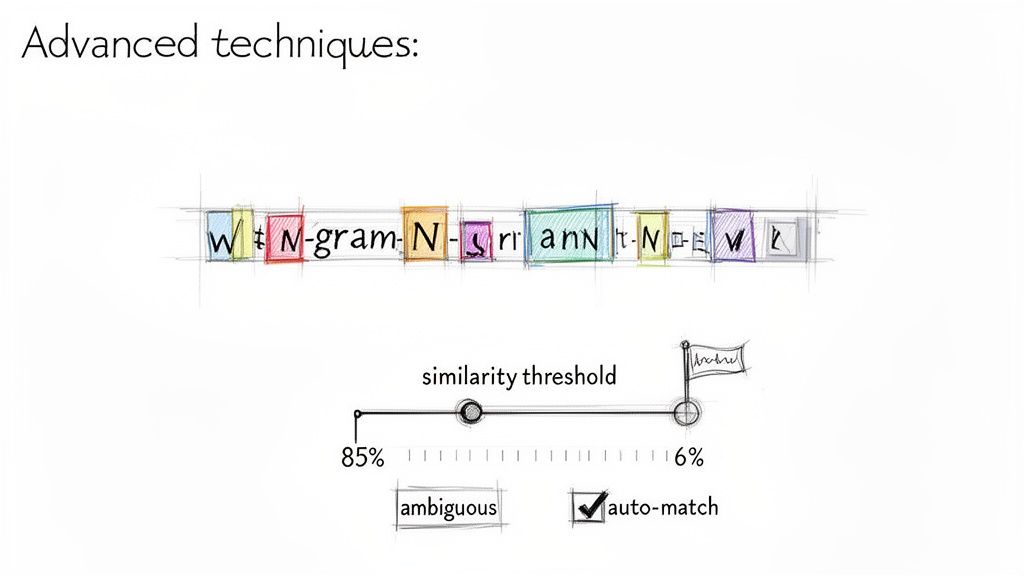
Another key to success is finding your similarity threshold. This is simply the score that tells the system, "If the match is this good, approve it automatically. If not, flag it for a human to check." A score of 100% means it's a perfect match, while a lower score allows for more wiggle room.
But be careful—it's a balancing act. Set the threshold too low (say, 70%), and you'll get false positives, like matching "ABC Company" to "XYZ Company." Set it too high (like 98%), and you might miss obvious matches like "Acme Corp" vs. "Acme Corporation."
A good starting point for many business use cases is a threshold of 85-90%. This range is often effective at catching common typos and abbreviations while filtering out truly incorrect matches.
The smartest systems, however, don't just use one threshold for everything. They adapt based on what they're looking at. For example:
- An invoice number is critical, so it might demand a 99% threshold. It has to be almost perfect.
- A vendor name can be a bit looser. An 88% threshold works well to catch abbreviations ("Corp." vs. "Corporation").
- A long product description might only need a 75% score to be considered relevant.
This adaptive approach gives you the best of both worlds: you get fast, hands-off automation for the definite matches and a safety net for the ambiguous ones. A person can then quickly review the handful of flagged items, achieving near-perfect accuracy without the mind-numbing work of checking everything by hand.
It’s one thing to talk about algorithms in theory, but it’s another to see how they actually make a difference in the real world. Fuzzy string matching isn't just a neat computer science trick; it's a tool that gives teams back hours of their day, slashes costly mistakes, and lets smart people focus on analyzing data instead of just cleaning it up. Let's look at how this plays out in a couple of common business scenarios.
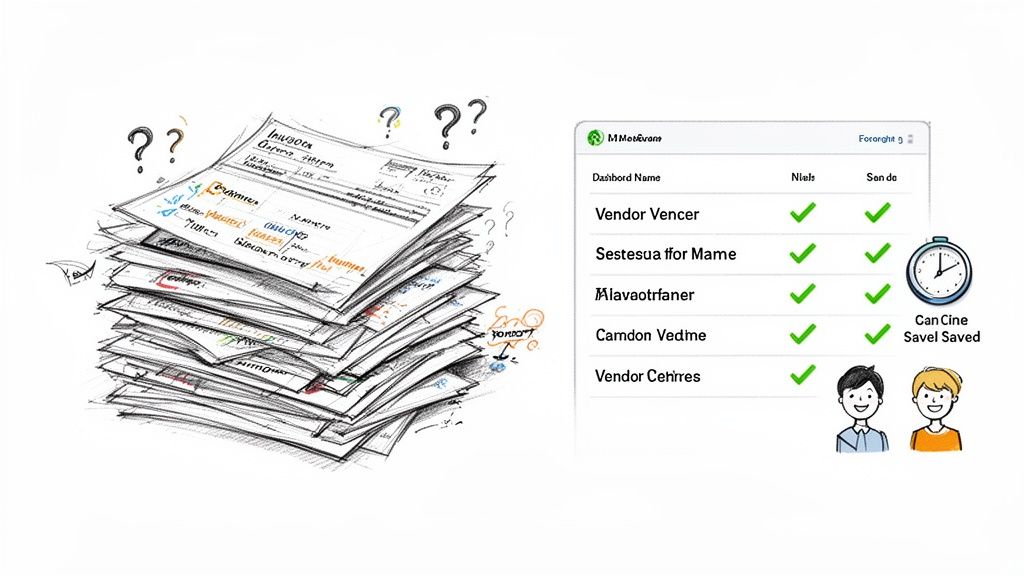
The impact here is huge. For many of the teams we see, adopting this approach frees up 10-20 hours per week. A task that everyone used to dread becomes a simple, automated process humming along in the background.
From Hours to Minutes in Accounting
Picture an accounting department drowning in hundreds of invoices every month. Before fuzzy matching, trying to reconcile vendor payments was a nightmare. A single supplier might show up as "ABC Corp," "ABC Corporation," and "A.B.C. Co." on different invoices. Someone had to manually spot these variations and lump them together.
This isn't just slow—it's a recipe for disaster. It's easy to make a mistake, leading to double payments or messed-up financial reports. But when you plug a fuzzy matching algorithm into a platform like DocParseMagic, the whole workflow changes. The system is smart enough to know those three names are the same vendor and groups them automatically.
A job that once killed an entire afternoon is now done in minutes. The system might flag a few tricky edge cases for a human to look at, but 95% of the work is handled without anyone lifting a finger.
This completely flips the script. Accountants stop being data janitors and start being strategists, using their expertise to find spending trends instead of fixing typos.
Bringing Clarity to Complex Insurance Policies
The insurance world has the same problem, but with a mountain of policy documents from different carriers. A brokerage might get statements where policyholder names, addresses, and other details are all over the place. "William Johnson" on one form is "Bill Johnson" on another. An address might be "123 Main St" or "123 Main Street, Apt 4B."
Trying to standardize all this by hand is a massive bottleneck that slows everything down. This is where fuzzy matching shines.
- Policyholder Names: It connects "Bill" to "William," recognizing they're the same person.
- Address Fields: It matches addresses even with abbreviations like "St" versus "Street" or when one is missing an apartment number.
- Carrier Names: It figures out that "State Farm Ins." and "State Farm Insurance Co." are the same entity, no manual correction needed.
This is a key part of what people now call Intelligent Document Processing, where software doesn't just see words but actually understands what they mean. The same kind of algorithmic thinking is even showing up in development tools, like an AI coding assistant that can interpret and write code.
By automating this data extraction, insurance brokers can get clients set up faster, handle claims more efficiently, and avoid compliance headaches. It turns a chaotic paper trail into a clean, searchable, and reliable set of data.
Frequently Asked Questions
As you start working with fuzzy matching, a few practical questions almost always come up. Let's walk through some of the most common ones we hear from people automating their document workflows.
How Is Fuzzy Matching Different From a Regular Search?
Think about using Ctrl+F on your computer. That’s a regular search, and it’s looking for an exact match. If you search for "Acme Inc.", it will find "Acme Inc." and nothing else. It completely misses variations like "Acme Incorporated."
Fuzzy matching is far more flexible. Instead of a simple yes/no, it calculates a similarity score between two strings. This allows it to see that "Acme Inc." and "Acme Incorporated" are highly similar, making it perfect for dealing with real-world data that’s full of typos, abbreviations, and inconsistencies.
What Similarity Score Is a Good Match?
This is the classic "it depends" question, but I can give you some solid starting points based on what we see every day. The right score is always a trade-off between catching every possible match and accidentally including wrong ones.
Here are some go-to thresholds:
- Critical Data (e.g., invoice numbers, account IDs): You'll want to be very strict here. Start with a high threshold of 95% or more to avoid any costly mix-ups.
- Variable Data (e.g., vendor names, addresses): An 80% to 85% threshold is often the sweet spot. It’s forgiving enough to handle common typos ("Invoce" vs. "Invoice") and abbreviations ("St." vs. "Street") without being too loose.
Many modern tools also use adaptive thresholds, where the score requirement changes depending on the field. This helps you get the best of both worlds—high accuracy and high automation.
The best advice I can give is to test and tune your threshold. Start high (say, 90%), review what gets missed, and slowly lower the score. You'll quickly find the right balance for your specific documents.
Does Fuzzy Matching Work With Different Languages?
Yes, but the algorithm you use really matters. The good news is that the most common methods are surprisingly language-agnostic.
Algorithms that measure edit distance, like the Levenshtein distance, work well across most alphabetic languages. They just count the character changes needed to get from one string to another, so they don't care about pronunciation or meaning.
On the other hand, phonetic algorithms like Soundex are a different story. They were built specifically around English pronunciation and don't translate well to other languages. If you're processing global documents, sticking with character-based methods like Levenshtein or N-gram models is your safest and most reliable bet.
Do I Need To Be a Developer To Use Fuzzy Matching?
Not anymore. In the past, you'd have needed a developer to implement these complex algorithms. Today, modern no-code platforms have put this power into everyone's hands.
These tools have the fuzzy string matching algorithm baked right into their user-friendly workflows. You can simply upload your invoices, policies, or other documents, and the platform handles all the heavy lifting behind the scenes. It turns messy, inconsistent text into clean, structured data you can actually use—no coding required.
Stop wasting hours on manual data entry and start automating your document workflows today. With DocParseMagic, you can turn messy files into clean, analysis-ready data in minutes. Try DocParseMagic for free and see how it works.