How to Forward Text Message to Email in 2026
A text sits on one employee’s phone. It contains a vendor quote, a payment confirmation, a policy update, or a client approval. Everyone agrees it matters. The problem is that it is trapped in a messaging app that is hard to search, hard to share, and easy to forget.
That is why teams look for ways to forward text message to email. At first, it sounds like a convenience feature. In practice, it is the first move in getting business communication into the systems where work happens.
The best setup depends on what you need. A personal archive needs one method. A shared operations inbox needs another. A workflow that turns incoming SMS into usable records needs a more deliberate design, because forwarding alone solves only part of the problem.
Why Forwarding Texts to Email Is a Smart Move
A lot of business communication still arrives by text because people read texts fast. A supplier sends a revised price. A customer confirms pickup. A broker shares a policy detail. An approver replies with a quick “go ahead.”
If that message stays on one phone, your process becomes fragile. The person with the phone becomes the system.
SMS messages achieve an average open rate of 98%, compared to email’s 15% to 28%, which is why high-priority communication so often lands in text first rather than inbox first, according to My AI Front Desk’s guide to SMS-to-mail forwarding. The practical takeaway is simple. Teams should not treat SMS as separate from official records.
Forwarding texts to email helps in three ways:
- It creates a searchable record. Messages stop living only inside one employee’s phone.
- It improves handoff. A shared inbox lets finance, operations, or procurement see the same information.
- It supports archiving. Email is still where many businesses retain, label, and route business communications.
This is the same logic behind systems that send other voice and message data into inboxes. If your team already uses something like Voicemail to Email, the value will feel familiar. You are moving important communications out of a closed app and into a place where the team can review and act on them.
Key takeaway: Forwarding SMS to email is not mainly about convenience. It is about taking fast-moving communication and placing it inside a business record.
A significant advantage emerges when someone asks later, “Where did we get that confirmation?” If the answer is “it was on my phone somewhere,” you do not have a process. You have a memory problem.
Choosing Your Ideal SMS Forwarding Method
Choosing the wrong forwarding method creates a familiar mess. A field rep emails one text manually, misses the next two, and the team still has to ask who has the original message. If SMS is becoming part of your operating record, the forwarding method needs to match the volume, the risk, and what happens after the message hits the inbox.
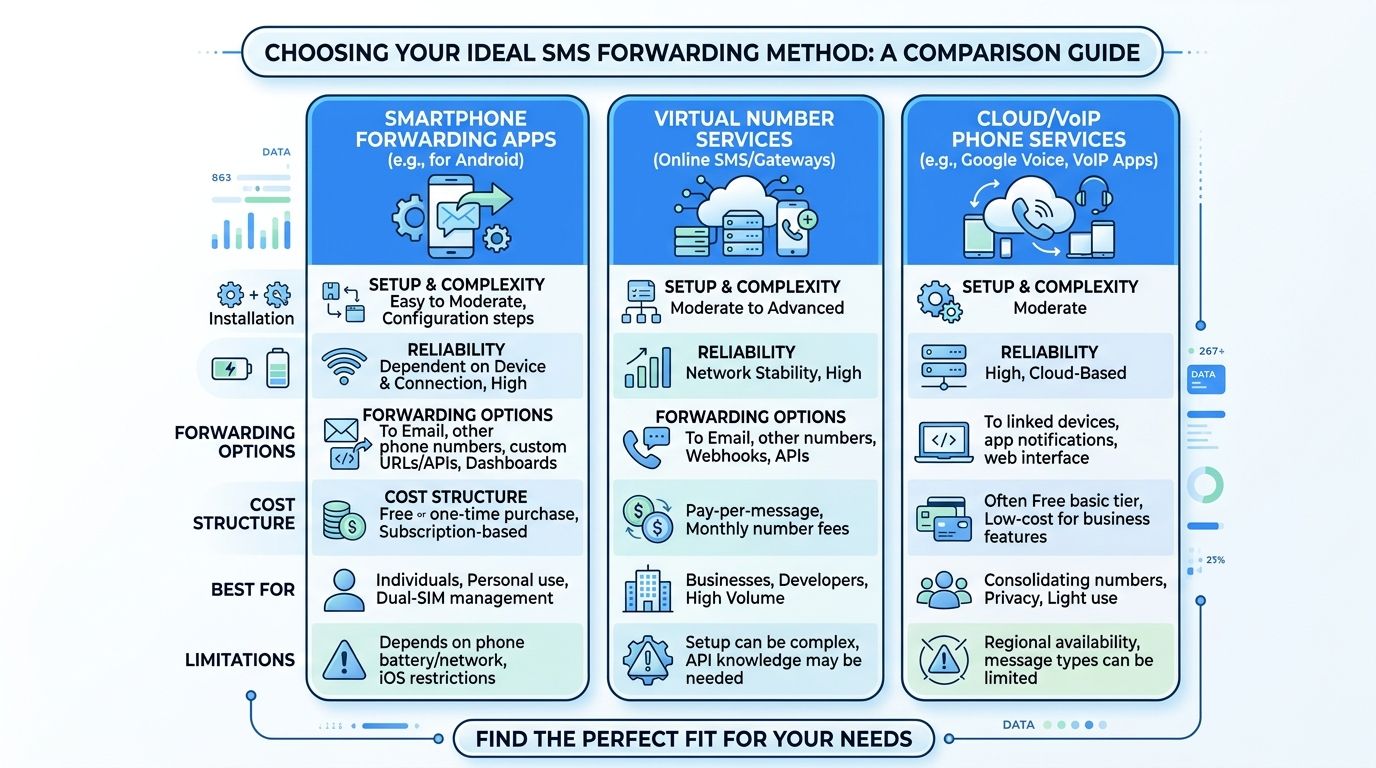
Four common approaches
The practical choice comes down to how much structure you need.
| Method | Setup Effort | Cost | Best For |
|---|---|---|---|
| Manual forwarding from phone | Low | Usually low or none | One-off messages, personal archiving |
| Device-native automation | Medium | Usually low | Individual users who want basic automatic routing |
| Carrier gateway | Medium | Usually low | Lightweight direct routing when supported and tested |
| Third-party automation tools | Medium to high | Varies by tool | Small business workflows, filtering, repeatable routing |
The biggest difference is not convenience. It is control. Some methods copy a message into email. Others let you filter, route, label, and prepare that message for the next step in a workflow. If you are building repeatable processes, it helps to understand how no-code automation connects tools and business rules.
What each method gets right
Manual forwarding is the right answer for low volume. It is fast, requires no setup, and works well when you need to preserve a single confirmation, delivery update, or customer reply. It fails once forwarding becomes routine, because people skip steps, mistype addresses, or forget to send the message at all.
Device-native automation fits individual users who want less manual work without introducing another platform. It keeps the process close to the phone, which some teams prefer for simplicity. The trade-off is limited control. You may get automatic delivery, but not much help with filtering, tagging, or sending different message types to different inboxes.
Carrier gateways offer a direct path in some cases. They can be useful for lightweight routing, especially if you are testing a simple setup. Reliability and formatting can vary by carrier, though, so this option needs real-world testing before you depend on it for approvals, order updates, or anything time-sensitive.
Third-party automation tools make sense when SMS is becoming operational input. That is the point where forwarding stops being a convenience feature and starts acting as intake. You can separate personal texts from business texts, route messages by keywords, send copies to shared inboxes, and create a cleaner handoff into the systems your team already uses.
Where teams usually choose poorly
A small business owner might start with manual forwarding because it works on day one. Then appointment confirmations, supplier updates, and customer replies all begin arriving by text. At that point, the primary problem is no longer delivery to email. It is that unstructured text is entering the business faster than anyone can sort it.
That is why the best method depends on what you want email to do next.
- Use manual forwarding for occasional archival or one-person recordkeeping.
- Use device automation when one person manages the process and the message volume stays predictable.
- Use carrier methods when you want a lightweight bridge and can accept some testing and variability.
- Use third-party automation when texts need to be filtered, shared, tracked, or prepared for downstream actions.
Practical rule: If your team forwards the same type of text more than a few times a week, treat it as a process, not a habit.
Forwarding alone does not solve the business problem. It only gets the message into a channel where you can search it, assign it, and build rules around it. Actual value starts when a raw SMS becomes structured information someone can act on.
Device and Carrier Methods for Forwarding Texts
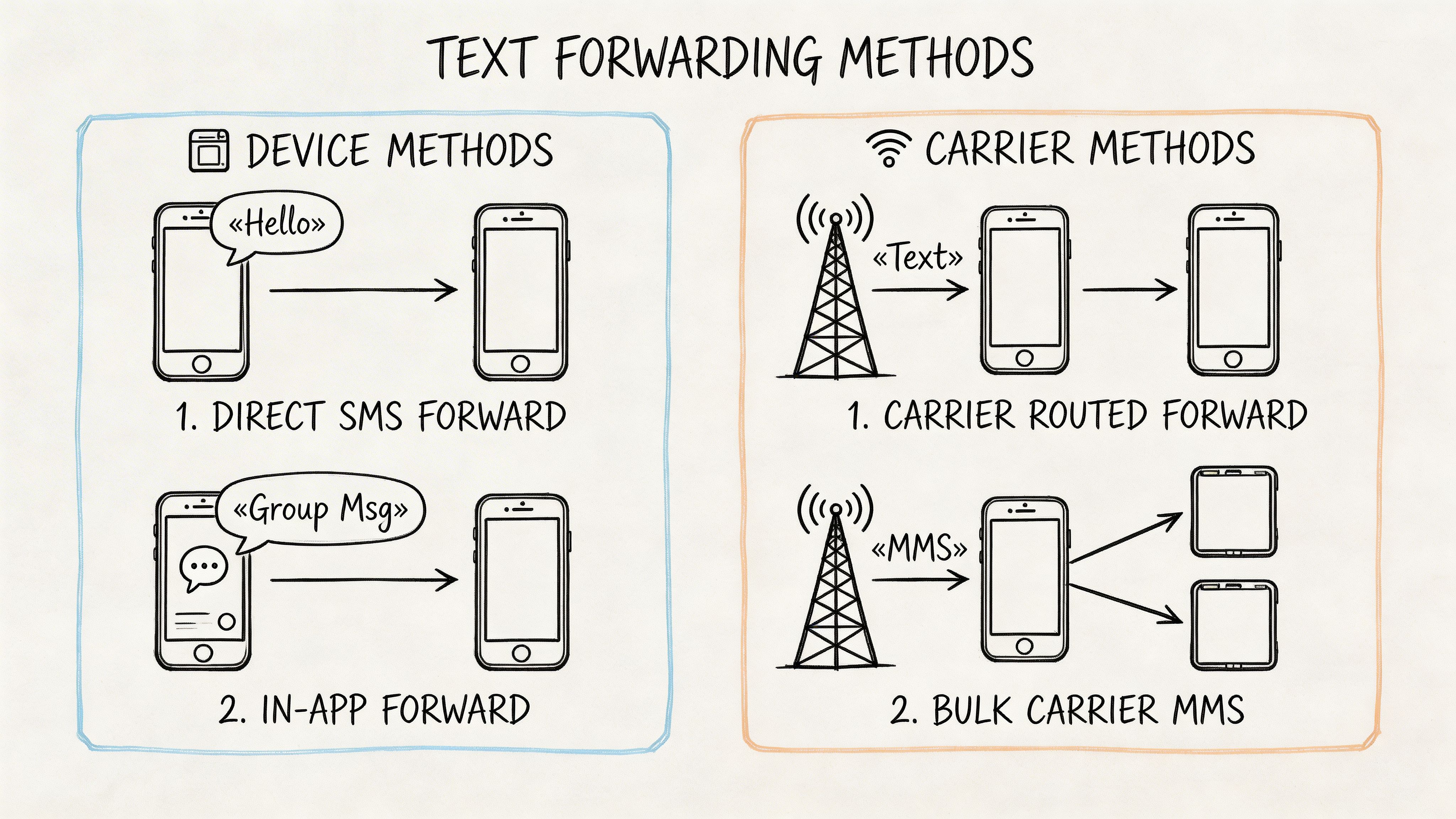
If you want the simplest path, start with the tools already on your phone and with your mobile carrier. These methods are best when the goal is quick delivery to an inbox, not a fully managed automation stack.
On iPhone
For one-off forwarding, iPhone is straightforward.
- Open the message thread in Messages.
- Press and hold the message you want.
- Choose the option to forward.
- Enter the email address as the destination.
- Send it.
This works well when someone needs to preserve one important text. It is not efficient when messages arrive throughout the day.
A more advanced option is to use Shortcuts for basic automation. This takes more setup and depends on how tightly you want to control the trigger. In practice, Shortcuts can help individual users reduce manual work, but it still needs testing against your exact messaging pattern.
On Android
Android usually offers a similar manual flow.
- Open the Messages app.
- Tap and hold the text.
- Select Forward.
- Enter the destination email.
- Send.
Android users have more flexibility with third-party forwarders, but for built-in handling, the manual route is the easiest place to start.
If your team also needs the reverse direction in some workflows, this guide on email to text message helps frame how the two channels interact.
Using carrier gateways
A carrier gateway lets you route messages through a carrier-specific email format. The common examples are Verizon: number@vtext.com, AT&T: number@txt.att.net, and T-Mobile: number@tmomail.net, as noted in Project Broadcast’s SMS statistics article.
This method can be useful when you need a direct bridge without installing another app. It is attractive for lightweight use cases and quick testing.
There are trade-offs, though. The same source notes that lookup tools can identify carriers with over 95% accuracy for major providers, but carrier spam filters can cause a 3% to 5% block rate, and peak-hour delivery delays of over 10 minutes affect about 15% of messages. That means carrier gateways are workable, not foolproof.
When device and carrier methods are enough
These methods fit when your needs look like this:
- Personal archive: You want a copy of certain texts in your email.
- Solo operator workflow: One person handles the communication and just needs backup records.
- Low message volume: You are not dealing with constant inbound operational texts.
When they start to fail
Problems show up when you need any of the following:
- Selective routing by keyword
- Shared inbox delivery
- Consistent handling across multiple phones
- Downstream processing after the email lands
Tip: Before adopting a carrier gateway for anything operational, send several test messages at different times of day and include both plain text and richer content. Many forwarding setups look fine in a quiet test and become unreliable under normal business use.
The built-in methods are good foundations. They are not strong process controls. If the message matters enough to trigger work, you usually need more than a simple forward.
Automating SMS Forwarding with Third-Party Apps
A field technician texts a payment confirmation. A customer replies with an order number. A supplier sends a delivery update after hours. If someone has to notice each message, forward it by hand, and decide where it belongs, the phone stays in the middle of the process.
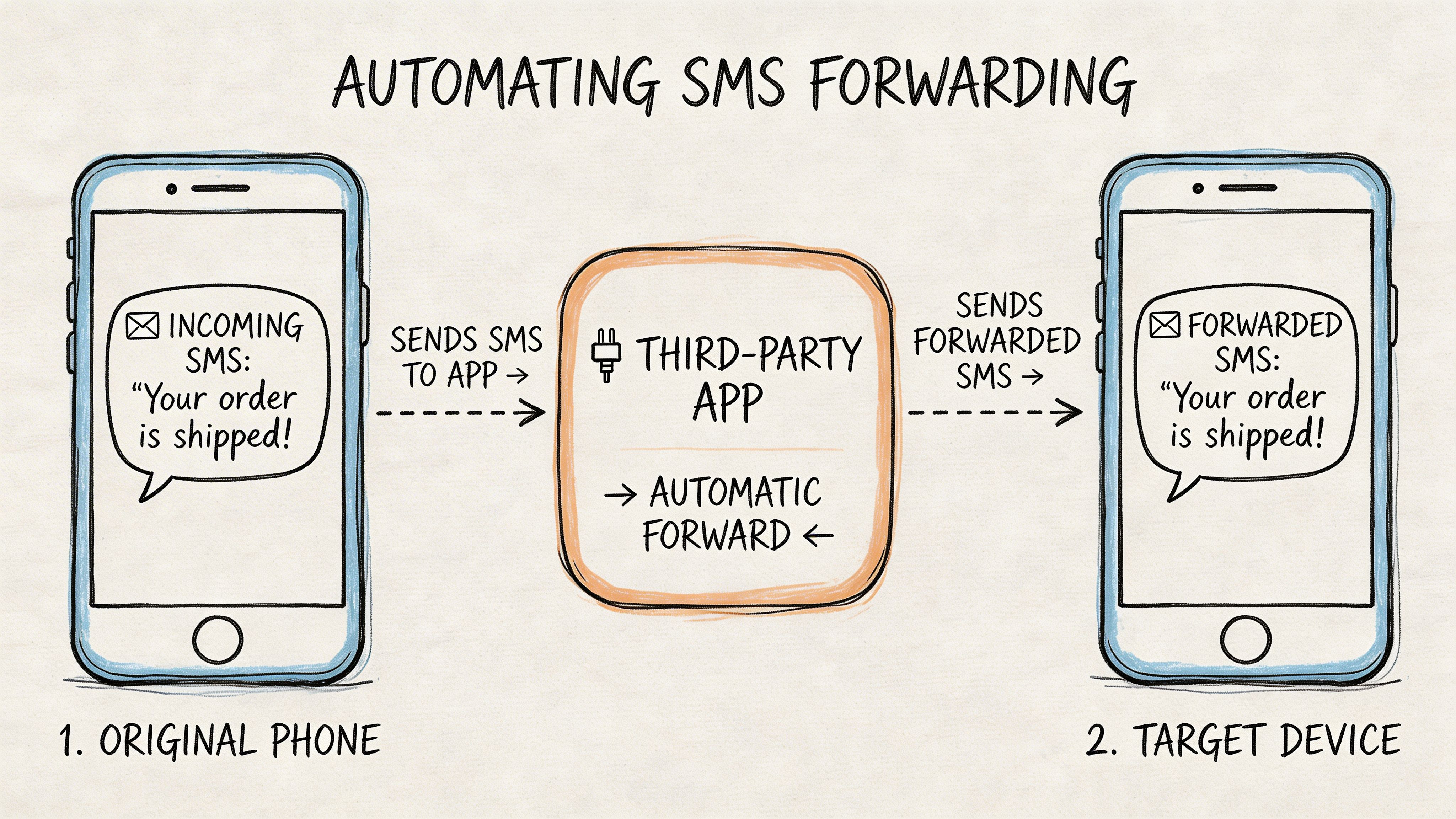
Third-party apps solve that bottleneck by turning forwarding into rule-based intake. The practical benefit is not just convenience. It is control over which messages enter your workflow, where they go, and what happens after they arrive.
What these tools solve
Phone-native forwarding is fine for occasional use. It starts to break down when texts need to feed a repeatable process.
Third-party tools usually add three capabilities that matter in operations:
- Selective routing: Forward only messages from specific numbers, contacts, or keywords.
- Consistent handling: Apply the same logic across devices instead of relying on one person’s phone habits.
- Workflow readiness: Send messages into a mailbox or automation path that can be monitored, triaged, and processed.
That is a significant step up. You stop treating SMS as a one-off conversation and start treating it as inbound business data. If your team is evaluating the wider category of text message automation, forwarding rules are often the simplest starting point.
Common tool categories
The right tool depends on how far the workflow needs to go after the text leaves the phone.
Dedicated SMS forwarding apps
These apps focus on capture and routing. They are usually the fastest option for Android users who need persistent forwarding with basic filtering.
Useful features often include:
- Sender-based rules
- Keyword filters
- Multiple email destinations
- Background forwarding with minimal manual input
This category fits small teams that need reliability and speed more than customization.
IFTTT
IFTTT works for lightweight automations with simple trigger-and-action logic. It is a reasonable choice for a solo operator, a small office, or a proof of concept where one message type needs to reach one inbox.
Use it when the rule is simple and the downstream action is simple too.
Zapier and similar workflow tools
Zapier makes more sense when forwarding is only the first step. An SMS can be emailed, labeled, copied into a spreadsheet, turned into a task, or passed into another system for parsing and follow-up. If you are deciding between automation builders, this comparison of Zapier vs n8n for workflow automation is useful.
This is also where trade-offs become clearer. Zapier is easier for many business users to configure. More flexible tools can reduce cost or give you tighter control, but they usually ask for more setup and maintenance.
How to set it up well
Start with one message class that already causes manual work.
Good candidates include payment confirmations, dispatch updates, appointment changes, or supplier texts with order references. Route only that category to a dedicated inbox. Keep it separate from personal mail and general support traffic.
A setup process that holds up in practice looks like this:
- Choose one high-value message type.
- Build one rule using sender, keyword, or both.
- Send those texts to a dedicated email address.
- Test edge cases such as abbreviations, typo variants, and messages from unknown numbers.
- Review misses and false positives before adding more rules.
Tip: Broad rules create cleanup work fast. If every operational text, personal reply, alert, and promo lands in the same mailbox, no one trusts the inbox enough to use it.
What works and what does not
What works:
- Rules tied to a specific business event
- A dedicated destination inbox for forwarded SMS
- Periodic review of missed messages and bad matches
- Simple naming conventions so downstream automations can identify the source
What does not:
- Forwarding all texts just to “capture everything”
- Mixing personal and business SMS in one mailbox
- Assuming the forwarded email will always preserve sender context cleanly
- Adding too many conditions before the first rule has proven reliable
For many small and mid-sized teams, third-party forwarding apps are the practical middle layer. They do more than built-in phone tools, but they do not require a full communications platform on day one. Set them up with narrow rules, a dedicated inbox, and a clear business purpose, and they become the intake layer for structured automation instead of just another copy of the message.
Building Business Workflows from Forwarded Texts
Forwarding is useful. On its own, it is incomplete.
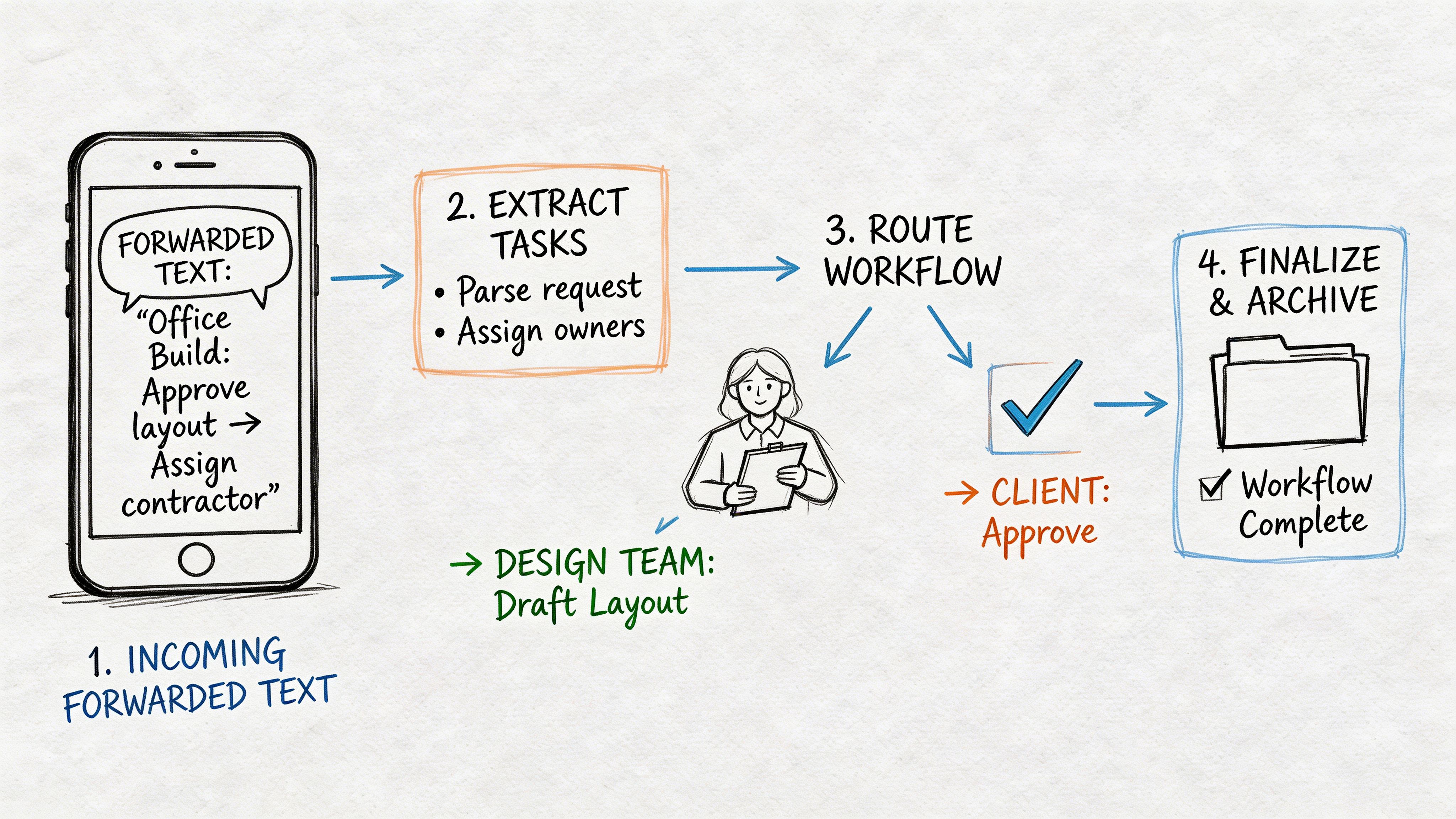
The hidden problem is data fragmentation. Forwarded texts typically arrive as plain email body text, which makes them hard to classify, extract, and reconcile in volume. That challenge is highlighted in this discussion of SMS forwarding and extraction gaps, especially for teams trying to pull details like invoice numbers or policy information from a growing stream of messages.
Where the effective workflow begins
Think about a few common scenarios.
A manufacturer’s rep receives commission details by text. A procurement manager gets supplier quotes by SMS. An accounting clerk receives payment confirmations from customers or field staff.
If those messages are forwarded into a normal inbox, the team still has to read them, copy the details, and re-enter the information into a spreadsheet or line-of-business system. The phone is no longer the bottleneck. The inbox becomes the bottleneck.
A better operating model
The stronger model looks like this:
- Capture the SMS
- Forward it to a dedicated inbox
- Extract the useful fields
- Push the structured result into the team’s working file or system
This is why a lot of teams should view forwarding as a capture layer, not the final destination.
For readers thinking about broader operational design, this guide to text message automation is useful background on how SMS fits into larger business workflows.
What to extract from forwarded texts
The exact fields depend on the business process, but teams usually care about items such as:
- Reference identifiers: invoice numbers, policy numbers, quote IDs
- Dates: approval dates, payment dates, effective dates
- Amounts and terms: premiums, totals, pricing notes, quote conditions
- Sender context: vendor, rep, client, or carrier identity as captured in the forwarded content
Key takeaway: A forwarded text becomes valuable when someone can sort, filter, compare, or reconcile it without reading every message manually.
The trade-off most guides skip
Basic forwarding gives you preservation. It does not give you structure.
That distinction matters in finance, insurance, procurement, and operations because work usually happens after the message arrives. Someone still has to compare values, reconcile records, follow up on exceptions, and maintain a usable archive.
If your team forwards texts regularly and still spends time retyping details into spreadsheets, your process is only half-built.
Security Considerations and Troubleshooting Tips
Forwarding SMS to email feels harmless until sensitive content starts moving through the same path. That is where teams need to slow down.
Consumer-focused forwarding tools do not provide enterprise features such as timestamp verification or sender authentication, which creates audit and compliance gaps for regulated industries, as explained in AutoForward Text’s discussion of SMS forwarding limitations. For finance and insurance teams, a forwarded email may not be enough to stand up as a complete audit trail.
What to protect
Some messages should not be forwarded broadly at all.
- One-time passcodes: These create obvious security exposure.
- Sensitive financial details: Route carefully and only to approved inboxes.
- Personal conversations: Exclude them with filters instead of relying on manual judgment later.
Common forwarding problems
Most issues fall into a few buckets.
MMS fails or looks broken
Pictures, videos, and long mixed-format messages are more fragile than plain SMS. If multimedia matters to the process, test those messages specifically.
Spam filtering blocks delivery
A forwarding rule can work perfectly on the phone side and still fail at the inbox side. Check junk folders and test with the exact destination mailbox your team will use.
The rule triggers too often or not at all
This is a filter design problem. Broad keywords create noise. Narrow keywords miss valid messages.
Tip: Build rules around stable business language, such as known approval phrases or standard confirmation wording, rather than vague common words.
A safer operating approach
Use separate destinations for sensitive and non-sensitive traffic. Keep forwarding rules narrow. Review exceptions manually. And if your industry depends on defensible records, do not assume a consumer auto-forwarder gives you the compliance trail you need.
If your team already forwards text messages into email but still has to copy invoice numbers, payment details, policy terms, or quote data by hand, DocParseMagic helps close that gap. It turns messy forwarded content and other business documents into structured spreadsheets your team can use, so forwarding becomes the start of an automated workflow instead of another inbox chore.