Extract Financial Data from PDF: A Complete Guide (2026)
Quarter-end is closing in, and the PDFs keep coming. Supplier invoices, bank statements, commission reports, lender packages, policy schedules. Someone on the team is still copying numbers from page to page into Excel, checking totals by eye, and hoping nothing slips through before reconciliation.
That workflow breaks long before finance leaders admit it does. It slows reporting, hides exceptions inside footnotes and tables, and turns skilled staff into data entry operators. If you're trying to extract financial data from pdf files reliably, the actual challenge isn't just pulling text off a page. It's building a workflow that starts with messy documents and ends with data your team can trust.
Beyond Manual Data Entry
A typical finance bottleneck looks ordinary at first. A shared inbox fills up with PDFs. One analyst opens each file, finds the invoice number, vendor name, dates, totals, tax, and line items, then pastes everything into a workbook. Another person reviews the sheet later because everyone knows manual entry drifts, especially when deadlines tighten.

That process feels safe because it's familiar. It isn't scalable. Financial data extraction technology has evolved from manual, labor-intensive processes to AI-powered automation capable of processing thousands of pages in minutes, using OCR, NLP, and machine learning to identify key fields in financial documents, as described by InferIQ's overview of financial data extraction software.
The shift matters because finance work rarely ends with the first spreadsheet. Teams often need to move extracted values into downstream formats, bank workflows, and reporting tools. If your process eventually feeds payment operations, it also helps to know how teams convert Excel to SEPA XML once validated finance data is ready for bank submission.
What manual work gets wrong
Manual entry doesn't only consume time. It creates fragile handoffs.
- Headers get misread: totals from one section get copied into another because similar values sit close together.
- Line items get skipped: long tables invite omissions, especially across multi-page PDFs.
- Review becomes reactive: errors surface during reconciliation, not at the moment of entry.
- Knowledge stays tribal: one power user knows where the right figure lives in each vendor's layout.
Many teams don't realize how much of this burden comes from the document itself. Native PDFs behave differently from scanned statements, and mixed-quality files create constant friction. That's why a lot of finance teams start by addressing the root problem in their manual data entry workflow.
Practical rule: If a skilled finance analyst spends most of the day transcribing instead of reviewing, the process is already overdue for automation.
What a better workflow looks like
A modern extraction process doesn't just read text. It identifies regions such as headers, tables, footnotes, and annotations, then structures the data for analysis or system import. That changes the job from "copy everything" to "review the exceptions."
The biggest improvement isn't speed alone. It's control. Once the workflow is structured, teams can standardize what gets extracted, how it gets validated, and where it goes next. That's the difference between a one-off document tool and an operating process finance can rely on every month.
Preparing Your PDFs for Accurate Extraction
Bad inputs create bad outputs. Most extraction failures happen before the tool even starts reading the file.
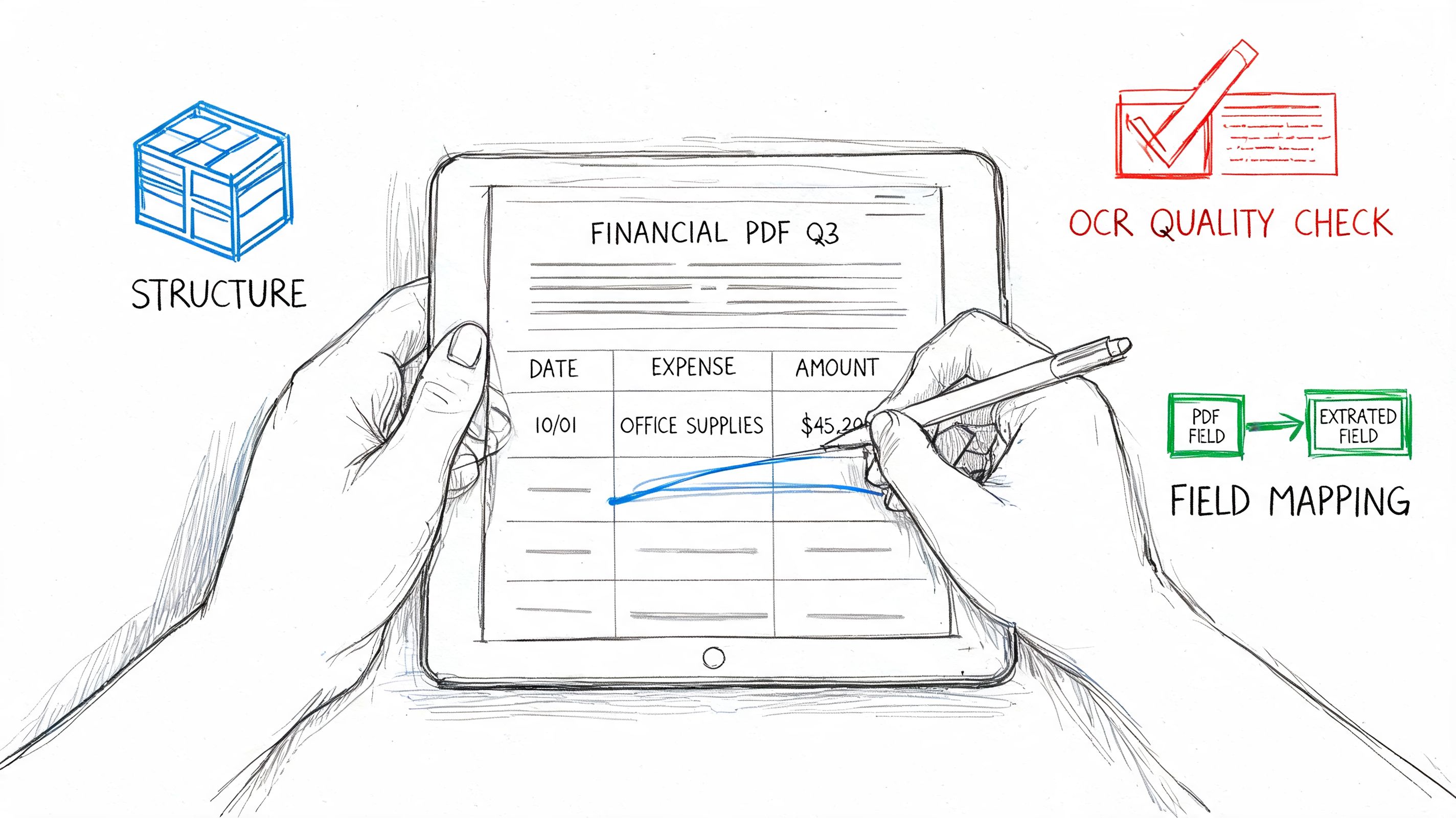
The first distinction to make is simple. Some PDFs are native. They were generated digitally and usually contain selectable text. Others are scanned. They are image-based, often crooked, low-contrast, or marked up by hand. You can extract from both, but scanned files need more care.
Start with document triage
Before you automate anything, sort your incoming files into a few practical groups:
-
Native PDFs with clear text These are the easiest to process. Tables and labels are usually recoverable without much cleanup.
-
Scanned PDFs These need OCR. Quality matters more than teams expect. If the scan is skewed or noisy, fields drift and tables break.
-
Mixed document packs These often contain statements, appendices, forms, and supporting pages bundled together. Separate them if different extraction rules apply.
-
Multilingual files These deserve their own lane. A major gap in most tutorials is handling multilingual financial PDFs. For global teams, 60% of international invoices contain non-English text, and standard tools can show 30-50% accuracy drops on non-Latin scripts while misreading locale-specific formats such as DD/MM/YYYY, according to the Rutgers analysis on generative tech for extracting financial data.
If your team handles image-heavy files regularly, it helps to understand the basics of extracting data from scanned documents before choosing a workflow.
Clean the page before you read it
OCR performs better when the page is stable and legible. In practice, that means doing a few unglamorous fixes first.
- Deskew pages: Straighten tilted scans so text lines and table rows align properly.
- Remove noise: Speckles, shadows, and copier marks can confuse character recognition.
- Increase contrast: Faded totals and grey gridlines often disappear unless the image is enhanced.
- Split pages when needed: Multi-document PDFs should be separated if one file contains several statements or invoices.
- Detect text layer vs image layer: A native PDF with embedded text should be handled differently from a pure scan.
A clean scan doesn't guarantee good extraction, but a poor scan almost guarantees review work later.
A short walkthrough helps if your team is visual and non-technical:
Standardize formats before export
Finance teams working across regions run into predictable issues. Dates appear in different orders. Decimal separators change. Currency symbols may sit before or after the amount. Entity names include accents or local abbreviations.
A simple prep checklist prevents many downstream headaches:
| Problem area | What to normalize |
|---|---|
| Dates | Pick one output standard for all documents |
| Currency | Map symbols and codes into a consistent format |
| Number style | Normalize decimal and thousands separators |
| Entity names | Standardize vendor and customer naming |
| Reporting periods | Align month, quarter, and fiscal labels |
If you skip this step, the extraction may look successful while the exported dataset remains hard to reconcile. Finance teams usually feel that pain later, when filters, pivots, or imports start breaking for reasons that look random but aren't.
Understanding Core Extraction Techniques
Most finance teams don't need to become machine learning specialists. They do need to understand enough to separate a serious extraction workflow from a flashy demo.
At a practical level, three technologies do most of the work. OCR reads characters from images or scanned pages. NLP interprets context, so the system can tell the difference between a subtotal, a due amount, and a historical figure in a footnote. Machine learning helps the system recognize patterns across varied layouts instead of depending on a rigid page map.
OCR reads, NLP interprets, ML adapts
Think of OCR as the eyes. It turns visible text into machine-readable text. That matters for bank statements, scanned invoices, and policy documents where the data begins as an image.
NLP is the part that understands what the text means in context. If a page contains several dates, NLP helps identify which one is the invoice date, which one is the payment date, and which one belongs to the service period.
Machine learning handles variability. When one supplier moves the total from the upper right corner to the bottom of page two, a template-only system often fails. A model trained to recognize document patterns has a better chance of still finding the correct field.
Why template-free extraction matters
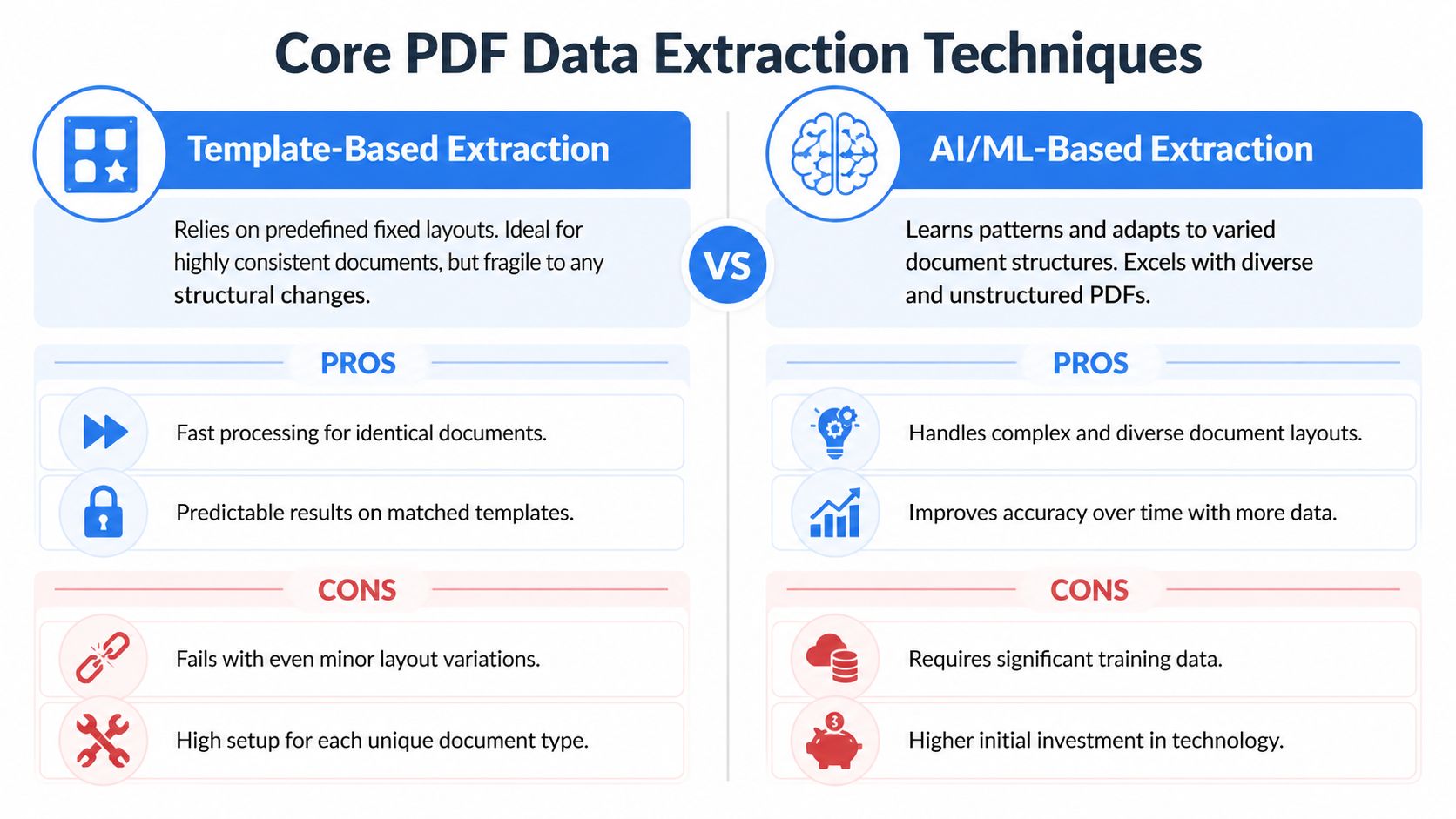
Older extraction setups relied on templates. They worked well when every document looked almost identical. They fell apart when vendors changed layout, inserted marketing banners, added a second address block, or split totals across multiple columns.
Template-free extraction is more forgiving because it uses context, not just position. That's a major reason modern systems handle unstructured PDFs better.
| Approach | Works well when | Breaks when |
|---|---|---|
| Template-based | Layouts stay fixed | A supplier changes format |
| Template-free AI extraction | Documents vary by source or period | Inputs are extremely poor quality without cleanup |
Often, finance teams choose the wrong tool. A basic parser that looks fine in a product demo may work on five sample invoices, then create steady cleanup work once real variation shows up.
What strong extraction pipelines actually do
The strongest workflows don't jump straight to field output. They process documents in stages. In the PDF extraction methodology described by Nerdbot's review of large-scale PDF extraction, AI-powered OCR combined with machine learning and NLP can achieve 95-99% accuracy on structured fields like invoice totals, with preprocessing, template-free extraction, and automated validation reducing error rates to under 5%.
That matters because accurate extraction isn't one feature. It's a sequence:
-
Preprocessing improves readability Deskewing, denoising, contrast enhancement, and page handling raise OCR quality before field detection begins.
-
Contextual extraction finds the right data The system doesn't just read every number. It decides which values correspond to totals, liabilities, balances, or line items.
-
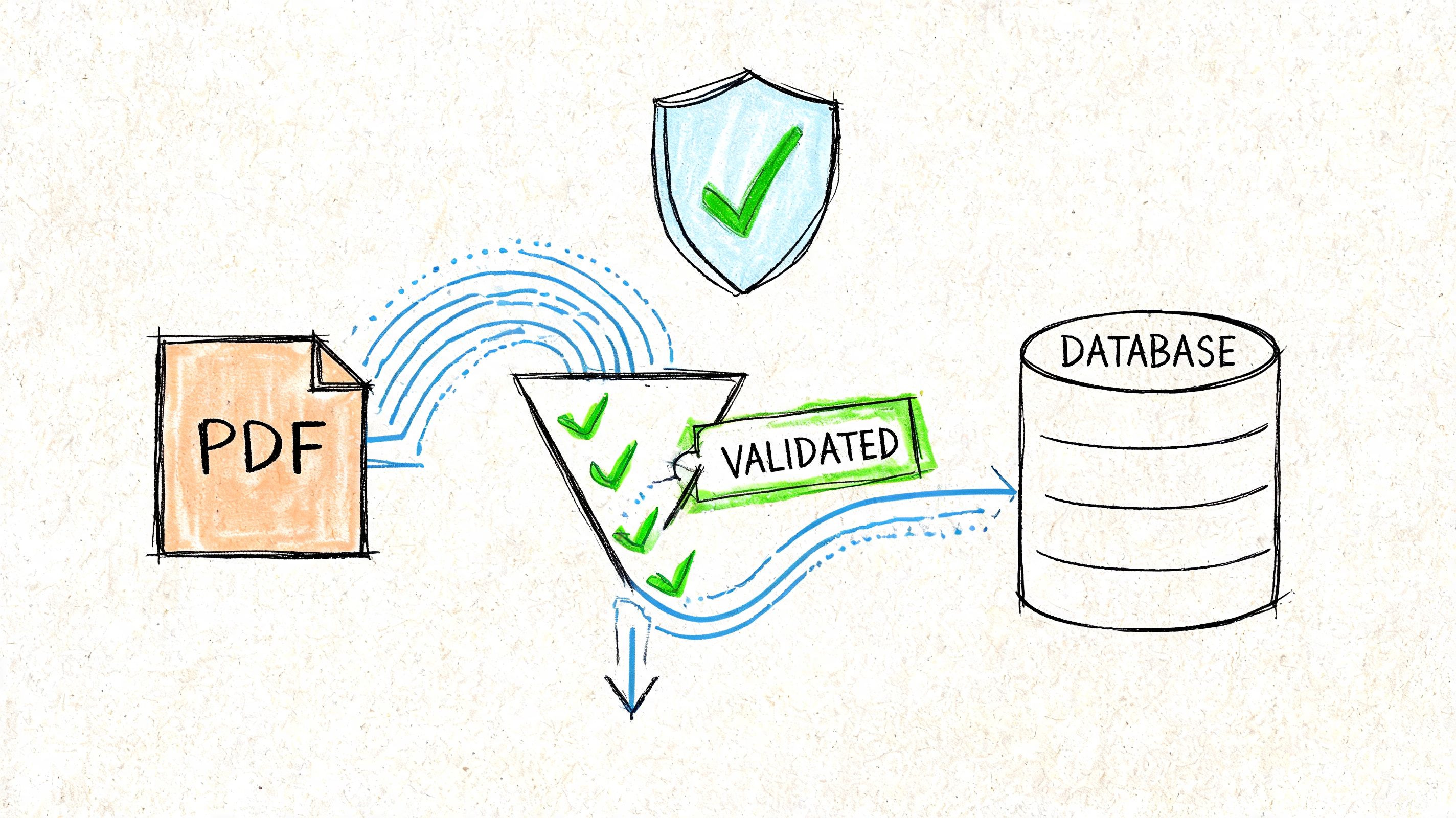
Validation catches obvious inconsistencies Totals can be compared against line-item sums. Missing fields can be flagged. Output can be mapped into a target schema.
Working advice: If a tool only shows a nice extraction screen but doesn't explain how it validates totals, you're looking at half a workflow.
Where tools still struggle
Even good AI extraction has weak spots. Low-quality scans remain a problem. Dense tables with merged cells still create ambiguity. Multilingual layouts, handwritten notes, and footnotes can all reduce reliability.
This is also where tool selection gets practical. Adobe Acrobat supports document extraction and downstream integration for common finance use cases. DocParseMagic is another no-code option used to turn invoices, statements, and mixed business files into structured tables without template setup. Python libraries can work too, but they usually demand more technical maintenance than non-technical finance teams want to own.
The right question isn't "Can this tool read a PDF?" Most can. The key question is whether it can keep working when the document pack gets messy.
Automating Validation and Ensuring Data Integrity
Extraction without validation is a liability. A spreadsheet full of wrong values is harder to spot than a PDF that hasn't been processed yet.
Finance teams know this instinctively, which is why trust becomes the adoption barrier. 70% of accounting teams cite trust in extracted data as their top barrier, and 25% of finance managers want traceability such as linking extracted totals back to PDF coordinates, according to Heron Data's write-up on financial data extraction software.
What validation should check automatically
Good validation rules are boring in the best way. They catch predictable mistakes before a human reviewer has to hunt for them.
- Arithmetic checks: confirm that line items add up to the total.
- Required field checks: flag records missing invoice number, statement date, or account identifier.
- Format checks: ensure dates, currency values, and IDs follow the expected output structure.
- Cross-field logic: compare due dates with invoice dates, or verify that balances flow logically across statement sections.
These checks are straightforward, but they turn extraction into usable finance data. Without them, the team still has to inspect everything manually.
Traceability matters more than confidence scores alone
Many tools show a confidence indicator. That's helpful, but it isn't enough for audit-sensitive work. Reviewers need to see where the number came from on the page and why the system labeled it the way it did.
That is especially important when statements contain near-duplicate values. A premium, tax, and total due might all appear in the same visual region. Without traceability, reviewers can't resolve disputes quickly.
A practical quality workflow usually includes:
-
Field-level provenance Link extracted values back to their document location.
-
Exception queues Send uncertain or inconsistent records to review instead of forcing straight-through processing.
-
Reviewer decisions Capture corrections so the process becomes repeatable and auditable.
-
Name matching controls Variants in vendor or customer names should be reconciled systematically. Techniques like fuzzy string matching algorithms are useful when source documents aren't consistent.
Don't ask reviewers to trust an extracted total they can't trace back to the original page.
Why human review stays in the loop
Finance teams sometimes hear "automation" and assume the target is zero-touch processing. That isn't realistic for every document class, especially in regulated workflows.
Human review belongs at the end of the pipeline, not because the system failed, but because accountability still sits with the finance function. Reviewers should handle exceptions, edge cases, and policy checks. They shouldn't spend their time retyping clean fields from clean documents.
That's the practical middle ground. Automation handles the repetitive work. People handle judgment, approvals, and outliers. When teams adopt that model, validation stops feeling like a tax and starts functioning as a control layer.
Real-World Financial Data Workflows
The value of extraction shows up when it fits the work people already do. The mechanics differ by team, but the pattern is consistent. A messy document arrives, someone needs specific fields, and the downstream system expects clean structure.
Accounting and accounts payable
An accounts payable team usually starts with invoices from many suppliers. Before automation, staff scan each PDF for invoice number, vendor name, PO number, line items, tax, subtotal, and grand total. Multi-page invoices slow everything down because the summary amount may be on one page and the detail on another.
After automation, the workflow changes shape. The team uploads recurring invoices in batches, reviews exceptions, and exports a table ready for posting or review. Adobe notes that organizations can batch-process recurring statements monthly, significantly reducing processing time, and send extracted data into tools such as QuickBooks or ERP systems through integrations in its guide to extracting financial data from PDFs.
The practical benefit isn't just less typing. It becomes easier to compare invoice totals against purchase orders, isolate missing fields, and spot duplicate submissions before approval.
Insurance operations
Insurance teams often work with declarations pages, schedules, premium summaries, and broker submissions. The hard part isn't merely finding a number. It's distinguishing between policy period dates, coverage limits, deductibles, named insured entities, and premium amounts that may appear in several places.
Before automation, assistants and analysts often create summary sheets manually for underwriting, servicing, or renewal review. After automation, those same documents can be turned into structured rows that make comparison possible across carriers, renewal cycles, or policy versions.
That shift matters for any document-heavy organization outside mainstream corporate finance too. Teams looking beyond the private sector can also explore AI for nonprofit financial tools when they're dealing with grant reporting, restricted funds, and finance operations that carry similar document burdens.
Procurement and sourcing
Procurement teams receive vendor proposals in wildly different formats. One supplier uses a clean table. Another buries pricing in paragraph text. A third attaches scanned terms with handwritten markups.
Manual comparison takes patience because someone has to normalize pricing, terms, delivery dates, and conditions into a common sheet before stakeholders can evaluate options. Once extraction is in place, those fields can be pulled into a side-by-side comparison table.
Procurement teams don't need more PDFs. They need comparable rows.
The workflow becomes more useful when line items and commercial terms are separated cleanly. Then the sourcing manager can compare suppliers without spending half the week assembling the sheet.
Lending and underwriting
Loan processors and underwriters deal with statements, income documents, supporting schedules, and identity-related paperwork. The challenge is consistency. One borrower submits native PDFs. Another sends phone scans. A third uploads a single combined file with statements, pay stubs, and handwritten notes.
Before automation, reviewers search each document for balances, deposits, recurring obligations, employer names, and reporting periods. After automation, the process becomes triage plus review. Clean records move forward. Exceptions get escalated.
The same pattern works in commission operations, construction billing, and manufacturers' rep reporting. The fields differ, but the operating model doesn't. Extract the right data, validate it, then move people to the decisions that require judgment.
Exporting and Integrating Your Clean Data
The last mile is where many projects stall. Teams successfully extract fields, validate them, and then dump everything into another manual step. That's wasted effort.
A good export strategy depends on how often the process repeats and where the data needs to go next.
Use Excel and CSV for one-off or analyst-led work
If you're processing a historic backlog, running an audit project, or building a monthly comparison sheet, a flat export is often enough. Excel and CSV are still the fastest way to hand clean data to finance users who want to filter, pivot, annotate, and share.
That works well when the next step is human analysis. It also gives teams a simple proof of value before they commit to a more automated integration model.
Use APIs and webhooks for recurring workflows
If documents arrive continuously, manual export will become the new bottleneck. That's when APIs and webhooks matter.
A recurring integration usually looks like this:
-
Documents enter the extraction queue Upload through email intake, a folder process, or a business app.
-
Validated data maps to a target schema Fields are aligned to your accounting system, ERP, database, or BI model.
-
The system pushes data automatically Approved records move into the destination without rekeying.
-
Exceptions stay behind for review Only trusted outputs move downstream.
This approach is useful when extracted information needs to feed procurement systems, finance dashboards, operational databases, or commerce platforms. For example, teams connecting finance or order data into marketplace operations may care about an Amazon SP API integration when building broader automated workflows across systems.
Choose the integration level that fits the process
Not every team needs a full system integration on day one. A simple rule helps:
| Situation | Best next step |
|---|---|
| One-time cleanup project | Export to Excel or CSV |
| Monthly reporting pack | Standardized spreadsheet export with review |
| High-volume recurring intake | API or webhook integration |
| Multi-team operational workflow | Direct sync into ERP, accounting, or database tools |
The key is to avoid rebuilding manual work at the finish line. If your team still copies validated output from one system into another, the workflow isn't complete yet.
If you're ready to stop retyping invoices, statements, and financial schedules, DocParseMagic is a practical way to turn messy PDFs, scans, and business documents into structured spreadsheets your team can review and use immediately. It fits the workflow described here: upload files, extract the fields that matter, validate the output, and move clean data into the next step without template setup or custom code.