Document Capture Software: A Practical Guide for 2026
If your team still receives invoices by email, statements as PDFs, photos from phones, and the occasional paper form from a branch office, you probably already know the problem. The hard part isn’t getting the document. The hard part is getting the right data out of it without asking someone to read, copy, check, and recheck every field by hand.
That’s where document capture software becomes useful. Not as another scanning tool. Not as a flashy AI project. As a practical way to turn document-heavy work into structured, usable data that your accounting, procurement, insurance, or operations team can work with.
Beyond the Scanner What Is Document Capture Software
A lot of managers hear “document capture” and think “scanner.” That’s too narrow.
A scanner makes a digital picture of a page. Document capture software takes the next steps. It reads the page, identifies what kind of document it is, pulls out the fields that matter, and sends that information where it belongs. A better mental model is a smart digital mailroom assistant.
That assistant doesn’t just open the envelope. It also knows whether the contents are an invoice, a claim, a vendor quote, or a bank statement. Then it grabs the useful details and files them correctly.
What makes it different from basic OCR
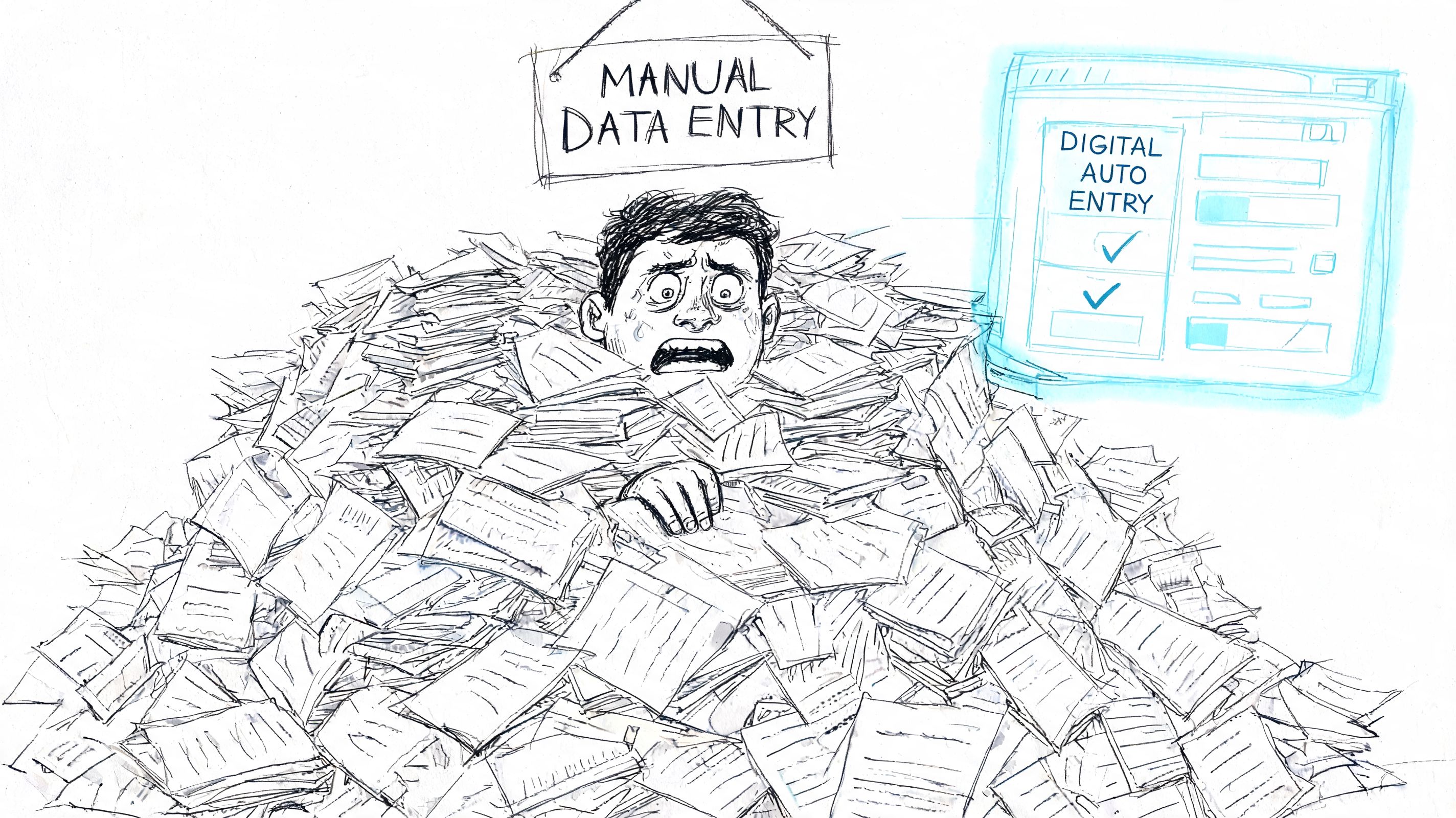
Basic OCR is like a student who can read words out loud but doesn’t understand the assignment. It can convert an image into text, but it often can’t tell which number is the invoice total, which date is the due date, or which table contains line items.
Document capture software adds context. It can separate header fields from tables, match labels to values, and organize the result into rows and columns your systems can use.
That difference matters in finance and operations because most document work isn’t about reading every word. It’s about extracting the right fields accurately and consistently.
Practical rule: If your staff still has to open each file and decide where the important data lives, you’re not solving the real bottleneck. You’re just digitizing it.
Why it matters more now
The category has moved well beyond niche software. The document capture software market was valued at USD 18.33 billion in 2023 and is projected to reach USD 39.59 billion by 2032, growing at a CAGR of 8.99%, according to SNS Insider’s document capture software market report.
That kind of growth reflects a basic business reality. Companies are under pressure to process more documents, with less manual effort, across more channels.
If you want a second perspective on how teams use this in day-to-day operations, Orbit AI published a helpful guide to document capture for growth teams that connects capture workflows to business process improvement. For a related look at the broader tooling environment, this overview of data capture solutions is also useful.
The Core Technology How It Turns Mess into Data
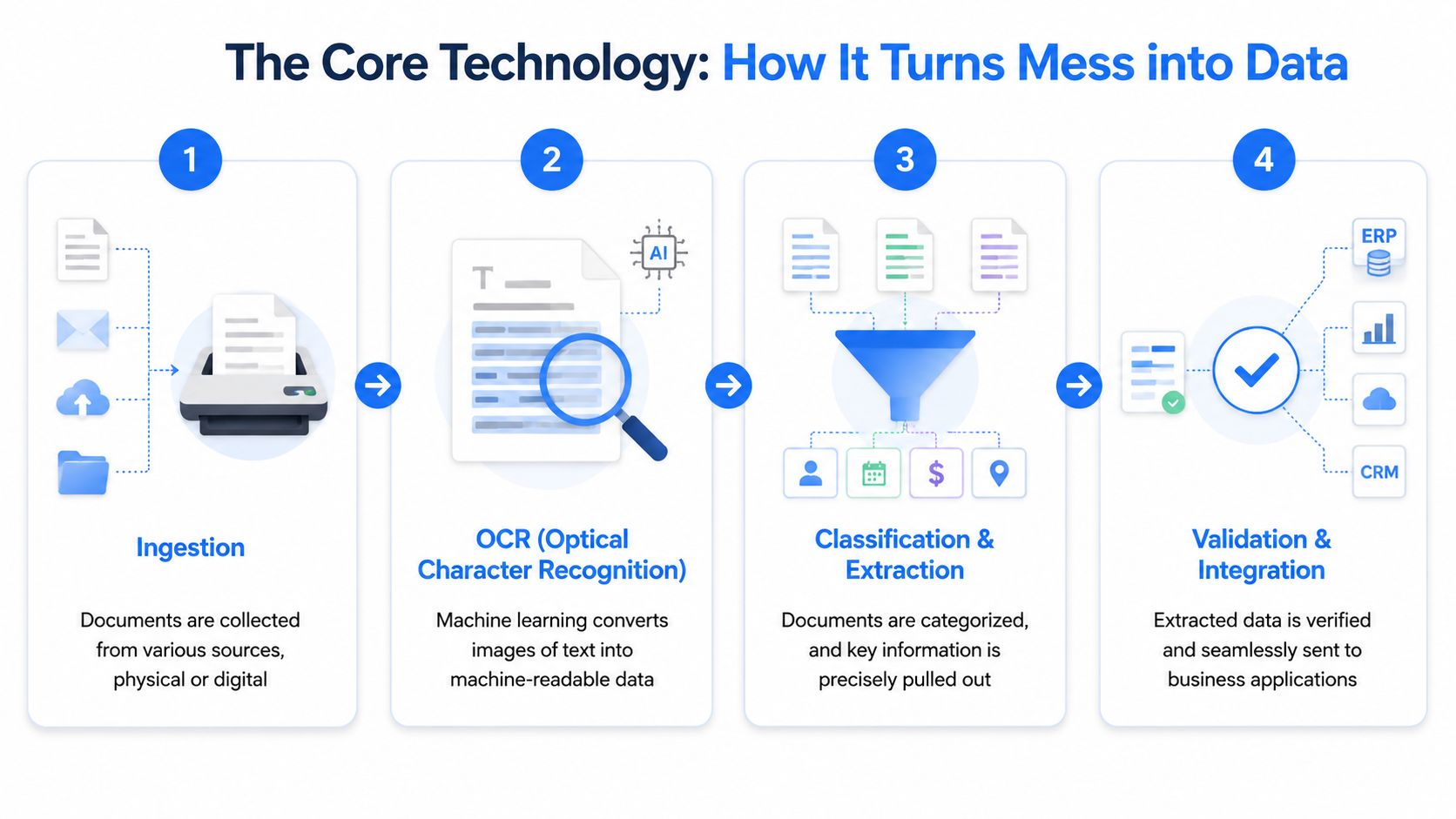
The easiest way to understand the technology is to follow one document through the process. Take a vendor invoice sent as a slightly crooked PDF with a logo at the top, item lines in the middle, and totals in a footer. A person can usually make sense of it in seconds. Software has to do that in stages.
Step 1 Ingestion
First, the system has to receive the document. That might mean a scanned paper invoice, an email attachment, a mobile photo, or a file dropped into a shared folder.
This sounds simple, but it matters. If the tool only works well with clean PDFs, it won’t survive real office conditions. Many organizations deal with mixed inputs, not textbook examples.
Step 2 OCR and image cleanup
Next comes OCR, or optical character recognition. This is the “reading” stage. The software tries to convert what it sees on the page into machine-readable text.
Modern tools improve the image before they read it. Advanced capture solutions use multi-stage image processing, including skew correction and despeckling, to boost OCR accuracy from a baseline of 80 to 85 percent to over 98 percent on degraded scans, as described in CheckHub’s smart document capture explainer.
That’s important because many failures begin before extraction. If the page is blurry, tilted, shadowed, or full of scan noise, downstream accuracy suffers.
A good document capture workflow fixes the page before it tries to understand the page.
If you want a simple primer on the reading layer itself, this short guide on what OCR is helps separate OCR from the broader capture process.
Step 3 Classification and extraction
Now the system has text, but text alone isn’t enough. It has to figure out what the document is and which fields matter.
On our invoice example, that means questions like these:
- Document type: Is this really an invoice, or is it a quote, credit memo, or statement?
- Header fields: Which string is the invoice number, issue date, vendor name, and total?
- Tables: Which rows are line items, quantities, and unit prices?
- Context: Is “Total” the invoice total, a subtotal, or a tax line?
Modern document capture software sets itself apart from older rules-based systems. The software isn’t just reading words. It’s identifying patterns and structure.
For leaders dealing with messy files across departments, F1Group's guide on managing business data is a useful companion read because it frames the larger challenge of turning unstructured inputs into operational data.
Step 4 Validation and integration
The final stage is checking and routing.
Validation means the software tests whether the extracted data makes sense. Does the invoice date look like a date? Does the total match the line items and taxes? Does the vendor exist in the ERP? If something doesn’t fit, the document gets flagged for review instead of passing bad data into your workflow.
A simple validation checklist often includes:
- Field format checks so dates, totals, and IDs look valid.
- Cross-field logic to compare subtotals, taxes, and grand totals.
- System matching against vendor lists, purchase orders, or policy records.
- Exception routing so a person reviews only the documents that need judgment.
The output isn’t a prettier PDF. It’s structured data pushed into accounting software, procurement workflows, spreadsheets, or downstream systems.
Real-World Wins Across Your Business
The value becomes clearer when you look at real jobs instead of technical features.
Accounting teams
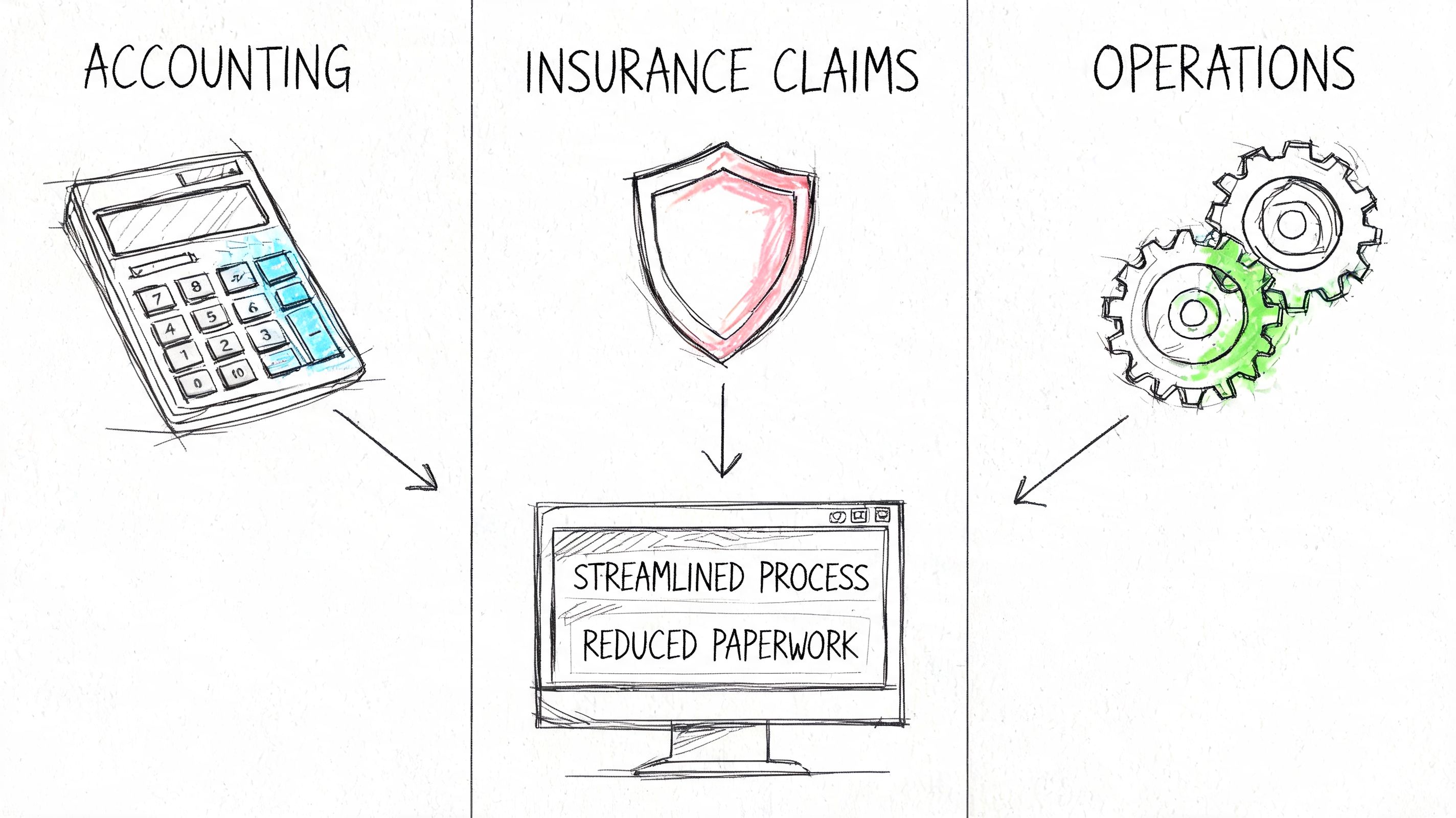
Sarah in accounts payable starts her morning with a shared inbox full of invoices. Some are clean PDFs. Some are scans from suppliers. A few are multi-page files with attachments. Her manual process is predictable. Open the file, find the invoice number, type the date, copy the total, enter line details, then check everything again before posting.
With document capture software, that routine changes. The invoice arrives, the system extracts the key fields, and Sarah reviews only the exceptions. Her time moves from typing to checking.
That shift matters because accounting work shouldn’t be built around copy-paste. It should be built around controls.
A no-code option like DocParseMagic fits this use case when teams need to pull invoice numbers, dates, totals, and line items from PDFs, scans, Word files, Excel files, or photos into spreadsheet-ready output without setting up templates.
Insurance operations
Insurance teams often deal with statements, policy documents, submissions, and forms that don’t follow one clean format. A broker might receive files from multiple carriers, each with different layouts and naming conventions.
Before automation, someone reads each file and retypes premium amounts, policy details, or renewal dates into another system. That’s slow, and it creates avoidable errors.
After capture is in place, the work becomes more controlled:
- Incoming statements get classified by document type.
- Key policy fields are extracted into a consistent format.
- Exception cases are routed to staff for review.
- Historical records become searchable instead of trapped inside attachments.
Later in the workflow, a quick video example can help if you’re comparing approaches and deployment styles:
Procurement and sourcing
Procurement teams have a different problem. They aren’t just extracting one field from one form. They’re comparing proposals, quotes, and supporting terms across vendors.
Before capture software, buyers often build side-by-side comparisons by reading PDFs manually and typing details into spreadsheets. That’s workable for a handful of bids. It breaks when volume rises or deadlines tighten.
Document capture software helps by turning proposals into comparable records. Instead of asking a buyer to hunt through every page, the system can surface the recurring fields that matter for evaluation.
When procurement teams standardize extracted data early, vendor comparison gets faster and cleaner because staff spend less time normalizing inputs.
Operations managers and field-heavy teams
Operations managers often inherit the most inconsistent documents of all. Mobile photos, handwritten notes, scanned forms, delivery paperwork, and emailed attachments all arrive in one stream.
Capture software creates a front door for that chaos. It doesn’t remove every exception, but it gives teams a repeatable process for intake, review, and routing.
The practical win isn’t only speed. It’s consistency. Two employees no longer process the same document in two different ways just because they interpret the layout differently.
How to Choose the Right Software A Feature Checklist
Most buyers get stuck because demos look polished and real documents don’t. The right evaluation question isn’t “Can it read a sample PDF?” It’s “Can it handle the ugly mix of files our team receives?”
Start with document reality
Some tools perform well on clean digital documents and struggle as soon as the input shifts to photos, handwriting, or damaged scans. That matters more than many buying teams expect.
Legacy OCR can miss up to 36% of key data from poor scans or handwriting, and 20 to 30% of mobile-captured photos require manual review with basic systems, according to Parseur’s review of document processing challenges.
If your team gets field photos, broker uploads, emailed scans, or branch-office paperwork, this shouldn’t be a side question. It should be central.
A practical checklist
Use this as a working shortlist when comparing document capture software:
-
Mixed file support: The tool should handle PDFs, scanned pages, images, and common office files. If staff have to convert files before upload, friction will kill adoption.
-
Template-free extraction: Vendors change invoice formats. Carriers revise statement layouts. A template-heavy system creates maintenance work every time the document changes.
-
Table extraction: Many business documents hide valuable data inside line items, schedules, or premium tables. Header-only extraction won’t solve much for AP, procurement, or insurance.
-
Validation controls: Good software shouldn’t just extract data. It should let you verify totals, required fields, and business rules before export.
-
Integration options: Data becomes useful when it moves into ERP, CRM, spreadsheets, or internal workflows without manual re-entry.
-
Usability for business teams: If every adjustment requires technical help, your process improvement will bottleneck in IT.
For teams comparing modern tools, this guide to document data extraction software is a practical follow-up because it focuses on what to evaluate beyond basic OCR.
Questions worth asking in a demo
A strong demo is less about polished slides and more about pressure-testing the workflow. Ask the vendor to show you:
| What to ask | Why it matters |
|---|---|
| Can you process a crooked scan or phone photo? | This reveals whether the tool works in field conditions. |
| What happens when a supplier changes layout? | You’ll learn whether maintenance stays manageable. |
| How are exceptions reviewed? | Staff need a clear path for correcting bad or missing fields. |
| Can line items be exported cleanly? | Header-only output often leaves the hardest work undone. |
Don’t let “AI-powered” do the selling for you. Judge the software by how much manual decision-making it removes from your actual workflow.
Measuring Success ROI and Accuracy Metrics
A document capture project should earn its place with operating metrics, not vague promises.
The simplest ROI model starts with labor. If an employee spends a certain amount of time per document on opening, reading, typing, checking, and filing, you can estimate the value of reducing that touch time.
A basic formula looks like this:
(Time saved per document) × (documents per month) × (loaded hourly cost) = monthly labor savings
That’s the obvious part. The less obvious part is that labor usually isn’t the only gain.
What to measure besides time
Track outcomes that matter to finance and operations:
- Error reduction: Fewer mistyped totals, dates, IDs, and line items.
- Cycle time: Faster invoice handling, approvals, and downstream posting.
- Exception volume: How many documents still need human review.
- Audit readiness: Whether extracted data is traceable back to the source document.
- Staff capacity: Whether experienced employees can shift from entry work to analysis and vendor follow-up.
Accuracy needs the right definition
Many teams hear “OCR accuracy” and assume they’re covered. That can be misleading.
Character accuracy asks whether the software read individual letters and numbers correctly. Field-level extraction accuracy asks the more useful business question: did it put the right value into the right field?
That’s the standard that matters when you’re posting invoices, reconciling statements, or comparing vendor submissions.
Advanced document capture software using machine learning achieves data extraction accuracy in the high 90% range, while traditional rule-based OCR systems often fall below 85% on unstructured documents. This can reduce exception handling by 70 to 80% over time, according to Kodak Alaris’ white paper on advanced document capture technology.
Decision lens: Don’t ask only “How accurate is the OCR?” Ask “How often does the final exported data need a person to fix it?”
A realistic business case
A good business case doesn’t assume perfection on day one. It assumes your team will still review some exceptions, but far fewer than before.
That framing helps because it matches how these systems create value in practice. You don’t need zero human touch to get a strong return. You need less manual typing, fewer preventable errors, and faster movement from document arrival to usable data.
Implementation Security and Pricing Models
Organizations shouldn’t roll out document capture software across the whole company at once. A smaller pilot works better.
Start with one document type that hurts enough to matter but stays contained enough to measure. Invoices are common. So are statements, broker reports, and vendor quotes. Choose a workflow with clear volume, recurring layouts, and an identifiable owner.
A rollout path that stays manageable
A practical implementation usually follows this sequence:
- Pick one use case with obvious manual effort.
- Define the target fields you need extracted.
- Run a pilot set using real documents, not vendor samples.
- Review exceptions and adjust validation rules.
- Connect the output to the spreadsheet, ERP, or workflow your team already uses.
- Expand carefully to related document types after the pilot proves its value.
This approach keeps the project grounded. It also reduces organizational resistance because staff can see the tool helping their work instead of disrupting it.
Security isn't optional
If the documents contain financial, personal, or contractual information, security belongs in the buying decision from the start.
Look for basics such as encryption, access controls, audit trails, and clear data handling policies. If your organization operates under privacy or industry compliance requirements, involve the right stakeholders early. Legal, security, compliance, and the business owner should all review the workflow before scaling it.
Sensitive documents shouldn’t move through a hidden side process. They should move through a controlled, reviewable one.
Common Document Capture Software Pricing Models
| Pricing Model | How It Works | Best For | Example |
|---|---|---|---|
| Per-document credits | You use one or more credits when processing each file | Teams with variable volume or seasonal spikes | A credit-based model such as DocParseMagic, where one credit is used per document up to the stated file size limit |
| Monthly subscription | You pay a recurring fee tied to usage tier, features, or seats | Teams with steady, predictable document flow | A department that processes a similar volume each month |
| Platform fee plus usage | You pay a base software fee and additional charges for processing | Larger organizations that need enterprise controls and scaling flexibility | A company rolling out capture across multiple departments |
No pricing model is universally better. The useful question is whether your cost structure matches your document pattern. If your volume swings heavily, credits may fit better. If work is stable and centralized, a recurring subscription may be easier to budget.
The Future of Your Documents Is Automated
Document capture software matters because it changes the role of your team. People stop acting like human middleware between inboxes and systems. They spend less time transcribing and more time reviewing exceptions, solving problems, and making decisions.
That shift is getting harder to ignore. One market projection estimates the document capture software market will reach USD 20.06 billion by 2030 at a CAGR of 14.3%, driven by AI, cloud, and intelligent automation in core workflows, according to The Business Research Company’s document capture software market report.
The practical takeaway is simple. Manual document handling is becoming a choice, not a necessity.
If you’re also exploring how AI can help staff search, summarize, and work with private files after capture, this example of AI-powered document assistance is a useful look at where the workflow is heading next.
The best first move isn’t a massive transformation project. It’s choosing one recurring document process and proving that clean data can arrive faster, with less manual effort, than your current method allows.
If you want to test that idea in a real workflow, DocParseMagic lets teams upload invoices, statements, spreadsheets, scans, and photos, then extract structured fields into analysis-ready output without template setup. It’s a practical way to pilot document capture software on your own files and see where manual work drops out of the process.