A Simple Guide to Data Capture and Automated Workflows
At its core, data capture is all about pulling information out of documents—think invoices, receipts, contracts, or forms—and turning it into useful digital data that a computer can understand. It’s the essential first step that gets information out of a PDF or a scanned paper document and into your business systems.
This process replaces the soul-crushing, error-prone task of manual data entry, saving a massive amount of time and preventing costly mistakes. Simply put, data capture builds the bridge between your raw documents and the actionable insights your business needs to thrive.
What Is Data Capture and Why Is It So Important?
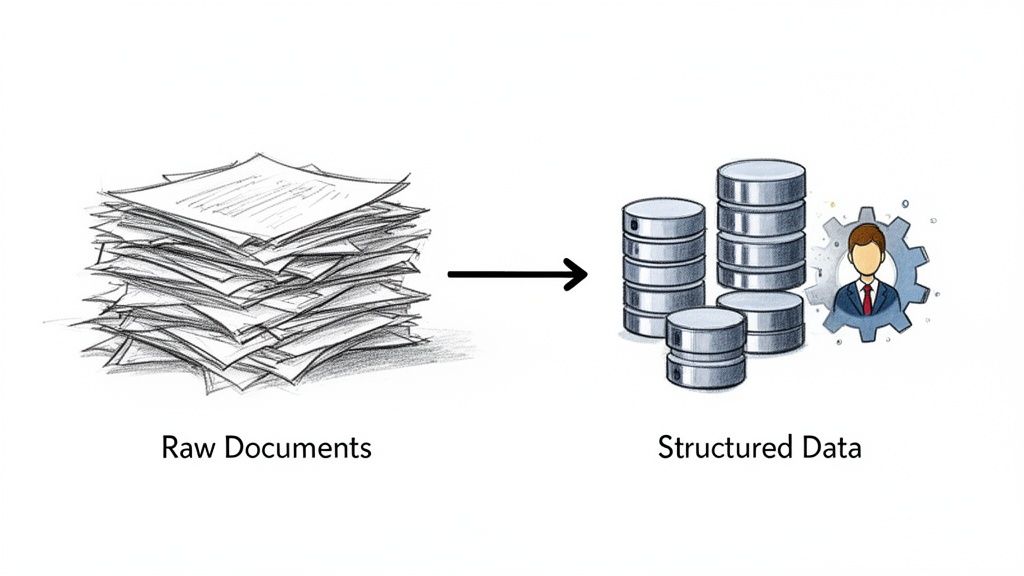
Picture a typical accounts payable team drowning in a sea of vendor invoices. Traditionally, someone had to manually eyeball every single invoice, hunt for the vendor name, due date, and total, and then key all of that into an accounting system. It's a slow, expensive grind that's practically begging for typos.
Modern data capture completely changes the game. It acts like an incredibly fast and accurate assistant, using technology to "read" those documents—whether they started as PDFs or were scanned from paper—and instantly extract the critical information.
But it's much smarter than just copying and pasting text. Good data capture technology understands context. It knows the difference between a "ship to" address and a "bill to" address, and it can accurately identify every single line item on a complex purchase order.
The Core Purpose of Data Capture
The main goal here is to take all that messy, unstructured information locked away in documents and transform it into clean, organized data that your software can actually work with. The payoff is immediate and surprisingly big.
- Drastic Error Reduction: Automated systems don't get tired or make typos. They pull data with consistent accuracy, which is non-negotiable for things like financial records.
- Increased Operational Speed: A stack of invoices that used to take an entire afternoon to process can now be done in minutes. This means faster approvals and happier vendors.
- Cost Savings: When you cut out the hours of manual work and get rid of errors that lead to rework or late payment fees, the savings add up quickly.
- Better Decision-Making: With accurate data available in near real-time, managers can finally make sharp, informed decisions instead of relying on outdated reports.
This isn’t just about text, either. The same core principles apply to converting other types of unstructured information. For example, understanding how a process like audio transcription turns spoken words into text gives you a good sense of the foundational tech at play.
The real power of data capture is that it transforms a cost center—manual data entry—into a strategic asset. When data is accurate, timely, and accessible, it fuels efficiency across the entire organization.
The technology driving all this has come a long way. Basic tools just get the text off the page. But the really advanced systems use artificial intelligence to not only read the data but also interpret and validate it. This is where Intelligent Document Processing (IDP) comes in, and it's a huge part of any modern data capture solution.
We've got a whole guide explaining what is Intelligent Document Processing if you want to dive deeper. By getting a handle on data capture, businesses can stop drowning in paperwork and start using their information to grow.
Understanding Key Data Capture Technologies
To get a real handle on modern data capture, we need to pop the hood and look at the technologies that make it all happen. These are the engines that turn messy, static documents into structured, useful information. Each tool plays a specific part, with the newer ones building on the last to create some seriously powerful solutions.
Think of it like teaching a robot assistant a new skill. First, you have to teach it how to see and read. Only then can you teach it to understand what it's reading.
Optical Character Recognition: The Eyes of Data Capture
The most basic building block for capturing data from documents is Optical Character Recognition (OCR). Put simply, OCR is what lets a computer look at an image of a document—like a scanned invoice or a photo of a receipt—and recognize the letters, numbers, and symbols on the page. It’s the magic that turns a picture of words into actual, editable text.
Let's say you snap a photo of a business card. To your computer, it's just a bunch of pixels. But with OCR, the computer can identify the sequences of characters that make up the name, phone number, and email address. This is a crucial first step, but it’s not the whole story. Standard OCR knows the text is there, but it has no idea what any of it means.
To dig deeper into this foundational technology, check out our guide on what is OCR technology.
Intelligent Document Processing: The Brain That Understands
If OCR gives our system its "eyes," then Intelligent Document Processing (IDP) provides the "brain." IDP takes the raw text that OCR pulls out and uses artificial intelligence (AI) to figure out its context and meaning. This is the big leap from just reading text to actually comprehending information.
For instance, an OCR tool might extract "Due Date: 05/30/2024" and "Total: $150.00" as two separate strings of text. An IDP solution is smart enough to know that one is a payment deadline and the other is a financial total. It can correctly label these data points, check them against your business rules, and slot them directly into your accounting software.
IDP doesn't just digitize documents; it interprets them. It’s the difference between transcribing a book word-for-word and writing a summary that captures its key themes and ideas.
This ability to infer meaning is what makes today's data capture so effective. IDP can handle all sorts of different document layouts without needing a rigid template for each one, which makes it perfect for processing invoices or forms from thousands of different vendors or customers.
Web Scraping and APIs: For Digital-First Data
Of course, not all data starts its life locked away in a paper document or a PDF. A huge amount of valuable information is digital from the get-go. This is where a couple of other key methods come into play.
-
Application Programming Interfaces (APIs): Think of an API as a dedicated messenger that lets different software systems talk to each other. Instead of trying to read a document, data capture through an API is more like one system directly asking another for specific information and getting a perfectly structured response. This is how you integrate with banking platforms, CRMs, or e-commerce sites.
-
Web Scraping: This technique uses automated bots to pull large amounts of data from websites. It's great for things like gathering competitor pricing, collecting market research data, or compiling contact lists from public directories.
These digital-native methods also extend to our everyday communication tools. For example, some workflows are built around sending email content to Notion to turn unstructured conversations into organized data.
Comparison of Data Capture Technologies
So, which tool is right for the job? It really depends on where your data is coming from and what it looks like. This table breaks down the key differences to help you see where each method fits best.
| Technology | Best For | Typical Accuracy | Setup Complexity | Example Use Case |
|---|---|---|---|---|
| OCR | Simple digitization of printed text from uniform documents. | Moderate to High | Low to Medium | Converting a library of scanned books into searchable text files. |
| IDP | Extracting specific, contextual data from varied documents. | Very High | Medium | Processing thousands of vendor invoices with different layouts. |
| API | Real-time data exchange between two software systems. | Extremely High | High | Pulling sales data directly from Shopify into a business tool. |
| Web Scraping | Gathering public data from websites at scale. | Varies | Medium to High | Collecting product prices and reviews from e-commerce sites. |
As you can see, the path from basic OCR to intelligent IDP and direct API connections shows a clear evolution. We've gone from simply turning pictures into text to building smart systems that can truly understand and process information on their own. This is what opens the door to genuine, end-to-end automation.
How a Modern Data Capture Workflow Works
It’s one thing to talk about data capture technology, but it’s another thing entirely to see it in action. A modern workflow isn't just a single step; it’s more like an automated assembly line for information, taking a messy document and turning it into clean, structured data your systems can actually use.
Let's make this real. Imagine a vendor invoice lands in your inbox as a PDF attachment. We’ll follow its journey from that chaotic file to a perfectly formatted entry in your accounting software, all without a human lifting a finger.
The Five Core Stages of a Data Capture Workflow
A typical automated workflow moves through five key phases. Each stage is critical for making sure the final data is accurate, double-checked, and ready to go. The best part? This entire sequence can happen in seconds.
-
Ingestion: This is the starting line. The workflow kicks off the moment a document enters your ecosystem. Maybe an employee uploads a PDF to a portal, an email with an attachment is automatically flagged, or a file gets dropped into a shared cloud drive. The goal here is simple: get the document into the system.
-
Preprocessing: Let's be honest, documents are never pristine. They come in scanned crooked, with coffee stains, or just plain blurry text. The preprocessing stage is the cleanup crew. It automatically straightens the page (an action called deskewing), boosts the image quality, and scrubs away any visual "noise" that could trip up the extraction tools.
-
Extraction: Now for the main event. This is where advanced tech like Intelligent Document Processing (IDP) does its magic. It doesn't just read the text on the page; it understands it. It knows to pinpoint and pull out key fields like the invoice number, vendor name, every line item, and the grand total. Crucially, it can tell the difference between the "Invoice Date" and the "Due Date."
-
Validation: Data is only useful if it's correct. The validation stage acts as a built-in quality control check. It can run predefined business rules, like checking if the sum of the line items actually adds up to the invoice total or confirming the vendor is already in your database. If something doesn't look right, it flags the document for a quick human review.
-
Integration: Once the data is pulled and verified, it’s ready for its final destination. In this last step, the structured data is automatically sent into your other business systems. For our invoice, this means a new bill is created in your accounting software, all set for payment approval. No more mind-numbing copy-pasting.
The diagram below shows how the technology evolves from just seeing text to truly understanding it, which is the heart of the extraction phase.
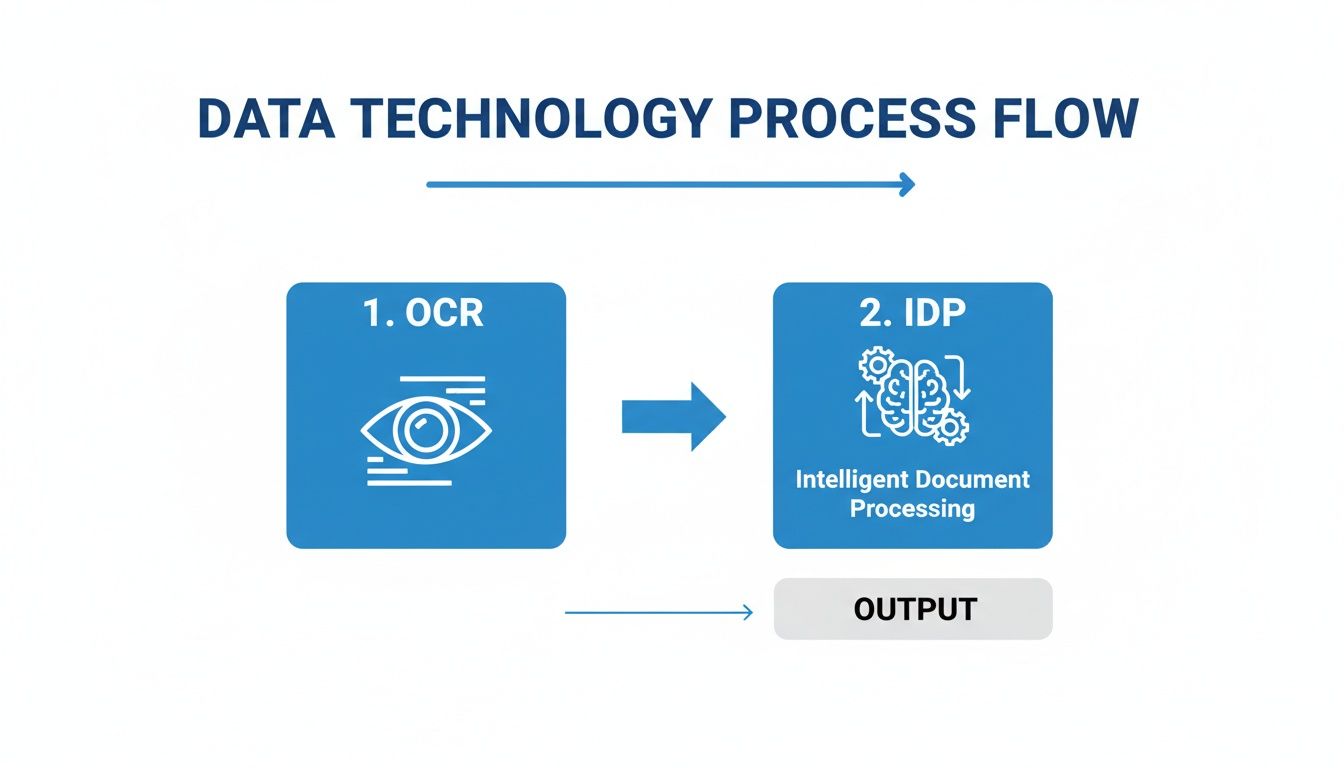
This visual makes it clear: OCR acts as the "eyes" to read the words, while IDP is the "brain" that interprets their meaning and context. That's the secret sauce.
Putting It All Together
Think about an accounts payable clerk who gets 300 invoices a month. Processing all of them by hand could easily eat up 40 hours of tedious data entry. With an automated data capture workflow, that workload shrinks to just a few hours spent reviewing the occasional flagged document.
The workflow doesn't just digitize data; it automates an entire business process. It’s about creating a hands-free system that is faster, more accurate, and infinitely more scalable than any manual alternative.
This end-to-end automation is exactly what modern platforms like DocParseMagic are designed to do. By linking these stages into one smooth, continuous flow, you can completely reshape how your team works. If you're interested in going deeper, our guide to document workflow automation takes a closer look at building these systems from the ground up.
The result is a team freed from the drudgery of data entry, giving them time back to focus on the strategic work that actually pushes the business forward.
Solving Business Problems With Automated Data Capture
Data capture technology might sound abstract, but its true value appears when you tackle everyday headaches. Manual data entry feels like pushing a heavy cart uphill—slow, error-prone, and exhausting valuable staff hours.
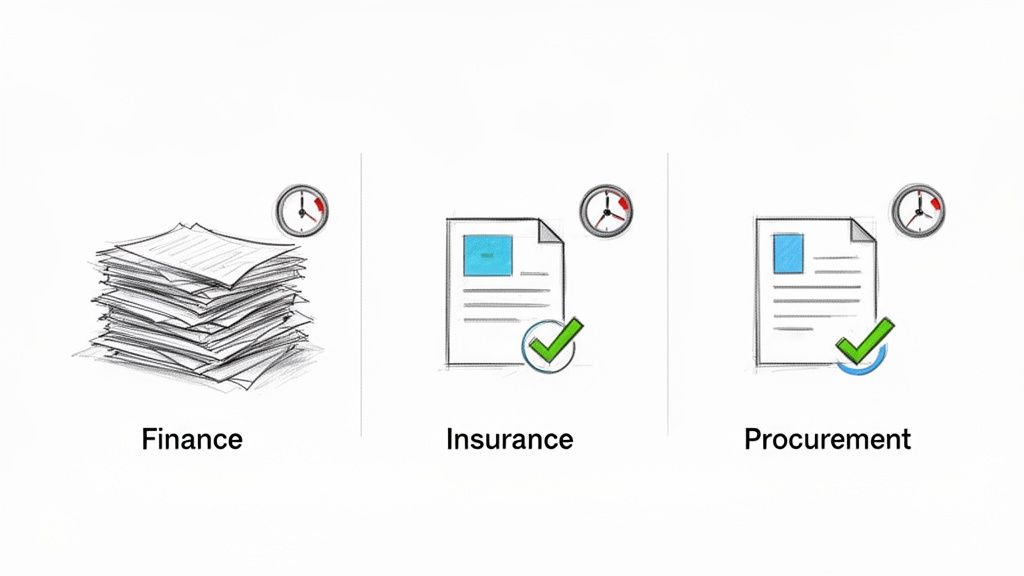
By automating that slog, teams shift from tedious tasks to high-impact work. The stories below reveal how workflows snap into place, cutting delays and boosting accuracy across finance, insurance, and procurement.
Transforming Accounts Payable For Finance Teams
Processing hundreds of invoices each week can grind a finance team to a halt. Specialists open PDFs one by one, hunt down invoice numbers, due dates, vendor details, line-item totals—and then retype it all into the accounting system. Mistakes creep in, discounts slip by, and late fees pile up.
Enter DocParseMagic. Invoices stream in from a dedicated inbox. The platform pulls every critical field, verifies that the numbers add up, and pushes the data straight into your ERP or accounting software.
Benefits include:
- Faster Processing Times: Tasks that once took days now wrap up in minutes—often over 80% faster.
- No More Late Fees: Bills go out on time, preserving early-payment discounts and avoiding penalties.
- Stronger Vendor Relationships: Consistent, prompt payments build trust and goodwill.
Automating invoice processing frees finance teams from repetitive entry. They shift from clerical work to cash flow analysis, budget forecasting, and strategic planning.
The market echoes this demand. The automatic identification and data capture (AIDC) sector, valued at $79.05 billion today, is projected to exceed $212 billion by 2032.
Streamlining Operations For Insurance Brokers
Insurance brokers wade through piles of policy documents and commission statements. Reconciling multi-page statements by hand is a recipe for revenue leakage and frustrated employees.
With an automated data capture platform, carrier statements are ingested and every policy number, premium amount, and commission rate is extracted instantly. The result? A clean, standardized dataset ready for your agency management system.
Key gains:
- Accelerated Revenue Recognition: Commissions post faster, lifting cash flow.
- Pinpoint Accuracy: Automated extraction slashes reconciliation errors.
- True Scalability: Grow your book of business without ballooning your back-office headcount.
Standardizing Procurement Workflows
Procurement teams often compare proposals from multiple vendors—each one laid out differently. Manually copying details into a spreadsheet eats up hours and introduces inconsistencies.
Automation changes the game. Upload all proposals to your data capture tool and watch it identify unit prices, warranty terms, delivery timelines, and more. Everything appears in a single, consistent table.
This unlocks:
- Faster, Smarter Decisions: Side-by-side data means quicker comparisons and stronger negotiating leverage.
- Better Compliance: Critical contract clauses are captured accurately, reducing risk.
- More Strategic Focus: Teams move from data wrangling to vendor management and cost optimization.
Across finance, insurance, and procurement, automated data capture frees people from repetitive chores. The payoff? Staff focus on what really matters, driving measurable improvements and real business impact.
Common Challenges And Implementation Best Practices
Adopting a new system to capture data can unlock dramatic efficiency improvements, but it doesn’t always go smoothly. You’ll likely run into bumps around document types, integration, and user buy-in before you see the benefits.
When your team gets invoices, forms, or reports in dozens of layouts—from crisp digital files to blurry paper scans—a template-based approach can turn into a maintenance headache. Every new format demands its own template, and tweaking each one for accuracy eats up time and resources.
Navigating Common Implementation Hurdles
Budget constraints often top the list, especially for small and mid-sized companies. Upfront software fees and training costs can look large, but remember that solid ROI usually follows improved compliance mandates like traceability and safety requirements. You can explore these market drivers to see how regulations affect adoption.
Other hurdles include:
- Poor Data Quality: Missing or incorrect fields on source documents can lead to extraction errors.
- Resistance To Change: Teams comfortable with spreadsheets or manual data entry may push back.
- Integration Complexity: Connecting new capture tools to ERPs, CRMs, or accounting platforms can demand custom work.
Moving past these roadblocks takes a clear plan and hands-on problem solving from day one.
Best Practices For A Successful Rollout
Rather than flipping the switch across your entire organization, start with a pilot that delivers quick wins. This approach builds confidence and highlights value without overwhelming your team.
The aim isn’t just to install software—it’s to solve a real pain point. An implementation wins when people embrace it because it simplifies their work and delivers measurable results.
Here are four steps to guide you:
- Start With A High-Pain Workflow: Pick the process that causes the most delays or errors. For example, vendor invoice processing often has manual data entry and approval bottlenecks. Fixing that first gives you a clear success story.
- Choose A Flexible, Template-Free Solution: Platforms like DocParseMagic use AI to read documents contextually, so you don’t build a new template for every layout.
- Set Clear, Measurable Goals: Define targets like reducing processing time by 80% or cutting entry errors by 95%. Concrete metrics help you track ROI and keep teams focused.
- Prioritize Seamless Integration: Your capture tool should plug into existing systems—whether that’s your ERP, CRM, or accounting package. Look for solutions with out-of-the-box connectors or easy-to-use APIs.
Frequently Asked Questions About Data Capture
Getting your team comfortable with a new tool means answering the practical questions up front. In this section, we tackle the most common concerns—from accuracy and security to the kinds of documents you can feed into the system.
Consider these answers your roadmap to a smoother rollout and clearer expectations.
How Accurate Is Automated Data Capture?
Automated data capture today feels like having a reliable teammate who never misses a beat. With modern IDP platforms, you’re often looking at over 99% accuracy on structured and semi-structured documents such as invoices or standard forms.
The secret lies in context awareness. Rather than just reading characters, the software recognizes field patterns. For example, it spots a date field whether it’s labeled “Date Issued,” “Transaction Date,” or simply formatted as 01/23/2024. When confidence dips—say you’ve got messy handwriting—you’ll see a low-confidence flag. A quick human review resolves it in seconds.
“Great data capture systems don’t just extract text. They hand you data you can trust. By blending smart validation rules with AI-driven extraction, you’ll match—or even beat—manual keying.”
What Types Of Documents Can Be Processed?
Think of a modern data capture tool as a Swiss Army knife for paperwork. It adapts to new layouts instead of forcing you into rigid templates. Common document types include:
- Invoices and Receipts: Pull vendor names, line items, tax details, and totals from varied supplier layouts.
- Purchase Orders: Capture product codes, quantities, pricing, and shipping info to match against invoices.
- Insurance Forms: Extract policy numbers, coverage amounts, and premium details from ACORD forms and carrier statements.
- Contracts and Agreements: Spot effective dates, renewal terms, and key clauses buried in legal text.
- Bank Statements: Retrieve transaction dates, descriptions, and amounts for seamless reconciliation.
The key is a system that learns on the fly, not one that relies on pre-built templates.
How Secure Is The Data Capture Process?
When you’re handling sensitive invoices or personal data, security can’t be an afterthought. Top platforms protect your information with end-to-end encryption—both during upload and while at rest on secure servers.
Compliance certifications add another layer of trust. Look for vendors with a SOC 2 attestation, which proves they follow strict guidelines for confidentiality, processing integrity, and availability. That way, both your team and your auditors know the data is locked down.
Do I Need Technical Skills To Implement Data Capture?
Not at all. No-code solutions like DocParseMagic put you in the driver’s seat with simple drag-and-drop interfaces.
Rather than writing scripts or wrestling with complicated settings, you build an automated workflow in minutes. Finance, procurement, and operations teams can set up their own processes without waiting on IT. The payoff? A faster implementation and real benefits right away.
Ready to stop copy-pasting and start automating? DocParseMagic turns your messiest documents into clean, structured data in minutes. Try it for free and see how much time you can save.