Catering Invoice Template Word: Free Guide & Download
You finish a big event, the client is happy, the staff is packing down, and your kitchen team is already asking about the next job. Then you sit down to bill it all out and realize the hardest part of the day might be the invoice. Guest count changed twice. A rental item got added late. One server stayed longer than planned. The client wants a clean document by tomorrow morning.
That’s where a solid catering invoice template Word file earns its keep. It gives you one repeatable way to bill food, labor, rentals, taxes, and service terms without rebuilding the same document every time. It also helps you look organized when clients are comparing your paperwork to your service.
Your Guide to Flawless Catering Invoices
A lot of invoicing problems start after a successful event, not during a bad one. The event goes well, but the billing is assembled from scattered notes, text messages, prep sheets, and verbal changes from the final walk-through. That’s how details get missed.
A good Word template fixes that. It gives you a standard place for the event date, location, invoice number, guest count, itemized services, taxes, and payment terms. That’s one reason Word became the default for many caterers. By 2015, over 70% of small catering businesses in major markets like the US and UK adopted free Word-based templates, and those templates reduced manual errors by up to 40% compared to handwritten invoices according to industry benchmarks summarized here.
If you want a file to work from right away, use any clean editable .docx catering invoice template and treat it as a base draft, not a finished system. The strongest templates aren’t just pretty. They’re built to handle line-item detail and survive last-minute edits without turning into a mess.
Practical rule: If your invoice depends on memory, it’s already weak.
In real catering work, billing has to do three things at once:
- Show exactly what happened: Menu, staffing, rentals, dates, and any approved changes.
- Make payment easy: Clear totals, due date, and accepted payment methods.
- Protect your records: Every invoice should stand on its own if the client asks questions later.
Word works well because it’s flexible. You can add your logo, adjust layout quickly, save reusable templates, and keep one version for weddings, another for corporate drop-offs, and another for full-service plated events. That’s still one of the simplest ways to bring consistency to billing without buying new software just to send invoices.
The Anatomy of a Perfect Catering Invoice
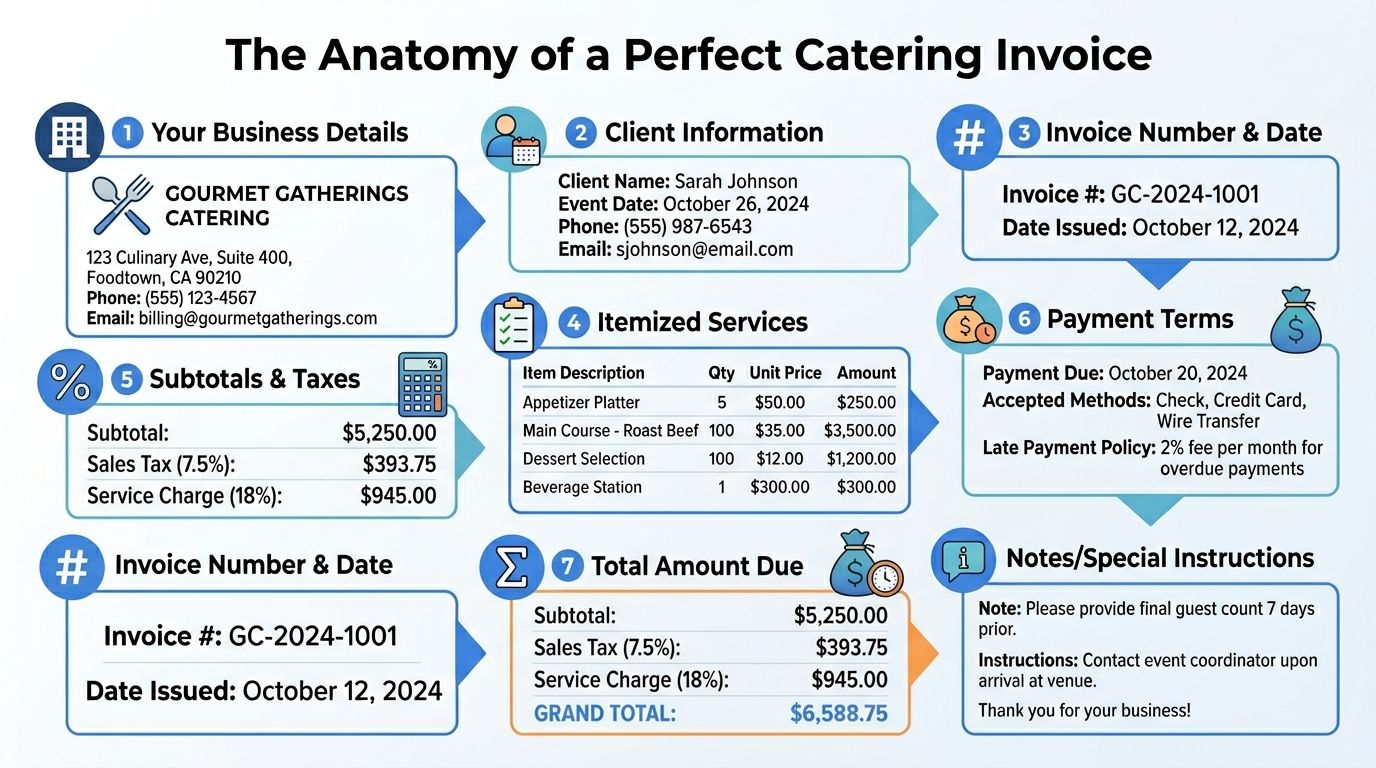
Before you build the document, get the structure right. A catering invoice isn’t just a payment request. It’s the written record of what you agreed to provide, what changed, and what the client owes now.
Business and client identifiers
Start with the basics at the top of the page. Your business name, logo, address, email, phone number, and any tax ID you need should be easy to find. The client’s name and billing contact should be just as clear.
A unique invoice number matters more than many caterers think. It helps you track follow-ups, match payments, and avoid confusion when a client has multiple events. Pair that with the issue date and due date so there’s no debate over when the clock started.
Event details that remove confusion
Generic invoices cause specific disputes. “Catering services” tells the client almost nothing.
Include the event type, event date, service window, and venue location. If the invoice is tied to a purchase order or internal reference from the client, include that too. If your event had a final approved headcount, put it on the invoice.
The invoice should answer the client’s first question before they ask it.
That level of detail is also what makes line items easier to review later. If your team ever needs to reconcile charges or compare versions, a clean event header saves time. This is the same logic behind a strong line item structure in invoice processing.
Itemization that works in catering
Catering invoices need a clearer breakdown than many service businesses. A client should be able to scan the bill and see where the charges came from.
Use separate groups for:
- Food and beverage: Menus, packages, add-ons, beverage service
- Labor: Servers, bartenders, chefs, setup crew
- Rentals and equipment: Linens, chafers, glassware, specialty equipment
- Other event charges: Delivery, travel, service charge, approved extras
The most useful line-item table usually includes Description, Quantity, Unit Price, and Amount. That format keeps the invoice readable and lets the client verify each charge without calling you for a translation.
Totals and terms that help you get paid
At the bottom, show the subtotal, tax, service charges if applicable, and the final amount due. Don’t bury payment instructions in a dense footer.
A strong footer includes:
- Payment terms: Net terms or due on receipt
- Accepted methods: ACH, card, check
- Reference notes: Deposit already received, remaining balance due
- Short notes: Allergens, venue billing reference, or change-order note if needed
If the invoice looks complete at a glance, clients process it faster. If they have to decode it, they delay it.
Building Your Reusable Template in Word
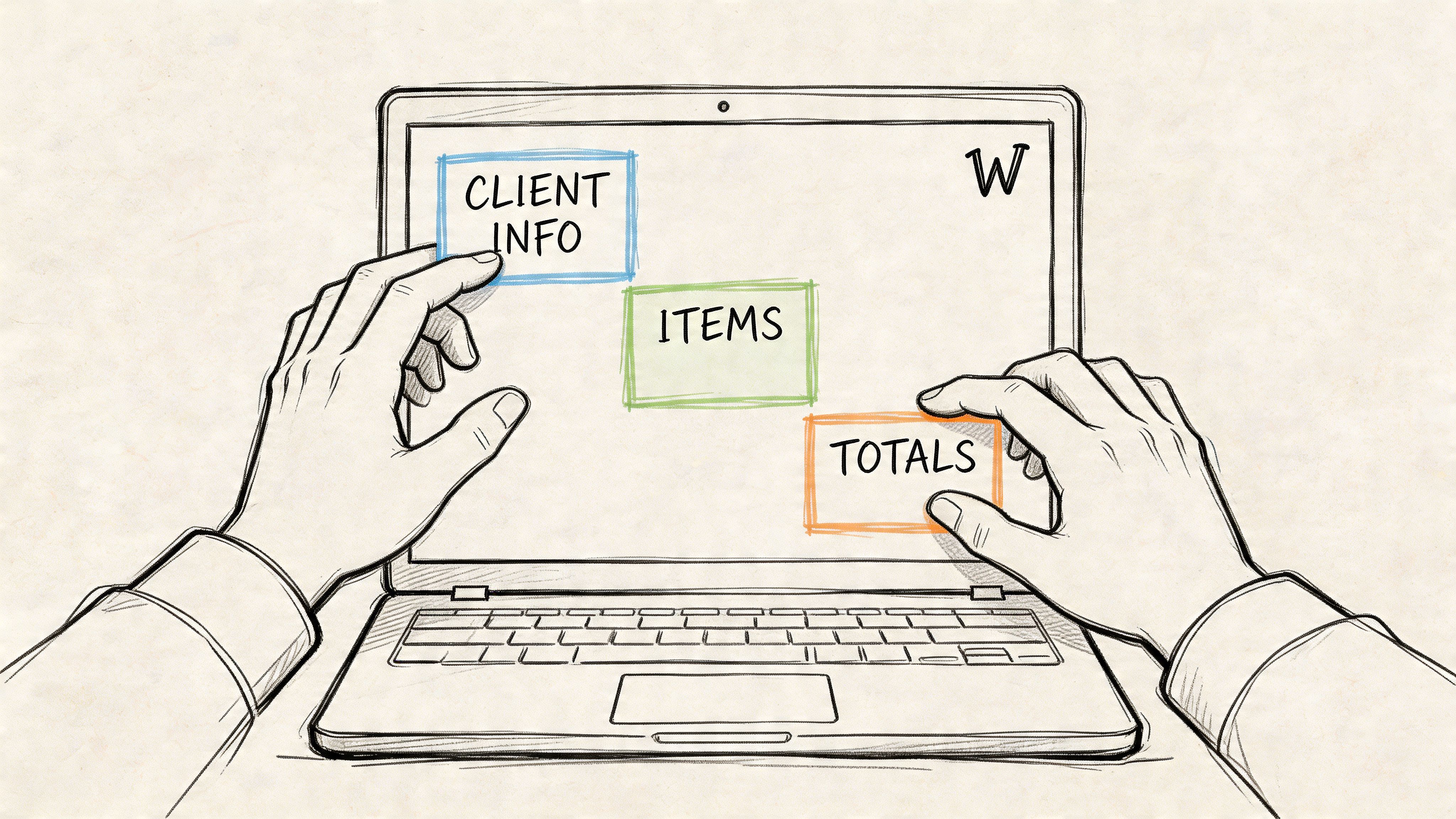
Microsoft Word is still a practical tool for caterers because it balances structure and flexibility. You can brand the document, edit it quickly, and save a master version that your office team can reuse for every event type.
Set up the header first
Open a new Word document and start with the header area. Add your logo, business name, contact details, and any registration or VAT/GST information you need to display. Keep this section compact. It should establish who sent the invoice, not dominate the page.
Next, create a right-aligned block for invoice details. Include:
- Invoice number
- Issue date
- Due date
- Client reference or PO number if needed
If you want Word to help with sequencing, use the built-in field tool for invoice numbering. In Word, that path is Insert > Quick Parts > Field > Seq. It’s a small step, but it helps keep records consistent.
Build the event details block
Under the header, create a simple two-column section for client and event information. Word tables are helpful here. Use a table with borders removed so the layout stays aligned even after edits.
Include fields like:
- Client name and billing contact
- Event type
- Event date
- Venue
- Final guest count
- Contact phone or email
- Purchase order or internal reference
For repeated use, form controls can make the template cleaner. In Word, the Developer tab lets you add text form fields, which is useful if multiple staff members will use the same template.
Field rule: If your team fills in the same information every time, give it a dedicated spot. Don’t leave it floating in body text.
Create the line item table
This is the engine of the invoice. Don’t fake it with tabs or spaces. Use a real table.
The most reliable setup has four core columns: Description, Quantity, Unit Price, and Amount. According to Enty’s Word invoice guidance, this setup works best when you apply formulas through Table Tools > Layout > Formula (=SUM(ABOVE)) for real-time totals. In protected documents, this method has a success rate exceeding 95% in automated calculations, and it helps reduce the 12% over/underbilling rate caused by formula mismatches in unprotected sheets.
A practical layout looks like this:
| Section | What to enter |
|---|---|
| Food | Menu packages, add-ons, beverage service |
| Labor | Servers, bartenders, chefs, setup or breakdown |
| Rentals | Linens, china, glassware, chafers, furniture |
| Miscellaneous | Delivery, travel, approved overtime, special requests |
Use blank rows between sections or add a shaded row label for each category. That makes large invoices easier to scan.
Here’s a visual walkthrough if you want to see a similar build process in action:
Add subtotal and total logic
Below the main line items, create a short summary table. Keep it separate from the item list so your totals stay readable. This area should include subtotal, taxes, service charges if used, deposits received if applicable, and balance due.
Word’s table formulas are basic, but they’re enough for many catering invoices if the template is disciplined. Protect the document after setup so someone doesn’t accidentally overwrite a formula cell while editing quantities.
If you also send account summaries or outstanding balances, it helps to standardize your invoice structure so it lines up with a broader statement of account workflow. That saves headaches later when finance needs to reconcile what was invoiced versus what was paid.
Finish with terms and save a master version
The footer should do real work. Add payment terms, accepted methods, and any short note about deposits, final payment timing, or approved changes. If you use digital signatures, leave room for them.
Then save the file in two forms:
- Editable master file: Your working template
- Client-ready export: PDF version to send out
That’s the sweet spot for a catering invoice template Word document. Build once, reuse often, and only adjust the event-specific details.
Designing Your Invoice for Clarity and Professionalism
A clean invoice gets reviewed faster than a cluttered one. That’s not about style for style’s sake. It’s about making the document easy to trust.
Make the important parts obvious
Clients shouldn’t have to hunt for the amount due, due date, or event details. Use a clear font, consistent spacing, and a visible hierarchy. Larger text for the total, bold labels for dates and invoice number, and enough white space around the line-item table all help.
Keep branding restrained. A logo at the top and one accent color is usually enough. If every heading is colored, boxed, and oversized, nothing stands out.
Use design to reduce friction
The best invoice design smoothly guides the eye. A client should move from your business details, to the event details, to the itemized charges, to the final payment instructions without stopping to decode layout choices.
Simple design decisions matter:
- Choose readable fonts: Calibri, Arial, or another plain sans-serif works well in Word.
- Use alignment consistently: Right-align currency figures and left-align descriptions.
- Limit visual noise: Thin borders or subtle row shading work better than heavy grid lines everywhere.
- Control logo size: Your logo should identify the business, not push the billing details down the page.
Good invoice design doesn’t impress people by being flashy. It helps them approve and pay without hesitation.
If you want a broader perspective on why presentation affects trust, the power of good design for your business is a useful read. The same principle applies here. If your food presentation is thoughtful but your billing looks sloppy, the client notices.
Don’t let design hide the money
I’ve seen invoices with beautiful headers and weak totals. That’s backwards. The most important information on the page is still operational: what was provided, what it cost, and how to pay.
A professional invoice should feel calm. Not crowded. Not decorative. Just clear enough that the client’s accounting team can process it on the first pass.
Handling Common Catering Invoice Scenarios
Catering invoices fall apart when real-life changes show up. The template looked perfect until the guest count moved, the venue added requirements, or the client approved one more service item the night before.
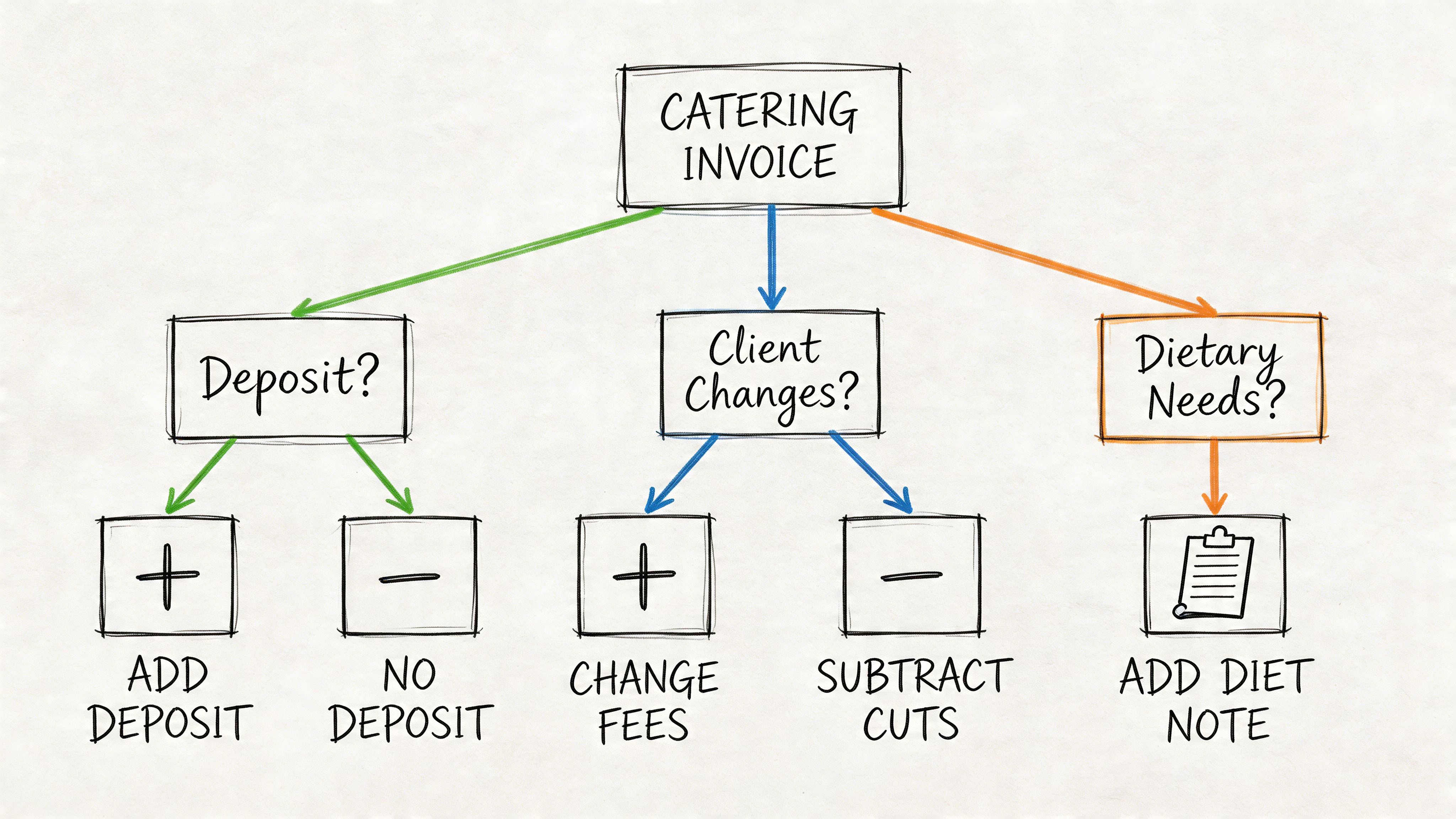
Deposits and final balances
For larger events, I prefer separate visibility for money already collected. Don’t make the client calculate it.
A clear invoice flow looks like this:
- Original event total: Full value of the booked services
- Deposit received: Shown as a credit line
- Remaining balance: What’s due now
If you only send a final balance with no reference to the deposit, clients often need to cross-check old emails. That slows payment. Put the story on one page.
Service charges and gratuity
This area causes confusion when it isn’t labeled precisely. If you charge a service fee, name it clearly and keep it distinct from optional gratuity. If the client approved it in advance, mirror that wording on the invoice.
The client should never have to guess whether a charge is:
- mandatory,
- optional,
- already included in package pricing,
- or added after the event.
A short note solves a lot of friction. One line under the total is usually enough if the wording is direct.
If a charge needs a phone call to explain it, the invoice wasn’t written clearly enough.
Third-party rentals and pass-through costs
Rentals need extra care because clients often assume they’re included in your catering package. If you’re billing for rented items, separate them from your in-house services.
Use vendor-style descriptions when possible. List the item, quantity, and amount in the same itemized table, but place it under a rental section so it doesn’t blend into food or labor. If there was markup or handling built into your pricing, your original agreement should cover that. The invoice itself should stay clean and readable.
Last-minute headcount changes
This is the scenario that breaks static templates. Final numbers change late, and someone has to revise quantities, totals, taxes, and often labor or rental counts too.
According to this summary of catering invoice workflow issues, existing templates are static and require manual recalculation when client requirements change, especially when final guest counts shift days before service. That friction creates manual work and disputes because teams end up juggling multiple invoice versions.
The best manual fix is to document the change directly on the invoice. Don’t just overwrite the old number and pretend the first version never existed.
A practical way to show it:
| Scenario | How to show it on the invoice |
|---|---|
| Guest count increased | Add a new line labeled approved headcount adjustment |
| Extra staffing added | Add separate labor line with date or service window |
| Menu swap | Show removed item and replacement item if pricing changed |
| Overtime | Add a distinct post-event line item, not a hidden total change |
Version control matters more than most people think
When there are multiple drafts, label them clearly in your file names and internal records. Keep one final, authoritative version and export that as the client-facing PDF.
That discipline matters because once you’re managing many events, the invoice isn’t just a billing document anymore. It becomes part of reconciliation, approval tracking, and dispute prevention.
Save and Automate Your Invoicing Workflow
Once your template is built, save it as a true reusable asset. In Word, that means keeping a master version and saving it as a template file so every new invoice starts clean. That prevents accidental overwrites and keeps old client data from carrying into the next event.
Save the template the right way
Use your master invoice for structure only. Then create a fresh document from that template for each new event. Your process stays cleaner, and your team won’t edit the original by mistake.
At that point, most caterers hit the next bottleneck. The invoice may be well formatted, but someone still has to move the data into a spreadsheet, accounting tool, or reconciliation file. That’s where manual admin starts to pile up.
The template is only half the system
Standard templates handle basic tax fields well enough, but they break down when invoices get more complicated. FreshBooks’ catering invoice template coverage highlights a gap around multi-currency invoicing for international events, and that creates extra work for accounting teams. The same issue shows up when businesses process vendor invoices from different regions or need to standardize mixed formats.
That’s why it helps to think beyond document creation and toward extraction. If you’re comparing manual processes with automated invoicing software, focus on what happens after the invoice is sent or received. The hidden cost is usually in rekeying data, not in making the document itself.
For teams that want structured data from finished invoices, invoice data extraction workflows are the logical next step. A strong template gives you consistency at the front end. Extraction and standardization solve the back-end workload that even the best Word file can’t remove on its own.
Frequently Asked Questions
Should I send the invoice as Word or PDF
Send the client a PDF. Keep the Word file as your editable working copy. PDF protects the layout, prevents accidental edits, and gives the client a cleaner final document.
Can I use the same template for event planning or consulting
Yes, but adjust the line items and event details so they fit the service. Catering invoices usually need food, labor, rentals, and guest-count logic. Consulting invoices usually don’t. Reusing the same shell is fine. Reusing the same billing categories often isn’t.
What should I do if the guest count changes after I already made the invoice
Revise the invoice and show the change clearly. Don’t replace totals with no explanation. Add a line item for the adjustment or issue an updated version with a clear version date in your records.
How should I store invoice records in 2026
Keep invoices in an organized digital folder structure with clear file names, matching PDFs, and backup copies. Store the final sent version, not just the editable draft. Your accountant, bookkeeper, or local compliance advisor should guide the exact retention rules that apply to your business and location.
A polished Word template helps you send better invoices. It doesn’t solve the hours spent retyping totals, line items, invoice numbers, and dates into spreadsheets after the fact. If you want to turn finished invoices, statements, and messy business documents into clean, analysis-ready tables without copy-paste, DocParseMagic is the next step worth trying.