10 Real-World Business Process Automation Examples to Implement in 2026
Business process automation (BPA) is more than just a trend; it's a fundamental shift in how modern companies operate. While the concept sounds complex, the goal is simple: use technology to handle repetitive, rule-based tasks so your team can focus on strategic work that drives growth. But what does this look like in practice? The difference between a stalled initiative and a successful one often comes down to knowing where to start.
This article moves beyond theory to provide 10 concrete business process automation examples across key departments like accounting, operations, and procurement. We will break down the specific pain point, the automated workflow solution, and the measurable benefits of each. Understanding what defines effective tools like workflow automation software can shed light on how they contribute to business success, and these examples will show you exactly how to apply them.
Each example provides a strategic blueprint you can adapt to your own organization, showing you how to reclaim thousands of hours and dramatically reduce errors. We'll also highlight how a no-code document parsing tool like DocParseMagic can be a key component in many of these scenarios, turning messy documents like invoices, statements, and contracts into structured, actionable data instantly. Consider this your guide to identifying and implementing high-impact automation opportunities within your business.
1. Invoice Processing and Data Extraction
Manual invoice processing is a classic operational bottleneck. It involves tedious data entry, is prone to human error, and creates significant delays in the accounts payable cycle. Business process automation offers a direct solution by automatically capturing and processing invoice data, making it one of the most effective business process automation examples for immediate ROI.
This automation works by using Optical Character Recognition (OCR) and intelligent data extraction to read invoices, whether they are PDFs, scanned images, or emails. The software identifies and extracts key information like vendor names, invoice numbers, line items, amounts, and payment due dates. This data is then validated against existing records, like a vendor master list, and routed for approval before being sent to an accounting system.
Measurable Benefits and Strategic Application
The impact is substantial. A mid-size manufacturer processing over 500 invoices monthly can cut its processing time by up to 75%. This frees the AP team to focus on strategic tasks like vendor relationship management and cash flow analysis instead of keying in data.
- Pain Point: High-volume, error-prone manual data entry leading to late payments and missed early payment discounts.
- Automated Workflow: Invoices arrive via email, are automatically read by the system, data is extracted, and an approval request is sent to the department head. Once approved, the data is pushed to QuickBooks.
- Result: Invoice processing time drops from 15 minutes per invoice to under 3 minutes, with a 90% reduction in data entry errors.
Strategic Takeaway: The goal isn't just to speed up data entry; it's to transform your AP department from a cost center into a strategic function. Automated processing provides the real-time data needed for better financial planning and control.
How DocParseMagic Accelerates This Process
Tools like DocParseMagic are built specifically for this task. You can create a template for a high-volume vendor in minutes. The system then learns to recognize that vendor’s unique layout, accurately extracting fields like Invoice # and Total Amount Due every time. This eliminates the need for complex, code-heavy RPA setups for document-centric tasks. To see how this works in detail, you can explore the steps for creating an automated invoice processing workflow.
2. Insurance Policy Data Extraction and Renewal Processing
The insurance industry runs on documents, and manually processing policy renewals and new business applications is notoriously slow and resource-intensive. Extracting details like coverage limits, premiums, and effective dates from hundreds of pages is a prime source of operational drag. Automating this document-centric workflow is one of the most impactful business process automation examples for insurance carriers, brokers, and agencies looking to improve speed and accuracy.
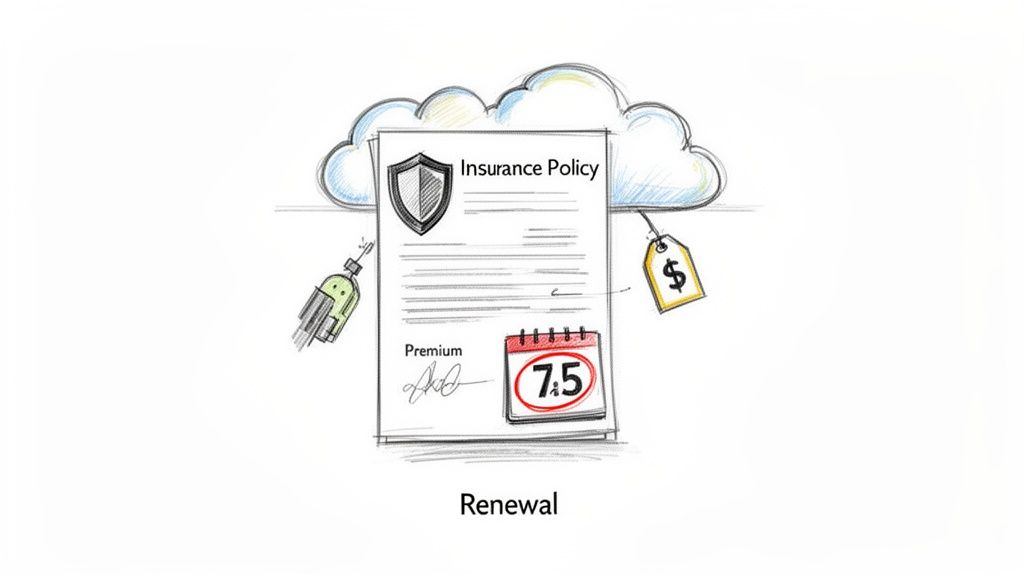
This automation uses data extraction technology to "read" insurance policies, declaration pages, and application forms. The software identifies and pulls critical information such as policyholder names, coverage types, deductibles, and renewal terms. This structured data can then be used to generate quotes, compare competing policies, identify coverage gaps, and update CRM systems without manual data entry.
Measurable Benefits and Strategic Application
The efficiency gains are significant. A national insurance brokerage handling over 10,000 renewals annually can reduce quote turnaround time from several days to just a few hours. This allows account managers to focus on advising clients and identifying cross-sell opportunities instead of administrative paperwork.
- Pain Point: Slow, manual data extraction from dense policy documents leads to errors, missed renewal deadlines, and lost business opportunities.
- Automated Workflow: A client emails their current policy for a renewal quote. The system automatically extracts key data points, compares them to new carrier options, and flags any coverage gaps. The broker receives a summarized comparison to present to the client.
- Result: Quote generation time is reduced by over 85%, data entry errors are virtually eliminated, and client satisfaction improves due to faster service.
Strategic Takeaway: Automation in insurance isn't just about processing documents faster. It’s about arming your team with accurate, real-time data to provide superior advisory services and gain a competitive edge in a crowded market.
How DocParseMagic Accelerates This Process
Solutions like DocParseMagic are designed to handle the high variability of insurance documents. You can create distinct templates for different policy types (e.g., auto, home, commercial) or standardized forms. For instance, the system can be trained to perfectly parse an ACORD 125 form, a common commercial insurance application. This precise extraction feeds directly into quoting engines or agency management systems, making the entire new business and renewal process faster. You can find out more about how to set up an automated ACORD 125 workflow on our blog.
3. Accounts Payable Reconciliation and Statement Matching
Beyond individual invoices, the month-end reconciliation process is another area ripe for automation. Manually matching supplier statements, bank transactions, and internal records is a time-consuming, detail-oriented task that can stretch the financial close cycle by days. Automating this reconciliation is one of the most powerful business process automation examples for improving financial accuracy and operational speed.
Automation works by ingesting various financial documents, like vendor statements of account and bank transaction files. It uses intelligent data extraction to pull transaction lists, dates, and amounts from these documents. The system then executes predefined matching rules, comparing line items from the vendor statement against transactions recorded in the company’s ERP or accounting software to automatically flag discrepancies, identify missing invoices, and confirm paid items.
Measurable Benefits and Strategic Application
The results are immediate and impactful. A large retailer reconciling over 500 supplier statements monthly can reduce its month-end close time from ten days down to just two. This allows the finance team to shift its focus from manual ticking-and-tying to investigating the root causes of discrepancies and improving financial controls. For a deeper dive into optimizing this critical financial function, explore our guide on Accounts Payable process best practices.
- Pain Point: Tedious, error-prone manual matching of hundreds of statements, delaying month-end close and obscuring cash flow visibility.
- Automated Workflow: Vendor statements arrive via a dedicated email inbox. The system extracts all line items, dates, and amounts, then automatically matches them against posted invoices in Oracle NetSuite. Unmatched items or discrepancies are compiled into an exception report and routed to the AP manager for review.
- Result: Reconciliation time is cut by 80%, and the accuracy of identifying payment errors before they compound improves significantly.
Strategic Takeaway: The objective is not just to close the books faster. It's to build a more resilient and transparent AP function that provides real-time visibility into liabilities and prevents payment errors, which is a key component of effective three-way matching.
How DocParseMagic Accelerates This Process
DocParseMagic simplifies the front-end data extraction needed for reconciliation. Instead of manually keying in transactions from a PDF statement of account, you can use a pre-built or custom parser to instantly digitize the entire document. The system accurately extracts tables of data, including invoice numbers, dates, and amounts, and exports them as a structured file (like a CSV) ready for import into your reconciliation software or ERP. This first step, data capture, is often the biggest bottleneck, and automating it makes the entire reconciliation workflow faster and more reliable. You can see how this principle is applied in our guide to improving accuracy in 3-way matching.
4. Commission and Compensation Calculation from Sales Reports
Manually calculating sales commissions is an intricate and high-stakes process. It often involves consolidating data from disparate sources like CRM exports, spreadsheets, and carrier reports, making it a prime candidate for errors, disputes, and delayed payouts. Automating this workflow is one of the most impactful business process automation examples for improving sales team morale and ensuring financial accuracy.
This automation involves extracting sales data, performance metrics, and compensation details from various documents and systems. The software pulls key figures like sales volume, deal size, and rep IDs, then applies predefined commission rules to calculate accurate payouts. This removes the manual burden of data consolidation and complex calculations, leading to timely and transparent compensation.
Measurable Benefits and Strategic Application
The results are immediate and significant. A manufacturer's representative agency processing commissions for over 100 reps can reduce its calculation and reconciliation time by up to 80%. This allows the finance team to focus on strategic financial analysis and exception handling rather than tedious manual cross-referencing.
- Pain Point: Time-consuming, error-prone commission calculations from scattered sales reports, leading to payment disputes and low sales team trust.
- Automated Workflow: Monthly sales reports and CRM exports arrive via email. The system automatically extracts rep performance data, applies multi-tier commission logic, and generates a draft commission statement for review.
- Result: Commission calculation time is reduced from days to hours, with a 95% decrease in calculation errors and a corresponding drop in sales team disputes.
Strategic Takeaway: Accurate and timely commissions are a cornerstone of a motivated sales force. Automation transforms the process from a potential source of conflict into a transparent system that builds trust and drives performance.
How DocParseMagic Accelerates This Process
Tools like DocParseMagic are ideal for handling the unstructured data at the heart of this process. You can set up parsing rules to extract specific data from sales reports, even if each one has a different format. For example, it can pull Sales Rep Name, Total Sales, and Product Category from dozens of different PDF reports. This data can then be exported to a spreadsheet or database where your commission formulas are applied, standardizing the input for your calculations.
5. Loan and Credit Application Processing
The loan and credit application process is notoriously document-heavy and slow, creating friction for both lenders and borrowers. Manual review of tax returns, bank statements, and employment letters is time-consuming and introduces inconsistency in credit evaluation. Business process automation tackles this challenge head-on by automating the extraction and verification of critical financial data, making it a powerful business process automation example for financial institutions.
This automation uses intelligent data extraction to pull key information from a wide array of application documents. The software can identify and capture income figures from pay stubs, asset values from bank statements, and employment history from verification letters. This structured data is then cross-referenced, validated against internal rules, and used to auto-populate underwriting models, accelerating decisions and improving consistency.
Measurable Benefits and Strategic Application
The results are dramatic. Community banks have reported reducing mortgage application processing from 30 days down to just 7. This automation empowers loan officers to handle a higher volume of applications with greater accuracy, focusing their expertise on complex cases rather than manual data validation.
- Pain Point: Slow, inconsistent, and error-prone manual review of financial documents, leading to long decision times and a poor customer experience.
- Automated Workflow: A loan application and its supporting documents (bank statements, tax returns) are uploaded to a secure portal. The system automatically extracts income, assets, and liabilities, flags any discrepancies, and populates a preliminary underwriting report.
- Result: Application processing time is reduced by 60-80%, data entry errors are virtually eliminated, and underwriting consistency improves across the organization.
Strategic Takeaway: The goal is not just faster processing but a more reliable and scalable lending operation. Automation creates a complete audit trail and provides the clean, structured data needed for better risk modeling and portfolio analysis.
How DocParseMagic Accelerates This Process
Tools like DocParseMagic are ideal for handling the diverse document types in loan files. You can configure parsers for W-2s, 1040 tax forms, and various bank statement formats without writing code. The system learns to accurately find and extract fields like Adjusted Gross Income, Ending Balance, and Employer Name from different document layouts. This allows lending institutions to build a robust, scalable document intake system quickly. To learn more, explore how to set up an automated document processing workflow.
6. Vendor Proposal and Contract Comparison
Manually comparing complex vendor proposals is a huge drain on procurement resources. Teams must sift through dozens of pages to find and align key terms, pricing structures, and service level agreements (SLAs), making it difficult to conduct a true side-by-side analysis. Business process automation solves this by automatically extracting critical data from multiple proposals into a standardized format, making it a powerful business process automation example for strategic sourcing.
This automation uses intelligent data extraction to pull specific information from diverse proposal documents, including PDFs and Word files. It identifies and extracts line-item pricing, delivery timelines, contract terms, liability clauses, and other custom data points. This information is then populated into a comparison template, allowing procurement teams to quickly see how vendors stack up on the factors that matter most.
Measurable Benefits and Strategic Application
The impact on decision-making is immediate and profound. A construction firm comparing subcontractor bids can reduce its analysis time from days to hours. This frees the procurement team to negotiate better terms and focus on building stronger supplier relationships rather than manually compiling spreadsheets.
- Pain Point: Time-consuming, inconsistent, and error-prone manual review of vendor proposals, leading to poor purchasing decisions and missed value opportunities.
- Automated Workflow: Multiple vendor proposals are uploaded to the system, which extracts predefined data points (e.g., unit costs, warranty period, payment terms). The extracted data populates a comparison dashboard for the procurement manager's review.
- Result: Proposal analysis time is reduced by over 80%, decision-making consistency improves by 95%, and the team can analyze more bids, leading to an average of 10-15% in cost savings.
Strategic Takeaway: The goal is not just to compare prices faster; it's to gain a holistic view of total value. Automation provides the structured data needed to evaluate risk, ensure compliance, and make purchasing decisions that align with long-term business objectives.
How DocParseMagic Accelerates This Process
Tools like DocParseMagic are ideal for this high-stakes comparison work. You can create a parsing model that targets the specific clauses and pricing tables you need to compare, even if the vendors use wildly different formats. The system learns to find Total Cost of Ownership, Implementation Timeline, and Support Tiers across all documents, exporting the data directly to a comparison sheet. This avoids the need for complex RPA bots that can break when a vendor changes their proposal layout.
7. Construction and Subcontractor Invoice Processing
Construction accounting is notoriously complex, involving detailed line items, labor hours, material costs, and project codes on every invoice. Manually processing subcontractor invoices, change orders, and time sheets is a massive drain on resources and a major source of project budget overruns. Business process automation tackles this head-on by automating the extraction of this granular data, making it one of the most impactful business process automation examples for the construction industry.
This automation uses Optical Character Recognition (OCR) and intelligent document processing to read and understand complex construction documents. The software can identify and pull specific data like project codes, labor hours, material quantities, and unit costs from varied subcontractor invoice formats. This information is then validated against project budgets and purchase orders, routed for project manager approval, and synced directly with construction accounting software like Sage 300 or Viewpoint Vista.
Measurable Benefits and Strategic Application
The efficiency gains are critical. A general contractor managing multiple projects can reduce invoice and change order processing times by over 80%. This allows project managers and accounting staff to focus on critical financial oversight, such as managing cash flow, tracking budget-to-actuals in real time, and ensuring lien waiver compliance.
- Pain Point: Tedious, error-prone manual entry of complex line-item details from hundreds of subcontractor invoices, leading to payment delays and inaccurate project cost tracking.
- Automated Workflow: A subcontractor emails an invoice and a signed lien waiver. The system automatically extracts all line items, associates them with the correct project cost codes, flags any change orders for review, and archives the lien waiver.
- Result: Invoice processing costs are significantly lowered, payment cycles are accelerated, and project cost reports are always up-to-date, improving profitability analysis.
Strategic Takeaway: The objective extends beyond faster payments. It's about gaining real-time visibility into project costs. Automating data extraction provides the accurate, timely financial data needed to prevent budget creep and make informed decisions on the fly.
How DocParseMagic Accelerates This Process
Tools like DocParseMagic are ideal for handling the high variability of construction documents. Instead of wrestling with rigid templates, you can set up a parser that intelligently identifies line items, material descriptions, and labor hours, even when the layout changes between subcontractors. This is especially useful for automatically flagging change orders or non-standard charges for project manager review. Learn more about how to set up an automated workflow for construction documents.
8. Financial Statement and Audit Documentation Collection
Gathering documents for an annual audit is a notoriously painful process. Finance teams spend weeks manually locating, extracting, and organizing data from bank statements, tax returns, and various financial reports. Business process automation provides a powerful remedy by automating the collection and organization of this critical information, making it one of the most valuable business process automation examples for ensuring compliance and reducing audit-season stress.
This automation involves setting up systems to automatically pull data from diverse financial documents. Using Optical Character Recognition (OCR) and intelligent parsing, the software can extract specific figures, transaction dates, and account details from PDFs and scanned images. This extracted data is then cross-referenced, organized into predefined audit schedules, and compiled into a ready-to-share package for auditors.
Measurable Benefits and Strategic Application
The efficiency gains are immediate. A non-profit organization can reduce its audit preparation time from over 100 staff-hours to less than 20. This allows the finance team to concentrate on analyzing variances and providing strategic insights to leadership rather than chasing down paperwork.
- Pain Point: Time-consuming, manual document gathering that pulls key personnel away from their core duties and increases the risk of providing incomplete or incorrect information to auditors.
- Automated Workflow: Bank statements and investment reports are automatically ingested from a dedicated email inbox. The system extracts balances, transactions, and interest income, populating a pre-built audit schedule. The final package is exported as a set of organized Excel files for auditor review.
- Result: Audit prep time is cut by 80%, and the risk of human error in data transcription is virtually eliminated, leading to a smoother, faster audit cycle.
Strategic Takeaway: The purpose isn't just to gather documents faster; it's to build a system of continuous audit readiness. This approach transforms the audit from a disruptive annual event into a predictable, low-friction process.
How DocParseMagic Accelerates This Process
Tools like DocParseMagic are designed to handle the document diversity inherent in audit preparation. You can create distinct parsers for bank statements, brokerage reports, and even vendor invoices, each trained to find and extract the specific data points required by your auditors. This eliminates the need for manual data entry and ensures consistency across all documentation. For more ideas on handling complex documents, check out our guide on automating financial statement analysis.
9. Benefits Enrollment and Employee Documentation Processing
Manual benefits enrollment is an enormous administrative burden for HR departments, especially in large organizations. It involves collecting and processing countless forms, verifying dependent information, and manually keying data into HRIS and benefits administration platforms. This process is slow, prone to costly data entry errors, and creates a poor onboarding experience for employees. Automation offers a solution by digitizing the collection and processing of enrollment data, making it another powerful example of business process automation examples for operational excellence.
This automation works by capturing data from standardized digital or scanned paper enrollment forms. Using Optical Character Recognition (OCR), the system extracts key information such as employee details, dependent data, benefit selections (e.g., medical, dental, 401k contributions), and beneficiary designations. It then cross-references this information with existing employee records, validates eligibility based on pre-set business rules, and flags any missing or inconsistent supporting documents like birth certificates or marriage licenses.
Measurable Benefits and Strategic Application
The impact is most significant for large employers or PEOs managing thousands of lives. A healthcare system with over 10,000 employees can reduce its annual open enrollment processing workload by over 80%. This allows the HR benefits team to shift its focus from clerical work to employee education, wellness program management, and strategic benefits design.
- Pain Point: High-volume, manual processing of sensitive employee data leading to errors in coverage, payroll deductions, and compliance reporting.
- Automated Workflow: Employees submit digital or scanned enrollment forms and supporting documents to a dedicated portal. The system automatically extracts all data, validates it against the HRIS, and flags incomplete submissions for HR review. Approved data is then pushed directly into the benefits administration system like Workday or Benefitfocus.
- Result: Data entry time is virtually eliminated, enrollment errors are reduced by over 95%, and the time to confirm employee coverage drops from weeks to just a few days.
Strategic Takeaway: The objective extends beyond simple data entry. It's about creating a scalable, accurate, and compliant benefits administration function that enhances the employee experience and provides leadership with reliable data for cost analysis and strategic planning.
How DocParseMagic Accelerates This Process
Tools like DocParseMagic are ideal for this document-heavy HR task. You can create a template for your company’s standardized benefits enrollment form, training the system to identify and extract fields like Employee ID, Selected Medical Plan, and Dependent Name. The platform can handle variations in scanned documents and reliably pull the necessary data, which can then be exported for seamless integration with your primary HR systems. This avoids the need for complex custom integrations or manual re-entry of critical employee information.
10. Order-to-Cash and Billing Process Automation
A lengthy order-to-cash (O2C) cycle directly impacts cash flow, tying up working capital and delaying revenue recognition. Manual handling of purchase orders, shipping documents, and invoices introduces errors, requires constant reconciliation, and slows down billing. Business process automation addresses this by creating a connected, data-driven workflow, making it one of the most critical business process automation examples for improving a company's financial health.
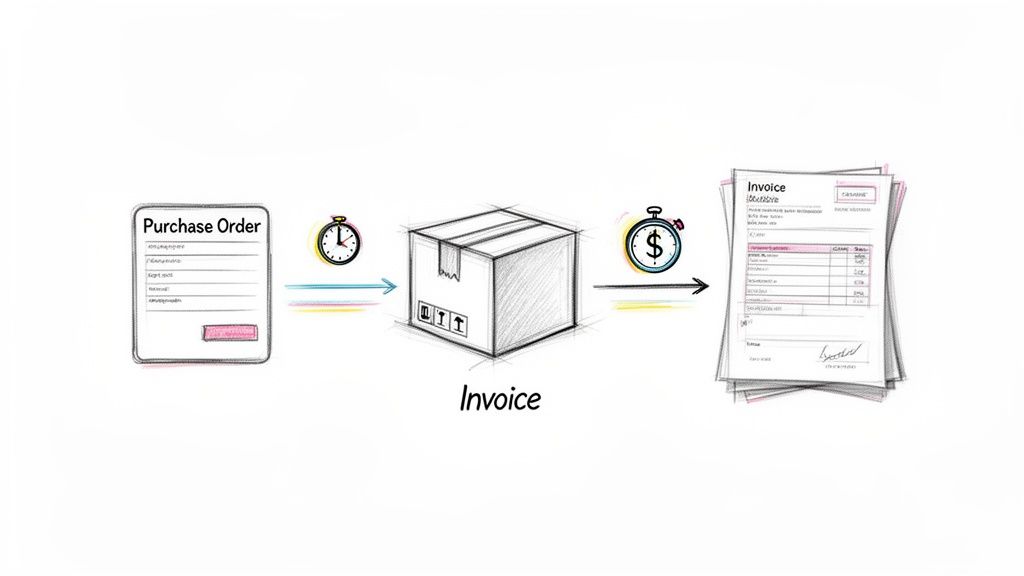
This automation involves capturing data from purchase orders, verifying it against shipping confirmations, and automatically generating accurate invoices. Using intelligent data extraction, the system pulls order details, shipping information, and customer data from various documents. This enables an automated three-way match between the purchase order, the shipping document, and the final invoice, ensuring billing accuracy before the invoice is even created.
Measurable Benefits and Strategic Application
The results are felt immediately in the finance department. A manufacturing company can shrink its billing cycle from over a week to just two days. This acceleration of cash flow and reduction in Days Sales Outstanding (DSO) gives businesses more operational flexibility and capital for growth.
- Pain Point: A slow, disconnected O2C process causes billing errors, delays customer payments, and negatively affects cash flow.
- Automated Workflow: A customer's purchase order is received and its data is extracted. Upon shipment, the system captures data from the bill of lading. It automatically matches the PO, shipping data, and customer information to generate and send an accurate invoice within 24 hours.
- Result: A distributor processing over 1,000 orders daily achieves 99%+ billing accuracy and reduces its DSO by 15%, freeing up significant working capital.
Strategic Takeaway: The focus is not just on sending invoices faster; it's about creating a trustworthy and transparent billing process. Automation builds a reliable data foundation that reduces customer disputes and strengthens financial forecasting.
How DocParseMagic Accelerates This Process
Tools like DocParseMagic are ideal for the document-heavy front end of the O2C cycle. You can configure the software to extract specific data from any purchase order format or shipping document without manual intervention. For example, it can be set to pull PO Number, SKU, and Quantity from an order and then match that data against a Tracking Number and Ship Date from a corresponding shipping notice. This data can then be sent directly to your ERP or billing platform like Zuora or Bill.com to trigger invoice creation. Learn more about setting up these connections in our guide on automating document workflows.
Comparison of 10 Business Process Automation Use Cases
| Solution | Implementation Complexity 🔄 | Resource Requirements 💡 | Expected Outcomes ⭐ | Ideal Use Cases | Key Advantages ⚡📊 |
|---|---|---|---|---|---|
| Invoice Processing and Data Extraction | Medium–High — extraction rules, three-way matching, ERP integration | OCR/ML engines, vendor master cleanup, AP workflow integration | Reduces AP time 40–60%, >90% fewer data-entry errors | High-volume AP (manufacturing, procurement, accounting firms) | Faster invoice throughput, improved cash visibility, audit trail |
| Insurance Policy Data Extraction and Renewal Processing | High — many document types and regulatory checks | Domain models for insurance terms, templates per policy type, CRM integration | Speeds renewals 60–70%, quote accuracy ≈98%+ | Brokers, carriers, MGAs handling large renewal volumes | Faster renewals, better retention, data-driven underwriting |
| Accounts Payable Reconciliation and Statement Matching | Medium — matching rules, bank integrations, exception workflows | Multi-format statement parsing, bank connectors, historical data | Cuts close time 30–40%, reduces reconciliation items 50–70%+ | Retailers, manufacturers, healthcare reconciling many statements | Early error/fraud detection, improved cash accuracy |
| Commission and Compensation Calculation from Sales Reports | Medium — complex rules and frequent updates | Aggregation from CRM/ERP, configurable rules engine, audit logs | Reduces calculation time ~80%, payout accuracy ~99%+ | Sales organizations with tiered commissions, SaaS, brokers | Transparent payouts, fewer disputes, scalable calculations |
| Loan and Credit Application Processing | High — strict compliance, multi-doc financial extraction | Secure data handling, fraud checks, integration with underwriting systems | Shortens processing 60–70%, lowers cost-per-application 40–50% | Banks, credit unions, mortgage lenders handling many apps | Faster underwriting, consistent credit decisions, auditability |
| Vendor Proposal and Contract Comparison | Medium — varied formats, requires templating and legal review | Multi-format extraction, comparison templates, procurement connector | Reduces evaluation time ~70%, enables 5x more comparisons | Procurement teams, IT sourcing, construction bidding | Objective comparisons, hidden-cost identification, negotiation support |
| Construction and Subcontractor Invoice Processing | High — highly variable invoices, project-code mapping | Project management integration, progress billing templates, lien tracking | Cuts invoice time 60–70%, improves project cost accuracy ~90%+ | General contractors, construction managers, developers | Accurate project costing, faster payments, lien compliance |
| Financial Statement and Audit Documentation Collection | Medium — standardized outputs but many source types | Secure extraction, reconciliation tools, audit checklist mapping | Reduces audit prep time 40–70%, lowers audit fees 20–30% | Public companies, PE-backed firms, non-profits during audit season | Consistent audit packages, fewer auditor requests, compliance support |
| Benefits Enrollment and Employee Documentation Processing | Medium — complex eligibility rules and privacy needs | HRIS/connectors, verification rules, secure storage | Cuts enrollment processing 50–80%, data accuracy ≈98%+ | Large employers, PEOs, multi-location HR teams | Faster enrollment, fewer setup errors, regulatory compliance |
| Order-to-Cash and Billing Process Automation | High — requires sales, shipping, and billing system integration | PO/ship/invoice parsing, tax engines, dispute workflows | Reduces billing time 70–80%, lowers DSO by 5–10 days | Distributors, manufacturers, B2B SaaS, e‑commerce | Faster invoicing, fewer disputes, improved working capital |
From Examples to Action: Your Next Steps in Automation
Throughout this article, we’ve explored a diverse set of business process automation examples, moving from the accounting department to the manufacturing floor and beyond. These case studies are more than just success stories; they are practical blueprints for how your organization can reclaim valuable time, reduce costly errors, and build more resilient operations. The connecting thread is clear: the most significant gains come from targeting document-heavy, rule-based workflows where manual data entry and repetitive verification create bottlenecks.
From invoice processing and accounts payable reconciliation to the complexities of loan applications and insurance policy renewals, the pattern is consistent. A well-defined, manual process, while functional, acts as a ceiling on your team's potential. By introducing automation, especially at the point of data extraction, you don't just speed up one task. You create a ripple effect of efficiency that frees your skilled employees to focus on analysis, strategy, and high-value decision-making rather than tedious data transcription.
Key Insights and Strategic Takeaways
Reflecting on the business process automation examples we've analyzed, several core strategies emerge for successful implementation. These are the principles that separate a stalled project from a successful one.
- Start with the Pain: The best candidates for automation are not always the most complex processes, but the most painful. Identify the workflows that cause the most frustration, generate the most errors, or consume the most person-hours. This built-in "pain" creates internal buy-in and makes the ROI immediately obvious.
- Document First, Automate Second: A common pitfall is attempting to automate a chaotic or undefined process. Before a single line of code is written or a tool is purchased, map the existing workflow. Who touches the document? What information is needed? Where does it go next? A clear map reveals the exact points where automation will have the greatest impact.
- Focus on the Handoffs: Pay close attention to the moments where data moves from one person, system, or department to another. These handoffs, like passing an invoice from AP to a department head for approval, are prime opportunities for errors and delays. Automating these connections ensures data integrity and accelerates the entire cycle.
Strategic Point: True automation isn't just about making one task faster. It’s about creating a seamless, automated "data supply chain" where information flows from its source document to its final destination with minimal human intervention. This is where the real competitive advantage lies.
Your Actionable Roadmap to Automation
Seeing these examples is inspiring, but turning inspiration into action is what matters. Here is a simple, step-by-step plan to begin your own automation journey, based on the successful patterns we've observed.
- Identify Three Candidate Processes: Sit down with your team and brainstorm. What are the top three tasks that involve repetitive data entry from documents? Think about commission reports, vendor invoices, or benefits enrollment forms.
- Quantify the Manual Effort: For your top candidate, do a quick "time and motion" study. How many hours per week are spent on this task? What is the estimated error rate? Putting a number on the problem builds a compelling business case.
- Run a Small, Controlled Pilot: Don't try to automate the entire department at once. Select a small batch of documents, perhaps from a single vendor or for one specific project, and test your chosen automation tool. This allows you to work out kinks and demonstrate value on a small scale. For instance, you could use a tool like DocParseMagic to process just ten subcontractor invoices and compare the time and accuracy against your manual method.
- Measure and Communicate the Results: After your pilot, present the findings. "We processed these ten invoices in 15 minutes with 100% accuracy, a task that normally takes three hours and has a 5% error rate." Concrete results like these are what secure the resources for a full-scale rollout.
By following this approach, you transform the concept of automation from an abstract idea into a tangible project with measurable outcomes. Each of the business process automation examples in this article started with a similar first step: identifying a problem and testing a focused solution. Now, it's your turn to take that step.
Ready to move from example to execution? The first step in nearly every successful automation project is mastering document data extraction. See how DocParseMagic can instantly pull data from invoices, reports, and forms, turning your biggest manual bottleneck into your most efficient process. Explore how DocParseMagic can serve as the engine for your first automation win.