Best OCR Softwares of 2026: A Complete Comparison Guide
If you're comparing best ocr softwares right now, you're probably not doing it out of curiosity. You're doing it because someone on your team is still opening PDFs, scanning for totals, copying policy numbers into spreadsheets, or reconciling line items by hand across invoices, statements, and proposals.
That work usually breaks in the same place. The first file looks manageable. The tenth file is annoying. The hundredth file turns into a process problem.
Most buyers start with a simple question: which OCR tool is most accurate? That's a fair question, but it's usually the wrong one. In operations, the issue isn't whether a tool can read text off a page. The issue is whether it can turn a messy business document into usable data without a week of setup and constant cleanup.
Your Search for the Best OCR Softwares Ends Here
A lot of OCR buying advice sounds useful until you try to automate a live workflow.
You read that one platform offers 95% to 99.9% accuracy, another claims advanced AI, and a third says it's built for invoices. Then you upload a policy declaration, a vendor quote with a nonstandard table, or a multi-page statement with inconsistent formatting. Suddenly the headline number doesn't help much.
That gap matters because general OCR percentages hide the core question: what kind of document was tested? As noted in this OCR invoice scanning analysis, existing OCR software reviews often cite broad accuracy ranges but rarely benchmark them against specific document types or real operating conditions. The same analysis makes an important point: a 99% accuracy rate for simple invoices is very different from 99% accuracy on dense policy schedules or multi-page change orders.
What buyers usually miss
Many organizations don't need software that merely reads words. They need software that can answer business questions from a document:
- Which invoice number belongs to this vendor
- What are the line items and quantities
- Which premium amount belongs to which insured
- Where is the payment due date
- How do I compare these two proposals side by side
Basic OCR can help with searchability and text capture. It usually doesn't solve extraction in a way accounting, insurance, procurement, or lending teams can trust.
The real cost isn't failed OCR. It's the human review you still need after OCR finishes.
What actually separates useful tools
The strongest platforms don't just copy text from an image. They identify structure, field meaning, rows, totals, and relationships between values.
That's the dividing line in this market. Some tools are best for turning PDFs into editable text. Others are built for document automation. If you're evaluating the best ocr softwares for business, you need to separate text recognition from intelligent parsing. Once you do that, the shortlist gets much clearer.
OCR vs Intelligent Document Parsing Explained
Traditional OCR and intelligent document parsing sound similar in product demos, but they solve different problems.
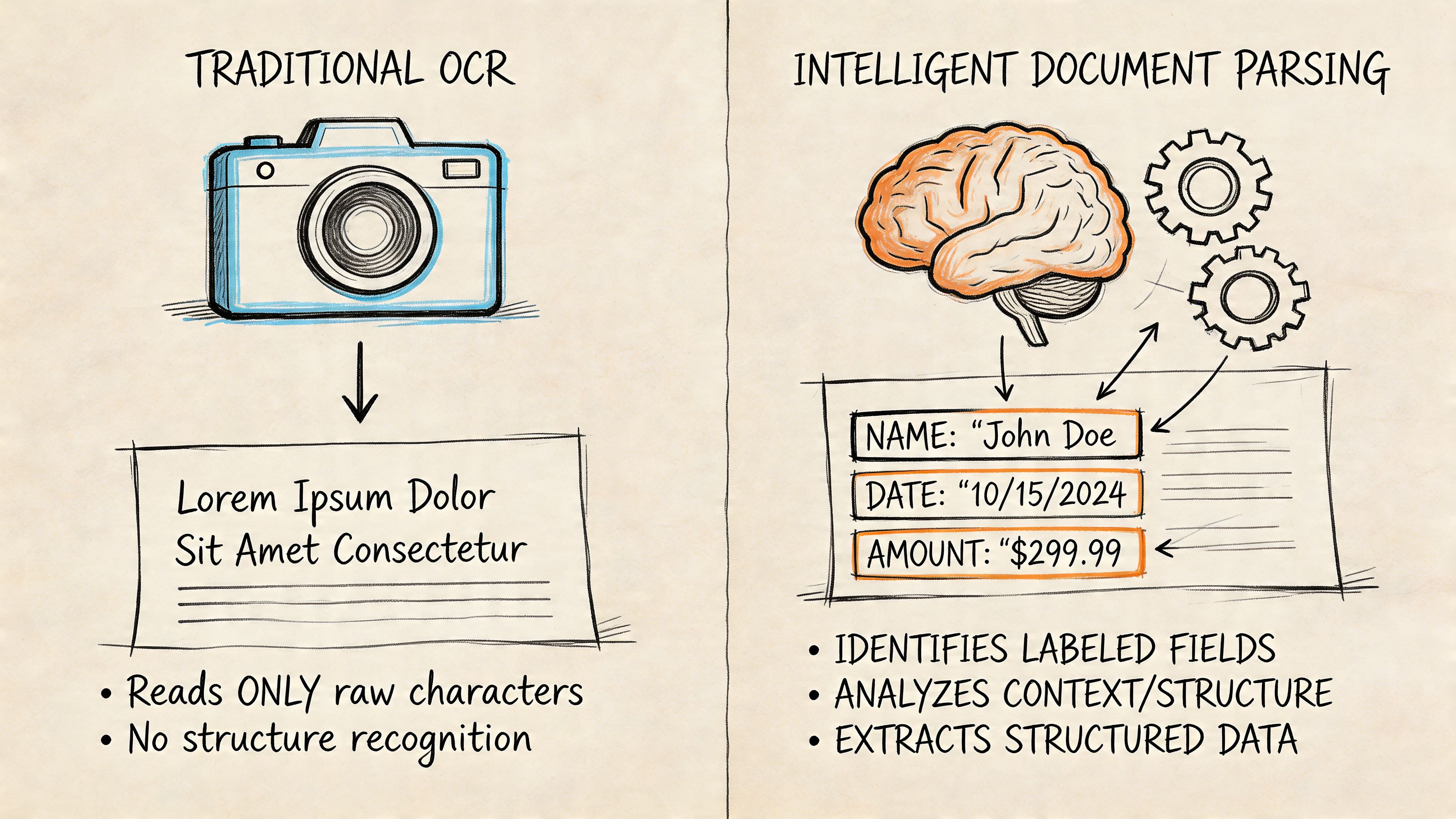
OCR reads characters. Intelligent document parsing reads documents.
What OCR does well
Think of OCR like copying every visible word from a printed page into a text file. That's useful when you want searchable PDFs, editable contracts, or text recovery from scans.
For a desktop workflow, that may be enough. A legal assistant converting scanned pages into editable text can work productively with a tool like ABBYY FineReader or Adobe Acrobat Pro DC. A records team can archive searchable files and move on.
The problem starts when your process depends on structure. A bank statement isn't just text. It has account details, transaction rows, dates, amounts, and categories. A policy declaration isn't just text either. It has named entities, coverage details, premiums, and schedule tables.
What parsing adds
Intelligent document parsing goes further. It uses OCR as one layer, then applies layout understanding and field extraction so the output lands in columns you can work with.
If OCR says:
- Invoice No 4827
- Date 01/12
- Total 9,800
- Widget A 25
- Widget B 12
A parser tries to return:
| Invoice Number | Invoice Date | Total | Item | Quantity |
|---|---|---|---|---|
| 4827 | 01/12 | 9,800 | Widget A | 25 |
| 4827 | 01/12 | 9,800 | Widget B | 12 |
That difference is why teams searching for OCR often end up needing intelligent document processing instead. If you want a clear walkthrough of that shift, this guide to intelligent document processing is worth reading.
OCR tells you what the page says. Parsing tells you what the page means for your workflow.
Why this matters in business operations
In finance and banking operations, this distinction shows up fast. Teams working with checks, remittance documents, or deposit-related files often need data extraction tied to downstream systems, not just readable scans. That's also why workflows around Remote Deposit Capture (RDC) matter as a reference point. The value isn't in producing an image of a check. It's in capturing usable information quickly and routing it correctly.
The same logic applies to invoices, commission reports, loan files, and vendor proposals. If your team still has to map fields manually after OCR runs, you don't have automation. You have a faster copy-paste tool.
Key Criteria for Evaluating Document Automation Tools
A buying checklist full of features won't help much unless each item maps to a workflow problem. The useful way to evaluate best ocr softwares is to ask where the operational friction shows up after upload.
Accuracy that matters to operations
Character accuracy matters, but field-level accuracy matters more. A platform can read most words correctly and still fail on invoice totals, dates, line items, or vendor names.
For accounting and compliance work, that's where review time piles up. If your team has to verify each extracted field one by one, the tool may still be useful, but it isn't reducing much labor.
Structured extraction and layout handling
A strong tool should capture more than the obvious header fields. It should understand rows, tables, key-value pairs, and sections that move around from one supplier or carrier to another.
Many buyers underestimate this. They test one clean invoice, get a decent result, and assume the tool is ready. Then they upload a credit memo, a statement with nested tables, or a proposal with unusual formatting and discover the model was really optimized for simpler files.
For a broader framework on this shift from OCR to workflow-level extraction, this overview of automated document processing software gives a practical lens.
Format support and ingestion
Files arrive in ugly ways. Some are digital PDFs. Some are scans. Some are phone photos sent from a field rep. Some are exports from old systems with inconsistent formatting.
Look for a platform that handles mixed inputs without forcing your team to clean everything first. If the first step in your process is still "convert to another format and rescan," you've introduced avoidable friction.
Workflow and integration fit
The extraction result only matters if it lands where people work.
A useful evaluation should include:
- Batch handling so teams can process folders or queues instead of one document at a time
- API or system connectivity for ERP, accounting, or internal tools
- Validation support for high-risk workflows where a human needs to review exceptions
- Export flexibility so operations can move data into spreadsheets, databases, or dashboards
Pricing and security
Pricing models shape behavior. Per-page billing can work well for predictable volume. Subscription plans can make sense for desktop users. Credit-based pricing can be practical for teams with uneven document loads.
Security should be part of the first call, not the last. Ask where data is processed, whether on-premise or controlled cloud deployment is available, how access is handled, and what review controls exist for sensitive financial, insurance, or health-related files.
Practical rule: If a vendor demo avoids the topics of exception handling, export format, and security, the product probably isn't ready for a serious document workflow.
A short evaluation grid
| Criteria | What to check | Why it matters |
|---|---|---|
| Accuracy | Field extraction on real files | Reduces manual review |
| Structure | Tables, key-value pairs, line items | Makes data usable |
| Input types | PDFs, scans, images, mixed docs | Cuts preprocessing work |
| Template dependence | Whether setup is required | Affects rollout speed |
| Automation | Batch tools, queues, validation | Supports scale |
| Integration | API, ERP, accounting exports | Prevents rekeying |
| Pricing | Per page, subscription, credits | Controls operating cost |
| Security | Deployment and data controls | Protects sensitive documents |
Comparing Top OCR and Document Parsing Platforms in 2026
The market is crowded, but a handful of tools come up repeatedly for business use. They don't all solve the same problem, which is why side-by-side comparison matters more than feature lists.
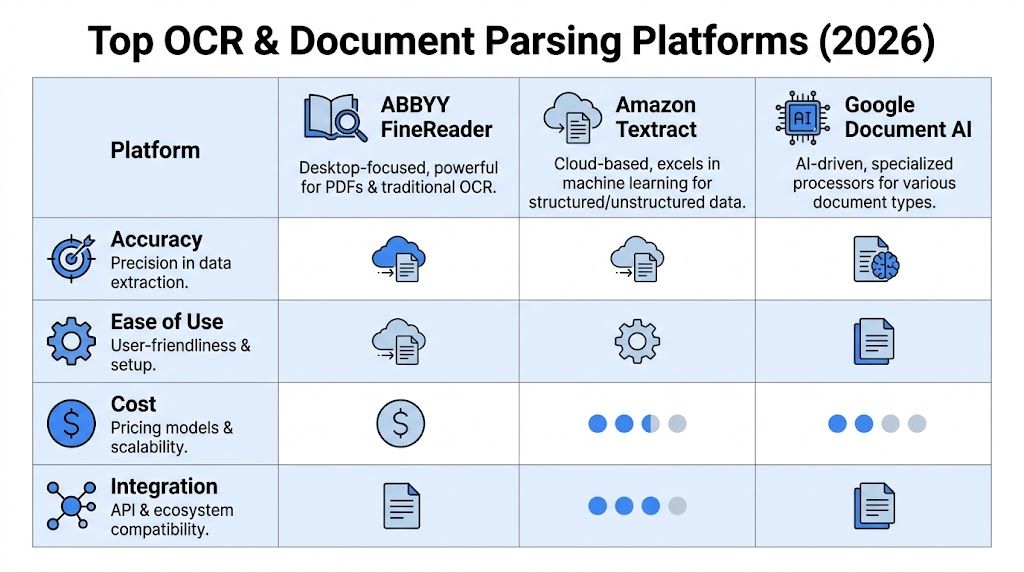
2026 OCR and Document Parsing Software Comparison
| Tool | Primary Use Case | Structured Extraction | Template-Free? | Pricing Model |
|---|---|---|---|---|
| ABBYY FineReader | Desktop OCR, PDF conversion, complex document editing | Good for layouts, tables, and multilingual docs | Limited compared with parser-first tools | Subscription |
| Amazon Textract | Cloud extraction for forms, tables, invoices, and mixed documents | Strong | Yes for many document types | Usage-based |
| Google Document AI | Cloud document understanding with processor-based workflows | Strong | Generally designed for broad document understanding | Usage-based |
| Adobe Acrobat Pro DC | PDF editing and searchable text | Basic to moderate | Not ideal for complex extraction workflows | Subscription |
| Tesseract | Open-source OCR for custom builds | Basic without added engineering | Depends on implementation | Open-source |
| IronOCR | .NET OCR in custom applications | Moderate to strong for developer-led builds | Depends on implementation | Commercial license |
| PaddleOCR-VL | Open-source document understanding experimentation | Broad potential in advanced document tasks | Depends on implementation | Open-source |
| DocParseMagic | No-code parsing for business documents into spreadsheets | Strong on field and table extraction | Yes, designed for template-free uploads | Credit-based |
ABBYY FineReader
ABBYY remains one of the strongest choices when the job is OCR-first and quality matters. According to this OCR software review, ABBYY FineReader can reach up to 99.5% accuracy on complex documents when paired with optional human-in-the-loop checks, supports over 190 languages, and is known for retaining layouts well across tables and multi-column pages.
That makes it a practical fit for teams converting archives, editing PDFs, or processing multilingual business files on Windows. It also offers batch folder processing, which operations teams appreciate.
The trade-off is that ABBYY is still closer to a high-end OCR and PDF productivity tool than a no-code document parsing system. It can do a lot, but buyers should be honest about whether they need editable documents or extraction-ready data.
ABBYY is strong when the document itself matters. It is less natural when the row-level output is the main product.
Amazon Textract
Amazon Textract is one of the clearest examples of OCR moving into document understanding. In AIMultiple's OCR accuracy benchmark, AWS Textract and Google Cloud Vision API emerge as leading commercial solutions, achieving over 99% accuracy on non-handwritten documents and excelling in structured extraction. The same benchmark notes that AWS Textract natively detects tables and forms from invoices, with API calls averaging under 500ms latency for 20MB PDFs.
Textract is a strong fit for engineering-led teams already inside AWS. It works especially well when invoices, forms, statements, and key-value extraction need to flow into downstream systems.
The trade-off is implementation overhead. Nontechnical teams may find it powerful but not friendly. You'll usually need someone to wire it into a process, manage exceptions, and present the output in a usable way.
Google Document AI and Google Cloud Vision
Google's document stack belongs in any serious comparison. In the same benchmark above, Google Cloud Vision API sits alongside Textract at the top tier for non-handwritten OCR performance.
Google is often attractive when companies want cloud-native processing and flexible APIs. It also fits well for teams already using Google Cloud services.
The practical caution is familiar. Good APIs aren't the same as good business workflows. If your users need a browser tool they can upload files into and export clean spreadsheets from, API strength alone won't solve adoption.
Adobe Acrobat Pro DC
Adobe Acrobat Pro DC still has a place, especially for document-heavy offices that already live in PDFs. It's useful for making scanned files searchable, editing text, and handling occasional OCR work.
It's less compelling for line-item extraction, invoice normalization, or policy parsing at scale. A lot of teams start here because they already own it, then realize they still need manual review and spreadsheet cleanup.
Tesseract, IronOCR, and open-source routes
Open-source OCR stays relevant, especially for engineering teams that want control. Tesseract can be effective, but it usually needs tuning and post-processing to perform well in business workflows.
IronOCR offers a .NET-specific option. The benchmark cited earlier notes 99.8% accuracy for IronOCR in its context, with built-in denoising for low-quality scans, which makes it appealing for custom enterprise applications built by in-house development teams.
PaddleOCR-VL is also worth watching. A 2026 OCR benchmark summary highlights it as a top performer on OmniDocBench and OCRBench, ahead of several proprietary multimodal models in document understanding tasks. That matters more for technical teams experimenting with advanced document AI than for operations teams that need a ready-to-run business tool next week.
Which tool fits which buyer
If your team is mostly doing PDF conversion and desktop document work, ABBYY is a strong option.
If you have developers and a cloud workflow, Textract or Google's stack make more sense.
If you're comparing receipt-focused workflows, this roundup of receipt scanner app solutions is useful because it shows where mobile capture tools help and where they stop short of full document automation.
If you want a broader look at entry-level and free options before making a business case, this guide to free OCR software is a practical starting point.
How DocParseMagic Solves Complex Document Challenges
The biggest gap in this market isn't basic OCR quality. It's what happens when the layout changes.
A lot of platforms claim AI extraction, but many still lean on prebuilt templates, processor configuration, or country-specific rules. As discussed in this review of invoice OCR software, that creates a real bottleneck for SMEs handling unfamiliar document layouts. The practical challenge is whether a system can handle a novel file on the first try without forcing the user into setup work.
Where parser-first tools change the workflow
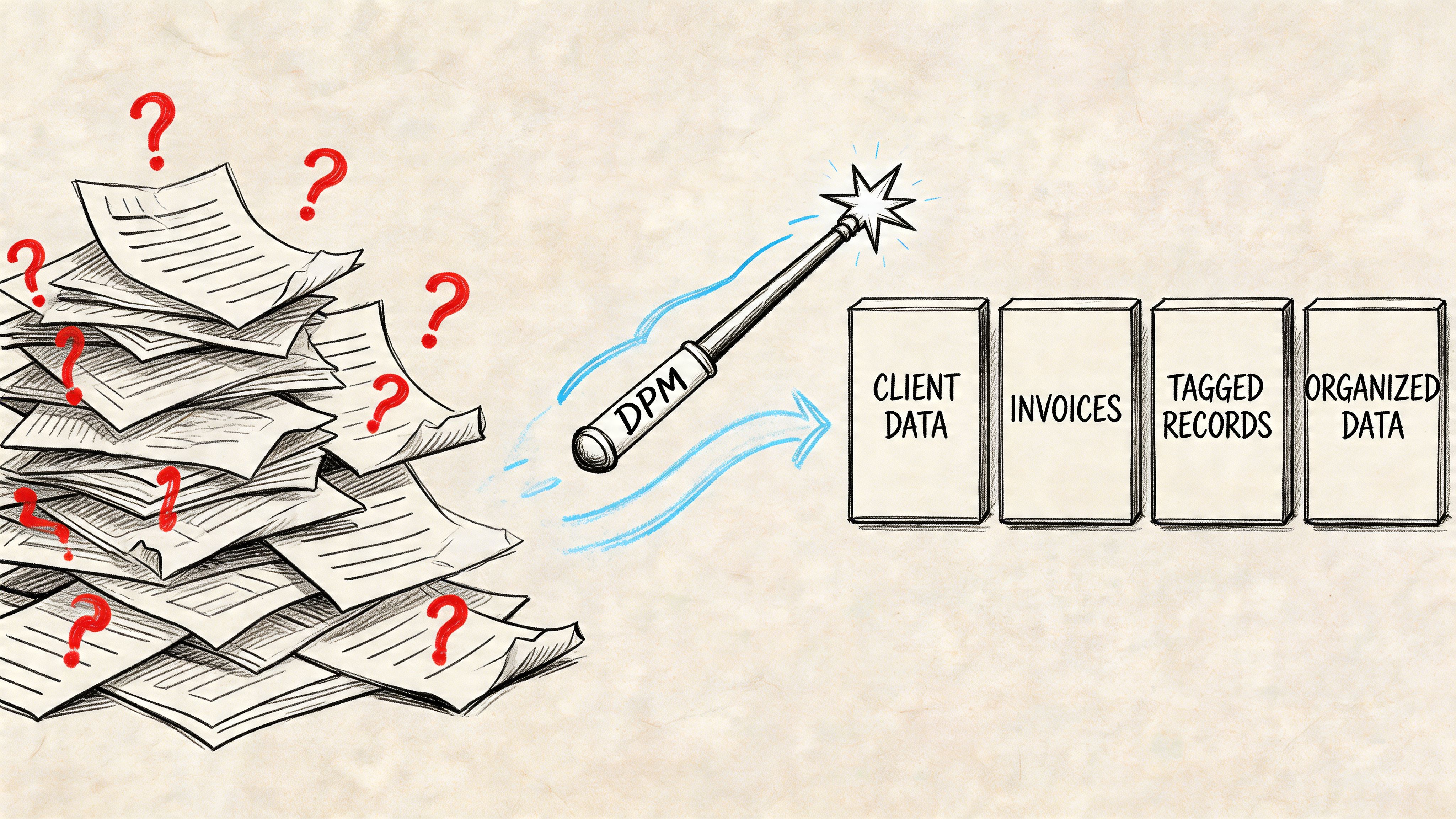
DocParseMagic offers a different approach compared to desktop OCR and API-first tools. It's a no-code document parsing platform designed to turn invoices, statements, policies, and other business files into spreadsheet-ready output without requiring template setup from the user side.
That matters when your file mix is inconsistent:
- Accounts payable teams get invoices from suppliers that all label fields differently
- Insurance teams receive declaration pages from multiple carriers with different layouts
- Procurement teams compare vendor proposals that don't follow the same structure
- Loan teams review statements and financial documents that vary by institution and age
A parser-first workflow isn't just about recognizing words. It's about returning usable rows and columns fast enough that people stop doing copy-paste as a fallback.
What practical use looks like
The most useful output in operations isn't a searchable PDF. It's a structured table you can sort, filter, compare, and reconcile.
That means extracting:
- Invoice headers and line items from long supplier bills
- Policy details and premiums from varied insurance documents
- Statement data from scans, PDFs, and photos
- Proposal terms so sourcing teams can compare offers side by side
For teams dealing with mixed file types, the no-code piece matters just as much as the OCR engine. If users have to build parsing rules every time a new layout appears, the system may be flexible, but it won't feel automated in daily operations.
The first test should never be a clean sample pack prepared for a demo. It should be the ugly folder your team actually works from.
Why this matters for SMEs and operations teams
SMEs usually don't have spare technical resources to maintain OCR pipelines. They need upload, review, export, and move on.
That's why template-free parsing is such an important distinction. A tool that can handle invoices, statements, and policy files in one browser workflow removes a lot of hidden process overhead. It also reduces the handoff problem between operations and IT, because the business user can often get value without waiting for configuration work.
For teams choosing among best ocr softwares, that's often the key decision point. Do you want a tool that reads documents, or a tool that turns documents into operational data?
Choosing the Right Tool for Your Industry
The right product depends less on the OCR label and more on the documents your team sees every day. Industry context changes the answer.
For accounting teams
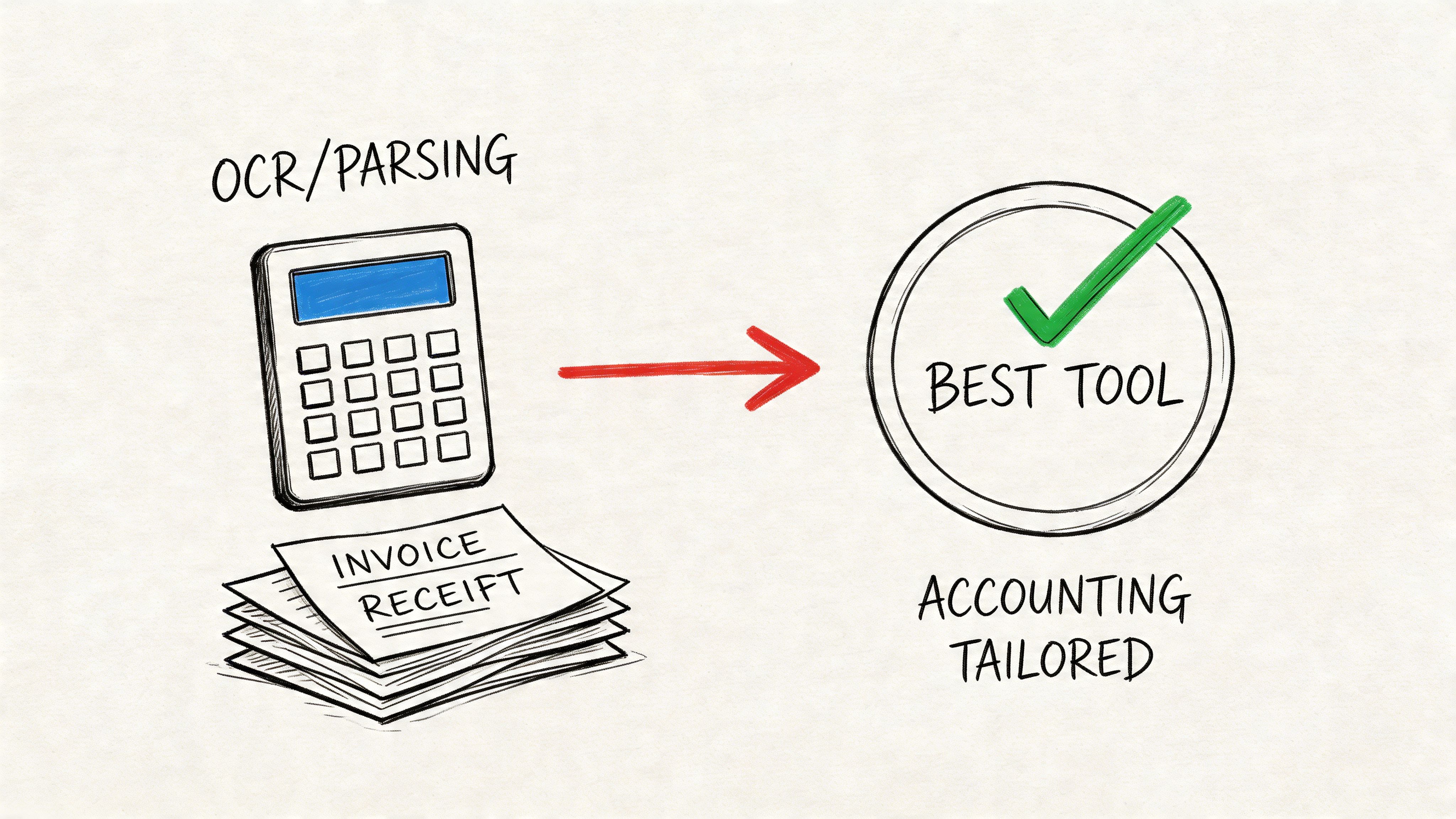
Accounting teams usually feel the pain in three places: invoice entry, statement review, and reconciliation. If the workflow involves varied supplier invoices with lots of line items, a parser-first tool is usually more useful than a PDF editor.
Choose based on the actual job:
- Use ABBYY when your main need is high-quality OCR, searchable records, and PDF correction on complex files.
- Use Amazon Textract or Google tools when your company already has cloud engineering support and wants extracted data sent into internal systems.
- Use a no-code parsing workflow when AP staff need spreadsheet-ready results without waiting on technical setup.
The key question is simple. Does your month-end process depend on totals only, or does it depend on extracting every row cleanly?
For insurance professionals
Insurance documents break a lot of generic OCR tools because the files are dense, repetitive, and inconsistent across carriers. Declaration pages, schedules, and commission reports often look similar at a glance but differ in field placement and table design.
For this work, prioritize:
- Layout understanding
- Field extraction across different carrier formats
- Reliable handling of scanned and mixed-quality files
- Structured outputs that analysts can review quickly
Desktop OCR can help make files readable, but carrier and broker teams usually need more than text. They need policy numbers, named insureds, effective dates, premium amounts, and coverage details in a format they can audit.
For procurement and sourcing teams
Procurement teams often evaluate OCR too narrowly. The challenge isn't just digitizing vendor quotes. It's comparing them.
One supplier sends a polished PDF. Another sends a scan. A third sends a proposal with a table embedded in an image. The useful tool is the one that extracts product details, terms, quantities, and pricing into a format buyers can line up side by side.
For procurement, the best output isn't text. It's a comparison sheet.
A parser-oriented platform usually fits better here than a classic OCR app because sourcing teams need normalized data, not just editable text.
For lenders, operations managers, and project teams
Loan processors, underwriters, and operations managers deal with statements, application documents, and mixed financial records. Construction teams deal with subcontractor invoices, change orders, and lien waivers that rarely follow one layout.
In both cases, the recommendation is similar:
- Start with live documents, not sanitized samples.
- Test for exceptions, not just happy-path files.
- Judge output in spreadsheet form, because that's where downstream work happens.
- Check who will own the tool, because a platform that needs constant technical support often stalls after the pilot.
If your documents are consistent and your IT team is strong, cloud OCR APIs can work well. If your documents are messy and your business users need direct control, parser-first software usually wins.
Frequently Asked Questions About OCR Software
What's the difference between desktop OCR software and a cloud-based platform like DocParseMagic
Desktop OCR software usually focuses on the document itself. It helps you convert scans into editable text, preserve formatting, annotate PDFs, and keep files searchable on a local machine. That's useful for legal, admin, and records work where people spend time inside the document.
A cloud-based parsing platform is usually built for workflow. Users upload files in a browser, the system extracts fields and tables, and teams export structured results for accounting, insurance, procurement, or reporting. Cloud tools also make collaboration easier because multiple users can work from the same environment without version confusion. Another practical difference is maintenance. Desktop tools often depend on local installation and user-side updates. Cloud platforms update in the background, which reduces support work for operations teams.
How does credit-based pricing work and is it cost-effective for my team
Credit-based pricing is usually simpler than it sounds. Instead of buying a fixed seat count or committing to heavy monthly volume, you consume credits when documents are processed. That tends to work well for teams with uneven workloads.
For example, some businesses process a steady stream of invoices every week. Others have spikes at month-end, quarter-end, renewal periods, or after a large vendor intake. In those cases, credit-based pricing can be easier to manage than a rigid subscription tied to one usage pattern. The main thing to check is what counts as a document, whether large files are treated differently, and how easy it is to forecast usage from your normal workflow. If your volume swings, flexible pricing is often a better operational fit than a flat plan built for constant demand.
Is it safe to upload sensitive financial or client documents to an online OCR tool
It can be, but teams should verify the vendor's controls before rollout. Ask how documents are stored, who can access them, whether data is encrypted in transit and at rest, and what deployment options exist for regulated use cases.
Security review should also cover access management, retention policies, auditability, and how exception review is handled. Some organizations need cloud convenience. Others need tighter deployment control because of finance, insurance, healthcare, or contractual requirements. A serious vendor should be able to answer those questions clearly and early. If the sales process glosses over them, that's a warning sign. Sensitive-document automation is workable online, but only when the processing model aligns with your risk and compliance requirements.
If your team is still sorting through PDFs by hand, DocParseMagic is worth testing on a real batch of invoices, statements, or policy files. Upload the same messy documents your staff handles every week and judge the result by one standard: whether the output is clean enough to use immediately.