Your Guide to Automated Document Processing Software
If you’ve ever felt like your desk is slowly being swallowed by a mountain of invoices, reports, and statements, you know the feeling. For most finance and operations teams, the slow, tedious grind of manual data entry is more than just an annoyance—it's a major bottleneck that breeds errors and burnout.
Automated document processing software is built to solve this exact problem. Think of it less like a simple tool and more like a new team member who can read, understand, and organize information from any document in an instant.
End Manual Data Entry and Start Automating
Picture your team's typical workflow. How many hours are spent just copying and pasting invoice numbers, line items, or customer details from PDFs and scanned images? Every minute spent on that kind of repetitive work is a minute you're not spending on financial analysis, business strategy, or talking to clients. It's not just slow—it's a surefire way to introduce costly mistakes into your systems.
Automated document processing completely flips that script. It uses smart technology, a form of artificial intelligence, that does more than just see the text on a page. It actually understands the context behind the words, figuring out what each piece of information is and where it belongs.
It’s the bridge that connects your messy, unstructured documents—like scans and PDFs—to the clean, organized data your accounting and ERP systems need to function. It turns chaotic piles of paperwork into usable information, all without someone having to key it in by hand.
This isn't some niche, futuristic idea, either. The technology behind these tools, often called Intelligent Document Processing (IDP), is seeing massive adoption. Analysts are projecting the global IDP market will jump from $14.16 billion in 2026 to an incredible $91.02 billion by 2034. That growth is happening because businesses everywhere, especially in finance and accounting, are realizing they can't afford to keep doing things the old way.
The True Cost of Inaction
What’s the real harm in sticking with manual processing? The costs are often hidden, but they add up quickly and go far beyond employee time. Think about the ripple effects:
- Delayed Payments: When invoices sit in a pile waiting to be entered, you risk missing payment deadlines, incurring late fees, and damaging relationships with your vendors.
- Inaccurate Reporting: One simple typo on a financial statement can throw off your entire forecast, leading to poor business decisions based on bad data.
- Low Employee Morale: Nobody enjoys mind-numbing, repetitive tasks. It's a leading cause of job dissatisfaction and high turnover, forcing you to constantly hire and retrain.
In this guide, we’ll break down exactly how automated document processing software tackles these problems head-on. We'll get into the specifics of how it works, show you the real-world benefits, and walk you through choosing the right tool to get your team's time back.
So, How Does This Software Actually Work?
Ever wondered what’s happening under the hood of automated document processing software? It's not magic, but it’s close. Think of it like a highly efficient assistant who can read, understand, and organize any document you hand them, no matter how messy.
This whole process is about turning jumbled, unstructured files—like a scanned contract, a photo of a receipt, or a PDF invoice—into clean, structured data that your other business software can actually use. We've all been stuck doing this manually, and we know it's a slow, tedious grind that’s filled with opportunities for human error.
The old way of doing things is a recipe for headaches. Messy documents and manual keying almost always lead to expensive mistakes and frustrating delays.
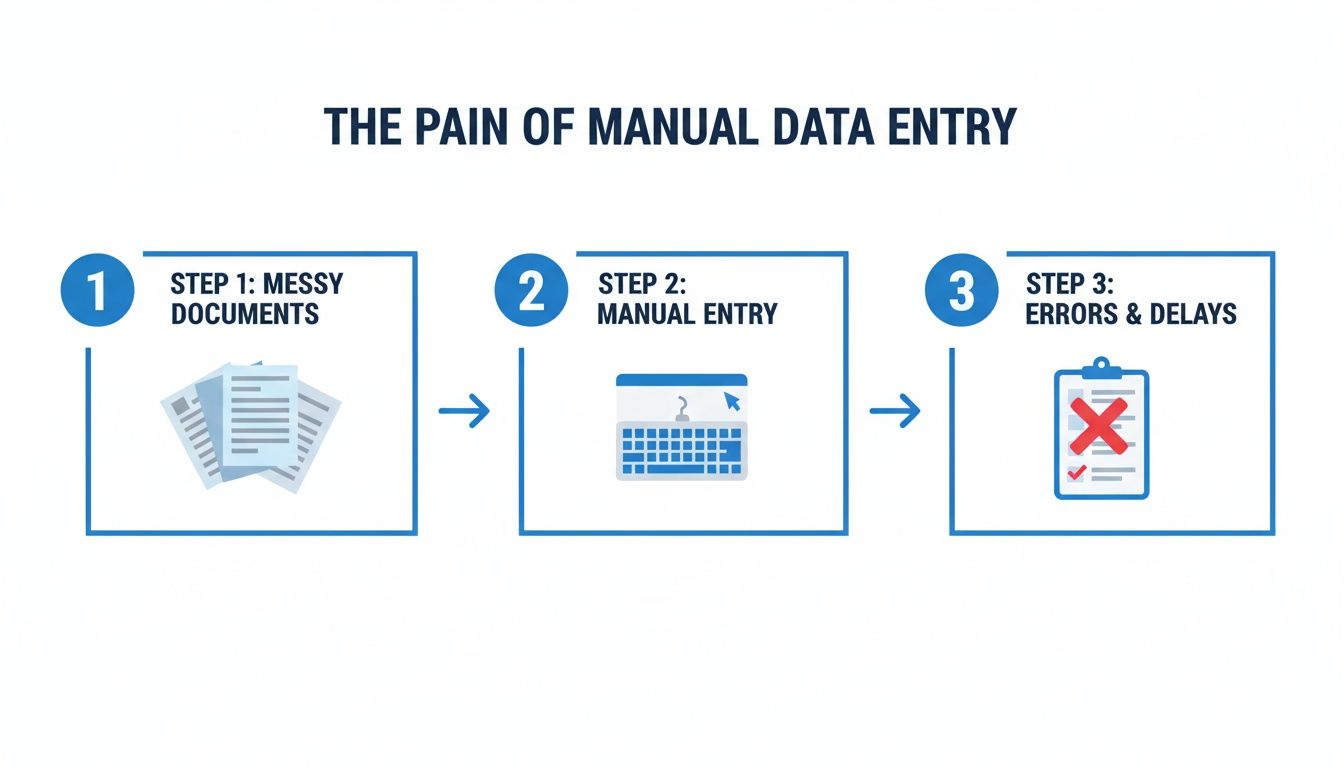
This painful cycle is exactly what automation is designed to break. It replaces the slow, error-prone manual work with incredible speed and precision. The difference is night and day, as you can see in this quick comparison.
Manual vs Automated Document Processing
This table breaks down the real-world impact of switching from manual entry to an automated solution. The numbers speak for themselves.
| Metric | Manual Processing | Automated Processing |
|---|---|---|
| Time | Hours or days per batch | Minutes or seconds per document |
| Cost | High (labor, error correction) | Low (subscription-based, minimal staff) |
| Accuracy | Prone to human error (typos, omissions) | Over 99% accuracy with validation |
| Scalability | Poor; more documents require more people | Excellent; handles volume spikes easily |
Ultimately, automation frees up your team from the mind-numbing task of data entry, allowing them to focus on work that actually requires their expertise.
The Step-by-Step Automation Workflow
The process isn't just one single action. It's a smart, sequential workflow where each step refines the data, turning a raw file into something genuinely useful.
Here’s a simple breakdown of how it works:
- Ingestion: First, the system takes in the document. It doesn't matter if it's a perfect PDF, a scanned image, or even a photo you snapped with your phone. Modern tools are built to handle just about any format you throw at them.
- Optical Character Recognition (OCR): This is the first "ah-ha" moment. The software scans the image and converts all the text and numbers into digital, machine-readable text. Think of it as the system putting on its reading glasses. Early OCR was clunky, but today's technology is incredibly accurate, even with tricky layouts or low-quality images.
- AI-Powered Parsing and Extraction: Here's where the real intelligence kicks in. Using AI, the software doesn't just read the text—it understands it. It knows that "123 Main Street" is a shipping address and that "$540.25" next to the word "Total" is the amount due. It intelligently identifies and pulls out the specific pieces of data you care about.
- Data Cleanup and Validation: No machine is perfect, which is why this step is so critical. The software double-checks its own work. It might run calculations to make sure the line items on an invoice add up to the total, or cross-reference a vendor name against your internal database. This catches errors before they ever enter your system.
- Structured Export: Finally, the software delivers the goods. It hands you clean, verified, and perfectly structured data. This information can be exported into a CSV file or, even better, sent directly into your other business systems like your ERP or accounting software.
Just as this process transforms general documents, specialized tools like automated financial reporting software apply the same principles to eliminate manual entry and dramatically improve accuracy in finance departments.
This intelligent workflow is what separates modern tools from basic scanners. The goal isn't just to digitize a document; it's to pull out the meaning and turn a static file into valuable, ready-to-use data. To get a better sense of the AI driving this, check out our guide on what is intelligent document processing.
What to Look for in a Great Automation Tool

When you're shopping for automated document processing software, it's easy to get bogged down by a laundry list of technical features. But in my experience, only a few capabilities truly make a difference between a tool that works and one that works for your team.
The best tools are the ones that solve real-world headaches. Focus on how easily your team can actually use the software, how well it handles the documents you see every day, and whether it plays nice with the systems you already have.
No-Code and Template-Free AI
A powerful tool is useless if your team can't use it. That’s why a no-code interface is so important. It means the people who know the documents best—your accounting, ops, or logistics teams—can set up and manage the automation themselves using simple drag-and-drop menus. No need to wait for IT.
Just as critical is template-free AI. Older software forced you to build a rigid template for every single invoice layout. Imagine doing that for hundreds of different suppliers. It's a non-starter. Modern tools use AI to understand the document and find the data it needs, no matter where it is on the page.
This one-two punch of no-code and template-free AI is what truly empowers your team. It gives the power to fix tedious, manual work to the very people who have to deal with it every day.
High Accuracy and Seamless Integrations
Let's be honest, the whole point of this is to get accurate data. You need a tool that can consistently deliver high accuracy, even when dealing with messy scans, complex tables, or documents that span multiple pages. The top-tier solutions also have built-in checks and validation rules to flag potential mistakes before they cause problems down the line.
But getting the data is only half the job. That information needs to flow somewhere useful. This is where seamless integrations become non-negotiable. A good tool must connect directly to your core software, like your ERP, accounting system, or CRM. This creates a true end-to-end workflow, finally getting rid of those clunky CSV exports and manual uploads.
You can dive deeper into this topic by reading our guide on document data extraction software.
Cloud-Based Scalability
Finally, think about tomorrow. Will this solution grow with you? Cloud-based platforms are built for this. They allow you to process more and more documents as your business expands, without ever having to think about server capacity or maintenance headaches.
There's a reason this is becoming the industry standard. By 2026, the market for cloud-based Intelligent Document Processing is projected to reach $2.56 billion. This huge number tells a clear story: businesses are choosing the flexibility and predictable costs of the cloud over old-school, on-premise systems.
Real-World Automation Success Stories
Theory is one thing, but where does the rubber meet the road? It’s one thing to talk about how automated document processing software works, but it’s another to see how it genuinely changes the game for teams on the ground.
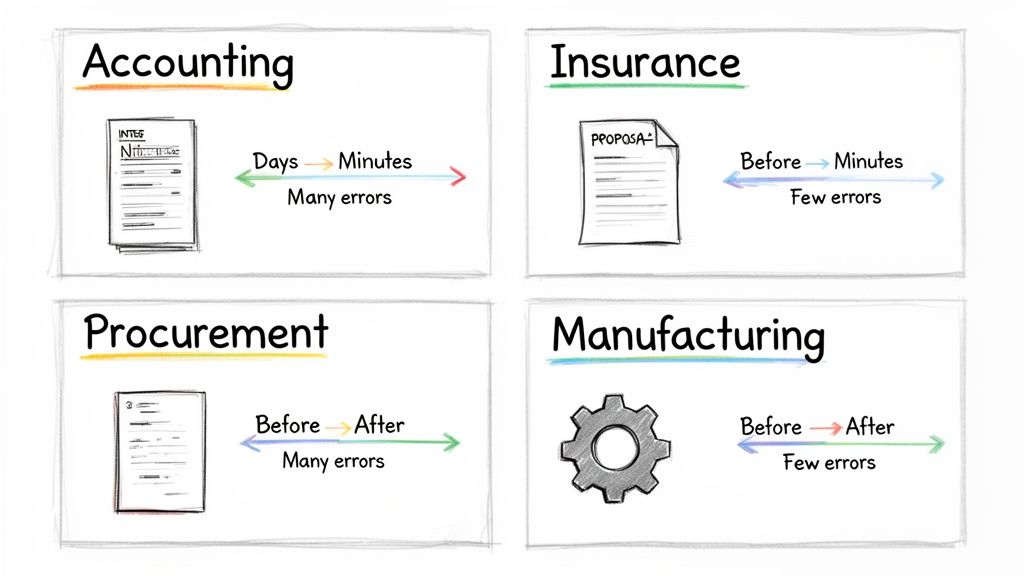
The real win isn't just about speed; it's about fundamentally changing how work gets done. Companies that make the switch see a dramatic "before and after" effect, moving away from tedious, error-filled manual tasks and toward smart, accurate, data-first operations. Let's dig into a few real-world examples.
Smarter Accounts Payable for Finance Teams
For most accounting departments, accounts payable is the epicenter of manual data entry. The old-school process is painful: someone has to open every single PDF invoice, hunt for the invoice number, date, and total, and then type it all into the accounting system by hand. It's slow, it's expensive, and a single typo can cause payment delays or even embarrassing duplicate payments.
Automation completely flips that script.
- Before: An AP clerk spends three full days a month just keying in 500 vendor invoices. The average time to get an invoice processed and paid is 12 days.
- After: The team brings in an automated system. Now, invoices are ingested automatically, data is pulled with over 99% accuracy, and the information flows right into their ERP. That same batch of invoices is now done in under four hours, and the invoice cycle time plummets to just 3 days.
This shift frees up the AP team to do what they were actually hired for—analyzing spending, managing vendor relationships, and finding cost savings, not just punching keys.
"Organizations using document automation reduce invoice processing cycle time from 12 days to under 3 days on average."
Taming Policy Documents in Insurance
The insurance world runs on a mountain of paperwork. Brokers and carriers are buried in policy documents from countless providers, and no two look the same. Trying to manually pull out policy numbers, coverage limits, and premium amounts from hundreds of pages is a nightmare. It’s not just a time sink; it's a huge compliance risk if a critical detail gets missed.
An automated solution acts like a universal translator for this chaos. A broker can drop a stack of 200 different policy declaration pages into the system, and the software is smart enough to find and grab the exact data points needed from each one, no matter the layout. That data is then instantly organized into a clean spreadsheet for review. A job that once took an entire week of manual drudgery can now be knocked out in less than an hour.
Streamlining Procurement and Vendor Management
Procurement teams live and breathe comparisons. They're constantly juggling vendor proposals, quotes, and contracts to get the best deal. The traditional method involves manually copying and pasting pricing, terms, and delivery dates from dozens of separate documents into a master comparison sheet. It's as slow and frustrating as it sounds.
This is a perfect use case for automated document processing software. The team simply tells the software what key fields they want to compare—like unit price, warranty period, and payment terms. The system then scans every vendor proposal and pulls that specific information into a structured, side-by-side view.
Almost instantly, the procurement team can see a clear comparison of all their options. This allows them to negotiate more effectively and make smarter decisions, faster. The whole procurement cycle becomes more strategic and a lot less about paperwork.
Your Step-By-Step Implementation Plan
Jumping into document automation can feel like a massive project, but you don't have to boil the ocean. The secret is a simple, step-by-step roadmap that delivers some quick wins and gets everyone excited.
Think of it this way: you’re building a case for automation one success at a time. By starting small and proving the value, you create the momentum you need to bring this technology to the rest of the company.
Step 1: Start with a High-Impact Use Case
First things first, pick your starting point. You're looking for a process that's both mind-numbingly repetitive and deals with a ton of documents. For most companies, that’s accounts payable. Processing invoices is a classic manual data entry headache, which makes it the perfect place to start.
It's a target with a proven payoff. Businesses that automate their invoice workflow often slash processing time from an average of 12 days down to just 3 days. That’s the kind of immediate, concrete win you want from a first project.
Step 2: Run a Small Pilot Project
Once you’ve picked your process and have a tool in mind, resist the urge to go all-in. Instead, run a small pilot. Choose a few friendly vendors or one specific document type and use the new software to process them for a couple of weeks.
This focused trial run lets you do a few important things:
- Check the Accuracy: Make sure the software is actually pulling the right data from your real-world documents.
- Get an Early ROI: Start tracking the hours you're saving and the errors you're preventing. This is gold for building your business case.
- Smooth Out the Kinks: Figure out where your workflow needs a little tweak before you roll it out to everyone.
We've put together a full guide on how to automate data entry that's perfect for making sure your pilot is a home run.
As you plan to integrate automated document processing, you might consider engaging an expert. For guidance on selecting a partner for such initiatives, refer to a guide on choosing an artificial intelligence software development company.
Step 3: Train Your Team and Scale Up
With a successful pilot in the bag, it's time to get your team onboard. The key is to show them how the new system gets rid of their most tedious work, freeing them up to focus on more important things. When people see how it makes their own jobs better, you’ll get genuine buy-in.
From there, you have everything you need to scale. Use the results and feedback from your pilot to pinpoint the next best target for automation—whether that’s in HR, logistics, or any other department drowning in paperwork.
Frequently Asked Questions
Getting started with a new technology always brings up a few questions. Let's tackle some of the most common ones we hear from folks just like you who are looking to automate their document workflows.
How Accurate Is Automated Data Extraction?
This is probably the number one question we get, and for good reason. For standard, clean documents, modern tools are incredibly accurate—we're talking 99% or even higher.
But what about those messy, skewed scans or blurry photos of receipts? While the initial pass might not be perfect, the real magic is in the validation layer. The software is smart enough to flag data that looks suspicious or numbers that don't add up, giving a human a chance for a quick final check. This combination virtually eliminates the kinds of errors that sneak in with manual data entry.
Do I Need an IT Team to Set This Up?
Thankfully, no. In the past, you'd absolutely need a dedicated IT project to get something like this off the ground. Today’s best platforms are built as no-code tools, meaning they're designed for the people who actually do the work.
If you're in accounting, logistics, or HR, you can build and manage your own automation rules with a simple drag-and-drop interface. No coding required, which means you can get started in hours, not months.
What Is the Difference Between OCR and IDP?
This is a great question, and the distinction is crucial. The easiest way to think about it is that Optical Character Recognition (OCR) provides the "eyes," while Intelligent Document Processing (IDP) provides the "brain."
OCR is the technology that looks at a document image and converts the characters into digital text. It can read the words "Invoice Total: $542.10," but it has no idea what that phrase actually means. IDP, on the other hand, understands the context. It knows "$542.10" is the total amount, "INV-123" is the invoice number, and "05/30/2024" is the due date.
So, while OCR is a necessary first step to digitize a document, IDP is what delivers the structured, meaningful data you need for real automation.
Ready to see how fast you can turn messy documents into clean data? DocParseMagic gives you the power of no-code, template-free AI to automate your workflows in minutes. Sign up for your free trial and start processing documents today.