Bank Reconciliation Statement: A Practical Guide to Accuracy
Think of a bank reconciliation statement as a sanity check for your business's cash. It’s a document that systematically compares the cash balance in your accounting records (your cash book) with the cash balance shown on your bank statement. The goal is to spot any differences between the two and make sure they're accounted for.
It's a foundational accounting process that keeps your financial records honest and accurate.
What Is Bank Reconciliation and Why It Matters
Let's use a simple analogy. Imagine you keep a personal budget in a spreadsheet, meticulously logging every coffee and bill payment. When your monthly bank statement arrives, you sit down and compare your spreadsheet to the bank's record. That's exactly what a bank reconciliation is for a business, just on a larger scale.
This isn't just about ticking boxes. It's a critical health check for your company's cash flow and your first line of defense against financial surprises. Without this process, you’re essentially guessing about your true cash position, which is a risky way to run a business.
The Core Purpose of Reconciliation
At its heart, the goal is simple: make sure the money you think you have is the money you actually have. This verification process is vital for protecting your business’s financial health in a few key ways.
Here’s what it really accomplishes:
- Catching Fraud: Unexplained withdrawals or deposits that never appeared can be the first red flags of fraudulent activity. Reconciliation brings these to light immediately.
- Spotting Errors: It’s surprisingly common to find mistakes, either from the bank (like an incorrect fee) or from your own team (like a duplicate payment or a simple typo).
- Managing Cash Flow with Confidence: When you know your exact cash balance, you can make smarter decisions about when to pay suppliers, invest in new equipment, or meet payroll.
- Producing Trustworthy Financials: Accurate cash records are non-negotiable for creating reliable financial statements for investors, lenders, or internal stakeholders.
A bank reconciliation statement acts as the bridge between your company's books and the bank's records. Its job is to explain every difference, no matter how small, and confirm that both sides are accurate and in sync.
How Often Should You Reconcile
For most businesses, doing a bank reconciliation once a month has become standard practice. This usually lines up perfectly with receiving your monthly bank statement.
However, the right frequency really depends on how many transactions you have. A small business might be fine with a monthly check-in, but a company with hundreds of transactions a day often needs to reconcile weekly or even daily. The more frequently you do it, the faster you can catch issues and the clearer your picture of available cash.
If you're a UK-based business looking for a deeper dive, this guide on Mastering Bank Statement Reconciliation is an excellent resource. You can also learn more about the specifics of working with online bank statements in our detailed article.
To get started, you'll need to pull together two key sets of records.
Key Components of the Reconciliation Process
The entire reconciliation process hinges on comparing two different, yet related, records of your cash activity. Understanding what each document contains is the first step.
| Record Type | What It Includes | Primary Purpose |
|---|---|---|
| Company Cash Book | All cash receipts and payments recorded by the business, including sales, purchases, and payroll. | Provides an internal, real-time record of all cash transactions as the company understands them. |
| Bank Statement | All deposits, withdrawals, bank fees, and interest earned as recorded by the financial institution. | Offers an external, official record of all transactions that have actually cleared the bank account. |
Essentially, you're comparing your internal story (the cash book) with the bank's external, official version (the bank statement) to find and fix any discrepancies.
Your Step-by-Step Guide to the Reconciliation Process
Alright, let's roll up our sleeves and tackle the bank reconciliation. At first glance, it might seem a bit daunting, but it’s really just a logical process. Think of yourself as a detective, piecing together clues from two different sources: your company’s cash book and the bank’s statement. The mission is to get them to tell the same story.
Breaking it down this way turns what feels like a complex accounting chore into a series of simple, manageable steps. Let’s walk through how to do a manual reconciliation from start to finish.
This flowchart lays out the core idea—it’s all about comparing your internal records to the bank's records to find and fix any differences.
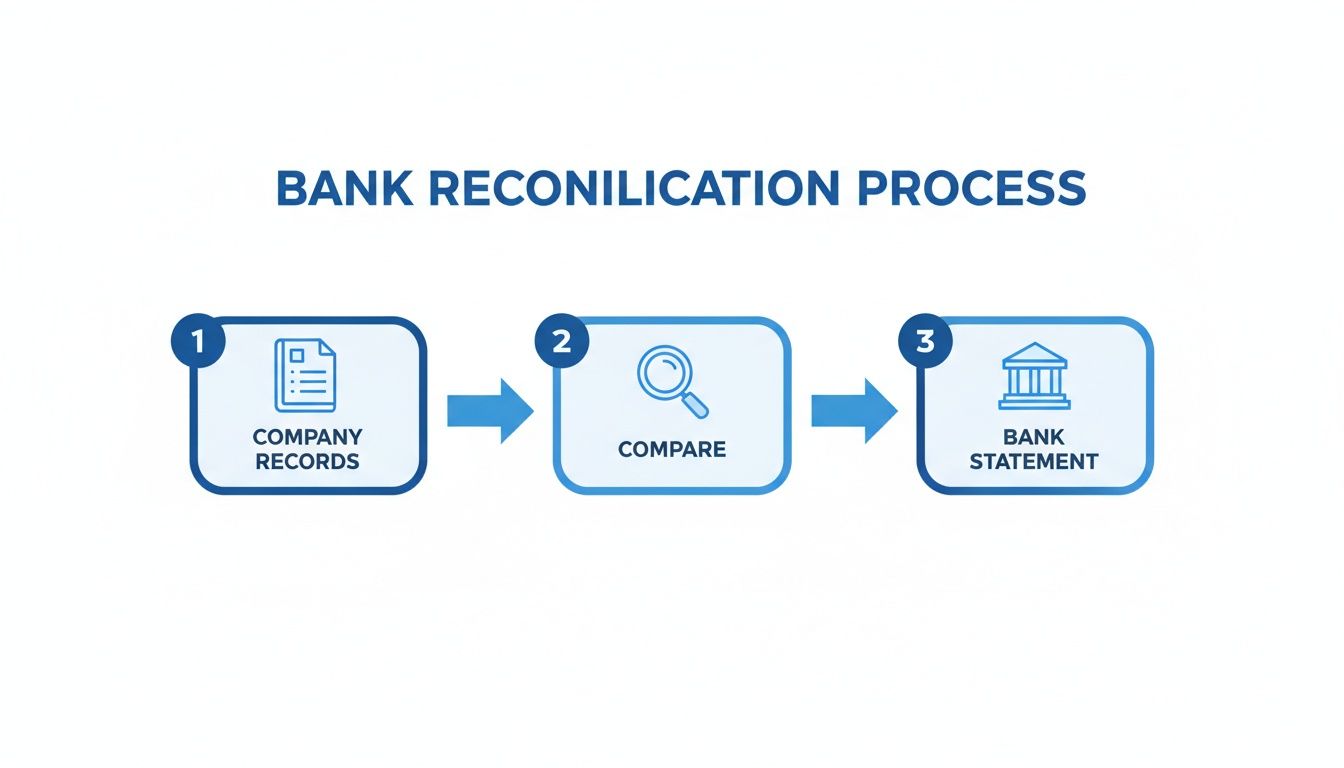
As you can see, the whole process is a back-and-forth between your ledger and the bank statement. It’s a systematic check-up to make sure everything lines up.
Step 1: Gather Your Documents
First things first, you need to gather your evidence. You can’t compare anything without the right paperwork in front of you. For any given period (usually a month), you’ll need two key documents.
- Your Company's Cash Book (or Ledger): This is your internal diary of every single cash transaction. It includes every check you've written, every wire you've sent, and every deposit you've made.
- The Corresponding Bank Statement: This is the bank's official report card, showing all the transactions that actually cleared your account during that same month.
Got them both? Great. Now the real work begins.
Step 2: Compare Deposits and Other Credits
I always like to start with the deposits. It’s just easier because there are usually fewer credits than debits. Go line by line through your cash book and tick off every deposit that also shows up on your bank statement.
You're looking for all the money you recorded coming in that the bank has also processed. Any deposits you've logged in your cash book but that aren't on the bank statement yet are called deposits in transit. This happens all the time, especially with checks deposited right at the end of the month. Just start a list of these—you'll need it in a bit.
Step 3: Match Withdrawals and Other Debits
Now, flip the script and do the exact same thing for all your outgoing payments. Compare every check, debit card swipe, and wire transfer from your cash book against the withdrawals on the bank statement. As you find a match, tick it off on both documents.
You’ll almost certainly find some checks you’ve recorded that haven’t been cashed yet. These are your outstanding checks. Like you did with the deposits, create a separate list of these, making sure to note the check number and amount for each one.
An outstanding check is basically a promise to pay that hasn't been fulfilled yet. The money is still sitting in your account, but it's not really yours to spend. You have to account for it to get a true picture of your cash position.
Step 4: Account for Bank-Only Transactions
While you’re comparing everything, you’ll probably spot some transactions on the bank statement that are nowhere to be found in your cash book. These are almost always things the bank initiated directly.
Common culprits include:
- Bank Service Fees: Those little monthly maintenance charges or overdraft fees that pop up.
- Interest Earned: A pleasant surprise, but one you still need to record.
- Direct Debits: Automatic payments you set up for vendors that you might have forgotten to log.
You have to add these items to your cash book to get it up to date. This is done with adjusting journal entries. For example, a bank fee would be recorded as a debit to your bank fee expense account and a credit to your cash account. Getting these entries right is key to making sure your own books are accurate. If you need a more detailed guide, this article on how to reconcile bank statements has some great, practical advice.
Step 5: Final Reconciliation and Verification
Okay, you're in the home stretch. All your items are matched, and your cash book is updated with the bank’s transactions. It’s time to prepare the final bank reconciliation statement. The whole point of this statement is to get two different starting numbers to arrive at the same final number.
- Bank Balance Side: Start with the closing balance on your bank statement. Add your deposits in transit and then subtract all your outstanding checks.
- Company Balance Side: Start with the closing balance from your now-adjusted cash book.
If you’ve done everything correctly, the adjusted bank balance will be identical to the adjusted book balance. That perfect match is your proof that the books are accurate and complete. If you want a clean format to present this, using a template can be a huge help. We have a great bank reconciliation statement template in our other guide you can use.
A Practical Bank Reconciliation Example
Reading about a bank reconciliation is one thing, but actually walking through one is where it all clicks. Let's get our hands dirty with a real-world example to see how you go from two different numbers to a perfectly balanced statement.
We'll follow a small graphic design agency, "Creative Designs Inc.," as its bookkeeper reconciles the books for April.
The Starting Point: Two Different Balances
First up, the bookkeeper checks the company's internal records—the cash book. After logging everything they know about for April, the final balance sits at $12,500.
Next, they pull the official bank statement for the month. The bank shows a completely different closing balance: $13,010.
Right away, we have a $510 gap. This is totally normal, and now the real work begins: finding out why these numbers don't match.
The Reconciliation Process: Step-by-Step
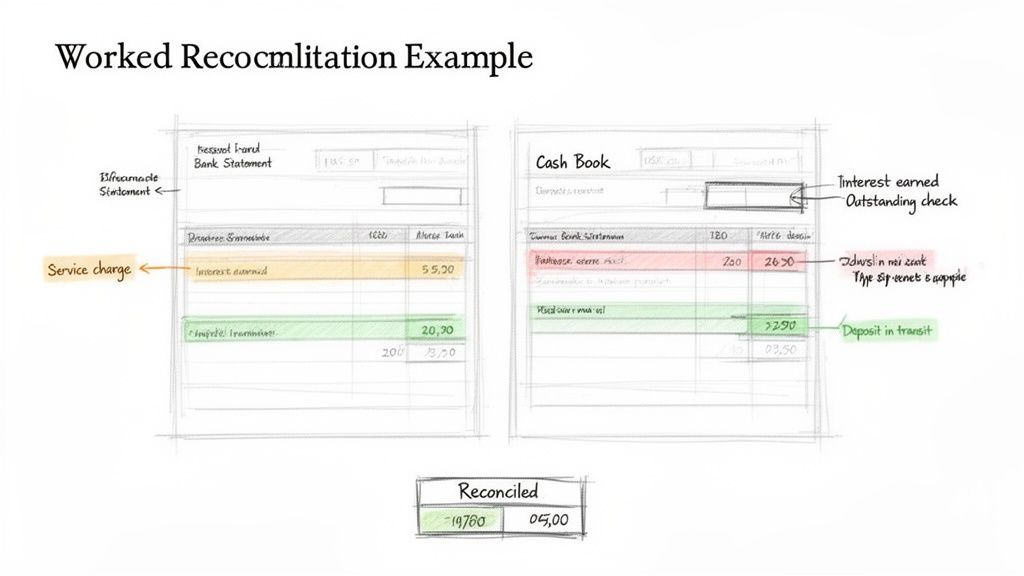
The bookkeeper now plays detective, comparing every single line from the cash book to the bank statement. As they find a match, they tick it off. This process quickly highlights a few items that explain the entire difference.
Here’s what they uncovered:
- Deposits in Transit: A client payment of $1,200 was recorded in the cash book on April 30th. But, it hadn't hit the bank account by the time the statement was printed.
- Outstanding Checks: Creative Designs wrote two checks that haven't been cashed yet. Check #451 for office supplies was for $250, and Check #455 to a contractor was for $500.
- Bank Service Charges: The bank took out its monthly maintenance fee of $20. It's on the statement, but the bookkeeper hadn't logged it in the cash book.
- Interest Earned: The checking account earned $10 in interest. This is another small item that shows up on the bank statement first.
With these four items identified, the bookkeeper has everything they need to put the puzzle together.
Creating the Final Bank Reconciliation Statement
The final statement is always split into two parts. One side starts with the bank’s balance and adjusts it. The other side starts with the company's book balance and adjusts that. The goal is to make them meet at the same "true" cash balance.
This two-sided approach is the core of the reconciliation. It systematically accounts for timing differences (like outstanding checks) on the bank's side and unrecorded transactions (like bank fees) on the company's side.
Here’s the final statement for Creative Designs Inc. as of April 30th:
Part 1: Bank Balance Reconciliation
| Description | Amount |
|---|---|
| Balance per Bank Statement | $13,010 |
| Add: Deposits in Transit | $1,200 |
| Subtotal | $14,210 |
| Less: Outstanding Checks | |
| Check #451 | ($250) |
| Check #455 | ($500) |
| Adjusted Bank Balance | $13,460 |
Part 2: Company Book Balance Reconciliation
| Description | Amount |
|---|---|
| Balance per Cash Book | $12,500 |
| Add: Interest Earned | $10 |
| Less: Bank Service Charges | ($20) |
| Unexplained Discrepancy (before finding error) | $970 |
| Adjusted Book Balance (The Error) | $13,450 |
Hold on. After all that work, the balances are still off by $10. A quick double-check reveals a simple typo—the interest earned was actually $30, not $10. These small human errors are incredibly common. For more on this, our guide on a complete accounting reconciliation example dives into other frequent issues.
Let's fix that entry and try again.
Part 2: Company Book Balance Reconciliation (Corrected)
| Description | Amount |
|---|---|
| Balance per Cash Book | $12,500 |
| Add: Interest Earned | $30 |
| Less: Bank Service Charges | ($20) |
| Adjusted Book Balance | $13,460 |
Perfect! Both the adjusted bank balance and the adjusted book balance now equal $13,460. The reconciliation is complete.
Now, the bookkeeper can make the final adjusting journal entries to record the interest income and bank fees, making sure the company's financial records are 100% accurate.
How to Troubleshoot Common Reconciliation Discrepancies
Even with the most meticulous bookkeeping, finding that your numbers don't quite match the bank's is a completely normal part of the process. Think of yourself as a financial detective. Your job is to follow the clues and figure out exactly why your company's records and the bank statement aren't in sync.
Most of the time, the culprits are simple timing issues or minor oversights, not some massive accounting catastrophe. Once you know what to look for, you can solve these little puzzles quickly, ensuring your final numbers are perfectly balanced.
Diagnosing Timing Differences
The most common reason for a mismatch isn't an error at all. It’s simply a matter of timing—your company and the bank operate on slightly different schedules. These are known as timing differences, and they are an expected part of any reconciliation.
Here are the two main types you'll run into:
- Outstanding Checks: This happens when you’ve written a check and recorded it in your cash book, but the person you paid hasn't cashed it yet. To the bank, the money is still there. This makes your book balance temporarily lower than what the bank statement shows.
- Deposits in Transit: You’ve logged a customer payment and dropped it off at the bank, but it hasn't finished processing by the time the statement is printed. This is especially common for deposits made on the very last day of the month.
The fix is easy. You just need to note these items on the reconciliation statement itself. You’ll add deposits in transit to the bank's balance and subtract outstanding checks from it. There’s no need to change your own books, since you’ve already recorded everything correctly—the bank just needs a little time to catch up.
Identifying Unrecorded Bank Transactions
The next group of discrepancies comes from transactions the bank knows about before you do. These are things the bank initiates directly, so they show up on the statement but haven't made it into your cash book yet.
Your investigation should focus on finding common items like these:
- Bank Service Fees: Monthly maintenance fees, transaction charges, or overdraft fees are taken directly from your account.
- Interest Earned: If your account pays interest, the bank credits it automatically.
- Direct Debits and Credits: These might be automatic payments to a vendor or direct deposits from a client that you weren't immediately aware of.
Solving this is straightforward. You’ll need to create adjusting journal entries in your company's cash book for each item. For instance, a $15 bank fee requires an entry that debits a "Bank Fees Expense" account and credits your cash account, instantly bringing your books back in line with the bank's reality.
Bank reconciliation errors are a persistent challenge in financial accounting. Common issues range from delays in check clearance and unrecorded bank charges to customer deposits not yet entered into the company’s books. Learn more about the most common bank reconciliation errors and how to prevent them.
Correcting Data Entry Errors
The final category involves plain old human error. These can be the most frustrating to hunt down, but finding them is essential for accurate books. And remember, these mistakes can happen on your end or the bank's.
Keep an eye out for these common slips:
- Transposition Errors: This is when you accidentally swap a pair of digits, like writing $86 when you meant $68. A classic clue for this type of error is if the difference between your books and the bank's is a number that's perfectly divisible by nine.
- Incorrect Amounts: A simple typo, like keying in $100.00 instead of the correct $1,000.00.
- Duplicate Entries: Accidentally recording the same payment or deposit twice in your cash book.
- Omitted Transactions: Completely forgetting to record a transaction at all.
To spot these, you’ll have to patiently compare your cash book entries line-by-line against the bank statement. If the mistake is in your books, a correcting journal entry will fix it. In the rare case that the bank made the error, you’ll need to contact them right away to get it resolved. This systematic check is your best bet for getting both sets of records to be flawless.
Moving From Manual to Automated Reconciliation
After walking through the manual reconciliation process, one thing becomes crystal clear: while it’s logical, it’s also a massive time-sink and a minefield for human error. Every month, accounting teams are stuck meticulously ticking and tying numbers, hunting down tiny discrepancies, and plugging in corrective entries. It’s a necessary chore, but it drains an incredible amount of time and talent.
Think of manual reconciliation like trying to navigate a new city with a folded paper map. It’ll get you there eventually, but you’re constantly stopping, squinting at street names, and double-checking your every turn. One wrong fold or a misread sign—like a missed transaction or a transposed number—can send you miles off course, forcing you to backtrack and re-check every single step.
This is where technology completely changes the game. It turns a tedious, backward-looking task into a streamlined, forward-looking one.
The Problem with Traditional Methods
The old-school way of preparing a bank reconciliation statement is just plain fragile. It hangs entirely on a person's ability to spot every little difference between two dense documents. The more transactions you have, the greater the odds that something will slip through the cracks.
Here are the usual pain points we see:
- It’s a Time Vampire: Manually comparing hundreds or thousands of line items is a slow, painstaking process. For larger companies, it can easily eat up days of work.
- Human Error is Unavoidable: Simple mistakes happen. A typo, entering a debit as a credit, or just overlooking a small bank fee are all too common, and any one of them can throw the whole thing off.
- Insights Come Too Late: Because it’s so slow, manual reconciliation is usually a once-a-month activity. That means you might not spot a critical cash flow issue or a fraudulent charge until weeks after the fact.
These aren't just minor annoyances; they can lead to shaky financial reports and bad business decisions. The shift from these traditional methods to automated solutions isn't just an upgrade—it's a leap forward. While manual work involves juggling outstanding checks and deposits in transit, technology handles all that heavy lifting, freeing up finance teams to focus on actual financial analysis. You can learn more about this transition over at Trovata.io.
The Power of Automation in Reconciliation
Automation turns the bank reconciliation statement from a reactive chore into a proactive control. Instead of someone keying in data line-by-line from a PDF bank statement, modern tools just lift the information for you.
This is where the magic happens. Imagine getting your bank statement and, instead of blocking off your afternoon to type everything into a spreadsheet, you just upload the file. An intelligent platform reads it, pulls out every transaction, date, and amount, and organizes it all into clean, usable data.
Automation isn't about replacing accountants; it's about giving them superpowers. It takes care of the mind-numbing data entry so skilled professionals can focus on what they were hired to do: analyze, strategize, and investigate.
That first data extraction step alone is a game-changer. It eliminates the single most error-prone part of the process, ensuring the numbers you start with are right from the get-go.
For example, this is how a tool like DocParseMagic can intelligently grab and start matching transactions, turning a static document into structured data ready for analysis.
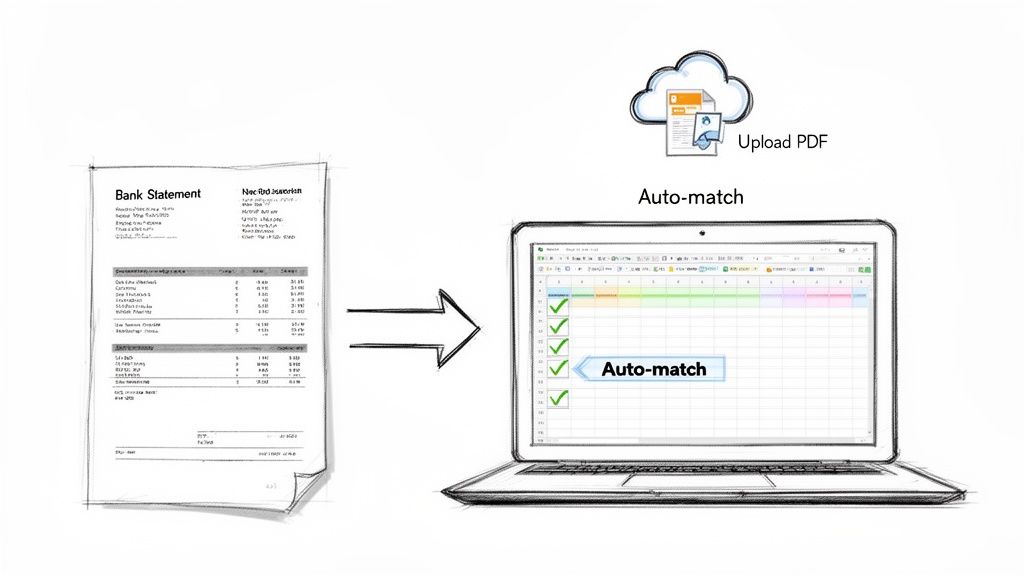
Here, the system is doing the heavy lifting of categorizing and preparing data—a task that would have taken hours of tedious spreadsheet work just a few years ago.
How Automation Fixes the Entire Workflow
The benefits go way beyond just getting the data in. Once the transactions from your books and the bank statement are in the system, the matching process takes mere seconds.
Here’s what that looks like in practice:
- Get the Data In: You upload your bank statement (PDF, scan, or digital file) and export a list of transactions from your accounting software. Tools like DocParseMagic handle the document parsing, turning messy files into clean spreadsheets.
- Let the Software Match: Using smart rules and algorithms, the software instantly matches transactions based on date, amount, and description. It’s common for 80-90% of transactions to be matched without a human lifting a finger.
- Focus on the Exceptions: The system then serves up a neat list of everything that didn't match—those outstanding checks, deposits in transit, or potential errors. Your team can jump straight to investigating the items that actually need their attention.
- Reconcile Continuously: Forget the month-end scramble. Many systems can reconcile transactions daily. This gives you a real-time view of your cash and helps you catch a problem almost as soon as it happens.
Switching to an automated workflow changes the very purpose of a bank reconciliation. It’s no longer just about closing the books. It becomes a dynamic, powerful tool for managing your finances.
Manual vs Automated Reconciliation
The difference between the old way and the new way is stark. Let's break it down side-by-side.
| Feature | Manual Reconciliation | Automated Reconciliation |
|---|---|---|
| Time Investment | Hours or days each month | Minutes to an hour |
| Accuracy | Prone to typos & human error | Nearly 100% accurate data entry |
| Process | Tedious, line-by-line comparison | Auto-matching with exception handling |
| Timing | Typically monthly, backward-looking | Daily or real-time, proactive |
| Team Focus | Repetitive data entry & checking | Investigating discrepancies & analysis |
| Strategic Value | Low; a necessary administrative task | High; provides timely financial insights |
Ultimately, automation doesn't just make an old process faster—it transforms it into a source of strategic advantage, giving you a clearer, more immediate picture of your company's financial health.
Got Questions About Bank Reconciliation? We've Got Answers.
Here are a few of the most common questions we hear about bank reconciliation. We've kept the answers short and to the point to help you get through your month-end close faster.
How Often Should We Really Be Reconciling Our Bank Accounts?
Most businesses stick to a monthly schedule, usually right after the bank statement arrives. But honestly, the best frequency really comes down to your transaction volume.
Think about it: a busy e-commerce store or a retail shop with tons of daily sales has a lot more moving parts than a small consulting firm. For those high-volume businesses, checking in weekly or even daily is a smart move. It helps you spot errors almost immediately, which is a huge plus for fraud prevention and just knowing exactly how much cash you have on hand.
An interesting stat: while 73% of businesses reconcile monthly, shifting to a daily check-in can slash end-of-month errors by a whopping 40%.
So, what's right for you? If you're a startup with just a handful of invoices a month, monthly is probably fine. But if you’re processing hundreds of credit card payments every day, you'll want to reconcile daily to stay on top of things.
A quick guide to finding your rhythm:
- Low-volume businesses: Monthly is perfect. It gets the job done without eating up too much time.
- Medium-volume services: Weekly checks are great for catching issues before they become a bigger headache.
- High-volume retailers: Daily reconciliations are almost essential for keeping a real-time pulse on your cash flow.
| Frequency | Good for This Many Transactions | Biggest Win |
|---|---|---|
| Monthly | < 100 | Less admin work |
| Weekly | 100-500 | Catching mistakes early |
| Daily | > 500 | Knowing your cash position in real-time |
What's the Deal with Adjusting Entries?
Adjusting entries are simply how you get your own books (your cash book or general ledger) to match what the bank statement says. They’re for all those little things the bank knows about before you do.
We're talking about things like bank fees, any interest income you earned, or automatic payments ( direct debits ) that have gone out.
Recording them is pretty straightforward. You'll make a simple journal entry:
- Debit an expense account (like "Bank Service Charges") or credit a revenue account (like "Interest Income").
- Do the opposite for your cash account (credit it for an expense, debit it for income).
- Always add a clear description. Your future self—and your auditor—will thank you for it.
Making these adjustments is what truly syncs your records with the bank's, giving you a bank reconciliation statement you can actually trust.
Can I Hook Up Automation Tools to My Accounting Software?
Absolutely. Most modern reconciliation tools are built to connect seamlessly with popular platforms like QuickBooks and Xero. This is where document parsing solutions really shine, as they can pull all the transaction data right out of a PDF or scanned statement.
What does this actually do for you?
- It cuts down manual data entry by up to 80%.
- You can just drag-and-drop statements to upload them in seconds.
- The tool spits out a clean CSV or Excel file that’s ready to import.
Connecting these tools drastically reduces the chance of human error and frees up your finance team to do more valuable work than just typing numbers into a spreadsheet.
For example, a tool can take a PDF bank statement and turn it into a structured spreadsheet in just a few minutes. From there, it can sync directly with your accounting software through an API.
Teams that automate their reconciliation process often cut their month-end close time by 50%.
By linking a tool like DocParseMagic to your accounting system, you can create a smooth, continuous workflow. The system flags exceptions for you, so your team only has to investigate the items that truly need a human eye.
Just Curious: What Does an API Request Look Like?
For the tech-savvy folks, here’s a quick peek at a sample cURL command you might use to send a bank statement to be parsed:
curl -X POST https://api.docparsemagic.com/parse
-H "Authorization: Bearer YOUR_TOKEN"
-F "file=@statement.pdf"
You can even set up schedules to automatically parse new statements the moment they arrive in your inbox. Imagine having your accounts reconciled by the time you pour your morning coffee.
Pro-Tip: Make it a habit to review any unmatched transactions within 24 hours. It’ll save you from a mountain of work at the end of the month.
Ready to stop the tedious data entry and get your reconciliations done in a fraction of the time? See how DocParseMagic can turn your messy statements into clean, organized data in minutes.
Check out DocParseMagic's features here: https://docparsemagic.com
Sign up and grab some free trial credits to get started.