A Clear Accounting Reconciliation Example for Perfect Books
Seeing an accounting reconciliation example in action is the best way to understand how to align your company's books with an external record, like a bank statement. The whole point is to hunt down any discrepancies—think outstanding checks or sneaky bank fees—and make the necessary adjustments so both sets of records tell the same, accurate story. Let's walk through a detailed example to see how it's done.
Why Reconciliation Is More Than Just Checking Boxes
Before we jump into the numbers, it's crucial to understand why this process is an absolute must for financial health. Think of it as your financial "source of truth," confirming that the money you think you have is actually in the bank. Flying blind without it means you're making major business decisions on data that could be completely wrong.
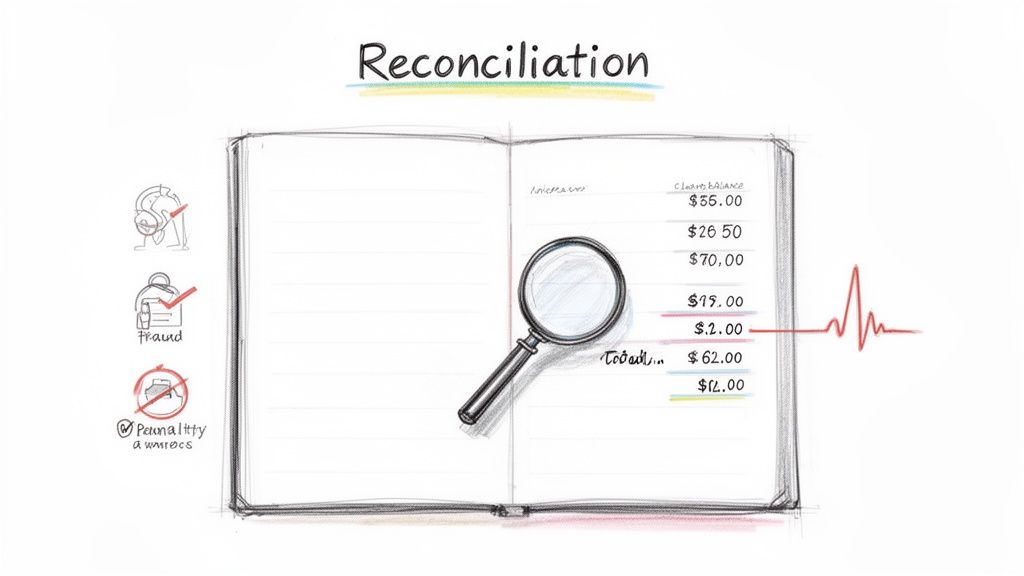
When you get this process down, you're no longer just reacting to problems—you're getting ahead of them. Regular reconciliation helps you:
- Spot cash flow issues early before they spiral out of control.
- Catch potential fraud or unauthorized charges that could otherwise slip through the cracks.
- Stay compliant and avoid audit nightmares by keeping your records clean and defensible.
If you want to brush up on the basics, you can explore the fundamental concept of bank reconciliation and see why it’s so important for any business.
Reconciliation transforms raw financial data into reliable business intelligence. It’s the critical step that separates guesswork from informed financial strategy, safeguarding your company's integrity and building trust with stakeholders.
The Growing Need for Accuracy
With more transactions happening than ever before, the chances of errors and mismatches are only getting higher. You can see this reflected in the reconciliation software market, which was valued at $2.53 billion in 2024 and is expected to hit $7.54 billion by 2033.
This explosion is driven by the sheer volume of digital payments and the non-negotiable need for perfect financial accuracy. This guide will help you turn what can feel like a complex headache into a simple, routine task.
Let's walk through a real-world reconciliation scenario. We’ll follow a small business, 'Innovate Solutions Inc.,' as they tackle their October bank reconciliation. This all starts with gathering the two documents that, more often than not, are going to show two different numbers.
First, you have the company's internal cash book—that's the running tally of all cash transactions logged in their accounting system. Then you have the official bank statement for that same month. Getting these two records to agree is the whole point of creating a bank reconciliation statement.
The Source Documents
For our example, Innovate Solutions Inc. is closing out its books for October. Right away, we hit the classic reconciliation challenge: the closing balances on their two key documents just don't match up.
Here’s a quick look at the starting point for our problem.
Innovate Solutions Inc. October Starting Balances
| Document | Closing Balance as of Oct 31 |
|---|---|
| Company Cash Book | $20,500 |
| Bank Statement | $23,550 |
As you can see, there's a $3,050 difference between what the company thinks it has and what the bank says it has. This is completely normal.
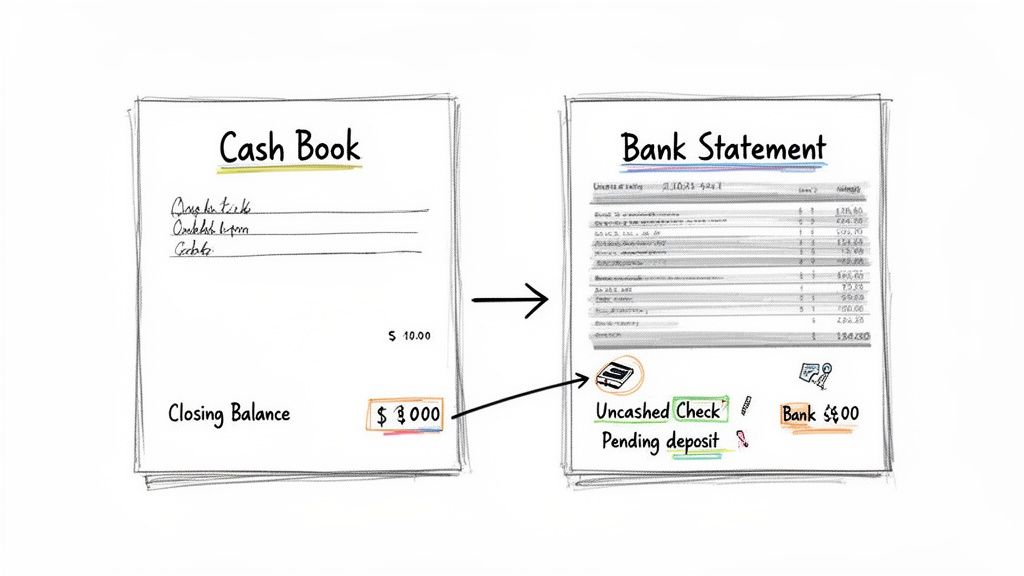
This image nails the core issue we need to solve. The company's books and the bank's records are out of sync, which is pretty much where every reconciliation process begins.
So, where does this difference come from? It's usually a mix of simple timing issues and items one party knows about before the other.
- Outstanding Checks: These are checks Innovate Solutions has written and recorded, but they haven't been cashed by the recipient yet. The money is still technically in the bank's eyes.
- Deposits in Transit: The company recorded customer payments, maybe late on the 31st, but they haven't actually cleared the bank and appeared on the statement.
- Bank Charges: The bank might have deducted monthly service fees or other charges that Innovate Solutions hasn't recorded in its cash book yet.
- Interest Earned: On the flip side, the bank may have paid a little interest into the account that the company doesn't know about until they see the statement.
The goal of reconciliation isn't to prove one record is "right" and the other is "wrong." It's about explaining the valid differences between them to arrive at a single, true cash balance.
Now, we’ll dive in and track down each of these reconciling items. By starting with these two documents and a clear list of potential discrepancies, we can build a logical path to a perfectly balanced account. It’s a process you can easily replicate for your own business.
Uncovering the Differences: A Line-by-Line Walkthrough
Alright, this is where the real detective work begins. We’re going to sit down with Innovate Solutions Inc.'s cash book and bank statement, placing them side-by-side to see what's what. The goal is simple: match every transaction and find the ones that don’t line up.
Think of it like a check-off list. As we go through, we’ll tick off the items that appear on both documents—a customer payment that cleared, a supplier check that was cashed. The items left unticked at the end are our discrepancies, and they're exactly why our starting balances didn't match.
Finding the Reconciling Items
First up, let's look for transactions on the bank statement that are missing from Innovate's own cash book. These are almost always things the bank did directly.
- Bank Service Charge: I see it right here. The bank statement shows a $100 service fee was taken out on October 28th. This is a classic example of a charge a company won't know about until they get the statement. It’s our first reconciling item.
- Interest Earned: On the flip side, the bank also paid $50 in interest on October 31st. This is income for Innovate Solutions, but it's not in their books yet. This is our second reconciling item.
Now, we'll hunt for the opposite: entries in the company's cash book that haven't hit the bank statement. These are usually all about timing.
- Deposits in Transit: Innovate Solutions recorded a customer payment of $1,500 on October 31st. They deposited it late in the day, so it hasn't cleared the bank yet. That’s why it’s missing from the statement.
- Outstanding Checks: We’ve got two checks recorded in the cash book that the recipients just haven't cashed yet. Check #451 for $1,200 and Check #452 for $800 add up to $2,000 in outstanding payments.
The core of this walkthrough is separating timing differences (like outstanding checks) from unrecorded transactions (like bank fees). One set adjusts the bank balance side of the reconciliation, while the other requires updates to your own books.
This process really drives home how important it is to get the data right from the start. Manually typing everything from a PDF statement is a recipe for typos and missed lines. It’s no wonder so many teams now convert bank statements to Excel automatically to speed things up and cut down on mistakes. For Innovate Solutions, this means capturing every single debit and credit without a single oversight.
When you look at the bigger picture, you see why this precision is so critical. Reconciliation is the bedrock of an industry where the global services market is projected to hit $735.94 billion by the end of 2025—a nearly 35% jump in just five years. This growth, partly driven by an e-commerce boom expected to reach $8.1 trillion by 2026, means a tidal wave of transactions for businesses to manage.
With all our reconciling items identified, we've got everything we need to build the final statement and get those balances to agree.
Tying It All Together: Your Reconciliation Statement and Final Book Updates
Now that we've hunted down all the discrepancies, it's time to bring everything together in the final reconciliation statement. Think of this as the grand finale where we make the bank's version of events and your company's records shake hands and agree on a single number. The whole point is to create a clear, two-sided report that shows exactly how we get to one true cash balance.
This simple flow is really what we just did: compared our records, identified the differences, and then lined them up for the final statement.
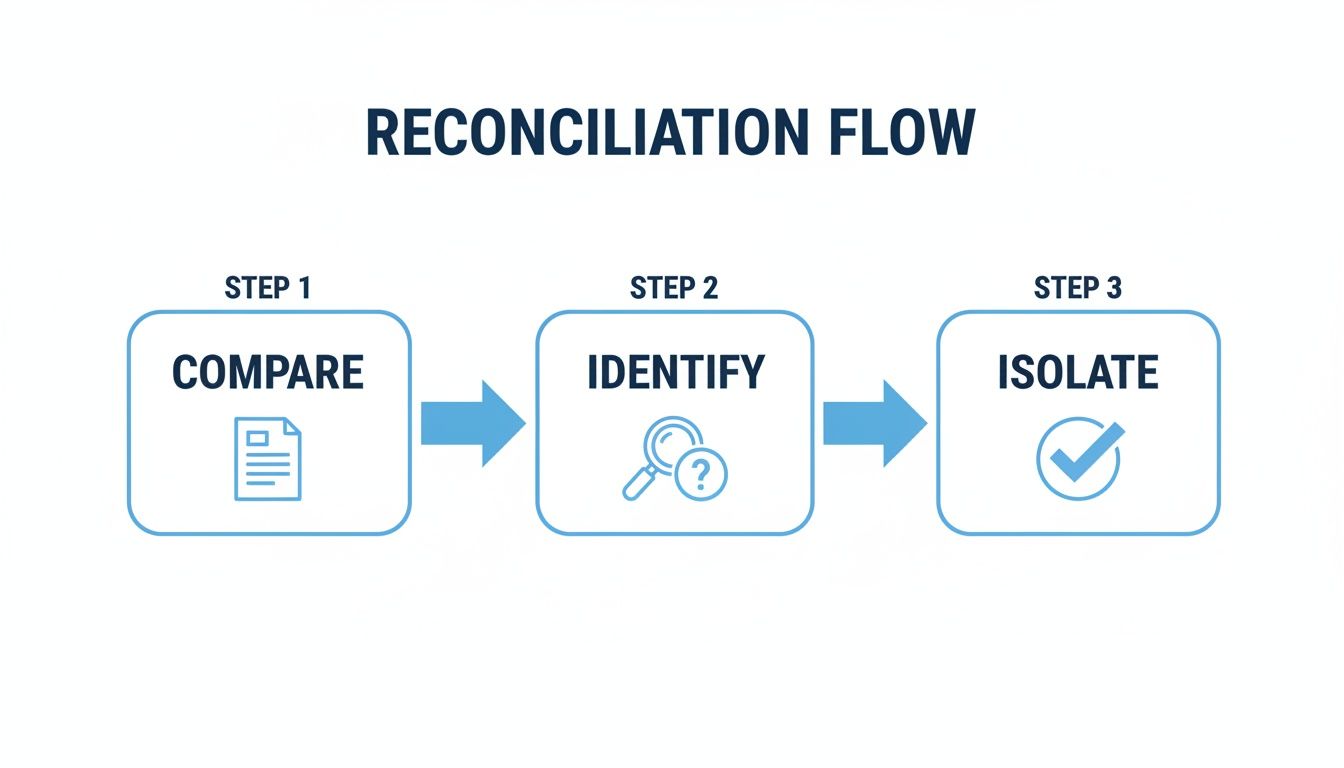
Following this process turns what can feel like a jumbled mess of transactions into an organized list of adjustments. It ensures nothing slips through the cracks.
Building the Bank Reconciliation Statement
Let's pull together the actual statement for Innovate Solutions Inc. We'll start with the closing balance from the bank statement on one side and the closing balance from our cash book on the other. Then, we’ll plug in the reconciling items we found.
- The bank balance gets adjusted for timing differences—things you've already recorded but are still waiting to clear the bank.
- The cash book balance gets adjusted for new transactions you only just discovered on the bank statement.
If you want a great starting point for organizing your own data, this bank reconciliation statement template is incredibly helpful.
Here’s the completed reconciliation for Innovate Solutions Inc. as of October 31. This table clearly lays out how each adjustment brings the two starting balances into alignment.
Innovate Solutions Inc. Bank Reconciliation Statement as of October 31
| Adjustment Type | Bank Balance Side | Amount (€) | Cash Book Balance Side | Amount (€) |
|---|---|---|---|---|
| Starting Balance | Balance per Bank | 10,200 | Balance per Books | 9,550 |
| Additions | Deposits in Transit | 1,500 | Interest Earned | 50 |
| Deductions | Outstanding Checks | -2,000 | Bank Service Charge | -100 |
| Final Balance | Adjusted Bank Balance | 9,700 | Adjusted Book Balance | 9,700 |
And there it is. As you can see, both sides now match perfectly at a true cash balance of €9,700. Success! But we’re not quite done yet. There's one last, crucial step.
Recording Adjusting Journal Entries
A common mistake is thinking the reconciliation statement itself fixes your books. It doesn't. It's just a worksheet—a map showing you what needs to be fixed. The final step is to actually record journal entries for the adjustments we made to our side of the reconciliation.
These entries officially update your general ledger, ensuring it reflects the real cash position and properly accounts for the income and expenses we uncovered.
For Innovate Solutions, that means making two simple entries:
To Record Interest Earned:
- Debit Cash for €50 (to increase the cash balance).
- Credit Interest Income for €50 (to recognize the revenue).
To Record Bank Service Charge:
- Debit Bank Fees Expense for €100 (to recognize the expense).
- Credit Cash for €100 (to decrease the cash balance).
Don't skip this part! Recording these journal entries is what officially closes the loop on the reconciliation. It’s the action that makes your books accurate and gives you a clean, corrected balance to start next month's reconciliation.
Once these entries are posted in their accounting software, Innovate Solutions' cash book balance will change from €9,550 to the reconciled balance of €9,700. Now their books are truly complete and ready for the next accounting period.
How Automation Can Take the Headache Out of Reconciliations
After slogging through that manual reconciliation for Innovate Solutions, you can probably feel the headache setting in. It’s tedious, it’s slow, and a single typo can throw everything off. Thankfully, there’s a much smarter way to handle this.
Let's imagine a different scenario. Instead of manually typing out every line item, you upload Innovate Solutions’ bank statements and invoices. A tool like DocParseMagic reads them and, within seconds, pulls out every single date, amount, and description. That’s the magic of automation—turning a stack of messy documents into clean, structured data you can actually work with.
Moving Beyond Manual Data Entry
By automating that first, most painful step, Innovate Solutions could have skipped hours of mind-numbing typing. More importantly, this instantly gets rid of the copy-paste errors and typos that cause most reconciliation nightmares—the kind that can take forever to track down.
Suddenly, the job isn't about data entry anymore. It's about analysis. Your team can stop being keyboard monkeys and start using their brainpower to investigate the real discrepancies and understand what’s actually happening with the company’s cash flow.
This isn’t just some futuristic idea; it’s happening right now. A Gartner study predicts that by 2025, a staggering 80% of financial processes like reconciliations will be automated. The payoff? They estimate it will cut processing times by over 40% and virtually eliminate errors. For any team that feels like they're drowning in paperwork, that’s a game-changer.
What Automation Really Gets You
Bringing in technology for document processing is about so much more than just going faster. It builds a level of accuracy and efficiency that you can never really achieve by hand.
- Rock-Solid Accuracy: Software doesn't get tired, distracted, or have a clumsy thumb. It pulls the right data with precision, every single time. Your reconciliation starts from a place of trust.
- Giving You Time Back: All those hours saved from manual entry can now be spent on things that actually move the needle, like financial planning or digging into performance metrics.
- Stress-Free Audit Trails: Automated systems create a perfect, digital breadcrumb trail. When the auditors come knocking, you have a clear, traceable record of everything, making the whole process way smoother.
When you let technology handle the grunt work, you free up your finance experts to do what you hired them for: to think critically, solve problems, and guide the business with good information.
Tools like DocParseMagic are built to understand all kinds of document layouts without needing you to create custom templates for every vendor. If you're curious about how this applies to more than just reconciliations, check out our guide on business document processing.
Ultimately, adopting a tool like this turns a dreaded monthly chore into a quick, reliable health check, giving you a crystal-clear view of your finances with a tiny fraction of the effort.
Still Have Questions? Here Are Some Common Ones
Even with a solid example under your belt, you're bound to run into a few tricky spots. That’s perfectly normal. Over the years, I've seen the same questions pop up time and time again. Let's tackle them head-on so you can handle reconciliations with confidence.
How Often Should I Be Doing This?
For most businesses, monthly is the sweet spot. It lines up nicely with your bank statements and other financial reporting, letting you catch issues before they snowball. Think of it as a healthy financial habit.
Now, if you're in a high-volume business—like retail or e-commerce—you might want to tighten that up. Reconciling weekly, or even daily, can give you a much firmer grip on your cash flow and help you spot suspicious activity right away.
The most important thing isn't the exact frequency, but consistency. Pick a schedule that makes sense for your business and stick to it like glue.
What Are the Usual Suspects When Things Don't Match?
When you’re staring at two numbers that should be the same but aren't, it's usually one of a few common culprits. Knowing what to look for makes the detective work a lot easier.
- Timing Differences: This is the big one. You’ve recorded a payment, but it hasn't cleared the bank yet (a deposit in transit), or you’ve sent a check that hasn't been cashed (an outstanding check). These are normal and usually resolve themselves in the next cycle.
- Stuff the Bank Did: Sometimes the bank records things before you do. We’re talking about bank service fees, interest earned, or maybe a charge for that new box of checks you ordered.
- Good Old-Fashioned Errors: It happens. Maybe you typed €89 instead of €98 (a classic transposition error), or in a rare case, the bank might have made a mistake.
By running through this mental checklist—timing, bank items, errors—you can categorize and knock out almost any discrepancy you find. It turns a frustrating puzzle into a simple process of elimination.
Help! It Still Doesn’t Balance. What Now?
First off, take a breath. It's happened to every single person who's ever done a reconciliation. Don't panic; just get methodical.
Start by double-checking your own math on the reconciliation itself. You’d be surprised how often it’s just a simple addition or subtraction mistake. If that’s not it, go back and compare your records to the bank statement one more time, line by line. It's easy to tick something off by accident.
Still no luck? Look for a transposed number or a misplaced decimal—those are sneaky. Also, make sure an old error from last month's reconciliation didn't sneak its way into this one. If you’ve tried everything, the last resort is to go back to the beginning balance and tick off every single transaction. It’s a grind, but it will always uncover the problem.
Can Automation Handle More Than Just Bank Statements?
You bet. Our accounting reconciliation example was all about the bank, but the principles of automation can be applied almost anywhere.
Tools like DocParseMagic are built to pull data from pretty much any document you throw at them. This means you can also use them to:
- Reconcile vendor statements with your accounts payable records.
- Match purchase orders to the invoices you receive.
- Check sales reports from your different systems against your main ledger.
Any task that has you manually comparing a document to your own records is a perfect candidate for automation. It’s all about taking that unstructured information and turning it into clean, organized data you can actually use—saving you a ton of time in the process.
Ready to stop wasting hours on manual data entry? DocParseMagic turns your messy invoices, statements, and reports into clean, analysis-ready spreadsheets in minutes. Sign up for free and see how much time you can save.