Your Guide to Online Bank Statements
An online bank statement is simply the digital version of the financial records your bank used to mail you every month. Instead of waiting for a paper copy to arrive, you can now access the same information instantly through your bank's website or mobile app. It's a secure, immediate way to see all your transactions, keep an eye on your spending, and generally manage your money from wherever you happen to be.
The Evolution from Paper to Pixels

It wasn’t that long ago that keeping up with your finances involved a trip to the mailbox. That paper statement was your primary connection to your financial life, a static snapshot of what happened last month. The system worked for a long time, but let's be honest—it was slow, created endless piles of paper, and felt a bit clumsy.
The move to online bank statements is a much bigger deal than just trading paper for pixels. Think of it this way: a paper statement is like a printed road atlas, while a digital one is like a live GPS app. The atlas shows you where you've been, but the GPS gives you real-time updates, traffic alerts, and interactive tools to plan your next move. That’s what digital statements have become—dynamic tools for managing your money today.
More Than Just a Digital Copy
Online statements are your gateway to building smarter financial habits, offering a level of interaction that paper just can't compete with. This shift is at the heart of modern banking, born from our need for instant access and more direct control over our finances.
The advantages of going digital are pretty clear:
- Instant Access: No more waiting for the mail or digging through filing cabinets. You can pull up your statements in seconds, anytime you want.
- Enhanced Searchability: Remember that one purchase from six months ago? Instead of sifting through stacks of paper, you can just use a search bar to find it in an instant.
- Improved Organization: Forget the bulky folders. You can keep years of financial history neatly organized in secure digital folders on your computer or in the cloud.
This evolution is also fueled by some clever tech working behind the scenes. For example, learning what is OCR technology helps you understand how software can actually "read" the text on these statements. This turns a simple PDF from a static image into a source of usable data for budgeting apps and accounting software.
The push away from paper is happening everywhere. The Social Security Administration, for instance, is moving to all-electronic payments, noting that paper checks are a staggering 16 times more likely to be lost or stolen than digital payments.
At the end of the day, the move to online bank statements is a clear win. It simplifies how we manage our money, boosts security, and even cuts down on environmental waste. By making the switch, you’re not just getting a digital copy—you're getting a more powerful, interactive tool to keep you informed and in control of your financial journey.
Why You Should Go Paperless Today
Switching to online bank statements isn't just about clearing the clutter off your kitchen counter—it's a massive upgrade for how you manage your money. The real payoff happens when you need your financial info on a dime, securely and without a hassle. It’s about getting instant control, tighter security, and an organization system that actually works.
Think about applying for a loan. The lender asks for your last three months of bank statements, and suddenly you're on a scavenger hunt through a mountain of paperwork. With online statements, you can have perfect, official PDFs downloaded and sent off in less than a minute. That's not just convenient; it's a game-changer when time is tight.
Superior Security for Your Finances
Let's be honest, physical mail is surprisingly insecure. A single stolen envelope from your mailbox gives a thief a direct pipeline to your personal financial details, opening the door to identity theft. Online bank statements completely remove that physical risk from the equation.
Your digital statements are tucked away safely behind your bank's layers of security, like multi-factor authentication and heavy-duty encryption. That digital fortress is worlds away from a paper envelope sitting in an unlocked mailbox. By going paperless, you neatly sidestep the risk of mail fraud and protect your data with the same technology the banks use.
Effortless Organization and Accessibility
Beyond the security boost, the organizational perks are huge. Forget that clunky filing cabinet stuffed with years of paper. All of that can be replaced by a neatly organized folder on your computer or in a secure cloud drive.
Ever tried to find a specific charge from two years ago? With paper, good luck. With digital PDFs, a quick search for a keyword or date can pinpoint the exact transaction in seconds. This turns your financial history from a dusty archive into a powerful, searchable tool you can actually use.
- Find Transactions Instantly: No more scanning pages by hand. Just search by date, store name, or amount.
- Access Anywhere: Need to check something on the go? Pull up your statements on your phone or laptop, wherever you are.
- Simplify Tax Time: Gathering your financial documents for tax season becomes a simple task of downloading files, not sifting through stacks of paper.
The shift to digital finance isn't just a personal convenience; it's a global movement. It's helping to expand financial access around the world, bringing more people into the formal banking system. You can dive deeper into these trends and their worldwide impact on the World Bank's website.
At the end of the day, choosing online bank statements means choosing a system that's faster, safer, and far more organized. It brings your financial management up to speed with the rest of your digital life, giving you the power to handle your money with more confidence and less friction.
How To Access and Download Your Statements
Getting your hands on your online bank statements is usually a painless process. Most banks and credit unions have set things up to be pretty intuitive, whether you're logging in on your computer or pulling up their app on your phone. In just a few clicks, you can typically have the exact document you need.
The whole point is convenience, which is a huge reason digital banking has taken off. Mobile banking apps, in particular, have become the command center for our daily financial lives. It's a massive shift—by the end of 2025, an estimated 2.17 billion people around the globe will be using mobile banking apps. That's a 35% jump from 2020 alone. If you're curious, you can explore more about mobile banking trends to see just how fast our habits are changing.
Finding Your Statements A General Guide
While the exact button or menu name might vary a bit from one bank to another, the path to your statements is almost always the same. Here’s a quick rundown of what you can expect, whether you're on a desktop website or a mobile app.
- Log In Securely: First things first, sign into your online banking account. Always make sure you're on your bank's official, secure website or using their legitimate app.
- Navigate to Documents or Statements: Once you're in, look for a menu item like "Statements," "Documents," or "eDocuments." You'll often find this tucked under your main account details or in a primary navigation bar.
- Select the Right Account and Date: If you have more than one account (like checking and a credit card), you'll need to pick the right one. From there, you can usually filter by month and year to find the specific statement period you need.
- Download as a PDF: Hit the download button. PDF is the standard format for a reason—it creates a secure, uneditable snapshot of your financial activity. This makes it perfect for official uses, like applying for a mortgage or preparing your taxes.
The infographic below really drives home the key advantages of making this simple digital switch.

As you can see, going paperless isn't just about saving trees. It gives you instant access, tightens up security, and helps you keep a neat financial history without a single manila folder in sight.
While the core function of downloading statements is available on both desktop and mobile, there are some subtle differences in the experience. Here's a quick look at what you can typically expect from each platform.
Accessing Your Statements Platform Comparison
| Feature | Desktop Online Banking | Mobile Banking App |
|---|---|---|
| Viewing Experience | Full-screen view, ideal for detailed analysis and reviewing multiple pages at once. | Smaller screen, best for quick glances or verifying a specific transaction on the go. |
| Download & Save | Easy to download directly to a computer and file into organized folders. | Can download to phone storage or share directly to cloud services (like Google Drive or Dropbox). |
| Historical Access | Typically offers access to a more extensive history, often going back 7 years or more. | May have a more limited view of past statements (e.g., the last 12-24 months) for performance reasons. |
| Advanced Features | Often includes advanced filtering, search functions within the document viewer, and bulk download options. | Focused on core tasks; advanced filtering might be limited. The primary goal is speed and simplicity. |
Ultimately, both options get the job done. Many people find themselves using their desktop for serious financial housekeeping (like tax prep) and the mobile app for quick, on-the-spot needs.
Organizing Your Downloaded Files
Once you have your PDF statement, don't just dump it in your downloads folder! A little organization now will save you a world of frustration later. A messy digital folder can become just as chaotic as a shoebox stuffed with old papers.
A simple filing system is your best defense against digital clutter. Think of it as creating a digital filing cabinet—easy to set up and even easier to search through later.
A great way to start is by creating a main folder named "Bank Statements" on your computer or a secure cloud drive. Inside that, make subfolders for each year (e.g., "2024," "2023," "2022").
When you download a new statement, give it a clear name like "January 2024 Checking" and pop it into the "2024" folder. This habit takes maybe ten seconds, but it means your financial records are always organized and just a few clicks away when you need them most.
Keeping Your Digital Financial Records Safe
Moving your financial life online is incredibly convenient, but it also means you need to be smart about protecting your sensitive information. Think of your online banking portal as a digital vault. You wouldn't just leave the key to a physical vault lying around, and your digital keys—your passwords and login details—deserve the same careful protection.
The first line of defense is always a strong, unique password for your banking site. Forget about using common words, birthdays, or your pet's name. A much better approach is to create a long passphrase that’s easy for you to remember but almost impossible for anyone else to guess. A mix of words, numbers, and symbols is your best bet.
Building Your Digital Fortress
Next up, you absolutely should enable two-factor authentication (2FA) if your bank offers it. This is like adding a second, high-tech lock to your vault door. Even if a thief somehow gets your password, they can't get in without that second piece of verification, which is usually a code sent directly to your phone. It's a simple step that makes a huge difference in your account's security.
Another critical habit is to be very careful about where you access your bank account. Public Wi-Fi networks, like the free service at a coffee shop or airport, are notoriously insecure. It’s far too easy for criminals to snoop on these open networks and steal your login information right out of the air.
When managing your online bank statements, it's crucial to understand and know how to prevent Man-in-the-Middle attacks that could compromise your data during transmission. These attacks happen when a third party secretly intercepts communication between you and your bank.
Staying Vigilant Against Scams
Beyond just locking down your login, you have to keep an eye out for phishing scams. These are sneaky emails, texts, or even phone calls designed to trick you into handing over your personal information. They often look convincingly real, using your bank’s logo and creating urgent warnings about your account to scare you into acting without thinking.
Here are a few red flags to watch for:
- Urgent Demands: Scams almost always create a false sense of panic, telling you to act immediately or your account will be frozen or closed.
- Suspicious Links: Before you click anything, hover your mouse over the link to see the actual URL. If it looks strange or doesn't match your bank's official website, it's a trap.
- Requests for Personal Info: Your bank will never email or text you asking for your password, PIN, or full account number. Period.
Once you have safely downloaded your online bank statements, the final piece of the puzzle is storing them securely. You could encrypt the folder where you keep them or use a reputable, password-protected cloud storage service. For more tips on creating a secure and organized system, check out our guide covering the best practices for document management. Taking these simple precautions ensures your digital financial records stay exactly where they belong: in your hands only.
Putting Your Statement Data to Work
An online bank statement isn't just a static record of what you've spent; it's a goldmine of financial data just waiting to be tapped. When you unlock that data, you turn a simple report into a powerful tool that can actively improve your financial decision-making and streamline your life. This is the point where a list of numbers becomes real, actionable intelligence.
The most common way people put this data to work is by linking their bank accounts directly to personal finance apps. Services like Mint or YNAB sync with your accounts, automatically pulling in transactions, categorizing your spending, and helping you stick to a budget without the soul-crushing chore of manual data entry. It gives you a clear, real-time snapshot of where your money is actually going.
From PDF to Practical Insights
But what happens when a direct connection isn't practical, or you're working with downloaded PDF statements from several different banks? This is where you need to get the raw data out from inside those files, and that’s where specialized tools come in.
Think of it like this: a PDF is a locked box of information. The right tool is the key that opens it up, letting you pour out the structured data you need for all sorts of financial tasks.
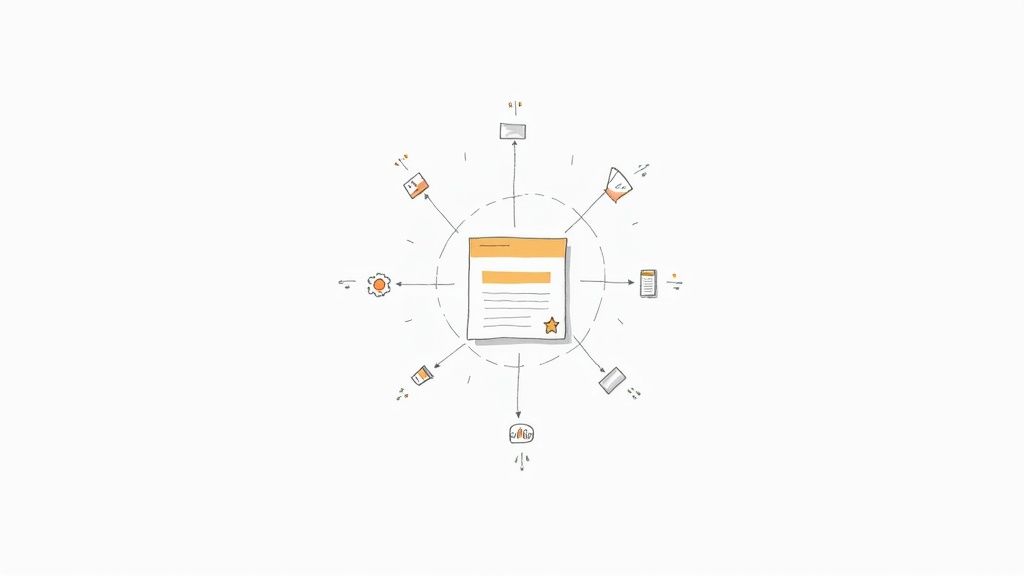
This process is what truly unlocks the potential hidden within your online bank statements, allowing for much deeper analysis and better record-keeping.
By extracting transaction data, you gain the ability to sort, filter, and analyze your spending patterns in ways a simple PDF viewer could never allow. This is essential for detailed financial planning, expense reporting, or tax preparation.
For example, a tool like DocParseMagic can take a PDF statement and neatly pull every single transaction into a clean, organized spreadsheet. If you want to see exactly how that works, check out our guide on how to convert bank statements to Excel. This is a game-changer for small business owners tracking expenses or freelancers getting ready for tax season.
To take it a step further, you can explore financial data aggregation techniques that help you combine information from all your different accounts. By transforming your statements into usable, flexible data, you build a powerful, central dashboard for your entire financial world.
The Global Shift to Digital Banking
If you’ve switched to online bank statements, you’re not just making a smart personal choice—you're part of a massive global shift. The way we handle our money has been completely reshaped over the past decade. This isn't a slow-moving trend; it's a full-on migration driven by our collective demand to manage our financial lives instantly, wherever we are.
This worldwide change is being pushed forward by a few key things. We've all come to expect our banking to be as quick and easy as ordering a taxi or streaming a show. In response, banks have poured tons of money into their digital platforms, realizing that a solid mobile app is now just as crucial as a brick-and-mortar branch. But it's not just about keeping customers happy. It’s also about running a more efficient and sustainable business by cutting down on the huge costs and environmental waste of printing and mailing millions of paper documents.
A Worldwide Trend in Numbers
The sheer scale of this digital adoption is pretty mind-boggling. By 2025, online bank statements are no longer a novelty but a standard feature for billions. Globally, more than 3.6 billion people now use online banking—that's nearly half the world's population. In the United States alone, there are around 216.8 million digital banking users, a huge piece of the global pie. You can dive deeper into these numbers and discover detailed insights on online banking usage statistics.
This isn't just a phase. The convenience, security, and immediate access of digital banking have simply set a new standard for how we expect to manage our money.
Seeing the big picture helps put your own choices into perspective. Going digital with your finances isn’t just about getting statements faster. It's about staying in sync with the way modern money works.
The Forces Driving Digital Adoption
So, what's really fueling this global change? It’s a perfect storm of evolving consumer habits and the technology that makes it all possible.
-
Consumer Demand: We want control over our money right at our fingertips, 24/7. The power to check a balance, move funds, or pull up online bank statements from a phone is now a basic expectation, not a fancy add-on.
-
Corporate Sustainability: Banks and other big companies are getting serious about their environmental impact. Ditching paper cuts down dramatically on waste, energy use, and the carbon emissions that come from snail mail.
-
Technological Advancement: The explosion of secure mobile apps, better internet access across the globe, and stronger cybersecurity have made digital banking not just a convenient option, but often a safer and more reliable one.
By making the switch to digital statements, you're plugging into a smarter, more efficient, and more sustainable financial system. You’re joining a global community that prizes instant access and secure control, making sure you're ready for what's next in our digital world.
Got Questions About Online Statements? We’ve Got Answers.
Switching to digital statements is a great move, but it's natural to have a few questions pop up as you get used to the new system. Let's walk through some of the most common ones to make sure you're getting the most out of your online access.
Are Online Statements Actually Official Documents?
Absolutely. A downloaded PDF of your online bank statement is almost always considered a legally valid document. Think of it this way: as long as it’s the official, untouched file generated by your bank, it holds the same legal weight as the paper copy that used to come in the mail.
This means you can use them with confidence for all sorts of important stuff, like:
- Applying for a mortgage or loan
- Filing your taxes or responding to an audit
- Verifying your income or proving your address
Financial institutions, lenders, and even government bodies like the IRS accept these digital versions as a standard record of your financial history.
How Long Can I Access My Statements Online?
Banks are legally required to hang onto your financial records for a while, but that doesn't mean they'll be on your dashboard forever. Typically, you can expect to access your statements online for up to seven years.
A common myth is that online access is endless. In reality, banks eventually archive older documents, so it's a wise move to get into the habit of downloading and saving your own copies for your personal long-term records.
That seven-year timeframe conveniently covers the standard IRS audit period, which is a big help. Just be aware that some banks might only show the last 12 to 24 months by default to keep their websites running smoothly. You may have to dig a little deeper or make a specific request for older statements.
Help! I Can’t Access My Statements. What Do I Do?
First off, don't panic. If you can't seem to pull up your statements, the fix is usually pretty simple. Start by checking for common culprits like a forgotten password or a browser glitch. Sometimes, just clearing your browser's cache or trying a different web browser does the trick.
If that doesn't solve it, the issue might not be on your end. The bank could be doing some scheduled maintenance on their site. Your best bet is to reach out to their customer service team through their support line or secure online chat. They can help you figure out what’s going on and can often help you get a copy of a statement if you're in a pinch.
Ready to turn those static PDFs into organized, usable data? DocParseMagic uses AI to instantly pull transactions from any bank statement and convert them into a clean spreadsheet. It'll save you hours of tedious manual entry. Give it a free try and see the magic for yourself at https://docparsemagic.com.