
A Guide to Automation of Data Entry That Actually Works
At its heart, data entry automation is simply using smart software to pull information from one place—like an invoice, a form, or a receipt—and put it into another system without a human having to type it all out. It’s about taking those mind-numbingly repetitive tasks and turning them into fast, automated workflows.
Moving Beyond Manual Data Entry
Think about it this way. You could build a house with a hammer and nails. It gets the job done, but it’s slow, exhausting, and a few misplaced swings can cause real problems. That’s manual data entry—a process that’s not just tedious but also riddled with human error, high labor costs, and operational logjams that hold your business back.
Now, imagine using a nail gun instead. It’s fast, precise, and lets you focus on building something great, not just on the mechanics of hammering. That’s what automation brings to the table. Instead of your team spending hours copying and pasting, intelligent software does the heavy lifting, transforming jumbled documents into clean, structured data you can actually use.
The Strategic Shift to Automation
Bringing in automation isn't just a tech upgrade; it's a fundamental shift in how you use your team's talent. When you free skilled people from the drudgery of data input, they can finally tackle the work that really matters—analyzing trends, talking to customers, and thinking strategically about the future.
This change creates a positive ripple effect everywhere:
- Faster decision-making because the data you need is available right now, not next week.
- Happier employees who are no longer stuck doing frustrating, repetitive tasks.
- Room to grow without having to hire more people just to keep up with the paperwork.
The real win with automation isn't just about speed. It’s about removing the friction of manual work so your team can reach its full potential.
And this isn't some niche trend. The global market for business process automation software is expected to balloon from $13 billion to $23.9 billion by 2029. That kind of growth shows a clear and massive move toward automation as a must-have for staying competitive. For a deeper dive, you can uncover more insights on the rapid growth of the automation market.
Manual vs Automated Data Entry: A Quick Comparison
To really see the difference, it helps to put the two approaches side-by-side. The contrast in speed, accuracy, and overall value makes it clear why so many businesses are making the change.
| Metric | Manual Data Entry | Automated Data Entry |
|---|---|---|
| Speed | Slow, limited by typing speed and human endurance. | Instantaneous, processing thousands of documents in minutes. |
| Accuracy | Prone to typos, transpositions, and interpretation errors. | Achieves near-perfect accuracy, often exceeding 99.9%. |
| Cost | High operational costs due to labor, training, and error correction. | Lower long-term costs with predictable software expenses. |
| Scalability | Difficult to scale; requires hiring more staff for increased volume. | Easily scales to handle fluctuating workloads without added headcount. |
| Employee Focus | Tedious, low-value, and repetitive tasks. | High-value work like analysis, verification, and strategy. |
Looking at the table, the choice becomes pretty obvious. One path is costly and limits your team's potential, while the other opens up new possibilities for efficiency and growth.
The Technology Driving Modern Automation
The magic behind data entry automation isn't one single piece of tech. It’s more like a highly skilled team working in perfect sync. Think of it as a digital assembly line where different tools handle specific parts of the job to turn a pile of raw documents into clean, usable data.
This concept map shows that shift from the old, manual way of doing things to a faster, automated workflow.
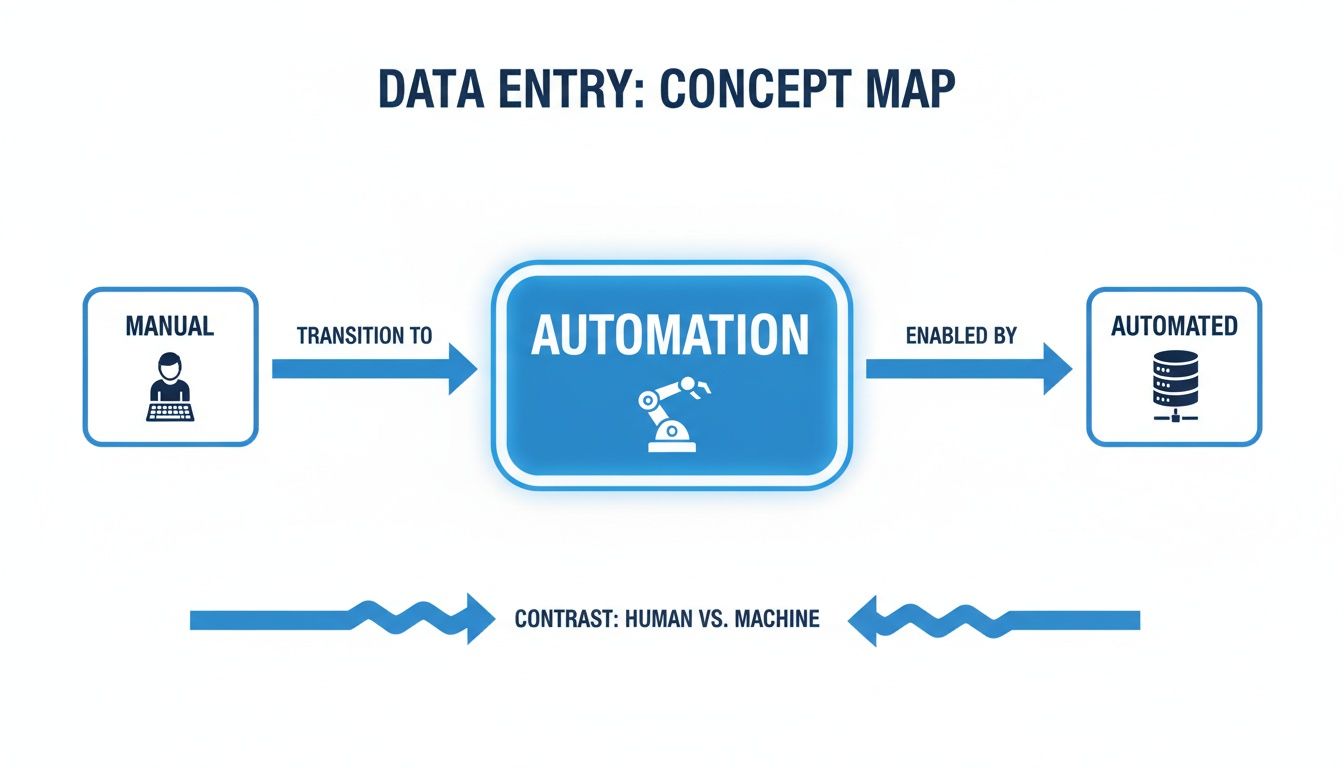
You can see how automation becomes the engine that replaces human typing, creating a far more efficient system.
Optical Character Recognition: The Eyes of the System
First up is Optical Character Recognition (OCR). The easiest way to think about OCR is as the "eyes" of your automation system. Its entire job is to look at a document image—like a scanned receipt or a PDF invoice—and turn the text it sees into digital characters a computer can actually read.
Without OCR, a scanned invoice is just a picture to a computer. It can't pull out the invoice number or total amount because it doesn't see them as text. OCR is the bridge that turns those pixels into actual letters and numbers that other software can understand and use. You can get a much deeper dive into what Optical Character Recognition is and see why it’s the essential first step.
Robotic Process Automation: The Hands of the System
Once OCR has read the document, the next player takes the field: Robotic Process Automation (RPA). If OCR is the eyes, then RPA is the tireless "hands" of the operation. RPA is simply software built to copy the repetitive, rule-based things humans do on a computer.
Think about the physical steps of data entry. You open an email, download an attachment, find a specific number, open a spreadsheet, and type that number into a cell. RPA bots are programmed to follow those exact same steps, but they do it instantly and never make a typo. They are the workhorses that ferry the data from the document to its final destination.
Key Takeaway: RPA automates the actions of data entry. It’s brilliant at tasks like logging into systems, navigating through menus, and copying and pasting information between different applications, all without anyone needing to lift a finger.
When you're dealing with enormous amounts of data, understanding platforms like Ab Initio for high-volume data processing can be a game-changer. This kind of tech is built to handle the sheer scale that many modern businesses face.
AI and Machine Learning: The Brain of the System
OCR and RPA are incredibly powerful, but they work best when they have some intelligence guiding them. That’s where Artificial Intelligence (AI) and Machine Learning (ML) come in, acting as the "brain" of the whole process. AI is what gives the system the ability to learn from experience and make smart decisions.
Here’s how AI takes things to the next level:
- Understanding Context: An AI-powered system doesn't just see a date like "12/05/2024." It understands from its position and the words around it that it's likely an invoice date, not a due date or a shipping date.
- Getting Smarter: Let’s say a vendor changes their invoice layout. A basic OCR/RPA setup might get confused and fail. A system with machine learning, however, can learn from the new format and adapt, becoming more accurate with every document it processes.
- Checking for Errors: The AI brain also serves as a quality control expert. It can spot inconsistencies, like when the line items on an invoice don't actually add up to the total, and flag it for a human to review.
This trio of technologies creates a seriously powerful system. OCR reads the document, AI understands what it means, and RPA does the grunt work of entering the data. Together, they are the foundation for truly intelligent data entry automation.
How Businesses Use Data Entry Automation
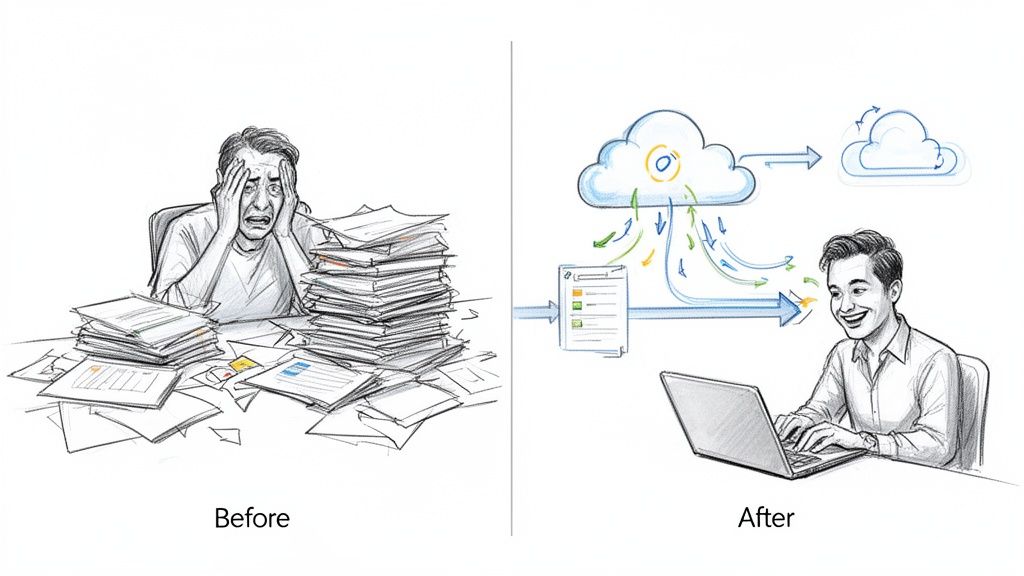
It’s one thing to talk about the tech, but it’s another to see what it actually does for a business. Data entry automation isn’t some futuristic idea; it’s a real-world tool that companies are using right now to fix frustrating, everyday problems. From the finance department to HR, teams are ditching their most tedious workflows for something far more efficient.
The story is almost always the same. It starts with a team buried under a mountain of paperwork, losing hours to manual input. After bringing in automation, that same team is suddenly free to think bigger, all while getting work done faster and more accurately than ever before.
Transforming Accounts Payable with Invoice Automation
Think about a typical accounts payable department before automation. Every day, a flood of invoices pours in from different vendors, and no two look alike. The AP team has to pop open each PDF, hunt for the invoice number, due date, and total, then punch it all into the accounting software.
It’s a process just begging for bottlenecks and mistakes. One little typo could mean a duplicate payment or a missed deadline, which can damage vendor relationships and mess with the company’s cash flow. The team is always just trying to keep its head above water, with zero time for actual financial analysis.
Now, let's look at the "after" picture. An automated system grabs every critical piece of data from those invoices the moment they arrive, no matter the format. The software reads the document, spots the key fields, and fills out the accounting system in seconds.
The result is a workflow that’s not just faster but also far more precise. To see a detailed walkthrough, check out our guide on how to automate invoice processing from start to finish.
Speeding Up Employee Onboarding in HR
Human resources departments know this pain all too well, especially when onboarding new employees. Every new hire brings a pile of paperwork—tax forms, I-9s, benefits enrollment, direct deposit info. An HR specialist traditionally has to sit there and manually key all of that information into multiple systems: payroll, benefits, and the internal HRIS.
Not only is this slow, but it's also risky. A mistake in a social security number or bank account can create huge headaches for the new employee and land the company in hot water with compliance. It’s a low-impact task that eats up a massive amount of the HR team’s time.
With data entry automation, that whole process gets a makeover. The new hire can fill out digital forms, or the system can scan their documents using OCR to pull out the information. That data is then automatically sent to all the right systems at once.
What used to take hours of careful typing now happens in minutes. The HR team is freed up to focus on the human part of their job—making new team members feel welcome and ensuring they have a great start.
The improvement in accuracy is staggering. Automated systems can hit an accuracy rate between 99.959% and 99.99%, a huge leap from the 96% to 99% accuracy of a human. That means a person is roughly 100 times more likely to make a mistake than an automated tool—a critical difference when you're dealing with sensitive employee data.
Keeping E-Commerce Catalogs Up to Date
For any e-commerce business, the product catalog is everything. But keeping it current can be a complete nightmare. Suppliers are constantly sending updated product lists in all sorts of formats—Excel sheets, PDFs, you name it—with new prices, stock levels, and descriptions. Manually updating thousands of SKUs is a full-time job that’s nearly impossible to do without errors.
A simple delay in updating a price or stock level can lead to lost sales or angry customers who just bought an item that’s out of stock. It's a constant, high-stakes fight to keep information current.
Automation is the perfect fix. An automated system can:
- Extract Data: Pull product information directly from any file a supplier sends over.
- Standardize Information: Clean up and reformat all that incoming data so it’s consistent for the e-commerce platform.
- Update Instantly: Automatically refresh product listings on the website, so customers always see the right price and availability.
This does more than just save hundreds of hours of manual work; it directly improves the customer experience and protects the company's reputation. By connecting these systems, businesses can turn a chaotic, error-prone process into a smooth, reliable operation.
Your Step-By-Step Implementation Plan
Knowing that you need to automate data entry is the easy part. Actually making it happen takes a clear, methodical plan. Just diving in without a roadmap is a recipe for frustration, wasted money, and a project that never really gets off the ground.
Think of this as your blueprint. We'll break down the entire process into manageable steps, moving you from a vague idea to a fully functioning automated workflow that delivers real value right away.
1. Pinpoint Your Biggest Bottlenecks
Before you can fix a problem, you have to know exactly where the pain is. The first move is to find the processes that are causing the most headaches for your team. Don't try to automate everything at once—that's a classic mistake. Instead, look for the low-hanging fruit where a little automation will have a huge, immediate impact.
Start by asking a few simple questions:
- Which tasks are the most mind-numbingly repetitive for your team?
- Where are most of the data entry errors creeping in?
- What processes are causing the biggest delays in getting work done?
Your goal here is to find the one workflow where your team is burning the most time on manual work, like copying and pasting details from invoices into your accounting software. That's your perfect first candidate.
2. Define What Success Looks Like
Once you've picked a process to tackle, you need to decide what a "win" actually looks like. If you don't set clear goals, you'll have no way of knowing if the project was worth it. This means setting specific, measurable Key Performance Indicators (KPIs) to track your progress.
These KPIs should tie directly back to the bottlenecks you just identified. For example:
- Cut invoice processing time from 3 days to just 4 hours.
- Slash data entry errors by 95% in the first three months.
- Free up 20 hours per week of your team's time for more important work.
Metrics like these aren't just for show; they build your business case and make it easy to measure your return on investment later on.
3. Select the Right Tools for the Job
With your goals set, it's time to pick your tools. The market is flooded with options, from massive RPA platforms that require a team of developers to simple, no-code solutions anyone can use. The right choice depends entirely on your team's needs, technical skills, and budget.
A platform like DocParseMagic, for instance, is built for teams that just need to get clean, structured data out of messy documents without having to write any code. To get a better feel for the landscape, check out our guide on different types of document data extraction software.
4. Prepare Your Documents for a Smooth Transition
Even the smartest AI works better with clean inputs. Before you go live, take a little time to get your documents in order. Make sure scans are clear and not blurry, and if you can, try to standardize how you receive files from clients or vendors.
This doesn't mean every document has to look identical—modern tools are surprisingly good at handling variation. But a little bit of prep work goes a long way toward ensuring high accuracy right out of the gate and makes the whole transition much smoother for your team.
5. Launch a Small Pilot Project
Please, don't try to boil the ocean. Start with a small, controlled pilot project to test everything out. Pick a single department or even just one specific document type and run your new automated workflow in a test environment.
A pilot project is your chance to work out the kinks, gather feedback, and demonstrate the value of automation to key stakeholders. A successful pilot builds momentum and makes it much easier to get buy-in for a wider rollout.
6. Empower Your Team Through Training
Automation is not about replacing people; it's about empowering them to do more valuable work. Your team needs to understand how the new system works and, more importantly, how it's going to make their jobs less tedious. Provide clear, hands-on training that focuses on their new, more interesting roles.
They're no longer data entry clerks. They are now workflow supervisors, exception handlers, and data analysts. This shift is critical for morale and for the project's long-term success. When your team sees the tool as a helper, not a threat, they'll actually want to use it.
7. Scale Your Success Across the Organization
Once your pilot is a proven success and your team is on board, you're ready to scale up. Take the lessons you learned from the initial rollout and begin expanding automation to other departments and processes.
This is where a single project transforms into a company-wide advantage. By repeating this seven-step process, you can systematically eliminate manual data entry across your business, unlocking a whole new level of efficiency.
Calculating the Real Return on Your Investment
Switching to data entry automation isn't just a tech upgrade; it's a financial move. To get buy-in, you need to show that it’s a smart one. Forget vague promises about "saving time"—you need to build a rock-solid business case that shows exactly how this investment pays for itself, and then some. That means calculating a clear Return on Investment (ROI).
Figuring out the ROI goes deeper than just the price of the software. You have to look at the obvious cost cuts and the less tangible benefits that ripple through your entire operation. When you put real numbers to these gains, the financial impact becomes undeniable, making it easy to justify leaving manual methods behind.
Key Metrics That Drive ROI
To get the full picture, you have to track the right things. These Key Performance Indicators (KPIs) are what turn abstract ideas like "efficiency" into cold, hard numbers for your ROI calculation.
Focus on these critical areas:
- Hours Reclaimed: This is your biggest win. Figure out how many hours your team sinks into manual data entry every single week.
- Error Rate Reduction: Typos and mistakes cost real money to fix. Track the percentage of documents needing correction before and after you automate.
- Processing Time Per Document: How long does it take to get an invoice from the inbox to the "paid" pile? Automation can shrink this from days down to minutes.
- Cost Per Document Processed: Combine your labor costs and processing time to find your cost per document. Watch this number plummet after you make the switch.
An IBM study from 2021 found that businesses lose a staggering $3.1 trillion each year because of bad data quality. A massive chunk of that comes from simple manual entry mistakes. Cutting those errors is a direct line to serious savings.
A Simple ROI Calculation Model
You don't need a degree in finance to figure this out. A straightforward formula can give you a powerful look at the financial upside.
ROI (%) = [(Financial Gain - Investment Cost) / Investment Cost] x 100
To make this work, you first need to add up your gains. A great place to start is with reclaimed employee hours. If an employee who makes $25/hour gets back 10 hours a week, that’s a $13,000 gain every year from just one person. Tack on the savings from fewer errors and faster processing, and the total financial gain quickly becomes clear.
Next, you need your investment cost, which is usually the annual fee for the automation software. Once you have both numbers, just plug them into the formula to see your return.
Putting It All Together: A Financial Comparison
Let’s look at a practical example for a small team over one year. The table below breaks down the stark financial difference between sticking with the old way and adopting an automated solution.
This simplified model compares the annual costs and savings of manual data entry versus an automated solution for a typical small or medium-sized business.
ROI Calculation Example: Manual vs. Automated
| Cost Factor | Manual Process (Annual Cost) | Automated Process (Annual Cost) | Annual Savings |
|---|---|---|---|
| Labor (2 employees, 15 hrs/wk) | $39,000 | $3,900 (for verification) | $35,100 |
| Error Correction Costs | $5,000 | $500 | $4,500 |
| Software Subscription | $0 | $2,400 | -$2,400 |
| Total Annual Cost | $44,000 | $6,800 | $37,200 |
The numbers really do speak for themselves. In this scenario, the investment is paid back multiple times over within the first year alone, delivering a massive ROI and freeing up cash for other parts of the business.
8. Navigating the Bumps in the Road: Common Pitfalls & Security
Bringing data entry automation into your workflow is a game-changer, but it’s not always a perfectly smooth ride. Think of it like learning to drive a powerful new car—you need to anticipate the sharp turns and potential roadblocks to get the most out of it. Ignoring these common challenges can turn a project meant to boost efficiency into a frustrating bottleneck.

So, what are these bumps in the road? A classic mistake is picking the wrong process to automate first. It’s tempting to go after the most complicated, messy workflow, but that’s often a recipe for disaster. Instead, score an early win by starting with simple, high-volume tasks that follow clear, predictable rules.
Another misstep is thinking automation means you can just set it and forget it. Automation is a powerful assistant, not a complete replacement for human intuition and critical thinking.
The sweet spot is what we call “human-in-the-loop” automation. Let the software handle 80% of the grunt work, freeing up your team to manage the tricky exceptions. This blend of machine speed and human oversight is where the real magic happens.
Keeping Your Data Under Lock and Key
When you start automating how data moves through your company, security has to be your top priority. You're creating new digital pathways for sensitive information, whether it’s customer details or financial records. Protecting that data isn't just a technical detail; it's fundamental to your business's integrity and reputation.
To build a fortress around your automated workflows, lock down these three areas:
- Data Encryption: All data must be scrambled and unreadable, both when it's sitting on a server (at rest) and when it's moving between systems (in transit).
- Access Controls: Stick to the principle of least privilege. This just means people should only have access to the specific data they need to do their jobs—nothing more.
- Compliance Standards: Your tools must meet legal standards like GDPR or CCPA, especially if you handle personal information. Always verify that your automation provider is compliant.
As you explore automation, you'll also run into technical hurdles like anti-bot measures designed to stop automated systems. Understanding things like the ethical and legal approaches to bypassing captchas can be part of the bigger picture.
By tackling security head-on, you ensure your newly efficient processes are also rock-solid and safe. This builds trust with everyone—from your internal team to your customers—and keeps you clear of costly compliance headaches down the line.
Got Questions About Data Entry Automation? We’ve Got Answers.
Jumping into any new technology feels like a big step, and it's natural to have questions. When it comes to automating data entry, most of the conversations I have with business owners circle back to their team, the tech, and what the software can really do. Let's clear the air and tackle those common concerns.
Will This Make Our Data Entry Team Obsolete?
This is the big one, and I get it. It’s usually the first question people ask. The honest answer is no, but it will absolutely change their jobs—for the better. Automation isn't about replacing people; it's about elevating them. It takes over the soul-crushing, repetitive task of manual typing.
This frees up your team for work that actually requires a human brain. Think of their roles shifting from data entry to data analysis and workflow management. They become the people who oversee the system, handle the tricky exceptions the AI flags, and make smart decisions based on the clean, reliable data that automation provides.
How Tech-Savvy Do We Need to Be?
Not nearly as much as you might think. A decade ago, you'd need a team of developers to even think about a project like this. Thankfully, that's not our reality anymore. The game has completely changed with the rise of no-code platforms.
Modern tools, like DocParseMagic, are built for business users, not programmers. If you can navigate a spreadsheet and understand your own workflow, you have all the technical skills you need. You just drag, drop, and connect the dots. The focus is on your process, not on writing code.
Can It Really Handle Our Messy Documents?
A totally fair question, especially if you’re drowning in a mix of scans, photos of receipts, or even handwritten notes. Let's be realistic: AI is powerful, but it's not magic. Today's AI-powered OCR is fantastic at reading all sorts of typed fonts, different layouts, and even low-quality or slightly crooked scans.
Where does it stumble? Very messy handwriting and super complex, unstructured documents can still be a challenge. My advice is always to start with the low-hanging fruit—your most common, machine-printed documents like invoices, purchase orders, and standard forms. That’s where the tech shines and you’ll see incredible accuracy right away.
How Soon Can We Expect a Return on Our Investment?
The ROI on data entry automation is usually much faster than people expect. While it's a bit different for every company, it's not uncommon to see a positive return within a few months. The exact timeline depends on things like how many documents you process and how much time you're currently sinking into manual entry.
Projections show that over 7.5 million data entry jobs could be displaced by 2027 due to AI's efficiency, with 65% of data processing tasks potentially automated. This massive shift highlights the rapid financial impact and ROI businesses are achieving. You can explore more AI’s impact on the job market in this report.
If your business handles a high volume of standardized documents, you'll see the quickest payback. The savings from reduced labor costs and fewer costly errors often cover the investment in the very first quarter.
Ready to escape the copy-paste grind and see what automation can really do for your workflows? DocParseMagic turns your messy documents into clean, structured data in minutes—no coding required. Sign up for free and start automating today.