Automatic Document Processing Your Guide to Smarter Workflows
Picture this: you have a smart assistant who can read, understand, and organize every single invoice, contract, and report that comes into your business. They do it instantly, and they never make a mistake. That's the essence of automatic document processing, a technology that uses AI to make sense of all your business documents. This goes way beyond just scanning a piece of paper; it’s about intelligently pulling out the exact information you need, saving your team from countless hours of mind-numbing manual work.
What Is Automatic Document Processing and Why Should You Care?
At its core, automatic document processing is all about teaching computers to read and comprehend documents the way a person would—only much, much faster and with near-perfect accuracy. Think of it as the ultimate escape from the tedious grind of copy-pasting. Instead of an employee manually hunting for an invoice number, a due date, and a total amount, the software finds and extracts it all on its own.
This isn't just about turning a paper document into a digital text file; that's old-school optical character recognition (OCR). Today's systems go deeper by understanding the context. They know that "INV-12345" is an invoice number and that "$5,432.10" listed next to "Grand Total" is the final amount you need to pay.
Moving Beyond Manual Data Entry
For years, businesses have been stuck in the rut of manual data entry. It’s not just slow; it’s a recipe for human error. A single misplaced decimal point or a simple typo can spiral into serious financial headaches or compliance nightmares.
Manual processing still eats up 20-30% of operational costs in document-heavy industries like banking and insurance, where even a tiny mistake can have huge consequences. This inefficiency is a silent killer of productivity, pulling your best people away from work that actually matters.
Automatic document processing is the direct solution to these problems. It takes a slow, error-prone, and expensive manual process and transforms it into a fast, accurate, and cost-effective automated one. The technology frees your team from the drudgery of data entry, allowing them to focus on analysis, customer relationships, and activities that actually grow the business.
The Growing Demand for Intelligent Automation
The move toward this kind of automation is picking up speed as companies struggle to keep up with a flood of documents, both paper and digital. To really get a handle on this shift, it helps to understand the concepts behind Intelligent Document Processing (IDP). This market is booming, and it's projected to hit $6.78 billion by 2025—a pretty clear sign of how critical this technology has become.
With over 80% of enterprises planning to ramp up their investment in this area, it's obvious that automation is no longer a "nice-to-have." It's a competitive must. You can find more statistics and insights on what this means for businesses on SenseTask.com.
How The Technology Works Behind The Scenes
Getting into automatic document processing might sound technical, but it’s really just a logical sequence of steps. It takes a document from a jumbled mess of information and turns it into clean, organized data your business can actually use. Think of it like a digital assembly line, where each station refines the document until it’s ready to go.
This whole process is designed to turn a static image, like a scanned invoice or a PDF contract, into live information that flows directly into your other software.
This flowchart paints a clear picture of the journey from tedious manual entry to streamlined automation, which ultimately fuels business growth.
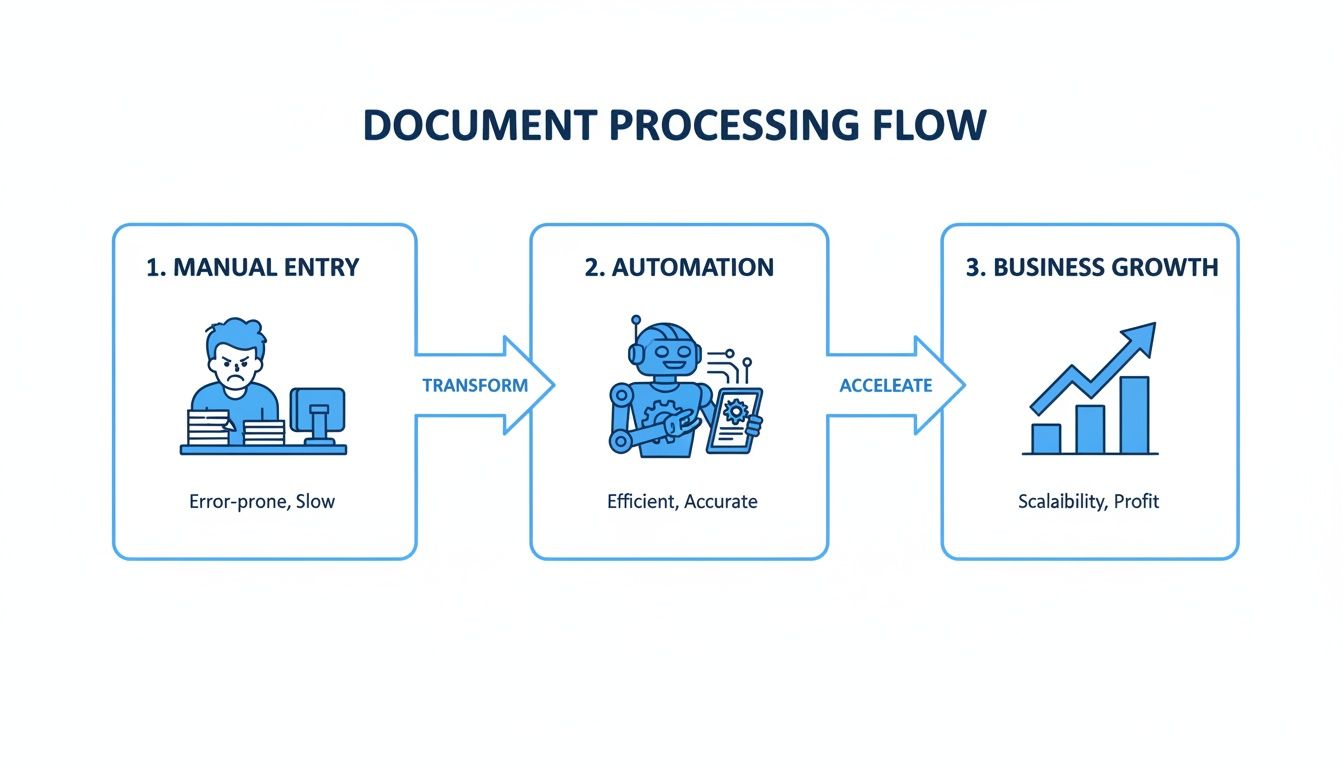
As you can see, getting rid of those manual bottlenecks does more than just save time—it paves the way for better productivity and lets your business scale.
So, how does this all happen? The magic is in a few core technological steps working together. Let's break down what's happening under the hood.
To simplify, we can look at the process in three key stages, each building on the last to turn a picture of a document into structured, reliable data.
Key Stages of Automatic Document Processing
| Stage | What It Does | Simple Analogy |
|---|---|---|
| OCR | Converts an image of a document into machine-readable text. | Taking a photo of a book page and turning it into an editable Word document. |
| Data Extraction | Uses AI to find and pull out specific information (like names, dates, amounts). | Reading that Word document and highlighting all the important names and dates. |
| Validation | Cross-checks the extracted data for accuracy and completeness. | Double-checking your highlighted notes to make sure you didn't miss anything or write down a name incorrectly. |
Each of these stages is crucial for making sure the final data is not just extracted, but is also trustworthy and ready to use.
Stage 1: Turning Pictures into Text with OCR
The journey starts with Optical Character Recognition (OCR). It’s the foundational step. When you scan an invoice or take a photo of a receipt, your computer just sees a picture—a bunch of pixels. OCR is the technology that acts as the computer’s eyes.
It scans that image, recognizes the shapes of letters and numbers, and translates them into actual text that a machine can read. This is the absolute first step; without an accurate text version of the document, the AI has nothing to work with. If you want to get into the weeds, we have a full guide on what Optical Character Recognition is that explains its role in detail.
Stage 2: Extracting Key Data with AI
Once the document is readable text, the "brain" of the system gets to work. This is where AI and machine learning models step in to analyze the text, understand its context, and pull out the specific pieces of information you need. We're moving beyond just reading words to understanding what they actually mean.
This is a huge leap from old, template-based systems that broke if a field was a few pixels off. Modern automatic document processing platforms are smart enough to find data no matter where it is on the page.
- Invoice Number: The AI knows to look for labels like "Invoice #" or "Inv. No." and can spot the right alphanumeric code even if it's just sitting by itself.
- Vendor Name: It can identify a company name by looking at logos or letterhead information at the top of the page.
- Due Date: The system actively searches for date formats that appear next to phrases like "Payment Due" or "Due By."
- Total Amount: It intelligently locates the final price, often labeled "Total" or "Amount Due," and knows not to confuse it with subtotals or taxes.
This ability to understand context is what makes the technology so flexible. It can handle invoices from hundreds of different vendors without needing you to manually create a new template for each one. This workflow is powered by sophisticated IT process automation software that manages these complex data handoffs seamlessly.
Stage 3: Validating and Enriching the Data
Pulling out the data is one thing, but making sure it's correct is another. This final stage is all about quality control. The system runs a series of automated checks and validations to confirm the extracted information is accurate and makes sense.
Think of this as an automated proofreader. The system cross-references data to see if it adds up. For example, it can quickly check if the sum of all line items plus the tax actually equals the grand total listed on an invoice.
If certain information is missing, a smart system can even enrich the data. Let’s say an invoice has a purchase order number but no vendor address. The software can look up that PO number in your accounting system, find the corresponding vendor, and automatically fill in the missing details.
This final polish ensures the data isn't just extracted, but is complete, accurate, and ready for immediate use in your other business systems.
The Real-World Payoff of Automating Your Document Workflows
It’s one thing to understand the mechanics of automatic document processing, but it’s another to see what it actually does for a business. When you move past the tech jargon, you start to see the tangible gains in efficiency, accuracy, and strategic focus. We’re not talking about small, incremental improvements here—this is a fundamental shift in how work gets done.
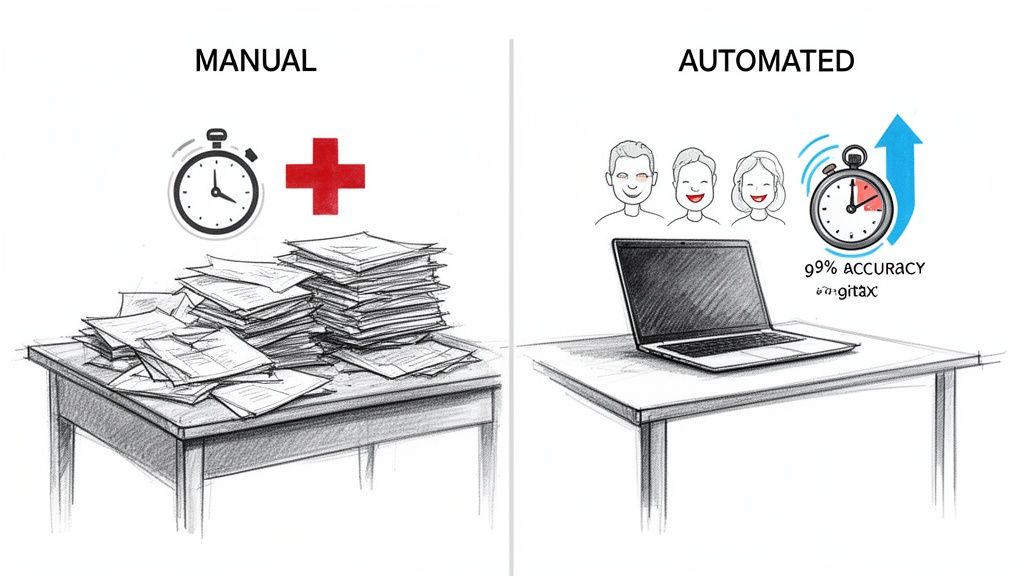
Think about it: tasks that once ate up hours of someone's day can now be finished in a matter of minutes.
Slash Processing Times and Get Hours Back
The first thing you'll notice is the incredible speed. Manual data entry is a known bottleneck; an employee has to open a document, hunt for the right information, and carefully type it all into another system. For teams handling invoices, purchase orders, or contracts, this tedious cycle repeats all day long.
Automatic document processing completely flattens this timeline. An accounts payable clerk who used to spend their entire week keying in hundreds of invoices can now handle the same volume in a fraction of the time. This isn't just about saving a few minutes here and there; it's about reclaiming thousands of employee hours every year that can be put toward higher-value work, like financial analysis or building better vendor relationships.
Achieve Near-Perfect Accuracy
Let’s be honest, humans make mistakes. A tired employee might transpose a couple of numbers or misread a blurry scan, leading to payment errors, compliance headaches, or flawed business reports. Those small slip-ups can be surprisingly expensive to fix.
Automation software, on the other hand, doesn’t get tired or distracted. It pulls data with incredible precision, virtually eliminating the typos and human errors that creep into manual workflows.
This leads to some serious wins:
- Fewer Costly Errors: You minimize mistakes like overpayments or entering incorrect customer details.
- Tighter Compliance: You ensure that financial and regulatory data is recorded correctly every time.
- Data You Can Trust: You get reliable information that leaders can use for critical decision-making.
By taking human error out of repetitive data entry, you build a much more reliable foundation for your entire operation. Your data transforms from a potential liability into a trustworthy asset.
Speed Up Your Core Business Cycles
When document processing moves at a crawl, the whole business feels it. A delay in processing an invoice means a supplier gets paid late, which can strain a critical relationship. Slow client onboarding paperwork can frustrate new customers before they’ve even had a chance to get started.
By speeding up how quickly documents are handled, automation directly accelerates these core business cycles. Invoices get approved faster, payments go out on time, and new clients are onboarded without a hitch. This efficiency creates a positive ripple effect, improving cash flow, strengthening partnerships, and ultimately creating a better customer experience. To learn more, check out our guide on how to improve your document workflow automation.
Unlock Trapped Data for Smarter Insights
So many businesses are sitting on a goldmine of information that's completely locked away in unstructured documents like PDFs and scanned images. This data is almost impossible to search, analyze, or use for strategic planning when it’s stuck in static files.
Automatic document processing sets this information free by turning it into structured, searchable data. This shift is so significant that the global market for this technology is projected to skyrocket from $2.31 billion in 2024 to an incredible $49.71 billion by 2035.
Top companies are already reaping the rewards. Reports show automation can cut cycle times by 63% in sectors like finance and healthcare while hitting over 94% accuracy on unstructured data. You can dig into these trends and discover more insights about the intelligent document processing market on docsumo.com. Suddenly, you can analyze spending trends across thousands of invoices or spot common themes in customer feedback forms with just a few clicks.
How Different Industries Use Document Automation
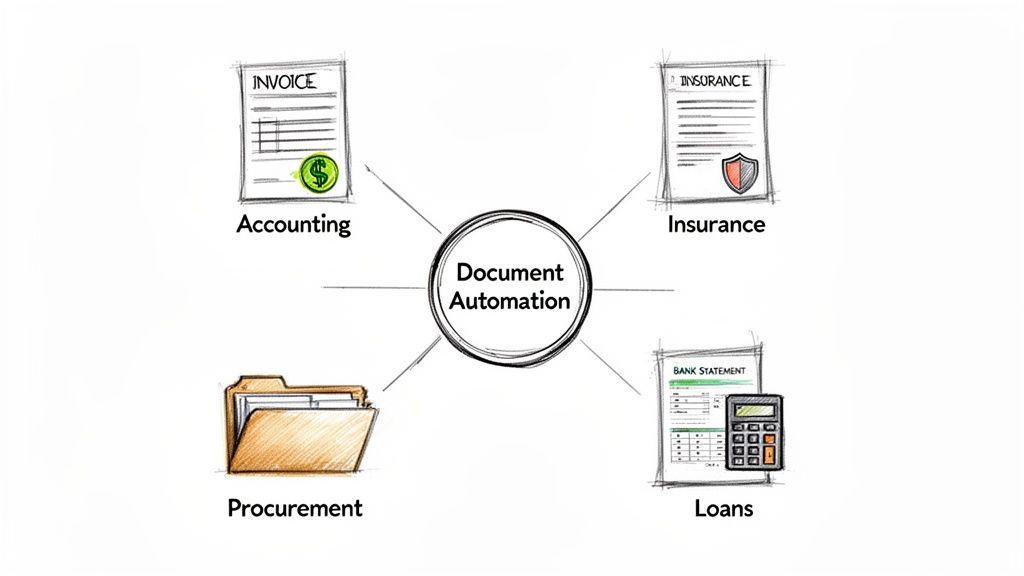
The true value of automatic document processing really clicks when you see it solving real, everyday headaches across different fields. This isn't just some abstract tech concept; it's a practical tool that gets to the heart of a business's core operations, making them faster, more accurate, and a whole lot less mind-numbing. From accounting departments drowning in invoices to insurance agencies buried in claims, companies are using automation to tackle their unique paper-based challenges.
Let's look at a few powerful before-and-after scenarios to see what this looks like on the ground.
Accounting and Finance Teams
For any accounting team, accounts payable (AP) is a relentless, paper-heavy grind. Invoices show up in every format imaginable—PDFs, scanned images, even old-school paper—and each one needs to be manually read and typed into the accounting system. It’s a notoriously slow process, riddled with human error that can lead to late fees and friction with vendors.
Automation completely flips this script.
- Before: An AP clerk’s day is consumed by opening emails, downloading attachments, and manually punching in data from dozens, if not hundreds, of invoices. The end-of-month scramble to close the books is a stressful, all-hands-on-deck affair.
- After: An automated system catches all incoming invoices, instantly pulls key data like invoice numbers, due dates, and line items, and lines them up for approval. The AP clerk’s job is no longer data entry. Instead, they become a financial reviewer, focusing only on the exceptions the system flags. This frees up the team to close the books faster and even snag early payment discounts.
Insurance Agencies and Carriers
The insurance world runs on paperwork. From new policy applications to complex claims, it's a constant flow of documents. When a claim comes in, adjusters have to wade through police reports, medical records, and repair estimates just to pull out the information they need. This manual review is a massive bottleneck that can drag out settlements for weeks, frustrating customers when they need help the most.
Automatic document processing injects some much-needed speed into this cycle.
A single insurance claim can involve dozens of supporting documents. Manually pulling and verifying information from each one is a huge drain on resources, slowing down the entire settlement process and hurting customer satisfaction.
Now, an adjuster can upload an entire bundle of claim-related documents into one system. The software is smart enough to identify each document type, extract relevant details like policy numbers, incident dates, and medical codes, and organize it all for a quick review. This lets adjusters make decisions in hours instead of days, leading to faster resolutions and much happier clients.
Procurement and Sourcing Departments
Procurement teams are on a mission to find the best vendors at the best prices, which means they’re constantly collecting and comparing proposals and quotes. Trying to manually consolidate information from a dozen different PDF layouts is a logistical nightmare. It usually ends with someone building a monstrous spreadsheet, painstakingly copying and pasting terms, pricing, and delivery timelines just to make a fair comparison.
Automation brings order to this chaos. When vendor proposals arrive, the system extracts all the critical terms and pricing details into a single, standardized dashboard.
This lets procurement specialists:
- Compare Apples to Apples: They can easily see how vendors stack up on key criteria without having to build a spreadsheet from scratch.
- Spot Key Differences Quickly: Variations in warranties, payment terms, or other contract details that might have been missed are suddenly obvious.
- Negotiate More Effectively: They can walk into negotiations armed with clean, structured data, which almost always leads to a better deal for the company.
Loan Processing and Financial Services
In the lending world, speed and accuracy are everything. A loan processor’s job is to verify an applicant's entire financial life—income, assets, employment—by digging through bank statements, pay stubs, and tax forms. This verification is a meticulous, time-sucking task that often holds up loan approvals and leaves applicants in limbo.
With automatic document processing, a loan officer can upload an applicant's entire financial package at once. The AI-powered system can read through bank statements to calculate average monthly deposits, pull year-to-date earnings from pay stubs, and validate tax information in an instant. This gives underwriters a crystal-clear financial snapshot in minutes, dramatically cutting down the time it takes to approve a loan and giving them a serious edge in a competitive market.
Your Roadmap to Implementing an Automation Solution
Jumping into automation can feel like a huge project, but it doesn't have to be overwhelming. The trick is to start small, prove the value, and then build from there. With a smart plan, you can introduce automatic document processing smoothly and see a real return on your investment, fast.
Don't think of it as a top-to-bottom business overhaul. Instead, see it as a strategic upgrade for your most frustrating, paper-choked workflows. Taking it one step at a time lets your team get comfortable with the new tech and gives you clear wins to build momentum.
Step 1: Start With Your Biggest Pain Points
Before you even think about software, take a hard look at your current processes. Where are the real bottlenecks? Which manual jobs are causing the most headaches, errors, or delays? Pinpointing these high-impact areas is the most important first step.
Your goal is to find a problem that's both a major pain and genuinely fixable with automation.
- Is your accounts payable team swamped with invoices every time month-end rolls around?
- Does the procurement team have to manually compare quotes from a dozen different vendors, all in different formats?
- Are loan officers spending more time typing in data from bank statements than actually reviewing the applications?
When you focus on a specific, well-defined problem, your project has a clear purpose. You're not just automating for the sake of it—you're solving a real business challenge that your team will be thrilled to see go away.
Step 2: Run a Small Pilot Project
Once you've zeroed in on that key pain point, resist the urge to roll out a solution to the whole company. Instead, kick things off with a small pilot project. This is your chance to test the technology and your new workflow in a controlled setting without messing up your entire operation.
Pick a single process and a small, motivated team to run the test. For instance, you could start by automating invoices from just your top five suppliers. This keeps the scope manageable, letting you iron out any wrinkles, get honest feedback, and prove the concept with real numbers.
A successful pilot project is your best internal marketing tool. It generates concrete data—like a 50% reduction in processing time—that builds a powerful business case for expanding the solution to other departments.
That first success story is what gets other teams and leadership on board, making every step after that much easier.
Step 3: Choose the Right Tool for Your Team
The software you pick can make or break your entire project. It's easy to get wowed by massive, complex platforms that need a team of developers just to keep them running. For most businesses, though, a simpler and more intuitive tool is a much better fit.
Look for a no-code platform that lets your non-technical staff build and manage their own automation workflows. The focus should be on ease of use, a quick setup, and the flexibility to adapt. To get a better handle on what's out there, you can explore this overview of modern document data extraction software and see which features really matter.
To help you sift through the options, here’s a practical checklist for evaluating different vendors.
Vendor Selection Checklist for Document Processing Tools
| Feature/Criteria | Why It Matters | What to Look For |
|---|---|---|
| No-Code Interface | Your team should be able to build and manage workflows without waiting for IT. This empowers the people who know the process best. | An intuitive drag-and-drop builder, clear instructions, and pre-built templates. |
| Document Flexibility | Real-world documents are messy. Your tool needs to handle different layouts and formats without needing a new template for every vendor. | AI-powered parsing that can find data based on context, not just fixed locations on a page. |
| Integration Capabilities | The data is only useful if it gets where it needs to go. Smooth integration prevents creating more manual work. | Pre-built connectors for common systems (QuickBooks, Salesforce, etc.) and options like webhooks or APIs for custom setups. |
| Scalable Pricing | You don't want to pay for enterprise-level capacity when you're just starting. The cost should grow with your usage. | A transparent, usage-based pricing model. Avoid long-term contracts with high upfront costs for your pilot project. |
| Customer Support | When you hit a snag, you need fast, helpful support. Good support can be the difference between a quick fix and a stalled project. | Access to live chat, email support, and a comprehensive knowledge base with tutorials and guides. |
Choosing a user-friendly tool like DocParseMagic puts the power in the hands of the people actually doing the work, which is the secret to getting everyone to adopt it.
Step 4: Measure Success and Scale Thoughtfully
With a successful pilot under your belt and the right tool in place, you're ready to grow. Use the metrics from your first project to show everyone the value of automatic document processing. Track key numbers like time saved per document, reduction in errors, and total employee hours freed up.
Take these results to other departments that are wrestling with similar document-heavy tasks. Show them the "before and after" picture and let the data do the talking. This evidence-based approach helps you expand your automation efforts intelligently, moving on to the next biggest pain point with the confidence that you have a solution that truly works.
How to Connect Automation with the Software You Already Use
Bringing a new tool into your business shouldn't feel like a science project. The last thing you want is something that disrupts your team and forces them to learn a whole new way of working. A common fear is that automatic document processing will just create another silo, another island of data that doesn't talk to anything else.
Thankfully, that’s not how modern automation works. It’s built to be a team player, designed to fit right into the software you and your team rely on every single day.
The idea isn't to rip out your existing systems. It's to make them better by feeding them clean, accurate data—fast. Picture your automation tool as a bridge. On one side, you have a messy pile of documents: PDFs, scanned images, and emails. On the other side, you have your core business systems, like your accounting software, CRM, or ERP. The automation platform acts as the perfect translator, turning that messy, unstructured data into a language your other software immediately understands.
Getting Your Data Where It Needs to Go
The real magic happens when your document processing tool works in harmony with your other software. A good automation platform doesn't just trap data; it sends it on its way. It grabs the important bits—invoice numbers, customer details, order quantities—and formats them perfectly for whatever system needs them next.
For instance, a no-code platform like DocParseMagic can chew through a stack of vendor invoices and spit out a perfectly formatted CSV or spreadsheet. That file is already structured to be uploaded directly into software like QuickBooks or Xero. No one has to manually type anything in. No more copy-paste errors.
The goal of any good integration is simple: move the right data to the right place without a human having to touch it. This not only saves an incredible amount of time but also cuts out the risk of typos and other manual errors.
For many businesses, this simple export-and-import process is more than enough to see a huge boost in efficiency.
Deeper Connections with APIs and Webhooks
But what if you want your systems to talk to each other in real-time? For a more seamless connection, most modern platforms offer integrations through an Application Programming Interface (API). An API is basically a secure, behind-the-scenes messenger that lets two different pieces of software communicate directly.
With an API, you can set up custom workflows that happen automatically.
- Live Inventory Updates: The moment a new purchase order is processed, the data can be sent straight to your inventory management system. No lag time.
- Automatic Case Creation: When an insurance claim is scanned and analyzed, the extracted data can instantly create a new case file in your claims software.
- Enriched Customer Profiles: Details from a signed client contract can be automatically pushed to their profile in Salesforce or HubSpot, keeping your records perfectly current.
These kinds of connections transform automatic document processing from a simple data entry tool into the engine of your business operations. It enhances the workflows you already have, making them smarter and faster without forcing you to ditch the tools your team already loves.
Your Top Questions About Document Automation, Answered
Jumping into any new technology brings up questions. And when it comes to something as vital as your business documents, you absolutely need clear answers and total confidence. Let’s tackle some of the most common concerns we hear from people considering an automated document workflow.
My goal here is to give you direct, no-fluff information on accuracy, security, and ease of use so you can make the right call for your team.
How Accurate Is the Data Extraction, Really?
This is almost always the first question, and it’s a good one. The whole point of automatic document processing is getting data you can actually trust. The good news is that modern AI-powered systems are incredibly reliable, often hitting over 95% accuracy straight away—which is usually far better than what you get with manual data entry.
But let's be realistic: no system is 100% perfect all the time. That’s why the best platforms build in a "human-in-the-loop" step for validation.
- Confidence Scores: The AI flags any piece of data it’s not completely sure about by giving it a low confidence score.
- Human Review: This means your team only has to glance at the few flagged items, instead of manually checking every single document.
This combination of AI speed and human judgment gives you the best of both worlds: lightning-fast processing and data that's accurate enough for an audit.
Is My Business Data Secure in the Cloud?
Handing over sensitive files like contracts or financial statements is a big deal. You need to know your data is protected. Reputable automation platforms are built from the ground up with serious, enterprise-grade security to safeguard your information.
Security isn't just a feature; it's a foundational requirement. Leading providers use end-to-end encryption, meaning your data is scrambled both when it's being uploaded and while it's stored.
They also meet strict compliance standards like SOC 2 and GDPR, which confirms their data handling practices are up to global security and privacy rules. Honestly, your information is almost always safer in a purpose-built, encrypted cloud system than it is sitting in a filing cabinet or on a local office server.
Do I Need a Developer to Set This Up?
Not anymore. While massive, custom-built enterprise systems might need some IT help, the new generation of document automation tools is made for regular business users. Modern no-code platforms are designed to feel intuitive right from the start.
If you know your way around a spreadsheet, you can set up an automated workflow. Platforms like DocParseMagic let you just drag and drop your files, point and click to select the data you want to pull, and get clean results in minutes. This approach puts the power directly in your team's hands, letting them solve their own document problems without getting stuck in a long queue for technical support.
Ready to stop the copy-paste grind and see how easily you can automate your document workflows? DocParseMagic turns your messy documents into clean, structured data in minutes—no coding required. Start your free trial and get instant credits to process your first documents today.