A Guide to Accounts Payable Process Improvement
Effective accounts payable process improvement isn't about just feeling like things are "too slow." It's about a clear, honest diagnosis of what's actually broken. The real goal is to get past the symptoms—like late payments or frustrated vendors—and dig down to the root causes. Are we talking about clunky, outdated workflows, the endless grind of manual data entry, or approval chains that stretch on for weeks?
Finding the Real Problems in Your AP Workflow
Jumping straight to solutions without a proper diagnosis is a recipe for wasted time and money. It's like trying to fix a car engine with a blindfold on. Before you can truly fix the issues, you have to understand the fundamentals of what is accounts payable process inside and out. That foundational knowledge is what lets you accurately map where you are today and pinpoint exactly where things are going wrong.
Most AP teams I've worked with know their process is inefficient, but they struggle to articulate precisely where the logjams are. You hear vague complaints like "approvals take forever" or "we spend all day keying in invoices." A proper audit turns those frustrations into hard data, giving you the evidence you need to make a solid case for change.
The audit itself involves tracing every single step an invoice takes from the moment it arrives until the payment is confirmed. This gives you a bird's-eye view of your entire workflow, making it much easier to spot the redundancies and delays that are normally hidden in the day-to-day chaos.
This 3-step AP workflow audit is a great framework for mapping your process, identifying the real bottlenecks, and calculating their actual cost.
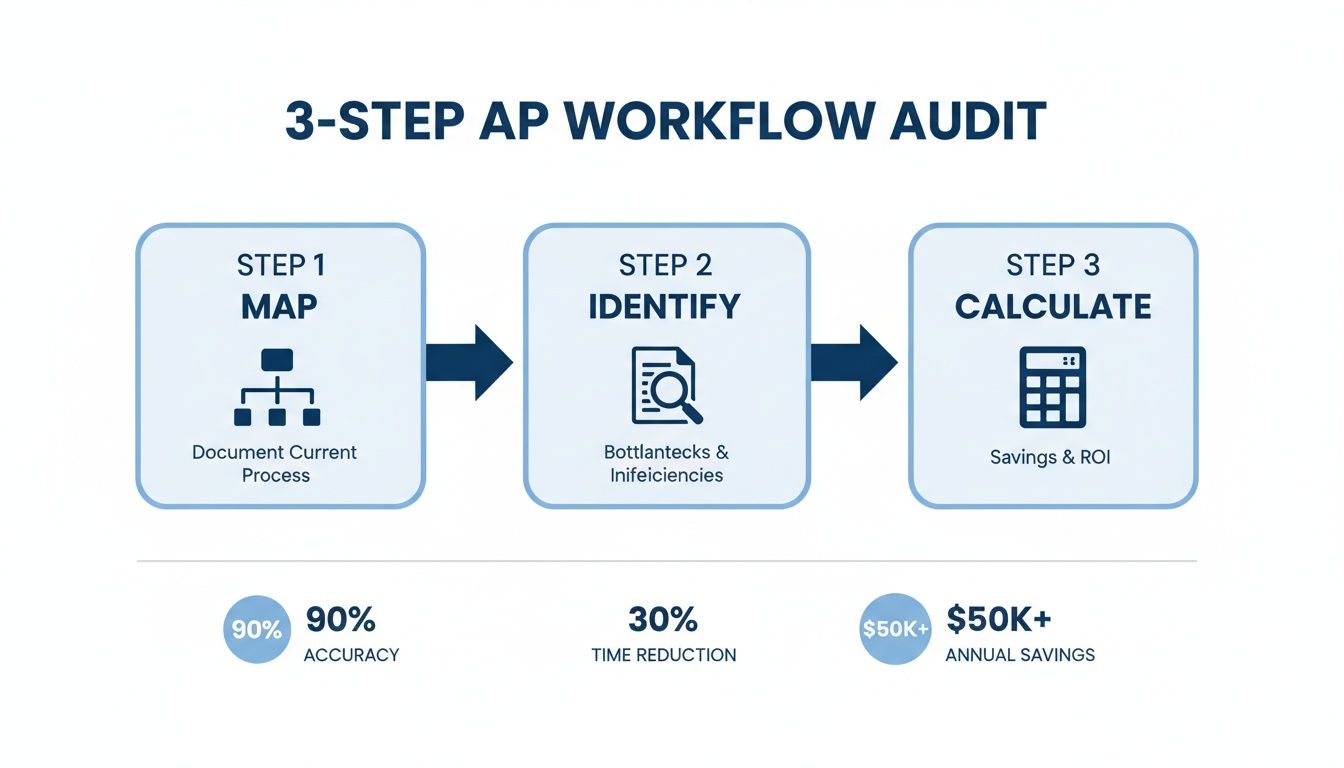
This visual approach breaks a big, overwhelming task into a clear, manageable plan. It guides your team from simple observation to powerful, data-driven insights.
Before diving into solutions, it's critical to understand the common issues that plague manual AP departments and how they affect the broader business.
| Common AP Pain Points and Their Business Impact | | :--- | :--- | :--- | | Pain Point | Primary Symptom | Business Impact | | Manual Data Entry | AP clerks spend hours keying in data from PDFs and paper invoices. | High labor costs, increased risk of human error, slow processing cycles. | | Decentralized Invoice Receipt | Invoices arrive via multiple email inboxes, mail, and portals. | Lost or duplicate invoices, delayed payment processing, poor visibility. | | Complicated Approval Chains | Invoices get stuck waiting for approvals, often with no clear status. | Late payment fees, strained vendor relationships, missed early payment discounts. | | Exception Handling | Mismatched POs, incorrect pricing, or missing information require manual follow-up. | Significant time wasted on investigation, delayed payments, and supply chain friction. | | Poor Vendor Data Management | Outdated vendor information leads to payment errors and compliance risks. | Failed payments, risk of fraud, and time-consuming vendor support inquiries. |
Recognizing these symptoms in your own workflow is the first step toward building a targeted improvement strategy.
Mapping Your Current Workflow
First things first: map out your existing AP process in detail. Don't just pull out the official company handbook. You need to see how the work actually gets done. Sit down with your AP clerks and managers and have them walk you through their real-world, day-to-day steps.
Get specific and ask the right questions to uncover what's really going on:
- How do invoices actually get here? Are they showing up in five different email inboxes, a pile of physical mail, and three separate vendor portals?
- Who keys in the data? Is one person responsible, or is it a shared task? Critically, how long does it take them to process one invoice?
- How do approvals really work? Is someone forwarding emails, walking paper across the office, or using a system? What's the backup plan when an approver is out sick or on vacation?
- What happens after approval? What are the exact steps to get that payment scheduled and sent out the door?
This exercise almost always uncovers a web of workarounds and "shadow processes" that people have invented over the years just to cope with a fundamentally broken system.
Identifying the Bottlenecks and Root Causes
With your process map laid out, you can now start circling the areas where work slows to a crawl or stops completely. Look for the steps where invoices constantly get stuck or where someone always has to step in and manually fix something. These are your bottlenecks.
The most common AP bottlenecks are almost always tied to manual work: data entry from PDFs, chasing down approvers via email, and resolving invoice exceptions like missing PO numbers or price discrepancies.
For instance, you might find that 30% of your invoices get flagged for an exception because they're missing a valid purchase order number. The symptom is a delayed payment. But the root cause is a weak link in your procurement process or a simple failure to tell vendors what you require from them.
It's the same story with approvals. If invoices are consistently aging for days while waiting for a signature, the problem might not be a slow approver. It could be a ridiculously complicated approval chain that requires three different people to sign off on a $100 purchase.
Calculating the True Cost of Inefficiency
The final, and most critical, step is to put a number on the problem. This is how you get leadership to listen and invest in a solution for your accounts payable process improvement project. You have to attach a real dollar value to all the time and resources being wasted.
The cost of doing things by hand has gotten out of control. Recent studies show the average cost to manually process a single invoice is now around $15. If you're handling thousands of invoices a month, that adds up to a massive operational expense. Worse, with nearly 39% of invoices containing errors, that financial burden only grows as you deal with payment delays and vendor disputes.
The good news? Automation can slash these processing costs by up to 80% and cut the time it takes to process an invoice in half.
By mapping your process, identifying the real friction points, and calculating the cost, you move from vague complaints to a data-backed diagnosis. This is the solid foundation you need to build an improvement strategy that will actually work.
Turning Your AP Audit into an Actionable Roadmap
Alright, you've done the hard work of digging into your accounts payable process and pinpointing exactly where things are getting stuck. Now what? The next step is to translate those findings into a smart, practical plan. Trying to fix everything at once is a recipe for disaster. Instead, you need a strategic roadmap that prioritizes changes, delivers quick wins, and sets you up for long-term success.
Think of this roadmap as your playbook. It turns your audit from a simple diagnostic into a concrete plan with clear timelines, owners, and measurable goals. Without a documented strategy, even the best intentions get derailed by day-to-day fires or shifting company priorities.
Start with the Low-Hanging Fruit
The secret to a successful roadmap is starting smart. You want to tackle the "low-hanging fruit" first—those changes that give you the biggest bang for your buck with the least amount of heavy lifting. These early victories are crucial for building momentum and getting everyone on board for the bigger projects down the line.
For most AP teams I've worked with, the highest-impact starting points are almost always the same:
- Centralize How You Get Invoices: Are invoices landing in ten different email inboxes plus a physical mail bin? Shut that down. Create a single, dedicated address (like invoices@yourcompany.com) and make it the only way you accept invoices. This simple change is the first step to gaining control and visibility.
- Automate Invoice Data Capture: Manual data entry is the number one time-waster in accounts payable, period. Bringing in a tool like DocParseMagic to automatically pull data from invoices instantly frees up your team from the most tedious, error-prone task they do. This one move unlocks all other automation potential.
- Standardize How You Add New Vendors: Get ahead of payment problems by creating a simple, digital process for new vendor setup. This ensures you get accurate bank details and tax forms from the start, preventing headaches and compliance risks later.
Nailing these fundamentals addresses the most common and costly AP pain points. Once these are running smoothly, you can confidently move on to redesigning approval workflows or integrating with your procurement system. For a deeper dive into structuring your process, check out these essential accounts payable best practices.
Map Out Your "After" Picture
With your priorities locked in, it’s time to visualize the finish line. A future-state process map is just a simple diagram showing what your ideal AP workflow looks like after your changes are made. Don't underestimate this—it's less of a technical document and more of a powerful communication tool.
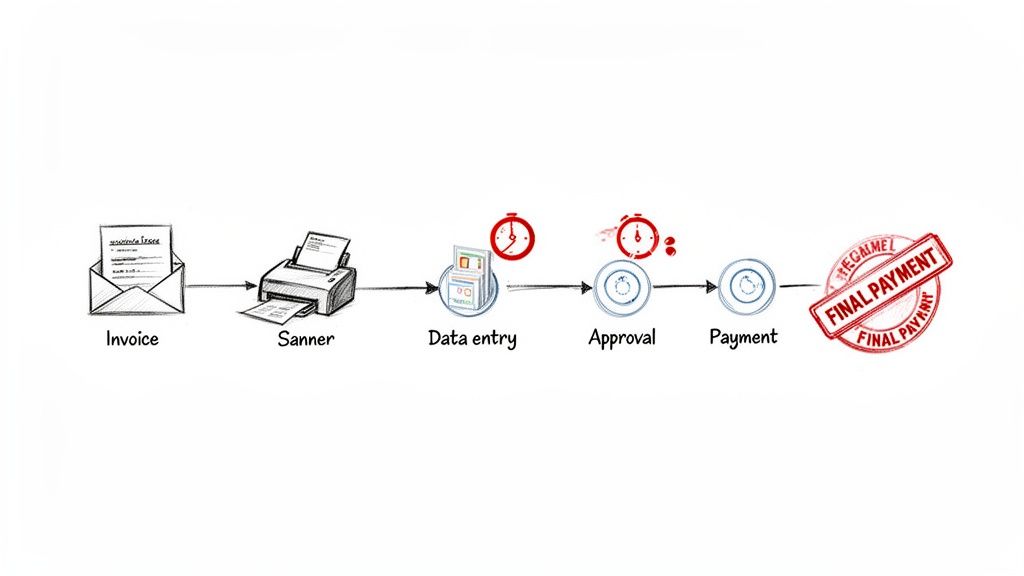
For example, your "before" map might show an invoice being printed out, hand-coded, and physically walked over to a manager's desk. The "after" map would show that same invoice arriving in a central inbox, data being extracted by software, and the transaction being digitally routed to the right person for approval based on rules you’ve set.
Putting these two maps side-by-side makes the value of your project instantly obvious to anyone.
Getting Everyone on Board
Let's be real: no AP project succeeds in a silo. You need support from other departments, and your roadmap is the key to earning it.
A well-defined roadmap with clear phases, costs, and expected outcomes isn't just a plan—it's a business case. It shows you've done your homework and have a credible strategy for improving the company's financial health.
When you present your plan, you have to speak their language:
- To IT: Focus on how new tools will integrate with existing systems. Give them clear technical requirements.
- To Procurement: Show them how a faster AP process means happier vendors and better spending data.
- To Leadership: Talk money. Focus on the ROI—lower processing costs, capturing early-pay discounts, and eliminating late fees.
By turning your audit into a strategic roadmap, you create a clear path forward that everyone can get behind. This is how you transform AP from a back-office cost center into a true source of efficiency and value for the entire business.
How to Automate Invoice Capture and Data Entry
If you ask any AP professional where the biggest bottleneck is, you'll almost always get the same answer: manual data entry. It’s a time-consuming, soul-crushing task that’s ripe for errors. If you're looking for the single most impactful improvement you can make, start right here.
Automating how you capture and enter invoice data isn't just a minor tweak; it's a fundamental shift. It moves your team away from mind-numbingly keying in numbers and toward a more strategic, analytical role. This is your chance to turn chaotic stacks of paper and messy PDFs into clean, reliable data without anyone having to type a thing.
Moving Beyond Old-School OCR
For years, Optical Character Recognition (OCR) was the only game in town. It was a good first step, turning a scanned image into text, but it was incredibly rigid. The tech demanded strict templates for every single vendor. If a supplier changed their invoice layout even slightly—moved the date, added a logo—the whole system would break, and your team would be back to fixing things by hand.
Today’s AI-powered tools are in a completely different league. They don’t just see text; they understand it.
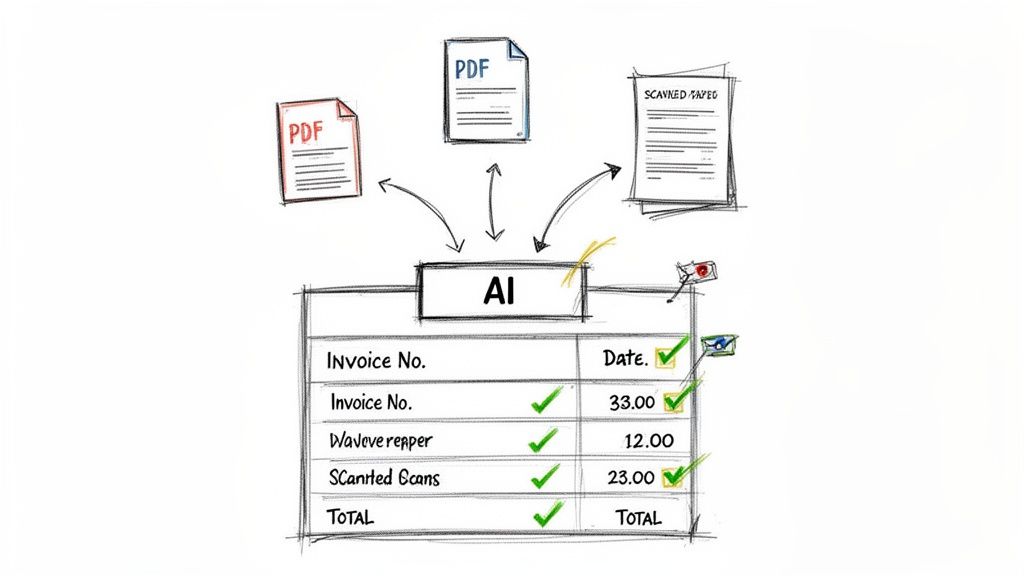
- No Templates Needed: A modern system can find the "Invoice Number" or "Total Amount" no matter where it is on the page. That means an invoice from a brand-new vendor is processed just as easily as one from a supplier you've worked with for a decade.
- High Accuracy From Day One: Old OCR needed tons of training and fine-tuning. New AI platforms deliver impressive accuracy right out of the box and get smarter with every document they process.
- Line-Item Detail: The best tools don't stop at the header info. They can pull out all the crucial line-item details—quantities, SKUs, unit prices—giving you much deeper insight into your spending.
This leap forward allows you to create a single, digital inbox. Every invoice, whether it's a PDF emailed from a vendor, a scanned image, or even a photo snapped on a phone, gets processed the exact same way—automatically and accurately.
The Practical Steps to Implementation
Getting started with automated data capture is much less painful than you might think. This isn't some massive, year-long IT project that will disrupt everything. It’s a focused initiative that pays for itself almost immediately.
To make a real dent in errors and wasted hours, the first step is to bring in an automated invoice system that handles the grunt work of processing bills. This move is the foundation for any modern accounts payable department.
The real goal here is to create a "touchless" process. An invoice arrives, and its data magically appears in your accounting system, ready for review. This frees up your team to manage exceptions and analyze spending patterns—a far better use of their talent and time.
Platforms like DocParseMagic are built for this exact purpose, turning messy, unstructured documents into clean, usable data in seconds.
As you can see, it's designed for real-world use. You can just drag and drop any file to get the process started. There’s no complex setup or coding required, which means any AP team can get up and running quickly, regardless of their technical skills.
Real-World Scenarios and Benefits
Think about your team's daily frustrations. A vendor sends an invoice with a slightly different layout. Another submits a 10-page PDF with the grand total buried on the last page. Manually, both scenarios bring everything to a grinding halt while someone hunts for the right information.
With automated capture, these are non-issues. The system intelligently finds the key fields no matter where they are, extracts the data, and only flags an invoice if there’s a real problem, like a missing PO number. You can get a deeper look into the mechanics of this by reading up on data extraction from invoices.
The impact is immediate and easy to measure:
- Elimination of Typos: With an estimated 60% of AP teams still typing in data by hand, human error is a constant source of payment delays and reconciliation headaches. Automation all but erases these mistakes.
- Drastic Time Savings: It's not uncommon for AP staff to spend 10 or more hours per week just on invoice entry. Automation can slash this time by over 80%, letting your team focus on high-value work like vendor relations and cash flow strategy.
- Faster Processing Cycles: When you remove the data entry bottleneck, invoices get into the approval queue in minutes, not days. This helps you dodge late fees and, more importantly, capture more early payment discounts.
Automating invoice capture isn’t just another item on the to-do list; it’s the cornerstone of any effective accounts payable process improvement strategy. It solves your biggest headache, delivers a fast and clear ROI, and sets the stage for every other automation you want to tackle down the road.
Designing Smarter Approval and Exception Workflows
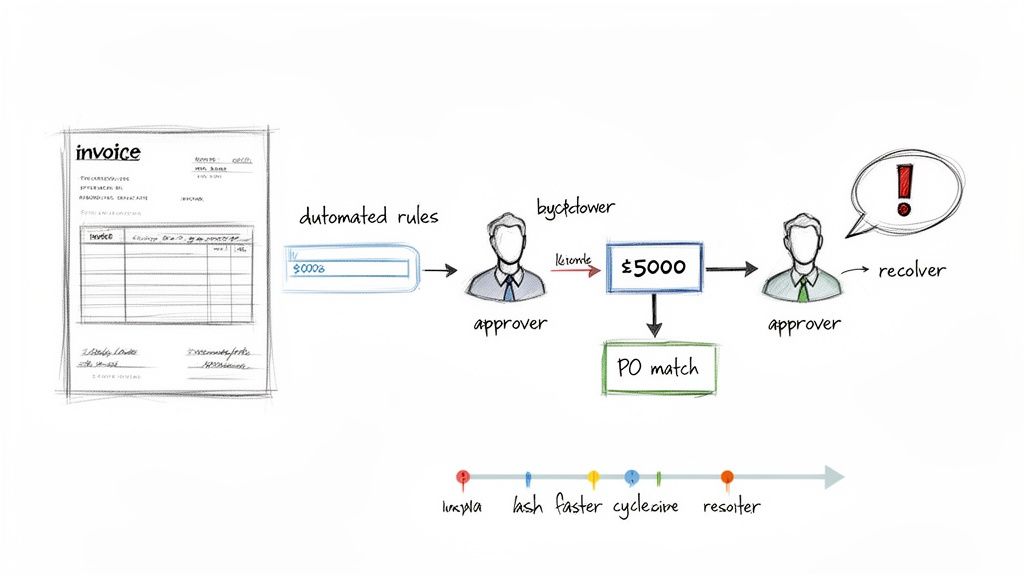
Once you’ve automated the grunt work of data entry, the invoice approval process is usually the next big bottleneck. This is where things slow to a crawl, lost in a mess of email chains, frantic follow-ups, and forgotten requests. The fix? Designing smart, automated workflows that route invoices to the right person at the right time—no manual chasing required.
This isn’t about just putting your old paper process online. True accounts payable process improvement means rethinking the logic from the ground up. Why on earth should a $50 office supply invoice go through the same four-person approval chain as a $50,000 capital expense? It absolutely shouldn’t.
Modern approval workflows aren’t just faster; they’re smarter. They use pre-set rules to enforce financial controls automatically, ensuring compliance without slowing down the business. This transforms approvals from a frustrating roadblock into a smooth, transparent part of your financial operations.
A well-designed system can route invoices based on any data point you capture—department, vendor, GL code, or dollar amount. Getting this right is critical, especially when you consider that 47% of AP teams say slow approvals are a primary reason for late payments.
Building Logic-Based Approval Chains
A great place to start is with tiered approval workflows. This strategy segments invoices by their value and risk, applying the right level of oversight without creating friction for routine purchases. You want management’s attention focused where it matters most.
Here are a few routing rules I've seen work wonders:
- By Dollar Amount: Invoices under a set amount, say $500, might get auto-approved or just need a manager's nod. Anything over $10,000? That probably needs the CFO's sign-off.
- By Department or Project: Invoices coded to marketing go straight to the Marketing Director. Invoices for a specific construction project? They go to that project manager. Simple.
- By Vendor: Payments to your critical, high-volume suppliers can be fast-tracked. But an invoice from a brand-new or one-time vendor might warrant an extra layer of review.
This structured approach doesn't just speed things up; it also gives you a crystal-clear, digital audit trail. Every single action, from submission to final approval, is time-stamped and logged. You get complete visibility and control over your entire approval pipeline.
Proactively Managing Exceptions
Let's be real: no matter how slick your process is, exceptions are going to happen. A price on an invoice won't match the PO, a quantity will be off, or a PO number will be missing. In a manual world, these issues bring everything to a screeching halt and trigger an endless investigation.
An automated exception workflow, on the other hand, turns these headaches into manageable tasks. Instead of the whole process stopping, the system does the work for you.
- It flags the discrepancy. The system instantly spots the mismatch (e.g., "Invoice total $1,200, PO total $1,150").
- It routes for resolution. The invoice is automatically sent to the right person—maybe someone in procurement—with a clear note explaining the problem.
- It maintains visibility. The invoice stays in the AP dashboard, clearly marked as "In Exception," so it never gets lost or forgotten.
This proactive approach frees your AP team from playing detective. They can focus on managing the overall flow while the right people fix specific issues fast. For example, a tool like DocParseMagic first ensures data is captured correctly, which cuts down on "false" exceptions caused by typos. If a real exception exists, the clean data makes it much easier to spot the root cause and get it sorted out.
By designing smarter workflows for both approvals and exceptions, you build a resilient, efficient AP machine that kills manual follow-up and shrinks your invoice-to-pay cycle.
Measuring Success and Proving Your ROI
Any project, especially one that changes how your team works, is only as good as the results it delivers. After all the planning and implementation, you need to prove that your efforts in accounts payable process improvement actually moved the needle. This is where solid metrics and a clear return on investment (ROI) calculation become your best friends.
You can't just say things feel faster. You need cold, hard data to show leadership, your team, and even yourself that the investment in time and technology was worthwhile. Tracking the right key performance indicators (KPIs) before and after your changes is the only way to build a credible story of success.
Key Metrics To Track For AP Improvement
Don't try to measure everything at once—you'll get lost in the noise. The trick is to focus on a few high-impact KPIs that directly reflect the pain points you set out to solve in the first place. These are the numbers that will tell the most compelling story about your progress.
Here are the essential metrics I always recommend monitoring:
- Cost Per Invoice: This is the ultimate efficiency metric. To calculate it, add up all your AP labor costs (salaries, benefits) and direct departmental expenses for a given period. Then, just divide that total by the number of invoices processed in that same period.
- Invoice Cycle Time: How long does it take from the moment an invoice hits your inbox to the moment it's fully approved and ready for payment? This KPI is a direct indicator of your workflow speed and is fantastic for measuring the impact of automation.
- Early Payment Discount Capture Rate: This one translates directly to the bottom line. It’s the percentage of discounts you successfully capture versus the total discounts offered by vendors. A rising rate means you’re no longer leaving free money on the table.
- Invoices Processed Per AP Employee: This tells you a lot about your team's productivity. As you peel away manual tasks like data entry, each team member should be able to manage a significantly higher volume of invoices.
It's crucial to start tracking these numbers before you make any changes to establish a clear baseline. That "before" picture is what makes your "after" results so powerful. You can get more ideas on this by reading our detailed guide on how to automate invoice processing.
The table below breaks down these essential metrics, what they measure, and a realistic goal to aim for.
Key KPIs for Measuring AP Process Improvement
| KPI | What It Measures | Improvement Goal |
|---|---|---|
| Cost Per Invoice | The total cost to process a single invoice, including labor and overhead. | Reduce by 30-50% or more by minimizing manual touchpoints. |
| Invoice Cycle Time | The average time from invoice receipt to payment approval. | Decrease from weeks to 3-5 days to speed up financial closes. |
| Early Payment Discount Capture Rate | The percentage of available vendor discounts successfully taken. | Increase from near-zero to over 75% to generate real savings. |
| Invoices Processed Per Employee | The number of invoices a single AP team member can handle per month. | Double or triple this number as automation frees up their time. |
By focusing on these metrics, you can create a clear, data-backed narrative of your project's success.
Calculating The ROI Of Your New AP Process
Proving ROI is about more than just plugging numbers into a spreadsheet; it’s about demonstrating tangible business value. A solid calculation should blend both direct cost savings and strategic gains to paint a complete picture of your project's impact.
A simple, effective formula I've used for years looks like this:
ROI (%) = ( (Financial Gain - Project Cost) / Project Cost ) x 100
Let's break that down with real-world inputs:
- Financial Gain: This is where your KPIs come into play. Add up the savings from reduced labor (fewer hours spent on data entry), captured early payment discounts, and eliminated late payment fees.
- Project Cost: This includes one-time and recurring costs. Think software subscription fees (like for DocParseMagic), any implementation or training expenses, and the internal time your team spent on the project.
For example, let's say you saved $50,000 in the first year through efficiency gains and discounts, and the total project cost was $10,000. Your ROI would be a very compelling 400%. That’s a number that gets attention.
Don't forget the softer, strategic benefits. While harder to quantify, things like stronger vendor relationships, improved team morale (no more tedious data entry!), and access to better financial data for forecasting are incredibly valuable. Be sure to include these points in your success story.
A Real-World Before And After Scenario
Let’s look at a common scenario. I once worked with a mid-sized manufacturing company that was drowning in a completely manual AP process. Their average cost per invoice was hovering around $16, and their invoice cycle time was a painful 22 days. They were capturing almost zero early payment discounts.
After implementing an automated invoice capture and workflow solution, their "after" picture was dramatically different within the first year.
Their cost per invoice dropped to just $9. The average cycle time was slashed to only 6 days. Most impressively, they started capturing 65% of available discounts, adding tens of thousands of dollars straight back to their bottom line.
This isn't a fluke. A case study from a managed services provider showed that the AP cost per invoice fell by more than 40% within just 12 months of adopting their model. These numbers prove that while manual processing creates a persistent financial drag, a smart investment in AP process improvement delivers measurable, and often immediate, returns. You can learn more about these BPO and AI benchmark findings on ardem.com.
By measuring the right things and clearly calculating your ROI, you do more than just justify a project. You build a data-driven case for continuous improvement and position your AP team as a true driver of value for the entire business.
Common Questions About Improving AP Processes
Taking on a project to overhaul your accounts payable process is a big move, and it's only natural to have questions. Finance leaders always want to know they're making a smart investment—one that will deliver real value without turning the business upside down. Let’s tackle some of the most common questions we hear from teams just like yours.
Where Should We Start with Accounts Payable Process Improvement?
My advice is always the same: start with invoice data capture. Nine times out of ten, manual data entry is the single biggest time-suck and source of errors in the entire AP workflow. It's the first domino. Knock it over, and everything else gets easier.
When you bring in a tool that automatically pulls data from invoices, you're fixing the most significant bottleneck right away. That one change immediately frees up time, boosts your data's accuracy, and sets the stage for automating approvals, payments, and everything that follows. It's a high-impact first step that gives you quick wins and builds momentum for the rest of the project.
How Do We Get Buy-In from Management for AP Automation?
To get the green light from management, you have to speak their language, and that language is Return on Investment (ROI). Go back to the self-assessment you did earlier and use it to calculate your current cost-per-invoice and total processing time.
Then, you can project the potential savings. It's not unrealistic to see an 80% reduction in processing costs with the right automation in place. But don't just focus on cost savings. You also need to highlight the strategic wins:
- Lower risk of fraud and duplicate payments.
- Better cash flow management from capturing early payment discounts.
- Stronger relationships with your vendors (who get paid faster and more reliably).
When you present a clear roadmap with KPIs to track success, you show them you've done your homework.
A business case built on hard numbers and clear ROI projections is difficult to ignore. It transforms your proposal from an "ask" into a sound financial decision for the company.
What Is the Biggest Challenge When Implementing New AP Processes?
Honestly, the technology is the easy part. The biggest hurdle is almost always change management. People get comfortable in their routines, and a new system can feel complicated or even threatening. You have to address the human side of the equation.
The key is to involve your AP team from day one. Be transparent about why you're making the change and what's in it for them—less tedious data entry, more time for valuable, strategic work. Good training and ongoing support are non-negotiable; they need to feel confident with the new tools.
A pilot program with a small, enthusiastic group is a fantastic strategy. It lets you iron out any wrinkles in a controlled setting and creates internal champions who can help get the rest of the team on board.
Does AP Automation Replace the Need for an AP Team?
Absolutely not. This is a common misconception, but automation doesn't replace your team—it empowers them. It takes over the repetitive, low-value work that nobody enjoys, like typing up invoice data or chasing down approvals.
This frees up your AP professionals to focus on what really matters. They can finally spend their time managing vendor relationships, analyzing spending for new savings opportunities, and resolving complex exceptions that require a human touch. Your team shifts from being data entry clerks to strategic partners who add real, measurable value to the business.
Ready to eliminate manual data entry and see your ROI skyrocket? DocParseMagic turns messy invoices into clean, structured data in minutes. Sign up for free and start automating today.