What Is Document Automation and How It Transforms Your Workflow
Here's the simple truth: Document automation is technology that automatically reads your business documents, understands the important information inside, and puts that data exactly where it needs to go. It’s like a smart assistant that finally ends the soul-crushing cycle of manual copy-pasting.
Understanding Document Automation
Let's start with a problem every business knows well—the endless flood of paperwork. Just picture your team spending hours manually punching in details from invoices, purchase orders, or client forms. This work isn't just slow; it's a breeding ground for costly human errors.
Document automation is the practical fix for this administrative headache.
Think of it as a bridge connecting your physical or digital documents to your core business systems, like your accounting software or CRM. Instead of an employee reading an invoice and typing the total amount into QuickBooks, the automation software does it instantly and with near-perfect accuracy. This simple shift lets your team move away from low-value data entry and focus on strategic work that actually grows the business.
The Core Goal Beyond Just Going Paperless
While getting rid of paper stacks is a nice bonus, the real purpose of document automation runs much deeper. It’s all about turning static information trapped in PDFs, scans, and emails into structured, usable data that flows through your business without hitting any roadblocks.
Here’s what that looks like in practice:
- Speed: It shrinks document processing time from several minutes down to just a few seconds.
- Accuracy: It drastically cuts down on the human errors that cause payment delays, compliance risks, and bad reporting.
- Efficiency: It frees up your talented people to focus on analysis, customer relationships, and solving problems instead of tedious administrative tasks.
The market is definitely catching on to these advantages. The Intelligent Document Automation software market is on track to hit $14.66 billion by 2025, growing at a solid 13.5% each year. This growth is driven by companies that are tired of slow processes and are eager to slash invoice processing times and cut error rates by over 90%.
In a nutshell, document automation gives you control over your data. It makes sure the right information gets to the right people and systems at the right time, every single time.
To really get a handle on it, it helps to see where it fits within the larger field of business process automation, which is all about optimizing entire workflows from start to finish.
Document automation is a critical piece of that puzzle, targeting the specific bottleneck of getting data out of documents and into your systems. Once you solve that initial challenge, you start unlocking efficiencies across your entire organization. To see how it all connects, you can learn more about creating a complete automated document workflow in our detailed guide.
Document Automation at a Glance
To quickly summarize, here's a look at the core ideas behind document automation.
| Concept | Description | Key Outcome |
|---|---|---|
| Data Extraction | Automatically "reading" documents (PDFs, scans, emails) to pull out specific information like names, dates, and totals. | Turns unstructured information into structured, usable data. |
| Data Validation | Cross-referencing extracted data against existing databases or predefined rules to ensure it's correct. | Guarantees high accuracy and flags potential errors before they cause problems. |
| System Integration | Pushing the validated data directly into other business software (ERP, CRM, accounting systems). | Eliminates manual data entry and creates a seamless flow of information between tools. |
| Workflow Automation | Triggering the next steps in a process, such as routing an invoice for approval or updating a customer record. | Speeds up entire business processes and reduces administrative delays. |
This table highlights how the technology moves beyond simple scanning to create a truly efficient, hands-off process for managing business information.
How Automation Technology Reads And Understands Documents
To really get what document automation is all about, we need to peek under the hood. How does a piece of software actually look at an invoice or a purchase order and make sense of it? It’s not magic, but it is a clever mix of technologies working together. Each one has a specific job in turning a messy pile of words and numbers into clean, usable data.
It all starts with giving the software a pair of eyes. This first, critical step is handled by a technology called Optical Character Recognition (OCR).
Think of OCR as a digital translator. When you scan a paper document or snap a picture of a receipt, you get a flat image file (like a JPEG or PDF). You can read it, but to your computer, it's just a bunch of pixels. OCR scans this image, identifies the shapes of letters and numbers, and turns them into actual text a computer can work with. It's the foundation that makes everything else possible.
Of course, just having a wall of text isn't all that helpful. This is where the next layer of intelligence comes into play.
From Reading Words To Finding Answers
Once OCR has done its part, the software has the raw text, but zero context. It doesn't know that "Invoice #12345" is the invoice number or that "$599.99" is the total amount due. To find this specific information, older systems often lean on something called rules-based parsing.
This approach is like giving the software a very strict set of instructions:
- Location-Based Rules: "The invoice number is always in the top right corner."
- Keyword-Based Rules: "Find the words 'Total Due:' and grab the number that comes right after it."
Rules-based systems can work, but only when your documents are perfectly uniform and never change. The moment a supplier sends an invoice with a new layout, the rules break. Suddenly, you're right back to typing things in by hand. This is a common frustration and a major weakness of basic automation tools.
The real breakthrough in document automation isn’t just about reading text; it’s about understanding its meaning, no matter where it appears on the page. This is where artificial intelligence takes over.
This diagram perfectly shows the contrast between a slow, mistake-prone manual process and a fast, accurate automated one.
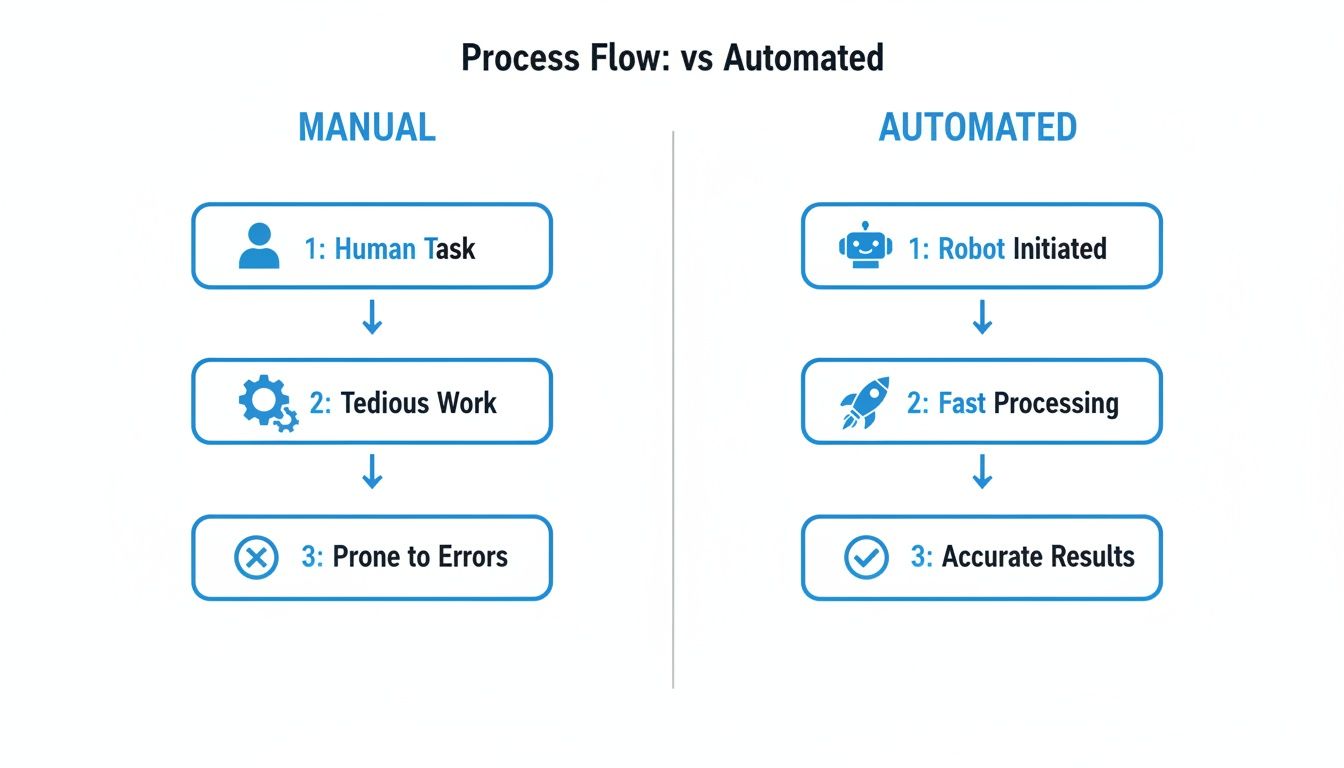
As you can see, automation doesn't just speed things up; it replaces tedious, error-prone steps with a swift, reliable, and intelligent workflow.
The Smart Layer: AI And Machine Learning
Modern document automation platforms use Artificial Intelligence (AI) and Machine Learning (ML) to get past the rigid limitations of old-school rules. Think of this as giving the software a brain that can actually learn and adapt.
Instead of being told where to look, an AI model is trained on thousands of example documents. It learns to recognize the patterns and context around different bits of information. It figures out that a string of numbers near the word "Invoice" is probably the invoice number, regardless of the document's layout.
This ability to understand context is what makes today's solutions so powerful. They can process documents they’ve never seen before with surprising accuracy. This advanced skill is often called Intelligent Document Processing (IDP), a specialized field of AI built for making sense of complex documents. If you're curious, you can learn more about what is intelligent document processing in our detailed guide.
This intelligent approach means the system can handle:
- Variable Layouts: Invoices from hundreds of different vendors.
- Unstructured Data: Information buried in the paragraphs of a contract or report.
- Complex Tables: Line items that spill across multiple pages or have a weird structure.
Ultimately, this combination of OCR, rules, and AI allows the software to not just see the text on a page, but to comprehend its meaning and deliver clean, organized data that's ready for your business.
The True Business Impact of Automating Your Paperwork
Alright, we’ve covered the technical side of things, but let's get to what really matters: the results. What does swapping out manual paperwork for an automated system actually do for your business and your bottom line? This isn't just about tidying up digital files; it’s about unlocking real financial gains and creating new opportunities for growth.
The first and most obvious win is the sheer amount of time you get back. Think about the old way of doing things. An employee gets an invoice, has to read it, hunt for the key details, and then carefully type everything into your accounting software. Best case, that's five minutes. More realistically, it's ten or even fifteen minutes per document.
Now, picture that entire process happening in less than ten seconds. That's what document automation does. It reads, understands, and moves the data for you, instantly. This isn't just a minor tweak—it's a fundamental shift in how work gets done.
Calculating Your Time Savings
Let's break this down with a quick, real-world example. Imagine your accounting team has to process 500 invoices a month.
- Manual Processing Time: If each invoice takes, on average, 8 minutes to handle by hand, you're looking at 4,000 minutes of pure data entry.
- Total Hours: That adds up to over 66 hours of work every single month. That's one person spending almost two full work weeks just typing.
With automation, that 66-hour time sink all but vanishes. Your team suddenly has that time back. What could they do with an extra two weeks every month? They could analyze spending to find savings, negotiate better deals with suppliers, or close the books ahead of schedule.
The real value here isn't just about doing the same old tasks faster. It’s about freeing up your most important asset—your people—to focus on work that actually pushes the business forward.
This shift sends ripples throughout the whole company. It's no surprise the global document automation market is expected to explode from $10.44 billion in 2026 to $37.24 billion by 2035. Companies that have already made the switch report processing documents up to 10 times faster, which allows them to reassign 40-60% of an employee's time from tedious work to high-value activities.
A Dramatic Reduction in Costly Errors
Let’s be honest, people make mistakes. It’s an unavoidable—and expensive—part of manual data entry. A single misplaced decimal or a typo in an invoice number can spiral into overpayments, compliance headaches, and hours of frustrating detective work to fix the mess.
These aren't just small hiccups; they hit your bank account directly. An overpayment is cash out the door, and a late payment can damage your reputation with vendors and rack up penalty fees.
Document automation practically wipes out this risk. By pulling data directly from the source, the software achieves a level of accuracy that a human just can't consistently match. It's not about convenience; it's about protecting your company's financial health. Many businesses have found that when they automate workflows, they not only increase accuracy but also open up new avenues for expansion.
Recovering Costs and Boosting ROI
Of course, any new system has an upfront cost. But with document automation, the return on investment (ROI) is usually incredibly fast and straightforward to calculate. The biggest factor is the immediate drop in labor costs tied to manual work.
Think back to our example. By automating those 66 hours of invoice processing each month, a company saves the cost of that labor. In many cases, those savings alone are enough to pay for the software in just a few months.
But the true ROI goes even deeper. Here are a few other benefits that start stacking up:
- Faster Payments: Process invoices instantly and you can start snagging early payment discounts from vendors.
- Improved Cash Flow Management: With real-time data, you get a much clearer, up-to-the-minute view of your finances.
- Happier Employees: Nobody enjoys mind-numbing data entry. Taking that off your team's plate leads to better morale and lower turnover.
When you add it all up—the time saved, the errors prevented, and the strategic work that finally gets done—the case for automation becomes a no-brainer. It's an investment in efficiency that pays dividends across the entire organization.
Document Automation Examples in Your Industry
Okay, enough with the technical jargon. The best way to really get what document automation is all about is to see it in the wild. Let’s look at how real companies are using it to fix everyday headaches and get ahead.
These aren't just hypotheticals. These are stories of how a single change in a workflow can lead to huge wins in speed, accuracy, and overall sanity. As you read, think about which of these struggles feel a little too familiar.
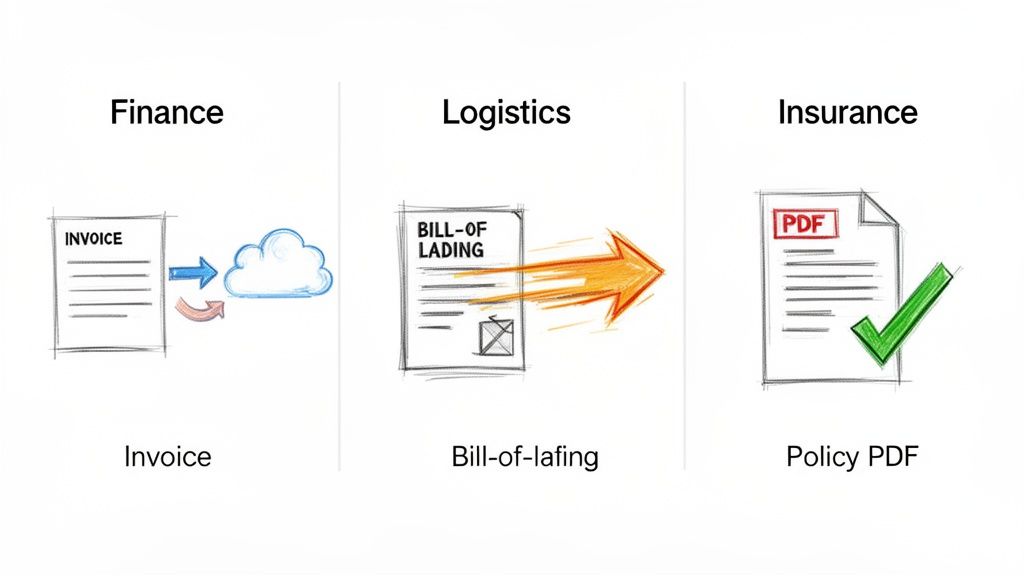
Each example here follows a simple arc: a frustrating manual mess, the introduction of automation, and the real-world results that followed.
Taming The Invoice Overload in Accounting
For anyone who’s ever worked in finance, the accounts payable (AP) process is a classic pain point. Invoices flood in from dozens of vendors, and no two look alike. Manually typing the invoice number, date, line items, and totals for hundreds of documents a month isn’t just mind-numbing—it's a breeding ground for mistakes.
One mid-sized manufacturing company was drowning in this exact problem. Their AP team was burning nearly 20 hours every week just on invoice data entry. Typos led to delayed payments, which meant strained vendor relationships and missing out on valuable early payment discounts.
By bringing in document automation, they completely flipped the script.
- Hands-Off Ingestion: Instead of someone opening every single email, all invoices sent to a dedicated address were automatically pulled into the system.
- Smart Extraction: The software used AI to read each invoice—no matter the format—and instantly pulled out the key data like vendor name, PO number, and the total amount due.
- Direct to Accounting: This clean data was then automatically sent to their accounting software, creating a draft bill that just needed a quick final review.
The results were almost immediate. The 20 hours of manual work each week shrank to just two hours of simple review and approval. Their accuracy shot up to over 99%, which all but eliminated payment errors and let them start capturing early payment discounts consistently.
Accelerating Shipments in Logistics and Supply Chain
In the world of logistics, time is literally money. Delays aren’t just inconvenient; they're expensive. A key document here is the Bill of Lading (BOL), which serves as both a receipt and a contract for everything being shipped. Manually processing these is a massive bottleneck that can bring a whole shipment to a halt.
A regional shipping company was constantly battling this. Their team had to manually compare the details on every BOL against their own shipping orders. This took up to 30 minutes per document. When you’re dealing with hundreds of shipments a day, those minutes add up fast, leaving trucks sitting idle at the loading dock.
"Document automation in logistics isn't about saving a few minutes of typing. It's about getting goods from point A to point B faster, which directly impacts revenue and customer satisfaction."
The company automated its BOL processing, and the change was night and day. The software could scan a BOL, grab the shipper's info, list the contents, and check it against the purchase order in their system—all in a matter of seconds.
This simple change cut their average document processing time from 30 minutes to under one minute. This newfound speed meant they could clear shipments faster, slash driver wait times, and boost their on-time delivery metric by 15% in the first three months.
Winning More Business in Insurance
For an insurance broker, speed can be the deciding factor in landing a new client. But generating a quote often means digging through a client’s existing policy documents—dense PDFs full of confusing tables and fine print. Hunting for that information by hand is slow work, and it's easy to miss something important.
An independent insurance agency realized its brokers were spending way too much time on paperwork and not enough on actually selling. They figured it took, on average, a full 45 minutes just to analyze a client’s current policy and pull out the data needed to build a competitive quote.
They adopted a document automation tool designed to read insurance policies. Now, a broker can upload a client's policy PDF, and the software instantly extracts the critical details:
- Coverage limits and deductibles
- Policy effective dates
- Named insured parties and property details
- Premium amounts
With this data neatly organized in seconds, brokers can put together a new quote in a tiny fraction of the time. The agency sliced its quote generation time by over 70%, allowing them to jump on new leads faster and significantly increase their client acquisition rate.
These kinds of industry-specific wins are what’s fueling a massive global trend. The document automation services market is on track to more than double, from $3.17 billion in 2026 to $7.18 billion by 2031. This explosive growth is driven by tangible outcomes, like healthcare providers cutting patient intake time by 85% or HR teams slashing onboarding paperwork by 60%. You can discover more insights about this booming market and see how it's making an impact across the board.
Choosing the Right Automation Approach for Your Business
Not all automation is created equal. When you start looking into handling your company’s documents more efficiently, it's easy to get overwhelmed by the options. Picking the right tool starts with understanding the real differences between the main ways to get the job done.
It really comes down to three choices: the old-fashioned manual way, rules-based automation, and smart, AI-driven automation. Each has its time and place, but only one is truly built to handle the messy, unpredictable documents that businesses run on today.
Let's use a common example to make this concrete: you need to get the key details from a pile of supplier invoices into your accounting software. This simple task is perfect for showing the pros and cons of each method.
The Three Tiers of Document Processing
First up, manual processing. This is the starting point for most businesses. It’s exactly what it sounds like: a person reads each invoice, finds what’s important, and types it into another system. The big upside is flexibility—a person can figure out any new invoice layout. The downside? It’s painfully slow and, as we’ve covered, a huge source of expensive mistakes.
Next, you have Robotic Process Automation (RPA). Think of an RPA "bot" as a digital helper that you train to do simple, repetitive tasks on a computer. It’s like a super-powered macro that can copy data from a specific spot on a screen and paste it into a specific field in another program.
RPA works wonders as long as everything stays exactly the same. But the moment a supplier updates their invoice and moves the PO number to a different spot, the bot breaks. It doesn't actually understand the document; it just follows a strict, pre-programmed script.
Finally, there’s Intelligent Document Processing (IDP), which is what powers modern document automation. IDP uses AI and machine learning to read and, more importantly, understand documents the way a person would. It doesn’t care about fixed templates or locations. Instead, it recognizes context—it knows what an "invoice number" is, no matter where it shows up on the page.
IDP is the specialized tool built for the chaos of real-world documents. While RPA is a generalist for simple tasks, IDP is the expert you call when you need to make sense of variable, unstructured, and complex paperwork.
This difference is critical. If your goal is to process a wide variety of documents from countless sources, a rigid RPA solution will quickly turn into a maintenance nightmare. You'll end up spending more time fixing broken scripts than you save with automation. You can learn more by exploring our breakdown of the best document automation software to see how different platforms tackle this.
To make this even clearer, let's compare these approaches side-by-side.
Manual Processing vs. RPA vs. Intelligent Document Processing (IDP)
This table breaks down how each method stacks up when it comes to handling business documents.
| Attribute | Manual Processing | Robotic Process Automation (RPA) | Intelligent Document Processing (IDP) |
|---|---|---|---|
| Data Type | Handles any type | Best for structured data (spreadsheets, databases) | Excels at unstructured and semi-structured data (PDFs, scans) |
| Flexibility | High (human adaptability) | Low (breaks with layout changes) | High (AI adapts to new formats) |
| Accuracy | Prone to human error | High, but only if rules are followed exactly | Very high, with built-in data validation |
| Scalability | Low (limited by headcount) | Medium (can run many bots, but requires maintenance) | High (can process thousands of documents easily) |
| Ideal Use Case | Unique, non-repetitive tasks | Moving data between predictable, stable systems | Extracting data from variable documents like invoices and contracts |
In the end, picking the right tool is all about matching it to the right problem. For the specific challenge of understanding and pulling information from the diverse documents that run your business, IDP is the clear winner. It offers a smart, scalable solution that older technologies just can't compete with.
Getting Started with Document Automation
Ready to turn theory into practice? Kicking off a document automation project doesn't have to feel like a massive, company-wide overhaul. The secret is to start small, target your biggest pain points first, and build momentum from there.
This simple checklist will walk you through the first few critical steps.
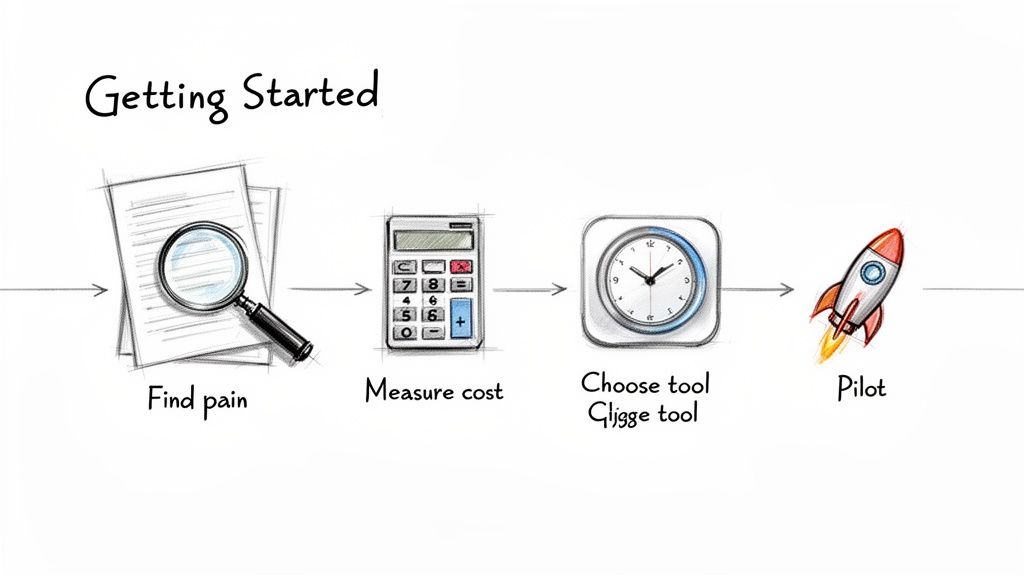
Think of this as your roadmap for moving from manual frustration to automated efficiency. Each step logically builds on the last, helping you make a smart, data-backed decision that pays off.
Your Four-Step Implementation Plan
Follow these steps to set your initiative up for success right from the start.
1. Pinpoint Your Biggest Document Headache First things first: don't try to boil the ocean. Zero in on the single most tedious, time-wasting, and error-filled document process you have. Is it the endless grind of processing vendor invoices? The painstaking task of reconciling commission statements? Or the mountain of paperwork for onboarding new clients?
Whatever process makes your team groan the loudest—that's your perfect starting point.
2. Calculate the True Cost of Staying Manual Once you've identified your target, it's time to put real numbers behind the pain. Figure out exactly how many hours your team spends on that specific task every week or month. Then, multiply those hours by their fully-loaded hourly rate to get your direct labor cost.
Knowing the true cost of your manual process is crucial. It’s not just a number; it’s the business case that will justify your investment in an automation tool.
3. Define Your Must-Have Features Now, what do you absolutely need a solution to do? Make a straightforward checklist of your non-negotiables. For example, maybe your ideal tool must:
- Integrate seamlessly with your accounting software.
- Require no coding or heavy IT involvement to manage.
- Read messy scans and even handwritten notes with high accuracy.
- Export clean data directly into a spreadsheet.
This list becomes your scorecard when you start looking at different platforms.
4. Run a Small, Focused Pilot Project Finally, pick your top one or two software contenders and run a small-scale test. Resist the urge to automate everything at once. Just choose a single document type from one department and process a small batch to see how it performs.
A successful pilot gives you undeniable proof of the time saved and errors avoided. This concrete evidence makes it much easier to get buy-in from leadership and build genuine excitement for rolling out automation across the business.
Got Questions? We’ve Got Answers.
Even after seeing what document automation can do, you probably have a few practical questions. Let's tackle some of the most common ones that come up when businesses consider making the switch.
How Much Technical Skill Do I Need to Use This?
This is a big one, and the answer is usually a relief: you don't need to be a developer. The whole point of modern document automation software is to put the power in the hands of the people who actually do the work—accountants, operations managers, and procurement specialists.
Most of the best tools today are built with no-code, drag-and-drop interfaces. This means you can visually map out your process and show the software what data to grab without ever touching a line of code. All the heavy lifting with AI and data extraction happens in the background, giving you a straightforward, user-friendly experience.
Is Document Automation Secure for Sensitive Information?
Absolutely. Security isn't just a feature; it's the foundation. These systems are designed to handle highly sensitive financial records and client data, so they are built with serious security measures from day one.
When you're looking at different options, make sure they check these boxes:
- Data Encryption: Your information should be protected both in transit (as it's being uploaded) and at rest (when it's stored).
- Secure Infrastructure: The platform should run on a trusted cloud provider known for its robust security.
- Compliance Certifications: Look for certifications like GDPR for data privacy and SOC 2 for operational security and controls.
Can It Really Read Handwritten Notes or Messy Scans?
This is where you can separate the basic tools from the truly powerful ones. Older OCR software would stumble over a blurry scan or a bit of handwriting.
But today's Intelligent Document Processing (IDP) systems are different. They use advanced AI models that have learned from millions of real-world documents. This training allows them to decipher messy handwriting and even digitally clean up low-quality scans, leading to much higher accuracy. The best way to know for sure? Test any platform with a few of your worst-case-scenario documents.
Key takeaway: Think of document automation as the engine that pulls data out to get work done, while document management is the digital filing cabinet that stores the finished product.
What's the Difference Between Document Automation and Document Management?
It's easy to get these two confused, but they play very different roles. A Document Management System (DMS) is essentially a digital library. Its job is to store, organize, and track your files, keeping everything secure and easy to find.
Document automation, on the other hand, is all about action. It’s the process of reading the information inside a document to trigger the next step in a process. A DMS stores the PDF of an invoice; automation reads that invoice, pulls out the total amount, and pushes it into your accounting system to be paid. They often work hand-in-hand, but they solve completely different problems.
Ready to stop the soul-crushing copy-paste routine and see what automation can do for you? With DocParseMagic, you can turn a stack of messy invoices, statements, and reports into clean, structured data in minutes. Grab your most annoying document and see how our no-code platform extracts exactly what you need, instantly. Sign up for free and start automating today on docparsemagic.com.