Unlock Efficiency with No Code Document Automation
Your team probably has a folder full of documents nobody enjoys touching. Vendor invoices arrive in different layouts. Commission statements come as PDFs that don’t line up. Insurance policy files bury key details across multiple pages. Someone opens each file, hunts for the right fields, copies values into Excel, fixes typos, and then double-checks totals because one mistake can ripple into a payment error or reporting issue.
That work is necessary. It’s also exactly the kind of work people outgrow.
No code document automation changes the job. Instead of spending hours acting like a human copy-paste bridge between PDFs and spreadsheets, finance and operations teams can spend more time reviewing exceptions, spotting trends, comparing vendors, and making decisions. The work becomes less about transcription and more about judgment.
Beyond the Buzzword What Is No Code Document Automation
No code document automation is software that lets a business user turn documents into structured data without writing scripts, building custom OCR pipelines, or waiting on engineering.
If that sounds abstract, think of it this way. You hand a digital assistant a pile of files and say, “Pull the invoice number, date, line items, and total from each one. Put everything into a table I can review.” The tool does the repetitive reading and organizing. You review the output and use it.
What it replaces
Teams don’t struggle because they lack documents. They struggle because the information inside those documents is trapped.
A PDF invoice isn’t useful when someone has to manually retype it into an accounting system. A bank statement doesn’t help much if an analyst has to skim every page to find the numbers that matter. A vendor proposal slows procurement when every term has to be compared by hand.
No code document automation removes that first layer of manual work. If you want a broader primer on the category, Mintline’s guide to automatic document processing is a useful companion read.
Why this matters now
This isn’t a niche experiment. The global low-code/no-code market, which includes document automation tools, reached $26.9 billion in 2023 and is projected to reach $65 billion by 2027, according to data summarized by Browsercat. The same source notes that some applications are developed 10 times faster using 70% fewer resources (Browsercat).
That growth tells you something important. Businesses aren’t adopting these tools because they’re trendy. They’re adopting them because document-heavy work creates bottlenecks in finance, operations, procurement, and insurance.
Old document work asked people to be careful typists. Modern document work asks them to be reviewers, investigators, and decision-makers.
What “no code” really means
“No code” doesn’t mean “simple toy.” It means the person who knows the process can usually configure the workflow without writing software.
That matters for busy managers. You don’t need to translate your team’s pain into a technical spec and wait in a queue. You can often define the fields you need, test on real documents, and adjust the process yourself. If you want a closer look at how this differs from broader workflow tools, this overview of no-code automation concepts is a practical starting point.
A good mental model is this short comparison:
| Approach | What your team does |
|---|---|
| Manual processing | Reads every document and types data into another system |
| Traditional software project | Waits for IT or developers to build a custom extraction workflow |
| No code document automation | Configures extraction rules in a visual interface and reviews results |
The shift is bigger than speed alone. It changes who controls the workflow. The people closest to the documents can shape how they’re processed.
From Messy PDF to Clean Data The Core Technology Explained
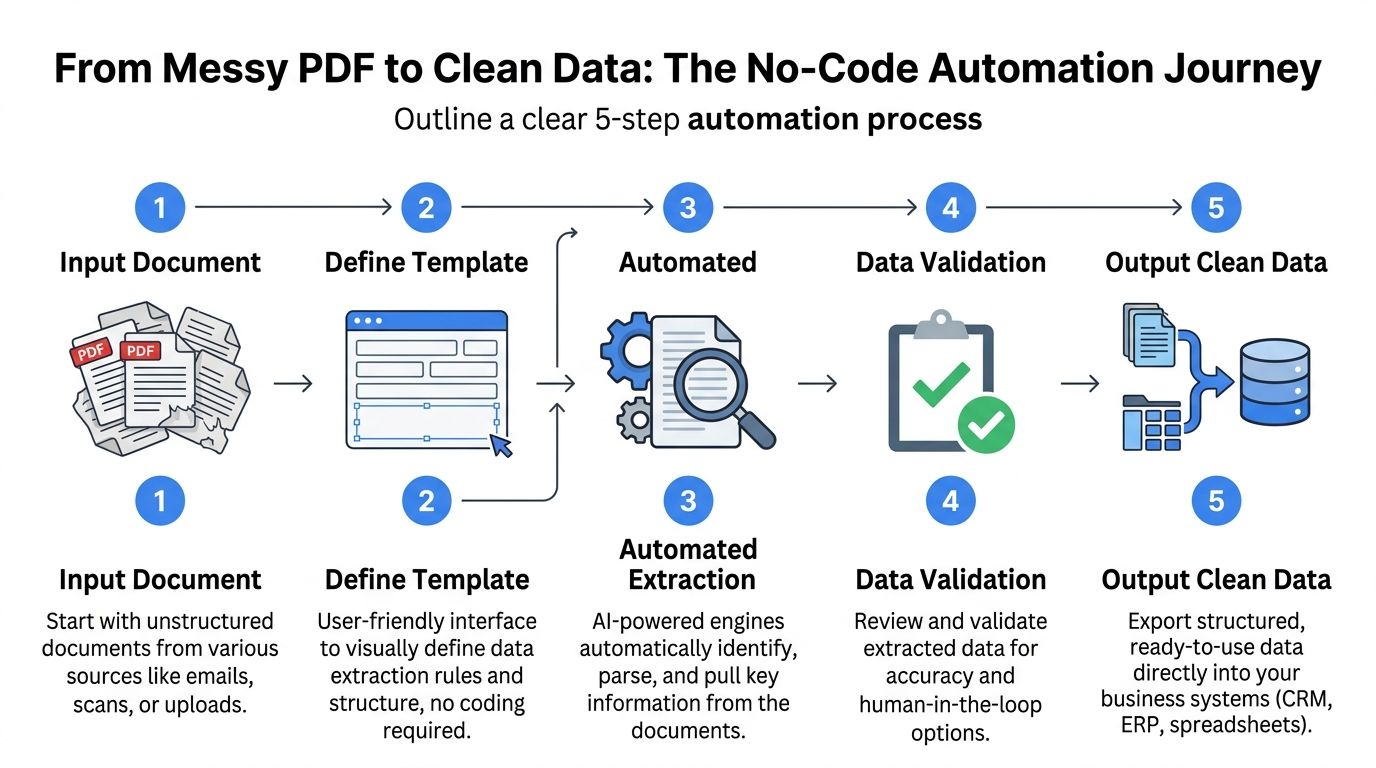
The easiest way to understand the technology is to picture a digital filing clerk. You give it a messy inbox of PDFs, scans, Word files, spreadsheets, and photos. Its job is to read them, understand what matters, check the results, and hand you clean rows of data.
Step one and step two start with reading
First, the system ingests the file. That means you upload or route documents in from email, shared folders, or another business system.
Then comes OCR. OCR stands for optical character recognition. It turns visible text in a scan or image into machine-readable text. If you’ve ever copied text from a scanned PDF, you’ve used the basic idea already.
But OCR alone isn’t enough.
OCR reads characters. Document automation tries to understand what those characters mean in context.
A page full of text is still a mess if the system can’t tell the difference between an invoice number, a due date, and a total.
Step three is where parsing does the real work
Modern no code document automation platforms go beyond plain OCR. They parse the document. That means they identify fields, labels, tables, and relationships.
A modern template-free system can use machine learning to reach 85 to 95% accuracy on structured fields like invoice numbers, assign a confidence score to each extracted value, and use cross-document validation to reduce errors by up to 40% in multi-page documents (Docsumo).
That phrase “template-free” matters. Older tools often expected every invoice from a given vendor to look almost identical. If the layout changed, the extraction broke. Template-free systems are better at handling variation.
Here’s a simple way to think about confidence scoring:
- High-confidence values are the fields the system is very sure about, such as a clearly labeled invoice number.
- Medium-confidence values may need a quick human check, especially if the layout is unusual.
- Low-confidence values should be routed for review instead of pushed straight into downstream systems.
This is how teams stay fast without getting reckless.
Step four adds control
Validation is the safety layer. The platform can check whether totals match line items, whether required fields are missing, or whether a date looks out of range.
For finance teams, this is often the turning point. Automation isn’t useful if it creates a second pile of cleanup work. Validation helps turn extraction into something dependable enough to review rather than re-do.
If you want a deeper explanation of this category of tools, this guide to intelligent document processing helps connect OCR, AI parsing, and workflow logic.
Step five turns the result into something usable
The final output is structured data. Usually that means rows in a spreadsheet, a CSV export, or data passed into an ERP, CRM, or accounting tool.
A five-step summary looks like this:
- Input the document through upload, email, or system connection.
- Read the text with OCR so the file becomes machine-readable.
- Parse the meaning to find fields, tables, and document structure.
- Validate the result using confidence scoring and business checks.
- Send out clean data to spreadsheets or business systems.
Once you see the flow, the technology feels less mysterious. It’s not magic. It’s a controlled handoff from raw document to reviewed data.
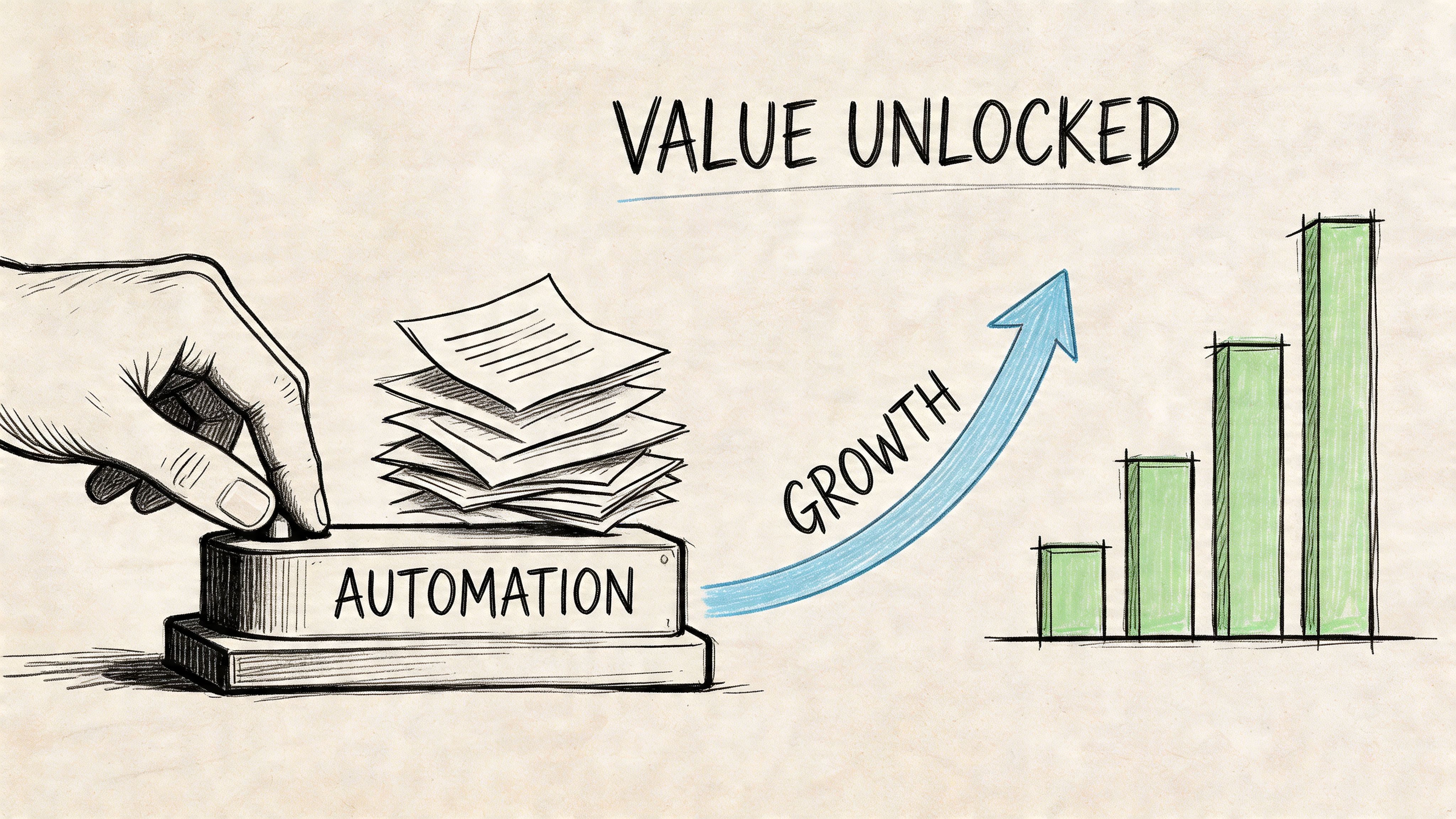
Unlocking Real Value The Business Case for Automation
The strongest argument for no code document automation isn’t “AI.” It’s job design.
When people spend their day copying values from one place to another, the business pays skilled employees to do low-value transfer work. When software handles the repetitive extraction, those same employees can review exceptions, resolve discrepancies, and answer better questions.
What the numbers say
Companies implementing document automation cut human error by up to 90% and reduce document handling time by 60 to 70%. That often translates to 200 to 300% ROI within the first year, and 60% of companies save between $100,000 and $200,000 annually (SenseTask).
Those numbers matter because document work tends to hide its cost. One invoice doesn’t seem expensive to process. One policy packet doesn’t seem like a problem. The issue is volume, repetition, and rework.
Where the return shows up
The gains usually appear in a few very practical places:
- Less rekeying work means staff spend less time transferring data between systems.
- Fewer mistakes means fewer payment issues, fewer back-and-forth corrections, and fewer reporting headaches.
- Faster visibility means managers can work with current data instead of waiting for someone to compile it manually.
- Better morale means strong employees are less likely to feel stuck doing clerical cleanup all day.
Practical rule: If a person reads the same type of document every day and extracts the same fields every day, that process is a candidate for automation.
There’s also a second-order effect. Faster, cleaner internal operations can support downstream growth work. For teams thinking more broadly about process efficiency across the funnel, this guide on how to boost B2B leads with automation shows the same pattern in a different business function.
Why managers care
A finance or operations manager usually doesn’t buy software just to save clicks. They buy it to get control.
Control means month-end isn’t delayed because statements are still being keyed in. Control means procurement can compare quotes without building a spreadsheet from scratch. Control means analysts start the day with usable data instead of raw files.
That’s the core business case. No code document automation turns documents from a labor sink into a source of usable information.
See It in Action Document Automation Use Cases
The fastest way to understand no code document automation is to watch what happens to actual jobs.
At the start, the work looks familiar. Someone opens a document, scans for the right values, copies them somewhere else, then checks whether the result is right. After automation, that same person usually becomes the reviewer of exceptions and the owner of the process.
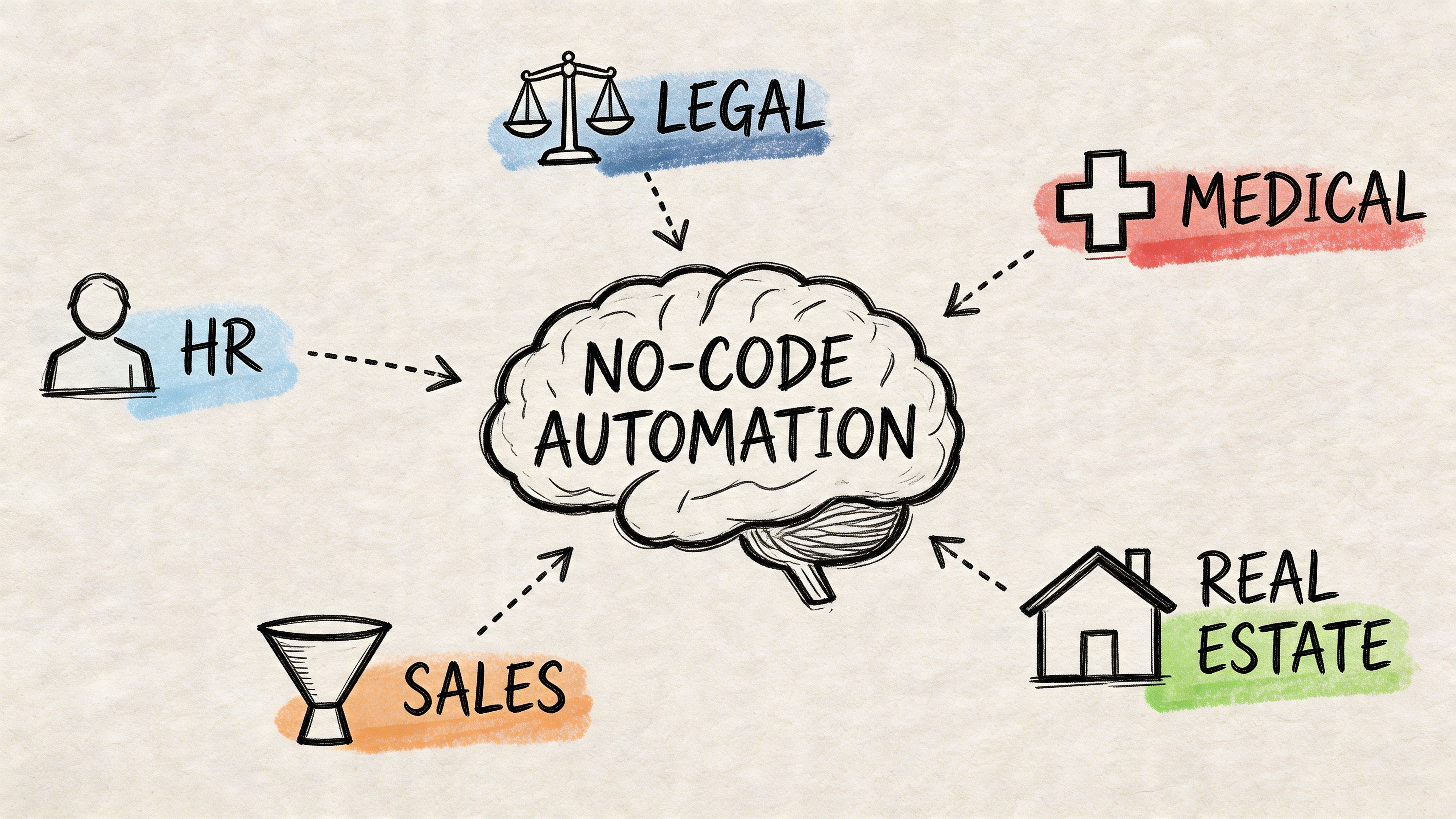
Accounts payable stops being a typing job
An AP specialist often spends large chunks of the day pulling the same fields from invoices. Vendor name. Invoice number. Date. Total. Line items. Tax. Due date.
With automation, the specialist doesn’t need to type every field into a spreadsheet or accounting system. The system extracts the values, organizes them, and flags uncertain entries for review. The human role shifts from data entry to approval control.
That change sounds small until invoice volume spikes. Then it becomes the difference between keeping up and falling behind.
Insurance teams get faster at comparison
Insurance brokers and carrier teams regularly deal with documents that look similar but aren’t standardized enough for easy side-by-side review. One policy packet buries limits on page three. Another places premium details in a table with different labels.
A no code workflow can pull key policy fields into a common structure so the broker reviews coverage differences instead of hunting through PDFs. The same pattern works for endorsements, loss runs, and renewal documents.
For teams exploring adjacent document workflows, a Fill PDF from Excel project shows another angle on moving data cleanly between structured files and forms.
Procurement becomes more analytical
Procurement managers rarely struggle to receive proposals. They struggle to compare them fairly and quickly.
Without automation, someone reads each vendor PDF, extracts pricing details, notes terms, and builds a comparison sheet manually. With automation, much of that extraction happens first. The buyer can spend more attention on trade-offs, compliance concerns, and negotiation points.
Here’s a short visual walk-through of how document-heavy workflows can be simplified in practice:
Commission reconciliation gets less painful
Manufacturers’ reps and finance teams know this headache well. Commission statements come from multiple partners in different formats, and none of them drop neatly into one master spreadsheet.
A no code document workflow can standardize the incoming data so the analyst spends time reconciling differences and spotting missing items instead of reformatting source files. That’s a much better use of attention.
Construction and operations teams move from chasing paperwork to tracking risk
Project managers and operations staff often process subcontractor invoices, change orders, and supporting paperwork under deadline pressure. The bottleneck isn’t always approval. It’s getting the facts into one reliable place.
When extraction happens automatically, the person managing the workflow can focus on exceptions, disputed amounts, or missing documentation. That’s operational oversight, not clerical drag.
One common pattern across all of them
The software doesn’t remove people from the process. It removes the least valuable part of the process.
| Before automation | After automation |
|---|---|
| Open file | Receive extracted data |
| Search for fields | Review flagged exceptions |
| Type into spreadsheet | Approve, correct, or enrich |
| Fix formatting issues | Compare trends and outliers |
| Repeat all day | Spend time on decisions |
That’s why the shift matters so much. No code document automation doesn’t just save time. It upgrades the day-to-day role of the people closest to the documents.
Your Implementation Checklist and Common Pitfalls
A good first project is boring in the best way. It’s repetitive, document-heavy, and easy to verify.
If you start with a chaotic, edge-case workflow that changes every hour, your team may blame the tool for a process problem. Start where the work is stable enough to measure.
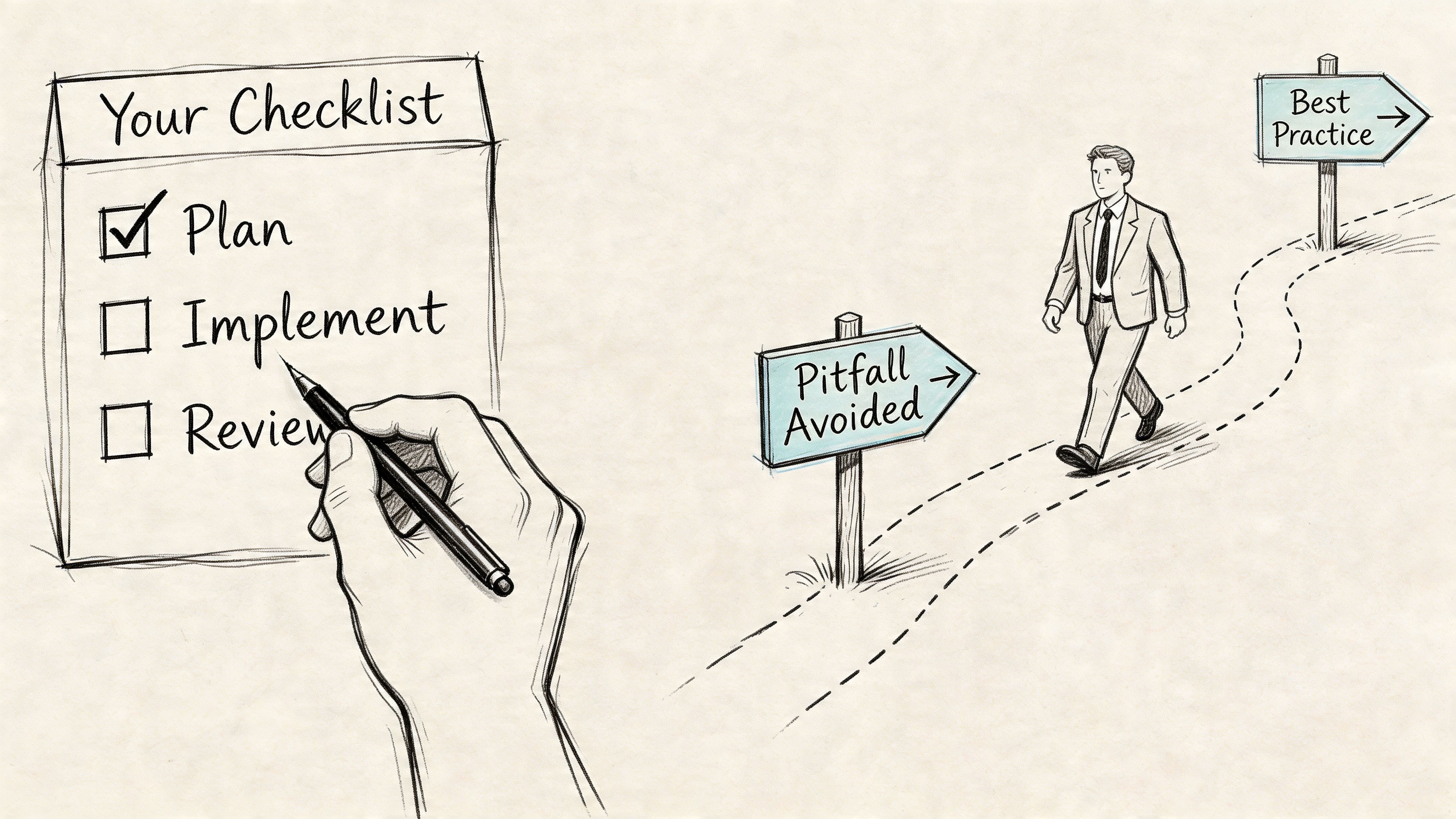
A practical checklist
-
Pick one document flow that hurts regularly
Invoices, policy documents, commission statements, or vendor proposals are common starting points. You want a process people already dislike and repeat often. -
Map the current path by hand Write down where documents arrive, who opens them, what fields they extract, where the data goes, and where errors happen. This step often reveals that the underlying issue isn’t one task. It’s three disconnected tasks stitched together by email.
-
Define success in plain business terms
Decide what improvement would matter. Faster review. Fewer corrections. Better visibility. Less backlog. Keep the goal operational, not technical. -
Bring in the people doing the work now
They know the exceptions, the weird layouts, and the failure points. If you leave them out, your workflow will look clean on paper and break in practice. -
Run a pilot before expanding
Test on a manageable set of real documents. Review the output closely. Adjust the extraction logic and approval flow before rolling it into a broader process.
The first win should make your team trust the workflow, not impress them with complexity.
Common mistakes that slow teams down
Some problems show up again and again.
-
Automating everything at once
Teams sometimes try to fix invoices, statements, contracts, and forms in one initiative. That creates too many variables. Narrow scope wins first. -
Ignoring exception handling
Every document set has oddballs. A smart process assumes that some files need review and builds that path in from the start. -
Treating it as an IT-only project
No code document automation works best when business users shape the workflow. IT may still matter for security or integration, but they shouldn’t be the only people defining success. -
Skipping change management
If staff think automation exists to replace them, adoption gets tense. Be direct. The goal is to remove copy-paste work so they can handle analysis, approvals, and decision support.
A simple rollout mindset
Use this sequence:
| Phase | What to focus on |
|---|---|
| Pilot | Accuracy, usability, and clear review rules |
| Early rollout | Team adoption and exception handling |
| Expansion | More document types and deeper integrations |
That pacing keeps the project grounded. A steady rollout usually beats a flashy launch that leaves people cleaning up edge cases.
How to Select the Right No Code Automation Tool
A document automation tool can look impressive in a demo and still create work for your team. The right choice depends less on glossy features and more on whether the system fits the way your documents behave.
Start with the workflow, not the vendor
Before comparing tools, list your real requirements.
Do you need to extract line items from invoices, or only header fields? Do your documents follow one format, or many? Will your team review outputs in spreadsheets, or send them into an ERP? The clearer those answers are, the easier vendor evaluation becomes.
A useful reference point is this roundup of document automation software options, which can help you frame the category before shortlisting tools.
The five questions that matter most
Ease of use
If the system claims to be no code, a business user should be able to configure and test a workflow without writing scripts. Drag-and-drop setup, plain-language field definitions, and clear review screens matter more than flashy terminology.
Document flexibility
Many teams don’t have the luxury of clean, standardized files. Ask whether the tool can handle varied layouts, scans, and multi-page documents without constant template maintenance.
Integration options
The output has to go somewhere useful. Look for exports and connectors that fit how your team already works, whether that means spreadsheets, accounting tools, CRMs, or internal systems.
Review and audit controls
Automation is only valuable if people can trust it. Look for confidence indicators, validation rules, and clear ways to review uncertain fields. In finance and operations, traceability matters.
Pricing clarity
Some tools are affordable at pilot stage and confusing at scale. Ask how usage is measured, what counts as a processed document, and what support is included.
Choose the tool that reduces operational friction for your team, not the one with the longest feature list.
What a smart shortlist looks like
A strong shortlist usually includes a few different styles of tools. Some are broad workflow platforms. Some focus on intelligent document processing. Some are built for business users who mainly need extraction and structured output.
For example, Docsumo is known for template-free extraction workflows. Broader no-code platforms may support larger business processes but require more setup. DocParseMagic fits teams that need to turn messy invoices, statements, and similar business files into analysis-ready spreadsheets through a no-code parsing workflow.
The right choice is the one your team will use without building a second process around the tool itself.
Final decision filter
If you’re between two options, ask one plain question: after implementation, will your staff spend less time retyping and more time reviewing, analyzing, and deciding?
If the answer is clearly yes, you’re close.
If your team is still spending too much time pulling data out of invoices, statements, proposals, or policy documents, DocParseMagic is one option to evaluate. It’s a no-code document parsing platform that extracts fields from messy business files and turns them into clean spreadsheets for review and analysis, which can help finance and operations teams move repetitive document work out of the way.