Intelligent Document Processing Software: Automate & Optimize Data
At its core, Intelligent Document Processing (IDP) is technology that teaches computers to read and understand business documents the same way a human would. It automatically pulls key information from files like invoices, reports, and forms, turning a chaotic mess of unstructured data into clean, organized information—no more manual copy-pasting.
Why Manual Data Entry Is Costing Your Business
For too many businesses, the daily routine is built around a mountain of paperwork. Whether it's invoices, insurance claims, or purchase orders, someone is stuck manually entering data from one screen to another. This isn't just a boring task; it's a massive drain on your time, budget, and overall productivity.
Think of it this way: imagine a librarian trying to catalog a new shipment of books by hand-copying every table of contents into a giant ledger. The process would be painfully slow and full of errors, and it would keep them from actually helping people find the books they need. That’s exactly what’s happening when your skilled employees are buried in manual data entry.
The Hidden Costs of Copy and Paste
The problem with manual data entry isn't just that it's slow. It's expensive and dangerously prone to error. When a person has to key in data from hundreds of documents, typos and misplaced decimals are bound to happen, creating a ripple effect of problems down the line. Understanding the real benefits of automated document processing puts the true cost of sticking with old methods into sharp focus.
These hidden costs add up fast:
- Wasted Labor: Your most expensive asset—your people—are spending their valuable time on repetitive, low-impact work instead of strategy and analysis.
- Costly Mistakes: A single misplaced zero on an invoice or a wrong policy number can snowball into payment disputes, compliance fines, and unhappy customers.
- Business Delays: When invoices sit in a pile waiting to be processed, payments get delayed, vendor relationships suffer, and you can't get a clear picture of your company's finances.
- Poor Morale: Nobody enjoys mind-numbing, repetitive work. It’s a recipe for burnout and high turnover, which means you’re constantly spending time and money training new staff.
To show the difference, let's compare the two approaches side-by-side.
Manual Data Entry vs Intelligent Document Processing
This table offers a quick look at how traditional manual work stacks up against modern IDP automation.
| Aspect | Manual Data Entry | Intelligent Document Processing (IDP) |
|---|---|---|
| Speed | Extremely slow; processed one document at a time. | Ultra-fast; processes thousands of documents in minutes. |
| Accuracy | Prone to human error (typos, omissions). | 95%+ accuracy with machine learning validation. |
| Cost | High labor costs, plus the cost of fixing errors. | Low operational cost; frees up employee time. |
| Scalability | Difficult to scale; requires hiring more people. | Scales instantly to handle any volume. |
| Employee Role | Data entry clerk. | Data validator and strategic analyst. |
The contrast is clear. One keeps your team stuck in the past, while the other prepares your business for the future.
The Shift to Intelligent Automation
This is exactly where intelligent document processing software comes in. It’s built to be your team's digital assistant, instantly reading, understanding, and organizing information from any document you feed it. Unlike a basic scanner that just creates a picture of the text, an IDP solution actually comprehends the context.
An intelligent document processing platform doesn't just see the number "$5,400.50." It understands that this is the "Total Amount Due" on "Invoice #INV-2024-101" from a specific vendor.
This is what allows teams in accounting, insurance, and procurement to finally break free from the grind of manual data entry. It’s no surprise the global IDP market is expected to jump from $14.16 billion in 2026 to an astounding $91.02 billion by 2034. North America is leading the charge, making up 47.60% of the market as companies automate huge volumes of documents. You can find more details on these market trends from Fortune Business Insights.
With a modern platform like DocParseMagic, your team can stop keying in data and start using it. They can analyze spending habits, approve payments faster, and make smarter purchasing decisions—all because the right information is accurate, organized, and ready when they need it.
How Intelligent Document Processing Actually Works
So, how does intelligent document processing software really turn a mountain of messy documents into clean, usable data? It’s not magic, but it’s close. Think of it as a multi-stage assembly line, where each step uses smart technology to get the job done.
It all starts with getting your documents into the system. The software can pull files from just about anywhere—email attachments, scanned images, or direct uploads. It doesn't care if it's a perfect PDF or a slightly blurry photo of a receipt taken on a phone. The goal is simply to get all the raw material in one place.
From Image To Understanding
Once the documents are collected, they go through a quick cleanup phase. This is the pre-processing step. The software automatically straightens skewed pages, sharpens blurry text, and removes shadows or smudges. It’s like prepping a canvas before painting—you want the cleanest possible surface to work with.
This is where IDP really shows its strength and moves far beyond older tools. A key part of the process is Optical Character Recognition (OCR), but for IDP, that’s just the starting point. If you want a refresher on the basics, our guide explains what OCR technology is and how it works.
The best way to think about it is this: OCR sees the text, but IDP understands it. OCR can turn a picture of an invoice into a wall of text. IDP, on the other hand, knows which text is the "invoice number," which is the "due date," and which is the "grand total."
This “understanding” comes from powerful AI models, specifically Machine Learning (ML) and Natural Language Processing (NLP). These models are trained to spot patterns and understand context, much like a person would. They can figure out what a piece of data means, regardless of where it is on the page. This is the heart of the challenge in structuring unstructured data, and it’s what makes IDP so effective.
This whole process exists to replace the old way of doing things: manual data entry. It was slow, riddled with typos, and incredibly expensive.
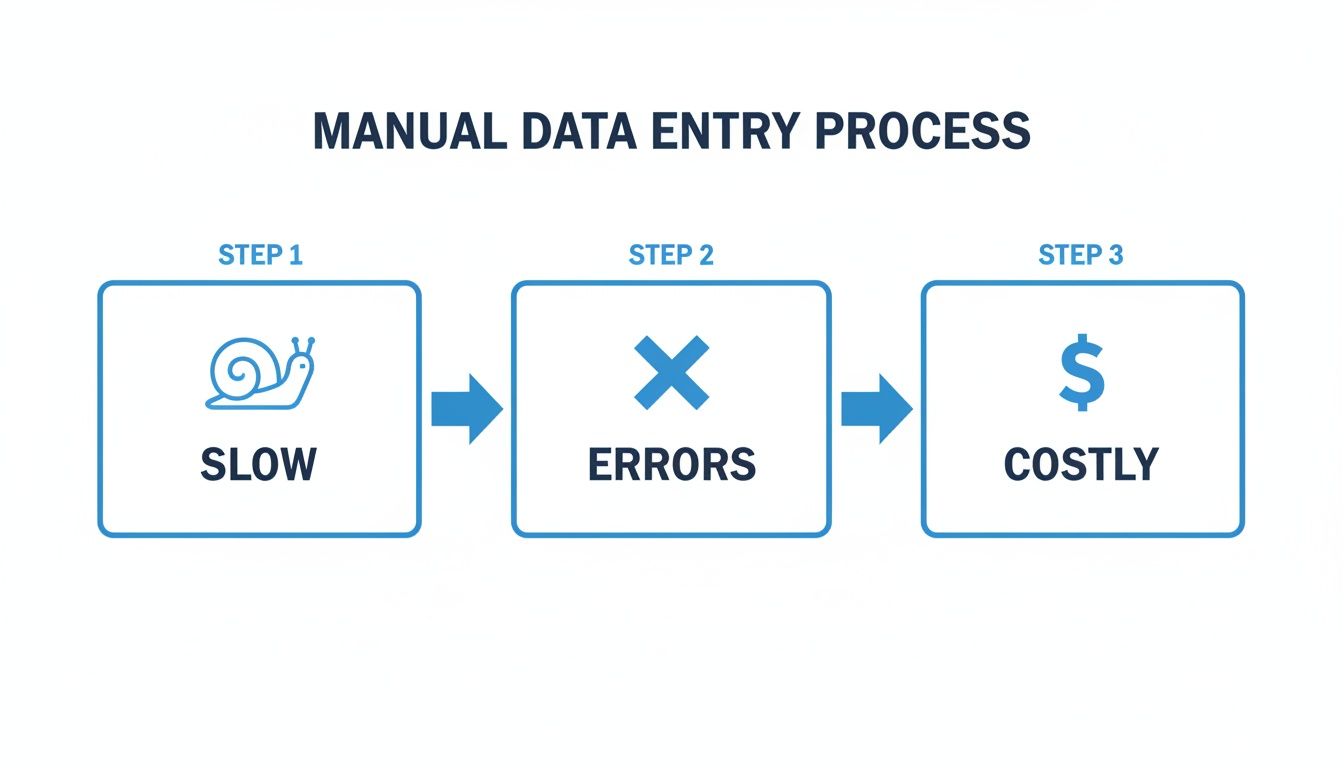
As you can see, the manual workflow creates bottlenecks at every stage. IDP automates this entire chain, freeing your team to focus on more important work.
Extraction And Final Validation
Now that the software understands the document, it's time for extraction. The system pinpoints and pulls the exact pieces of information you told it to find.
For example, this is how it plays out with different document types:
- Invoice Processing: The software grabs the vendor name, invoice number, line items, and total.
- Insurance Forms: It finds and extracts the policyholder’s name, policy number, and claim details.
- Purchase Orders: It captures item descriptions, quantities, prices, and the shipping address.
The final step is all about trust. During validation, the intelligent document processing software double-checks the data it just extracted. It uses built-in rules (like making sure a date field actually contains a valid date) and flags any information it isn't sure about for a quick human review. This “human-in-the-loop” approach is what allows the best platforms to deliver over 95% accuracy right away.
Once everything is checked and confirmed, the clean, structured data is ready to go. It can be exported into a simple spreadsheet or sent directly into your other business systems, like your accounting software or CRM. This is where the real value kicks in—turning static documents into data that actively helps your business run better.
Where IDP Really Shines: Real-World Business Wins
Technology is great, but what really matters are results. The true value of intelligent document processing software isn't in the code; it's in how it fixes the frustrating, paper-clogged workflows that slow down real businesses. It turns tedious manual tasks into fast, accurate, and automated processes.
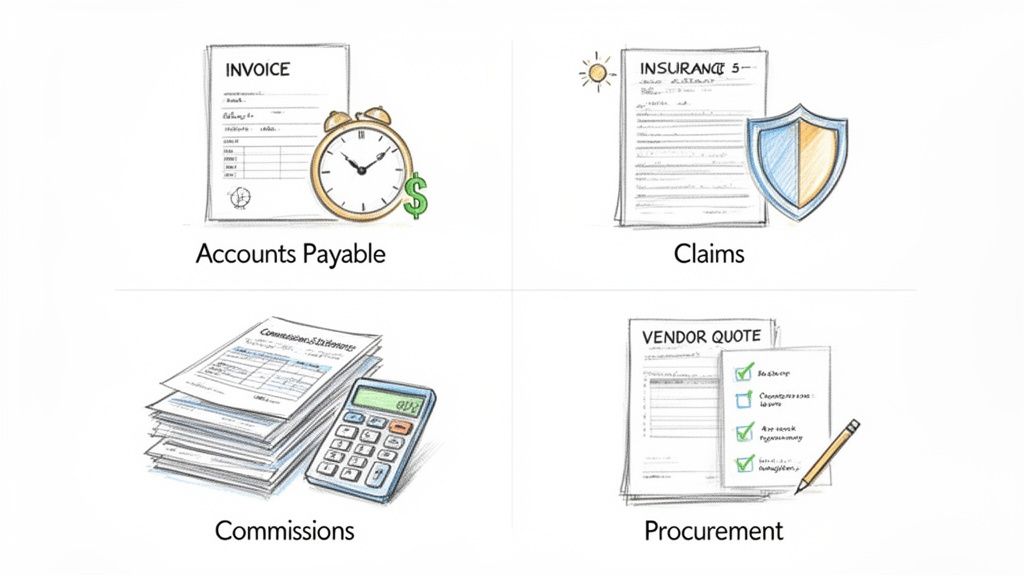
Let's dive into four specific examples of how companies are putting this technology to work every single day.
Taking the Pain Out of Accounts Payable
For most finance teams, processing vendor invoices is a mind-numbing grind. Your accounts payable (AP) department gets hit with hundreds, maybe thousands, of invoices every month. They flood in through email and snail mail, each with its own unique layout. The old way of handling this? Someone has to open every single file, hunt for the key details, and manually type it all into the accounting system.
Think about a mid-sized company’s AP team. They spend hours every day just keying in data from invoices—the invoice number, due date, vendor name, and every single line item. It’s not just slow; it’s a recipe for costly typos that can lead to late fees, missed early-payment discounts, or even paying the wrong amount.
This is where intelligent document processing software completely changes the game. An IDP system automatically grabs all incoming invoices, reads and understands them, and pulls out all the crucial data in seconds.
An IDP platform can process a batch of 500 invoices from 200 different vendors in the time it takes a human to handle just five. It instantly finds the invoice total, matches it to the right purchase order, and flags anything that doesn't add up for a quick review.
This kind of automation cuts payment cycles from weeks down to days, keeps vendors happy, and frees up your finance experts to work on financial strategy, not just data entry.
Unblocking the Flow of Insurance Claims
The insurance world runs on documents. From the moment a customer files a claim, a mountain of paperwork begins to grow: claim forms, police reports, medical records, repair estimates, and more. Getting through these documents quickly and accurately is everything—it's the key to great customer service and smart risk management.
Imagine an insurance company swamped with property damage claims after a big storm. Every claim file is a thick packet of documents, and adjusters are stuck manually digging through them for the policy number, incident date, damage details, and coverage limits. This bottleneck drags out approvals and leaves stressed-out policyholders waiting for help.
By bringing in an IDP solution, the carrier can automate this entire headache.
- Quick Extraction: The software zips through all claim documents, instantly pulling out the critical information.
- Data Cross-Checks: It validates the data by, for example, matching the claimant's name against their policy number to make sure everything is consistent.
- Smart Routing: Based on the claim type and dollar amount, it automatically sends the file to the right adjuster for final review.
This level of automation means the carrier can process claims in minutes instead of days. The result? People get their payouts faster, administrative costs plummet, and customers feel taken care of when they need it most. You can explore more of these real-world examples and discover other IDP use cases that showcase how versatile this technology is.
Simplifying Complex Commission Payouts
If you run a sales agency or work as a manufacturers' rep, you know the struggle of getting paid correctly. It all comes down to reconciling commission statements from dozens of different partners, and every single one sends a statement in a completely different format. Trying to pull all that data together to make sure you're getting paid what you're owed is a nightmare.
Picture a sales agency that loses the first week of every month to this problem. Team members are stuck manually copying and pasting numbers from PDF after PDF into a massive spreadsheet. It's not just a time-sink; it’s incredibly easy to make a mistake that leads to a sales rep being underpaid or overpaid.
IDP software puts an end to this chaos. The agency can feed all its commission statements into the system—no matter the format—and the software is smart enough to find and extract what matters:
- Sales Rep Name: To see who earned the commission.
- Customer Account: To link the sale to the right client.
- Commission Amount: To capture the exact payment for each deal.
- Product Sold: To track performance across different product lines.
The software then gathers all this information into a single, clean report. What used to take days of painstaking work now takes just a few hours. The agency can finally pay its people accurately and on time, all while getting a crystal-clear view of its sales performance.
Calculating the ROI of Your IDP Investment
Let's get down to what really matters: the bottom line. Fancy features are nice, but any new technology has to earn its keep. Intelligent document processing software isn't just a tech upgrade; it's a financial strategy that pays for itself, often much faster than people expect.
The return on investment (ROI) here isn't fuzzy or abstract. It’s concrete, measurable, and shows up in a few key places, starting with your operational budget.
Boost Your Operational Efficiency
Automating manual data entry is the most obvious win. You directly slash the labor costs tied to processing documents one by one. This doesn't mean replacing people. It means freeing your sharpest minds from the drudgery of copy-pasting so they can focus on work that actually requires a human brain—like analyzing trends, negotiating with vendors, or improving customer service.
When documents that used to take days now fly through the system in minutes, your whole business speeds up. This isn't just a minor improvement; it's a massive shift in how quickly you can operate.
Think about what that speed means for your accounts payable team. Processing invoices faster lets you finally grab those early payment discounts you’ve been missing, which is pure profit. In sales, getting commissions calculated and paid out instantly keeps your top performers happy and motivated.
We're not talking about small gains, either. Studies show that companies using intelligent document processing can see cost reductions of 60-80% within the first year alone. For many businesses, that translates to millions of dollars saved.
This newfound speed gives you a real competitive edge. You can make faster decisions, build stronger relationships with partners, and get a clear, up-to-the-minute picture of your company's financial health.
Eliminate Costly Human Errors
The second major source of ROI is accuracy. Let's be honest: manual data entry is a recipe for mistakes. A misplaced decimal point or a typo in an invoice number might seem small, but these errors snowball into overpayments, compliance headaches, and countless hours spent tracking down and fixing the problem.
Intelligent document processing software puts a stop to that. With AI handling the data extraction and validation, the best platforms hit accuracy rates above 95%. This kind of reliability prevents costly blunders before they can ever impact your bottom line, protecting both your bank account and your reputation.
A Simple ROI Calculation Example
Let's run the numbers to see how this plays out. Imagine a mid-sized company processing 2,000 invoices a month.
-
The Old Way (Manual): An employee takes about 10 minutes per invoice. At a loaded cost of $30/hour, the math looks like this:
- (10 mins/invoice ÷ 60 mins/hour) x 2,000 invoices x $30/hour = $10,000 per month
-
The New Way (IDP): An IDP solution like DocParseMagic automates 90% of the work. The remaining documents just need a quick one-minute review by a human.
- (1 min/invoice ÷ 60 mins/hour) x 2,000 invoices x $30/hour = $1,000 per month
Just on labor costs, you're looking at a savings of $9,000 per month, which adds up to $108,000 a year. And remember, that number doesn't even factor in the money you'll save by eliminating late fees or the value you'll gain by capturing early payment discounts.
When you look at it this way, the financial case for IDP becomes impossible to ignore.
How to Choose the Right IDP Software
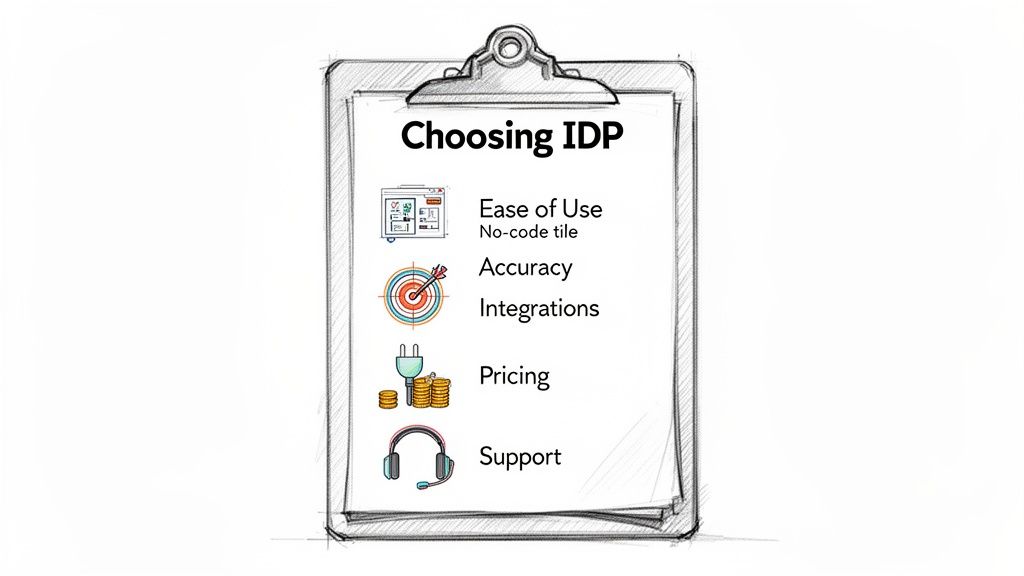
Alright, you've seen what IDP can do for your bottom line. Now comes the hard part: picking the right tool for the job. The market for intelligent document processing software has exploded, but let's be honest—not all platforms are built the same.
Making the wrong choice can mean a painful implementation and disappointing results. But when you find the right one, it feels less like a new piece of software and more like a smart, new member of your team. This guide will walk you through what really matters so you can choose a platform that fits your business, your team, and your budget.
Look for Simplicity and Quick Wins
The most sophisticated software on the planet is worthless if your team finds it intimidating. So, the very first question you should ask is simple: How fast can we actually start using this thing? Some platforms are built for developers and demand a lot of coding just to get going. Others, thankfully, offer a no-code interface that anyone can use.
You want a tool that feels intuitive right from the start. A platform like DocParseMagic, for example, lets you begin by just dragging and dropping a few files. That kind of immediate feedback is gold. It means your team can see the value on day one instead of waiting around for the IT department to free up.
A great IDP solution should empower your team, not create another technical bottleneck. If you need a team of engineers just to pull data from an invoice, you’ve picked the wrong tool.
Ultimately, the goal is to make your people more self-sufficient. Find a platform that your accounting, procurement, or operations staff can own and manage themselves.
Accuracy and Layout Flexibility Are Non-Negotiable
An IDP tool has one primary job: to be accurate. But here’s what most people miss—accuracy isn't just about reading words correctly. It's about understanding the document even when the layout is completely different from the last one.
Think about it. Your vendors don't all use the same invoice template. Commission statements change. A rigid, template-based system will break the moment it sees a new format, creating more manual work, not less.
Modern intelligent document processing software uses AI to find fields based on what they are, not where they are. When you’re testing a platform, throw your real-world documents at it—the messy ones, the weird ones, all of them.
Here are a few questions to ask during your trial:
- How does it handle different invoice formats? Can it find the “total amount” whether it’s at the top, middle, or buried at the bottom?
- Does it force me to set up a manual template for every new supplier? The best systems learn from a few examples and adapt automatically. This saves countless hours.
- What’s the real-world accuracy? Aim for a platform that hits over 95% accuracy with just a little bit of training.
A system that adapts to your documents will always be better than one that forces you to adapt to its rigid rules.
Make Sure It Plays Well With Others
Getting data out of a document is only half the job. The real magic happens when that clean, structured data flows directly into the other software you use every day. Your IDP solution should be a bridge, not a data silo.
Whether you need to send extracted data to a simple Google Sheet, a complex ERP, or your accounting software, the process should be dead simple. Look for platforms that offer plenty of export options or, even better, direct integrations with the tools you already rely on. If you want to go deeper on this, our post on document data extraction software is a great resource.
Think about your entire workflow. True automation isn't just about extraction; it's about automatically routing a validated invoice into your payment system or pushing claim details right into your core management platform without anyone lifting a finger.
Evaluate Pricing and Support for the Long Haul
Finally, let’s talk money. The pricing model should be straightforward and scale with your business. Many providers use a credit-based system where you pay per page or per document processed. This is usually the most transparent approach because your costs are directly tied to your usage. Be wary of confusing pricing tiers and hidden fees.
Just as important is the support you’ll get. When you’re stuck on a tricky document or have a question, you need to know you can reach a real human who can help. Check what kind of support is included with the plan you're considering. A responsive team of experts can make a world of difference, especially when you're just getting started.
To help you compare your options, we've put together a checklist of the most important things to look for. Use this table as you demo different platforms to ensure you're making a well-rounded decision.
IDP Software Evaluation Checklist
A checklist of key features and considerations to help you select the best IDP solution for your business needs.
| Feature/Consideration | What to Look For | Why It Matters |
|---|---|---|
| User Interface (UI) | A clean, intuitive, no-code interface. Drag-and-drop functionality for uploading and processing. Clear navigation and minimal clicks to get tasks done. | An easy-to-use UI reduces training time, increases user adoption, and empowers non-technical team members to manage their own automation workflows without relying on IT. |
| Accuracy & AI Model | High out-of-the-box accuracy (95%+ on common documents). AI that understands context, not just fixed templates. Ability to learn from corrections. | High accuracy minimizes the need for manual review and correction. A context-aware AI handles document variations effortlessly, preventing your workflow from breaking. |
| Document Versatility | Support for a wide range of file types (PDF, JPG, PNG) and document structures (invoices, receipts, contracts, forms). | Your business runs on all kinds of documents. The platform should be able to handle whatever you throw at it, from highly structured forms to completely unstructured text. |
| Integration Capabilities | Pre-built connectors to popular software (QuickBooks, Salesforce, Zapier, etc.). A well-documented API for custom connections. Simple export options (CSV, JSON, Excel). | Data is only useful if it gets where it needs to go. Seamless integration is the key to creating a fully automated, end-to-end process that saves the most time and effort. |
| Pricing Model | Transparent, usage-based pricing (e.g., pay-per-document). A free trial or a starter plan to test the software with your own documents. No long-term contracts required for entry-level plans. | A clear pricing model ensures you can predict costs and that the solution provides a positive ROI. It should scale with your usage, so you only pay for what you need. |
| Customer Support | Access to responsive support (chat, email, phone). Comprehensive documentation, tutorials, and a knowledge base. A dedicated account manager for larger plans. | When you hit a roadblock, fast and knowledgeable support is critical. Good documentation empowers your team to solve problems on their own, but expert help should be easy to find. |
Choosing the right IDP software is a big decision, but it doesn't have to be overwhelming. By focusing on these core areas, you'll be well-equipped to find a partner that can truly help your business grow.
Frequently Asked Questions About IDP Software
Even when the benefits seem clear, jumping into new technology like intelligent document processing software always brings up a few practical questions. It’s completely normal.
Let's clear the air and tackle the most common ones we hear from businesses, so you can feel confident about how this really works.
What Is the Real Difference Between OCR and IDP?
This is the big one, and the distinction is crucial. The best way to think about it is comparing someone who can simply read words aloud from a page versus someone who can read a story and then tell you what it was about.
Optical Character Recognition (OCR) is the first part—the reading aloud. It’s a fantastic technology that scans a document and turns the image of letters and numbers into digital text. But that’s where its job stops. The output is just a big block of text, with zero understanding of what any of it means.
Intelligent Document Processing (IDP) is the brain that understands the text OCR just digitized. It picks up where OCR leaves off, using AI like machine learning (ML) and natural language processing (NLP) to find the meaning and context.
IDP looks at that text and says, "Aha! 'INV-123' is the invoice number, and this '$550.00' next to 'Total Due' is the amount that needs to be paid." In short, OCR digitizes the text, but IDP comprehends the information.
How Much Manual Effort Is Still Needed After Implementing IDP?
This is a fair question—nobody wants to trade one tedious process for another. While intelligent document processing software takes on the heavy lifting, it's designed to be a powerful collaborator, not a total replacement for your team. The real goal is to get people away from mind-numbing data entry.
On average, a solid IDP platform will automate 80-90% of the data extraction process right out of the box. The last 10-20% is handled by a process called "human-in-the-loop" validation, which is much more efficient than it sounds.
Here’s how it works in practice:
- Low-Confidence Flags: If the software isn't 100% sure about a specific field—maybe the scan was a bit fuzzy or a number was oddly placed—it flags just that field for a human to give a quick thumbs-up.
- Exception Handling: You can set your own business rules. For example, you might want a person to manually approve any invoice that’s over $10,000, no matter how accurate the extraction is.
- Continuous Learning: This is the best part. When your team member makes a quick correction, the system learns from it. That means it gets smarter and more accurate with every document it processes.
Your team’s role shifts from keying in data to becoming expert reviewers. They only step in when their judgment is truly needed.
Can IDP Software Handle Low-Quality Scans and Handwriting?
Messy documents are a fact of life, and modern IDP solutions are built for the real world. They come equipped with pre-processing tools that automatically clean up images before trying to read them. This means straightening crooked pages, removing coffee-stain-like shadows, and sharpening blurry text.
Handwriting is a different beast, but many advanced platforms are up to the challenge. The capability really boils down to the specific technology used.
- ICR for Handwriting: For printed handwriting, a technology called Intelligent Character Recognition (ICR) uses machine learning models to identify handwritten letters and numbers. It's perfect for things like filled-out application forms.
- IWR for Cursive: For flowing cursive script, Intelligent Word Recognition (IWR) is even more sophisticated. Instead of trying to guess individual, loopy letters, it recognizes the shape of entire words, which dramatically improves accuracy.
A crystal-clear PDF will always give you the best results, no question. But a top-tier intelligent document processing software is more than capable of handling the imperfect scans and forms that businesses deal with every day. If a word is truly illegible, the system will simply flag it for your review, saving you the time of deciphering the 99% it understood perfectly.
Ready to see how DocParseMagic can answer these questions for your business? Start turning your messy documents into clean, structured data in minutes. Try DocParseMagic for free and experience the power of true automation.