How to Track Business Expenses A Simple Guide for Small Businesses
Learning how to track business expenses isn't just about good bookkeeping—it's about understanding the financial pulse of your company. It's the simple (but crucial) habit of logging every dollar you spend, whether it's on a software subscription or a client lunch. Getting this right gives you a crystal-clear view of your financial health, which is the foundation for smarter budgeting, less stressful tax seasons, and real, sustainable growth.
Why Smart Expense Tracking Is Non-Negotiable
Before we get into the "how," let's talk about the "why." I see too many business owners treat expense tracking as a chore they put off until the last minute. The trick is to reframe it. Think of it as building a live financial dashboard for your business. This dashboard doesn't just tell you where your money went; it uncovers patterns and insights that will guide your next big move.
Honestly, accurate tracking is the only way to know if you're truly profitable. It’s what allows you to build a budget that actually works, predict your cash flow for the next quarter, and spot those sneaky costs that creep up over time. Without this data, you're flying blind and making decisions based on gut feelings instead of hard facts.
Unlocking Growth Through Financial Clarity
When you get a handle on your expenses, you're not just organizing receipts; you're gathering the intelligence you need to run your business more strategically. Suddenly, you can:
- Optimize Spending: Pinpoint and eliminate wasteful spending, freeing up cash to invest in things that actually move the needle.
- Simplify Tax Preparation: Make sure you claim every single deduction you're entitled to. This keeps more money in your pocket and keeps you audit-ready.
- Improve Budgeting: Create financial forecasts that are grounded in reality because they’re based on your actual spending history.
- Enhance Decision-Making: Move forward with confidence when a new opportunity comes up, knowing you have a solid grasp of your financial position.
The journey from a shoebox of receipts to a thriving business is all about turning raw data into actionable insights.
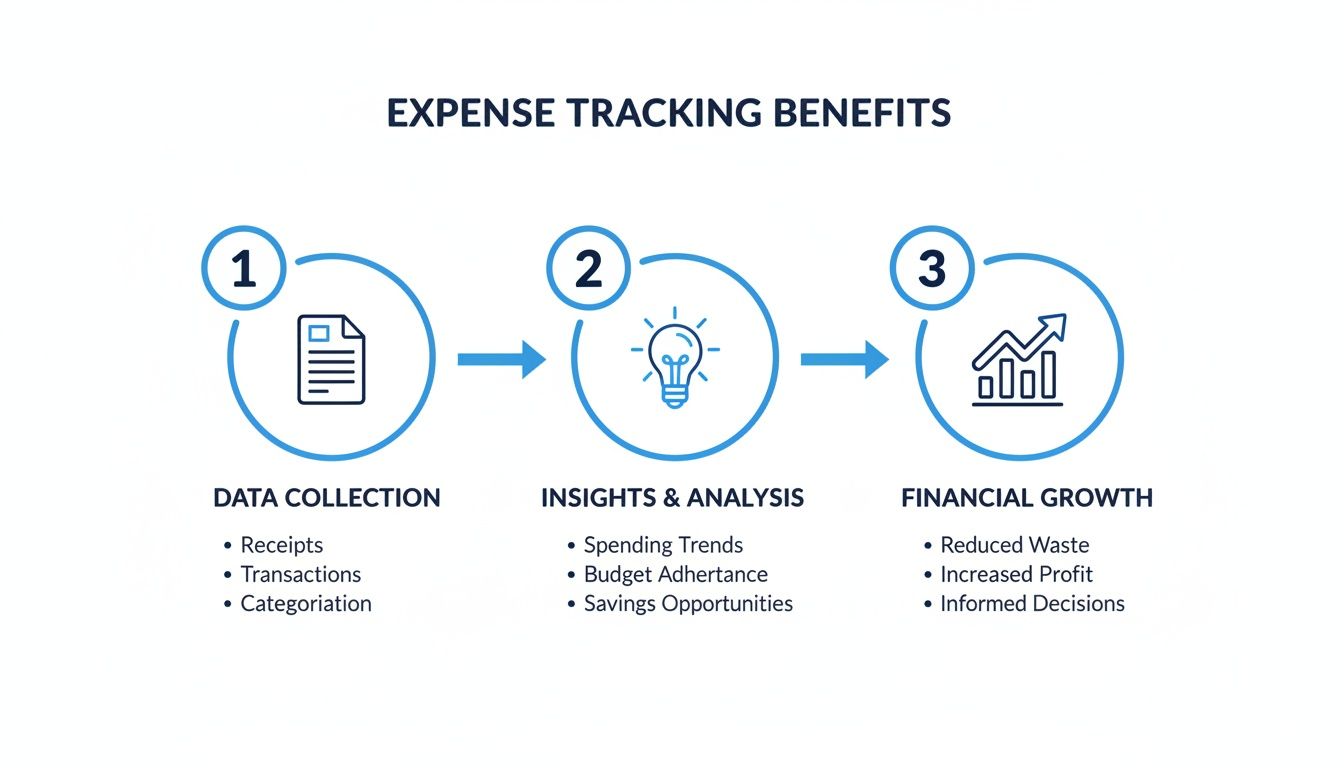
This really drives home the point that just collecting documents isn’t the goal. The real magic happens when you analyze that information to make smarter choices. If you want to go even deeper, this comprehensive guide on how to track business expenses offers a great modern perspective on the whole process.
The trend toward automation isn't just hype; it's a direct response to this need for better data. Recent findings show that 70% of finance teams now consider real-time expense visibility a top priority. It's no surprise that 87% of CFOs are investing in automation to improve accuracy. The payoff is huge—it can cut down processing time by as much as 80%, freeing up countless hours for analysis and strategy instead of tedious data entry. You can dig into the numbers yourself in the 2025 Expense Trends Report.
Finding Your Ideal Expense Tracking System
Choosing the right system to track your business expenses is one of those foundational decisions that can make or break your financial sanity. This isn't just about picking a popular tool; it's about finding a system that actually fits your business model, transaction volume, and where you plan to be in a few years. A solo freelancer's needs are a world away from a growing team with employees submitting expenses left and right.
Honestly, the best choice isn't always the most complicated or feature-packed one. It’s the one you'll actually use consistently. I've seen so many business owners overcomplicate things right out of the gate, only to get frustrated and give up. The first step is to get real about where your business is today.
Evaluating What Your Business Actually Needs
Before you even start looking at software demos, take a minute to ask yourself a few direct questions. Your answers will give you a clear blueprint for what you’re looking for.
- How many transactions are we talking about each month? If you have fewer than, say, 20-30 expenses, a well-organized spreadsheet can work just fine. But if you're juggling hundreds, you need automation, period.
- Do you have employees who need to submit expenses? If the answer is yes, you'll want a system built for teams. Think multiple user accounts, simple approval workflows, and an easy way to handle reimbursements.
- What accounting software are you using? Your expense tool needs to play nice with your accounting platform, whether that’s QuickBooks or Xero. Otherwise, you’re just signing yourself up for hours of manual data entry to keep your books in sync.
- What’s your business structure? A sole proprietor can keep things simple. A corporation, on the other hand, needs much more detailed tracking for compliance and reporting to stakeholders.
Answering these will help you narrow the field immediately, so you don't waste time looking at systems that are either overkill or not nearly powerful enough for your needs.
Comparing Your Core Options
Once you have a good handle on your requirements, you can start comparing the main categories of expense tracking systems. Each one has its pros and cons, and the right fit really depends on your business's complexity and budget.
| System Type | Best For | Key Advantage | Potential Downside |
|---|---|---|---|
| Spreadsheets | Freelancers, solopreneurs, and micro-businesses with low transaction volume. | You have total control and it costs nothing. You can build it exactly how you want it. | It’s incredibly prone to human error, eats up your time, and simply doesn't scale. |
| Mobile Apps | Small businesses, consultants, and teams needing to capture receipts on the go. | Instantly digitizes receipts, automates a lot of the data entry, and is usually affordable. | Some apps might have limited reporting features or lack deep accounting integrations. |
| Integrated Software | Growing businesses and established companies that need an all-in-one solution. | Connects directly to your accounting system, offers advanced reporting, and automates entire workflows. | This option comes with a higher price tag and can have a steeper learning curve. |
The best system doesn't just solve today's problems—it has room for you to grow. Trust me, switching from one system to another is a massive project. Choosing a scalable option from the start can save you a world of hurt later. Tools like Zoho Expense or Expensify are great examples of a solid middle ground, offering powerful features that can scale right alongside your team and transaction volume.
Building a Bulletproof Receipt Management Habit
Let's be honest: your expense tracking system is only as good as the information you feed it. You can have the fanciest software in the world, but if you aren't consistently capturing every single expense, your financial picture will be fuzzy at best. This is why building a simple, unbreakable routine for handling receipts and invoices is the most critical part of this whole process.
The goal here is to make capturing expenses an automatic reflex, not another dreaded chore on your to-do list. For old-school paper receipts, this means your smartphone becomes your best friend. Most modern expense apps use Optical Character Recognition (OCR) to scan and digitize a receipt the moment you snap a photo. Seriously, there's no reason to stuff crumpled paper into your wallet or glovebox ever again.
Creating Your Daily Capture Routine
Consistency is the name of the game. After years of trying different methods, I’ve found that a quick, five-minute routine at the end of each day is the secret to never letting anything fall through the cracks. Before you close your laptop, just take a moment to scan any paper receipts from the day with your phone. It’s a tiny commitment that saves you from a mountain of paperwork later.
But what about all those digital invoices flooding your inbox? The same logic applies. Don't let them get lost in the shuffle.
- Set Up an Email Filter: A real game-changer is creating a rule in your email client, like Gmail or Outlook, to automatically forward anything with words like "invoice," "receipt," or "payment confirmation" to a special email address provided by your expense software.
- Create a Digital Folder: For invoices that need a manual touch, keep a simple folder structure in your cloud storage (Google Drive, Dropbox, etc.). I like to organize it by year, then by month, something like Expenses > 2024 > 10-October.
This two-pronged attack—a daily scan for paper and automated forwarding for digital—makes sure every single expense is captured with almost zero effort. If you want to dive deeper, you can explore the best way to organize business receipts to build a system that truly sticks.
Making Your System Unbreakable
Even the best habits have off days. Life gets busy, and routines can get derailed. To make your system truly failsafe, build in a backup. I recommend a weekly check-in, maybe every Friday afternoon for 15 minutes. Use this time to quickly scan through your captured expenses and chase down any loose ends from the week.
Think of it this way: your daily capture routine is your offense, stopping new receipts from piling up. Your weekly check-in is your defense, making sure nothing got past you. Together, they create a simple but powerful workflow that guarantees no expense gets lost again.
Letting Automation Do the Heavy Lifting
Okay, so you've gotten into the rhythm of snapping photos of every receipt. That’s a huge win. But now comes the part where you actually get your time back. This is where we move from just collecting data to making that data work for you, automatically.
Modern tools are fantastic at lifting key details—the vendor, date, and total amount—right off your receipts and invoices. That alone cuts out a ton of mind-numbing data entry. But the real magic happens when you teach your system how to categorize those expenses without your input. A little time spent setting this up now saves you from a mountain of administrative work later.

Create Categories That Actually Make Sense for Your Business
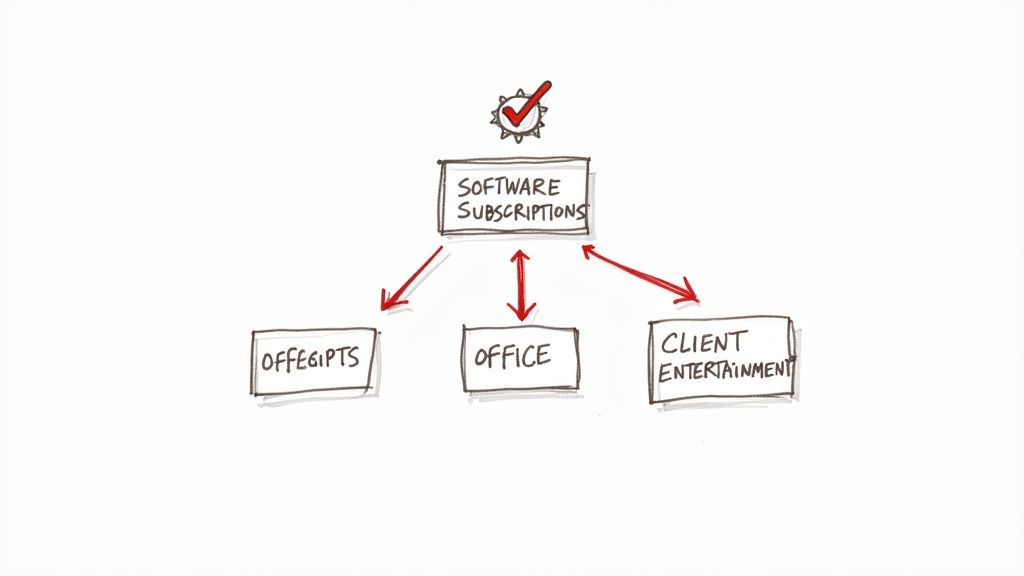
Most accounting software comes with a generic set of expense categories. They're fine, but they probably don't reflect how your business actually spends money. To get real clarity and make tax season a breeze, you need categories that fit your operations.
Don't just settle for "Office Supplies." Break it down into something meaningful.
- Software & Subscriptions: A bucket for all your recurring SaaS tools like Adobe, Slack, or your project management platform.
- Client Meals & Entertainment: This needs to be separate from your own lunch, as it's a specific, deductible category.
- Professional Development: This is where you'll track online courses, conference tickets, and industry books.
- Marketing & Advertising: Group your Facebook ad spend, business card printing, and other promotional costs here.
Creating these specific buckets doesn't just organize your spending; it gives you an instant, clear picture of where your money is going and ensures you're ready to claim every deduction you're entitled to.
Set Up Rules for Your Repeat Expenses
This is the key to true "set it and forget it" expense tracking: automation rules. Think of them as simple instructions for your software. Most platforms let you create rules that automatically sort transactions from vendors you use all the time.
For instance, you can tell your system: "Anytime you see a charge from 'Verizon,' categorize it under 'Utilities - Phone & Internet.'" You can set up the same logic for your rent, software subscriptions, or any other bill that hits your account each month.
The amount of time wasted on manual expense reports is shocking. Businesses worldwide process an average of 51,000 expense reports annually, with each one taking about 20 minutes to handle. That adds up to over 17,000 hours of administrative work, and it's no surprise that 19% of those reports have errors. Automating your categorization is the most direct way to slash that time and improve your accuracy.
Setting this up is a one-and-done task with a huge return. Once you create rules for your top 10-15 recurring vendors, you’ll see a massive chunk of your monthly expenses get sorted without you having to do a thing. If you want to dive deeper, our guide on how to automate data entry has some more advanced strategies. This frees you up to spend your time analyzing your spending patterns, not just logging them.
Turning Expense Data Into Business Intelligence
Alright, you've captured your expenses and categorized them. The tedious part is over. Now, let's get to the good stuff: turning all that raw data into actual business intelligence. This is where you go from just logging transactions to making smart, informed decisions that can really move the needle.
It all starts with a simple but crucial financial health check: reconciliation.
This just means you're matching the expenses you've tracked against your official bank and credit card statements. Think of it as your first line of defense. It's a routine check that quickly flags duplicate charges, uncovers missed payments, or even catches fraudulent activity you might otherwise miss.
Uncovering Insights with Reporting
Once you know your records are accurate, you can start digging into the reports. This is where diligent expense tracking truly pays off. You stop just seeing what you spent and start understanding why and how.
Modern expense tracking tools can generate powerful reports with just a few clicks. These aren't just for your accountant; they're for you, the business owner.
- Spending by Category: This is a goldmine. It breaks down exactly where your money is going. You might be surprised to find that your software subscriptions have crept up, telling you it’s time to audit your tools and cut what you're not using.
- Spending by Vendor: Want to know how much you've paid a specific supplier this year? This report gives you a hard number. It’s incredibly powerful data to have in your back pocket when it's time to negotiate better pricing.
- Expense Policy Violations: If you have a team, this one is a lifesaver. It highlights any spending that falls outside your company's expense policy, letting you address issues right away instead of weeks later.
This is especially critical for companies with employees who travel. A recent study found that 55% of travel managers are now focusing more on policy adherence than just chasing the lowest price. And with overall policy compliance sometimes dipping as low as 56%, using tools to flag out-of-policy spending is key to keeping costs in check. You can read more about these trends over at Booking.com for Business.
This is the leap from reactive bookkeeping to proactive financial management. You’re no longer just recording history; you're using historical data to predict the future and steer your business toward greater profitability.
Imagine catching a budget overrun in your marketing spend mid-month instead of finding out when the account is empty. That's the strategic edge this gives you. Just spending 15-20 minutes each week reviewing these reports can give you the insights you need to grow smarter, not just bigger.
Making Tax Time Effortless and Audit-Proof
Let's be honest, tax season is nobody's favorite time of year. But here's the real payoff for all your hard work in tracking expenses: a smooth, stress-free tax filing and the confidence of being audit-proof.
When your expenses are meticulously organized, tax prep stops being a frantic scramble through a shoebox of crumpled receipts. Instead, it becomes a simple matter of generating a few reports. With a click, you have everything you need, ensuring you don't miss out on a single deduction you're entitled to.
And if that dreaded audit notice ever arrives? No panic. You can simply export your clean, digitized records. This preparation saves an incredible amount of time, stress, and potential penalties. For many businesses, outsourcing to professional bookkeeping services is the key to maintaining this level of compliance year-round.

Uncovering Common Deductions
One of the biggest mistakes I see small businesses make is missing out on legitimate write-offs, all because their records are a complete mess. When your data is organized, spotting and claiming these often-overlooked deductions becomes second nature.
Here are a few that frequently slip through the cracks:
- Software Subscriptions: Every one of those monthly SaaS fees for the tools that keep your business running? Fully deductible.
- Home Office Expenses: If you have a dedicated workspace at home, you can deduct a portion of your rent, utilities, and internet.
- Professional Development: The costs for courses, industry conferences, and even relevant books or publications can really add up.
- Bank Fees: Don't forget about those monthly service charges and transaction fees on your business accounts.
Your detailed expense records do more than just simplify tax filing; they serve as your complete financial story. This narrative is crucial for accurate bank reconciliations, a process you can master with a solid bank reconciliation statement template.
Think of these organized records as your best defense. Should the IRS ever come knocking, you'll have a clear, chronological, and verifiable trail of every business expense. This turns a potentially painful audit into a straightforward, non-eventful review.
Answering Your Top Expense Tracking Questions
Even with a great system, you're bound to run into some practical questions along the way. Let's tackle some of the most common ones I hear from business owners. Getting these right will save you a ton of headaches down the road.
How Often Should I Be Updating My Expense Records?
Honestly, the best habit you can build is to log expenses in real-time. Just got a receipt for that client lunch? Scan it with your phone app right then and there. It takes seconds and it's done.
If that's just not going to happen, the next best thing is to block out five minutes at the end of every single workday to enter that day's expenses. It’s a small commitment that pays huge dividends in accuracy.
What's the absolute bare minimum? You need to be doing this once a week. Any longer than that, and you're just asking for trouble. Receipts get lost, you forget what a purchase was for, and you end up with a completely unreliable picture of your company's finances.
What's the Best Way to Handle Cash Expenses?
Ah, cash. The bane of every bookkeeper's existence. Cash expenses are so easy to forget, and those little unrecorded purchases can add up to a significant financial blind spot.
The only truly effective method is to deal with them immediately. The moment you pay for something with cash, pull out your phone, open your expense app, and log the details. Snap a picture of the receipt right then and there.
Even if all you get is a little petty cash slip, take a photo and add a quick note to remind yourself what it was for. This simple habit keeps those pesky cash receipts from vanishing into thin air.
Is It Okay to Mix Personal and Business Expenses on One Card?
Let me be blunt: no, it's a terrible idea. While you can technically do it, you're creating a massive, tangled mess for yourself.
Commingling your funds makes bookkeeping an absolute nightmare. It dramatically increases the chances of making costly errors and can be a huge red flag for tax authorities if you're ever audited.
The single most important step you can take for clean financial records is to open a dedicated business bank account and credit card. This protects your personal assets and establishes a clear, indisputable separation between your business and personal finances. It’s non-negotiable for serious business owners.
Ready to stop manually entering data from invoices and receipts? DocParseMagic turns messy documents into clean, organized spreadsheets in minutes. Try it for free and see how much time you can save.